Film cameras
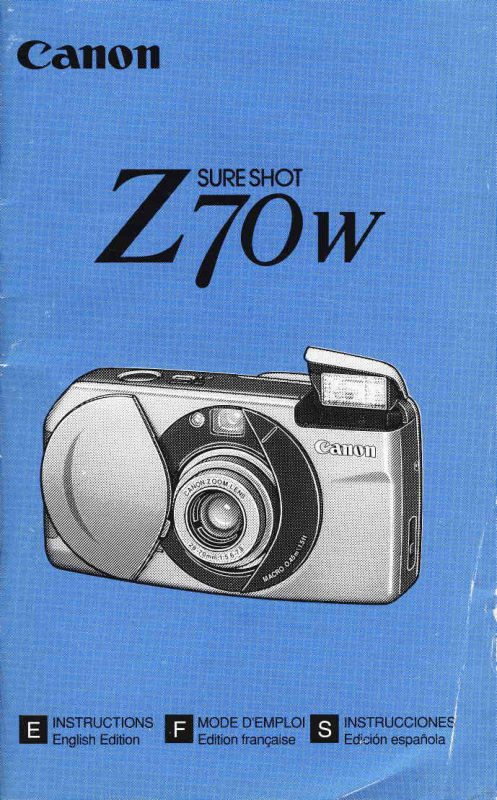
Canon Sure Shot Z70W PT. 1 User manual
User manual for Canon Sure Shot Z70W PT. 1. 50 pages in English. Read the original PDF, download or print a copy without registration.
50 pagesEnglish3.2 MB PDF
Loading your manual…Open PDF directly
Document details
- Brand
- Canon
- Model / document
- Canon Sure Shot Z70W PT. 1
- Document type
- User manual
- Language
- English
- Pages
- 50
- File size
- 3.2 MB
- Category
- Film cameras
- Document date
- Not specified in catalog
Search available document text
Find a term, then jump to its page in the original PDF. Image-only pages may not be searchable; check the PDF for exact wording and diagrams.
Page 3 · Read text
El nandlingPrecautions

      1. This camerais not resistantto water, and shouldnot be
      usedoutdoorsif it is rainingor snowing.lf it is accidentally
      droppedin water,contactan authorizedCanon service
         facility.Keep the cameraout of salt spray and excessive
       humidity.lf usedat the beach,cleanit thoroughlyafter-
      ward with a dry cloth.
     2. Storethe camerain a cool,dry, dust-freeplace.Be sure
        to keepthe cameraout of directsunlight,and away from
       "hotspots"such as the trunkor rearwindowshelfof a car.
      Avoid placeswhere mothballsare used,and use a desic-
       cant in excessivehumidity.
     3. Do not attemptto disassemblethe camerayourself,since
       thereis high-voltagecircuitryinside.
     4. The batteriesmay explodeor causeburnsif disassem-
       bled,recharged,shorted,exposedto hightemperatures,
       or disposedof in a fire.
     5. Use a blowerbrushto removedust and sand from the
       lensand insidethe camera.Do not applyany fluidsto the
       lensor body.Take the camerato an authorizedCanon
       servicefacilityfor a morethoroughcleaningif necessary.
     6. FilmpassingthroughX-rayexaminationsat an airport
     may be exposedand ruinedevenwhen loadedin theI      camera.Requesta differentmethodof inspectionto avoid
      damage.
     7. Color reproductionmay be adverselyaffectedif the film isb         left in the camerafor a longtime.Always develop
      exposedfilm promptly.F


                               www.orphancameras.com
View original page 3Page 4 · Read text
Pr6cautionsd'emploi               E
      l. Cet appareiln'est pas dtanche.et ne doit pas Ctreutilisd en
     exterieurlorsqu'ilpleurou qu'il neige.Si l'appareiltombeacci-
     dentellementdansI'eau, portez-leau ServiceAprds-Vente
    Canon.Mainlenezl'appareil6loign6des embrunset d'une
     humiditdexcessive.Aprds I'avoir utilisdi la plage.nertoyez-le
     soigneusementd l'aide d'un chiffon sec.
   2. Rangez I'appareil dans un endroit frais, sec et h I'abri de Ia
     poussidre.Ne le laissezpas expos6 au soleil et dans des ..points
     chauds" comme la plage aridre ou le coffre d'une voiture.
   3. Ne pas tenter de d6monter I'appareil car il possbdeun circuit
     haute tension.
;  4. Si les piles sont ddmont6es,rechargdes,court-circuitdesou
     expos6esd des tempdraturestrop 6levdesou jet6es dans le feu,
      elles peuvent exploser ou provoquer des br0lures.
   5. Utilisez une brossesoufflante pour retirer la poussidreet le
     sablede I'objectif et de I'int6rieur de I'appareil.N'utilisez
     aucun produit liquide sur l'objectif ou le boitier. Si un nettoyage
     approfondi s'imposait. porrez votre appareil au Service AprBs-
    Vente Canon.
   6. Un film soumis aux rayons X dans un a6roport peut 6tre exposd
      et voil6 m€me lorsqu'il est charg6dans I'appareil.Exigez une
    mdthode d'inspection diff6rente pour dviter tout dommage.
   7. Si le film reste longtemps dans I'appareil, la reproduction des
     couleurs peut en Otre irr6versiblement affect6e. Faites toujours
     ddvelopperles films expos6srapidement.


                                                                                             r ',i


                                         -.4.
View original page 4Page 5 · Read text
E  Precaucionesde manipulacion

1. Esta cdmarano es resistenteal agua y no la deber6 usar
  bajo la lluviao la nieve.Si se cae accidentalmenteal
  agua,p6ngaseen contactocon un servicioCanon auto-
  rizado.Prot6jalade las salpicadurasde agua saladay de
   la humedadexcesiva.Si la utilizaen la playa,lfmpiela
  completamentedespu6sde usarla,con un paflo seco.
2. Guardela c6maraen un lugarfresco,seco y librede
  polvo.No expongala cAmaraalaluz solar directa,y pro-
  cure no dejarlaen sitioscalientestales como en el
  maleteroo la bandejade un autom6vil.
3. No intentedesarmarla c6maraUd. mismo;el interioraloja
  circuitosde alta tensi6n.
4. La pila podrfaestallaro causarquemadurassi la desar-
  ma, recarga,cortocircuita,exponea altas temperaturas,o
  arrojaalfuego.
5. Utiliceun pincelsopladorpara eliminarel polvo o la arena
  del objetivoy del interiorde la c6mara.No apliqueningu-
  na clase de.fluidosal objetivoo al cuerpo.Si se requiere
  una limpiezaafondo, lleve la c1maraa un serviciode
  Canon autorizado.
6. Aunqueeste cargadaen la cAmara,lapeliculapodria
  dafiarsesi la sometea una inspecci6ncon rayosX en los
  aeropuertos.Soliciteun m6todode inspecci6ndiferente
  oara evitardaflos
7. La reproducci6ndel color podrla resultarafectadasi se
  deja la pelfculacargadaen la cdmarapor largotiempo.
  Revelesiemprelas pelfculasexpuestas,a la mayor
  brevedadposible.


                        www.orphancameras.com
                                                                              ' -"  "   -*-:r".-rto,.
View original page 5Page 6 · Read text
This devicecomolieswith Part 15 of the FCC Rules.
Operationis subjectto the followingtwo conditions:(1) This
devicemay not cause harmfulinterference,and (2) this
devicemust acceptany interferencereceived,including
interferencethat may cause undesiredoperation.
Do not make any changesor modificationsto the equipment
unlessotherwisespecifiedin the instructions.lf such
changesor modificationsshouldbe made,you couldbe
requiredto stop operationof the equipment.
This equipmenthas beentestedand foundto complywith
the limitsfor a classB digitaldevice,pursuantto part 15 of
the FCC Rules.These limitsare designedto providereason-
able protectionagainstharmfulinterferencein a residential
installation.This equipmentgenerates,uses and can radiate
radiofrequencyenergyand, if not installedand used in
accordancewith the instructions,may cause harmfulinter-
ferenceto radiocommunications.
However,there is no guaranteethat interferencewill not
occurin a particularinstallation.lf this equipmentdoes
cause harmfulinterferenceto radioor televisionreception,
which can be determinedby turningthe equipmentoff and
on, the user is encouragedto try to correctthe interference
by one or more of the followingmeasures:
. Reorientor relocatethe receivingantenna.
.lncreasethe separationbetweenthe equipmentand receiver.
. Consultthe dealeror an experiencedradio/TVtechnician
 for helo.
This digitalapparatusdoes not exceedthe Class B limitsfor
radionoiseemissionsfrom digitalapparatusas set out in the
interference-causingequipmentstandardentitled"Digital
Apparatus",ICES-003of the IndustryCanada.

Cet appareil num6rique respecte les limites de bruits
radio6lectriquesapplicablesaux appareilsnum6riquesde ClasseB
prescritesdans la norrne sur le mat6riel brouilleur: "Appareils
Num6riques", NMB-003 6dict6epar l'Industrie Canada.
View original page 6
Page 7 · Read text
fl  raole of Contents
. How to use these instructions
 These-instructionsare dividedinto 4 parts,in order of priori-
 ty: BasicOperations,ActiveOperations,Advanced
 Operationsand AdditionalInformation.lf you are usingthe
 camerafor the firsttime,readthe instructionsfrom the
 beginning.
                                                           -
iili;rffiid;il;ffi;;ilGilrh;;6ffit-tdi;;i;;;ti;;;;
i                    l:l
          Additionalinformationon usingthe camera.Ii       1]l
i  :q:T::1Y:::::T:::::i':::i::::i
[ntrod-uil]on  I
      E HandlingPrecautions                       ........2
      Tableof Contents                         .................
      QuickReference                      .................1
      Nomenclature..............                  .......20
t$siloGEtitnsl
      E Loadingthe Battery                        .........26
      Openingthe LensCover
      (Turningthe MainSwitchOn)................................
     ZoomOoeration..                       ................3
      Holdingthe Camera                       ............32
      ShutterButtonAction........        ....................
        Green IndicatorLampOperation           ......36
       Viewfinder.                                 ........37
      Loadingthe Film                       .................3
      TakingPictures(FullAuto)            .......,..,........4
      A|AF(SmartAF) Function           ....................4
     Removingthe Film.....                    .........48


                         www.orphancameras.com
View original page 7Page 8 · Read text
ffi
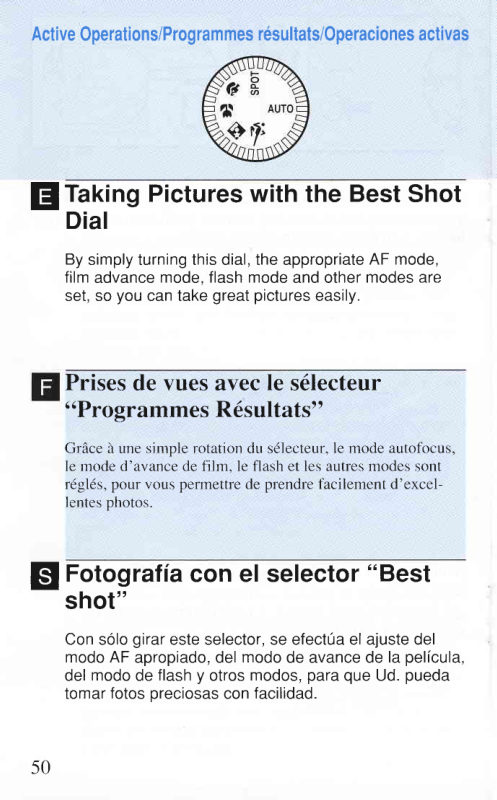
      TakingPictureswiththe BestShotDial................50
  K   TakingAction ModePicturesof MovingSubjects.........54
             Taking PortraitsAgainsta Night
           Background                      ..........56   Ei  NightMode
            TakingClose-upsof NearbyObjects........58  Y   Close-upMode                                         r
             Taking Portraits                                                                                      I  D   PortraitMode
     sPoT$:ifl:"Jtra||y-focusedPictures.'.
@
      FocusLockMode                        ..,...........64
      S Self-timerMode                       ............66
      Changingthe Flasht and Red-eyeReduction@
       Modes.......                              .......70                  I FlashON Mode                       ..........72P

            Eill Slow-synchroMode            ................76
     @ Red-eyeReductionFunction.......................78
View original page 8Page 10 · Read text
Prisesde vues avecle s6lecteur"ProgrammesRdsultats"..50
        Prisesde vues de sujetsen mouvement...........54
 K     Mode sport
 -r n-l     Portraitssur fond sombre                  .......56
 H      Mode nuit
        Prisesde vuesen grosplan de sujetsrapproch6s....58{?  Mode macro
         Portrait                                      ...60
      Mode portraits
S P g Tt  l Modet t : t d espotv u e s d e s u j e t s c e n t r 6 s " " " " 6 2


Mode de mise au point mdmorisde......           .........64
S Retardateur.                                       .....66
Changement des modes flash I et antr-yeux
rouges@  ....                                    ............70
       i Mode flash forc6 (ON)                              .....i2
  @Mode flash d6bray6,(OFF)                      ......74
  E / , Mode synchronisationlente             ............76
 @ Fonction anti-yeux rouges                     ....18


Questionset r6ponses                               .......84
Avant de s'adresserau S.A.V.                       .......85
Fichetechnique.....                               ........90
View original page 10Page 11 · Read text
Contenido
. Acerca de estas instrucciones
 Estasinstruccionesest6ndivididasen 4 partes,en orden
 de prioridad:Operacionesb6sicas,Operacionesactivas,
 Operacionesavanzadase Informacionadicional.Si utiliza
 la c6marapor primeravez, lea las instruccionesdesdeel
 pflncrpro.
                                                   -  -
iE;i;;il;1il;;i";;;-;liE;;l;;;is;il6;"G;iJ;6;
'  l : l i                                                                  I
i    13  Informacionadicionalsobreel uso de la c6mara.                i
i i
i  :o::::T:::T::l::llTl:::*1ljllllillTj
@
      Precaucionesde manipulacion....          .......4
      Contenido..                                    .....10
      Guiar6pida.                               ....16
      Nomenclatura                             ........20


            fl Instalacionde la pila.                      ........26
       Aperturade la tapa del objetivo
       (Activaciondel interruptorprincipal)       .........28
      Funcionamientodel zoom...                 .......30
      Sujecionde la c6mara...                    ......32
      Accionamientodel disparador                ....34
        Funcionamientode la luz indicadoraverde........36
      Visor                                      ........37
      Cargade la pelfcula                         .....38
     Toma de fotos (completamenteautom6tica)   ...41
      FuncionA|AF (SmartAF)                     ...46
       Extraccionde la pelicula                     .....48


10                    www.orphancameras.com
View original page 11Page 12 · Read text
Fotografiacon el selector,,Bestshot"         .....50
        Fotografiade sujetosen movimiento.......54
 n\      Modode accion
        Fotografiade retratosde personas
      en contrastecon un fondonocturno.........56
      Modo nocturno
        Fotografiade primerplanode objetos
      cercanos....                         .....59v  Modode primerplano
       Fotograffade retratos                 ...60qD      Modo de retrato
_      Fotografiade im6genesenfocadasen el
SPQT centrb                        .......62
      Modo spot

Modode bloqueodel enfoque                ...64
 $ Modode autodisparo                    .....66
cambio de los modosde flashI y de reduccionde
"ojosrojos"@ ..                               ....70     I Modocon ftash(ON)                     ...72 ff
  O Modosin flash(OFF)                 .........74
  E/+ Modode sincrolento                 .....76
 @ Funcionde reduccionde ,,ojosrojos"    ....7g           ff
Preguntasy Respuestas                     ....g6
Localizacionde averlas..                     ....97
Especificaciones.....                      .....92           I


                                    1 1
View original page 12Page 20 · Read text
Le sdlecteur"Programmes       El selector"Bestshot"oro-
  R6sultats"vous oifre les        porcionaajustesideales meilleurs          rdglagespour divers-   para diferentessituaciones. es srtuatlons.
 AUTO                AUTO
 Rdglezsur Auto.              Ajustea Auto.
 Sdlectionnezce mode pour      Seleccioneeste modopara
 prendre des instantands.       tomarfotosinstantdneas.
  ( - + p . 4 1 )                     (-+ p. a1)
 Macro                          Primer plano Sdlectionnezce mode pour la                          Seleccioneeste modopara photographieen gros plan de
 suJetsrapproch6s.(-+ p. 58)     tomarfotosde primerplano
                        de sujetoscercanos.
 Sport                          (-+ p. 58)
 S6lectionnezce mode pour les
 prises de vues de sujets en      Accion
 mouvement.(+  p. 54)         Seleccioneeste modo para
                          tomar fotos de sujetosen Portrait
                         movimiento.(-+ p. 5a) S6lectionnezce mode pour les
 portraits. (+  p. 60)
                            Retrato
Nuit                      Seleccioneeste modo oara
Sdlectionnezce mode pour       fotografiarretratos.
photographier des personnages  (-+ p. 60)
la nurt. (-+ p. -56)
                         NocturnoSpot
                         Seleccioneeste modo oaraS6lectionnezce mode pour les
photographiesde sujets se trou-   tomarfotosde personascon
vant au centrede I'image. (-+    un fondonocturno.(+ p. 56)
p.62)
                         Spot
                         Seleccioneeste modo para
                        tomarfotosde sujetosque
                         estanen el centrode la ima-
                          gen. (-+ p 62)

                                                                                   I 9
View original page 20Page 22 · Read text
Nomenclature
O ShutterButton
@ $Self-timerButton(-+ p. 66)
 €t MeteringWindow
 €) ViewfinderWindow(-+ p. 37)
 t5, Ftasn
                       elf-timerLamp (-+ p.66)


                     p . 3 8 )
@ LensCover
Nomenclature
 rj-) Ddclenchcur                                                                              l|
?  $Touche clererardateur(-+ p. 66)
(31'Fen6trede posemdtre
(,1,)Fen6tredu viseur (-+ p. 37)
(.5_)Flash
(o) Lampe-pilote anri-yeux rouges/t6moinde retardateur(+p. 66)
i.Z,)Emetteurd'6clair AF
i.Q,rEmett.eurd'6clair AF auxiliaire


Nomenclatura
O Disparador
 z UBot6n de autodisparo(-+ p 66)
e Ventanade medicion
@ Ventanadel visor(-+ p. 37)
@ Ftash


                                     21
View original page 22Page 24 · Read text
Q9 LCD Panel
QDViewfinder
Q Qeen IndicatorLamp (-+ p.36)
Q ^@Wide-angleTurteiepnoioZobm Lever(-+ p.30)
 Ql Strap
Q) Strap Fixture
Q9 Protrusion
 {Q)BatteryCover
Q) FilmCheckWindow
8? TripodSocket
       t ftu.n Mode Button(-+ p. 70)@     -" Film RewindButtoh(-+ p. aB)@
@ BestShot Dial (-+ p. 5O)'
(?o)Back Cover

 il_) Ecran de contr6le LCD
 (]  Viseur                                    E
19 Tdmoin vert (+  p. 36)
(19 n a Commande^         de zoom @ Grand angle/ rtl Tdl6objecrif (-+ p. 30)
 rr ,  L t)LllTOl€
 t!9 Anache de conrroie
 il9)Partie saillanle
2-QCouvercledu logementde Ia pile
€1)Fen6trede contr6le du film
Q? Filetage pour tr6piecl
€=9I Touche de mocleflash (-+ p. 70)
     -"  Touche de rembobinige i-+ p. a8)Q!!
'2!)S6lecteur"Programmesr6iuliatsi (-+ p. SO)
?6)Dos
Q9 PantallaLCD
QDVisor
Q Luz indicadoraverde(-+ p. 36)
@ Palancadel zoom de iiiil Gran'angular/rfiTelefoto
 ^  (-+ p 30)
(7 Correa
09 Enganchede la correa
Q9Saliente
@) Tapa de la pila
QDVentanade verificacionde la pelfcula
@ Roscapara el tripode
Q)  t Botondel modo de flash (-+ p. 70)
@   o" Bot6nde rebobinadodeita'peticirta'       (+ p. a8)
@ Selector"Bestshot"(-+ p. 50)
@ tapa posterior
                                     23
View original page 24Page 25 · Read text
@
      @          @                              6nYi/
                 @

                                                                  /<A
                                                                              Y:/
                 @


LCD Panel
This diagramshowsall the symbolsfor explanationonly.
The LCD panelwill neveractuallylook likethis.

Ecran de contrdleLCD
A titre explicatif,ce sch6mamontretousles symbolesaffich6s
simultan6ment.En r6,alit6,lessymbolesn'apparaissentjamaistous
en m€metempssur l'6crande contr6leLCD.

Pantalla LGD
Estediagramale muestratodoslos sfmbolos,s6lo para la
explicaci6n.La pantallaLCD realmenteno se asemejaa
esto.


24                     www.orphancameras.com
View original page 25Page 26 · Read text
€l Red-eyeReductionIndicator
@ @ FlashOFF Indicator
@ iFlash ON Indicator
@ Slow-synchroIndicator
@ 1-pointMeasurementIndicator
@ ContinuousShootingIndicator
@ FrameCounter
@ BatteryCheckMark (-+ p.27)
Q9Film Indicator
@ FilmAdvanceIndicator
   Sett-timerIndicator


?4 Inclicateurde la fonction anti-yeuxrouges
€B) @ tnaicateur de flash d6bray6 (OFF)
[)     i hrdicateur de flash forc6 (ON)
itrOlnclicateurde synchronisationlente
iO Inclicateurde mise au point centr6e
@ Indicateur de prises de vues en rafale
Q9 Compteur de vues
@ Symboleclecontrdlede la pile (-+ p.27) / < >  '
 rJ5,;   lllcllCaleur Oe Illm
€0 Indicateurd'avancedu film
@ Inclicateurdu retardateur

@ Indicadorde reduccionde "ojosrojos"
@ O Indicadordel modosin flash
@  t Indicadordel modocon flash
@ Indicadorde sincrolento
@ lndicadorde medici6nde 1-punto
@ Indicadorde tomascontinuas
 $ Contadorde exposiciones
@ Marcade verificaci6nde la pila (-->p.27)
@ Indicadorde pelicula
@ Indicadorde avancede la pelicula
@ Indicadordel autodisparador

                                   25
View original page 26Page 27 · Read text
BasicOperations/Op6rationsde base/Operacionesbdsicas


                                       \;)                2w
   Loadingthe Battery fl
    This camerauses one 3V lithiumbattery(CR 123Aor
    DL 123A)
     1. Open the batterycoverby insertingthe protrusionon
       the strapfixtureor a coin intothe slot.
     2. Load the batteryso that the terminalsface in the
       directionshownin the illustration.
     3. Closethe batterycoveruntilit clicks.

   tUiseen placede la pilef,l
     Cet appareil est alimentd par une pile de 3 volts au
      lithium (CR 123A ou DL 123A).
          l. Ouvrez le couvercledu logementde la pile en ins6rantla par-
          tie saillante de I'attache de couroie ou une pibce de monnaie
       dans la fente.
      2. Introduisez la pile en orientant sesbornes dans la direction
       indiqudesur l' ill usrration.
      3. Refermez le couvercle. Un ddclic se produit lorsque celui-
         ci est parfaitemenlfermd
   Instalacionde la pila
    Estac6marafuncionacon una pilade 3V (CR 123Ao
   DL 123A).
     1. Abra la tapade la pilainsertandoen la ranurauna
     monedao el salientedel enganchede la correa.
     2. Instalela pila con los terminalesorientadosen la
      direcci6nque se indicaen la ilustracion.
     3. Cierrela tapa de la pila hastaque encajecon un
      chasquido.
26                    www.orphancameras.com
View original page 27Page 28 · Read text
@
                         f-l                         ,-l          -ilF   aI


                                                                                                                         Llj 3

 . The batterycheckmarkE on the LCD paneldisappears.
Shooting Capacity
Approx.13 rollsof 24-exposurefilm with 50% flashuse.
(Databasedon Canon'sStandardTest Method.)
   l=      . Replacethebatterywhenthe il markflashesin the LCD
    lll    paner.
             . Alwayscheckthebatterybeforetakingpictures.
             . Alwayscarrya supplyof sparebatteries,especiallywhen
         travelingwheretheappropriatebatterymaynotbeavailable.

.  Le symbole de contrdle de la pile  I h l'6crun de contrdle LCD disparait.
Autonomie  de la pile
Environ  l3  films de 24 poses avec utilisation  du flash d 50%. (Ces
donndes sont bas6es sur la M6thode  de Test Standard Canon.)
                 . Remplacezla pile lorsquele symbole [l clignoresur l'6crande     [fl
     ljl       contr6le LCD.
                 . Contr0lez toujours la pile avant de prendre des photos.
                 . Pensezd vous munir de piles de rechange,en particulier lors de
         voyages vers des destinationsoi  la piie appropri6epeut ne pas
           6tre disponible.
. La marcade verificacionde la pila E desaparecede la
  oantallaLCD.
Duracionde la pila
Aprox.13 rollosde 24 exposicionesusandoel flashal 50%.
(Datosbasadosen el Metodode PruebaEst6ndarde Canon).
             . Reemplacela pilacuandola marcalJdestelleen la pan-  f-=;1
  L]lJ   tattaLbD.
             . Verifiquesiempreel estadode la pilaantesdetomarlasfotos.
             . Llevesiempreunaprovisionde pilasde repuestos,espe-
         cialmente cuando tenga que viajar a lugares donde le sea
            diffcil conseguir la pila apropiada.
                                                                         ).7
View original page 28Page 29 · Read text
Openingthe LensCover
    (Turningthe Main Switch On)
   Whenthe lenscoveris ooened,the mainswitchis
    turnedon and the lens and flashare automaticallyset
     for shooting.
                     . Thelensfirstzoomsto thefullwide(28mm)position.       f_=l        ql      . Slidethelenscoverooenuntilit clio<s.
                     . lf thelensandflasharenotsetforshootino.checkto
           seeif thereis a battervloaded.
   Ouverture du volet d'objectif
      (Activation  de I'interrupteur    principal)
     Lorsque  le volet  d'objectif  est ouvert,  I'interrupteur  principal
      est mis sous tension et I'objectif  ainsi que Ie flash sont r6gl6s
     automatiquement  pour  la prise de vues.
                            . A I'ouverture du volet, le zoom se positionne sur Ia focale           f_fl
             l-ll    minimum (28 mm).
                            . Pour ouvrir le volet d'objectif, faites-le glisser jusqu'au
                  d6clic.
                            . Si I'objectif et le flash ne sont pas r6g16spour la prise de
                vues, v6rifiez si une pile est install6e dans l'appareil.
  Aperturade la tapa del objetivo
    (Activaci6ndel interruptorprincipal)
    Al abrirla tapa del objetivose activael interruptorprin-
     cipal,asimismoel objetivoy el flashse ajustan
    automaticamentepara fotografiar.
                     . El objetivoprimeroefectrjael zooma la posici6nde        f=l        l-$   aberturatotal(28mm).
                     . Deslicey abrala tapadelobjetivohastaquese
          escucheun chasouido
                           . Si el objetivo y el flash no se ajustan para la toma,
               revise si hav una oila instalada.
28                   www.orphancameras.com
View original page 29Page 30 · Read text
Turning the Power Off
Slidethe lenscovercloseduntilit clicks.
.The lens and flashretractintothe camerafor protection.
 This also preventsthe shutterbeingaccidentallyreleased.

Protection seal
To preventscratchingo{ the lens surface,a protectionseal
fl  is affixedto it duringproduction.Removeit beforeusing
lhe camera.

Mise hors tension
Fermezle volet d'objectif en le faisantglisserjusqu'au d6clic.
. L'obiectif et le flash rentrentalors dans l'appareil.Cette protec-
 tion permetd'6viter un d6clenchementaccidentel.

Ruban de protection
Un ruban de protection(f  est fixd sur l'obiectif pour 6viter de
rayer sa surf-acependantla production.Retirez-leavant d'utiliser
l'appareil.

Para desactivarla alimentacion
Deslicey cierrela tapa del objetivohastaescucharun
chasquido.
. El objetivoy el flashse introducenen la c6maraparafines
 de proteccion.Esto,tambienevitaque el disparadorse
 accioneaccidentalmente.

Sello protector
Paraevitarque se raye la superficiedel objectivo,se le ha
adheridoun selloprotector1i durantela produccion.
Retfreloantes de usar la cAmara.                                                                      .)()
View original page 30Page 31 · Read text
ttl


       OperationfiIZoom
    You can freely change the size of the image in the
     viewfinder by'using ihe wide-angle@ /teldphotorlr zoom
     lever.

                        .                   lens                         lf the                              is extended                                       for approx.                                        4                                         minutes                                                    without       _O.'                      lens              use,                  the                         automatically                                        retracts                                                  into                                                the camera
            and is set to the wide-angle(28mm)end.This is to
              orotectthe lens.
   Fonctionnement du zoomf,
     Vous pouvez changer )r volont6  la taille de votre image dans
       le viseur  i  I'aide de la commande de zoom grand angle E    /
       t6l6objectif    tll.

                -ii:     . Si l'appareil reste ouvert pendant prds de 4 minutes sans            -rg-
                Otreulilisd, I'objectif rentre automaticluementet se rdgle en
                 posilion de focale minimum (28 mrn).
p Funcionamientodel zoom
    Ud. podr6 cambiar libremente el tamafro de la imaoen
    en el visor utilizando la palanca del zoom de gran Sngu-
    lar@  / telefoto rtl .
           -ri-    . Si el objetivoesta extendidoduranteaprox.4 minu-          '3 -
              tos sin utilizarse,6stese ajustaautomdticamentea la
             posicionde gran angular(28mm).Estosirvepara
             protegerel objetivo.
30                   www.orphancameras.com
View original page 31Page 32 · Read text
28mm              70mm
    Wide-angleEnd (28mm) ,F
 rress tne zoom teverto the wide_anqleside.
 The lens is set to 2Bmmwid.e-angle.ifriigivesyou a wide
 fieldof view, suitablefor takinggioup orlaiiOicdpe pr"tr;;,
 tfrTelephotoEnd (70mm)
 Hresstne zoom leverto the telephotoside.
 The lens is set to ZOmmtelephoio.This makesthe image larger,suitablefor takingpoltraits.


  ltTilPosition grand angte (28 mm)
 Apguyez sur la commanclede.zoompour obtenir.la position grand
 angle 28 mm. Vous obtenezainsi un-granclchamp a'evisee afipio_
 pri6 por.rrvos photosde groupesou d6 paysages.
 t|jPosition t6l6 (70 mm)
Appuyez sur la commandede zoom pour obtenir la position t6r6i0
rnm. Cetteposition,qui rapprocheI'image est particulidrement
appropri6epour la r6alisation de portartsl


   Extremode gran angutar (2gmm)F
         ta patancadet zoom haciael ladode qran anoular.:lesfltg!.er.r oD1ettvose,a1ustaa 28mm                           gran angular.Esto pro"por_                          9.egl?lug amplicicampode visioniapropi5oJpar;'i, [j;iTorosoe gruposo de paisajes.
 tll Extremo de telefoto (70mm)
Presionela palancadel zoom haciael ladode telefoto.
El objetivose ajustaa Tommde terefoto.Esto proporciona
una imagenmds grande,aprodiadapara fotografiarretratos.

                                     31
View original page 32Related documents and language editions
From the M. Butkus archive. Original publisher and archive notices are retained.
Check the model and edition against your equipment.
PDF verified 2026-10-10.