Film cameras
Canon Sureshot Z70W 2 User manual
User manual for Canon Sureshot Z70W 2. 47 pages in French, Spanish. Read the original PDF, download or print a copy without registration.
47 pagesFrench, Spanish3.2 MB PDF
Loading your manual…Open PDF directly
Document details
- Brand
- Canon
- Model / document
- Canon Sureshot Z70W 2
- Document type
- User manual
- Language
- French, Spanish
- Pages
- 47
- File size
- 3.2 MB
- Category
- Film cameras
- Document date
- Not specified in catalog
Search available document text
Find a term, then jump to its page in the original PDF. Image-only pages may not be searchable; check the PDF for exact wording and diagrams.
Page 2 · Read text
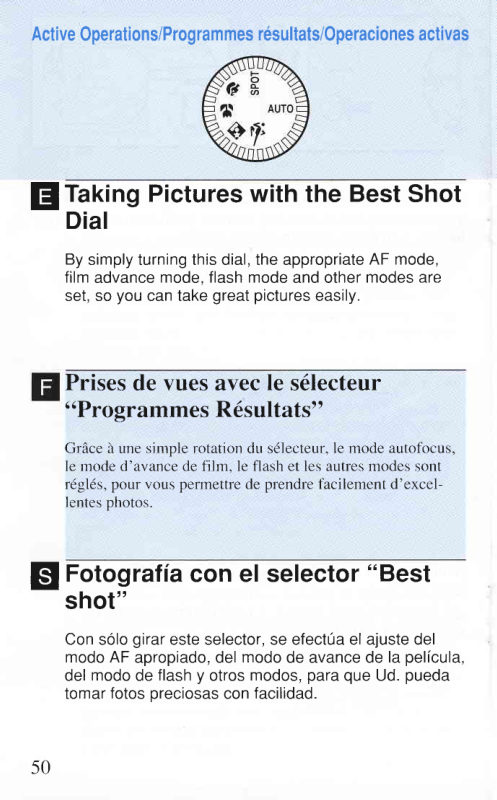
ActiveOperations/Programmesr6sultats/Operacionesactivas


  TakingPictureswith the Best Shotf,
   Dial

    By simplyturningthis dial,the appropriateAF mode,
     film advancemode,flash modeand othermodesare
     set,so you can take greatpictureseasily.


   Prises de vues avec Ie s6lecteur
      t tProgrammes                R6sultats"

    GrAced une simple rotationdu sdlecteur,le mode autofocus,
      le mode d'avancede fllm. le flash et les autresmodes sont
     r6gl6s,pour vous pennettrede prendref-acilementd'excel-
     lentesohotos.

   Fotogratiacon el selector"Best$l
   shot"
   Con solo girareste selector,se efect0ael ajustedel
   modoAF apropiado,del modode avancede la pelicula,
    del modode flashy otrosmodos,para que Ud. pueda
    tomarfotosoreciosascon facilidad.


50
View original page 2Page 4 · Read text
En:r
           5


    LCD Panel

     @            Red-eye reductionindicator

      O                         . Flash OFF indicator
      E/t

                      Continuousshootingindicator

      Ecran de contr0le LCD


      @t    '                  Indicateur de flash d6bray6 (OFF)
           7                  Indicateur de flash forc6 (ON)
         E   ,  I              Indicateur de synchronisation lente
                    .                  Indicateur de mesure centrde


     PantallaLCD

                        Indicadorde reduccionde "ojos rojos"


52
View original page 4Page 5 · Read text
Function
    In flash photographythe shutter releases approx. 1 second after the red-
   eye reductionlamp lights
   The flash will not fire.
   The flash fires every time.
   The flash fires with a slow shutter speed.
   The camera focuses on 1 point in the center of the frame.
   Continuousshootingfor as long as the shutter button is pressed (max. 1
   frame/sec.)


    Fonction
    Lors de la prise de vues au flash, le d6clenchement se produit environ   I seconde
    aprds que la lampe-pilote anti-yeux rouges s'allume
   Le flash ne se d6clenche pas.
   Le flash se d6clenche d chaque fois.
   Le flash se d6clenche avec une vitesse d'obturation  lente.
    L'appareil effectue la mise au point sur un point situ6 au centre du cadre.
    Prise de vues en rafale possible tant que le d6clencheur est enfonc6 (max.  I
    image/sec.)


   Funcion
  En la fotografia con flash, el obturadorse soltar6 aprox. 1 segundo
  despuesde iluminarsela luz de reduccionde "ojos rojos".

_ _ El flash se disqre g$eJez.
   El flash se dispara a una velocidad de obturacion lenta.
   La cdmara enfoca en un punto del centro del cuadro.
  Se efectfan tomas continuasmientrasoprime el disparador(m6x. 1
   cuadro/seg.)

                            www.orphancameras.com           53
View original page 5Page 6 · Read text
TakingPicturesof MovingSubjects
    Use this functionto maintaincontinuousfocuson a
    movingsubject.
    The servoautofocusmaintainscontinuousfocuson the
    movingsubject.By keepingthe shutterbuttonpressed,
    you can take picturescontinuously.
   Whenyou turn the dial to aL , the LCD panelwill display
     El and a::.
   Prisesde vues de sujets en mouvement
     Cette fonction permet la mise au point continue de sujets en
    mouvement.

     L'autofocus Servo modifie en permanencela mise au point
    de sujetsen mouvement. La prise de vues en rafale est possi-
     ble en maintenantle ddclencheurenfonc6.
    Lorsque vous tournez le s6lecteuren position 'K  , E et B sont
     affich6s sur 1'6crande contrOleLCD.
   Fotografiade sujetosen movimiento
     Utiliceestafuncionpara mantenerel enfoquecontinuo
    sobreun sujetoen movimiento.
     El servomecanismodel enfoqueautom6ticomantiene
    un enfoquecontinuosobreel sujetoen movimiento.
    Manteniendooprimidoel disparador,se podr6ntomar
    fotoscontinuamente.
   Cuandogire el selectora t(  , se visualizaranEy E:ren
     la pantallaLCD.
54
View original page 6Page 7 · Read text
Keep the AF frame on the moving subject.

              . The flashfiresautomaticallywhen necessaryin low-lightor   l=l
  |JJ    backlitconditions.
              . Lightlypressthe shutterbutton.The cameracontinuously
        focuseson the main subjectfor up to 40 seconds.(The
        greenindicatorlamp does not light)
              . The red-eyereductionfunctiondoes not operateto reduce
        the delaybeforeexposure.


Maintenez le collimateur  autofocus  sur le sujet er

                 . Le flash se d6clencheautomatiquementquan  H
   ql      insuffisanteou en contre-jour.
                . Appuyez l6gdrementsur le d6clencheur.L'a1
        mrse au potnt continue sur le sujet principal l
          (Le t6moin vert ne s'allume pas.)
                . La fonction anti-yeux rouges ne fonctionne pas afin de r6duire le
           d6lai avant I'exposttton.


Mantenga el cuadro AF sobre el sujeto en movimiento.

              . El flashse disparaautom6ticamentecuandosea nece-  t=
  Hl     sario,en condicionesde iluminacioninsuficienteo en con-
           lraluz.
              . Oprimaligeramenteel disparador.La camaraenfocacon-
        tinuamenteal sujetoprincipalduranteunos 40 segundos.
         (Laluz indicadoraverde no se ilumina.)
              . La funcionde reduccionde "ojosrojos"no funcionarapara
         reducirel retardoantesde la exposicion.

                                     55                           www.orphancameras.com
View original page 7Page 8 · Read text
TakingPortraitsAgainsta Nighttr
  Backqround
   Use thisTunctionfor best resultswhen takingpicturesof
    peopleagainsta nightbackground.
    Flashand slow shutterspeedare combinedso that the
    flashilluminatesthe subject,and the slow shutterspeed
    illuminatesa clearnightbackground.
   When you turn the dial to El , the LCD panelwill display
    6 > , F l a n d t .
   Portraits sur fond sombre
     Cette fonction permet d'obtenir de meilleurs rdsultats lors de
      la prise de vues de sujets sur fond sornbre.
    Le flash et une vitesse d'obturation lente sont combin6s pour
      6clairer le sujet et enregistrer correctement I'arridre plan.
    Lorsque vous tournez le s6lecteursur El  , l'6c.an de contrdle
    LCD affiche O   , El etl   .

  Fotogratiade retratosde personasE
  en contrastecon un fondonocturno
     Utiliceestafuncionparamejoresresultadoscuandodeseefotografiar
     retratosdepersonasencontrasteconunfondonocturno.
     Elflashy lavelocidaddeobturacionlentasecombinandetalmanera
    queelflashiluminaalsujeto,y lavelocidaddeobturacionlentailumi-
    naelfondonocturnoparaque6steseam6sclaro.
   Cuandogireelselectora Ei, sevisualizarAn@, E y I enlapan-
     tallaLCD.
56
View original page 8Page 9 · Read text
5


  H       . The red-eyereductionfunctionoperateswhen the @ indi-   ql     catoris displayedduringflashphotography.The red-eye
         reductionlampwill automaticallylightup and the shutteris
        releasedapprox.1 secondafterthe shutterbuttonis
        pressed(-+ p. 78).
              . When the dial is set on this mode,the camerashakewarn-
         ing will not operate.Placethe cameraon a steadysurface
         or tripodto preventcamerashake.
To take pictures of a night view only
For best results, turn off the flash. For details, see Advanced
Operations"Flash OFF ModeO " (-  p.74).
  1=       . Lors de la prise de vues au flash,_lafonction anti-yeux rouges
    llJ      fonctionn" lorrq.r" l'indicateur @ est affich 6. La-lampe-pilote
           anti-yeux rouges s'allume automatiquementet le d6clenchement
          se produit environ 1 seconde aprds avoir appuy6 sur le
          d6clencheur(-+ p. 78).
                 . Lorsque le s6lecteur est r€,916,sur ce mode, I'avertisseur de risque
         de flou de boug6 ne fonctionne pas. Placez I'appareil sur une
           surface stable ou sur un tr6pied.
Pour Ia prise de vues de nuit  uniquement
Pourobtenir des rdsultats optimaux, ddsact:ezle  flash. PoUI plus de d6tails,
 voir le chapitre Opdrations 6labor6es "Mode flash d6bray6 @-'  ( +  p.74).
   l=l      . La funcionde reduccionde "oiosroios"funcionacuando
    lll    se visualizael indicador@drirante'lafotograffacon flash.
        Laluz de reduccionde "ojosrojos"se iluminar6
        automdticamentey el disparadorse soltar6aprox.1
       segundodespu6sde oprimirlo(-->p. 78).
              . Cuandoel selectorse ajustaa este modo,la advertencia
        de vibracionde la c6marano funcionard.Pongala cdmara
        sobreuna superficieestableo un trfpodepara evitarla
         vibracionde la cAmara.
Para tomar fotografias solo de vistas nocturnas
Para mejores resLtltados,desactive el flash. Para los
detalles, consulte Operaciones avanzadas "Modo sin flash
                            www.orphancameras.com          57
View original page 9Page 10 · Read text
fi


  TakingClose-upsof NearbyObjects
   Use this functionfor best resultswhen takingclose-ups
     of plants,etc.

   You can approachthe subjectto as close as
    0.45ml1.5ft.

   Whenyou turnthe dialto V  , the LCD panelwilldisplay
   E .
   Prisesde vuesen grosplan de sujetsrap-E
   proch6s
     Cette fonction permet d'obtenir des r6sultatsoptimaux lors de
      la r6alisation de photographiesen gros plan.

         Il est possibled'approcherun objet jusqu'h 4,45 mdtre.

    Lorsque vous tournez le s6lecteuren position l?  , l'6cran de
     contrdle LCD affiche E  .
   Fotogratiade primerplanodeE
   objetoscercanos
     Utiliceesta funcionpara mejoresresultadosal fotogra-
     fiarplantas,etc.en primerplano.

    Ud. podra acercarseal sujetocomo a 0,45m.

   Cuandogire el selectora,12,se visualizar6,Eenla pan-
     tallaLCD.
58
View original page 10Page 11 · Read text
Whentakinga pictureof lessthan 1m/3.3ft.away,position
theAF frameover the subjectin the viewfinderand press
theshutterbuttonlightlyO. Whilepressingit lightly,frame
thepicturewithinthe close-upframe,then pressthe shutter
buttonfully@.
              . Picturescan be takenfrom infinityto 0 45m/1.Sft.
              . The flashfiresautomaticallywhen necessaryin low-lightor
         backlitconditions.
              . Zoomthe lensto 70mmfor maximummagnification.

Lors de la prise de vues h une distance inf6rieure d 1 mdtre, cefitrez                                                                                                          ,;jr;ii.
le collimateur autofocus sur le zujet dans le viseur et appuyez        :ruii
l6gbrementsur le d6clencheur O. Sans relflcher le d6clencheur,     j+ffi
cadrezI'image DrI'int6rieur du collimateur macro, puis d6clenchez tffi
hfond@.                                                                              ffi
                 . Les photos peuvent 6tre prises de I'infini d 0,45 mdtre.
                 . Le flash se d6clenche automatiquement si n6cessaireen basses
          lumibres ou en contre-jour.
                 . Effectuez un zoom de l'objectif h 70 mm pour grossissement
          maximal.
Al tomaruna foto a menosde 1m de distancia,sitfe el
cuadroAF sobreel sujetoen el visor,y oprimaligeramente
el disparadorO. ltltientrasoprimeligeramenteel disparador,
encuadrela imagendentrodel cuadrode primerplano,y
oprimaa fondoel disparador@.
              . Las fotosse puedentomardesdeel infinitohasta0,45m
              . El flashse disparaautom6ticamentecuandosea nece-
         sarioen ccndicionesde iluminacioninsuficienteo en con-
           lraluz
              . Efectfe el zoom del objetivoa 70mm para una m6xima
         amplificacion
                           www.orphancameras.com           59
View original page 11Page 12 · Read text
Takinq Porlraits
   Use thisIunctionfor best resultswhen takingportraits.

   The cameraautomaticallyzoomsto head-and-shoul-
    ders distance(within1-2m13.3-6.6ft.),and the flashf ires
     to add sparkleto the subject'seyes.

   Whenyou turnthe dialto \), the LCD panelwilldisplay
  @ ,  I a n d E .

   Portrait
     Cette fonction permet d'obtenir de meilleurs r6sultatspour
     les portraits.
     L'appareil se rdgle automatiquementen position zoom et le
     flash se d6clenchepour ajouter un scintillement dans les yeux
    du sujet.
    Lorsque vous tournez le s6lecteuren position \), 1'6crande
     contr6le LCD affiche @,   I  et E.

  Fotogratiade retratos
     Utiliceestafuncionpara obtenermejoresresultadosal
    fotogratiarretratosde personas.

    La c6maraautom6ticamenteefectuael zoom a la dis-
    tanciadel busto(entre1 a 2m),y el f lashse dispara
    para aumentarel brillode los ojos del sujeto.

   Cuandogire el selectora \), se visualizaran@,, y
        fl en la pantallaLCD.
60
View original page 12Page 13 · Read text
E


Positionthe AF frame over the subject.

              . Afterautomaticzooming,you can readjustthe zoom.   f-=l
  HJ     . The red-eyereductionfunctionoperateswhen the @ indi-
         catoris displayedduringflashphotography.The red-eye
        reductionlampwill automaticallylightup and the shutteris
        releasedapprox.1 secondafterthe shutterbuttonis
        pressed(-+ p. 78).


Centrez le collimateur  autofocus  sur le sujet.
                . L'appareil se rdgle automatiquement en position zoom si vous   ffi   l=l
   l-|J     6tes d une distance d'un  i deux mdtres du sujet.
                . IJne fois I'objectif en position zoom, vous pouvez r6ajuster Ie
        zoom pour tout changement de cadrage.
                . La fonction anti-yeux rouges est activ6e lorsque I'indicateur @
           est affich6 pendant la photographie au flash. La lampe-pilote
           anti-yeux rouges s'allume automatiquement et le d6clenchement
          se produit environ 1 seconde aprds avoir enfoncd le ddclencheur
           (-+ p. 78).

Centre el cuadro AF sobre el sujeto.               f
              . Despu6sde efectuarel zoom autom6tico,Ud. podr6 volver   l=l
  ql     a ajustarel zoom.
              . La funcionde reduccionde "ojosrojos"funcionarAcuando
        se visualiceel indicador@ durantela fotograflacon flash.
        La luz de reduccionde "ojosrojos"se iluminar6
        autom6ticamentey el obturadorse soltardaprox. 1 segun-
       do despu6sde oprimirel disparador(-->p. 78).

                             www.orphancameras.com           6r
View original page 13Page 14 · Read text
SPOT


   Taking Centrally-focusedPictures
    Use this functionfor best resultswhen takingpicturesof
    smallsubjectsetc. in the centerof the picturearea.

   When you turn the dial to SPOT,focusand exposure
    meteringare automaticallyset to the centerof the
    viewfinder.The LCD paneldisplaysE.Centerthe AF
    frameover the subjectin the viewfinder.

   Prisesde vues de sujetscentr6s
     Cette fonction permet d'obtenir de meilleurs r6sultatslors de
      la prise de vues de petits sujets se trouvant au centre de la
     zone photographi6e.

     Lorsque vous toumez le s6lecteurvers la position SPOT, la
     mise au point et la mesure de I'exposition sont automatique-
    ment r6gl6esau centre du viseur. L'€cran de contrOleLCD
      afficheEl . Cenffezle collimateur autofocus sur le sujet dans
      le viseur.
   Fotograliadeimdgenesenfocadasenelcentro
     Utiliceestafuncionparamejoresresultadosal tomar
     fotosde objetospequefros,etc. en el centrodel 6rea de
     la imagen.

    Cuandogire el selectora SPOT,el enfoquey el
    exposimetrose ajustanautom6ticamenteen el centro
     del visor.Se visualiza3en la pantallaLCD.
    Centreel cuadroAF sobreel sujetoen el visor.

62
View original page 14Page 15 · Read text
E

                                             \


          . The red-eyereductionfunctionoperateswhen the @ indi-
       catoris displayedduringflashphotography.The red-eyeE
      reductionlampwill automaticallylightup and the shutteris
      releasedapprox.1 secondafterthe shutterbuttonis
      pressed(-  p 78).

     This mode is also effectivewhen shooting:
          . Snow backgrounds
          . A landscapethrougha windowfrom a dark room


            . Lors de la prise de vues au flash, la fonction anti-yeux rouges estl=^l
ql      activ6e lorsque I'indicateur@est affich€.Lalampe-pilote anti-
       yeux rouges s'allume automatiquement et le d6clenchement se
        produit environ 1 seconde aprds avoir appuy6 sur le d6clencheur
        (+  p. 78).

_-,1._'v-   Ce mode procure 6galement de meilleurs r6sultats lors de la prise     de vues:
            . sur fond de neige
            . de paysages ir travers une fen6tre depuis une pibce sombre

          . La funcionde reduccionde "ojosrojos"funcionar6cuando
      se visualiceel indicador@ durantela fotografia con flash.E      Laluz de reduccionde "ojosrojos"se iluminar6
      autom6ticamentey el obturadorse soltar6aprox.1 segun-
      do despu6sde oprimirel disparador(-+ p. 78).

     Este modo tambienresultaefectivopara fotografiar:
          . Fondosde nieve
          . Un paisajea travesde una ventanadesde una habitacion
      oscura

                         www.orphancameras.com           63
View original page 15Page 16 · Read text
AdvancedOperations/Op6rations6labor6es/Operacionesavanzadas
                                       -4


p Focus Lock Mode
    Use this modewhen you wish to shoot your subjectout-
    side the AF frame. Pressthe shutterbuttonlightlyto
    changethe compositionof the picturewithoutchanging
    the focus or the exposurelevel (this is calledFocusLock).
        . This mode is more effectivewhen used with the spot
     mode.(-+ p. 62)

  Mo0ede miseau point m6moris6ell
      Utilisez ce mode lorsque vous souhaitez prendre votre sujet     ',
    en dehors du collimateur autofocus. Appuyez l6gdrement sur
      le ddclencheurpour modifier la composition de I'image sans
     modifier la mise au point ni le niveau de I'exposition (ceci
     s'appelle mise au point m6moris6e).
                                                                                                                                             l
                                                                                                                                                                    '
         . Ce mode est encore plus efficace lorsqu'il est utilis6 avec le
     mode spot. (-+ p. 62)
  Modo de bloqueodel enfoque$l
     Utiliceeste modo cuandodesee fotografiarun sujeto
    que est6 fuera del cuadroAF. Oprima ligeramenteel
    disparadorpara cambiarla composici6nde la imagen
     sin cambiarel enfoqueo el nivelde exposici6n(estose
    denominaBloqueodel enfoque).
                                                                           tI        . Este mode resulta m6s eficaz cuando se utiliza con el
    modo spot. (-+ p. 62)                                                                                              II
                                                                                                                                                                            i
64                                                            It
View original page 16Page 17 · Read text
1.Centerthe AF frameoverthe subject.pressthe shutter
  buttonlightlyto focusthe subject.The greenindicator
  lamplightsup when the subjectis in focus.
 2.Whilepressingthe shutterbuttonlightly,frameyour pic-
  tureas desired.Pressthe shutterbuttonfullyto take the
  prcture.
               . The focus lock mode cannotbe used with the actionmode   f_fl
   LJJ     e\
               . Afterfocusing,if the distanceor the zoom is chanoed.be
         sure to refocus.
 l. Centrezle collimateurautolbcussur le sujet.Appuyez
  ldgdrementsur le ddclencheurpour etfectuerla lnise au point
  sur le sujet. Le tdmoin vcrt s'allume lorsquele sujetest au point.
2. Tout en appuyantI mi-coursesur le d6clencheur,cadrez
  l'image comme vous le d6sirez.Appuyez ) fbnd sur le
  d6clencheurpour prendrela photo.
              . Le modrde rniseau.pointrn6rnoris6ene peufpas6tr.eutilis6   l=l
   Ltl    uvecle tnotle.pnn K.
                    . Aprds  la misc au point.  si la distance ou le zoom a changd.
             veillez  ir refnire la mise au ooint.
1.Centreel cuadroAF sobreel sujeto.Oprimaligeramente
  el disparadorpara enfocaral sujeto.Laluz indicadoraver
  de se iluminacuandoel sujetoquedaenfocado.
2. Mientrasoprimeligeramenteel disparador,encuadrela
  imagental como lo desee.Oprimaa fondoel disoarador
  paratomarla foto.
            . El modode bloqueodelenfoqueno se podr6usarconel   [f,l
   ql     modo de accion (
                . Despues de enfocar, si se cambia la distancia o el zoom.
        asegurese de volver a enfocar.

                             www.orphancameras.com           65
View original page 17Page 18 · Read text
1               2


  s)                     $ @

p  uself-timerMode
   The self-timerfunctionallowsyou to includeyourselfin
    the picture.
     1. Pressthe self-timerbutton.Makesure$ is displayed
     on the LCD panel.
     2. Composethe picturewhilelookingthroughthe viewfin-
       der. Pressthe shutterbuttonto beginself-timershoot-
       Ing.
   ORetardateurfl
    La fonction retardateurvous pemet de figurer sur la photo.
      1. Appuyez sur la touchede retarclateur.Assurez-vousque
       $apparait sur l'dcrande controleLCD.
     2. ComposezI'image tout en regardantdansle viseur.
      Appuyez ensuite sur le d6clencheurpour commencer la
        prise de vues au retardateur.

  oModo de autodisparo$l
    La funcionde autodisparole permitea Ud. apareceren
     la foto.
      '1.     Oprimael botonde autodisparo.Asegriresede que
      se visualice$ en la pantallaLCD.
     2. Compongala escenamientrasmiraa trav6sdel
       visor.Oprimael disparadorpara comenzara
      fotografiar con autodisparo.
66
View original page 18Page 19 · Read text
.The red-eyereduction/self-timerlamp blinks(approx.
  1/sec.)for about10 secondsbeforethe pictureis taken.
 To cancel self-timermode
Youcan do one of the followino:
 . Pressthe self-timerbuttonagiin
 . Turnthe bestshot dial to a differentoosition
 . Closethe lenscoverto turn the ooweroff

  La lampe-pilote anti-yeux rouges/t6nroinde retardateurclignote
   (environ I fois/sec.)pendantenviron l0 secondesavantque
   I'inragesoit prise.

 Pour annuler la fonction retardateur
Vous pouvezchoisir une des op6rationssuivantes:
 . Appuyez une nouvelle fois sur la touchede retardateur.
 . Tournezle s6lecteur"ProgrammesR6sultats',sur une position
 d ifidrente.
. Fermez le volet d'objectif pour mettre hors tension.
.Laluz de reduccionde "ojosrojos"iautodisparoparpadea
 (aprox.1/seg.)duranteaproximadamente1Osegundos
 antesde tomarla foto.

 Paracancelarel modo de autodisparo
Ud.podrdhaceruna de las siguientespautas:
. Oprimade nuevoel botonde autodisparo
. Gireel selector"Bestshot"a una posiciondiferente
. Cierrela tapa del objetivopara desactivarla alimentacion

                            www.orphancameras.com            61
View original page 19Page 20 · Read text
Self-timer Mode
                       . For the last 2 seconds beforethe picture is taken, the           |-{l        ql     red-eyereduction/self-timerlamp blinksrapidly
             (approx.4/sec.).When the red-eyereductionfunction                  is operating,it lightscontinuouslyfor the last 2 sec-     i
            onds beforethe oictureis taken.
                       . The self-timerfunctionoperatesfor about4 minutes               i
              whileS  is displayedin the LCD panel.                              I


     Retardateur
                           . Pendant les deux demibres secondes avant le d6clenche-           l--=l
       qJ     ment. la lampe-pilote anti-yeux rouges/t6moinde retarda-
       rr          teur clignote rapidement (environ 4 fois/sec.). Lorsque la
          ,           tonction anti-yeux rouges est activ6e, la lampe-pilote reste
        r:         allum6e en continu pendant les deux demibres secondes
        :r         avant le d6clenchement.
         ,,               . $  apparait sur l'6cran de contrOleLCD pendant environ 4

               dant ce temps.

   Modo de autodisparo
                       . Durantelos 0ltimos2 segundosantesde tomar la         [=l        ql      foto, la luz de reducci6nde "ojosrojos"/autodisparo
            parpadear6pidamente(aprox.4/seg.).Cuandola
             funci6nde reducci6nde "ojosrojos"va a realizarse,
                 la luz se iluminar6constantementedurantelos
               riltimos2 segundosantesde tomar la foto.
                       . La funci6nde autodisparofuncionaduranteaproxi-
           madamente4 minutosmientrasque U apareceen la
             DantallaLCD.

68              &
View original page 20Page 21 · Read text
. Placethe cameraon a tripodor positionit on a flat,steady
  surface.
 . Do not stand in frontof the camerawhen pressingthe self-
 timer button.This may cause improperfocus and expo-
 SUTE.
 . In the portraitmode,when you pressthe shutterbutton
  lightly,the camerazoomsat first.Pressthe shutterbutton
 continuouslyuntilthe self-timerbeginsto operate.


 . Placez I'appareil sur un trdpied ou sur une surface plane et sta-
  ble.
 . Ne restez pas devant I'appareit alors que vous appuyez sur le
  d6clencheur.Mise au point et exposition pourraient 6tre fauss6s.
, En mode portrait, lorsque vous appuyez l6gdrementsur le
 ddclencheurI'appareil effectue tout d'abord un zoom. Appuyez
  et maintenez le d6clencheurenfonc6jusqu'i  I 'activation du
  retardateur.


. Coloquela c6marasobre un tripodeo col6quelasobre una
 superficieplanay estable.
. No se pare delantede la c6maracuandooprimael dis-
 parador.Esto podriacausarun enfoquey exposici6n
 inadecuados.
. En el modo de retrato,cuandooprimaligeramenteel dis-
 parador,la c6maraprimeroefectrjael zoom. Oprimacon-
 tinuamenteel disparadorhastaque el autodisparador
 emoiecea funcionar.


                  www.orphancameras.com            69
View original page 21Page 22 · Read text
5

E Cnangingthe FlashlandRed-eye
   Reduction@ Modes
   Whenyou pressthe flashmode button,the flash mode
    changesin the ordershown.The flashcan be madeto
     fire everytime you take a picture,or can be turnedoff.
   You can checkthe flashmodeon the LCD panel.lf you
    turn the dial,the camerareturnsto the flashmodethat
   was originallyset.

Il  Cnungementdesmodesflash 7et anti-
   yeux rouges@
    Lorsquevous appuyezsur la touchede mode flash, le mode
     flash changedansI'ordre indiqu6.Le flash peut Otre
    d6clench6) chaqueprise de vues, ou peut Otreddsactivd.
         Il est possiblede vdrifler le mode flash sur l'6cran de contrdle
    LCD. Si vous tournezle s6lecteur,I'appareilrevient au mode
     flash qui 6tait initialementr6-q16.

E Cambiode losmodosde flashryde
  reduccionde "ojosrojos"@
   Cuandooprimael botondel modode flash,el modode
    flashcambiar6en el ordenoue se indica.Se ouede
    hacerque el flashdisparecada vez que Ud. tome una
     foto.o ouededesactivarlo.
    Ud. podr6verificarel modode flashen la pantallaLCD.
    Si gira el selector,la cAmararegresarAal modode flash
    ajustadooriginalmente.
10
View original page 22Related documents and language editions
From the M. Butkus archive. Original publisher and archive notices are retained.
Check the model and edition against your equipment.
PDF verified 2026-10-10.