Film cameras
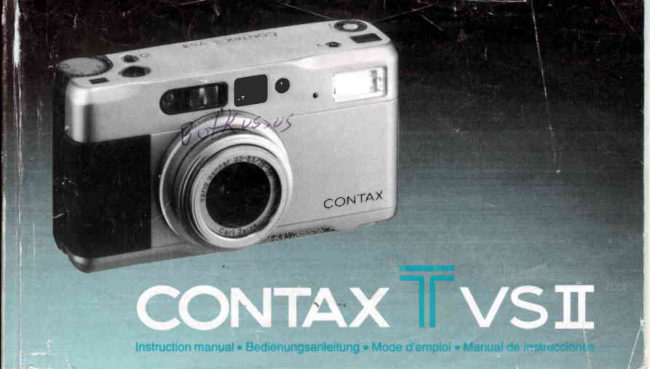
Contax T Vsii User manual
User manual for Contax T Vsii. 87 pages in German, French, Spanish. Read the original PDF, download or print a copy without registration.
87 pagesGerman, French, Spanish4.1 MB PDF
Loading your manual…Open PDF directly
Document details
- Brand
- Contax
- Model / document
- Contax T Vsii
- Document type
- User manual
- Language
- German, French, Spanish
- Pages
- 87
- File size
- 4.1 MB
- Category
- Film cameras
- Document date
- Not specified in catalog
Search available document text
Find a term, then jump to its page in the original PDF. Image-only pages may not be searchable; check the PDF for exact wording and diagrams.
Page 2 · Read text
Thank you for your purchase of the CONTD(        Vielen Dank, daB Sie sich fiir die CONTAX Tvs ll
Tvs ll.                                            entschieden haben. Damit besitzen Sie eine
Based on the CONTN( philosophy of              Kompafficamera,  die in Verarbeitung und
           ncamerawhichproducing a               works,n this 35mm     technischer Ausstattung einen Spitzenplatz
lens-shutter camera is extremely simple fo use.    einnimmt und hiSchstenAnspriichen gentigt.
It features a newly designed zoom lens            Dr'esefluBerst einfach zu bedienende 35-mm-
including the wide-angle focal lengths           Camera mit ZentralverschluB zeichnet sich
regarded as most important  for general            durch ein neu entwickeltes Zoomobjeffiiv aus,
photography. The focus sysfem is switchable      das tiber die Weitwinkelbrennweiten  verl[igt,
between auto focus or manual, and the             die beim allgemeinen Fotografieren am
exposure control system offers aperture-           hdufigsten bendtigt werden. Sie konnen
priority auto exposure and programmed auto       znrischen Autofocus und manueller
exposure.                                      Fokussierung wdhlen, und die
Before using the camera, be sure to read this       Beli c htung ssteueru n g b ietet sowo h I Beli c htun g
instruction manual carefully fo use it correctly.      mit Blendenvorwahlals auch eine
                                             Programmautomatik.
                               Um mit allen Eigenschaften dieser Camera
                                                           veftraut zu werden, sollten Sie vor der ercten
                                                                                        I nbetriebnahme unbedingt die Bed ie-
                                                nungsanleitung sorgfdltig lesen.

                  www.butkus.us
View original page 2Page 5 · Read text
@Main Switch and Zoom       (DDisplay Panel:The flash     €DGameraBack
  Ring: Turns power on or off      mode, exposure            @Film Check Window: lt
  and changesthe focal length     compensationvalue,and         allowsyou to see if there is
  of the lens (for zooming)by        battery check mark are             film in the cameraor not.
  rotatingthis ring.               displayedon it.              €DViewtinOerEyepiece
(DAperture Value Index         (EFlash                    @fltm Tip Mark
  (orange):Indicatesthe        (DFlash Mode Button: Used    @Spool
  approximateaperture at the        for switchingthe flash mode.  @Camera Back Release Pin
  focal lengthof 56mm when     (DSelf-timer LED: Blinkswhile   @Manual Rewind Button:
  the aperturering of the lens       the self-timeris operating.      Use this button if you want
   is set to F3.5 so that it          (DViewfinder                        to rewindthe film in the
  comes oppositeto the       @Lens and Lens Barrier          middleof a roll.
  apertureindex (black).    @ Lens Front Ring: The lens     @Battery
@ Exposure Gompensation        cap, filters(optional           CompartmenVCover
  Dial: Exposure                 accessories),and lens hood   @Film Guides
  compensationup to +5 EV        (optionalaccessory)are     @DX Contact
  can be set in 1/3-EVsteps.       attached to it.               @rilm Chamber
                            @Aperture Index (black): Set    @Strap Lug
                                your desiredapertureon the    (DTripod Socket
                                 aperturering to this mark.
View original page 5Page 6 · Read text
At 56mm    OPicture Area Frame: For subjects at normal
                                                   shootingdistances:beyond 1.0m(39in.).The
                                                frame illustratesthe picturetaking area.
                                           @Glose-range Parallax Frame: For subjectsat
                                                    close shootingdistances:0.5m (19-3/4in.)to
                                             1.0m (39 in.)To compose your picture,place
                                                   your subject within the displayedclose-up
                                                     frame.                       o
                                              tOFocusing Frame: Placeyour subjectto focus
                                                                in this frame.
                                         @Exposure Compensation Mark: When
                                               exposureis compensated,"+" or "-" is
                                                   displayedaccordingto the type of
                                                compensation.
      (lhis illustrationshouusall informationavailablein the        OFlash Mark: Turns on when the picture is to
     viewfinderfor reference.lt does not representan actual        be taken with flash. lt blinkswhile the flash is
    exampleof display.)                                  charging,and turns on with steady light when
                                                      the flash is fully charged.

                     www.butkus.us
t4
View original page 6Page 7 · Read text
0Focusing Indicator: Shows the focusing        o The above items of @ "ExposureCompen-
 mode.                                          sation Mark" to @ "ShutterSpeeds"are
0Programmed Mode lndicator: Turns on           displayedwhen the camerais operatedas
 whenthe aperturering is set to "P" (program       describedin 1 and 2 below.They are
  AE),or when the apertureis automatically         displayedfor 8 seconds,then automatically
 stoppeddown and the exposuremode is            turn off to save the battery.
  switchedto programAE.                            1. Whenthe main powerswitchis turnedon.                                                       2. With the main power switch on, when the
0 Shutter Speeds: The cameradisplaysthe             shutterrelease,zoom ring,focusingdial, or
  shutterspeed in a rangeof 700 (1/7OOsecond)        flash mode button is operated.  to 16 (16 seconds).                                             Whilethe shutteris opened (the film is being
I Shutterspeedsare displayedin 1/2-step                                              exposed),the displayturns off. In the case of
  increments.                                                long exposure,take particularcare to prevento lf "P700"or "500" blinks,it meansthat your                                         camerashakewhile the displayturns off.  subjectwill be overexposed.lf "16" blinks,it
 meansthat an exposurefor more than 16
 secondsis requiredto obtain correct
  exposure.In this case, if you keep on
  depressingthe shutterrelease,the camera
  switchesto the bulb exposuremode.

                                                                                     1 5
View original page 7Page 8 · Read text
(This illustration shows  all information available in the         <Exposure  Gounter>
     display panel for reference.  lt does not represent an actual      (Thisillustrationshows informationavailablein the
    example of display.)                                    exposure counter for reference.lt does not representan
                                                               actual example of display.)


  O Flash Mode Display: Shows the modes of the   The exposurecountershows the numberof
      built-inflash.                               exposures.lt also shows the lens focal length
     Flash-automode " lnno"                     (when the shutter releaseis depressed halfway),
     Red-eyereductionflash mode " ll*,o  "          remainingtime on self-timer,and the time that                                            'r      Flash-offmode " loFF                       has passedduring bulb exposure.
       Fill-inflashmode " t  "
   €)Exposure Compensation Value: lt does not
     appearwhen no compensationis made.
   OBattery Warning Mark: Turns on when it is
     time to changethewww.butkus.usbattery.22
View original page 8Page 9 · Read text
(DieseAbbildung  zeigt alle lnformationen,  die im LCD-        OBatterie-Warnsignal: Leuchtetauf, wenn die
Monitor erscheinen konnen.  Sie dient jedoch  nur als            Batterieausgewechseltwerden muB.
Anhaltspunkt, es handelt sich dabei nicht um das Beispiel
einer tatsachlichen Anzeige.)                         <Bildzdhlwerk>
                                                               (Diese Abbildung  zeigt die lnformationen,  die im
                                                                 Bildzahlwerk erscheinen konnen. Sie dient jedoch  nur als
                                                                 Anhaltspunkt;  es handelt  sich dabei nicht um das Beispiel
                o                           ei ner tatsdc h Ii c hen Anzeige. )


OBlitzfunktions-Anzeige:Zeigt die
  verschiedenenFunktionendes eingebauten
  Blitzgerdtesan.
  Blitzautomafift" fruro"                                      Das Bildzdhlwerkzeigt die Anzahlder  Anti-Rotaugen-Blitz                            " flov,o"                                            Belichtungen.Bei leichtemDruckauf den           4,OFF '
   BIitZ AUS                                   Ausldserwird die eingestellteBrennweite  Aufhellblitz" I  "                                              angezeigt.Bei Selbstausloser-und
@Belichtungskorrektursymbol:Erscheintnur,     Langzeitbelichtungen(B) erscheinendie
 wenneineBelichtungskorrekturvorgenommen   ablaufendenSekunden.
  wird.                                                                     23
View original page 9Page 10 · Read text
Nous yous remercions d'avoir choisi le           Muchas gracias por ta adquisicion de Ia
CONTAX Tvs ll.                         CONTAXTvS ll.
S'appuyant sur la philosophie Contax qui est      Basdndose en la filosofia de Contat<de hacer
de produire des "appareils 100o/ofonctionnels",     "camaras que funcionan como es de esperar",
cet appareil 24 x 36 mm d obturateur central        esta cdmara con el obturador en el objetivo de
est extrdmement facile d utiliser.                 35 mm es de Io mds fdcil de utilizar.
ll se caractdrise par un zoom de conception        lncorpora un nuevo objetivo zoom de nuevo
nouvelle, comportant |es longueurs focales          disefio que incluye las distancias focales de
grand angulaire, consid6r6es comme /es p/us      gran angular que se consrderan como las mds
importantes pour Ia photographie gdndrale.        importantes para Ia fotografia general. EI
Vous avez le choix entre la mise au point           sisfema de enfoque puede seleccionarse entre
automatique et manuelle, tandis que le            enfoque automdtico o manual, y el sistema de
systdme de contrdle de I'exposition offre            control de Ia exposici6n ofrece la exposicion
l'exposition automatique d priorit€ au              automdtica con prioridad en Ia abertura y
diaphragme et l'exposition automatique           expo si ci o n auto m dti ca p ro g ram ad a.
programm6e.                                  Antes de emplear esfa cdmara, lea
Nous vous conseillons de lire attentivement ce     cuidadosamente este manual de instrucciones
manuel avant d'utiliser l'appareil afin de           para usarla correctamente.
l' utiliser correctement.

                    www.butkus.us
View original page 10Page 11 · Read text
"Se
Inhalt

Bedienungselementeund Funktionen..............10    Weitere Camerafunktionen.....             .....64
Sucherinformationen                         .... 16    Schdrrfespeicher(FocusLock)..........................65
LCD-Monitor.................     .......-..........23   MeBwedspeicher(AE-Lock)            ...........70
                                             Belichtungskorrektur                    ....73
Aufnahmevorbereitungen..............................26    Blitzfotografie.............          ....................79
Einsetzender Batterie           ....................27 Aufnahmenmit Se|bstaus|oser.........................95
BatterieprufungMechseln der Batterie............31    Langzeitbelichtung/B..         ....................99
Einlegendes Films                            .......35    Sonderfunktionen                         .......100
Einschaltender Camera             .................39   Trageriemenund weichesEtui
Entfernungseinstellung         ...................41    (Standardzubehor)                           ......1 10
Blendeneinstellung                     .......42   Contax Tvs Datenruckwand
Wahldes Bildausschnitts(Zoomen).................53    (Sonderzubehdr).........       ..................113
Fotografieren...............         ...................55    Spezialzubehdr..........       ...................125
Rtickspulendes Films            ....................63   Camerapflege u nd Vorsichtshi nweise............129
                                       Aufbewahrungder Camera             ..........130
                                       TechnischeDaten........          .................135
View original page 11Page 12 · Read text
Sommaire                                                                                                                                            ;
Noms des pidceset leursfonctions.................1 1    Techniques de prise de vues                   .... 64
Affichagedans le viseur             .................18   M6morisationde mise au point ......................65
Ecrand'affichage                        .........24   M6morisationd'exposition..............................7 1
                                       Compensationd'exposition............................73
Proc6dures de base                         Photographieau flash             ....................79
pour prendredes photos             ............26  Prisede vues avec le retardateur....................95
Chargementde la pi|e...........         .........27  Poselente(B) ............          ....................99
V6rificationde la pile/                         Fonctionssp6ciales            ....................101Remplacementde la pi|e........         ........32   Courroiede I'appareilet 6tui souple        l
Chargementde la pellicule....            .........35    (Accessoiresinclus)              ....................111
Enclenchementde I'interrupteur               Dos dateur Contax Tvs
d'alimentationprincipal....................................39    (Accessoireoptionnel)..           ................113
R6glagede la molettede miseau point...........41  Accessoiressp6ciaux(optionnels)................125
R6glagedu diaphragme..........         .......43    Entretienet pr6cautionsd'emploi..................131
S6lectionde la composition                  Stockagede I'apparei1..................................132
(changementde focale)....................................53    Caract6ristiquestechniques..........................137
Prisede vues..........                        ......55
Rembobinagede la pellicule             ..........63


                 www.butkus.us
View original page 12Page 13 · Read text
indice

Nomenclaturay funciones................................12T6cnicasde fotogratia ............         ....64
lndicacionesdel visor            ....................20 Bloqueode enfoque                             ....65
Panelde indicaciones...............        .....25   BloqueoAE.............                  .....71
                                     Compensaci6nde exposici6n            ......73
Procedimientos b6sicos                        Fotograffacon flash                       ....79
 'cra    tomar fotografias              ................26   Toma de fotografiascon el
lnstalela pila                        ................27 disparadorautom6tico             ..................95
Comprobacionde la pila/reemplazo              Exposicionde pose                                .... 99
dela pila                                          ....33    Funcionesespeciales           ..................101
Cargade la pelicula                               .... 35    Correade la c6maray funda blanda
Conexiondel interruptorde la                   (accesoriosincluidos)           ..................111
alimentacionprincipal             ....................39    Respaldode datos de la Contax Tvs
Ajustedel dialde enfoque           ..............41 (accesorioopcional)..................         .. 1 13
Ajustede la abertura..............        ........43    Accesoriosexclusivos(opcional)..................125
Elecci6nde la composici6n                    Cuidadosde la
(operaciondelzoom)..           ....................53   cAmaray precauciones............       ....132
Tomade fotografias                              .... 55    Almacenamlentode la c6mara               .... 133
Rebobinadode la pel[cula..............................63    Especificaciones.........       .................138
View original page 13Page 14 · Read text
@tvtainSwitch and Zoom        l9Display Panel: The flash      €)Gamera Back
    Ring:Turns power on or off      mode, exposure             {DPitm Check Window: lt
   and changesthe focal length     compensationvalue,and         allows you to see if there is
    of the lens (for zooming)by        battery check mark are             film in the cameraor not.
    rotatingthis ring.               displayedon it.               €9Viewtlnder Eyepiece
  OAperture Value Index         @Flastr                  @Fitm Tip Mark
    (orange):Indicatesthe        (DFlasn Mode Button: Used     €DSpool
    approximateapedureat the        for switchingthe flash mode.  @Gamera Back Release Pin
    focallengthof 56mm when     @Sett-timerLED: Blinkswhile   €DManualRewind Button:
    the aperturering of the lens       the self-timeris operating.      Use this button if you want
     is set to F3.5 so that it         @Viewfinder                        to rewindthe film in the
   comesoppositeto the       @Lens and Lens Barrier          middleof a roll.
   apedureindex (black).      @Lens Front Ring: The lens   @ Battery
  (EExposureGompensation        cap, filters(optional           CompartmenVGover
#   Dial: Exposure                  accessories),and lens hood    @ritm Guides   compensationup to t5 EV        (optionalaccessory)are      @ox Gontact*   can be set in 1/3-EVsteps.       attached to it.                 Ofllm Chamber
                             @Aperture Index (black): Set    @Strap Lug
                                 your desiredapertureon the   @TripoO Socket
                                  aperturering to this mark.
1                   www.butkus.us
View original page 14Page 15 · Read text
C MeBsensor         @ Blendenwertindex (orange):   (DSucher
             ( Autofocusfenster                Zeigt die ungefdhreBlende    @Obiektiv und
             (  Selbstausltiserschalter          bei Brennweite56 mm an,        Objektivschutz
        L Fokussierrad Einstellung ftir:     wenn der Blendenringauf   @ Objektivfrontring:
          Autofocus..."AF"-             F3,5 eingestelltist, so daB er      Objektivschutz, Filter
          Markierung                     mit dem Blendenindex         (Sonderzubeh6r)und
         ManuelleFokussierung...        (schwarz)zurDeckung          Gegenlichtblende
          Entfernungsskala(0,5 m - -;      kommt.                       (Sonderzubeh6r)werden am
         G( AusliiserBildzdhlwerk                  lD DientBelichtuzurngskorrekturriWahl eines ng :   @ ObjektivfrontriBlendenindexn(schwarz):g angebracht.
                 f  AF-Hilfslichtemitter              Korrekturfaktorsvon +5 EV       BringenSie die gewunschte
           {. RUckwandentriegelung           in 1/3 EV Stufen.               Blendenzahlam Blendenring
      c Blendenring=Zur Wahl von    (D LCD-Monitor:                   mit dieserMarke zur
          Belichtungsartoder               Blitzfunktionen,             Deckung(giltftir Brennweite
          Blendenwerl.                   Belichtungskorrekturuvert       28 mm).
    @ Hauptschalter und            und Batterieprufsymbol       €)Rtickwand
          Zoomring: Zum Ein- und        werden hier angezeigt.    @ FiIm kontrollfenste rz Zeigt,
          Ausschaltender Camera.   @ Blitzreflektor                 ob sich ein Film in der
         Durch Drehendes Zoom-      (D Blitzfunktionstaste: Dient      Camerabefindet
           ringswird die Brennweite        zur Wahl der Blitzfunktionen.  @Sucherokular
          gedndert(beimZoomen).      @Selbstausltiser-LED     @ Markierung fiir Filmanfang
[ 1 0
View original page 15Page 16 · Read text
@Filmaufwickelspule      Q Capteur photom6trique    @ Interrupteur principal et
@Riickwandentriegelung      @Fen6tre t6l6m6trique          bague de zoom : ll met
@Filmriickspulknopf: Dient   @ Interrupteur du retardateur       I'appareilsous/horstension
  zur Ruckspulungvor         @Molette de mise au point:        et la rotationde la bague
  Filmende                   Le mode de mise au point       change la longueurfocale de
@Batteriefach                  peut 6tre commut6 sur le           I'objectif(pour variationde@Filmftihrungsschienen        cadran de la manidre              focale).
@DX-Kontakte                  suivante:          @ Index d'ouverture (point
@Filmkammer                Mise au point automatique...     orange): Indiquele
@6se fiir Trageriemen           RepdreAF                    d6calagede la valeurdu
@Stativgewinde               Mise au point manuelle...       diaphragmepour la focale de
                                Echellede distance(0,5- *y      56 mm; la valeurpour la
                        @Compteur de vues              focale de 28 mm est lue en
                         @D6clencheur                   face du repdre central (trait
                          @Emetteur de faisceau              noir).
                                d'assistance AF           @Cadran de compensation
                        @Bouton de d6verrouillage       d'exposition : Une compen-
                            du dos de I'appareil             sationjusqu'd +5 lL peut 6tre
                      @Bague de diaphragme :          regl6epar pas de 1/3 d'lL.
                             Pour le reglagedu mode      @Ecran d'affichage: Le mode
                                 d'expositionet du              de flash,la valeurde compens-
                       www.butkus.usdiaphragme.                    ationde I'exposition,et le                                                                                                                                                                                                                                                 l ' l
View original page 16Page 17 · Read text
symbolede chargede la pile Y   € Fen6tre de contr6le de       GtSensor de luz
      sont affich6s.                     pellicule : Pour v6rifierla        €.rtVentanillade enfoque
   (BFlash                       pr6senced'une cartouchede   G' Interruptor del disparador
  G Dioae t6moin de retardeur:      pelliculeet son type.            autom6tico
      Utilis6pour la commutation   € Oculaire du viseur           6 Dialde enfoque: El modo de
     de mode du flash.            € Repdre de la languette de       enfoquepuede conmutarse
  G Diode t6moin de                  pellicule                    con eldial como sigue:
      retardateur: Clignote       @Bobine r6ceptrice             Enfoqueautom6tico... Marca
     pendantle fonctionnement    € Griffe de d6gondage du dos      "AF", Enfoquemanual...
     du retardateur.               de I'appareil                  Escalade distancia(0,5m - -1
  O Viseur                            €,,Bouton de rembobinage     @Contador de exposiciones
    G,Objectif et cache d'obiectif     manuel : Utilisezce bouton    d'Disparador
  @ Bague frontale de I'obiectif :       si vous d6sirezrembobinerle      , Emasorde luz auxiliar de AF
      Sert au montage                  film au milieud'un rouleau.       Perilla de liberacion del
      d'accessoiresen option       @iGompartimentde              respaldo de la c6mara
        (filtres,parasoleilet bouchons      pile/couvercle                 (9Anillo de aberturas: Para
       d'objectif).                 QptRaildeguidage de pellicule     ajustarel modo de la
   @lndice de diaphragme(noir):   € Gontacts DX                   exposiciono la posici6nf.
      Placezle diaphragmeque     Q Logement de la cartouche  @ Interruptor principal y anillo
     vous d6sirezsur la bague de      de pellicule                     del zoom: Conectay
     diaphragmesur cette marque.   @Oeillet pour courroie           desconectala alimentaci6nY
   4lDos de I'appareil               6; Filetage pour Pied            cambia la distanciafocal delL2
View original page 17Page 18 · Read text
objetivo(para el efecto de     @Flash                      @Ventanillade compro-
   zoom)medianteel giro de     (DBoton de modo delflash:       bacion de la pelicula:
   esteanillo.                 Se usa para conmutarel         Permitecomprobarsi
 0indice del valor de abertura    modo delflash.                todavfaqueda peliculaen la
   (naranja):Indicala abertura   GfLED deldisparador             c{mara.
   aproximadaa la distancia        autom6tico: Parpadea        (9Ocular del visor
   focalde 56 mm cuando el        mientrasel disparador      @Marca delextremo de la
   anillode la aberturadel          automdticoest6 operando.       pelicula
   objetivose ajustaa F3.5 de    @Visor                       {DCarrete
  modoque quedeen el lado    @Objetivo y protector del      @Pasador de liberaci6n del
   opuestoal indicede la            objetivo                       respaldo de la c6mara
   abertura(negro).          @Aro frontaldel objetivo: La   @Bot6n de rebobinado
 (@Dialde compensaci6n de       tapa del objetivo,filtros         manual: Utiliceeste bot6n si
   exposicion:Puedeajustarse     (accesoriosopcionales)y        desea rebobinarla peliculaa
    la compensacionde              cubiertadel objetivo                la mitad del rollo.
   exposicionhasta +5 EV en        (accesorioopcional)se    @ Gompartimiento/cubierta
   oasosde 1/3-EV.              gcoplanaqui.                 de la pila
   , Panelde indicaciones:El     @lndice de abertura: Ajuste la  @Guia de la pelicula
  mododel flash,valorde          aberturadeseadadel anillo    @Contacto DX
I  compensacionde exposici6n    de abeduraen esta marca.    €)Cdmara de la pelicula
   y marcade comprobacion    @Respaldo de la c5mara       @Anilla para la correaI
   O. la pilase indicanaqui.www.butkus.us                  @Rosca para tripodeI                                                                      13
View original page 18Page 19 · Read text
r
Hft                            Bei28 mm     mm (E Bildranmen: Fur Motive in einer normalen            i                                                                                                                                                                    lII                                                   Aufnahmeentfernungvon mehr als 1 m. Der    .                                1t",56       BereichinnerhalbdiesesRahmenserscheintttn
                                                        der Aufnahme.
                                                   (D Parallaxenbegrenzung:Fur Nahaufnahmen
                                                 von Motivenin einerEntfernungvon 0,5-1,0
                                                 m. Zur Wahl des BildausschnittsordnenSie
                                                   das Motiv innerhalbdes angezeigten
                                              Nahaufnahmenrahmensan.
                                                 OFokus-MeBfeld: VisierenSie mit diesem
              + + > . < P                    Rahmendas Hauptmotivan.                                                                              () Belichtungskorrekturanzeige:Bei Wahl             rrrtl                           eines Korrektudaktorsleuchtetdas Symbol
         @oooo                             "+" oder "-" im Sucherauf.
          (DieseAbbildung zeigt alle lnformationen,die im Sucher    G Blitzsymbol: Leuchtetbei Wahl einer
         erscheinenkonnen. Sie dientjedoch nur alsAnhaltspunkt;       Blitzfunktion.Das Signalblinkt wdhrendder
         es handelt sich dabei nicht um das Beisoieleiner             Ladezeitund leuchtetkonstantbei
          tatsdchlichenAnzeige.)                                   Blitzbereitschaft.


    76
View original page 19Page 20 · Read text
GFokus-LED:Leuchtetkonstantbei korrekter     o Die obigenAnzeigenvon @ Belichtungs-
  Entfernungseinstellung; blinkt,wenn               korrektursymbolbis @ VerschluBzeit
  Einstellungnicht mdglichist.                    erscheinenim Sucher,wenn
@Programm-Anzeige:Leuchtetbei Einstellung       1. die Cameraeingeschaltetwird
  des Blendenringsauf "P" (Programmauto-          2. bei eingeschalteterCamerader Ausloser,
  matik),oder wenn die Blendeautomatisch           der Zoomring,das Fokussierradoder die
  geschlossenund die Belichtungsfunktionauf          Blitzfunktionstastebetdtigtwerden.
 Programmautomatikumgeschaltetwird.           Die Sucheranzeigenerl6schen,wdhrendder
                                            VerschluBgedffnetist (frirdie Dauerder@VerschluBzeit:Die VerschluBzeitwird                                                  Belichtung).VermeidenSie eine Verwackelung  innerhalbdes Bereichsvon "700" (1/700s)bis                                                   bei Langzeitbelichtungenbesonderssorgfiiltig,  "16"(16s)angezeigt.                                         wdhrenddie Sucheranzeigenausgeschaltetr DieAnzeigeder VerschluBzeiterfolgt in 1/2                                                 sind.  Stufen.
OWenn"P700" oder "500" blinkt.so droht
 Uberbelichtung.Wenn "16" blinkt,muB die
 Aufnahmemit einer ldngerenBelichtungszeit
  als 16s gemachtwerden.Wird der Ausl6serin
 einemsolchenFallgedrucktgehalten,so
 schaltetdie Cameraautomatischauf
 Langzeitbelichtung(B-Belichtung)um.
                     www.butkus.us
                                                                  77
View original page 20Page 22 · Read text
I G Indicateurde mode Programme : Apparait     o Les indicateurspr6c6dents@ "Rappelde
I   lorsquela bague de diaphragmeest regl6esur      compensationd'exposition"d @ "Vitesses
    "P" (expositionautomatiqueprogramm6e)ou       d'obturation"s'activentlorsqueI'appareilestI
   quandla securitecorrigeun diaphragme          actionnecomme d6crit dans les points 1 et2n
il  insuffisammentferm6 (prioriteau diaphragme       ci-apres.lls sont affichespendantB secondes,
I   cybern6e).                                     puis disparaissentautomatiquementpour
| @Vtessesd'obturation : L'appareilaffichela       6conomiserla pile.
n  vitessed'obturationdans une gamme de 700        1. Chaquefois que I'interrupteurprincipalest
   (/7O0 seconde)a16" (16 secondes).              enclenche.t
I  r Lesvitessesd'obturationsont affich6espar          2. Avec l'interrupteurprincipalen positionde
    pas,,d'unedemi-valeurnormalis6e(1/4-1/6-1/8        marche,dds que I'on actionnela baguedet                                                zoom,la molettede mise au point ou le
  o Si "P700"ou "500" clignote,cela signifieque         bouton du mode de flash.
    votresujet sera surexpos6.Si "16" clignote,       LorsqueI'obturateurest ouvert (la pelliculeest
   celasignifiequ'uneexpositionsup6rieurea 16      en train d'6tre expos6),I'affichages'6teint.
   secondesest n6cessairepour obtenir une        Dans le cas d'une longueexposition,faites
   expositioncorrecte.                              pafticulidrementattentiona eviterun boug6 de
   Dansce cas, si vous continuezd appuyersur        I'appareilpendantque I'affichageest 6teint.
    le declencheur,I'appareilpasse dans le mode
   pose lente (B).
                       www.butkus.us
    t                                                                   79
View original page 22Page 23 · Read text
@ A         @n za mm      A 5 6 m m   OMarco delSrea de la imagen: Para motivos
                                  II                                              situadosa distanciafotogrdficasnormales:                                           mds de 1 m. El marco ilustrael 6rea de toma
                                                de la imagen.                  IIt_                                        (D Marco de paralaje de primeros planos: Para     o--                                          motivosa distanciasfotogr6ficascercanas:
                                                                                                   la imagen,     o-                                             0,5 m a 1,0 m. Paracomponer
                                                ponga el motivo dentro del marco de primeros
                                                     planosvisualizado.
     @-                                   OGuadro de enfoque: Coloqueel sujetode
                                                   forma que quede enfocadoen este cuadro.
                                                   ()Marca de compensaci6n de exposici6n:
                                              Cuandose compensala exposici6n,se indica                                                                     tt+"                                                        o "-" de acuerdoal tipo de compensacion.
         (Esta ilustracion muestra toda la informaci6n disponible en    (OMarca delflash: Se enciendecuando la
           el visor para referencia. No representa un ejemplo real de        fotografiadebe tomarsecon flash. Parpadea
           la visualizacion.)                                   mientrasse est6 cargandoel flash,y
                                               permaneceencendidacuando el flash est6Hil
lllfllr                                               completamentecargado.
   20
View original page 23Page 24 · Read text
Indicador de enfoque: Muestrael modo de      o Los indicadores@ "Marca de compensacion
    enfoque.                                  de exposici6n"a @ "Velocidadesdel
     lndicador del modo programado: Se             obturador"se indicanen la cdmaracuando se
    enciendecuando el anillode aberturase           opera de la forma descritaen 1 y 2 m6s
    ajustaa "P" (exposicionautomdtica               adelante.Se indicandurante8 segundosy
    programada),o cuando la abedurase            despu6sdesaparecenautom6ticamentepara
    diafragmaautom6ticamentey se cambia el          ahorrarla pila.
   modo de exposicional de exposici6n                1. Cuandose conecta el interruptorde la
    autom6ticaprogramada.                         alimentacionprincipal.l$'Velocidadesdel obturador: La c6maraindica       2. Con el interruptorde la alimentaci6n
     la velocidaddel obturadoren un margende            principalconectado,se opera el disparador,
    700(1/7OOsegundos)a 16 (16 segundos).             anillodel zoom, dial de enfoqueo bot6n de
    Lasvelocidadesdel obturadorse indicanen        modo delflash.
    aumentosde 1/2 pasos.                        Mientrasel obturadorest6 abierto(la pelicula
     Si "P700" 6 "500" parpadean,significaque el       est6 siendo expuesta),se apaga la
    objetoquedar6sobreexpuesto.Si "16"              visualizacion.En el caso de exposiciones
    parpadea,significaque se requiereuna             largas,tenga especialcuidado para evitar
    exposicionde m6s de 16 segundospara          movimientosde la cAmaramientrasla
    obtenerla exposicion correcta. En este caso,        visualizacionest6 apagada.
    sisigue presionandoel disparador,la cAmara
    cambiar6al modo de exposicionde pose.
                       www.butkus.us                                                                                                2l
View original page 24Related documents and language editions
From the M. Butkus archive. Original publisher and archive notices are retained.
Check the model and edition against your equipment.
PDF verified 2026-10-10.