Film cameras
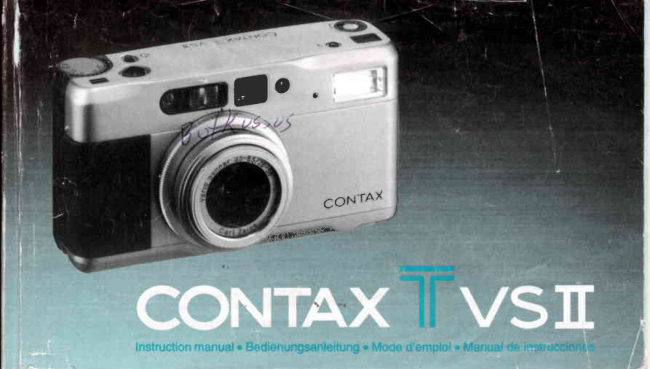
Contax T vsII User manual
User manual for Contax T vsII. 65 pages in English. Read the original PDF, download or print a copy without registration.
65 pagesEnglish3.6 MB PDF
Loading your manual…Open PDF directly
Document details
- Brand
- Contax
- Model / document
- Contax T vsII
- Document type
- User manual
- Language
- English
- Pages
- 65
- File size
- 3.6 MB
- Category
- Film cameras
- Document date
- Not specified in catalog
Search available document text
Find a term, then jump to its page in the original PDF. Image-only pages may not be searchable; check the PDF for exact wording and diagrams.
Page 2 · Read text
Thank you for your purchase of the CONTD(        Vielen Dank, daB Sie sich fiir die CONTAX Tvs ll
Tvs ll.                                            entschieden haben. Damit besitzen Sie eine
Based on the CONTN( philosophy of              Kompafficamera,  die in Verarbeitung und
           ncamerawhichproducing a               works,n this 35mm     technischer Ausstattung einen Spitzenplatz
lens-shutter camera is extremely simple fo use.    einnimmt und hiSchstenAnspriichen gentigt.
It features a newly designed zoom lens            Dr'esefluBerst einfach zu bedienende 35-mm-
including the wide-angle focal lengths           Camera mit ZentralverschluB zeichnet sich
regarded as most important  for general            durch ein neu entwickeltes Zoomobjeffiiv aus,
photography. The focus sysfem is switchable      das tiber die Weitwinkelbrennweiten  verl[igt,
between auto focus or manual, and the             die beim allgemeinen Fotografieren am
exposure control system offers aperture-           hdufigsten bendtigt werden. Sie konnen
priority auto exposure and programmed auto       znrischen Autofocus und manueller
exposure.                                      Fokussierung wdhlen, und die
Before using the camera, be sure to read this       Beli c htung ssteueru n g b ietet sowo h I Beli c htun g
instruction manual carefully fo use it correctly.      mit Blendenvorwahlals auch eine
                                             Programmautomatik.
                               Um mit allen Eigenschaften dieser Camera
                                                           veftraut zu werden, sollten Sie vor der ercten
                                                                                        I nbetriebnahme unbedingt die Bed ie-
                                                nungsanleitung sorgfdltig lesen.

                  www.butkus.us
View original page 2Page 5 · Read text
@Main Switch and Zoom       (DDisplay Panel:The flash     €DGameraBack
  Ring: Turns power on or off      mode, exposure            @Film Check Window: lt
  and changesthe focal length     compensationvalue,and         allowsyou to see if there is
  of the lens (for zooming)by        battery check mark are             film in the cameraor not.
  rotatingthis ring.               displayedon it.              €DViewtinOerEyepiece
(DAperture Value Index         (EFlash                    @fltm Tip Mark
  (orange):Indicatesthe        (DFlash Mode Button: Used    @Spool
  approximateaperture at the        for switchingthe flash mode.  @Camera Back Release Pin
  focal lengthof 56mm when     (DSelf-timer LED: Blinkswhile   @Manual Rewind Button:
  the aperturering of the lens       the self-timeris operating.      Use this button if you want
   is set to F3.5 so that it          (DViewfinder                        to rewindthe film in the
  comes oppositeto the       @Lens and Lens Barrier          middleof a roll.
  apertureindex (black).    @ Lens Front Ring: The lens     @Battery
@ Exposure Gompensation        cap, filters(optional           CompartmenVCover
  Dial: Exposure                 accessories),and lens hood   @Film Guides
  compensationup to +5 EV        (optionalaccessory)are     @DX Contact
  can be set in 1/3-EVsteps.       attached to it.               @rilm Chamber
                            @Aperture Index (black): Set    @Strap Lug
                                your desiredapertureon the    (DTripod Socket
                                 aperturering to this mark.
View original page 5Page 6 · Read text
At 56mm    OPicture Area Frame: For subjects at normal
                                                   shootingdistances:beyond 1.0m(39in.).The
                                                frame illustratesthe picturetaking area.
                                           @Glose-range Parallax Frame: For subjectsat
                                                    close shootingdistances:0.5m (19-3/4in.)to
                                             1.0m (39 in.)To compose your picture,place
                                                   your subject within the displayedclose-up
                                                     frame.
                                              tOFocusing Frame: Placeyour subjectto focus
                                                                in this frame.
                                         @Exposure Compensation Mark: When
                                               exposureis compensated,"+" or "-" is
                                                   displayedaccordingto the type of
                                                compensation.
      (lhis illustrationshouusall informationavailablein the        OFlash Mark: Turns on when the picture is to
     viewfinderfor reference.lt does not representan actual        be taken with flash. lt blinkswhile the flash is
    exampleof display.)                                  charging,and turns on with steady light when
                                                      the flash is fully charged.

                     www.butkus.us
t4
View original page 6Page 7 · Read text
0Focusing Indicator: Shows the focusing        o The above items of @ "ExposureCompen-
 mode.                                          sation Mark" to @ "ShutterSpeeds"are
0Programmed Mode lndicator: Turns on           displayedwhen the camerais operatedas
 whenthe aperturering is set to "P" (program       describedin 1 and 2 below.They are
  AE),or when the apertureis automatically         displayedfor 8 seconds,then automatically
 stoppeddown and the exposuremode is            turn off to save the battery.
  switchedto programAE.                            1. Whenthe main powerswitchis turnedon.                                                       2. With the main power switch on, when the
0 Shutter Speeds: The cameradisplaysthe             shutterrelease,zoom ring,focusingdial, or
  shutterspeed in a rangeof 700 (1/7OOsecond)        flash mode button is operated.  to 16 (16 seconds).                                             Whilethe shutteris opened (the film is being
I Shutterspeedsare displayedin 1/2-step                                              exposed),the displayturns off. In the case of
  increments.                                                long exposure,take particularcare to prevento lf "P700"or "500" blinks,it meansthat your                                         camerashakewhile the displayturns off.  subjectwill be overexposed.lf "16" blinks,it
 meansthat an exposurefor more than 16
 secondsis requiredto obtain correct
  exposure.In this case, if you keep on
  depressingthe shutterrelease,the camera
  switchesto the bulb exposuremode.

                                                                                     1 5
View original page 7Page 8 · Read text
Donate: www.PayPal.me/butkuswww.butkus.us venmo: @mike-butkus-camera Ph. 2083View original page 8
Page 9 · Read text
(This illustration shows  all information available in the         <Exposure  Gounter>
     display panel for reference.  lt does not represent an actual      (Thisillustrationshows informationavailablein the
    example of display.)                                    exposure counter for reference.lt does not representan
                                                               actual example of display.)


  O Flash Mode Display: Shows the modes of the   The exposurecountershows the numberof
      built-inflash.                               exposures.lt also shows the lens focal length
     Flash-automode " lnno"                     (when the shutter releaseis depressed halfway),
     Red-eyereductionflash mode " ll*,o  "          remainingtime on self-timer,and the time that                                            'r      Flash-offmode " loFF                       has passedduring bulb exposure.
       Fill-inflashmode " t  "
   €)Exposure Compensation Value: lt does not
     appearwhen no compensationis made.
   OBattery Warning Mark: Turns on when it is
     time to changethe battery.
22
View original page 9Page 10 · Read text
(DieseAbbildung  zeigt alle lnformationen,  die im LCD-        OBatterie-Warnsignal: Leuchtetauf, wenn die
Monitor erscheinen konnen.  Sie dient jedoch  nur als            Batterieausgewechseltwerden muB.
Anhaltspunkt, es handelt sich dabei nicht um das Beispiel
einer tatsachlichen Anzeige.)                         <Bildzdhlwerk>
                                                               (Diese Abbildung  zeigt die lnformationen,  die im
                                                                 Bildzahlwerk erscheinen konnen. Sie dient jedoch  nur als
                                                                 Anhaltspunkt;  es handelt  sich dabei nicht um das Beispiel
                o                           ei ner tatsdc h Ii c hen Anzeige. )


OBlitzfunktions-Anzeige:Zeigt die
  verschiedenenFunktionendes eingebauten
  Blitzgerdtesan.
  Blitzautomafift" fruro"                                      Das Bildzdhlwerkzeigt die Anzahlder  Anti-Rotaugen-Blitz                            " flov,o"                                            Belichtungen.Bei leichtemDruckauf den           4,OFF '
   BIitZ AUS                                   Ausldserwird die eingestellteBrennweite  Aufhellblitz" I  "                                              angezeigt.Bei Selbstausloser-und
@Belichtungskorrektursymbol:Erscheintnur,     Langzeitbelichtungen(B) erscheinendie
 wenneineBelichtungskorrekturvorgenommen   ablaufendenSekunden.
  wird.                www.butkus.us                                                                     23
View original page 10Page 11 · Read text
ffiwK
      W
                               ffi
      Basic Procedures
       for Taking Pictures
                                    ffft$
        Aufnahme-
       vorbereitungen
                                                     ffi
     Proc6dures de base
   pour prendre des photos                       t Open the battery compartment cover by                                                     turningit with a coin in the directionof the
                                              ffi                            arrow.
   Procedimientos b6sicos             ziLoad the battery in the battery compartment
    para tomar fotografias                 with the plus (+) and minus (-) ends correctly                                                  placed as illustrated,then replacethe cover.
                                               o Use one 3V lithiumbattery(CR123Aor
                                             DL123A).

26
View original page 11Page 12 · Read text
lf the flash mark " I  " turns on in the dj_splay
    panel and the battery warning mark " ll " does
    not appear when the camera's main switch is
    set to "ON" as shown, the battery is correctly
    loaded.


                      www.butkus.us
28
View original page 12Page 13 · Read text
lf the batterywarningmark (!  )               lf you are taking pictures in cold weather, keep
               does not turn on in the display        the camerawarm by putting it insideyour
                  panel, the battery has a sufficient      jacket and taking it out only when it is needed.
                  voltage.                        The battery performancereduced by low
                                                   temperaturereturns to normal at an ordinary
    <Battery Replacement>                          temperature.
       lf the mark " ll " turns on in the displaypanel,it      o  lf the (+) and (-) poles of the battery are soiled
     is time to changethe battery.Turn off the main         with sweat or grease, poor contact will result.
    switch, open the battery compartment cover and     Wipe both poles clean with a dry cloth before
   exchangethe battery^fora new one.                 use.
    o Evenif the mark " ll " turns on, you can still      o  lf you are going on a long trip, bring a spare
      take picturesfor a while. But it is               new battery with you.
     recommendedto replace the battery as soon     o Never put the battery in fire and do not
     as possible. lf the battery capacity falls below       recharge,short,disassembleor heat it
      the specifiedlimit,the displayin the display       becauseit is dangerous.
      panelturnsoff and the camerano longer        o The camera does not operate if the battery is
      operates.                                   loadedwith "+" and "-" ends wrong.
                                               o The 3V lithiumbattery(CR123Aor DL123A)
   <BatteryPrecautions>                       cannot be recharged.
    o Generally,the batteryperformanceis            o Keep the batteryout of reachof children.
      temporarilyreducedby low temperature.
30
View original page 13Page 14 · Read text
Film Guide
      Filmf          ihrungsschienen
                                                                                                                                                                               email=mike@butkus.org,Date:cn=Mike2024.12.25signedButkus,by21:57:04Mikeo, ou=Butkus.org,Butkusc=US-05'00'     Guide          de pellicule                   Mike Butkus  DigitallyDN:
     Guia de la pelicula
    1 Openthe cameraback by pushingdown the     The film tip shouldbe pulledout as far as the
     cameraback releaseknob in the directionof     orange"1" mark and placedon the spool.
      the arrow.                                Placethe film insidethe upperand lowerfilm
                                                guides and take care that it does not float up.
     z Load DX-codedfilm and set the film tip to the
     mark "1".
     The film cassetteis insertedslantwisein the
       film chamber.

34                    www.butkus.us
View original page 14Page 15 · Read text
r   lf you are using DX-coded film, the camera
                                                        automaticallysets its film speed. lf you are
                                                    using non-DX-codedfilm, the film speed is
                                                      automaticallyset to ISO 100.
                                                o Take care not to touch or soil the DX contacts.
                                                o Always load and unloadfilm in subdued light.
                                                o When loading film for the first time, be sure to
                                              remove the protective sheet in the camera's
                                                           picture area frame.

                                          btlk-s-      tt)
   @Close the camera back securely.
     As soon as the camera back is closed, the film
      advancesautomaticallyand stops when the
      exposure counter shows "01".

    o  lf the exposurecounter blinksat "00", the film
        is not advancing properly. Open the camera
     back and reloadthe film.

36
View original page 15Page 16 · Read text
OMain power switch is tumed   @Main power switch is tumed
                                                                        on.                                        off.
                                                                    OHauptschafter elngeschaft et  @Hau ptschalter ausg€schaltet
                                                                OL' intenupteur d'alimentation   @L'intemrptzur d'alimentation
                                                                               principal €st activ6.                principal est d6sactlv6.
                                                                   Olntenuptor de la alimentaci6n  @ntemrptor de la alimentaci6n
                                                                               principal conectado.               principal descon€ctado.

   Move the main switch/zoomring in the direction    o Move the main switch/zoom ring in the
     of the arrow O (see illustration),then the lens           direction of the arrow @ (see illustration),then
     barrieropens and " lruro"(Flash-automode) is         the lens barrier is closed and " lruro" on the
   shown on the displaypanel.The camera is now        display panel turns off.
    ready for shooting.                           The camera is off.
                                               o  lf you are not taking pictures immediately,set
                                                       the camera power off, to prevent tripping the
                                                          shutter i nadvertently.
                      www.butkus.us38
View original page 16Page 17 · Read text
AutoFocusing/Automatische Fokussierung               ManualFocusing/ManuelleFokussiaung
     Miseau 6int automatiqrc/Enfque  autqtdtico             Miseau pointmanuelle/bfoquemanual
    Set the focusingdial to the "AF" mark or within     o For ordinary shooting, it is convenientto set
    the "ManualFocus Range."                         the focusingdial to "AF" becausefocusingis
    Auto focusing: "AF" mark                       done automaticallyby the camera.
   Manual focusing: ManualFocus Range           o Use the manualfocusingif you changethe
     "-  - 0.5" (m) on the scale                         compositionafter focusingis done, or if you
                                                          set the distance by visual estimation.


40
View original page 17Page 18 · Read text
[Fotografieren   mit Programmautomatik]

                                                    Die Programmautomatikwird ftir normales
                                                       Fotografierenempfohlen. Bei Wahl dieser
                                                   FunktionwerdenVerschluBzeitund Blende
     [Shooting  with Programmed  AE]              automatischeingestellt,um eine optimale
                                                    Belichtungder Aufnahmenunter
     Under Normalconditions,it is recommended       Berticksichtigungder jeweilsherrschenden
       to use the progtammedAE mode. ln this            Lichtverhdltnissezu gewdhrleisten.
     mode, both shutter speed and aperture are
      set automaticallyto provideoptimum           DrehenSie den Blendenring((0)des Objektivs
     exposureunder ambientlightingconditions.     und bringenSie den Buchstaben"P" mit dem
                                               Blendenindex(schwarz)zur Deckung.Die
                                               Markierung"P" und die eingestellte    Rotatethe aperturering (@)until the "P" is                                                  VerschluBzeiterscheinenim Sucher.    alignedwith the apertureindex mark (black).
   The vievrrfinderdisplaywill show the "P" and the
    currentshutterspeed.

42                   www.butkus.us
View original page 18Page 19 · Read text
[Fotografieren mit Zeitautomatik nach
                                               Blendenvo!'wahll
                                                  DrehenSie den Blendenringund bringenSie die
                                                    gewunschteBlendeneinstellungmit dem Blendenindex
                                                         (schwarz)zur Deckung.Die VerschluBzeitwird
                                                        automatischeingestellt,um die optimale Belichtungfrir
    [Shooting with Aperture-Priority AE]            die jeweils gewdhlte Blende zu gewiihrleisten.Bei
     Rotatethe aperturering so that the desired apefture (f-      dieser Funktionwird die von der Camera automatisch
     stop) is alignedwith the aperture index mark (black).        gewtihlteVerschluBzeitim Sucher entsprechend
    The shutter speed will be automaticallyset to provide       angezeigt.
    optimum exposurefor the selectedaperture.In this
    mode,the viewfinderdisplayindicatesthe current           Bei Venryendungdes Objektivsmit Brennweite28
     shutter speed.                          mm und vollstAndiggedffneterBlende wird die
                                                       Lichtmengeam Bildrand u.U. reduziert.Derartige
     When using the lens at its 28 mm focal length and         Abschattungenkdnnen vermiedenwerden, indem
       with wide-open aperture,some darkeningaround           die BlendeneinstellungF5,6 (grUn)oder ein
       the edges of the image may be noticeable.                 kleinererBlendenwertgewdhlt wird. Bei
      Stoppingthe lens down to a value of F5.6 (green          Innenaufnahmenvon dunklen Motiven, bei Nacht-
      mark)or smalleraperturewill help prevent such           aufnahmenoder in Aufnahmesituationen,in denen
       vignetting.When shooting dark indoor subjects,            mit Blitz gearbeitetwerden muB, empfiehltes sich,
       night scenes,or occasions requiringuse of flash, it          die Blende auf F3,5 zu verkleinemoder auf
         is recommendedthat the lens be stopped down to         Programmautomatik("P") umzuschalten.
       F3.5.or the cameraset to "P."
44
View original page 19Page 20 · Read text
r The relationship of aperture settings to the      Exposure Control Diagram (f=28 mm)
      camera's metering rang6 and shutter            Belichtungssteuerdiagramm (f=28 mm)                                                Sch6ma de contrdle d'exposition (f=28 mm)     speeds is shown in the accompanying                                                     Diagrama de control de la exposici6n (f=28 mm)
       table.

    o When using aperture-priorityAE, if the scene
        is so bright that the camerais unableto set a
       shutter speed appropriatefor the selected
      aperture,the camerawill automaticallyswitch
       to programmedAE, and the "P" mark will
     appearin the vieMinder.In this event,the
       fastest shutter speed which can be set by the
     camerawill be 1/7OOsecond.
    o When using aperture-priorityAE with the
      apertureset to its highestvalueof F16, even if             16  E   4    2   1     ln   111 l/E  l/15 l/30 l/60  lil25 las  r$  lll s€c
      the scene is excessivelybright,the camera
        will not switch to the programmedAE mode,        "P" : Program AE
     and the fastestshutterspeed availablewill be      "P" : Programmautomatik
                                                               "P" : Expositionautomatique(AO programm6e      1/500second.                                                               "P" : Exposicionautomdtica (AQ programada

                     www.butkus.us
46
View original page 20Page 21 · Read text
o When the "P700" indicatorflashesin the         o Bei Wahl der grdBtenBlendeneinstellung
        viewfinder,it meansthat the availablelight         (F16)in FunktionZeitautomatikschaltetdie
       has exceededthe camera'sexposure           Cameraselbst dann nicht auf
        couplingrange,and photographswill be          Programmautomatikum, wenn das Motiv zu
       overexposed.Likewise,when using aperture-        hell ist, und 1/500 s ist die kUrzeste
         priorityAE with the apertureset to F16, a           VerschluBzeit,die eingestelltwerden kann.
        blinking"500" indicatorin the vieMinder        o Blinktdie Sucheranzeige"P700",so droht
      meansthat the ambientlight is excessive,and      Uberbelichtung,da die MeBbereichsgrenze
         that photographswill be overexposed.             rjberschrittenwird. Blinkt die Sucheranzeige
     o A blinking"16" in the viewfinderis the             "500" bei Wahlder BlendeF16 in Funktion
       underexposurewarning.In this event,if the         Zeitautomatik,bestehtebenfalls
         shutter releasebutton is held depressed,after      Uberbelichtungsgefahraufgrundvon zu
        sixteensecondsthe shutterspeed will change      starkemUmgebungslicht.
        automaticallyto bulb exposure.For details,      o Blinkt"16", droht Unterbelichtung.WennSie
       see "Bulb Exposures"on page 98.              den Ausldserin einem solchenFallgedruckt
                                                          halten,schaltetdie Cameranach 16
                                             Sekundenauf B-Funktion.(Einzelheitenim
                                                       Abschnitt"Langzeitbelichtung/B"auf Seite
                                        ee)


48
View original page 21Page 22 · Read text
o Actual lens apertureswill vary from their         o Je nach der eingestelltenBrennweiteweicht
        indicatedvaluesdependingon the current          die tatsdchlicheBlendeu.U.vom angezeigten
         focal lengthof the lens.The apertureindex         Blendenwertab. Der Blendenwertindex
        (orange)should be taken as a generalguide,        (orange)sollte als Anhaltspunktbetrachtet
         indicatingthe actualapedurevaluewhen the       werden;er kennzeichnetdie richtigeBlende
        aperturering is set to F3.5 with the focal            bei Brennweite56 mm und Einstellungdes
        lengthat 56 mm.                             Blendenringsauf F3,5.
      When the lens is set to its telephotofocal        Wenn das Objektivauf den Tele-Bereich
        lengthwith apefturevaluesof F4 or greater,         eingestelltist und die Blendeauf F4 oder
       however,the actualapedurevalue should be        kleinerverringertwird, ist die tatsdchliche
       consideredabout 2 stops higherthan the          Blende etwa 2 Stufengr6Berals der der vom
        value indicatedby the apertureindex (black).      Blendenindex(schwarz)angezeigteWert. Da
      The camera'slight-meteringfunction,              die LichtmeBfunktionjedoch an das Objektiv
       however,is coupledto the lens so as to            gekoppeltist, belichtetdie Cameradavon
        continueto operateproperlyin responseto        unabhdngigimmerrichtiggemdBAnderung
        the shift in aperturevaluescaused by lens         der Blendebeim Zoomen.
       zooming.


                        www.butkus.us50
View original page 22Page 23 · Read text
o As the lens moves,the field of view in the
                                                     viewfinderchangesaccordingly.
                                               o The lens focal lengthcan be confirmedon the
                                                exposurecounter.lf you depressthe shutter
                                                      releasebutton halfway,the exposure counter
                                                   switchesto show the focal lengthwhile the
                                                         shutter releasebutton is
                                                    held depressed.
                                            The focal lengthon displayis
                                                     availableonly as a guide.
                             l*.,<"'5
   Whilelookingat the subjectthroughthe
    vieMinder,choosethe subjectsize by turning
    the zoom ring (zooming).


52
View original page 23Related documents and language editions
From the M. Butkus archive. Original publisher and archive notices are retained.
Check the model and edition against your equipment.
PDF verified 2026-10-10.