Film cameras
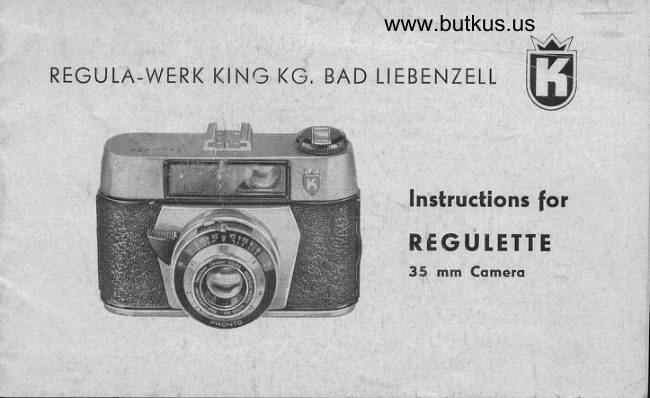
King Rugulette User manual
User manual for King Rugulette. 15 pages in English. Read the original PDF, download or print a copy without registration.
15 pagesEnglish3.9 MB PDF
Loading your manual…Open PDF directly
Document details
- Brand
- King
- Model / document
- King Rugulette
- Document type
- User manual
- Language
- English
- Pages
- 15
- File size
- 3.9 MB
- Category
- Film cameras
- Document date
- Not specified in catalog
Search available document text
Find a term, then jump to its page in the original PDF. Image-only pages may not be searchable; check the PDF for exact wording and diagrams.
Page 1 · Read text
www.butkus.us

REGU LA-WERK KING KG. BAD LIEBENZELT
             W


                                    lnstructions for
                       REG U I.ETTE
                                 35 mm Comero
View original page 1Page 3 · Read text
Dear xegu[a friendl


            You ore now the proud owner of o REGULETTE comero, ond your photo
              deoler ond the monufocturer wish you every success. The comero hos
             been designed ond built to the highest p,recision stondords, ond this
             meons compleie reliobilify.

               Ihe following instructions ore designed to help you ovoid moking errors.
               Pleose reod them. lt's for better to be sofe thon sorry.

             With the comero in front of you, reod these instructions corefully. Use
             the illustrotion to locote the vo,rious poris of the comero, ond where
               possible hondle the ports mentioned. The good worker olwoys fomilio-
                 rizes himself with his tools.
View original page 3Page 5 · Read text
i
llFI

                  I  Accessory Shoe            g Rewind Lock Button
         2 Bright Frome Viewfinder       i0 Rewind Knob with cronk   j
         3 Ropid rronsport Lever                  ll  Deloyed Action Lever
         4 Diophrogm Lever            12 Diophrogm Scole
                  Releose Bufton                3l Body Lock  ,       5
                  Depth-of-Focus Scole         14 Distonce Ring 1       6

         8 Synchronizotion Contoct       16 Film Counter


               I
View original page 5Page 6 · Read text
www.butkus.us
TOADING THE FILM
Only use films of good nome    here, your                              -photo deoler will help. The cqmero is de-
signed lo occept stondord 35 mm film cos-
settes (24 x 36 mm) 20 or 36 exposures                                        -Block-ond-White or Colour. Choose o shody
                                 (o)                                             lhe                         To insert                     sunlight.       not            brightspot -                                  lock (13),                       body              outwords                      the          pull       firstfilm,
open the come'ro bock ond press or pull the
rewind knob (10) up, os for os it will go.
This enobles you to insert the film cossette
into the empty spoce thot remoins.
(b) Push the rewind knob down fo its origi-
nol position. At times, it moy hove to be
turned slightly.
(c) Fold inwords, obout t/r inch of the end
View original page 6Page 7 · Read text
of the film. Insert this end into the slot of the toke-up spool. Turn the foke-up spool so
 thot the film is tightened ond ensure thot the tronsporf wheel engoges firmly in one of
 the perforotions. This is very importont, for if the film is not ottoched fi,rmly to the toke-
up spool, no photogrophs will be fokenl
 (d) Close the lid firmly. lt will "click" into ploce.
 (e) Now thot film is looded into the comero, two blonk exposures must be mode before
the film is in the correct position for "shooting". To do this, the following steps must beto6en
Turn the tronsport lever (3) forword with o steody movement of you,r Right Tumb unlil
it stops. At the some fime oscertoin fhot the rewind knob is turning ogoinst the orrow.
This ensures thot fhe film is being tronsported correctly. Allow the tronsport lever to
glide to its normol position (if the tronsport lever is blocked in ony woy, pressthe,releose
button).
Now press lhe releose button (5) ond repeot the some operolion once ogoin. At the third
movement of fhe tronsport lever, the film will be in the correct position for your first
exposure. Turn the film counter (15) to 20 or 30 occording to fhe length of film. The
counter will then outomof icolly show the remoining number of exposures.
View original page 7
Page 9 · Read text
(f) Your REGULETTE comero hos o double-exposure prevention device, ond therefbre  it
is impossible to moke the error of photogrophing two different subiects on the sqme
negotive. Also it incorporotes o double-tronsport prevention device    this meons thot                                                                             -      releose theyou connot tronsport the film without releosing the shutter. lf you connot
shutter, you hove to tronsport the film. Not only thot      if you hove not turned the                                                               -but you do not loose ony film!lronsport lever enough, it must be turned once ogoin(g) The nexf 3 steps ore eosy    Set the distonce (.|4).--  Set the diophrogm  (4) ond the
exposure time (15). But let's exploin-    the Pronto Shutter.
PRONTO SHUTTER
gives you the following speeds,8,1/a0,1/eo,  1ltzs ond r/zso sec. All speed settings click into
position. When setting the: diophrogm, move the diophrogm lever (4) so thot its smoll
pointer stonds ogo inst the requested figure.
It is not necessory to cock the shutter. This is done outomoiicotly when the film is lrons-
ported.
For delcyed oction press the lever (11) in direction of the mork for disionce. This con be
done bcfore or ofter tronsporting the film. However, once set the deloyed oction, you
hove to releose the shutter. There is no other woy to ,remove the selftimer lever to its
originol position.
View original page 9
Page 10 · Read text
www.butkus.us


                                                                                                                                                                                                                                                                                                                            :DEPTH OF FIETD
fhis is purely dependent on the diophrogm setting. The more you close your diophrogm
(the higher fhe number), the greoter the depth of field. lt olso becomes greoter, os the
distonce from the subiect inc'reoses.
To moke it simple for you, o depht-of-field scole (6) is provided obove the distonce ring
(14). This shows, on either side of the centre mork, the figures t 2.8 to f 16. Now follow
these two exomples:
l. Set the diophrogm ring to 8 ond the distqnce ring to 25. On the depth-of-field scole
(left) ot f 8 the distonce ring reods "lnfinity" ond on the scole (right) the distqnce shown
is opproximotely "l3 feet". This meons, thot of f 8 focussed on "25 feet" the photogroph
will produce good focus between "13 feet" ond "lnfinity".
2. Set the distonce'ring to 9, leoving the diophrogm ring ot 8. At f 8, you will see thot
the focus ronge lies between "14 feet" ond "7 feet".
ln lhese two exomples, you will see the importonce of depth of field. Now, it is simple
to decide on ony depht of field ot ony distonce or ony diophrogm setting.

lo
View original page 10Page 12 · Read text
www.butkus.us
FtASH "SFIOTS"
When purchosing o flosh gun, osk your deoler for his odvice. lt will be fitted into ihe
occessory shoe (l) of the comero, or with certoin types on to o brocket or orm. The
contoct of the synchronizotion cord will then be slipped on the synchronizotion contoct
of the comero (8).
All Pronto shutters ore synchronized for bulbs on l/so th, for electronic flosh on oll
speeds.
Every corton of flosh bulb is supplied with full informotion on shutter setting, guide
numbers ond the flosh-to-subiect  distonce.


12
View original page 12
Page 13 · Read text
REWINDING THE FItM
When the film counter indicotes No. 0, the
film must be rewound. With the REGULETTE
fhot is porticulo'rly simple.
 l. Press in  the  revers   r n g  button in  the
  comero bose  (9) ond hold  it in this posi-
   iion.
2. Swing out the rewind cronk in the rewind
  knob (10) ond turn in the direction of the
  orrow. lf the film movement is locked, you
   first hove to releose the shutter ogoin.
? Wherr the film  is fully rewound (you con
  check thoi by the foct thot the rewind
  cronk will turn even when you lef go of
  the reversing  button) open the comero
   bock, fully pull up the rewind knob by ifs
   cronk, ond fqke out lhe film cossette.
                                                                                                                 '#i#ffffi
View original page 13Page 14 · Read text
www.butkus.us
REGUTETTE ACCESSORIES
A full ronge of occessories is ovoiloble for your REGULETTE comero:
l. A beoutiful Leother Ever-Reody Cose which olwoys prolects your comero.
2. A voriety of Filters for use with Block-ond-White or Colour Film.Conversion Filters for
   using Doylight Colour Film in ortificiol light, ond vice verso.
3. Close-up Attochments for flowers, insects, copying, etc.
4. Sunshode -  o very essentiol occessory.5. Tripods.
For full detoils contocl your photo deoler or write to the Distributors. They o're ot your
service ot oll tirne.

Cqre
Treot the comero corefully. Do not touch fhe lens with your fingers. lf this hoppens, it
must be cleoned of once with o piece of cleon, often-woshed linen, lens-cleoning  tissue
or o highquolity chomois.
An oir blower or comel-hoir brush will olso remove dust from the lens or the inside of
the comero. lf the comero is not to be used for some time    releose the shulter.                                                         -

14
View original page 14
Page 15 · Read text
tAST BUT NOT TEAST

       Reod these instruction once more. Photogrophy is lot of fun -  Experience mokes perfect.       Your REGULETTE comero will olwoys be relioble.


                                                                                                         -l
                           GooD ruck!


    REGULA-WERK KING KG. BAD TIEBENZELL (Schworzwold)


I
View original page 15Related documents and language editions
From the M. Butkus archive. Original publisher and archive notices are retained.
Check the model and edition against your equipment.
PDF verified 2026-10-10.