Film cameras
Kodak B&W 2 page User manual
User manual for Kodak B&W 2 page. 17 pages in English. Read the original PDF, download or print a copy without registration.
17 pagesEnglish1.6 MB PDF
Loading your manual…Open PDF directly
Document details
- Brand
- Kodak
- Model / document
- Kodak B&W 2 page
- Document type
- User manual
- Language
- English
- Pages
- 17
- File size
- 1.6 MB
- Category
- Film cameras
- Document date
- Not specified in catalog
Search available document text
Find a term, then jump to its page in the original PDF. Image-only pages may not be searchable; check the PDF for exact wording and diagrams.
Page 2 · Read text
www.orphancameras.com

DETAITS                                                                                      /!  i..
Ftlttl
NBcenvn   Stzn-Z4  x 86mm
Fu-rvr-KoDAK135: 20- or 36-exposure
I,ENS
ScnNrmrn   RrrrNe-XeNoN-Coated    SOmm  f/2LnNs OprNrNcs-f /2, f /2.9, f / 4, t /5.6, f / 8,    l(odakRetinallaCa'te
                                        RETTNA-XENON f/2 IENS . SYNCHRO.COiIPURSHUTTEnf /tt,f /rc
SHU''ER
SvNcrrno-Coupun-Cocked    by film advance lever
Spsros-L,l/2, L/5, LiL0, L/25,I/50,1/100'
l/250,1/500 second,and "8"
Fr,esn-Built-in synchronizationfor ClassF,
M, and Speedlanrp
TOCUSINGAND Y'EW'NG
Coupr.rn ReNcr Frrvprn-Superimposed qage
VrBw Frrvorn-Optical,  eye-level, combined
with range ffnder
FocusrN6 ReNcs-}y'  feet to inffnity
DOUBTE-EXPOSIIREPREVENfTON-Automatic
 Frllvl ADVANOELEyER-Advances fflm and cocks
shutter with one stroke
coNstRUctroN
Eonv-Die-cast-Black   leather eovered
Tnrr,op Socxrr-Standard  American thread
coifErNAtroN   l,[Ns  Aff ASHTEN'S
No. 29 Kodak Adapter Ring or the lX-inch Kodak
Adaptei Ring, Series VI; Series VIA Lens Hood


                     PRINTED  IN  U}IITED  STATE9 OF AMERICA
View original page 2Page 4 · Read text
www.orphancameras.com

    o To get the most from your camera, take
    time to get acquainted with   it. Follow the
     directions  carefully,  practicing  with  your         To open the comero
   camera as you go along. This is a precision                   .  .  . press the OPEN|NG
                                                BUTTONond pull down    instrument, never force anything;  if some-                                                                        lhe fronl until  it locks.
    thing does not work smoothly, review the in-
    structions about its operation.
      Before making any important pictures-a
     trip, some special event, or any pictures ex-
                    pected to prove valuable-
                   you should shoot a roll orintroduction                        trvo of film and take a few
                       flash pictures.  This   will
    give you practice and will provide a check
                                                            To close the comero
    on      equipment.  If you have any ques-        )/our                                                                                                          .  .  . this comero con-
     tions,            Kodak dealer rvill always be glad          not be closed  if   it  is           ),our
     to help you in any way he can.                       focused for onything
    nole: Like any fine lens, this lens should be          but  infinity. Be sure
    cleaned with lur". To clean the front or back          the focusing knob  is                                                           pushed clockwise, os
    surface, first brush alvay any  grit  or dust.         you foce lhe lens, os
   Then wipe the surface gently with Kodak           for os  it will go; then
    Lens Cleaning Paper or a soft, lintless cloth.         squeeze the two CIOS-
       If moisture is necessary,breathe on the lens        ING  BUTTONS WhiIC
                                                                     closing the bed.
    or use Kodak Lens Cleaner.

   2
View original page 4Page 5 · Read text
www.orphancameras.com
the key to good pictures
    Y our Comero A B C's:
When you press the exposurebutton to take
a picture, light goesthrough the lens to make
an invisible image of the subiect on the film.


     q
     By turning the knurled shutter speed
      rin$, "a," you control the lengtlt of tirne
      the fihn is exposedto this light.
   b
     By moving the lever, "b," to one of the
      settingson the lower scale,you change
     the arrrount of light reaching the film.

    C
     By moving the focusingknob, "c," Llntil
      the double image in the range finder
    becomessuperimposed,    control the                               The tinted oppeoronce of  lhe                            /ou                                                  lens is due lo o speciol cooting
     sharpnessof the picture.                                                which improves the brillionce of
                                                                                    block-ond-white piclures ond the
                                                                                               color purity of full-color piclures.
4
View original page 5Page 6 · Read text
www.orphancameras.com
   stondqrd settings
   for simple snqpshots                              q   shutter speed
                                                                   Turn  the knurled shutter    For snapshotsof average subjects in bright
                                                               speedring to bring the nnp    sunlight, use the following settings:
                                                                 Dor opposite thc required
With Kodochrome Film Doylighl Type:                                    shutter speed. The follow-
                                                                                               itrg speecls are provided:    Set "a" (shutter speed) on 50 (L/50 second).
                                                                      1, l/2, L/5, r/70, r/25,    Set "b" (lens opening) between f /5.6 and f /8.                                                          L/50, L/L00, l/250, and f/500 second."8"    Set "c" (focus) to bring the small circle, near
                                                   exposurescan also be made; see page 2I.    the l0-foot mark, to the focusing index for
                                                  The shutter is cocked automatically when    subjects in the 7- to lS-foot range. For sub-
                                                           the film is advanced.    jects 13 feet and beyond, bring the small
                                              Do not change the shutter setting from     circle, near the 2S-foot mark, to the focusing
                                                             I/250  to t/500  or vice versa u;hen the shut-    index.
                                                                      ter is cocked.
With Kodqk Plus-X Film:                           A tripod or other firm support should be
    Set "a" (shutter speed) on 50 (1/50 second).         used for speeds slower than I/25 second.
    Set "b"  (lens opening) o.t  I I  (f /LI).               N ote: Never  oil the  shtrtter or camel'a
    Set "c" (focus) to bring the small circle, near         mechanism.
    the l0-foot mark, to the focusing index for        b   lens opening
    subjectsin the 6- to 2S-foot range. For sub-                                                              I\{ove the LENs opENrNGLEVER across the
     jects I0  feet and be1'ond, bring the small                                                            scale, illustrated on page 8, to regulate the
     circle, near the 2S-foot mark, to the focusing                                                amount of light reaching the film. This lever
    index.                                                                  click stopsat each opening. By pressingdown
                                                  on it, the lever is easier to move.    6                                                                                          7
View original page 6Page 7 · Read text
www.orphancameras.com

                                                            of the picture  is clear and part  is tinted.
                                       When the camera is out of focus, the tinted
                                              image is separatefrom the clear image, form-
                                                       ing a double image of the subject. Move the
                                                     focusing knob until the two images coincide
  The opening is largest rvhen the lever is                                                            to become a single image. The range finder sct at 2  (f tZ\ and smallest rvhen set at  f 6                                              can be used only on still subjects. (ltt01. Each succeedinglargcr opening lets                                             To focus the camera without using the throtrgh tu'ice the light of the one before;                                                range finder, estimate the distance by eye; for example,f /8lets through tr,vicethe light                                                  then move the focusing knob to bring the
 of f /11, and f /lt  lets through twice the light                                                  proper distance to the FocusrNc rNDEx.Theof f /ta.                                            numbers on the FocusrNc scALE represent  The shutter speeclancl lens opening r,vork                                                     the camera-to-subjectdistancein feet. Whentogether to give the right exposure. Expo-                                                  using infrared film, use the red dot for thesrrrc tables are on pages 28 and 29.                                                  index instead of the regular index.
                c   focusing                The two small circles on the focusing scale                                                   are for the ts'o standard settings describecl
                The range fincler of this                                             on page 6.
                camera is coupled to
                   the  lens. \loving  the
                 FocusrNcKNoBuntil the
                      trvo images in the range
                       fincler coincicle focuses
                   the camera.
  Careftrllvlook through the vierv-and-range_
fincler opening and you  rvill see that part
8
View original page 7Page 8 · Read text
www.orphancameras.com


                                                                 For high-quoliry
                                                              enlorgemenls

                                                                                                                                             . use Kodok Plus-X
Kodok Films                                        Ponchromotic Film-fine
     Use l(odclk | 35 Film                                 groin ond high resolv-                                                                      ing power permit high-
                                                                      quolity   enlorgemenls.
For beautiful color-use Kodacll'ome trilm-                                                       An  excellent film    f or
 Dal,light Type outdoors, Type A with flood             generol  outdoor  ond
or flarsh,20 or ,'36exposures.                        w e l l - l i g h t e d     i n t e r i o r
   With full-color Kodachrome you can cap-             use. 20 or 36 exposures.
ture the vivid colors of an autumn landscape,
of spring florvers, of gaudy carnivals     or              For poor  lighr
the gny colors at a children's garden party, a                            .   .  . use Kodok Super-
picnic, a cherishedholiday . . . or the delicate          XX Ponchromolic Film-                                                                 very high speed mokes
colors of that infant son or daughter. Yes,                          f his on ideol film lo use
with color there are new fields to conquer.                 with  orlificiol light. 20
  Kodachrome trilm  is sent to Kodak for                or 36 exposures.
processingat no extra cost. It is returned to
you as 2 x 2-inch mounted transparencies             For fine-groin
(unless otherwise specified) which can be             copying
vierved by transmitted light, projected as                 use Kodok Micro-
slides, ancl from rvhich color prints can be             F i l e F i l m - o n e x l r e m e l y                                                                       fine-groin, slow,  pon-
rnacle. See your Kodak dealer for full-color             chromotic film for copy-
Kodacolor Prints and Enlargententsat mod-                                   i r , g  p r i n t e d  m o l t e r ,
erate prices.                                            mops, documents, efc.
                                                             36 exposures.
t0
                                                                                                 1l
View original page 8Page 9 · Read text
www.orphancameras.com


                                                                    3 .  D r o * o u l  l h e f i l m R e W I N Dlooding
                                              KNOB os  lor os   it  will  9o.
Load the camera in subdued light, never in                Insert lhe  film mogozine in
bright light. Kodak 135 Film is contained in               lhe recess under fhe rewind
                                                                           k n o b . T h e e n d o f   l h e m o g -a lighttight magazine. Reu;ind the film into
 this magazine after the exposltreslrutsebeen              ozine contoining lhe  cross-
made and bef ore the cantera back is opened.              piece goes loword  the  re-                                                             wind  knob. Push in the re-
Various Kodak 135 Films are described on           w i n d  k n o b  o n d    l u r n    i f   t o
pages l0 and ll.                                       engoge  the  slol  with  lhe
                                                               crosspiece in lhe mogozine.


                                                                              4.   lnserl lhe end of fhe film
 |   .   Lift rhe lock ond open                                      leoder in the slof of the toke-
lhe comero bock.                                             up reel. Do not try lo remove
                                                                               lhis  reel from  the comero.
2 .   T u r n  t h e  k n u r l e d e d g e                                    Give the flonge of the reel
of the counler in the direc-                                       o    l u r n w i t h  t h e  t h u m b u n l i l
tion of lhe orrow to bring the                                       the  film  is wropped  once
diomond neor 36 to the in-                                   oround the reel.
dex mork for o 36-exposure
m o g o z i n e . B r i n g   t h e  d i o -                                       5 .  C o n l i n u e   t o     l u r n    l h e
mond neor 20 to the index                                       flonge of  lhe  reel with the
mork   lor   o   20-exposure                                   thumb, unlil the first or sec-
m o g o z i n e . T h e c o u n t e r w i l l                                  ond perforolion on lhe edge
move o mork every lime fhe                                              of the film toword the top of
fifm is odvonced. lt  will  ol-                                         lhe comero  is engoged by
woys show the number of ex-                                  one  of  the  sprocket leelh.
posures REMA,N,NG on lhe                                 The leeth  of  the sprockels
tiln.                                           m u s l  f i l   i n   t h e h o l e s  i n   t h e
L2
View original page 9Page 10 · Read text
www.orphancameras.com

film. Close ond lock lhe com-                       holding the cqmerqero bock.
                                                                I{olcl tlrc ciunerir us shorvn bcklrv. Either6.   Press ond  releose lhe
film  lever butlon  (orrow  in                                   positiorr is cornfortarbleand practiclrl; you
5); lhen operole the film lever.                             carnholcl the camera remarkablv steaclv
                                                                                                    "vhileDo this 3 fimes. Be sure to                                               you sqrreezethe exposrlrebutton to takc:the
moke o complete stroke with                                 picture.lhe lever; then let it fly bock
to its originol posilion. Afler            f::l':
                                                           &j-,.
winding three times the firsf     ffii.                  using the view finderfrome of film is in ploce ond
36 or 20 on the film counler                          Steady the carnem against your face. Focus
is in position. Advoncing fhe                               the camera a.s clescribed on page 8. Place
film olso cocks the shutler.                                the rear of the finder close enolrgh to the eye
7.  Rotote the film-type indi-                            so that the entire frorrt frarrneciul l)e seen.
color with  the  boll  of  the                          Conrpose the picture, rnoving the camerA l h u m     b  l o          b r i n g  l h e                    n o               m e o f                                                                          15                                                         an(l yotrr hearl together.the     film        opposite                  the                      index.


Note: When the figure  I on the film counler reoches
lhe index, moke the lost exposure. The film lever is
locked ond fhe film should be rewound into lhe mogo-
zine (see poge 171. lt lhe film lever locks ot ony time,
do not force if but check the counter lo see if  it is set
ot  l. Move the counler off  I to releose the film winding
m e c h o n i s m .                                                                           \
r4
View original page 10Page 11 · Read text
www.orphancameras.com

roking the picture                    unlooding
 I  .  \Iake the lens and                      When the last exposure has been made, the
shutter settings.                                   counter will be at  I and the film lever will
                                                            lock.  Pull  out  the rewind knob  halfway,
2. Cock the shtrtterand                                                  press the nnrvrNDBUTToNas firr as it will go,
adr,'ancethe film " with                                             and turn the rervind knob in the direction of
a single full  stroke of                                                     the arrorv. Clontinueturning the rervind knob
the filnr advance lever.                                                                until the rervincl lttrtton stops turning. The
3.  Fclcus and compose the picture in the            fihn (except for an inch or trvo of leader strip)
finder.                                                            is norv back in the magarzine.Norv open the
                                                 back; pull out the rervind knob as far as it
4.   \lake  the exposure. Hold the camera              rvill go; r'emove the magazine.
steady; it's a good idea to hold )'our breath                  It's a good idea to get your exposed film
rvhile vou s-q-u-e-e-z-ethe exposurebutton.         processed promptly. The Kodacraft Minia-
   o\\'hen         the exposurebutton is depressecl,the           ture Roll-Film Tank makes it easy to devel-
film levcr is released.It is necessarvto prcss rrncl        op your own black-and-white film.
releasethc filnr lever button only rvhen )'ou rvislt                                            T7
to advance film without hrrving presscclthe ex-
posurebutton (as in loading).
   After the 20th or 36th exposurchirs been nrade,
and the counter is at  l, the filrn irdvance lever
     lock; rewind the film and unload the carneril
"vill(page l7). Do not open the back of the camera
until the fiIm has been rewound into the film
magazine, or the film  rvill be fogged.

r6
View original page 11Page 13 · Read text
www.orphancameras.com

Set the synchronizer selector on "X," select       time exposures
a shutter speed, cock the shutter, and snap                   . . . enable you to take pictures at night out-
the picture.                                                  doors or indoors of  still subjects, using the
  The  light  will  flash when  the  shutter                                                        existing light. Night pictures can add variety
blades are open at all shutter speeds.                                                            to your picture collection.
nole:  Do nol use units floshed by meons of heovy-           The "B" setting enables you to keep the
duly reloys or solenoids. Such units moy complelely           shutter open for as long as required. Place the
deslroy the  shuller conlocts.                         camera on a tripod  or other firm support.
                                                 Both camera and subiect must be still duringSupplement ory Flosh-Ouldoors                                                      the exposure.
. . . blue fash bulbs are used with Daylight                                             To make a "8" exposure,the focus and lens
Typ" color films to reduce excessivecontrast                                                 opening having been set, set the shutter on
with back- or side-lighted subjects in bright                                    "8," cock the shutter by
sun. With selector on M use No. 58 or No.                                                                      operating the film ad-
25B fash lamps. A lamp-to-subject distance                                                               vance lever, press the
of 8l', feet gives good contrast. Use the basic                                                                exposurebutton, hold it
exposure for subjects in bright sunlight.                                                          down for the exposure
  Flash exposuredata are given on page 28,                             time required, and re-
and on the reflector of the Kodak Flasholders.                                                                     leasethe button to close
coution: Since lomps moy sholler when floshed, the                              the shutter. The Kodak
use of o Kodok 2-woy Floshguord or other shield over                           TBI  Metal Cable Re-
the refleclor is recommended. Do nol flosh the lomps                                                                   Iease No.  2, availablein on explosive olmosphere.
                                                                  from your Kodak dealer,  Do not  inserl flosh lomps  in  the  reflector  if  the
shutler is open-the  lomp  will  flosh ond  o  serious                          can be used to hold the
burn moy  resull.                                                            shutter open for as Iong
20                                                              as required.           2L
View original page 13Page 14 · Read text
/ a t f a t z                 l U       l u v    r r r
                                , t r ,               I       f r f _ -                     www.orphancameras.com
                                 Kodok
                                     combinqtion lens qtfochmenls
                                                   Series VI  with the Series VIA Lens Hood
                                                   are used rvith this camera. The VIA Lens
depth of field                                          Hood must be used to allorv clearanceof the
Objectssome distancein front of anclbeyond         camera bed.
tlre subject focuseclon rvill be sharp. This                All iterns fit the Kodak Adrrpter Ring No.
                                                                        23clepth of fielcl varies rvith the lens opening          29, or the 1li-inch Kodak Aclapter Ring.
trsecl;the smallerthe lens opening, the great-
er the range of sharpness.
  Your camera is ecluipped rvith a depth-of-
fteld scale so that you can read this range of
sharpnesseasily before you take each pic-
ture. The focusing scale combined r,vith the
lens opening numbers engraved on the shut-
ter barrel each side of the focusing index
comprise the clepth-of-field scale.
  The follor,vingexample shows you how to
reacl this scale: Strl-rjectis 12 feet away, ex-
posure calls for a lens opening of f /8.
  Set the focusingscalewith l2 oppositethe
focusing index. Look for the number 8 on
each side of the index. The one on the right
is opposite25 and the one on the left is near
8. Therefore, all obiects betrveen about 8
and 25 feet r,r'illbe sharp.
22
View original page 14Page 15 · Read text
www.orphancameras.com

 To assemble a  filter or Portra Lens in the            the reflector tells you instantly how to set
 rin$, unscrew and remove the insert; then           your camera for fash.
place the filter or lens in the ring; replace          Kodok Ek]ol vx Floshofder
the insert. The Kodak Lens Hood can be                -is adapted to all types of flash picture-tak-
used in place of the insert. If a Portra Lens              ing. The  built-in  battery-condenser system
and a filter or a Pola-screen are to be used           assures dependable lamp-firing and longer
together, a Kodak Retaining Ring  is also            battery life. The Ektalux uses either midget
necessary.                                                           or medium-base lamps and offers accessories
  The Kodak Wratten Filters K2, A, Xl, and              that greatly expand the versatility of flash
G are used for darkening the sky and are          work rvith your camera.
used with panchromatic films; do not use                                                  KodosfideProiecfors
these        fiIters with  color fil*.                                                   are made in two
 Filterslor KodachromeFilm                           outstanding  models:
Kodachrome pictures made in ,open shade           the  lorv-priced but
under a clear blue sky, or on overcast or           very efficient Koda-
     days will be improved  if a Kodak Sky-             slide Merit  Projector,\^7V
Iight Filter is used.                              and the power-coolecl
    If  the Kodak Daylight  Filter                                        for Kodak           Kodaslide Projector
Typu A Color Films is used, Typ" A film can          Master N{odel. Botlr
be used in daylight.                               models have precise
Kodok Stondord Flasholder                               optical systems, ancl
-converts          your Retina to a fash camera. It's           Lumenized projection
light, rugged, and dependable. A guide on             lenses,to provide bril-
                                                                    liant pictures.
24                                                     25
View original page 15Page 16 · Read text
www.orphancameras.com


                                            Kodak Fl urolite Enlorger
                                                                                                       . for those who ap-
                                                        preciate fine equipment
                                              and who take pride  in
                                                         turning out first-quality
                                                   enlargements. Features
                                                        {luorescent, integrated
                                                          illumination.


Kodoslidefoble Viewer 4X ond
Model A Series2
       . These compact, Iightweight,  efficient
viewels provide everything necessary for
projecting your slides in a normally lighted
room. They are easy to carry and easy to use.
Just plrg them into the electric line and feed
the slides through them.
KodokAulo-Releose
      . A delayed-action device that trips the
shutter about l0 seconds after  it  is set. It
                                   EASTMAN KODAK COMPANYis used with the Kodak Metal Cable Release
No. 5.                                                                        Rochesler 4, New York
26                                                                 27
View original page 16Related documents and language editions
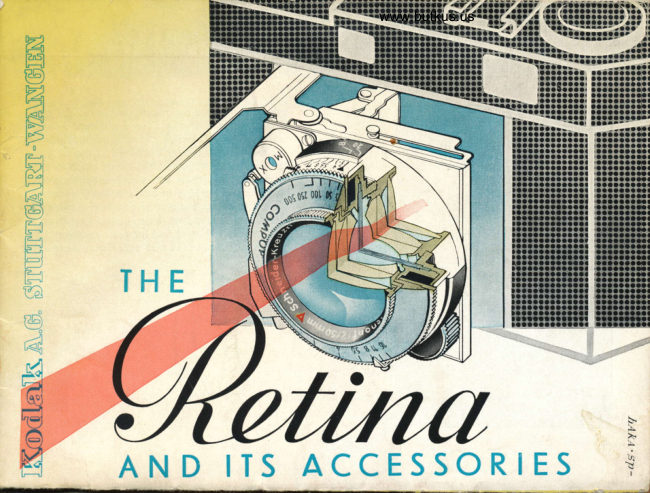
From the M. Butkus archive. Original publisher and archive notices are retained.
Check the model and edition against your equipment.
PDF verified 2026-10-10.