Lenses & filters
Kodak Instamatic Reflex User manual
User manual for Kodak Instamatic Reflex. 21 pages in English. Read the original PDF, download or print a copy without registration.
21 pagesEnglish1.4 MB PDF
Loading your manual…Open PDF directly
Document details
- Brand
- Kodak
- Model / document
- Kodak Instamatic Reflex
- Document type
- User manual
- Language
- English
- Pages
- 21
- File size
- 1.4 MB
- Category
- Lenses & filters
- Document date
- Not specified in catalog
Search available document text
Find a term, then jump to its page in the original PDF. Image-only pages may not be searchable; check the PDF for exact wording and diagrams.
Page 1 · Read text
www.butkus.us

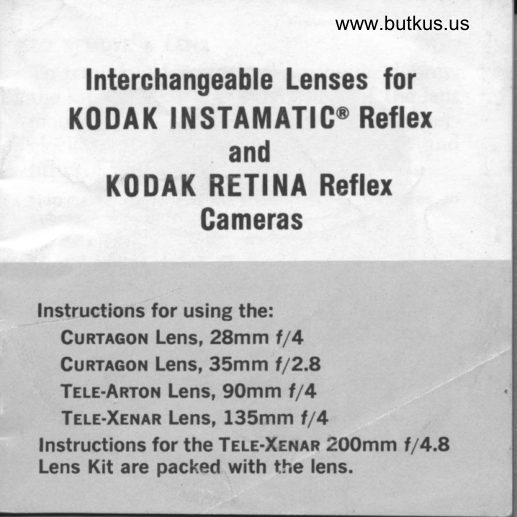
    lnterchangeable Lenses for
  K0DAK INSTAMATICo Refler
              and
     K0 DA K RETI llA Refler
            Gameras


Instructions for using the:
  Gunncor Lens, 28mm t/4
  Cunrleon Lens, 35mm t/2.8
  TrLe-ARror Lens, 90mm f/4
  Teu-Xerln Lens, l35mm t/4
fnstructions for the Tels-Xenln 2OOmm t/4.8
Lens Kit are packed with the lens.
View original page 1Page 4 · Read text
www.butkus.usII!   ro REMovE A LENs
   To remove a lens from the camera, depress
'   the safety LocK on the underside of the lens
 .  mount; ai the same time turn the lens counter-
    clockwise by its second xxunr,no nruc and
             off.'     lift it
    Note: Change lenses on Rerrre Reflex Cameras in
    subdued light only.
   ro nrrncH A LENS
     First, set the lens opening scale on the camera
   between f 15.6 and f 122. Line up the red dot
   on the inside shoulder of the lens mount with
    the red dot on the rim of the shutter housing;
    tJren insert the lens and turn it clockwise by
     its second knurled ring until the safety lock
    engages.
View original page 4Page 6 · Read text
www.butkus.us
DEPTH OF FIELD
InsrnuRrrc Reflex Cameras-Read the depth of
field with interchangeable lenses in the same
manner as described in the manual for the
standard lenses.

Rennn Reflex Cameras-The new interchange-
able lenses are not equipped with the two red
depth-of-field pointers found on Retina
lenses.
  To provide an instant depth-of-field read-
ing, a depth-of-field scale composed of num-
bers corresponding to lens openings is ar-
ranged on both sides of the triangular black
index next to the focusing scale. The method
of determining depth of field by the scale is
described in the following example:

                                                  5
View original page 6Page 8 · Read text
www.butkus.us
Example-The illustration shows the focus set for
7 feet. If the lens opening (f-number) is set at
 f /8, then the depth of field is from about 5 feet
to about 11 feet, shown by the distance figures
(on the lens mount) opposiie the ftgure 8, oie on
each side of the focusing mark. At the  f /LG set-
ting, the depth of field would extend from about
4 to 25 feet. The depth of field for other lens
openings is read in the same manner.
Note: Disregard the depth-of-field indication when us-
ing a Tele-Auxiliary Lens or a lens spacer.

AUTOMATIC EXPOSURE CONTROL
The electric-eye exposure control of the cam-
era works the same with interchangeable
lenses as with the standard lenses. Therefore,
follow the instructions provided in the in-
struction book supplied with the camera.
View original page 8
Page 10 · Read text
t                               www.butkus.us
    FLASH EXPosuRE rNDrcATroNI
    Like the standard f 11.9 50mm Xenon Lens, '   the 28mm, 35mm, and g0mm interchange-
          lenses have a flash exposure indication I   able I   scale, based on the use of^ a flashcube and
r    film with 64, 80, or I25 ASA speeds. After
   you have focused the camera,-the recom-
   mended lens opening number is indicated
    opposite the rr.esH syMBoL on the scale be-
    low the lens. Set this number opposite the
     lens-opening index. Do not use tlie indicator
    scale with a Tele-Auxiliary Lens or a lens
{    spacer.
    LENS I'IOOD
   The 35mm and 90mm lenses accept the
   Kooar INsrauerrc Reflex Lens Hood.
View original page 10Page 11 · Read text
29.5mm. It screws into the front of the lens
or the Tele-Auxiliary Lens.
  The 135mm lens is supplied with a serew-
in type metal lens hood which is "stored" on
the lens. Unscrew the lens hood. turn it end-
for-end, and attach it to the front of the lens.
The 28mm f l4lens has a built-in lens hood.
HOLD CAMERA STEADY
Hold your camera steady during exposure.
This is especially important with telephoto
lenses. The use of high shutter speeds and
of a solid support such as a tripod minimizes
camera movement.
KEEP LENSES CLEAN
Store lenses in the containers in which they
are supplied. When needed, clean the front

10
View original page 11
Page 12 · Read text
www.butkus.us
and rear surfaces of the lens carefully with
Konar Lens Cleaning Tissue or a clean, soft
cloth.

TELE.AUXILIARY LENSES
These auxiliary lenses permit picture-taking
at closer than the minimum focusing dis-
tance (I4 feet with the l35mm lens, and
6lL feet with the 90mm lens).
o The Koner INsreuerrc Reflex Tele-Aux-
iliary Lens TI l52mm (for Tele-Xenar Lens
135mm f la) permits picture-taking from 6
feet 7r/z inches to 4 feet 9)6 inches (film-to-
subiect distance).
r The Kooex Ixsrelurerrc Refex Tele-Aux-
iliary Lens TII/S2mm (for Tele-Xenar Lens,

                                                         11
View original page 12Page 13 · Read text
l35mm f la) permits picture-taking from 12
feet 10?,{ inches to 7 feet (film-to-subject dis-
tance).
o The Konar Ixsrelurerrc Reflex Tele-Aux-
iliary Lens TIl29.5mm (for Tele-Arton Lens,
90mm f l4) permits picture-taking from 5 feet
t07i inches to 3 feet 396 inches (film-to-subject
distance).
Attach the appropriate Tele-Auxiliary Lens
to the telephoto lens by screwing it into the
front of the telephoto lens mount.
  Focus the lens combination either by     t
means of the ground glass or rangeftnder.                                                                                                                                                                                                                                                               IIIChange the film-to-subject distance, when
                                                                                                                                                                          Inecessar/, to bring the subject into proper      'a
focus.

12
View original page 13Page 14 · Read text
www.butkus.us
      The tables on pages L4 to 19 provide field
 I     sizes, subject distances, focus scale settings,
    I   and depth-of-field information for various
     lens opening settings. Intermediate values
    i L   not listed can be obtained by interpolation.
       Subject distances are measured from the
     film plane which coincides with the back of
    the camera at the eyepiece. The depth of
      field is calculated for'a iircle of confuiiotr of
    l/500 inch.
     Note: With Tele-Auxiliary Lenses, especially
      at close film-to-subject distances, use as smail
    a lens opening as possible.

I$


                                                       13
View original page 14Page 21 · Read text
EASTMAN KODAK COMPANY
     Rochester, N.Y. 14650
KoorK, Rrrlxl ond lxsrlmATlc org irqdemorks.
133505                                Printed in the
'R                          United Siofes of Americo
View original page 21Related documents and language editions

From the M. Butkus archive. Original publisher and archive notices are retained.
Check the model and edition against your equipment.
PDF verified 2026-10-10.