Film cameras
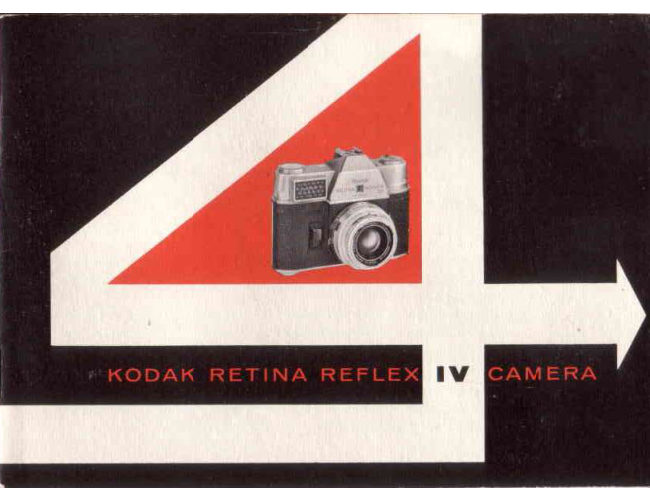
Kodak Retina Reflex IV User manual
User manual for Kodak Retina Reflex IV. 29 pages in English. Read the original PDF, download or print a copy without registration.
29 pagesEnglish7.3 MB PDF
Loading your manual…Open PDF directly
Document details
- Brand
- Kodak
- Model / document
- Kodak Retina Reflex IV
- Document type
- User manual
- Language
- English
- Pages
- 29
- File size
- 7.3 MB
- Category
- Film cameras
- Document date
- Not specified in catalog
Contents
Search available document text
Find a term, then jump to its page in the original PDF. Image-only pages may not be searchable; check the PDF for exact wording and diagrams.
Page 2 · Read text
KODAK RETINA REFLEX IV CAMERA

A notable step forward in design and precision workmanship is incor-
porated in this new single-lens reflex camera which provides brilliant
focusing and viewing at the widest lens opening and an automatic “stop-
down” to a previously selected lens opening.

Its many unique features add greatly to picture-taking ease and scope:

e Focusing (down to 2 feet) and viewing directly through taking lens
— you see what will be recorded on the film. Lens-opening and shut-
ter-speed setting visible in viewfinder.

e Interchangeable lenses available from 28mm (wide-angle) to 200mm
(telephoto).

e Automatic dual exposure control—centering exposure control nee-
dle, either on the top of the camera or in the finder, automatically
sets exposure.

e Flash contacts in accessory shoe for cordless flasholders; alternate
flash outlet for cord-type flasholders.

e Automatic depth-of-field indicator — adjusts automatically for all
distances and lens openings.

Before an important picture assignment, a trip, or any special event,
expose a magazine of film and make a few flash pictures. This will give
you practice and provide a check on your equipment.

www.butkus.us
View original page 2
Related documents and language editions
From the M. Butkus archive. Original publisher and archive notices are retained.
Check the model and edition against your equipment.
PDF verified 2026-10-10.