Film cameras
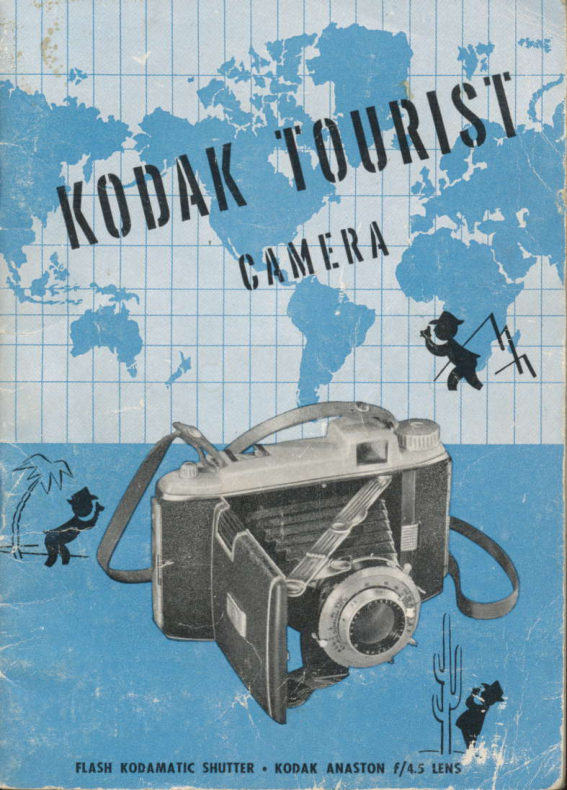
Kodak Tourist User manual
User manual for Kodak Tourist. 37 pages in English. Read the original PDF, download or print a copy without registration.
37 pagesEnglish15.1 MB PDF
Loading your manual…Open PDF directly
Document details
- Brand
- Kodak
- Model / document
- Kodak Tourist
- Document type
- User manual
- Language
- English
- Pages
- 37
- File size
- 15.1 MB
- Category
- Film cameras
- Document date
- Not specified in catalog
Search available document text
Find a term, then jump to its page in the original PDF. Image-only pages may not be searchable; check the PDF for exact wording and diagrams.
Page 2 · Read text
Pictures in block-ond-white or in full color con
be mode wiih the Tourisi; see poge 12 lor o
description of films ovoiloble. The illustrotion
obove shows the opproximote size of Kodo-
color Prints. Enlor.lements ore olso ovoiloble.

          www.butkus.us
View original page 2Page 3 · Read text
o Distinctive modern styling and built-in picture-
making aids keynote the brilliant new Kodak Tourist
Camera. The ingenious shutter exposure release built
into the bed-the sliding exposure guide-the handy
depth-of-field scale on the shutter plate-these are only
a few of the features that make the use of this camera a
new experience in folding-camera ease and efficiency.
  To realize the full capabilities of your camera, read
the simple instructions in this manual and follow
"the little man" through the illustrations.


                              www.butkus.us
View original page 3Page 4 · Read text
Venmo @mike-butkus-camera  Ph. 2083
                         www.butkus.us              www.PayPal.me/lynnbutkusPayPal Name  Lynn@butkus.org
View original page 4Page 5 · Read text
h
     Opening ond Closing the Csmero      3
                 EosyosABC     4
            Selecting the Shutter Speed     6
                Setting the Lens Opening     7
                   Focusing the Comero      I
                     Exposure Guide     l0
                      Kodok Films      t2
                             LoodinE      14
                   Depth-of-Field Scole      l8
                    Toking the Picture      21
                    Removing the Film     22
                     Time Exposures     23
            When the Light is Poor     24
                              Photoflosh      24
                            Photoflood      26
         ,Adding Interest to your Pictures     27
                       Exposure Tobles     29
                 Aids for Picture Toking     30


T.M. Res. U.S. Por. Off.
View original page 5Page 6 · Read text
OPEN'NG THE CAilERA
  To open lhe comero, press lhe
  opening button qnd pull down the
   front until if locks. Do not depress
  lhe exposure releose while open-
   ing the comero.
  CI.OS'NG THE CATIERA
  Press on the roised knurled sec-
   lions to fold the two broces; lhen
  push the front until it snops shut


www.butkus.us
View original page 6
Page 7 · Read text
sQl             ar.posttre time

      sQ1,           lens oponing

      slrt              fot:tts


When you aim your camera at a subject and snap the
picture, a flash of light passes through the camera
lens to the film and produces an invisible image of
the subject on the film.
  Think of the a b c's of camera operation this way-
adjust "a" to control t}:.e length of time that the shaft
of light strikes the film-adjust  "b" to control the
e{I'ective size of the shaft of light-adjust "c" to con-
trol the sharpness of the reflected image that the shaft
of light carries to the fiIm.
 Now that you are familiar with your Tourist a b
c's, study the simple additional details that follow for
sharp, well-exposed prints.
4
View original page 7Page 9 · Read text
For Averoge Snop-
shots with Kodok Plus-
X or Verichrome Film,
turn lhe knurled collor
until the INDEX LINE is
<rt "50" (l /50 second).


     The length of time the light is permitted to reach the
      film is controlled by rotating the outside knurled
        collar of the shutter until the index line is at the desired
      speed. The Flash Kodamatic Shutter is designed for
      exposures of tl2OO, 1/100, ll5O, 1125, and 1/10 second
            well as "Tt' and "8" exposures.     -asUse 1/50 second for average snapshots; for moving
       objects, use the faster shutter speeds.
       With exposures of 1/10 second, "8" or "T," the
      camera must be on a tripod or other firm support.
      See page 23 fot "T" and "B" exposures.
      6
View original page 9Page 10 · Read text
b


                                           With Kodok Plus-X or
                                                Verichrome Film. move
                                                lhe lever pointed out
                                    by the little mon to
                                                                  fllt  tor overoge sub-
                                                                iects in bright sunlighi.

                               rl


The size of the lens opening, through which the light
passes while the shutter  is open, is changed by moving
the lever across the /-number scale at the bottom of
the shutter.
  The opening is smallest when the lever is at f 132.
Each succeeding setting admits, in a given exposure
time, twice as much light as the one before; for ex-
ample,  f 122 lets through twice the light ot f 132, f ILG
twice that of  f 122, and so on down to f 15.6. The open-
ing f 14.5 is not a full lens opening larger than f 15.6, and
admits only 50 per cent more light.


                           www.butkus.us
View original page 10Page 11 · Read text
www.butkus.us


The illustration above gives you a mental picture of
how the size of the lens opening-the opening through
which light passes to the fiIm-is changed as the lens
opening lever is moved across the scale.
View original page 11
Page 12 · Read text
(t


                                                Turn the focusing col-
                                                              lqr until the figure indi-
                                                    coting the comero-fo-
                                                          subiect dislonce in feet
                                                     is ot the FOCUSING
                                                             PlN, pointed out by the
                                                                         litfle mon. ln the illus-
                                                            trotion, the cqmerq is
                                                 focused for 25 feet.


The focusing scale on the lens is marked frorn 3l  feet
to INF. (infinity). Use the infinity setting for distances
100 feet from the camera and beyond.
  When the subject is closer than 10 feet to the
camera, determine the distance accurately-it  is best
to measure it or to use the Kodak Service Range
Finder, an accessory which slides into the clip on the
top of the camera.
  Use the depth-of-field scale to tell the nearest and
farthest objects which will be in sharp focus. Instruc-
tions for use of this scale are found on page 18.


                             www.butkus.us
View original page 12Page 13 · Read text
6F6ttta6$
                                                                                                                                                                                                                                       r'             'rEfl!         r             !1Sl5';li  li:i:i,l::
                                       l$ spsrs


                     rERI(HROIAi.FIUT X
                            09*esL08.".
                ts.
           A*Set for film uscd {line up dois}  ?of
 Find the    l*Sei for lype of subiect ond light (line up dots]             I
                           lens opening obove selecfed shuiler speed Exposure f €-Reod


 EXPOSURE GUTDE
The exposure guide on the back of the camera indi-
 cates, quickly and easily, the correct exposure for
Kodak Films, with two common subject types under
 the three most common lighting conditions.
  The exposure f lll  at 1/50 second (C) is the basic
 exposure for average subjects in bright sunlight with
 Kodak Verichrome, Plus-X or Kodacolor Films. The
 other combinations of lens opening and shutter speed
 shown (/i8 at 1/100, f 116 at ll25 etc.) give the same
 exposure, but a choice of these is governed by other
 10
View original page 13Page 14 · Read text
Brighf Sun            Hozy Sun           Gloudy Brighr
       Strong Shodows             Soft Shodows          No Shodows
   Averoge               Subiect                                                                        peo-                               by                                  Dsrk                                             or Shqded                                                           Subiecr                           -  Neor -                                                                           -    people; gordens,                   houses                            ond                                                  ple,                                              gordens,                                                ond subiecls                                                                                         in                                                            open
    scenes nol in shode. Use this clos-     shode (ligfited by open sky-
     sificolion if in doubt.                   not under trees, porch roof, etc.).


considerations (stopping motion, depth of field, etc.).
   Illustrations and descriptions of subject types and
the lighting conditions under which they may be pho_
tographed appear above. Near-by people in marine,
beach, or snow scenes, and scenics with prominent
foreground objects require less exposure than the
auerage subject. For this type of subject proceed as
follows: Set the exposure guide for an auerage subject
under existing lighting conditions; then use either one
lens opening smaller or one shutter speed faster than
that indicated for ttre auerage subject.

                                                     11
                           www.butkus.us
View original page 14Page 15 · Read text
KODAK FILMS


.
 KODAK YERICHROiI E FTLTy.
The film for general outdoor Pic-
 tures. It has wide latitude to helP
you get a good negative even
 though you slightly misjudge the
 exposure. High in speed, it is also
 excellent for night photograPhY
 with photoflash lamPs. 8 exPo-
 sures, V620.


 KODAK PLUS.X
 PA'I'CHRO'IATIC FILM
 Combined high speed and fine
 grain nQake this film ideal for out-
 door work and for well-lighted
 indoor subjects. 8  exposures,
 PX620.


 KODAK SUPER-XX
 PAtrfcHROflATiC flLn
 Because of its very high speed,
 this film is the logical choice for
 making snapshots indoors with
 photoflood lamps. Indoors or
 out, it is the film to use when the
        is poor. 8 exposures, XX620..light
 L2
View original page 15Page 16 · Read text
KODAK             F'L'U
The film''VFRAREDfor distant landscape photography when de-
tail ordinarily obscured by atmospheric haze is desired.
It can also be used to produce unusual pictorial results.
The Kodak Wratten A FiIter.(No.25) is recommended
for: use with this film. The above pictures were made
with this filter. 6 exposures, IR620.


KODACOLOP. FILM
The film for full-color prints-exposed outdoors in
bright sunlight or by blue-bulb photoflash, Kodacolor
Film yields negatives from which Kodacolor Prints,
like the one on the inside front cover are made. Koda-
color Prints are ordered through your Kodak dealer.
Black-and-white contact prints or black-and-white
enlargements can also be made from the negatives.
6 exposures, C620.
                                                 13

                         www.butkus.us
View original page 16Page 17 · Read text
OPEN THE BACK  oW'THDP.AW THE PIN
    The back of the camera      To release the film cen-
      is hinged at both ends       tering pin, push down
    and can be opened at        the spool centering knob
      either end or removed     and turn it  clockwise
      entirely. To open the     a quarter turn. This
     back, unlock the catch       brings the pin to the
    by pulling out the slide       "out" position as shown
     with the thumbnail or       above. The drawing in
    by pushing the knurled        figure 3 shows the pin
      section to the other end        in the "in" position. It
     of its slot; then swing      must be in this position
L4   the back outward.              to hold the spool.
View original page 17Page 18 · Read text
\*,,.,.";#


,ilSERT THE F'LM                   ,NSERT A TAKE-UP SPOOI
Insert the spool on the          If the take-up spool is
bottom pin first so that       not in place in the cam-
when the paper is drawn       era, turn and pull out
off, the colored side will      the wrNorruc KNor' as
be up. Press down the        far as it  will go. Insert
spool while pushing in      an empty spool on the
the spool centering knob.      bottom pin first. Turn
Turn the knob a quarter      and push in the winding
turn  counterclockwise      knob to engage it with
and release it.                 the slot in the spool.

                                                            15


                           www.butkus.us
                                                                                          ,-l
View original page 18Page 19 · Read text
*+$


     THR.EAD THE PAPER.             IURN THE W'NDING KNOB
    Break the seal and pull      Turn the winding knob
     the paper to the empty      two or three times to
     spool. Thread the end of      bind the paper to the
     the paper into the longer        spool. Be sure the paper
     slot in the empty spool          is started straight.
   as far as  it  will  go.
    Handle the roII care-
     fully; the film will be
     fogged if allowed to un-
    wind or loosen.

16
View original page 19Page 20 · Read text
CIOSE fHE BACK              ADVANCE fHE FILM
The back, if removed,        Before winding, uncover
must be replaced with        the red window by push-
the top of the exposure        ing the lever toward the
guide toward the view      bottom of the camera.
finder. It  is locked in      Turn the winding knob
place by pushing in the        until a small hand ap-
ends of the catches. A        pears. Continue turning
white dot on the window       slowly until the figure
cover warns you to un-       "1" is centered in the
cover the red window       window. Release the Ie-
when fiIm is wound.             ver to cover the window.


                         www.butkus.us
View original page 20Page 21 · Read text
Focus the lens; lhen reod lhe
neoresl ond forthesf obiects
in shorp focus under the red
figures correspgnding to the
lens opening used.


   The red figures on each side of the focusing pin are
   used with the focusing scale as a depth of field scale
    to tell the nearest and farthest distances which will be
    in sharp focus.
     Focus the lens and then under the red figures cor-
   responding to the lens opening used, read on the focus-
    ing scale the nearest and farthest distances that will
   be in sharp focus.
     For example, whenthe camera is focused at 25 feet,
   with a lens opening of f l1-1- everything from about 14
   to infinity will be sharp.
    18
View original page 21Page 22 · Read text
Itfu*l.t
  {   ,,#f       r'     t


         The illustrotions obove show the confrol thot is possible through the
         use of differenl lens openings.
              ln the upper picture o lorge lens opening wos used to obtoin o
          shollow depth of fteld, thus eliminoting o distrocting bockground by
         hoving  it oul of focus. The lower picture shows the use of q smoll lens
        opening to obtoin greot depth of field when detoil in foreground
        ond bockground is desired.
                                 www.butkus.us
View original page 22Related documents and language editions

From the M. Butkus archive. Original publisher and archive notices are retained.
Check the model and edition against your equipment.
PDF verified 2026-10-10.