Film cameras
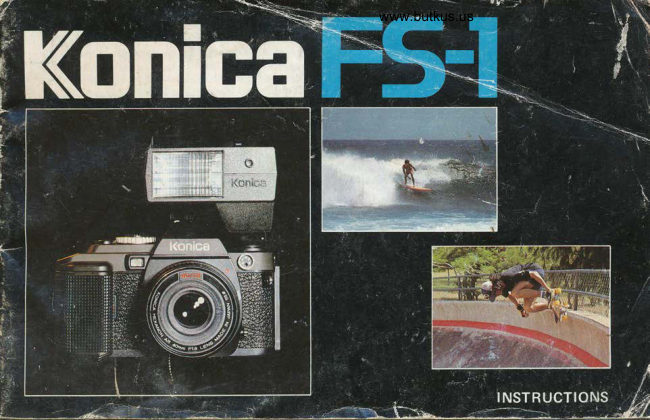
Konica FS-1 User manual
User manual for Konica FS-1. 37 pages in English. Read the original PDF, download or print a copy without registration.
37 pagesEnglish3.3 MB PDF
Loading your manual…Open PDF directly
Document details
- Brand
- Konica
- Model / document
- Konica FS-1
- Document type
- User manual
- Language
- English
- Pages
- 37
- File size
- 3.3 MB
- Category
- Film cameras
- Document date
- Not specified in catalog
Search available document text
Find a term, then jump to its page in the original PDF. Image-only pages may not be searchable; check the PDF for exact wording and diagrams.
Page 3 · Read text
- Contents -
  Thank you for your purchase of the Konica FS-I.   Use of the Strap                                      3
 The Konica FS-1 is a lightweight, compact, Shutter   Nomenclature of Parts   .                         4
  speed Priority (SP) Through-The-Lens (TTL) Auto-    Operating Instructions   .                           6
  matic Exposure (AE) Single Lens Reflex (SLR)   Mounting and Dismounting of Lens                  8
  camera. It is the world's hrst, highly sophisticatcd     Inserting Batteries                                    9
 35mm camera with auto film loading, autostart,   Film Loading                         ..10
  autoadvance, autoexposure and autoflash systems.    Shutter Release Lock Lever                        . . 13
 The Central Processing Unit (CPU) is the "brain" of   AE (Automatic Exposure) Photography  .        . .14
  the Konica FS-l camera and has the largest capacity    Holding the Camera                    ..16  and most functions of any CPU used in a camera to    Focusing                             ..r7
  date providing the user with a most versatile and    Film Rewind                          ..18
  highly reliable system.                        LED Information in Viewfinder            ..19
                                     J\                                                Under- and Over-Exposure Warnings              . .20
                                          Low Battery Power Warning                        . .20lth D L{u"  fuaasl,lp            Selection of Shutter Speed                          . .21
                                         B (Bulb) Exposure                                     . .21      b;vhy                           Aperture vs Depth-of-Field   .                       . .22
                                                       Photographing with Self-Timer             ..23
                                                           Electronic Flash Photography                      . .24
                                                ManualPhotography. .   .                 ..25
                                                    Exposure Compensation for Backlight
                                                 Photography  . .  .                                 . .26
                                                          Precautions for Use                                    . .26
                                                     Stopped-doun Mctering Method            ..27
                                                               Specifications of thc Konica FS-1                  . .28
                                                             Accessories                            ..30
                                                   Konica Interchangeable Lenses .     .  .      ..34
                                                         Depth-of-Field Tables                    ..35
View original page 3Page 9 · Read text
Mounting and Dismounting of Lens


                                                     www.butkus.us

To attach the lens, align the red dot of  To remove the lens, hold the base of
the lens with the Lens Mounting   the lens and turn it counterclockwise,
Index Mark (25) (red dot) of the   while the Lens Lock Release Button
carnera body and lightly sink the lens   (26) is kept depressed. Remove the
into the camera body. Hold the lens   lens when the red dot of the lens
and turn it clockwise until it stops  comes in line with the red dot on the
with a clicking sound.                 camera body.
                             o When the lens is removed from the camera body the front
                                      and rear caps should be placed on the lens to prevent accu-
                                          mulation of dust or scratching of lens elements. The body
                                       cap should also be placed on the camera body to prevent
                                            ciamage to internal camera parts. Internal camera parts should
                                             not be touched under anv circumstances.
View original page 9Page 11 · Read text
Film Loading - Autoload System
       Your Konica FS-l uses all stand-
      ard 35mm l2-, 20-, 24-, 36-
       exposure film cassettes.


                                                                            www.butkus.us

    The Konica FS-1's autoload   1) Release the Lock Claw (42)    2) Insert the 35mm film cassette
      system is so designed that once   of the back cover to open the     into the Film Cassette Chamber (41)
      the flrlm is set to a prescribed   back cover.                       from the cutout lower section.
       position and the back cover  Do not forcibly try to open the
        closed, the film will be automat-   back cover further when it has
        ically transported by one frame.    stopped.
       Film loading has been somewhat
       troublesome in the past, but
      your Konica FS-l enables you
       to do it safely and surely.


10
View original page 11Page 13 · Read text
NO


                               5) Snap down the back cover,   6) Flip up the Film Rewind
                                 and it will be closed without fail.   Crank (20), and slowly turn it in
                             At the same time, the autoload   the arrow-marked direction 360
                                system will be put into opera-    degrees to eliminate the film slack
                                      tion, automatically winding up    in the cassette.
                             the film until the film frame     If the auto{oading has properly
                         number "l)'  appears in  the   been conducted, the perforations
                                 Counter (34). You can ascertain   come in gear with the sprockets
                                 the auto-loading with a revolu-   and a change in the pressure on
Make sure that the film does not   tion of the film rewind knob.     the finger may be felt. ,A,dapt
warp and that the film outlet of the                                     yourself to this pressure change
cassette is not lifted out.                                    and make it a practice to take
                                                                       pictures after this ascertainment
                                                                                    at all times.
View original page 13Page 14 · Read text
www.butkus.us
                                     Shutter Release Lock Lever
Insert the end portion of the
film box into the film memo
holder located on the back cover
to remind you of the film type
in the camera.


                                 Move the Shutter Release Lock
                                   Lever (4) around the Shutter
                                            Release Button (5) till the white                             i,q i91Should vou r{4th to load a film           dot visible, and the shutter will
cassette with a torn leader sim-        be released. When the lever is
ply cut the leader at a right angle            alignment with the red dot, the
to the film and follow the pre-            shutter will be locked and the
vious loading instructions.                   safety device to prevent an un-
                                     necessary depression of  the
                                           shutter release button will be
                                                  activated.
                           o Be sure to move the lever
                                                until a click is felt at the on/off
                                                position.
View original page 14Page 15 · Read text
(Automatic Exposure) Photographyt'    AE


           Setting of Film Speed (ASAI     Setting Lens to AE Position        Setting Shutter Speed
         Turn the ASA Film Speed Dial     For AE (Automatic Exposure) pho-    Turn the Shutter Speed Dial (3)
            (2) on top of the shutter speed     tography turn the lens Aperture     until the desired shutter speed
              dial with a finger tip so that the    Control Ring (19) to the AE    reading is aligned with the
           speed of the film loaded in your     Position (17). A safety lock will    Index Mark (15). The unique
          camera may appear in the ASA     prevent accidental change.               design of the Konica FS-l allows
         Film Speed Indicator Window                            a complete revolution of the
               (l).                                                                               qhutter speed dial.
         Use the chart below to set film                            As a-Eener6
           speeds not$own on the shutter                                         shutter speed for AE photo-
              dial.                                                                graphy is l/125 -11250 sec. out-
                                                                                                              sec. in-                              Aetual ASA Dial Intermediate Settings                doors and li30-l/60                                                                                    doors with ASA 100 film.                 25  ro50oo      100 r  r 200 o o 400 o o 800 o o 1600 o o 3200
              G27@s1 (64X80) (125Xr60) (2s0)(320) (s00x640) (l000)0250) (2000x2s00)
    14
View original page 15Page 16 · Read text
www.butkus.us

 Ascertain the Correct ExPosure   Single-Frame Shooting A single
 Slightly depress the shutter release  frame may be exposed by dePressing
 button and the LED aPerture indi-  the shutter release button. Detach
 cator located on the left hand side in  the finger from the buttott at once.
 the viewfinder will light uP.
 If the LED lights up at anY aPerture  Continuous Shooting - When you reading between fl22 and the maxi- keep your finger on the shutter
 mum aperture of the lens in use (for  release button, you will shoot pic-
 example   f 12 when using the Konica  tures in continuous sequence at the 40mm f/1.8 Lens) the lens will be  rate of 1.5 f.p.s. The Konica FS-l                                 metering system determines and stopped down during the time of ex-                                        adjusts for correct exposure at every posure to the indicated aperture for                                      frame in continuous shooting mode. correctly exposed photographs. In
 actuality, the lens may stop down to  Ascertainment of Film Transport - any one of an infinite number of You will see the Film Rewind Knob
 apertures between those shown in the  (21) turning, assuring you of proper
 viewfinder.                               film transport.
:-Wh6priority is to be given to-Fi
!I selectionselection ofof aa lenslens apertureaperture {blightly{blightly   I
idepress the shutter button while look  I
ithrough the viewfinder and turn the  I
        speed dial u-ntil the LED oflshutter.                                   I the desired aperture lights up.
View original page 16Page 19 · Read text
Film Rewind
     o When the whole film has been exposed, the LED    scribed number of exposures on one roll of film, some
       for the ascertainment of film transport will be in-    of the perforations will be snapped off in some cases.
         stanfly lit and the auto-winding system will simulta-   o When the film is to be rewound, make sure that
        neously stop operating.                           the shutter release button is locked to prevent an
        r   If you keep shooting pictures beyond the pre-    accident depression.


          l) Press in the Film Rewind     2) Flip up the Film Rewind    3) When there is a sudden drop
       Button (44) at the base of your     Crank (20) and turn it in the    in the pressure on the fingers,
       Konica FS-1 camera.                 direction of the arrow mark,    the film rewind is completed.
                                     and the film will be rewound on   Open the camera back, remove
                                       the film cassette spindle. Here,     the exposed 35mm cassette.
                                     the film counter will move in
                                             reverse, but this reverse count
                                        does not correspond to the film
                                             length rewound.
18
View original page 19Page 21 · Read text
Under- and Over-Exposure Warnings
          Under-exposure warning                      In case new AA alkaline batteries are in use, 15
        When the shutter release but-                     rolls of 36-exposure film may be taken before
        --lI   ton is slightly depressed, the               a warning appears for a drop in voltage. When
          bo  LED at f/1.0 (intermediate                  the AA batteries become weak, the under/over
        w   point between M andfll.4)                   exposure warning LED will light in an alternat-
             will blink. Any picture taken                  ing sequence, signaling "low battery power".
            in this situation will be under-             You might as well replace the batteries with
         exposed. Select a  slower              new ones as soon as possible. The batteries may
            shutter speed.                            be exchanged during the course of the shooting
                                                            of one roll of film.
                                                   There is still enough power to shoot approxi-
                                                   mately five more rolls of film, after which all
                                                      system will automatically turn off until replace-
                                                ment batteries are installed.
                          o When the batteries are to be exchanged with new ones during
                                       the course of the shooting of one ro11 of f,rlm, put the lens cap,
                                           set the reloaded battery compartment to the camera body and
                                        depress the shutter release button. One frame will not be ex-
                                         posed, preventing the overlapping of pictures.
                          o Avoid continuous shooting when the warning LED for the
             bo  Over-exposure warning       battery voltage is turned on.
       When the shutter release  o During low battery power condition, the correct exposure
           button is depressed, the LED  LED will light, and the under and over exposure warning LED's
                       will blink, indicating           at                                f 122                                                                                    rate.                                                          (pulse) at a faster                                                 cycle                                                 will
                                         I                             Select a               over-exposure.        an                                                             metering                                                                 with a warning for a drop in                                            stopped-down                          o For
              faster shutter speed.             voltage, the correct exposure will be assured the LED of f/1.0 (in
                                    between M and f ll.4) will stop blink and will be turned on.
View original page 21Page 22 · Read text
www.butkus.us
           Selection of Shutter Speed               B (Bulbl Exposure


         The shutter speed range of your Konica FS-l is from   spegl from a Iange of 1/30 to 1/60 second.        B, 2, 1 to 1/1000 second. Intermediate  shutter   The B (bulb) exposure setting is used for an exposure
           speeds should not be set.                         of more than three seconds. Set the shutter speed
       How to Select the Proper Shutter Speed -  your    dial to B and depress the shutter release button. The          Konica FS-l uses a shutter priority exposure system    shutter will remain open as long as the shutter release
            allowing you, not the camera, to select the most suit-   button is depressed.
            able shutter speed. Recommended shutter speeds for
         outdoor photography are lll25 to I1250 sec, and   r  For a time (B) exposure,  it is advisable to use a           1/30 to 1/60 sec, for indoor shooting. For a moving   tripod and a Konica Cable Switch or Remote Control            subject, determine to shutter speed in the followingt                                                             Switch which are available from your photo dealer.
  a        manner: 1) Il_y-o-9"_want,?.glovl!g rqbject to look still   r  Fit the cable switch into the accessory terminal
           jlg-[qtlhed-piglUre,jelect  a fast speed from a ranse   connector. The accessory terminal connector is also
          of 1/25Olo-U1!ggScod.  2).If you want to stress   the attachment point for a Radio Control Set,
                                                                         Interval Timer and Left Hand Release Switch.         -the m-o-vem:[_ "fj-"v_ing  su6ject: sditcT-tTlow-'l
View original page 22Page 23 · Read text
Aperture vs Depth-of'Field

         Depth-of-Field for f/8         for  f 14   (11) Distance
                                                              Scale


           (12) Depth-of-                    Infrared
                  Field Scale                 Compensation
                                               Mark
                           (8)'  Distance/APerture                             Scale Index Mark
       When the lens is focused on a subject, there is a range     the Distance Index Mark (8). The range which is
        around the subject which will be clearly delineated     sandwiched between a pafu of identical aperture
         in a finished picture. This range is known as a depth-     readings is a depth-of-field in which the image will
           of-field.                                           be clearly delineated in a finished picture.
        1) The larger the aperture value (i.e., the smaller the    For example, when the camera-to-subject  distance
        lens aperture), 2) the longer the camera-to-subject       is 7 m (23 ft) with a 40 mm standard lens, the depth-                                                                                                                                                                                                                                                       f 14        distance, 3) the shorter the focal length, the greater      of-field will be about 5 - 15 m (16 - 50 ft) for
       the depth-of-field. The depth-of-field  is shallow for     and about 3.5 m (11 ft) to infinitv for f/8.
        the area in front of the focal point and deep for the      Infrared Compensation Matk
        area behind. The actual depth may be known by    The red-coloted '4" on the depth-of-field scale is an
        checking the Depth-of-Field Scale (12).                    infrared compensation mark, which is used for a com-                                                                  pensation of the focal point with the use of infrared
         Reading of Depth-of-Field Scale                              film, For example,  if the camera-to-subject distance
       For a Depth-of-Field Scale (12), identical aperture      is infinity, the infinity mark will be brought in line
22      readings are calibrated in parallel on both sides of     with the infrared compensation mark.
View original page 23Page 26 · Read text
www.butkus.us
                                                   Manual Photography
        Use of Other Types of Electronic Flash Unit$
       An electronic flash with a hot shoe, such as the
         Konica X-28, X-20 and X-I4, may be electrically
          connected simply by lttting it to the hot shoe clip.
        With an electronic flash without a hot shoe con-
           nector, insert the plug of its cord into the X Flash
          Contact Terminal (22) taphole of the camera body.
         1) set the shutter speed to 1/60 sec. for all types
          electronic flash except Konica X-24 Auto flash.
         2) set the lens aperture manually per the instruc-           tions of the electronic flash unit.                  To manually set the exposure with$;your Konica FS-1,
         3) when using automatic flash units such as the   merely set the lens to any aperture other than the
         Konica X-28, set the lens aperture as indicated by  AE position. A red LED will continuously blink at
           the auto flash.                                   the "M" mark in the viewfinder to signify manual
        4) for manual flash units, detormine the correct    operation.
          aperture to set by dividing the guide number by the  The Konica FS-l Through-the-Lens (TTL) - Auto-        camera to subject distance. Example: Using ASA  matic Exposure (AE) system operates at all times,
        100 film with a Konica X-20 flash, you will get a   even during manual operation displaying the correct
        guide number (GN) of 64 (ft.), divided by the  exposure in the viewfinder, for the scene, even
          distance (16 feet) results in a lens aperture of fl4  though you have set an aperture and shutter speed
        (64+16=4).                                      combination manuallv.
?
      o  Synchronized with M, FP and MF bulbs at 1/30  o Be sure to reset your lens to AE position.
t          sec. and slower shutter speeds.
View original page 26Page 29 · Read text
Specifications of the Konica FS-l
Type: 35mm focal plane shutter TTL-AE single-lens   Finder: Pentaprism eye-level finder, magnification
        reflex camera with built-in auto-winder              X0.67 (at infinity with 40mm standard lens),
Film: 35mm film in cassette                                 fieldof-view :'atio 90%, real-image alignment
Picture size: 24 x 36mm                                system with split-image, microdiaprism and
Standard lenses: Konica Hexanon AR 40mm f/1.8          ground glass
                Konica Hexanon AR 5Omm f71.7   View finder information: LED indicator for aper-
                                                                                            advises correct                Konica Hexanon AR 50mm f/1.4          ture in use from f1.4 -  f22
                Konica Hexanon AR 57mm f71.2   '        exposure in AE photography.Mount: Bayonet-type Konica mount Il                LED at f/1.0 (intermediate point between M
Aperture mechanism: AE-type fully automatic aper-          and f lI.4) will blink indicating underexposure.
       ture with smallest aperture at f 122.              LED at fl22 will blink indicating over ex-
Shutter: Digital-controlled, vertically travel electron-            posure.
        ic metal focal Plane shutter                   LED at M will blink indicating lens placed on                                                       manual                                                                           apertures.                                         sec.       speeds:                             |               8,2,Shutter                        - 1/1000                                                                              f/1.0 and fl22 wlll alternately blink                                              LEDs at                                 with synchro                 and            show               X contact         HotSynchro:
       socket. automatically set to 1/100 sec. with           indicating low battery voltage.                                     LED at f/1.0 will light for stopped-down       exclusive Konica X-24 Automatic Electronic
       Flash. Manually set to 2 -  | 160 sec' with elec-           metering.LED at f/5.6 or f/11 will blink indicatingX-24       tronic flash other than X-24. Synchronized
      with M, FP and MF bulbs at ll30 sec. and           electronic flash at full charge.                                                   Exposure adjustment: TTL metering at full apertures,       slower shutter sPeeds.
Self-timer: Digital-controlled electronic self-timer           shutter-speed priority control system with gal-
                               sec.)                                lium-arsenide-phosphorus compound photocell.       (use of | - ll1000
View original page 29Page 30 · Read text
www.butkus.us
 1T                                                                                                                                                                                                                    C"'u
 l           o  Automatic aperture control system with          matic Electronic Flash. Camera is automatical-      me
  J:                priority given to shutter speed selection for          ly switched to electronic flash photography        'Tl
           AE photography reading of correct aperture          with mounting of X-24.                         c)
                  value coupled to film speed, shutter speed and    Dimensions and weight: 146 x 90 x 73mm, 7l8g                    f-value at full lens opening.                         (minus batteries) with 40mm standard lens,    {
           o Manual aperture lens (stoppeddown        146 x 90 x 46mm , 57 49 (minus batteries)
               metering): System of alignment with llxed         body only.
               point coupled to film speed, shutter speed  o The descriptions in "Low Battery Power Warning" II:            and lens aperture                                    starting that continuous shooting may be done at a          6zao
       AE coupling range: With ASA 100 film and fll.4   speed of 1.5 frames per second and that the use of
                 lens EVO (at 2 sec. with t/1.4) - EVl9 (at   new AA alkaline batteries makes it possible to ex-               1/1000 sec. with fl22). With f/1.8 lens, EV   pose l5 rolls of 36-exposure film until the appear- i*                 0.7 (at 2 sec. with f/1.8) to EV19.            ance of a battery roundown signal is based on
          I         Fifm speed range: ASA 25 - 3200                     Konishiroku'su's own specifications.          Film loading: Konica Autoload system            c The specifications and design are subiect to
          I        Film wind: Autoadvance with motor inside take-   change without notice.      I              up roller                                                                                                                                                                                                                                                                                                                                                                                                                                           'Tt{Imxozo
 l*      Film rewind:automaticallyCrank returningtype withtofilmoriginalrewindposition.button         Film counter: Positive type. Resets to start with                                                                                                             'Tl?I.
                opening of back cover.+
           Batteries: Four 1.5V AA alkaline batteries
It        Others: Exclusive electronic flash Konica X-24 Auto-
View original page 30Page 31 · Read text
Accessories
                                       o  Konica X-24 Automatic Electronic Flash


     o  Designer Case
        This smartly-designed case                    When mounted stop the Konica FS-l camera, you
        in two tone brown/beige                           only set the automatic distance control (green  f 15.6,
        simulated suede, provides                            or red tlll). When theX-24 is turned on and reaches
        superb flexibility for use as                  95% of flash power, it automatically signales the
        a shoulder case or belt case.                          Konica FS-l camera to change shutter speed to a fast
           It is "designer styled" to                          1/100th second, to change the lens aperture to f/5.6
      match the Konica FS-1                      or flll  and displays a blinking LED signal in the
         future design.                                          viewfinder that the flash is ready.
                                               The film speed (ASA) is automatically set into the
     o  Carrying Bag                                X-24 flash by the FS-l CPU. There are no cables.or
        "Designer styled" in two                            cords to connect.
      tone beige/brown simu-                          Guide Number: 80 (ft.) with ASA 100 film.
         lated suede, this functional
        bag holds the Konica. FS-l                         Ranee for Automatic:
               plus        camera                    standard                                                                                               4oo                                      lens,                        AsA 2s 64 ?8i, 188       Konica            X-24                  Auto flash.                                                           MrN. DrST.(ft.) MAXIMUM DISTANCE(ft.)         accessory lenses and several                                                                     flrr           2.3        3.3  4.9    6.9    9.8   l4.r         rolls of film     supplied
30      with wide shoulder strap.                                                         f ls.6          2.3       6.9  9.8   t4.l    19.1   28.2
View original page 31Page 32 · Read text
www.butkus.us
      o  Radio Controller Set                         o  Left Hand Release Switch                                                                                                       i        This switch is made up of a                            This unique device attaches to
          receiver, which will be fitted to                         the accessory terminal of the
         the camera, and a transmitter,                         Konica FS-l allowing you to
         which will be used at your side.                              release the shutter with your                                                        il'1      The electric wave sent by the                                left hand while focusine with
          transmitter will be intercepted                             your right hand.
       by the receiver, making it pos-
            sible to operate the shutter with
            electric signals.                                tLn,g            =-      o  Interval Timer                                                                            {fl;rf*n"n  is connected to the termi-         This device allows photographs                                                                      nal of the camera, it is possible to trip the
         to be taken repeatedly at fixed                                 shutter by operatlng the hand-held switch.          intervals of time. When it  is IffiThis switch is useful for bulb exposure and
        mounted on the camera and the                            also close-ups, telephoto shots, and also
          switch is turned on, the shutter                              helps cancel out camera shake when using
             is repeatedly tripped at the pre-                       w shutter            set time intorvals.  GE                                             o  Remote ControlSwitch      o Remote Battery Pack
      As the battery case may be
         stored separately, it maY be
        used even in a cold arca bY
        warming it in your Pocket to                          Allows you to release the shutter of the          prevent the lowering in batterY                                                             Konica FS-l from a distance of up to 15
+       performance (cord legth 1.5m).                  reet'                                                                                     fl >G,u'J
View original page 32Page 33 · Read text
w

       o  Eyesight Correction Lens 2                        the center of the viewfinder is enlarged two-fold for
          Corrects viewfinder oPtics to                     accurate close-ups, copying, telephoto photography
            prescription requirements; vastly                     and micro-photography.
         aids viewing/focusing comfort,                  FTFTFI           accuracy. +1 , +2, and +3 dioPter              o  Close-up Lens          lenses for  farsighted Persons; FIFIFI   This lens permis AE close-ups simply by screwing it
           -1, -2, and -3 for nearsighted                   onto the front of the lens and mounting it in place.
             persons.                                       This makes close-up photographs of plants and
                                                                   flowers as well as copies of documents and pictures
       o  Eyecup 2                                     easy work. This is a standard 40mm lens and it
            Large, soft rubber eyecup shields                      allows close-ups ranging from about 45cm (18 in.)
           meter, eye from extraneous light,                 down to 27cm (10.8 in.)
         aids  concentration. Prevents
           metal-to-skin contact in  cold                                         o  Konica Filters          weather. EYecuP folds down                                                                                   It is advisable to use a UV or Skylight filter for the              for eyeglass weares.                                                                     protection of your camera's lens.
        o  Angle-Magnifinder
          This helpful accessorY makes it                                                                                                                of                                                                                               Consists                                                                  photography.                                              For close-up/macro                               the view-            possible                     look into'                  to                                                                                                                                                8,                                                                                                                         rings of                                                                                                             ring, extension                                                                  base ring, lens base                                       and                   camera                              the camera                       above            finder from
                 it comes in handY when Pictures                   16 and 24mm with reverse lens adapter.
            are to be taken at a low level such                                                                   Focusing Rail AssemblY            as in copying, close-uPs and micro-             o
           photographY. Furthermore, when                   Allows Standard Bellows 3 to be used with Macro
           the lever is rotated, the image in                     Stand.
    32
View original page 33Page 37 · Read text
KCfNIEiHITIEKIJ


                        WEffiWWWWffiffiffi*

             KENIE.A GTf FIPtrTFIATIIfN
                               25-20 Brooklyn-Oueens Expwy. West, Woodside, NY1 1377
                              3400E. 7Oth Street, Long Beach, CA90B05


All specifications  subject to change without notice. Copvright O 1980-Konishiroku Printed in Japan 208E1 3
View original page 37Related documents and language editions

From the M. Butkus archive. Original publisher and archive notices are retained.
Check the model and edition against your equipment.
PDF verified 2026-10-10.