Film cameras
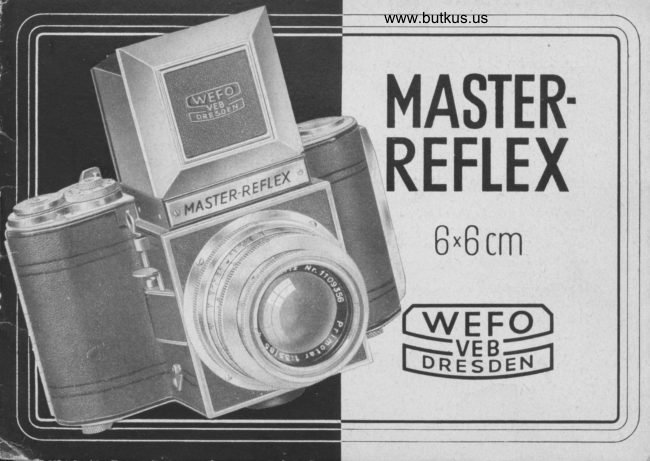
MASTER REFLEX User manual
User manual for MASTER REFLEX. 20 pages in English. Read the original PDF, download or print a copy without registration.
20 pagesEnglish4.1 MB PDF
Loading your manual…Open PDF directly
Document details
- Brand
- Master
- Model / document
- MASTER REFLEX
- Document type
- User manual
- Language
- English
- Pages
- 20
- File size
- 4.1 MB
- Category
- Film cameras
- Document date
- Not specified in catalog
Search available document text
Find a term, then jump to its page in the original PDF. Image-only pages may not be searchable; check the PDF for exact wording and diagrams.
Page 4 · Read text
Explonotion of the Numbers:

                  I  :   Leng                                                                .|8 :  Rcor flop of lighthood with view-piece for frome
         9 :   Ring for setting the diophrogm                                       finder
                                                                                      knob                                                                                                                    for correclion of porotlox when using         3 :   Focusing ring (with footoge scole)                   19 :  theControlfrome                                                                                                          finder
         4 :   Depth-of-focus scole                             9O :  Knob for opening the lighthood
         5 :  Lens mount                                     91 :   Connection for regulor flosh or electronic flosh
         6 :   Cod<ing lever for the self-timing  releose               99 :   Knurled knob for opening the comero bo&
         7 :   Shutter releose                                  93 :  Comero bo*
                 I  :  Threoded so&et for wire releqse                    94 :   Film pressure plote
         9 :   Swivels for the corrying strop                       95 :   Film dromber for the spool with the unexposed film
         lO :   Knurled knob for setting the counter to No.  I           96 :  Spool cotdr (con be drown out)
                                  'l I  :  Window for controlling film odvoncement ond        97 :   Picture gote with {ocol plcne shulter                 shu ter wind
                                                                                            guides         19 :   Film tronsport knob (simultoneously co&s shutter)        98 :   Film
                                                                                                                          receive the                  ll:     Speed-settrng diol                                99 :  exposedFilm dromberfilm  with empty spool to
           l4  :   Picture-c:unting medronism                         3O :   Spocl cotdr (con be drown out)
           l5  :   Lightho:d                                                3l  :  Window showing number of film while tooding
                         t 6 :   Collopsilbe front {lop of lighthood (for frome finder)        39 :   Rototoble disc for pon protection  in the window jl
           l7  :   Mognifying  lens                                 33 :   Die-cost tripod bushing
lll.€No.l
View original page 4Page 6 · Read text
2'tnx}'ta in'      Instructions for using the ,TMASTER REFLEXce

f       Wefo-Werkstiitten fiir Feinmechonik und Optik
I        Schondouer Strolfe 3S @ DRESDEN A 19 (Germonv)

       The,Moster Reflex.. 2tltx21l inches
           is o one.lens reflex comero. lts outstonding {eoture lies in the possibility of pre-viewing the
           ground-gloss imoge ond moking the exposure with the some lens. No discreponcy exists in the
           ouflines (no porollox error), not even when using speciol (long-focus) lenses, ond intermediote
          rings for neor focusing. The ground-gloss imoge enobles you to check oll the pictoriol ond
           tedrnicol quolities of your photo.
         The .Moster Reflex. tokes the usuol 6x9 cm (211+r31/a in.) roll film (B ll8), ond yields 12 pictures
       6x6 cm (211+r2Ll4in.). Before looding the comero you should become perfectly ocquointed
                                                                                                  conclusion          with oll its controls. tnserting ond removing the film is therefore described ot the
          of these Instructions
              It is very importont to follow the instructions closely from the beginning in order to leorn how
          to hondle the comero correctlY.
View original page 6Page 7 · Read text
www.butkus.us
l. Opening ond closing the Lighthood
The lighthood (15) opens outomoticolly by pressure on the knob (20). On its reor flop (18)  is
the mognifying lens (17). This lens hos to be swung up, so thot when in use, it lies horizon-
tolly obove the ground gloss. -  Before closing the llghthood (15) the mognifying lens (17) mustbe swung boc* to its originol position. Then turn in the side flops ond the reor flop of the
lighthood ond, finolly, close down the lighthood frome with the front flop. lt clicks in oudibly.
2. Focusing the Lens
lnside the body of the .Moster Reflex., ot on ongle of 450 to the opticol oxis, is o movqble
mirror which reflects the imoge received by the lens (1) onto the ground gloss. At the moment
of exposure the mirror disoppeors out of the light sphere of the lens, ond the exposure, by meons
of the focol plone shutter, is mode within the picture gote (27). After the exposure, the mirror
swings bock to its originol position, ond immediotely the ground gloss imoge is ogoin visible
in the lighthood.
Focusing is performed' by turning the focusing ring (3) on the lens mount until the ground gloss
imoge oppeors perfectly shorp. For criticol focusing, use the mognifying lens described in poro-
groph 1. The diophrogm (ef{ective lens operture) is reguloted by turning the diophrogm ring (2).
The smoll numbers (3.5, 4 etc.) signify o lorge operture, which meons o short exposure. On the
other hond, the bigger numbers (22, "16 etc.) next to the red mqrk meon thot the operture  is
smoller ond the exposure will hove to be longer. From one diophrogm number to onother the
speed is double, or holf, os long. lf the operture ll11 necessitqtes on exposure of !i6th second,
the 1116 operture meons thot the speed hos to be r/25th ond f/8: r/1s0th. The qdvontoge of the
smoller operture is o greoter depth of focus. Not only the moin portion of the imoge, but olso
ports of the foreground ond the bockground will be shorp. The depth-of-focus scole (4) shows
View original page 7Page 8 · Read text
how for the shorpness extends, ond this con be cheded on the ground gloss. The focused
distonce is shown by the red mork on the distonce scole. To the right of the mork, next to the
chosen diophrogm number, you con reod the distonce ot which the shorpness of the picture
begins, ond to the left of the mork, next to the chosen diophrogm number, you con reod the distonce
                                                                                                                          feet,up to which the shorpness reoches. (See ill. No.2). For exomple: The lens is set ot 16
operture  f/l'l . The shorpness extends from opproximotely 11 feet to 40 feet. lf the chosen operture
is forther to the left thon the infinity sign (oo), the shorpness extends from the distonce morked
on the scole to the right of the red mork up to infinity. The operture ond distonce scoles in
the .Moster Reflex. ore orronged ot on ongle of opproximotely 300 to the le{t os seen from the
front with the comero in on upright
position. This enobles the photogropher
to exomine the distonce, depth-of-focus,
ond diophrogm settings ot one glonce.

3. Opening the Comera Bqck
In order to become ocquointed with the
focol-plone shutter of the "Moster Reflex",
you must open the comero bock (23).
Push the milled knob (22) in the direction                                 www.butkus.us
of the orrow, ond pull open the hinged
comero bock (23). When closing the
comero bock (23), press it so{tly ogoinst
the comero body until the cotch of the
milled knob (22) clids in oudibly.
                                                                       Ill. No.2
View original page 8Page 9 · Read text
www.butkus.us
4. Monipuloting the Focol-plone Shutter
After hoving opened the comero bo& (23) you con observe the functioning of the focol-plone
shutter in the picture gote (27), but do not put your fingers into the picture gote ond domoge
                                                                                 showthe shutter curtoin. When the shutter is cocked ond reody to be releosed, o red disc will
up in the control window (11). ls the red disc not showing, the shutter must first be wound
up. This is done by turning the film tronsport knob (12) os for os it will go.
The shutter speeds ore set by rototing the diot (13). This diol con be turned to the left or right,
                                                                                       doesuntil the desired speed stonds next to the red morking dot. When setting the speeds it
                                                                                      secondnot motter whether the shutter is wound up or not. The numbers signify froctions of o
                                                                           mode(except 1, which meqns 1 second), e. g. 2            :   t/sth second etc. The exposure is                                        -'1r,5                                            speed volues, (1 sec', rf 2si'ec', etc')' the pressureby depressing the releose knob (7). At the longer
on the ,"l"or. knop (7) should not be reloxed until the full exposure hos token ploce, (when
the sound of the shutter hos stopped), in order to ovoid o premoture swinging bock of the mirror'
When the speed-setting diol (13) stonds ot B, the shutter opens ond remoins open os long os
the lever (7) is depressed.  lt closes ogoin os soon os the pressure is reloxed. This is how ex-
posures ot longer speeds ore mode. The shutter con olso be put into qction by meons of o
wire releose, which ios to be possed through the guide obove the threoded socket (8) ond
then screwed into this socket. The speciol wire releose supplied with the cqmero con be employed
 in the usuol monner, ond olso ollows for the so-colled T-setting. Underneoth the press-button
of the wire releose is o milled plote whidr - os shown in ill. No. 3 -  is pressed ogoinst the
tube of the releose ond con be fostened in ploce by o turn to the right. The releqse con then -
os shown in ill. No. 4 - be used in the customory monner. ls the releose to be used for oT-setting, the milled plote must be loosened out of its fixed position by o turn to the left' lt


                                                                                                                .-a
View original page 9Page 10 · Read text
is held {ost by spring pressure between the press-button ond
the tube of the releose  (ill. No. 3). The T-setting is meont {or
longer time exposures during which the shutter hos to remoin
open for o consideroble period without the releose knob (7)
or the wire releose hoving to be kept pressed down. The speed-
setting diol 03) is set ot B ond the wire releose depressed.
When pressed down os for os it will go, the releose |s qulq-  lll'
moticolly locked, ond the long-time exposure begins. By slight No' J
pressure on the milled plote underneoth the press-button of the
releose the locking device is put out of oction, ond the shutter
closes ogoin (ill. No. 5.)
Time exposures, no motter of which durotion, qs well os instont
exposures losting longer thon  1/25 th second, must be mode
from o tripod, for which purpose there is o tripod socket (33)
in the bottom of the comero. Otherwise the .Moster Reflex*
hos to be supported on o firm hold (toble, woll, etc.) For                                                                                                         'ltNo. 4shorter speeds the comero con be held in the honds.
lf the shutter is to be releosed with deloyed oction (selftiming),
the speed-setting diol (13) must be set to the desired speed.
(The deloyed oction mechonism connot be used ot B). Press
the co&ing lever down os for os it will go. The shutter con
now be releosed by pressing down the releose lever ond letting
it loose. 10 seconds elopse before the exposure tokes ploce.
                                                                                                       Iu.
                     5                                                  No. 5
View original page 10Page 11 · Read text
www.butkus.us
5. The Technique of Exposing
During the exposure the -Moster Reflex. is held in the hond ot chest-level. (See  ill. No. 6). The
neckstrop supplied with the comero, which con be linked into the swivels (9), helps to keep o
steody hold. lf the mognifying lens (17) is used the comero hos to be token close to the eye,
so thot the whole of the ground-gloss imoge con be seen. (See ill. No. 7). For sports ond oction
shots the lighthood (15) con be converted into o frome finder: Swing the mognifying lens (17)
into working position. Push in the squore middle port (16) in the front flop of the lighthood
until it comes into horizontol position ond clicks in. Hold the comero ot eye-level ond view
your subject through the squore opening in the bock of the lighthood (18). (See ill. No. 8). This
                         squore in the bock of the lighthood must be in conformity with the
                         squore opening in the front flop. In cose the frome finder is used
                               for short-distonce snops (opprox. 7 ft.) the porollox difference between
                             finder ond lens will hove to be corrected by pushing the knob (19)
                        downwords, so thot the morkinS -7k" oppeors. Before closing the
                              lighthood, the front flop (16) must spring bocl into its originol position.
                             This occurs on pressure of the knob (20).
                        In order to extend the scope of oction with the -Moster Reflex.,
                         supplementory long-focus lenses hove been mode ovqiloble, such
                       os ore especiolly volued for portroit, londscope, ond orchitecturol
                         work. The lenses ore token out of the comerq by rototing the
                          threoded mount (5) in on onti-clockwise direction. When turning in
                          the exchonge lens, do not screw the mount too tightly. Toke core
                           not to touch the mirror while exchonging lenses. - Also in connection
                                                  Ill. No.6
                                                                 6
View original page 11Page 12 · Read text
Ill. No.7
 with ony one of the extro lenses the picture is pre-viewed ond focused
by meons of the ground gloss. No other focusing device is required.
 lf, however, the frome finder is used with on extro lens in the comero,
o mosk must be inserted in the front ponel of the lighthood so os to
mork the outlines. (The front flop (16) is swung in). Mosks of  this
 kind cqn be supplied on order with every one of the supplementory
 lenses occording to the focol length.

By meons o{ its helicol mount, the stondord lens of the ,Moster Refle".
con be focused up to o distonce of obout 3 feet. For objects closer
to the comero, intermediote rings con be inserted. In this cose the
lens hos to be screwed out os described obove ond the rings, either
eoch one olone, or combined occording to requirement, ore screwed
into the threod in the front of the comero. The lens is then screwed
into the threod of the front ring. The imoge is focused on the ground
gloss, whether ot long distonce or close ronge. But extending the
focol length of the comero olso meons extending the time of exposure.
Detoils with regord to this ore given in the following chorts.

The intermediote rings ore ovoiloble in 4 sizes:
                | (7.6 mm), ll (15.2mm),  lll (30.4mm), lV (78mm).
They hove been so groduoted to moke it possible to obtoin olmost every
distonce up to 11,1:t in., ond every dimension in reproduction up to  l tl.

                                                                                                                           III. No. 8
View original page 12Page 15 · Read text
www.butkus.us
Should the focol length be increosed by the use of still more intermediote rings, you will be
oble to opprooch your object up to o little closer thon  l rfr" ond to obtoin o picture on o scole
of less thqn 1:1, which meons somewhot lorger thon the object itself.
Filters con be supplied by us in vorious colors ond densities, in push-on mounts.
The -Moster Reflex. will be found very convenient for Micro-Photogrophy. The connecting
tubes ore mqde to fit the microscope to which the comero is to be ottoched.
For floshlight exposures the. Moster Reflex. is provided with o synchronized contoct (21), suitqble
for regulor ond electronic floshes. The shutter setting for use with   f losh guns hos to be l/25th sec.
or longer. At these speeds the focol plone shutter opens to its full operture. The electric connection
sets in ofter the first curtoin hos completely opened up the picture level.
Detoils concerning flosh photogrophy with the.Moster Reflex. os well os delivery possibilities
for the occessories ofore-mentioned  will be given on speciol request.

6. Looding ond Unloqding the Film
The.Moster Reflex. tokes oll the stondord roll films 21,'+x31/+" (B ll-8).
Open the comero os described in porogroph 3 ond insert qn empty spool in the chomber
(29) os follows: Pull out the spool cotch (30) qnd turn it o little to the right. Hold the spool
with the slit in its core towords the film odvoncement key (12) ond ploce it first into this side

                                                                          10
View original page 15Page 16 · Read text
of the film chomber (the peg of the odvoncement key fits exoctly into the spool slit); then
press the spool into the other side of the film chomber, ond turn the spool cotch (30) to the
left, whereupon it will rebound ond fit into the hole in the spool.

The unexposed film is ploced into the film chomber (25) in the following monner: Pull out the
cotch (26), turn it o little to the right, insert the spool, with the printed surfoce of the protec-
tive poper upword, couse the spool cotch (26) to rebound by turning it to the left, poss the
tongue of the Poper strip ocross the film guides (28) to the empty spool in the film chomber
(29) ond introduce it into the longer slit of the spool (ill. No. 9). Just turn the spool core


                       www.butkus.us


                                                                                             Ill. No. 9
View original page 16Page 19 · Read text
www.butkus.us

          7. How to keep your Comerq in order

                     An Eve r reo d y C o s e is ovoiloble to protect the .Moster Reflex. from domoge.
                             This cose does not prevent the comero from being olwoys reody for oction.
                        The comero should not be kept without the cose, ond never without the lens
                         screwed in. Any uncleonliness should be corefully removed, only with o very
                                soft hoired brush. Those ports of the comero thot come into direkt touch with
                             the film must be kept especiolly cleon. The mirror should be dusted very rorely,
                       ond only with the softest brush possible. Never touch the lens surfoces with
                            your fingers. They con be polished with o soft leother or linencloth. This will
                           not do ony horm to the lens cooting. We odvise you not to interfere with the
                             mechonism, or to oil or greose the ports. Let no one but on expert corry out
                                repoirs. We ourselves will olwoys be only too pleosed to give odvice ond in-
                             formotion concerning the .Moster Reflex..

a-
View original page 19Related documents and language editions

From the M. Butkus archive. Original publisher and archive notices are retained.
Check the model and edition against your equipment.
PDF verified 2026-10-10.