Film cameras
Metz Mecablitz 36 CT 2 User manual
User manual for Metz Mecablitz 36 CT 2. 23 pages in Spanish. Read the original PDF, download or print a copy without registration.
23 pagesSpanish1.5 MB PDF
Loading your manual…Open PDF directly
Document details
- Brand
- Metz
- Model / document
- Metz Mecablitz 36 CT 2
- Document type
- User manual
- Language
- Spanish
- Pages
- 23
- File size
- 1.5 MB
- Category
- Film cameras
- Document date
- Not specified in catalog
Search available document text
Find a term, then jump to its page in the original PDF. Image-only pages may not be searchable; check the PDF for exact wording and diagrams.
Page 8 · Read text
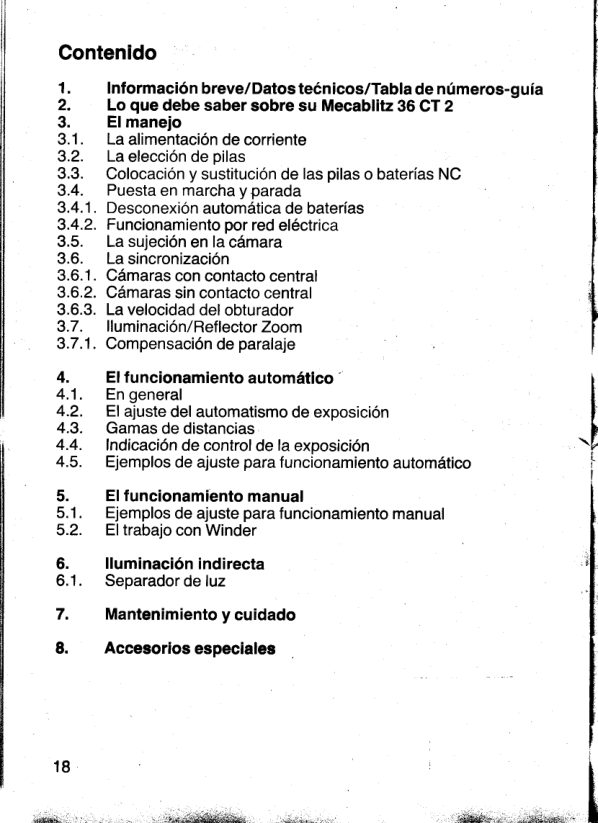
Contents
1.    Operatingelements/Technloaldata/Guide number table
2.    Mecablitz36 CT 2 features
3..   Operatinginstructlons
3.1.  PowersuPPly
3.2.  Batterychoice
3.3.   Installhtionand replacement'ofbatteriesor NiOad packs
3.4.  Switchingon and off
3.4.1. BatteryAUTO OFF
3.4.2. Mainsoperation
3.5,  Mountingthe flashgunon the camera
3.6.  Sync connection
3.6.1. Cameraswith hot-shoecontact
3.6.2. Cameraswithouthot-shoecontact
3.6.3. CamerashuttersPeed
3.7.  lllumnination/zoomreflector
 3.7.1. Parallaxcorrection
 4.    Automatic mode
 4.1.  General
 4.2.  Selectionof automaticmode
 4.3.  Autoworkingranges
 4.4.  Autocheck
 4.5.  Automaticmode examples
 5.   Manual mode
 5.1.  Manualmode examples
 5.2.  Winderoperation
 6.    Bounce flashes
 6.1.   Fill-inlightdiffusor
7.    Care and maintenance
8.    Optionalextras


                                                      1


                   -i6ee!i**qri,r,,:    *i$dgi;     n;$*sd*&aei$.aJe{idk$i.;r..      - ..*r*d*i&:,          ,*                          ,.,.$;;..
View original page 8Page 9 · Read text
1. Operatingelements

    BatteryAUTO OFF switch (in batterycompartment)
    Knurlednut
   Base/SCAadapter
   Sensor
 Fig. ,,B" - Rear vlew with control centre
@ Filmspeedsettingtoggle
@ Filmspeedarrow
@ Lightsignalsfor operatingranges
@ Flashreadylight
@ Mainssocket
@ ON/OFF switch
@ Indicatorwindowfor angleof inclination:0o- 5o- 10.
@ Lockingknob for tiltingfoot
@ Adaptercatch
@ BatteryAUTO OFF pushbutton
@ Manualfiringbutton
@ Auto checkindicator
   Togglefor operatingmode and automaticdiaphragms@
@ Operatingmode and aperturescale
@ Distancescale
@ Film speed scale
@ Controlcentre                                       ,frd,
 Fig. ,,C" - Top view with aperture calculator for manual mode        J@ Manualaperturecalculatortoggle
@ Selector for meter or feet system
   Aperturecalculatorslide (manualor winderoperation)
    Indicatorfor manualor winderoperation
   Distancescale
   Aperturescale
   Filmspeedslidewith DIN and ASA mark
   DIN/ASAfilm speedscale
Fig. ,,D" - Side view
@  Fill-inlightdiffusor
@ Batterycompartmentcover
@ Sync cable socket
Fig. ,,E"- Fill-in light diffusor diagram
2

                        www.orphancameras.com
                          .ia{,    -   .                                             .  ...-  "        i  ij iti#ifl {M ^'*                              *;&&&i,6il!e3.                    }-"
View original page 9Page 10 · Read text
Technical data
    Guidenumbersfor DIN 21IASA100 rating:
                           Normal Wide angle  TelePhoto
     m-system               36       30         45
      ft-system             118      98       148
    Guidenumbersfor winderoperation:
                                                                                '                         DIN21     DIN27
                      ASA 1OO  ASA4OO
      m-system                5         1 0
       ft-system              16        33
   BCPS:2700
      llluminationusing35 mm film:
       Normal:               from 45 mm focal lengthuPwards
      Wide angle:             from 28 mm focal lengthuPwards
       TelePhoto:             from 100 mm focal lengthuPwards
      llluminationusingthe fill-in
       light ditfusor:             approx.90% indirectlight
                              approx.10% directlight
  -  rirtinsranseofzoomrefrector:
                        [[+ftTih],,  3g:tr   Tiltingrangeof unit,for
       parallaxcorrectiondown-
      wards (approx.):        5'and 10'
     Colourtemperature(approx.):5600 K
     Synchronization:          low voltagethyristorignition
    Coverageangleof sensor
       (approx.):              250
     Automaticmode with
       5 workingapertures:     2 . 8 - 4 - 5 . 6 - 8 - 1 1
     Film speeds:            15 D|N/ASA25 ... DIN 30/ASA800


                                                                             . -.*.*"g&;.         .-saniu-       ,  ..t"r&k;',
View original page 10Page 11 · Read text
Flashduration(approx.):         1/700. ...1/20000 sec.
      duringwinderoperation(approx.):1/20 000 sec.
   Numberof flashes
      using NiOadpacks              50"...1200
      using normalalkaline
      manganesebatteries          80....1800
      using high-capacityalkaline.'"
      manganesebatteries         120....2800
      using mains unit N 22           unlimited
    Recycletimes (approx.):
      usingNiCadpacks                7*...0.3sec.
      usingnormalalkaline   \
      manganesebatteries           13*...0.3sec.
      using high-capacityalkaline
      manganesebatteries         11*...0.3sec.
      duringwinderoperation
      (withNicadpackonry)     ,lii!?ijr.fr5;in"series

    Powersources:                4 NiCadcells IEC KR 15/51
                                 4 alkalinemanganese
           .&6ffi                 +.                         batteries IEC LR 6                 ,  -:.&,
                            yl,',1'-il1]#J:i:::iiiffi:  AUrooFFreature:
                                     operation
    Dimensions:                138x 76 xB9/46 mm (HxWxD)
    Weightwithoutbatteriesapprox.:   465 g
    Unitssupplied:                  Mecablitz36 CT 2 with base 301
                               Sync cable 35-50
                                 2 manuals
    Optionalextras:                      Filterset 36-32
                               NiOadbatterycharger B 28
                               MainsunitN 22
                                   Series300 SCA adapter
                               Sync extensioncable60-53; 1.25 t l
                               Sync extensioncable60-54; 5m
                              Mecalux11
                             Camera bracket40-36
   *manualmode                LeatherpouchT 36

                            www.orphancameras.com                     j
View original page 11Page 13 · Read text
2.Mecablitz36 CT 2 features
     Your Mecablitz36 CT 2 is a high-performanceflashgunof
      sophisticatedtechnology.
        Its superiorfeaturesinclude:
     Automaticoperationwith 5 workingapertures,independent
       of the film speed.Easilysolvesdepth-of-fieldand lightingprobtems.
     Power-savingthyristorlightcontrolforsuper-shortrecycletimes
       in the close-uprangeand a highernumberof flashesper
     chargeor batterypack,
     Longflashconfirmation(auto-check)
     Manualmodewithfull lightintensity.
     Operationwith windercameras.
      Reflectorswivels90" to left and 180"to right.Tilts90' up.
      This allowsindirectflasheswithoutsacrificingthe advantage
      of automaticoperation.
      Unittilts5oor 10'forward,for parallaxcorrectionin the close-up
     range.
    Zoom reflectorwith wide angle,normaland telephotosetting.
       Fill-inlightdiffusorfor fill-inlightingduringbounceflashes.
      Low-voltagethyristorignition
      Lightsignalsfor operatingmode,operatingrangesand
     workingapertures.
                          packs, batteriesor special mains unit.rc Power supply by NiCad
      BatteryAUTO OFF feature. Preventsunnecessarybatterydrain
       in case you accidentallyforgetto switchthe unit off. Can be
     turnedoff, if desired.
     Series300 SCA adapters.Allowflashingin dedicatedmodewith
      the systemcamerasCanon,Contax,Leica,Minolta,Nikon,
     Olympus,Pentax,etc.
      FurtherSCA adaptersare in preparation.

   Please read these operating instructions carefully so that you
   can make the best of the applications this unit and its system
    offers !


                            www.orphancameras.com
                                                      'il:;:,l.i'liidli*
View original page 13Page 14 · Read text
3. Operatinginstructions

      3.1. Power supply: The Mecablitz36 CT 2 can be selectively
     operatedon dry batteries,size IEC LR6 (Mignon),NiCadpacks,size
     IEC 15/51orthe mainsunitN 22.For NiOadoperation,we
    recommendthe use of our NiOadbatterychargerB 28 (availableas an
      optionalextra).

      3.2. Battery choice: Only use alkaline manganesedry batteries
t    such as Daimon242,Ever ReadyMN 1500,MalloryMN 1500,F     Ucar410,Vartano. 4006 or similar.(Pleasenotethat the'     sequenceof the above batterieshas been made by alphabetical
      order and does not representany sort of evaluation).Batteries
      especiallysuitedfor flash operationare also Daimon LongKraft242,
     BerecSuperpower(LR 6/MN 1500),Varta PhotoV 1500PX.'     The ratingsgivenin the technicaldata are obtainedwhen using
     brand-newbatteries.F
       3.3.Installationand replacement of batteries or NiCad packs:
     Openthe batterycompartmentcover @. When insertingthe
       batteriesor NiOadpacks observethe polaritymarks insidethe
  *F  compartment.
     The batteriesare exhaustedand should be replacedwhen
      recyclingtakes more than 60 seconds.Please removethe batteries
           if you are not likelyto use the unit for an extendedperiodof time !
      Attention:Batteryleakagemay damagethe flashgun.Therefore,
      never leave run-downbatteriesin the batterycompaftment.3  Keep exhaustedbatteriesaway from heat or flame.

      3.4.Switching on and off : Slideswitch@ to the left(redmarkvisible).
      This will blockthe mainssocket@. (A combinedmains/batteryft   operationis not possible).
     The unit is readyfor operationas soon as the flash ready light@ starts
      glowing.You may now fire a trial flash by meansof the manual
       firingbutton@. Slidingthe switch@ completelyto the left(blackmark)
      willturnthe unitoff.


                   r.,*-           ,.,   .i,-"i*rlL,  ,^;;a,     *&sgk,             **;s;urltniir
View original page 14Page 15 · Read text
3.4.1, Battery AUTO OFF: Your Mecablitzfeaturesa special
  AUTO OFF circuitwhich switchesthe unit off about5 minutesafter
   havingreachedflash readinessor after havingfired a flash.This
   valuablefeaturepreventsbatterydrain in case you accidentally
   forget to switchthe flashgunoff.
   Afterthis automaticdisconnection,the flash unit can be turned
   on againby operationof the pushbutton,,ON"@. lt is also possibleto
   prolongatethe turn-onperiodupto approximately5 minutesby
   pressingthe pushbutton,,ON"@, even thoughthe unit has already
   been in operationfor some minutes.
   The flash unit is in operationwheneverscale@ is illuminated.
   The batteryAUTO OFF feature may be made inoperativeby means
    of the switch@ in the batterycompartmentcover.
      lf the unit has been turnedon with switch@ and the battery
  AUTO OFF system has been activatedby means of the switch@, you
   may restartoperationby depressionof the pushbutton@'
    3.4.2.Mains operation: The mainsunit N 22availableas an optional
   extraallowsdirectpowersupplyfrom any electricaloutlet.First
    insert the mains unit's power plug into the mains socket on the
   Mecablitzand only then connectthe mainsunit to the wall outlet.
  When takingseriesshotswith morethan 30 flashesin a sequenceat
    full liqhtoutout(manualmodeor automaticmodewithinthe maximum
*  permissibleopdratingrange)thefollowingflash sequencesshouldbe
   observed,so as to avoidthermaloverload:
   For continuousoperation(e.9.time lapsephotography),the recycle
   time shouldbe at least30 sec.
   For operationat intervals,it is recommendedto fire a maximum
    of 10 flasheswith the shortestrecycletime and to wait then for
    at least4 minutesbeforere-startingfiring,etc.
   Duringmainsoperation,the lightsignals@ are inoperative'
    3.5. Mounting the flashgun on the camera: Loosenthe knurlednut
  @ on the Mecablitzbase and slip the flash unit into the camera's
   accessoryshoe.Then re-tightenthe knurlednut. lf your camerahas
   no accessoryshoe,we recommendthe use of the METZ camera
    bracket40-36.


                            www.orphancameras.com
View original page 15Page 16 · Read text
3.6. Sync connectlon
3.6.1.Cameraswlth hot-shoe contact: Sync connectionto the
camerais automaticallyestablishedby hot-shoecontact.Make sure
that the sync cableis not connectedto the sync cablesocket@ on
the Mecablitzbase.
3.6.2.Cameraswithout hot.,shoecontact: Slip one end of the
synccableintothe socket@ on the flashgun'sbase.This will
ai.rtomaticallyconvertthe unit to PC-cablecontact.The otherend
of the cableis connectedto the camera'ssync socket.Set the
syncselectoron the camerato ,,X" or use the ,,X" sync socket.
3.6.3.Camerashutter speed: For cameraswith focal planeshutter
(almostall reflexcameras),carefullyfollowthe manufacturer's
instructions.
Shutterspeedsfasterthan recommendedwill resultin shadows
 in the picture.
A standardsettingof 1/125sec. is recontmendedfor cameraswith
diaphragmshutter.However,otherspeedsmay also be used.
 3.7. fffumination/zoom reflector: For adjustmentof the desired
 illumination,holdthe reflectorwith one hand and the flashgunwith
the other(on the batterycompartment!).
The zoom reflectorallowsthree settingsfor optimumilluminationof                                  I
 the pictureand adaptationto the guide numberused.
Reflectorretracted:wide angleillumination(for 35 mm film,                28 mm focal lengthand up)           f
Reflectorin middleposition: Normalillumination(for35 mm film,
                      45 mm focal lengthand up)                                                            tiReflectorextracted:telephotoillumination(for35 mm film,'
                100 mm focal lengthand up)
The changein guidenumbersdue to the modifiedilluminationis
shownon the scalesof the controlcentre@ and is taken into accounton the aperturecalculator(Fig.,,C") on top of the reflector(see  X par.4 and 5).
 3.7.1.For correction of the parallax between camera and flash
 unit in the close-uprange,the flashgunmay be tiltedforward.
To do so, pressthe lockingknob@ and tip the unitforward.The angle
 of inclination(0o,5o,10') is then visiblein the indicatorwindow@.
 Aftersetting,allowthe knobto lock in place.                  g
                               tf
View original page 16Page 17 · Read text
4. Automatlcmode
   4.1.General:Whena flashis fired,the sensorbuiltintothe flashgun
   measuresthe lightreflectedfrom the subjectand quenchesthe
   flash as soon as the rightquantityof lighthas been received.
   The followingshouldbe observedwhen takingflashshots in the
   automaticmode:
    1. Makesure that the sensitivityofthe film is set properly.
    2. Heedthat the subjectis withinthe workingrangeof the automatic
       f-stop.
    3. For good flash result,the apertureselectedon the cameralens
     must be identicalto the flashgun'sauto workingaperture.

    4.2. Selection of automatic mode: Set the correctfilm speedon the
   controlcentre@ usingthe film speedsettingknob@. The film speed
   arrow@ must pointto the desiredfilm speedon the film speed
   scale@.
  Now set the desiredautomaticf-stopon scale@ usingthe toggle@.
   The set f-stopthen lightsup.
  A lightsignal@belowthe distancescale@ showsthe maximum
   permissibleoperatingrangefor each setting(wideangle ,,wide",
   normal,,n",telephoto,,tele")of the zoom reflector.
e   C.3.Auto working ranges laperlurecalculator: Each of the
   automaticapertureshas a specificworkingrange.A changein film
   speedwillchangethe workingrange,but will not changethe f-number.
   Note: The fasterthe film speed- the longerthe operatingrange
       The slowerthe film speed- the shorterthe operatingrange
   Exceedingthe upperlimitof the autoworkingrangemay resultin
   under-exposure,fallingbelowthe lowerlimitwill produce
   over-exposure.
   Any subjectlyingin betweenthe upperand lowerlimitsof the
   operatingrangewill be measuredby the flashgun'sautomaticsystem
   and correctlyexposed.(The limitsgivenfor the operatingrangesdo
   not applyto bounceflashing! See par. 6).
   As the workingrangesoverlapyou very often havethe possibility
    of selectingthe optimumapefturefor the compositionof the
    picture.


   1 0

                            www.orphancameras.com
View original page 17Page 18 · Read text
The limitsof the operatingranges are also dependenton the
settingof the zoom reflector(see par.3.7.).
The distancescalesonly show the specificmaximumpermissible
distances.The minimumdistancesare not given.They are about
10 % of the maximumdistances.
All givendistancesare flash-to-subjectdistances.Pleasetake into
accountthat the camera-to-subjectdistancemay be different!
4.4. Auto check: llluminationof the auto check indicator@ signals
correctexposure.This featureis very usefulin bounceflash
applicationsfor whichthe givenworkingrangesdo not apply.The
firingof a trialflash by operationof the manualfiringbutton@
(holdingthe flash unit as for normalphotography)enablesyou to
find out if the availablelightoutputis sufficientfor the aperture
selected.
 lf the auto checkindicatorfailsto lightup upon firinga
trialflash,stopthe unit down to the next smallerf-numberor reduce
the distanceto the reflectingsurfaceor the subject.Then fire
anothertrialflash.
4.5. Automatic mode examPles:
Example1:
Flash-to-subjectdistance:3 m
Filmspeed:DIN 21
Focallengthof lens:50 mm

Proceedas follows:
Set the film speedwith the film speedsettingtoggle@. As the
flash-to-subjectdistanceis shorterthan the maximumdistancesof
 all 5 auto workingaperturesand longerthan the minimum
distances,you havethe choiceof selectingany one of the five
apertures.Becauseof the betterdepthof fieldyou decidein favourof
the aperturefll.
Turnthe uniton followingthe instructionsgivenin par.3.4.and 3.4'1'
Selectthe aperturefll on the scale@ (LED)usingthe toggle@.
The zoom reflectoris in its normalposition;that'swhy the mark ,,n" @
for readingthe maximumoperatingrangeis illuminated.
The unit is readyfor operationas soon as the flash readylight@
 lightsup.

                                                 rl
                                                                                    I
View original page 18Page 19 · Read text
Example2:
   Flash-to-subjectdistance:6 m
   Filmsoeed:ASA100
   Focallengthof lens:50 mm
   Proceedas follows:
   Set the film speedwith the film speedsettingtoggle@. The flash-
   to-subjectdistanceof 6 m allowsthe use of the aper-
   turesf5.6-t4 -t2.8.
  As you desirea shallowdepthof field,you decidein favourof the
   aperturef2.8.
   Turnthe uniton followingthe instructionsgivenin par 3.4.and 3.4.1.
   Selectthe aperturet2.8.on the scale@ (LED)usingthe toggle@.
  The zoom reflectoris in its normalposition;that'swhy the lightedmark
    ,,n" appliesfor readingthe maximumoperatingrange.
  The flash unit is readyfor operationas soon as the flash ready
   light@ lightsup.


   5. Manual mode
6  In the manualmode,the settingof the cameraapertureis dependent
  on the flash-to-subjectdistance,the guide numberof the unit for the
   film speedused and the positionof the zoom reflector.
   Everychangein the flash-to-subjectdistancemakesit necessary
   to changethe apertureto be set on the camera.The apertureto
  be set on the camerais best determinedby meansof the aperture
   calculatorin Fig.,,C".
  Proceedas follows:
   Bringthe toggle@ into position,,M" on scale@.
   Set the aperture calculator (Fig. ,,C") as follows:
   Selectthe desiredmeasuringunit.The distancescale@ may
  be set to eithermetersor feet.To do so, pullout the zoom reflector
   (telephotoposition).This will exposea lateralslot @ in the bottom
   of the unit with a selectorin it. Move this selectorcompletelyto the
   oppositenarrowside of the slot, usinga smallscrewdriver.
   Bringslide@ into,,M" (manual)position.
   Selectthe film speedwith the film speedslide@. The index
  mark on the correspondingtoggle@ of the slide must line up with the
   indexmark for the film speedused.
  1 2

                            www.orphancameras.com
View original page 19Page 20 · Read text
The individualmaximumoperatingranges on scale @ are now to be
foundbelowthe correspondingf-numberson scale@.
The distancescaleis modifiedto suit each of the three zoom
reflectorpositions.
The f-numberto be set on the cameracan also be established
mathematically:
F-numberon cameralens :  - '   "'   Guidenumber
                                               ,   Flash-to-subjectdistance

5.1.Manualmode examples

Using the aperture calculator:
Flash-to-subjectdistance:6 m
Filmspeed:DIN 21
Focallengthof lens:50 mm
SelectDIN 21 on scale@ usingthe film speedslide@. Bring
slide@ into ,,M" position@.
Now tracethe number,,6"on the distancescale@. Abovethe
number,,6",you willthenfindthe f-number5.6 on the aperture
scale@.
Mathematically:

      Guidenumber36                                                   : Aperture6. Set f 5.6
    Flash-to-subjectdistance
lf necessary,roundotf the resultof the fraction,as shown in theaboveexample.                                                                            ltllt
5.2. Winder operation: Winderoperationis only recommendable
when usinga NiCadpack. lt is some kind of a manualmodewith
reducedoutput.
You may fire up to 2 flashesper second,takingintoaccount,however,
that a seriesof 10 flashesshouldnot be exceeded.

Proceedas follows:
Set the toggle@ to ,,W" on scale@.


                                                             1 3          r r
                                                           il
View original page 20Page 21 · Read text
Selectthe film speedon scale@ usingthe film speedslide@.
Bringthe slide@ into ,,W" position@.
Adjustthe zoom reflectorfollowingthe instructionsgivenin par. 3.7.
Tracethe flash-to-subjectdistanceon the distancescale@.
You willthenfind the cameraf-numberabovethe corresponding
flash-to-subjectdistancein the aperturescale@.

6. Bounceflashes      '
Directlightsometimesproduceshard shadows.This can be avoided
by bouncingthe flash.For this purpose,the reflectoris tiltedup so
that the lightis reflectedoff the ceilingor a suitablereflectivesurface
to give soft overallillumination.The reflectingsurfacemust have
a neutralcolouror be white,when takingcolourshots.For colour
effects,you may choosea reflectingsurfacein the desiredcolour.
Bounce flashes in the automatic mode: Make sure that the sensor
is directedtowardsthe subject.Checkfor correctaperturesettingby
firingtrialflashes.Watchthe auto checkindicator.See par.4.4.
In this case,you need not observeany operatingranges!
Bounce flashes in the manual mode: Selectmanualmode (see
par. 5.). In this mode,the aperturecalculatoris not applicable!
A commonrule of thumb for calculatingthe aperturesetting
requiredfor takingshotsin small roomsis:
F-numberto be set on camera lens :        Guidenumber
                                2 x flash-to-subjectdistance                                          .                                                                      16.1. Fill-in light diffusor (Fig. ,,E"): Bounceflash portraitsmay,
underunfavourableconditions,show shadowsaroundthe eyes,
the nose,the mouthand the chin.This can be avoidedby using
the fill-inlightdiffusor@. Normally,when not in use, this diffusoris
foldedbelowthe tiltablezoom reflector.Wheneverthe reflectoris
used it is tilted90" up to ,,normal"zoom position,and the fill-in
lightdiffusoris completelyfoldedout.
As a resultof this, about 10 % of the lightgoes fonruard,and
about90 % upward.
In this case,too, the automaticsystemis fully operative.The
limitsof the operatingranges,however,are not applicable.Checkthe
correctaperturesettingby firinga trialflashmanually!
 1t A+

                         www.orphancameras.com
View original page 21Page 22 · Read text
7. Careand maintenance
The built-inflash capacitordeformswhen storedde-energized,over
a long periodof time.To preventdeformation,the capacitorshould
thereforebe activatedeverythree monthsby switchingthe unit on
for about 15 minutes,withoutfiringflashes.
The batteryAUTO OFF system is made inoperativeby means
of the switch @.
Formationof the flashcapacitoris also possibledirectlyfrom an
electricaloutlet,usingthe N 22 mainsunit.
Battery care: Exhaustedbatteriesshould be removedfrom the
unit immediately.Rememberto removethe batteriesalso if you
are not likelyto use the Mecablitzfor a long periodof time. Storethe
batteriesseparately!Protect your Mecablitz from moisture and excessive heat !     i
Your flashgun is neither crack- nor drip'proof !


                                                     1 5
View original page 22Page 23 · Read text
8. Optionalextras
Be careful not to connect any accessories not intended for use
with the Mecablitz36 CT 2 !

Filter set 36-32
Consistsof 4 colourfiltersfor effectlightingand one clearfilterholder
for filterfoils (conversionor blackfilters).
Sync extension cable 60-53, (1,25 m) and 6(F54, (5 m)
For usingthe flash unit away from the camera.

Mecalux11                                                                                                                                                      l
Allows optical,delay-freeremote releaseof slave units by means              -
of a flashtriggeredby the camera.Also respondsto infra-red.
                                                                                      *
Mains unit N 22
(underpreporation)
Electronicallystabilized

NiGad battery charger B 28
Consistsof a chargerand 4 NiCadcells,0.5 Ah
                                                                                                                                                                                ' /Camera bracket 40-36                                                            ,:,0*,,
Series 300 SCA adapters
Allowflashingin dedicatedmodewith systemcameras.
See separateSCA instructions.
                                            t

                                                                                {


1 6

                        www.orphancameras.com
View original page 23Related documents and language editions
From the M. Butkus archive. Original publisher and archive notices are retained.
Check the model and edition against your equipment.
PDF verified 2026-10-10.