Film cameras
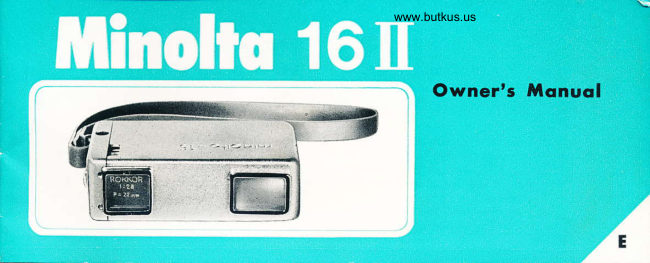
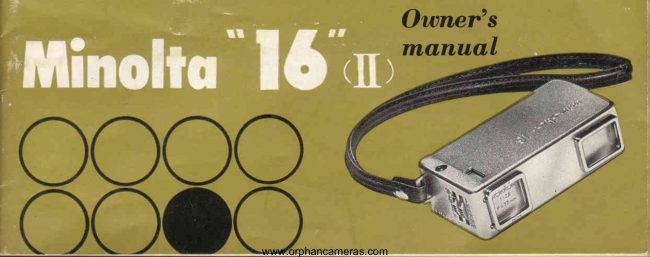
Minolta 16 II User manual
User manual for Minolta 16 II. 25 pages. Read the original PDF, download or print a copy without registration.
25 pagesOriginal document5.4 MB PDF
Loading your manual…Open PDF directly
Document details
- Brand
- Minolta
- Model / document
- Minolta 16 II
- Document type
- User manual
- Language
- Check the original document
- Pages
- 25
- File size
- 5.4 MB
- Category
- Film cameras
- Document date
- Not specified in catalog
Search available document text
Find a term, then jump to its page in the original PDF. Image-only pages may not be searchable; check the PDF for exact wording and diagrams.
Page 2 · Read text
For every mqn, womon, ond youngsfer
    who hos ever soid,


Srruiller than a Irae li oi cigarctlt.s.  tlrt" \linoiru  " lri"  irtlt.:   lli lour  1rt;clit't. snrrrggles rn
v()ur purse....alr,r'avs rearlr'1o exlt,nrl tlrr fun  ()i  l)i\'lur(,  taiiing  fr,rIn  irrl  ocr.'lrsioniii
llrclrarecl pleastrre. to an ,-rn,tirr",rrrrptr  ist. rleligitt.
l'-asier to use than u bc,x clrrnerrr.  l\linoltir  "l(i"  ltrovi<lt,s the versirtiliiv rlcmanrirrl bv
professi ona ls"
Iror regulzrr: blircli rirrrl rvhite 1-rlrotos or coior  slirlrs  iniloor:
bclrt the fun of tukir-rg picturr:  uitlr a t\linolta  "l{j".
View original page 2Page 6 · Read text
Venmo @mike-butkus-camera  Ph. 2083
PayPal Name  Lynn@butkus.org      www.PayPal.me/lynnbutkus
View original page 6
Page 8 · Read text
www.butkus.us
               Proctice the  following  before  pulting


5. PUSE TOCETEER: Push camera back into     6. PULL OUT: Pull camera out of case as far as it  7.TAKE YOUR NEXT PICTURE: To snap
  buillin case as {ar as it wili go"                     u'ill go and as you  clicl in 2. This aclvances {ilm,     your ne\t piciurc, simply repeat Steps 3,3, and 4.
                                                cocks shutter, ancl counts film all automatically.
View original page 8Page 10 · Read text
www.butkus.us


The Minolta "16" is completely  synchronized  for flash pictures.
When used with the Minolta Baby Flmh described on Page
18, there are almost no limitations. This compact flash gun
can be attached to the camera or held in your hand.
Shutter speed should be set at 1/30 Lens opening or F stop
is determined by referring to guide No. of flash bulb type.
You can also use any Electronic Flash unit with a compur-
type terminal.


,nlv rn suir,Irre,l ii']ht" Sugge,steri  irns rn,l jhuttcr settings are inclurieil wrth er'r'rt r,rll of  filrn-
View original page 10
Page 11 · Read text
This photo wos token by
   MINOLTA "16,,
    Deta: I/725  f I ASA B0 film.


10
View original page 11Page 19 · Read text
Accessories


                    MINOLTA BABY FLASHGUN
                                    The lfinolta  Baby Flashgun is engineered for inrloor photos. lt  is convc-
                                                  niently carried in an attractive  vinyl  carrying case.'fhe  \Iinolta  Baby
                                            Flashgun is an extremely compact unit rvith the motlern B-C (long-life battery)
                                              design and a reflector. When folded into its case, the Baby Flashgun is jrst
                                             about the same size as the tiny \linolta  "lti".
View original page 19Page 20 · Read text
www.butkus.us
                                                      Minolto Color filter bonk


FLASH AND TRIPODADAPTER CLAMP                               t 4\r"-
The Minolta Clamp secures the BabY
Minolta Flashgun or any tripod to
your Minolta  "16". This  unique
"wraparound" clamp safely locks
the camera and accessoties togelher.
View original page 20Page 22 · Read text
www.butkus.us
MINOLTA MINI ENLARGER


            For use with Minolta"16" film. It will pro-
              vide excellent enlargements up to 5x7 in
                 size on the baseboard. Complete u'ith {:3.5-
           25 mm coated Rokkor lens. Diaphragm
               stops down to f: 11. The enlarger comes
              complete with 16 mm film carrier and 100
              watt bulb.
            Note: This enlarger can also be used with
          35mm film (with 50mm enlarging lens) and
            9.5mm film.
               Special negative carriers are available.
                                                                                           27
View original page 22Page 23 · Read text
Fi lters  @    Minottq


    UV  filter  is inclucled with your camera and Y48 filter   is set with  the close up
       Ienses & distance lens as accessory.
      fhe  filters bring out truer tone anrl give you better looking picture.
         (l) UV  iilter  (UItra-violet) for daylight photographs, to improve clistant scenes b1-
          eliminating haze effects.  It  is recommend to keep this  filter  attached on the
         camera for preventing the dust gets into the lens"
       (2) Yellow filter (Y48) for rleeper sky tones, bring out cloud effects, ancl for better
           tonal rendition of bright outdoor scenesparticularly  on sea-.:snow or sand.

,c

                                                                                                                                                                                                                                                                                                                                                                                                                                                                                                                                                                                                            I
View original page 23Page 24 · Read text
www.butkus.us

Mqlntenoce and Gsre of ihe Gomera
    If the camera is used at the beach or in a dusty area there is a possibility that
 salt or dust may adhere to the camera body or lens and cause damage or corrosion.
Therefore,  it is recommended  to take care of your camera so  it  will  give you
many years of enjoyment.
Core  ofler  use
  When the chrome surface of the camera  is stained, wipe  it with a cloth damped
with B€nzine. Be careful that Benzine does not enter into the inside of the camera
or lens.
  When dust is on the lens use a camelhair brush or a lens blower.
  Before storing the camera, release the shutter.
 Do not store the camera in a place with  high temperature, humidity or  rvith
chemicals containing  salt.


                                                                               23
View original page 24Page 25 · Read text
Minolto meons beller piclures
      lUlinolts             nrNotrA cArtrERA co,, tID.

                                                              Printed in Jopon
View original page 25Related documents and language editions
From the M. Butkus archive. Original publisher and archive notices are retained.
Check the model and edition against your equipment.
PDF verified 2026-10-10.