Film cameras
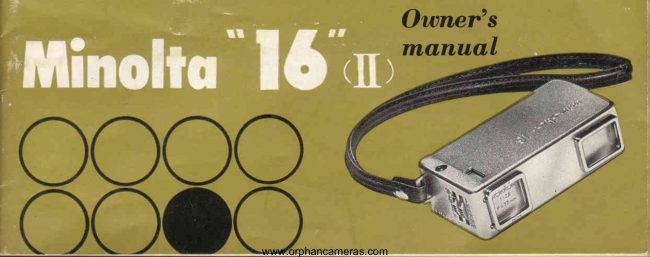
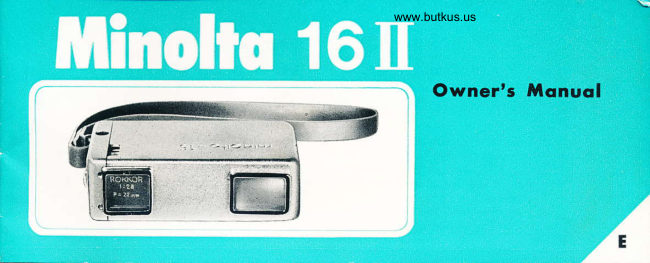
Minolta 16 II User manual
User manual for Minolta 16 II. 27 pages in English. Read the original PDF, download or print a copy without registration.
27 pagesEnglish2.5 MB PDF
Loading your manual…Open PDF directly
Document details
- Brand
- Minolta
- Model / document
- Minolta 16 II
- Document type
- User manual
- Language
- English
- Pages
- 27
- File size
- 2.5 MB
- Category
- Film cameras
- Document date
- Not specified in catalog
Search available document text
Find a term, then jump to its page in the original PDF. Image-only pages may not be searchable; check the PDF for exact wording and diagrams.
Page 3 · Read text
For eyery   lrletlr  womclnr  qnd  youngsfer
     who  hos  ever  sqid'


                                                          "1-6"                                                                     hirles  iri yor-Lr pocket, smuggles   inSmaller   than  a pach  of  i:igarettes.   t.her \,{inolta
vour  purse....*lwa-r-, rcacil' to  extenr1 thr:  1:un of  picture   taking  from   an  occasitrnai
prepareci pleasure,   to  an  on-rhe-impuise  deiighL'                                                                    "l'Li"                                                       provides  the  versatiiity   demanderl  byilur;",    to use rhan  a box  eamera,  Minolta
nloi.essionals.
  11 regular  black  ancl white  photos   or  color  slides tndoors   ol   oul  you   jrist  can't                                                          "16"
   at  thl   .tun  of  taking   pictures  with  a Minolta

                www.orphancameras.com
View original page 3Page 6 · Read text
Proctice       following           putting           f ilm:


5. PUSE  TOGETHER:   Push camera back into  6. PULL  OUT:  Pull camera out of case as far as i!   7. TAKE YOUR NEXT PICTUBE: To snaP
   .built-in case as far as  it  will  go.                        will  go and as you did  in  2.  This. advances film,     your next picture,simply repeatSteps2,3, ar.d4,
                                                  cocks  shutter, and counts  film-all    automatically.
                           www.orphancameras.com
View original page 6Page 8 · Read text
The Minolta "16" is completely synchronizedfor {lash pictures.
lVhen used with  the  Minolta Baby Flash described on Page
18. rhere are almost no  limitations.  This compact  flash gun
can be attached to the camera or held  in your hand.
Shutier speed should ba set at 1/30 roIl125  depending on the
type  of  flash  bulb.  (See chart.)  Lens  opening  or  F  stop
is determined by referring  to guide  No.  of  flash bulb  type.
Yon can also use any  Dlectronic  Flash  unit with a compur-
type terminal,

                    Where  you have  fairll.'goocl   light,  you can use  lRl.X   Film.   'tRi.X    is a very  tast  film  rhat can be useti under  rrrrnrmum
                           lighting   conditions.   [,ike  a]l  lr'linolta  "16"   {ilm,    il cones   in  a 20-exposure  carrridge,   but shouid  be ioadeC anti unloaded
                        nniy   in subdued  Iight.  Suggester-i lens and  shutter  iettings  are inc!udeC  with  e';ery  rotl  c:   fiin
                       www.orphancameras.com
View original page 8Page 9 · Read text
Yes,  you  can  take   color   picture   slides
 with  your  Minolta   "16'l  And  these  slides
 will  come back mounted,   to  fit any 35mm
 ProJector.
 These  slides  can  project   to   fill  an entire
 screen....and   be  enjoyed   by  your   entire
 family,   or  group  of  friends  at one  timc.
  lf  you  don't   own   a  proiector,    or   are
 thinking    of  a new  one,  make  sure  you
 see the  Minolta   Mini-Projector    described
 on  Page  20. You  won't    find  a more  com-
 pact,  precision-made,   economically   priced
 projector.       lt   features  ihe  world   famous
 Rokkor   lens.


l0                         www.orphancameras.com
View original page 9
Page 10 · Read text
1. Pull camera (A)  out of built-in case (B) as far     2. Depress clasp (C) so that camera can be pulled    3. Lift  film door on other side of camera.
  as it  will gn"                                          entirely out of case.


                          www.orphancameras.com
View original page 10Page 13 · Read text
11. Move camera out andlin twice.
                                                                                    10. Catch (G) (which moves up and       Number 20 will now appear*in
                                                                    down when  clasp  is pressed)        Counter Dial Window, showing
                                                                                 should be seated in the opening        you have 20 pictures to  take.8. Turn number dial (D) counter                            erSrr        9. Slide camera back intp'built,in            to the right of the Film Counter          Pull camera out a  third  time  clockwiseuntil the letter                                            case, depressing clasp (C).              Windorn' as shown above.            and take your first picture.   lines up with the red line.


                                                              www.orphancameras.com
View original page 13Page 17 · Read text
rrl6t'fhe  Mirlolto       mog orzine     (it Uyu so desire)


            D I M   T I G H T
5. Stick a piece of pressure6' Hold {ilm winding drum(C)   7. Wind 1} tines arourd drum' 8. It shouldnow look like this:  gazineas to film  type. If you
  sensitive tape on  filn  so  on fore finger, like a thimble.    making sure it rolls straight,  -  -                         do not immediately load into
   ,fr"   fr.ff  "i   ,f," uai"jin"   Place.it on a flat surface,line   and place in larger charnber,.9. Fi!:llyltq^:9^::l:.        t1L:-"-"vouriine  incamera,light-proofwrap paperthe maga-for                              andfixhansinethreadingthroughslit'  p"" i-r..rras'"u""."-                                                                                   :#t5ii3"":#::ilHff::       storage.                             llo*"'ln"tf
                                                                                     L7

                                            www.orphancameras.com
View original page 17Page 18 · Read text
-7-\-.--                                                                      a
{ I >   A c c e s s o r i e s


                          MINOLTABABYFLASHGUN

                                                          T h e N , t i n o i t a B a b y F l a s h g u n i s e n g i n e e r e d f o r i n d o o r p l r o t o s . I t i s c o n v e .
                                                                         nientiy earried in an attractir,e vinyl zippereclcarrying case" The  l\{inolta
                                                        Baby Flashgun is an extremely compact unit with the modern B-c  (long"life
                                                                        battery) design and a fan-type, collapsible refiector' When folded into its
                                                                 case, tlre Baby Flashgun is jr"rstabout tlre same size as the tiny Minolta,.16?


                                   www.orphancameras.com
View original page 18Page 21 · Read text
MINOLTA MINI ENLARGER


             For use with Minolta "16" f ilm.  It s ill pro'
               vide excellent enlargements up  to 5x7   in
               size on the baseboarrl,Complete with  f:3.5'
             25 mm  coated  Rokkor   lens.  Diaphragm
               stops down  io   f:   ll.   The  enlarger  comes
             complete with  16 mm film  carrier and 1@
                watt  bulb.
              Note:  This enlarger can also be used with
           35mm film  (with 50mm enlarging lens) and
           9.5mm film.
              Special negative carriers are available.

         www.orphancameras.com
View original page 21Page 22 · Read text
minolt        Filters   O


                 The  filters  bring out truer tone and give you better looking  picture'

                   (1)Uvfilter(Ultra.violet)fordaylightphotographs,toimprovedistantscenesby
                            eliminating  haze effects.    It   is recommend to keep  this  filter  attached on the
                     camera for preventing the dust gets into the lens'
                        (2) Yellow  filter  (Y48)  for deeper sky tones, bring out cloud effects' and for better
                           tonal rentlition of bright  outcloor scenes-particularly on sea, snow or sand'
                  These trvo filters are available as accessories with  No' 0 (Distance)  lens in a sel
22                        www.orphancameras.com
View original page 22Page 23 · Read text
A new high  in practical automation
   for   single   lens   ref lex  cameras;
  complete   auto-pre-set  diaphragm;
   focal   plane   shutter   B.  l-l/500
   sec.;  f  : 1.8 standard  55mm   lens;
  Rokkor  interchangeable  lenses.
                                          > MTNoLTAAuTocoRD
                                                                           Fully  automatic, film advance
                                                           and  shutter  cocking.....4-ele.
                                                            ment Rokkor coated f : 3.5, 75
  Built-in  electric brain camera u'ith                   mm lens and matching  f,: 3.2
  fast   super-high   speed   shutter.                                viewing  lens....shutter speeds
  Coated Rokkor  PF 45mm  I2  lens.                              from one sec.  to 1/500 and
  Accurate  citizen  shutter  MLT   B.                                      bulb... one-hand operation with
    I  sec to  rA ooo. Coupled  ex-posure                                  helicoid focusing from 3.3 ft.                                                                              to   infiqity.... direcr   reading  meter  mechanism   assure  you  the
                                                                                       lisht  valire scale.
  best  result  at any  time-                                     23
www.orphancameras.com
View original page 23Related documents and language editions
From the M. Butkus archive. Original publisher and archive notices are retained.
Check the model and edition against your equipment.
PDF verified 2026-10-10.