Film cameras
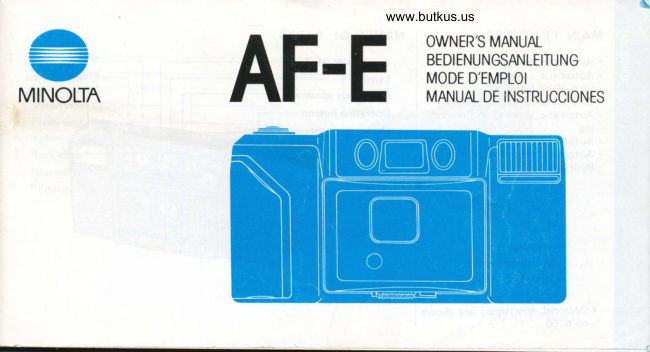
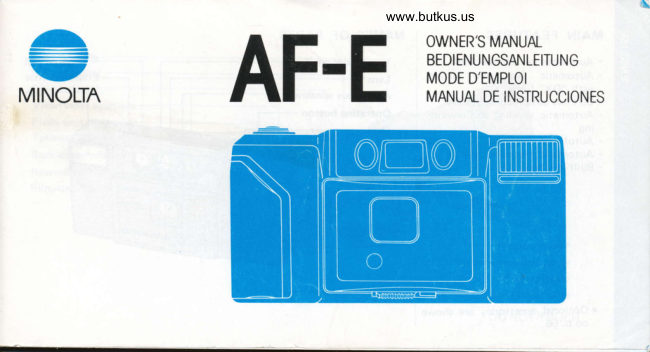
Minolta AF-E User manual
User manual for Minolta AF-E. 16 pages in German, French, Spanish. Read the original PDF, download or print a copy without registration.
16 pagesGerman, French, Spanish2.7 MB PDF
Loading your manual…Open PDF directly
Document details
- Brand
- Minolta
- Model / document
- Minolta AF-E
- Document type
- User manual
- Language
- German, French, Spanish
- Pages
- 16
- File size
- 2.7 MB
- Category
- Film cameras
- Document date
- Not specified in catalog
Search available document text
Find a term, then jump to its page in the original PDF. Image-only pages may not be searchable; check the PDF for exact wording and diagrams.
Page 2 · Read text
MAIN FEATURES        NAMES OF PARTS
. Automatic switch-over flash           Viewfinder window
. Automatic film-speed setting       Lens*
  with "DX"  f ilms                                     Autofocus windows. Carefree auto loading system
. Automatic winding and rewind-       Operating button
  ing                                  Grip
. Autofocus
. Automatic exposure control
. Built-in sliding lens cover


 o Optional accessories are shown
  on p. 56.
View original page 2
Page 3 · Read text
Venmo @mike-butkus-camera  Ph. 2083
PayPal Name  Lynn@butkus.org      www.PayPal.me/lynnbutkus
View original page 3
Page 5 · Read text
BATTER   I ES

  Use two AA-size batteries. Alkaline-
  manganese or nickel-cadmium types
   are recommended.
   . Do not mix batteries of dif ferent
     types, brands, or ages.

   WARNING: Keep batteries away
    from young children,                                  Open the battery chamber cover.         lnsert batteries with + and -  ends
                                                                as shown. Then gently close the
                                                                                  battery chamber cover.


@
View original page 5Page 6 · Read text
www.butkus.us
FILM SPEED                                     FILM LOADING
With ISO 1OO to 10OO "DX" films: Film speed is automatically set.
o The symbol "DX" printed on the film cartridge indicates DX-coded
  film.


With other films: Use ISO 100,
2OO, or 400  f ilm. Set the  f ilm-speed                                                                 Open the back cover.                                      \selector at the appropriate click-
stop.                                               AUTO                                                                  o Do not load film in direct sun-                                                        SET                                                                                                    light.
o 72-exposure cartridges and Pola-  roid 35mm instant films cannot   9,,t:{             [,i'ol
  be used in this camera.
                                 o  @               _l
View original page 6Page 7 · Read text
www.butkus.us

 With the {ilm retainer open, place the film into the chamber.    Snap the back cover shut (a).
  Rest the  f ilm  f lat between the guides, with its tip fully over the    Then push up the film retainer (b).
  take-up drum.
  .  lf the film leader extends too far, gently push the excess film
   back into the cartridge.
o
View original page 7Page 11 · Read text
In low light                            Subject not in center
  The flash automatically  fires when       lf you want to compose the picture with the subiect not in the center,
  needed, such as indoors or before    use focus hold. (ln low light, first check that the flash is charged.)
  and after sunset. Flash range  is:
  0.65m (2.1 ft.) - 3.6m (11.8 ft.)
  for ISO 100
  0.65m (2.1 ft.) - 5m (16.4 ft.)
  for ISO 200
  0.65m (2.1 ft.) - 7m (23 ft.)
  for ISO 400 & 1000

   . To keep eyes (especially blue
   ones) from appearing red, turn on    Shift the camera so the autofocus     While holding the button Partway
   additional lights or have the    zone is on the subject. Then partly    down, recompose as desired. Then
   subject look slightly away from     press the operating button.              take the picture.
   the lens.                                                                                      . Focus hold can be canceled bY
                                                                    removing your finger from the
@                                                                                  button.
View original page 11Page 12 · Read text
www.butkus.us
Special focusing situations
To obtain accurate autofocus for the following          llti:'",1?'["a  picture, ret the operatins button pop
subjects/situations, you should use focus hold on       back up. The film will automatically advance one
another object the same distance away:                                                    f rame.
. water, polished metal, mirror, or other highly
  reflective surface                                     o lf film stops advancing and the shutter locks before
, flame,  f ireworks, hair, black objects                         the end of the film, replace the batteries. DO NOT. very bright light or ref lection in or near autofocus       OPEN THE BACK COVER.
 zone
. glass between camera and subject                          After taking pictures
                                                            Close the lens cover. This protects the lens, locks the
                                                                     shutter, and prevents battery drain.


                                        o
View original page 12Page 14 · Read text
www.butkus.us
IMPROVING YOUR PICTURES
       Problem                    Probable cause                                Solution
 Whole picture blurred    Camera movement              Hold camera steady and release shutter gently.
  Subject out of focus      Autof ocus windows obstructed   Keep hands, camera strap, and other objects away.
                          Subject too close to camera      Make sure subject is at least 0.65m (2.1 ft.l away.
                         Autofocus zone not on-or        Carefully follow instructions for focus hold.
                         only partly on-main subject
                         Operating button pressed too     Press button gently.
                               fast  f or proper   f ocusing
                            Special focusing situation          Caref ully follow instructions for focus hold.
  Picture  f oggy or has      Dirty lens                       Clean lens as explained in next section.
 blurry areas
 Picture too dark, or      Lens or flash obstructed         Keep hands, camera strap, and other objects away.
  partial picture            Flash not fully charged         Make sure red lamps are not glowing (see p. 7).
                          Subject too far  f or  f lash            In low light, make sure subject is within  f lash
                                                           range (see p. 8).
 Main subject too dark    Sun or bright background  (as     Keep sun behind you or to one side, or position
                      window or snow) behind subject    su bject against darker background.
View original page 14Page 15 · Read text
TAKING CARE OF YOUR CAMERA
   o lf the lens becomes dirty, clean it gently with a         . Never subject the camera to shock or vi bration.
      lens brush. lf necessary, moisten a sheet of lens      o When not using the camera, keep it in a cool, dry
      tissue with one drop of lens-cleaning fluid and        place away  f rom dust and chemicals. Batteries
     gently wipe the lens. Never touch the lens surface          {especially old ones) should be removed if the
     with your hands or clothing.                         camera will not be used for many weeks. For
   o Never use alcohol or chemical solvents on the        extended storage, use an airtight container with a
     camera body. lf it is dirty (as after use near salt         drying agent such as silica gel.
      water), wipe it gently with a soft, clean, dry cloth.
   o The camera should never be left in places (as in          lf you have questions about operation of your
    motor vehicle) where it may be subject to high       camera, feel  f ree to contact your local Minolta agent
      temperature or high humidity.                           or distributor by writing one of the offices listed at
   o Using the camera at very low temperatures hinders       the back of this manual.
       its performance, so keep it warm inside your coat
     or pocket and carry fresh spare batteries (nickel    To assure prompt service, please contact your
    cadmium are recommended). Never transfer the      Authorized Independent Service Center before
     camera directly from very low to high tempera-       sending your camera for repairs.
       tures, as condensation may form inside and prevent                                                                                                                                                                                                                                                                                                                                                   .l
     normal operation.

@
View original page 15Page 16 · Read text
www.butkus.us
TECHNICAL DETAILS
Type: Compact autofocus 35mm camera with        Flash control: Flash automatically fires in low-light
automatic switch-over flash, DX auto film-speed        conditions; automatic charge activation
setting, and auto loading and film transport system        Power: Two AA-size alkaline-manganese,  sealed
Lens: Minolta 35mm f/3.5 lens with built-in lens       carbon-zinc, or rechargeable nickel-cadmium  bat-
cover; 4 elements in 4 groups; angle of view: 63o               teries; shutter locks when batteries are exhausted
Film speed setting: Automatic setting for ISO 100 to       Battery performance: Using 36-exposure  f ilm
1000 DX films; manual setting at ISO 100, 200,400          Type of battery     Without flash    With flash
Film transport: Auto threading, one-step advance to        Alkaline-manqanese     90 rolls       8 rolls
first frame, auto winding, auto rewind                                                           Nickel-cadmium       50 rolls       4 rolls
Viewfinder: Bright-frame type with normal-framing          * As determined by standard Minolta test methodsguide, close-framing guides, autofocus zone, flash-                                                                 at normal temperatures
      signalwait                       ; magnif ication                                              : 0.45X; power:                                   -1 D                                                  Dimensions: 131.5 x 65.5 x 45.5mm (5-3i16 x                             programmedExposure                     Electronically                                          from          control:                                                           2-9116 x 1-13l16 in.)EV 9 to EV 16.2; silicon photocell                                                       Weight: 2 5S {.8-518 oz.) without batteriesFocusing: Infrared autofocus system (0.65m 12.l
ft.l to inf inity) with cancelable  f ocus hold                                                                  Specif ications subject to change without notice


                                                                                (D
View original page 16Related documents and language editions
From the M. Butkus archive. Original publisher and archive notices are retained.
Check the model and edition against your equipment.
PDF verified 2026-10-10.