Flashes & lighting
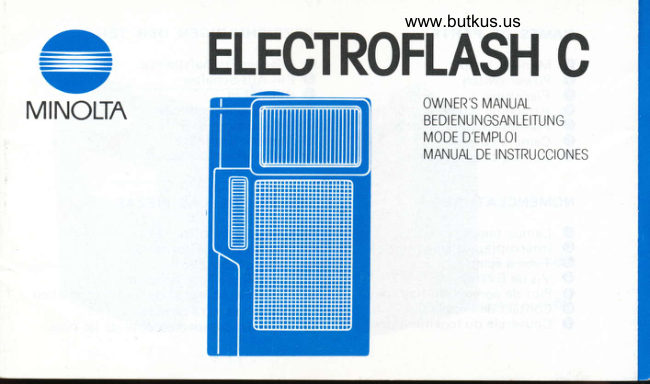
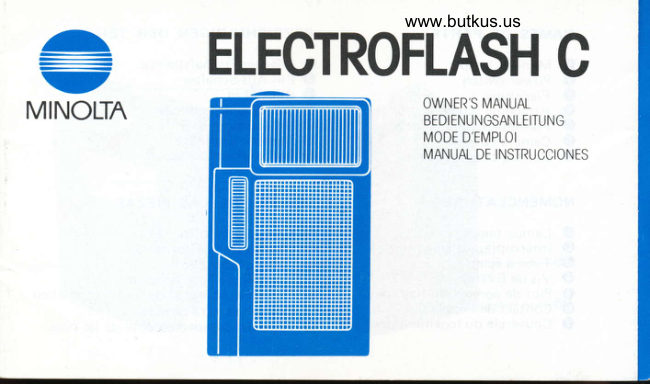
Minolta Electroflash C User manual
User manual for Minolta Electroflash C. 16 pages in German, French, Spanish. Read the original PDF, download or print a copy without registration.
16 pagesGerman, French, Spanish1.8 MB PDF
Loading your manual…Open PDF directly
Document details
- Brand
- Minolta
- Model / document
- Minolta Electroflash C
- Document type
- User manual
- Language
- German, French, Spanish
- Pages
- 16
- File size
- 1.8 MB
- Category
- Flashes & lighting
- Document date
- Not specified in catalog
Search available document text
Find a term, then jump to its page in the original PDF. Image-only pages may not be searchable; check the PDF for exact wording and diagrams.
Page 1 · Read text
www.butkus.us
 ^-,       ELECTROFLASH C
MINOLTA                                       OWNER'SBEDIENUNGSANLEITUNGI/ANUAL -                                           MODE D'EMPLOI
                                                  MANUAL DE INSTRUCCIONES
View original page 1Page 5 · Read text
Digitally signed by Mike Butkus
                                         DN: cn=Mike Butkus, o=Butkus camera manuals,
                                              ou=butkus.org, email=mike@butkus.org, c=USMike Butkus  Date: 2023.01.25 17:29:08 -05'00'
View original page 5Page 6 · Read text
www.butkus.usNAMES OF PARTS            BEZEICHNUNGEN DER TEILE
o  Monitor lamp         O Blitzbereitschaftslampe
   Power switch          O Ein-AusSchalter
    Flashtube                      €) Blitzrohre
    Attaching screw        @ Befestigungsschraube
    Flashmatic connector pin    @ Blitzautomati  k-Stift
   Camera contacts        @ Kamera-Kontakte@ooooo  Battery-chamber cover      O Batteriekammerdeckel

NOMENCLATURE            NOMBRE DE LAS PIEZAS
o Lampe t6moin         O Ldmpara monitor
           I nterrupteur d'al   i mentation    O Interruptor de corriente
   Tube d 6clat                 G) Tubo de destellos
   Vis de fixation         O Tornillo de acoplamiento
    Plot de connexion   f lashmatic   O Terminal conector de  f lash automdtico
   Contact de l'appareil               () Contactos para cdmara@ooooo  Couvercle du logement des pi les  O Tapa del compartimiento de las pilas
View original page 6Page 7 · Read text
Your Minolta Electroflash C is designed exclusively for use with the Minolta AF-C
camera. Attaching and turning on the flash sets the AF-C for flash photography. The
camera and flash function as a single unit, automatically setting the shutter speed for
X-sync at 1l40 second or faster and adjusting the aperture for proper flash exposure
at the distance set by the autofocus system. The flash has a special power-saving
circuit that automatically shuts it off when removed from the camera.
Blue letters in text refer to pictures on back foldout.

CONTENTS
BEFORE TAKING FLASH           HOWTOOPERATE...              .5  PICTURES                            . . .2      Daylight-flash exposure
   Installing batteries               ...3        (fill-inflash)   .                       .7  Attaching            to camera                     '.'.                                          ?  cARE AND STORAGE                .8  Checking             batteries                                              .;
  Operation check                      . . .4  TECHNICAL DETAILS  .             .9
View original page 7
Page 8 · Read text
www.butkus.us
BEFORE TAKING FLASH PICTURES
   Electroflash C is designed to be powered by two AA-size (penlight) batteries of
the sealed carbon-zinc, alkaline-manganese ("AM" or "alkaline"l , or rechargeable
nickel-cadmium ("Ni-Cd" or "nicad") type.
o To avoid battery leakage or bursting, do not mix battery types or new and old
    batteries.
o Flash performance  will depend on type and age of batteries and on temperature.
   Below ffC (32"F), it is recommended to use nickel-cadmium batteries and to
   keep fresh replacements in a warm inside pocket. Battery capacity will recover as
   temperatu re rises,
o Nickel-cadmium  batteries should be charged only in their designated chargers.
o Used batteries should not be disposed of in fire.

WARNING: Keep batteries away from young children.
View original page 8Page 9 · Read text
Installing batteries                                        I 1. With the power switch off, remove the battery-chamber  cover by sliding  it out in
    the direction of the arrow  (a).
2. After wiping the terminals with a clean, dry cloth, insert two batterieswith their   plus (+) and minus (-) ends positioned as indicated by the diagram inside the   chamber (b).
   o  lf the batteries are reversed, the flash will not operate and the batteries may
       leak or burst.
3. Reinsert the cover                           the grooves on both sides of the chamber,  sl ightly press                          -into   down on the ends of the batteries, and slide the cover back as far as it w-ill go (c).
Attaching to camera (d)
1. Align the flash and camera as shown ((D).
  o Make sure the flash's power switch is turned off so the flashmatic connector
       pin will not be damaged during attaching.
2. With the flash's attaching screw lined up witfr tne camera's flash socket, turn the
   screw in the direction of the arrow until tight (@).
     . Do not force the four recessed electric contact pins.
View original page 9Page 10 · Read text
www.butkus.us
Checking batteries
  To check battery capacity, time how many seconds it takes the green monitor
lamp to come on after the  f lash's power switch  is turned on (when flash is attached
to camera) (e):

        Charging Time               prepare               change or
           in Seconds             replacements              recharge
    carbon-zinc                   over 1O                 over 30
     alkaline-ma nganese             over 10                over 30
    nickel-cadmium                 over 2.5                over 5

Operation check
   Before loading the camera with film, test the sync connection: Turn the flash's
power switch on, wait until the monitor lamp lights, then press the shutter-release
button all the way down and check whether the flash fires.
o  lf the flash does not  fi re, return it to an authorized Minolta service facility; do not
   attempt to repair it yourself by bending the connection pins or otherwise.
View original page 10Page 11 · Read text
HOW TO OPERATE
   When the AF-C's red low-light warning LED comes on, Electrof lash C can be used
to take  f lash oictures as follows:
1. With the  f lash attached to the camera, turn the  f lash's power switch on. The
   flash will start charging (it battery capacity is sufficient), and the camera,s
   exposure system will be automatically set for flash photography.
2. When the flash is fully charged and ready to fire, the flash's green monitor lamp
    will come on and, if the shutter-release button is partly pressed, the viewfinder;s
   red LED will go out.
  o  lf the shutter is released before the flash is fully charged, the flash may not
                f ire and the picture may be underexposed.
3. With your subject covering the autofocus zone, partly press the shutter-release
   button to check the following:
  o  ls the yellow proper-focus LED on? lf not, move farther from the subject.
  o  ls the subject within the distance range shown on the back of the flash (f)or
        in the table (see p.9) corresponding to the film speed being used? lf not, move
       closer to the subject to avoid an underexposed flash picture.
View original page 11Page 12 · Read text
www.butkus.us
4. lf the yellow proper-focus LED is on and the subject is within the flash range,
   gently push the shutter-release button all the way down to take the picture.
  o Make sure the  f lashtube window  is not blocked by your  f ingers or other objects.
  o The camera's focus hold can be used if desired.
  o For vertical pictures, the camera should be held with the  f lash on top.
  o When using the self-timer, check that the flash is fully charged before starting
       the timer.
5. After taking flash pictures, turn the flash's power switch off or remove the flash
   from the camera.
  o  lf the flash is left on while still attached to the camera, the flash's batteries
        will drain more rapidly.
  o When the flash is removed from the camera, its power is automatically turned
       off and the flash will not work even if the power switch is on.
WARNING: Never fire the flash directly into the eyes of a person oranimal atctose
                  ra nge.
View original page 12Page 13 · Read text
Daylight-f lash exposure (fill-in flashl
    Electroflash C can also be used to balance or fill in shadows of pictures taken in
daylight or with other bright light sources, such as a darker subject against a
backlighted window or in shade. The procedure  is the same as above, except that the
flash range is about 2 to 3m (6-213 to 10 ft.). Tne degree of ftash fill wiil vary with
the lighting conditions and autofocused distance of the lens.
View original page 13Page 14 · Read text
www.butkus.us
CARE AND STORAGE
o When the flash has not been used for a long time, recycle time may increase.
   However, if you  fi re the unit several times, it will return to normal. Using the
    flash several times a month will keep it in good condition.
o Never attempt to disassemble the unit. Any repairs necessary should be done by
   an authorized Minolta service facility.
o The flash should never be left in the glove compartment or on the rear-window
   ledge of a motor vehicle or in other places subject to high temperatures. Further,
  do not store it in humid places, near corrosive chemicals, or where it would
   become dusty or dirty. Store in a cool, well-ventilated place.
o Do not use the flash with wet hands or immerse it in water or other liquids.
o  lf dirty, the flash may be wiped with a silicone-treated  cloth or other clean, dry
   cloth. Do not allow alcohol or chemicals of any other kind to touch its surface.
o  lf the flash is not to be used for two weeks or more, it is recommended to remove
     its batteries.
View original page 14Page 15 · Read text
TECHNICAL DETAILS                                              -.                                                                                       -
Type: Compact screw-attaching electric flash unit for automatic exposure exclusively
with Minolta AF-C camera
Camera/flash contacts: Sliding-pin connection with camera when flash turned on
activates flashmatic system; signals transmitted by 4 electric contacts connecting
with 4 recessed pins on camera
Aperture-shutter setting: AF-C's flashmatic system automatically sets shutter speed
at 1l4O sec. or faster and aperture according to autofocused distance, providing
automatic exposure throughout flash range
Flash range:       ASA/ISO                   Distance range
                    25            0.9-1.8m(3-  6ft.)
                    50            0.9-2.5m(3- 8ft.)                    64            0.9-2.8m(3-  9ft.)
                   100                                        3.6m (3                                          0.9 -                 200t400                                          0.9                                                           (3 - 1216 ft.)ft.)                                        5.0m                                          -         -
View original page 15Page 16 · Read text
www.butkus.us
   Color temperature: Balanced for daylight-type color filml   Power source: Two 1.5v AA*ize (penlight) alkaline-manganese, sealed carbon-zinc, or
    1.2v nickel-cadmium  batteries
   Number of  f lashes per set of battorieslrecycle time (sec.):
        Af kal ine-manganese: 4OO13
      Sealed carbon-zinc :'l3Ol4
      N ickef -cadm ium: 15O12
   as determined by standard Minolta test method, with actual performance depending
   on type, brand, manufacturer's  lot, age of batteries, and ambient temperature
   Others: Green monitor lamp on flash comes on and red low-light warning LED in
   camera viewfinder goes out when flash fully charged and ready to fire; flash auto-
   matically turned off when detached from camera
   Dimensions (H x W x D): 65 x 38 x 37mm 12-9116 x 1-1 12 x 1-7116 in.l
   Weight (without batteries): 55g (1 -15116 oz.l
   Specifications subject to change without notice
View original page 16Related documents and language editions
From the M. Butkus archive. Original publisher and archive notices are retained.
Check the model and edition against your equipment.
PDF verified 2026-10-10.