Camera accessories
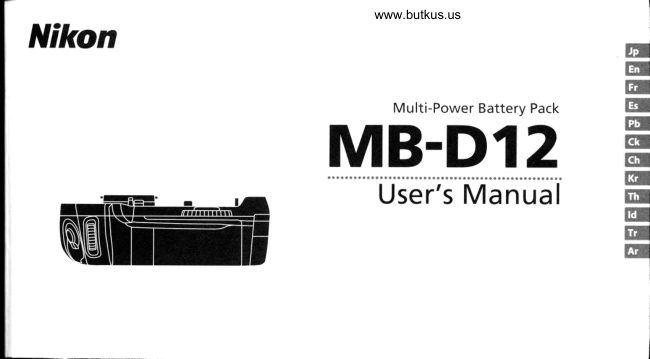
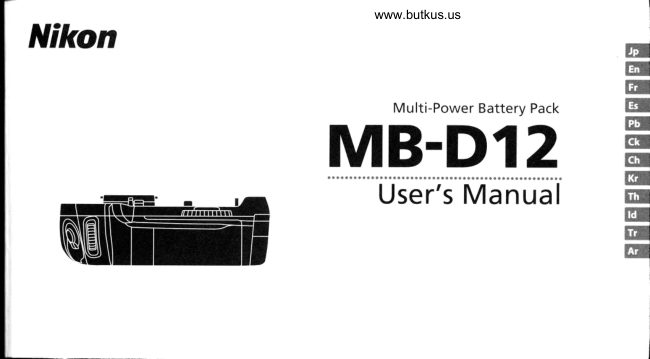
Nikon MB-D12 Multi-Powered Battery Pack User manual
User manual for Nikon MB-D12 Multi-Powered Battery Pack. 17 pages. Read the original PDF, download or print a copy without registration.
17 pagesOriginal document2.7 MB PDF
Loading your manual…Open PDF directly
Document details
- Brand
- Nikon
- Model / document
- Nikon MB-D12 Multi-Powered Battery Pack
- Document type
- User manual
- Language
- Check the original document
- Pages
- 17
- File size
- 2.7 MB
- Category
- Camera accessories
- Document date
- Not specified in catalog
Search available document text
Find a term, then jump to its page in the original PDF. Image-only pages may not be searchable; check the PDF for exact wording and diagrams.
Page 4 · Read text
Venmo @mike-butkus-camera  Ph. 2083
PayPal Name  Lynn@butkus.org      www.PayPal.me/lynnbutkus
View original page 4
Page 10 · Read text
www.butkus.usY
                                                                                                                                                                     Notice for Customers  in Canada)    E Noticefor(ustomers   in the U.S.A.                                                                               I
I          federolhmmunicotions hmmission (FCC) Radio Frequency lnterferenci  Stotement                                                  (AUTION
         This equipment has been tested and found to                                                                                                This Class B digital apparatus complies with                            Nikon          MB-D12        comply with the limits for a Class B digital device,                                                 Canadian ICES-003.         pursuant to Part 15 of the FCC rules. These limits    trlFTested To Comply                      r
                                                                                                              ATTENNON        are designed to provide reasonable protection      I \SZ With FCC Standards
         against               harmful                         interference                                              in a residential                                                             instal-                              FOR HOME OR OFFICE USE       Cetme aappareilla normenum6riqueNMB-003 dedu laCanada.classe B est confor-                               generates,         lation. This                equipment                                                 can                                             uses, and
         radiate radio frequency energy and,  if not installed     CAUTION
       and used in accordance with the instructions, may    Modifications:The FCC requires the user to be noti-
       cause harmful interference to radio communic-    fied that any changes or modifications made to
         ations. However, there is no guarantee that inter-    this devlce that are not expressly approved by
        ference will not occur in a particular installation.  lf   Nikon Corporation may void the user's authority
          this equipment does cause harmful interference to    to operate the equipment.
         radio or television reception, which can be deter-
       mined by turning the equipment off and on, the    Nikon Inc.,
         user is encouraged to try to correct the interference    1300 Walt Whitman Road, Melville, New York
       by one or more of the following measures:            11747-3064,  U.S.A.
           . Reorient or relocate the receiving antenna.          Tel.:631-547 -4200
           . Increase the separation between the equipment
       and receiver.
            . Connect the eouioment into an outlet on a cir-
          cuit different from that to which the receiver is
        connected.
           . Consult the dealer or an exoerienced radio/tele-
          vision technician for helo.
View original page 10Page 11 · Read text
lntroduction                             The MB-DI2 and Accessodes
Thank you for your purchase of an MB-D12              and
multi-power battery pack for use with  all  Jonfirm that the following items are supplied with the MB-D12 (batteries are sold separately).
Nikon single-lens  reflex digital cameras that
list the MB-D12 as a compatible accessory in
the camera manual. The MB-Dl2 takes one
EN-E115 or EN-E118 rechargeable battery or
eight AA batteries (alkaline, Ni-MH, or lithium)    www.butkus.us
and includes an alternate shutter-release but-                                                                        case  Contact caPton, AF-0N button, multi selector, and main and        MB.D12     MS-D12EN holderfor M5-D12 holderfor       Holder    @@PaEN-EI]5 batteries  AA batteriessub-cornmand  dials for taking pictures in "tall'
                                                                                                                                                                                  . User! manual(portrait) orientation. Camera menu options                                               The MS-D12EN is inserted  in the MB-D12 at shipment. see"lnserting Batteries"                                                                                                                                                                   (this manual)allow the user to choose whether the camera                                                                for information on removing the battery holder.battery or the batteries in the MB-D1 2 are used                                                                                                                                . Warranty
first;see the camera manual for details.
                                                         Using the Optional EH-5a/EH-5b A( Adapter and EP-58 Usino the 0otional B['5 Bafterv-Chambet (over
                                                   Power Connector                A BL-5 battery-chamber
                                   The optional EH-5a/EH-5b AC adapter and   cover (available separate-
                                         EP-58 power connector provide a reliable     ly) is required when using
                                          power source when the camera is used for ex-    EN-E118 batteries.              BL-5 battery-
                                             tended periods. To use an AC adapter with the                           chamber cover
                                         MB-D12, insert the EP-5B into the MS-D12EN
                                                 battery holder as described on page 7 and
                                               then connect the EH-5a/EH-5b as described in
                                                 the documentation provided with the EP-58.

                                                                                                                                                                                                                                  .I
View original page 11Page 12 · Read text
Parts of the MB-012 (Figure A)                                 www.butkus.us
 Q Contact cap                                   The MB-Dl2 5hutter-Release Button, Multi selector, (ommand Dials, and AF-0N Button
 @ Holder for camera contact cover            The MB-D12  is equipped with a shutter-release button (Figure A-@), multi teteaon tfi+,;e n-Ol,
@ Power/signal contacts                       main command  dial (Figure A- @), sub-command  dial (Figure A-@), and AF-01{ button (Figure A-@)
 @nt-oN burton                                        for use when taking photographs  in vertical ("tallj'or portrait) orientation. These controls perfo# ![
@ wain command dia                         the same functions as the corresponding  controls on the camera. See the camera manual for
@ tr,,tutti selecror                           more information.
O Attachment wheel
                                        Changes to Multi selector center button, Multi selector, Customize command  dials, ano@ Holder power connector cover
                                          Assign MB-DI2 AF-ON in the camera Custom Settings menu (Group f) also apply to the multi@ Battery-cham ber cover
                                                          selector, command  dials, and AF-0N button on the MB-D12.@ Battery chamber
O Battery-chamber latcn                         The MB
@ Mounting screw                        The control lock (Figure A-[4) locks rhe con-
@ Shutter-release button                            trols on the MB-D12 to prevent unintended
@ Control lock                                  use. Before using these controls to take photo-
@  Sub-command dial                         graphs in vertical (portrait) orientation, release   /F$\ A-.
U, lnpod socKet                               the lock as shown at right.
@,vs-ot 2EN holder for EN-ELI5 batteries                           vll@ Power terminals                          The control lock is not a power switch. Use the
                                        camera power switch to turn the camera on           Locked                 Unlocked@ Power terminals (MS-D12EN battery holder)
@ tirls-Ot2 holder for AA batteries             and off.
@ Power terminals (MS-Dt2 battery holder)
@ gL-S battery-chamber cover (available sep-
   arately)
View original page 12Page 14 · Read text
*ilr                                                    www.butkus.us
i   Insertinq Batteries
   The MB-D12 can be used with one EN-E115 or EN-ELIB rechargeable Li-ion battery, or with eight AA batteries. A BL-5 battery-chamber cover (avail-
    able separately)  is required when using an EN-ELIB battery'
                                                                                                                  r^-r.                                                                                         lock is    Before inserting batteries, be sure that the camera is off and that the MB-D1i,D nl 2I control-^^+-^r                                                                                                                                         :- :-in !L^the |I position.-^^,r:^                                     r
   1 Turn the MB-D12 battery-chamber  latch to @ and remove the battery holder (Figure E).
  2 Ready the batteries as described below.
      tN-Ell5: Matching the indentations on the battery to the projections on the MS-D12EN holder, insert the battery vvith the arrow (A) on the bat-
    terytowardthebatteryholderpowerterminals(FigureF-O). Pressthebatterylightlydownwardandslideitinthedirectionofthearrowuntil
     the power terminals clrck into place (Figure F-@).
      EN-E[18:  lf the battery release on the optional BL-5 battery-chamber cover is positioned so that the arrow (   is visible, slide the battery release to
     cover the arrow (Figure G-O). Insert the two projections on the battery into the matching slots on the BL-5 (Figure G-@) and confirm that the
     batterv release has slid aside to reveal the arrow.
     AA batteiles: Place eight AA batteries in the MS-Dl2 battery holder as shown in Figure H, making sure that the batteries are In the correct orientation.
      Insert the battery holder in the MB-D12 and latch the battery-chamber cover (Figure l). Make sure the holder is fully inserted before turning the latch.
     Turn the camera on and check the battery level in the control panel or viewfinder.  lf the camera does not turn on, check that the battery  is cor-
      rectly inserted.

    The EP-58 Power Connector
   When using the EP-58 power connector, insert  it into the MS-D12EN holder with the arrow (A) on the connector toward the battery power terminals. Press
    the connector  lightly downward and slide it in the direction of the arrow until the power terminals click into place (Figure J-O). Open the holder power
    connector cover and pass the EP-5B power cable through the opening (Figure J-@).

                                                                                                                                 7
View original page 14Page 16 · Read text
www.butkus.us
Removinq Batteries
A..ruf,
  Turn the MB-D12 battery-chamber  latch to G and remove the bittery holder (Figure E).                                   q
  Remove the battery or batteries from the holder.

 tN-EH5                                              EN-EtI8                                         AA Battefies
 While pressing the holder PUSH button, slide       Slide the battery release in the direction     Remove the batteries as shown, Be careful
the battery toward the button. The battery       indicated by the arrow ({) and remove the      not to drop the batteries when removing
 can then be removed as shown.                    battery-cha m ber cover.                      them from the holder.


The procedure for removing the EP-58 power
connector  ls the same as that for the EN-E115.

                                                                                                                              9
View original page 16Page 17 · Read text
Specifications
                                                                          Lno aGiine, Hno Ni-rr,lH, or rnoFnnium nA batteries, oirtlioiEH-sau
                       EH-5 AC adapter (requires EP-5B power connector)
 0perating tempetature   0-40"c (32- 104"F)
 Dimensions(WxHxD)     nc,crrox:Sf xSO         x2.0x3.2 in.)
 Weight                 npprox. 365 g (l2.9 oz) with MS-DI2EN and optional EN-EL15 battery
                       Approx. 460 g (16.3 oz) with MS-D12 and eight AA batteries (available separately from third-party suppliers)
                       Approx. 310 g (1  ',l .0 oz) with MS-D] 2EN and optional EP-58 power connector
                       Approx. a25 g (15.0 oz) with optional BL-5 and EN-EI]8 battery
                       Approx. 280 g (9.9 oz) with MS-D12EN
                       Approx. 270 g (9.6 oz) with MS-DI2
Specifications and design are subject to change without notice

 M   l!;Fll5andEN-EllSBatteries                                                                                                                                    ,    -i and_-i,.-keep- a warm     performance of EN-ELl 5 and EN-ELIB batteries drops at temperatures below about 10'C (50'F). Be sure the battery  is fully charged The
  spare battery on hand ready to exchange as necessary. Cold batteries will recover some of their charqe when warmed.
 V AA Batteries
 Due to their limited capacity, AA LR6 alkaline batteries should be used only when no other alternative  is available.
 The capacity of AA batteries varies with make and storage condltions and may in some instances be extremely low; in some cases, AA batteries may cease
  to function before their expiry date. Note that the capa-ity of AA batteries may drop at temperatures below 20 "C (68 "F). Use is not recommended  at low
  temperatures.
 V Frame Advance Rate
  EN-ELl g and AA batteries support higher frame advance rates than the EN-EL1 5; note, however, that in the case of AA batteries the frame advance rate will
  drop at low temperatures or if the batterles are low. For more informatlon on frame advance rates, see the camera manual.

 10
View original page 17Related documents and language editions

From the M. Butkus archive. Original publisher and archive notices are retained.
Check the model and edition against your equipment.
PDF verified 2026-10-10.