Film cameras
Nikon Nuvis 200 User manual
User manual for Nikon Nuvis 200. 34 pages. Read the original PDF, download or print a copy without registration.
34 pagesOriginal document2.4 MB PDF

Loading your manual…Open PDF directly
Document details
- Brand
- Nikon
- Model / document
- Nikon Nuvis 200
- Document type
- User manual
- Language
- Check the original document
- Pages
- 34
- File size
- 2.4 MB
- Category
- Film cameras
- Document date
- Not specified in catalog
Search available document text
Find a term, then jump to its page in the original PDF. Image-only pages may not be searchable; check the PDF for exact wording and diagrams.
Page 3 · Read text
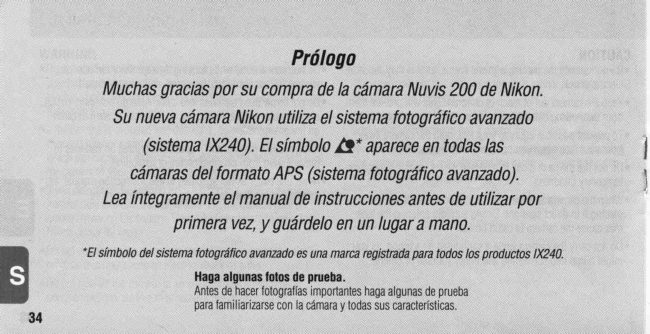
Foreword
       ThankyouforpurchasingtheNikonNuvis200camera.
YournewNikoncameraemploystheAdvancedPhotoSystem(\X240system).
ThesymbolE* appearsonallAdvancedPhotoSystem(APS)formatcameras.     I
    Besuretoreadthisinstructianmanualthoroughlybeforeuse,                  I
               andkeepit closeathand.
            .The              AdvancedPhotoSystemsymbolis a trademarkof all 1X240products.

               Takesometrialshots.
                Beforetakingimportantpictures,besuretotakeafewtrialshotsfirst
                    tofamiliarizevourseJfwiththecameraandatlofitsfeatures.
                        www.orphancameras.com
View original page 3Page 4 · Read text
Attachingthewriststrap


                                                 Attachthewriststrapbyinsertingitthroughtheslotasshown.
0ptionaI accessories
.CameracaseCS-121
View original page 4Page 5 · Read text
YourNikoncamerafeatures:
   I Choiceofthreeprinttypes(C,H,P),whichcanbemixedonthesameroll [gP 14


        C-type(classic)        H-type(wide-vision)               P-type(panorama)
       Asoectratio=2:3     Asoectratio= 9: 16                 Asoectratio=1:3
  I The2x powerzo0mlenscoverstherangeof focallengthfrom24nmto 48mm [gP  ls
  I Whentheavailablelightis low,thecameraautomaticallyf iresthef lash rg P 21
  I Photographingsubjectsascloseas0 6m(2fl)ispossible!g= P 1 6
  I Thelenscoverautomalicallycloseswhenthecameraisturnedofftoprotectthelensfromdustandscratches.

                          www.orphancameras.com
View original page 5Page 8 · Read text
14 Viewfindereyepiece(rgP 14)                           1415 RedLED(rsP 14)                                                 19
16 Batterychamberlid(!gP  9)           15                                                                2017 Tripodsocket(rgP 25)
18 Cartridgechambercover(u€P 10)        16
19 Powerswitch(ugP 9)                                                21
20 Toonlever(u9P 15)              17
21 Cartridgelockreleaselever(u€P 10)
22 Wriststrapslot(rgP 3)
LCDpanelindications
1 Dateandtimeindicator(rgP 12)                                                                                               ' \
2 Red-eyereductionindrcator(rgP 24)
3 Self-timerindicator(rgP 25)
4 Flashmodeindicator(l9PP 21-23)
5  Infinityfocusindicator(u€P 25)
6 Datarecordingindicator(rgP 12)
7 Framecounter([g P 11)
I  Cartridgeindicator(rgP 11)
9 Lowbatterypowerindicator(u€P 9)
View original page 8
Page 9 · Read text
'l +.TipsonusingtheNuvis200
 Gameracaretips                           .USea dry,softcottonclothorcommerciallyavailableblower
  .Turnthecameraoffwhennotin use.Thispreventsaccidental   brushor lenscleanerto removedirtandsmudges.
   releaseoftheshutterandresultingbatterydrain.         oWhenstoringthecamerafora longtime,removethebattery.
  oTheNuvis200is nota waterproofandthereforeshouldnotbe     Alsooncea month,inserta batteryandfiretheflashseveral
  exposedto rainorsaltwater.lf watergetsonthecamera,wipeit    timesto reformitscaoacitor.
    offwitha dryclothimmediately.               Notesonbattery
  eDonotsubjectthecamerato hightemperaturessuchasthose   oBesuretocheckbatterypowerwhentakingimportantpictures.
   encounteredneara heaterorstoveortheinteriorofa carduring   Carrysparebatterieswhentravelingabroad.
  summer.                                     oBatterypowerbecomeslesswhenthetemperaturedropsbelow
  oStorethecamerain a cool,dry,cleanplace.Donotexposeit to    0"C(32'F).Whentakingpicturesatlowtemperatures,keepthe
   chemicalssuchascamphorornaphthalene.Usinga desiccant  batterywarm.Batterypowerwillrecoverwhenthetemperature
   duringstorageis recommended.                  goesbackto normal.
  oFiringtheflashrepeatedlymakesthebatteryandcamerahot,                                   Noteson1X240filmcartridge   Allowenoughtimeforthemto cooloffbeforetakingpictures                                             .Carryingspare1X240filmcartridgesisrecommendedwhen   agarn.
                                                      travelingabroadwherethe1X240filmcartridgesmaynot  .Do notdropthecameraorhitit againsta hardsurface.                                            beavailable.

 Nikoncannotbeheldresponsiblefor malfunctionscausedby usingthe Nuvis200in waysnotspecifiedin thismanual.

                           www.orphancameras.com
View original page 9Page 10 · Read text
llstallingthebattery/
                 Checkindnatterypower

                                                                               ,)                                     N

                                                   ?.1

*  Installthebatterv.          Turnthecameraon.        Checkbatterypower. * -
v 0penthebatterychamberlid     .Thelenscoverautomaticallyopensand    olf "c="  blinksornothingappears0n
  usinga coinorthelike.           thelensmovesouttotheW (wide-      theLCDpanel,thebatteryisexhausted
v lnstallone3Vlithiumbattery     angle)position.                andneedsto bereplaced.
 CR2insidethebatterychamber.                                          olf a lowbatterypowerindicator"q----Z|"
w Closethebatterychamberlid.                                 doesnotappear,batterypowerisfull.
.Resetthedateandtime,whenthe
 batteryis replacedandthecurrent
 datareturnsto theinitialsetting.
 (rs P 26)
View original page 10Page 11 · Read text
'55            Li


    Checkthattheletter"F " is                                                       Inserta filmcartridgeinthe   {                       Pushthecaftridgelock         f                                              I       '                                       -                                             u     visibleontheLCDpanel.     releaseleverinthedirection   cartridgechamberind close
    olfthenumberofframesappearsonthe     ofthearrowto openthe       thecover.
   LCDpanel,a partiallyexposedcartridge   caftridgechambercover.    oUseonly1X240filmcartridge(Regular
     isalreadyloaded.               .Thecartridgechambercoverdoesnot    35mmfilmcannotbeused.)
     . lftheletter" F" andthecartridgeindicator  openif thebatteryis exhausted.     .CheckthattheVEI(VisualExposure
      " O " appearontheLCDpanel,a cartridge                                   Indication)shows"O" (unexposed)
     thatisfullyexposedisloadedandshould                                 beforeloading.(!S P.11)
   beremoved(rg P.18)                                          .Closethecartridgechambercoveruntil
                                                                                                                       it clicksshut.
1 0                            www.orphancameras.com
View original page 11Page 12 · Read text
I Processedfilm insidethecartridoe.   '55                                                                 Unexposedfilm-          ',1
                                         Datadisk                          D Partiallyexposedfilm-
                                                                                  8 Fullyexposedbut unprocessedfilm-
                                             Lightlockdoor                                                           IneversibleProcessedIndicator
                                                Lightlockdoordrive      t5                Cafiridgespool                 "VisualExposureIndication(VEl)
I Checkthat"g"andthe      .Availablefilmcartridges:4O-exposure,Noteson handling1X240filmT  availablenumberofframes   2S-exposure,and1S-exposurefilms.    cartridges
  appearontheLCDpanel.   .1X240filmcartridgesdonothavea film   .Do nottouch,disassembleorapply
.lf thenumberofframesdoesnotappear,  leader.Thefilmisautomaticallypulled    strongphysicalshocktotheDatadisk,
 reloadthefilm.                     outandsetinsidethecamera.         LightlockdoororCartridgespool.
oTheletter"F" blinksif a fullyexposed  oTheVEI(VisualExposureIndication)  .Do notbreakthelrreversibleProcessed
 filmcartridge(theVEIshows"8") is     showsthelourstatesofthefilm.         Indicator.lf broken,consultyour
   i nserted.                                                     nearestohotolab
                                                 oDonotsubjectthefilmtodirect Thecaftridgechambercoverlocks                                                                    sunlight,hightemperaturesneara automaticallyafterloading.Donottrytoopen                                                             heaterorstove,dustandhumidity,ora
 thecoveruntilfilmrewindingiscompleted.                                   strongmagneticfield.
View original page 12Page 13 · Read text
Datarecordingfunction
                                       '55                 ,                                               1,
                                        0
  Setyourpreferabledisplaymode.  oPresstheM0DEbuttontoselectoneoffivedisplays.Eachtimethebuttonis pressed,
  w Turnthecameraoffandpress     thedisplaychangesintheordertndtcated
     thel{l)DE buttonbnce to                 Yetr'l\4Lrtlh/D;ty           lVorltrlilliyiYear     Dav/lVorrlh/Year
     activatethedisplay,thenagain                                                    Ll        I  ":l'1     '
     to changethemode.)
  oThe"Year"sectionisdisplayedand
    printedintwodigitsandthe"time"isin   .Whenshootingwhile"EMl"appearedontheLCDpanel,dataontheLCDwillbe
   24-hourcycle.                  recordedNodatais recordedwhenthe"- - -" modetsselected
  o"- - -" appearswhen"Norecording"  .Askyourphotolabthatdisplaysan"AuthorizedPhotoLabMark"signforthelocation
   modeisselected                   oftherecordeddata
12                          www.orphancameras.com
View original page 13Page 14 · Read text
Holdingthecamera    Shutterrelease
                    properly            operation


.Whenholdingthecamerahorizontally, oWhenholdingthecameravertically,    .Lightlypresstheshutterreleasebutton
 keepyourelbowsagainstthebodywith   makesurethattheflashis ontooas        toachievefocusandexposureandthe
 bothhandsonthecameraasshown.    shown.                        redLEDlightsupfora second.While
oToavoidcamerashake,holdthe                                          theshutterreleasebuttonis deoressed
 camerasteadv.                                                              lightly,thefocusis locked.(19 P.20)
                                                           Pressthebuttonallthewayuntilyou
         Donotblockthelens,flash,orautofocus               heara clickto releasetheshutter.
            windowswithyourfingersor hair.
View original page 14Page 15 · Read text
Availablepicturearea
                               Areascutoffinthefinalorintdiffer
                              dependingontheprinttype(C/H/P)
                          C-type
                                      (classic)
                              Aspectratio=2:3
  CAutofocusframemark                           UsetheCHPselectortoselectyour    Centerthismarkonthesubject     H-type                                                                      printtypebeforeshooting.                                   (wide-vision) ru  desired @neotro                    Aspectratio=9:16             o Youcanselectanyoneofthreeprinttypes
    Presstheshutterreleasebuttonlightly                                          (C,HorP)byswitchingtheCHPselectorat
    Then:                                                   anytimewhilefilmisloaded.(!g P.4)
                                                                              pictureareadiffersdependingon        -   lftheLEDlightsupfora second,   P-type E            Available
       focusoperationhasbeencompleted (panorama)                       theprinttypeselected.
        -   lf it lightsupcontinuously,thellash  A s p e c t r a t i o = 1 : 3                          . Youcanalsochangethetypeofprintwhen             ry             orderingextraprintsatthephotolab.         isreadytofrre
        -   ll it blinks,theflashisbeingcharged                        CAUTION!                                                       Topreventpossibleinjurytoy0ureye,      andtheshutterislocked                                                                  holdthecameraawayfromyourface
1 4                         www.orphancameras.com      whenyouoperatetheCHPselector
View original page 15Page 16 · Read text
Zooming


Lookthroughtheviewfinder  Movethezoomleverinthe 0l  direction Movethezoomleverinthe@ direction
andcomposethepictureby        tplonhntn(4Bmm)tonintrH rextendw r u rrocr w u thelensfortaking        r,vidp-ennlp(24mm)to retractnintrrrpcthelensfortakingmovingthezoomlever.
v Whenthedesiredimagesize
  hasbeenachieved,removeyour
  fingerfromthezoomlever.
oWhenthecamerais notin useformore
 thanapprox3 minutes,thelens
 automaticallyretractstothe@ (wide-
 argle)position
View original page 16
Page 17 · Read text
Focusingandshooting


     ComRosethepicture.      Focusonthesubject.        Gentlydepresstheshutterrelease        {                                                            buttonallthewaytotakeapicture,
       .Centertheautofocusframemarkon     v Lightlypresstheshutterrelease   .lf thereis notenoughlight,theredLED
        thesubiect.                     button.                          lightsupandtheflashfires
                                   .TheredLEDlightsupforasecondwhen   automatically.(ng P.21)
                                   focqsoperationhasbeencompleted.  oAftershooting,thenumberofavailabie
                                     .T0 ensuresharppictures,makesureyour   framesis reducedontheLCDoanel                                                                    one-by-one.E                               subjectisatleast0.6m(2ft.)awayfrom                                                                                                                                    . Pressingtheshutterreleasebuttonwith                                    thecamera.                                                                   a jerkymotionmaycausecamerashake
                                                                        Turnthecameraoffto savebatterypower.
   1 6                               www.orphancameras.com
View original page 17Page 18 · Read text
Diflicult-to-focussubjects:
Ihefollowingsubjectsmaybetoodifficulttofocus.
Inthesecases,usefocuslock(rg P 20)by
focusingonanothersubjectequidistantfromthe
camera.
. Subjectstoosmalltofullycovertheautofocus
 framemark
. Subjectsbehindglass
o Darksubjectswithnoreflection
o Glossy,light-reflectingsurfaces,suchasshiny
 cars0rwaler
. Subjectswithoutsolidcontent(i.e.,candlef lame,
 fireworks,etc.)
. Secondarysubjectsareclosertothecamerathan
 themainsubiect.
View original page 18
Page 19 · Read text
'55               '55           Lt                    '1                                                    t                           AUro                                  1
                                                                                 T

                                                chamDe                                                       the                                                            cartridge                                           0pen   The        filmstartsrewinding                                     the                                           blinking                         nnake                                sure                                                        letter" F"  ?   {                                              I                                                  s    r                                      -                                                                                   film.                                                   remorTethe                                                 cdver                                                and    automatically.                           LCDpanel.                                   the                                    is                                 visible                             on
   oAttheendofthefilmroll,thefilm     .Whenthefilmiscompletelyrewound,the   Donotopenthecartridgechamber
    rewindsautomatically               letter"F" blinksandthecartrldgechamber  coveruntiltheletter"[ " starts
   .Whilethefilmis rewinding,theframe    coverlockmechanismisreleased.       blinking.
    countercountsdownonebyone.           .lf filmrewindstopsmidwaythroughthe     .Releasingtheshutterorsettingthedate     .lf youwantto removethefilmwhilethe     rollduetoa deadbattery,it resumes                                                         andtimecannotbeoerformedunless
   numberofavailableframesstillappears  automaticallyass00nasthebatteryis        therewoundfilmis removed.
   ontheLCDpanel,rewindthefilm       reDlaceo.                  oWhenopeningthecartridgechamber   midwaythroughtheroll.(rg P.19)   oThecartridgechambercoverdoesnot                                                                       cover,makesurethatthecamerabottom
                              openif thebatteryisexhausted         facesup,orthecartridgemayfallout.1 8                          www.orphancameras.com
View original page 19Page 20 · Read text
.-sel. M W E                             \
                                                                                                    ADJTJST    IJ orr-


                                            Removethefilm..Werecommendbringingyourfilm         I Pressthe-o buttonusing cartridgetoa photolabthatdisplaysan        '                          thepointof ball-pointpenor
 "AuthorizedPhotoLabMark"sign       thelike.                   v Openthecartridgechamber
 aboveforprocessingandprinting.    o0ncerewindingstarts,thereisnoneed     cOver.
rYournegativesarereturnedinsidethe      tocontinuepressingthemid-roll      v Removethefilm.
 cartridgeforeasystorage.           rewindbutton.
.lndexprints(smallimagesofeach     .Whenrewindis completed,theletter    Oncethefilmhasbeenremovedin
 frameexposedontherolloff ilm)are      "F " startsblinking.Donottrytoopen    mid-roll,it cannotbeusedagain.The
 suppliedwiththenegatives.         thecoveruntiltheletter"F " starts      VisualExposureIndication(VEl)
. Formoreinformation,consultyour       blinking.                   changesto "8" (fullyexposedfilm)
 photolab                                                            (rs P 11)
View original page 20Page 24 · Read text
Slowsyncflashmode
rllyregardlessof the availablelight.      Usethismodeto obtainthe correctexposuretor boththe main
                              andbackgroundin low-light situationsor at night.


                                                             '*o O
  ffi Composethepictureand     Pressthet buttonuntil     Composethepicture *   shoot.                   "31Jfit"appearsontheLCD    andshoot.
 v Lightlypresstheshutter        panel.             w Lightlypresstheshutter
   releasebutton.               .Sinceslowshutterspeedsareusually     releasebutton. v MakesuretheredLEDlightsup,                        w MakesuretheredLEDlightsup,
                                selectedinthismode,usea tripodto       thendepresstheshutterrelease   thendeoresstheshutterrelease                                 preventcamerashake.                                                                  buttonallthewaytotakethepicture.   buttonallthewaytotakethepicture.
  .lf theredLEDblinkswhentheshutterrelease  .Whenthesubjectisbright,"@"              . lftheredLEDblinkswhentheshutterrelease
  buttonispressedlightly,lightlypressthe      appearsontheLCDpanelandtheflash    buttonispressedlightly,lightlypressthe
  shutterreleasebuttonagainandwaitforthered   doesnotfire                        shutterreleasebuttonagainandwaitforthered
  LEDtolightupbeforereshooting.                           LEDtolightupbeforereshooting.
View original page 24Page 25 · Read text
lnflashpholognphy,thesubject'seyesmayslmetimesappearbrightred.Toreducethe"red-eye"effect,usethismode.
       ?c:                                                                                                    I
                                                           Ia

                     Composethepictureand     CheckthattheredLED
                                   lightlypresstheshutter       lightsupbeforeshooting.
                            releasebutton.                   olf theredLEDblinK lightlypresstheshutter
                               .Becausethered-eyereductionlamp       releasebuttonagainandwaitfortheredLED
                                        lightsupfora secbndbeforetheflash     tolightupbeforereshooting
                                            fires,becarefulnotto movethecamera  .To cancelthered-eyereductionmodepress
                                      or letthesubjectmoveuntiltheflash     the<D buttonuntil"<D"disapoearsfrom
                              TIres.                              theLCDpanel.Ihismodecanbecanceledby
                               .Thered-eyereductionmodeis not        turningthepoweroff.                                                         oRed-eyereductionandflashcancelmodes                            recommendedwhenshootingfast-
                              movingsubjects.                canbesettogether,butinthiscasered-eye24                             www.orphancameras.com       reductioncannotbeoerformed.
View original page 25Page 26 · Read text
Self-timeroperation                          Infinityfocus
Whenyouwantto includeyourselfin thepicture:                Usetullor shootinglandscapes,
                                                                or distant sceneslhroughglass
      ?c:


{ Presstne0 buttonuntil     Composethepictureand r  "O $"appearsonthe       depresstheshutterrelease PresstheA buttonuntil                                    "A@" appearsontheLCD LCDpanel.              buttonalltheway.                                              panel,thenfullydepresstheoSelf-timeroperationwillbeautomatically.Thered-eyereductionlampblinksfor
 canceledif notusedformorethan       8 sec.,thenlightsupfor2 sec.before  shutterreleasebutton.
 aoorox3 minutesorthecamerais        theshutteris released.            .Flashisautomaticallycanceledinthis
 turnedoff.                      oSelttimeroperationiscanceledafter    m00e.
. Placingthecameraona tripodis        shooting
 recommen0e0.              rTocancelself-timeroperation,turnthe
                           cameraoff.
View original page 26Page 28 · Read text
Gettingoutof thesetting  Whenthebatteryis replacedd'mode                   oNotethat     appearsontheLCD
                               panelwhenthebatteryis replaced.v PresstheSELbuttonandthe                            .No datawillberecordedif " - - - '  correcteddateappearson the                             appearsontheLCD. LCDpanel.                           oReoeatoroceduresfrom1 to4 tosettheolfthecameraisturnedonwhilesetting                              dateandtime thedate/time,allthepreviouslysetdata
 willbesetatthistime
.Thedateappearingintheillustration
 aboveshows"2000,April,25."
                                                                 27
View original page 28Related documents and language editions
From the M. Butkus archive. Original publisher and archive notices are retained.
Check the model and edition against your equipment.
PDF verified 2026-10-10.