Film cameras
Pentacon Pentaflex SL User manual
User manual for Pentacon Pentaflex SL. 27 pages in English. Read the original PDF, download or print a copy without registration.
27 pagesEnglish2.0 MB PDF
Loading your manual…Open PDF directly
Document details
- Brand
- Pentacon
- Model / document
- Pentacon Pentaflex SL
- Document type
- User manual
- Language
- English
- Pages
- 27
- File size
- 2.0 MB
- Category
- Film cameras
- Document date
- Not specified in catalog
Search available document text
Find a term, then jump to its page in the original PDF. Image-only pages may not be searchable; check the PDF for exact wording and diagrams.
Page 1 · Read text
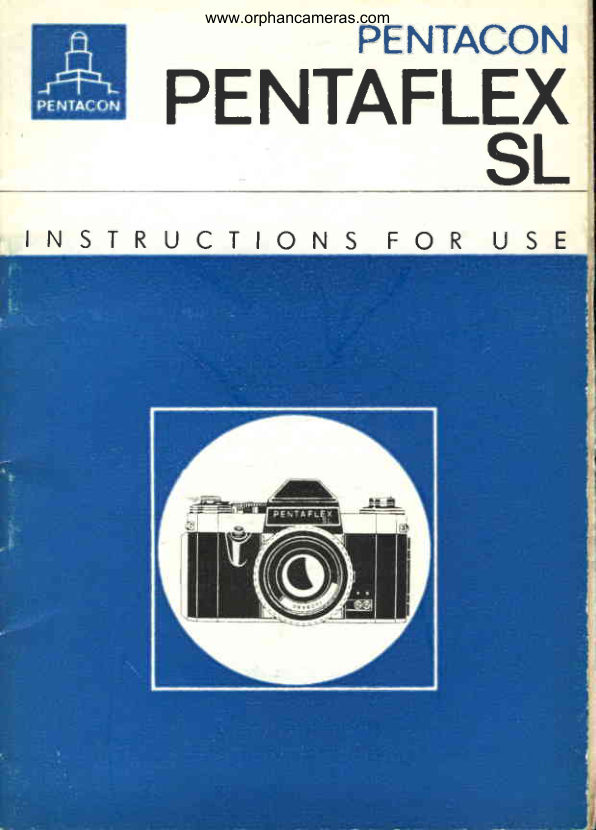
www.orphancameras.comPENTACON
   PENTAFLE
          SL
INSTRUCTIONS       FOR  USE
View original page 1Page 6 · Read text
www.orphancameras.com
 The most importont
 controls


                                                             1"lj

  1 Shutter releqse
  2 Lotchfor comero bock
  3 Distoncesetting ring
  4 Film speedreminderdiol
  5 Rewindcronk
  6 Cocking lever
  7 Rewind releose knob
 8 Film type reminderdiol
  9 Exposurecounter
 10 Diol for settingshutterspeeds
 "11Diophrogm setting ring
 12 Floshsockets
 13 Rewindknob
 14 Corriercotch
 15 Comero bock
 16 Cortridgechomber
17 Tripod socket
1B Toke-upspool
 19 Film tronsportsprocket
View original page 6Page 7 · Read text
www.orphancameras.com
   T h e P E N T A F L E X   S L    i s o  s i n g l e - l e n s
    reflex comero  for  the 24 x36mm   picture
   formot. The firmly  built-in pentoprism re-
   veols  on  unreversed ond   porollox-f ree
   finder imoge  which, through  the  instont
    return  mirror,  is  permonently  visible  ex-
   cept for the moment of exPosing.


   Speciol feqtures of the P E NTA  F t EX S L

    Instont return mirroro
   lmoge field lens for focusingo
   Conveniently ploced ropid wind levero
   Smoothly working, oblique finger tipo
    shutter releose with locking device
   Shutter wind coupled  with  film tronsporto
   Lock ogoinst double exposures ond blonksc
   Focol-plone  shutter with geometricolo
   speed groduotions  from 1/gosec. to 1/566sec.          t:
   ond B (ony desired length of time)
   Synchronizotion for  electronic  flosh ondo
   bulbs   Interchongeoble  lenses with  focol  lengths  ro
   from 20 mm to 1000 mm
   Automotic pressure dioPhrogmo
   Hinged comero bocko
   Automotic exposure countero
   Rewind cronko
    Self-locking rewind releose knobo
   Wide  ronge of occessorieso
View original page 7Page 8 · Read text
www.orphancameras.com                                                                  l


1 . Open the cqmero bo*.                                                                                                                                            iIII
2. Pull up rewind knob (13). Plqce full cqrtridge into    IJi
   cortridge chqmber(16), push rewind knob in. Insert
   beginning of film into slit of toke-up spool (18)
   until it stops, wind up film (cooting outwords) till
   teeth of tronsportsprocket(19)engqge in upper ond
   lower perforotionsof film. The film must be drown                                                                                                                                          l-t?I1,
   tightly qcrossthe picture gote.

3. Close the comero bock (15).

4. Adjust film speed reminder diol (a) ond film type
   reminderdiol (symbols8).                    +
  Cod< the shutter (cocking lever (6) ond releose it
   (shutter releqse 11, repeot this  until exposure
   counter (9) stqndson 1.

6. Determine shutter speed ond operture setting (ex-
   posure meter).

7.  lift setting diol for shutter speeds(10) ond rotote
     it until index mork ond speed number meet,
View original page 8Page 9 · Read text
www.orphancameras.com


 8. Rotote distonce setting ring (3) to  bring finder
   imoge on groundglcss screen into shorp focus.

 9. Releosethe shutter.
10. After the tqst exposure, octuote rewind releose
   knob (71. (Should rewind releose knob (7) not
   remqin depressed,keep your finger pressed on  it
   while ot the some time swinging cocking lever (6)
   oround os for os it will go). Swing out rewind cronk
    (5). Rewindthe film in direction of qrrow.

11. Open the comero ond removethe film.


Beside these points, it is very importont for you to study the fol-
lowing poges of the Instructionsfor Use corefully.
View original page 9Page 10 · Read text
www.orphancameras.com


The comero occepts oll types of  perforoted 35 mm  film  (block-
ond-white  or colour)  in commerciolly ovoiloble cortridges. Push
lotch  (2) for comero bock downwords. Open  comero  bock  (15),         . l . t
pull out rewind knob (13) os for os  it will go. Ploce full cortridge
into cortridge chomber (16).
Push rewind knob  with  slight bockword ond forword movements
in ogoin.  (Corrier cotch (14) engoges in core of cortridge). De-press rewind releose knob  (7). Insert beginning of film os for os        IIIfl
it  will go  into slit of toke-up spool (18). Rotote milled flonge of
toke-up spool (18) to wind up the film  (cooting outwords), untilthe teeth of tronsport sprocket (19) cotch the perforotions on both     It
edges of the film. Tighten the film with the oid  of rewind knob                                                                                                                                                                                                              lII(13). Close comero bock  (15)  (press  it  oh,   it  locks of  its own
occord),


The exposurecounter (9) does not hove to be set. lt stortsworking
outomoticollywhen the comero bock is closed.
View original page 10
Page 12 · Read text
www.orphancameras.com


Set the DIN or ASA volue on film speed reminder diol  (  ) (sPeed
o f  f i l m  i n c o m e r o ) o g o i n s t o n e o f the figures 12, 20, or 36 (num-
ber of fromes on the film striP).


s e t  t h e s y m b o l ( B ) s i g n i f y i n g t h e  f i l m   i n  t h e c o m e r o o g o i n s t  t h e
morking point on cocking lever (6)'


Swing cocking lever (6) oround os  f o r o s  i t w i l l g o o n d   l e t  i t g l i d e
bock. Releose the shutter, cock it once more: the outomotic exPo-
sure counter  (9) now stonds on number 1. The comero is reodY
for picture toking.
The coupling  of shutter wind ond  film  tronsport mokes double
exposures ond blonks imPossible.

6
View original page 12
Page 13 · Read text
www.orphancameras.com


           Block-ond   Colour  reversol Colour   reversol
                  * n i G         d o y l i g h t          o r t i f i c i o l    l i g h t


                      Colour  neqotive   Colour  negotive
                        d o y l i g h t             o r t i f i c i o l    l i g h t


            Attention!
         Move cockinglever onlY in wind-
            ing  direction, until   it  stoPs.
          Forced movement in  oPPosite
            directionwill couse domoge.
View original page 13Page 14 · Read text
www.orphancameras.com


Use o photoelectric exposure meier, or on exposure toble, to find
the correct shutter speed ond operture settings. Set the shutter
s p e e d b y m e o n s o f d i o l   ( 1 0 ) o n d   t h e o p e r t u r e b y  r o t o t i n g d i o -
p h r o g m s e t t i n g r i n g  ( 1 1 ) o n   l e n s m o u n t .

Setting the shutter speed
Lift setting diol (10) ond rotote  it only in clockwise direction until
the red index point meets the desired speed number. The ring
c l i c k si n w h e n d r o P P e d d o w n '
T h e f o l l o w i n g s h u t t e r s p e e d s o r e m o r k e d o n  t h e d i o l :
3 0 : 1 ' 3 s   s e c . , 6 0 :         l f u s s e c . , 1 2 5 : 1 / 1  2 5 s e c . , 2 5 0  :   1 / 2 5 s6 e c ' ,
500 :       l soosec., B  :  time exposure os long os the shutter is being
depressed.
 .   :   114sSec. (see " Flosh synchronizotion").
T h e s p e e d s o r e g r o d u o t e d s o  t h o t e o c h  f i g u r e . i n d i c o t e s d o u b l e ,
or one holf of t6e speed morked by the neighbouring figure on
the scole.
The shutter speeds con be set either before or ofter the shutter
hos been cocked.


On the modern lenses with outomotic pressure diophrogm  in the
P E N T A F L E X   S L   t h e d e s i r e d o p e r t u r e n u m e r o l n e e d o n l y  t o
b e c l i c k e d i n b y m e o n s o f d i o p h r o g m s e t t i n g r i n g  ( 1 1 ) . T h e d i o -
p h r o g m c l o s e s o u t o m o t i c o l l y w h e n   t h e  s h u t t e r  r e l e o s e  i s  d e -
pressed.
Most lenses con be stopped down  before the exposure, by o
monuolly operoble  lever, to  the preselected volue  for checking
depth of field,
A t t e n t i o n l W h e n u s i n g  l e n s e s w i t h o u t o u t o m o t i c d i o p h r o g m c o n -
trol, pleose note speciol reference under  " Exchonging lenses"'

 tt
View original page 14
Page 15 · Read text
www.orphancameras.com


                  Diol for setting
                  shutter speeds


www.butkus.us
View original page 15Page 16 · Read text
www.orphancameras.com
 Focusing


T h e P E N T A F L E X    5 L     i s p r o v i d e d w i t h o n    i m o g e  f i e l d  l e n s "
Focusing ond judging picture composition ore performed on bose
of the groundglcss imoge in the viewfinder. For this purpose, the
distonce setting ring (3) hos to be rototed in either direction until
the object in the imoge field oppeors perfectly shorp. The lens is
not stopped down during focusing, o  greot odvontoge, since  it
reveols on imoge of corner-to-corner brightness. On releose of theshutter (1), immediotely before the exposure tokes ploce, the dio-  isr
phrogm closes to the preselected volue. No further monipulotionso r e  r e q u i r e d , t h e c o m e r o  r e m o i n s i n  t o k i n g p o s i t i o n , d e m o n d i n g      !I
o m i n i m u m o f  t i m e b e t w e e n f o c u s i n g o n d m o k i n g t h e e x p o s u r e .
T o k i n g  l e n s o n d  f i n d e r  l e n s b e i n g o n e o n d  t h e s o m e , t h e r e  i s n o
donger of porollox error. Persons with foulty eyesight moy insert o
corrective lens in speciol mount  into the eyepiece of the view-
f i n d e r ( c o n n e c t i n g p o i n t  f o r  f u r t h e r s p e c i o l f i n d e r e q u i p m e n t ) .
On lenses with pre-set diophrogm,  first set the desired operture
b y m e o n s o f  t h e d i o p h r o g m s e t t i n g r i n g . B r i n g t h e  i m o g e i n t o f o c u s
with the lens ot  full operture ond, without removing the comero
from your eye, stop.down  to the pre-set diophrogm  setting. The
depth of definition is indicoted by the depth-of-field scole on the                                                     it lens mount. On  the  left ond right of the distonce setting index
(triongle or stroke) ore diophrogm numerols. Next to them ore the
distonce figures showing the limits of the zone of shorpness.
View original page 16
Page 18 · Read text
www.orphancameras.com


                                                                                     ^al;1,                      #fl:


 Depress shutter releose (1) smoothly until the  shutter hos run
down. Accidentol tripping  of  the  shutter con  be  prevented by
rototion of the milled ring to moke the red dots meet. Unlocking
is performed occordingly. For exposures longer  thon  1,,r3ss€C.
(B setting) it is odvisoble to use c tripod ond o coble releose.
C o b l e r e l e o s e c o n n e c t i o n i n b o d y r e l e o s e .


W h e n   t h e  e x p o s u r e c o u n t e r    i n d i c o t e s  t h e  n u m b e r  o f   f r o m e s
m o r l < e do n  t h e w r o p p i n g o f  t h e  f i l m  i n  t h e c o m e r o , r e w in d  r e l e o s e
knob (7) hos to be depressed, rewind cronk  (5) swung out ond
the film rewound in the direction of the orrow. Towords the be-
g i n n i n g o f  t h e  f i l m s t r i p t h e c r o n l < b e g i n s t o  t u r n m o r e e o s i l y .
 l f , w h e n  t h e   f i l m   i s  t o  b e  r e w o u n d , t h e  s h u t t e r  i s n o t , o r o n l y
portly, cocked, rewind releose krrob (7) hos to be depressed ond,
ot the some time, shutter cocking lever (6) wound up to  its stop.
T h e r e w i n d r e l e o s e k n o b  t h e n  r e m o i n s i n d e p r e s s e d p o s i t i o n o n d
 t h e  f i l m c o n b e  r e w o u n d o s d e s c r i b e d o b o v e . O n  r e l e o s e o f  t h e
s h u t t e r ,t h e  r e w i n d r e l e o s e k n o b   j u m p s o u t o g o i n .
A n e w  f i l m ,  i f  r e q u i r e d , i s  i n s e r t e d o s d e s c r i b e d u n d e r , , l n s e r t i n g
t h e  f i l m " .

1 2
View original page 18Page 19 · Read text
www.orphancameras.com


Shutter con be releosed           Shutter connot be releosed


                                                    1 3
View original page 19Page 20 · Read text
www.orphancameras.com
         't. --                                         :  :'                       '1.:..'.                                                                   -i.''  :'                      :                l   :l;:'.:. ,    '  ' 1 , 'Exchonging            lenses                                                                                                                                                              .  l    :


Toke hold of lens mount ond  rotote  it in onti-clockwise direction'
The exchonge lens is inserted occordingly.
The comero occepts ony lens with the M 42x 1 screw fitting, with
focol lengths from 20 mm to 1000 mm. when  using filters, pleose
observe the slip-on or screw-in dimensions of the mounts'
For the  use  of  interchongeoble lenses without outomotic  dio-
p h r o g m c o n t r o l , t h e d i o p h r o g m m e c h o n i s m i n  t h e c o m e r o , u n d e r -
neoth tlre instont return mirror, hos to be disconnected (see orrow).
 Lift tlre mirror corefully by  its frome  (do  not touch the cooted
surfoce with your fingers) ond move the red-morked knob (-+) to
 t h e  r i g l . r io s  f o r o s   i t w i l l g o ;   t h e n   l e t  t h e m i r r o r  r e t u r n  t o    i t s
4 5 ' : ' p o s i t i o n .
Proceed in reverse order when using lenses with outomotic dio-
phrogm    red-morked knob  must be moved  to  the  left  (-)'
S h o u l d  t h e m i r r o r b e o c c i d e n t o l l y p u s h e d u p   t o o   f o r w h i l e  t h e
 s l i u t t e r i s c o c k e d  i t w i l l  r e m o i n   i n   t h e  h o r i z o n t o l p o s i t i o n . o n e
 b l o n k e x p o s u r ew i l l b r i n g t h e m i r r o r b o c k t o 4 5 ' " .
View original page 20Page 22 · Read text
www.orphancameras.com
                                                                            '-l:"::i'-.:sl'ir:::r',: .,'!'.-""      -                .       ':                                                                               .'   i,:.:'li:,                       i-:,.]:a ..11::::.. :':...',,:..".                                                                                                                                                      .:.j-'                                  :1             '                            '         3yrr*    niZOtlOni:                "r            ""r


There ore two woys of synchronizing flosh light to the P E N TA  -
F L E X S L . T h e c o b l e o f  t h e  f l o s h e q u i p m e n t h o s  t o b e p l u g g e d
i n t o t h e c o r r e s p o n d i n gs o c k e t ( 1 2 )  i n  t h e c o m e r o ,


F synchronizotion
The F switch releoses the flosh obout 10 ms before the imoge gote
is completely uncovered by the shutter. lt is used for short burning
flosh bulbs. Using the F switch with these bulbs hos the odvontoge,
os compored with the X switch, of permitting o foster shutte'speed
setting. An exposure speed of  1r':osec. con be recommended for
s h o r t b u r n i n q b u l b s .


X synchronizotion
The shortest exposure time for this flosh connection is 1/aosec. ( i).
The X switch is designed for synchronizing electronic flosh units.
It releoses the flosh when the shutter hos completely uncovered
t h e  i m o g e g o t e .
View original page 22Page 24 · Read text
www.orphancameras.com


T h e P E N T A F L E X   S L , o s o  h i g h l y v o l u o b l e i n s t r u m e n t m, u s t
be protected from shock ond  dust. From time  to time  dust ond
film emulsion deposits hove to be  removed  with  o  soft  brush
from cortridge chomber, spool chomber ond  film  trock. Do  not
touch the opticol ports (lens, viewfinder, mirror) with your fingers.
Should  this hove hoppened, remove finger morks immediotely
with o soft brush or oiece of soft linen.


                                                                  tf


Further developmentof the comero moy leod to slight olterotions
of the detoils given here.


We request you kindly to follow these Instructions for Use core-
fully, since we con occept no liobility for domoge coused by im-
proper hondling of the comero.

1 8                                                                                                                                                            VtI
                                                                                                                                                                                                        II
                                                             .^&.
View original page 24Page 25 · Read text
www.orphancameras.com


                        EverreodyCose
                       Coble Releose
                              Filters
                       Lens Hoods
                         Corrying Strop, odjustoble
                        IntermedioteRings
                         Speciol IntermedioteRing
                           with Double Coble Releose
                        IntermedioteRings with Plunger
                        RevetsingRing
                        Close-up BellowsAttochment
                       FocusingSlide
                        FocusingTelescope
                       Angle Finder
                      Rubber Eye Cup
                      Mount for correctivelenses
                          UniversolTripod
                        Microscope Attochment Piece
                        AccessoryShoe,
                           ottochoble,for fixing other occessories


I


I
j -                                                            1 9
I
t'
View original page 25Page 26 · Read text
p                    www.orphancameras.com


                                                         F

                    Cross section
                    o f   t h e P E N T A F L E X  S L . A  s u r f o c e -
                    cooted mirror deflects the imoge designed
                    by the  lens to  the focusing system. By
                    pressureon the shutter releose,the mirror
                            is swung out of the poth of roys ond, for-
                  ming o  light-tight cover over the focusing
                    system,ollows the light roys to poss on to
                     the  imoge  plone. The  mirror hoving
                   reoched its uppermost position,the shutter
                  opens for the exposure.After the exposure
                     the mirror immediotely returns to its view-
                     finder position (45o),This meons thot              I
                                            permonently                           imoge                                                  is olmost                     the finder
                                                      is going                                whot                       visible,                         showing                                                          to oppeor            YisIiI
                   on the negotive.                                                                                                                                                I
                   Since the toking lens octs os finder lens,      If
                    there is no porolloxerror.The finder imoge
                           is somewhot smoller thon  the  picture
                     formot. Everythingvisible in the viewfinder
                           is sure to oppeor on the film. In picture
                    composition,therefore, the finder imoge
                   con be  utilized to  its very edges. This
                    renders it possibleto use lenses of vorious
                       focol lengths, ond  olso the occessories,
                     without ony extro finder ottochments,The
                       porollox-free, unreversed reflex  finder
                  imoge olwoys shows you whot your picture
                          will be like.
20
                                            I
                                    .*l
View original page 26Related documents and language editions

From the M. Butkus archive. Original publisher and archive notices are retained.
Check the model and edition against your equipment.
PDF verified 2026-10-10.