Film cameras
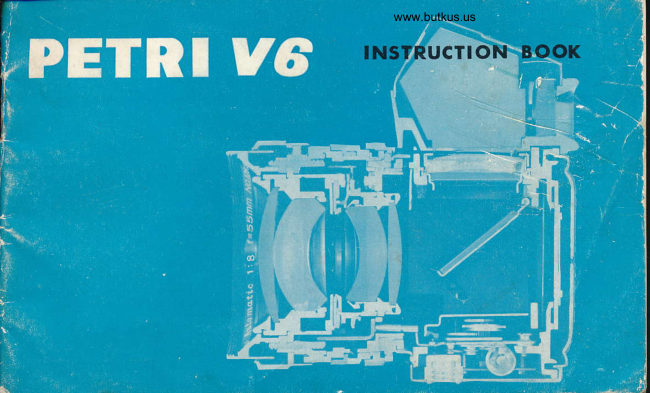
Petri V6 User manual
User manual for Petri V6. 22 pages in English. Read the original PDF, download or print a copy without registration.
22 pagesEnglish6.8 MB PDF
Loading your manual…Open PDF directly
Document details
- Brand
- Petri
- Model / document
- Petri V6
- Document type
- User manual
- Language
- English
- Pages
- 22
- File size
- 6.8 MB
- Category
- Film cameras
- Document date
- Not specified in catalog
Search available document text
Find a term, then jump to its page in the original PDF. Image-only pages may not be searchable; check the PDF for exact wording and diagrams.
Page 2 · Read text
-f

lllAI0R SptctHcATl0Ns 0F PITRI rH)( v0

Type:                   Single Lens Reflex 35mm camera with fully automatic dia-
                     phragm and quick return mirror.
Film size:             35 mm film (20 or 36 exposuresl
Picture size  :        24mmX36 mm
                                                                                       ( or f 2) colour corrected lens.Standard Lens:            " PETRI " 55 mm/f 1.8,
                       Speeds: B, L12,7l4,I18,LlL5, 1/3O, X, 1/60, llL25 and 1/5OO
                        second. Singie pivot non'rotating shutter dial
Viewf inder:             Penta Prism viewfinder with built'in " Micromic'Lens Focusing ".
Film transport:          Rapid, single stroke (18O") lever transport which advances the
                            film and Cocks the shutter simultaneously.
Synchronization  :        FPI n,l and X automatic setting
lnterchangeable Lens  :   Bayonet-type lnterchangeable Lenses can be attached to the
                         camera
Others:                 Automatic Resetting Film Number lndicator with crank type
                            film rewind system and built'in selftimer
View original page 2Page 5 · Read text
www.butkus.us


@ Fitm Cassette Chai,rber
@ Tripod Bush
@ Film Rewind Buttorr
@ Distance Scale
@ Depth of Field lndicator
@ Diaphragm Scale
@ AUTO & MANUAL Diaphragm Switch
@ Diaphragm Pin
View original page 5
Page 8 · Read text
www.butkus.us


Advance the Film Advance  Closing the Gamera Back  Release Shutter Release
Lever                    The Camera Back will auto'  Button and advance the
Advance the Film Advance   matically be closed by light  Film Advance Lever.                                pressu re.                    Repeat this action twice, andLever a little to see if thefilm is fastened round the                        you are ready to take your
Take-uP Spool, before closing                                        first picture.
camera back.
View original page 8
Page 9 · Read text
-T


I,IEI{TINDER AND TOCUSII{O

                             The perfect combination of Fresnel Screen and @                                    Condensor Lens used in the viewing system of
                                        every Petri Flex V6 is the result of Petri's highly
                                    advanced technical and engineering ability. The
                                            precision focusing elements in the viewing system
                                            consist of a group of micro-lenses as shown in the
                                          centre of the picture. As you look through the
                                             micro-lens area @ in the viewfinder, you can see the                                           subject clearly, ONLY when it is correctly focused.
                                          Rotating the focusing ring you will notice the ap-
                                        pearance of something like a mesh of a net in the
                                             centre of the viewfinder. This reticulation is caused
                                by the flickering of reflected light entering the
                                     camera lens. When the subject is correctly focused
                                      the flickering grid fades away from the micro-lens
                                       area. ln the second inner circle @ the subject is
                                      always seen sharp and clear, even when the lens
                                                   is out of focus. When the lens is correctly focused
                                      the image in the micro-lens area will be as sharp
        IN FOCUS      OUT OF FOCUS    and clear as that seen in the surrounding circle @.
View original page 9Page 10 · Read text
www.butkus.us

     USI}IO TllE TULLY AUTOMAIIC & MAI{UAL DIAP||RAGM OI TllE TEIIS
                            .r-   /l'@'E'O'trfi
                                                        "t                                                     y tt Y3' -?                                                          h:?,T,,"  t n ln,,:  I 1'"?' h                                                                                                                                           i,Xo lT f:L# l5;                                   tnd lens barrel-the"        diaphragm is now set for                                   FULLY AUTOMATIC operation. This is the normal
                                                position for most circumstances. When you want
                                     to release the Automatic Diaphragm, slide the
                               AUTO & MANUAL Switch in the direction indicated
                                       by the arrow on the ring.
                                                x When the DIAPHRAGM is set on the AUTO position,
                                                                   it will only stop down to the set aperture, when
                                        the shutter has been released. The AUTO position
                                         enables rapid accurate focusing as the subject in
                                        the viewfinder is very bright and the DEPTH OF
                                      FIELD is extremely small. The MANUAL position
                                 has the advantage that you can pre-view the                                DEPTH OF FIELD and see in the viewfinder the
                                             lens zone of sharpness with any aperture.
View original page 10Page 11 · Read text
USING T]lE SETTTIMER                  rHS]l PHOTOCRAP}IY
                                                                                     synchroni-                       Adjust the Selftimer     The shutter of the camera is                                                                                                     en-                        Lever in the direction      zed for use with flash bulbs, whi,ch
                         indicated bythearrow      ables you to take photographs even when                                                                      With refer.                      in the  illustration      the light is extremely poor.                                                                                            con-                        (180')Pressthe "Self-      ence to the picture (see next page)                        timerRelease Button"       nect the synchronizing cable of the flash
                 and the frame will     gun to the flash socket on the camera. www.butkus.us          be exposed after a      The flash gun can be attached tothe PETRI                                          FLEX V6 by way of the camera accessory  delay of apprgximately 11 seconds.                                           shoe. When using F class, M class andx Note that the Selftimer can be set at in     FP class flash bulbs, or Electronic flash  betryeen position so as to shorten the re-      shutter speeds must be selected accord-
  lease time.                                   ing to the table shown below. (Speedsx The Selftimer can be set either or after      within the coloured area are available).  advancing the film.
x All shutter speeds with the exception of the
 B setting can be used with Selftimer.
x'The main use of the Selftimer is when the
  photographer wishes to join a group, which
  he is photographing.  lt can also be useful for
  Microscopic photography or when using a
  long'focus length. ln all cases the use of
  tripod is recommended.

 t0
View original page 11Page 12 · Read text
www.butkus.us

ll0tll TO ]IOLD YOUR PETRI FIE)( t|O CA]V|ERA
Hold the camera body flrmly with your right hand and lightly
touch the SHUTTER RELEASE BUTTON with your right index
finger. Support the base of the lens with your left hand and
arrange your flngers on the DISTANCE SCALE so that you can
quickly focus.
View original page 12
Page 13 · Read text
FI.AStl PllOTOORAPllY
The shutter of the camera is synchroni-
zed tor use with flash bulbs, which en.
ables you to take photographs even when
the light is extremely poor. With refer-
ence to the picture (see next page) con-
nect the synchronizing cable of the flash
gun to the flash socket on the camera.
The flash gun can be attached to the PETRI
FLEX V6 by way of the camera accessory
shoe. When using F class, M class and
FP class flash bulbs, or Electronic flash
shutter speeds must be selected accord.
ing to the table shown below. (Speeds
within the coloured area are available).
View original page 13
Page 14 · Read text
www.butkus.us


               Rewinding the Film                   Removing the FilmTIL1ll              Pull out the FILM REWIND CRANK. Press   Pull out the FILM REWIND
               the film REWIND BUTTON located at the  KNOB and remove the FilmUI{LOADI1{G      bottom of the camera body and turn the   Cassette.
             REWIND CRANK in the direction indicated
                   by the arrow. Make sure tlrat the film is com'
                   pletely rewound into the cassette before
               opening the camera back. This can be
               checked by advancing the Film Advance
                Lever and observing that the Film Rewind
               Crank does not move in the reverse direc'
                  tion to that indicated by the arrow.
View original page 14Page 16 · Read text
www.butkus.us

ll0l|l TO USE T]lE PETRI CdS T)(POSURE METER
  'Film Speed lndicator   Shutter Speed Dial
                           ASA Exposure Multiples 6, LO, 25,. 164l., 10O, 200, 400,
                                   8OO, 1600;32QO
                                DIN Exposure Multiples 9, tl,  15, . (16), 18, . (191, 21,
                              Guide Line  24, 27,30, 33, 36
                               Set the Film Speed Dial   Slide the Exposure Meter                               (ASA or DIN) to the cor-   into position between the
                                  responding number of the   two-pin holders located on
                                       film in use.                the right hand side of the
                                                            camera body while pressing
                                                       the Meter Lock by thumb.
                                               The metal hooks of the
                                                             meter engage with the pins.

  Exposu re
  Meter Lock


           H-O-L Switch        Photo'Cell
View original page 16Page 17 · Read text
Mallory PX-13
 i bottom of the Meter by turning in an anti-clockwise    MalloryEvereadyRM625E625
  direction. Replace with a new Mercury Battery and    National M -1D  ensure that the positive (*) is facing the,outside    Toshiba TH.MC
   of ..the battery compartment. Mercury Battery    c.E. 625  suitable for use with this metei is:

 Rotate the Shutter Speed Point the camera at the    Select the shutter speed, which is
 Dial on the CdS Exposure  subject. Turn the "H-O-L"     indicated by the red line on the left Meter to the right or l:ft Switch to the "H"  posi-    hand side of the meter. Read off the  until a slight click is heard, tion when using under     aperture indicated by the red indicator
 which indicates that it has normal daylight condi-    needle by following the Guide Lines engaged with the Shutter tions. The "L"  position    leading from the indicator needle to Speed Dial of the cdmera.   is set when the lighting   the aperture scale. Transfer this                                 is poor.                    aperture to the diaphragm of the
                                               camera lens.
                                                          ln order to remove the meter,  it must
                                               be remembered to press in the lock
t                                                      at the side of the meter.                                                   ln order to conserve the life of the
                                                Mercury Battery, turn the " H-O-L"
                                                         switch to the " O " position when the     www.butkus.us                                    meter is not in use.

                                                                                                                    15
View original page 17Page 20 · Read text
www.butkus.us

PETRI INTERC]IAI{GEABLE IEI{SES


             35 mm           135 mm          2OO mm          4OO mm

                           28mm f :3.5 Wide Angle Automatic diaphragm
                            35mm t'.2.8 Wide Angle Automatic diaphragm
                               135mm f :3.5 Telephoto Automatic diaphragm
                                 135mm  f :2.8 Telephoto Pre.set diaphragm
                               2OOmm f ;3.5 Telephoto Pre-set diaphragm
                                 300mm f : 5.s Telephoto Pre'set diaphragm
                               400mm  f  : 6.3 Telephoto Pre'set diapragm
                              gOmm-19Omm f :5.8 Zoom Lens ggs                               8Omm-2OOmm   'f :4.5 Zoom Lens
View original page 20Page 22 · Read text
www.butkus.us


PETRI cAMERA coMPANY. lNc.
  L2-25 7-Chone, Umeda, Adachi'ku, Tokyo, Japah,.
View original page 22
Related documents and language editions
From the M. Butkus archive. Original publisher and archive notices are retained.
Check the model and edition against your equipment.
PDF verified 2026-10-10.