Flashes & lighting
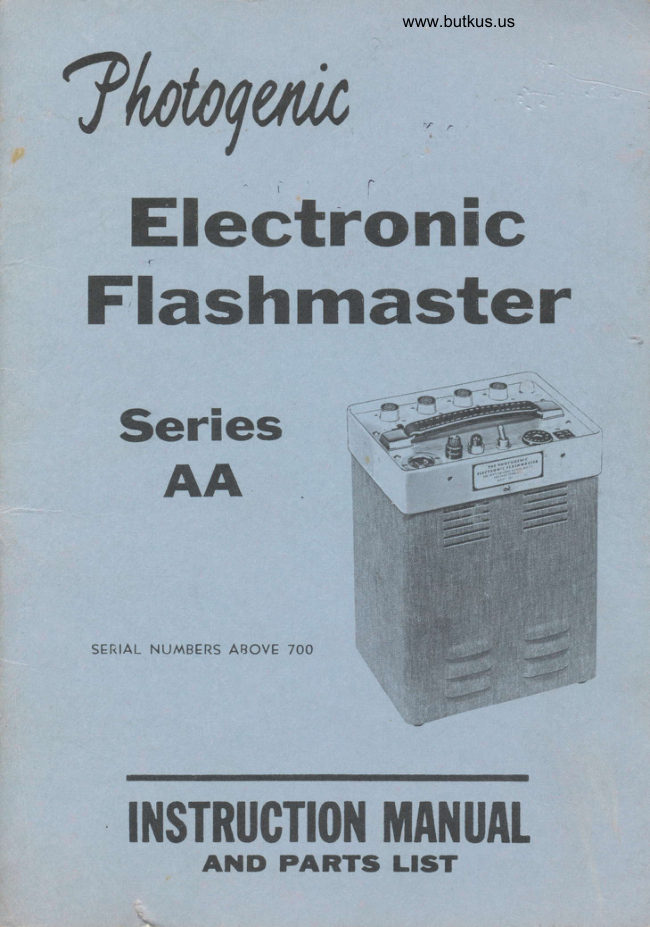
Photogenic Electronic Flashmaster Series AA User manual
User manual for Photogenic Electronic Flashmaster Series AA. 29 pages in English. Read the original PDF, download or print a copy without registration.
29 pagesEnglish4.9 MB PDF
Loading your manual…Open PDF directly
Document details
- Brand
- Photogenic
- Model / document
- Photogenic Electronic Flashmaster Series AA
- Document type
- User manual
- Language
- English
- Pages
- 29
- File size
- 4.9 MB
- Category
- Flashes & lighting
- Document date
- Not specified in catalog
Search available document text
Find a term, then jump to its page in the original PDF. Image-only pages may not be searchable; check the PDF for exact wording and diagrams.
Page 1 · Read text
www.butkus.us
?trnrqua
  Electronic
 Flashmaster


   SERIAL NUMBERS ABOVE 7OO


    II{STRUCTI(II{ MAl{UAt
      AND PARTS LTST
View original page 1Page 2 · Read text
# ffia{I                                                                             -l FJ3                                                                                                                                                                       "ff
                                                          lH+
           PHOTOGENIC SPEED-LITE          lH+
                                                          -t                                                                          I                    lH+
                                                         ltr        Uilsrrsntg                                                           lH3
          We wa^rrant all Photogenic Electronic Flashmaster Speed-    lHi
             liehts to be free ftom defects in naterial and factory   lH+            workmanship. atl parts, including electronic components,                                                         lH+            are warranted for one year except for the trigger tube,
            fuses, and modeling lamps.. We limit our warranty for   lH3
              trigger tubes to the replacement of such defective tubes   lH+
          when returned to us through our dealer or authorized    lH+            service agent, transportation prepaid, within g0 days                                                         lH+            from the date purchased. Fuses and modeling lamps are
            guaranteed only to be operating at the time of purchase.    lH+
             All other parts carry a pro raCa guarantee of one yea^r,s   lH3
             seryice. Any part found defective will be repaired or re-    lH3
            placed for a service charge proportional to the length of   lH+
           tine the part has been in service. p\rr example, a de-    lH+             fective part returned six months after purchase will be             replaced at one-half price.                            lH3
                                                         lH+           This waranty does not apply if the warranty card ir            cluded with each outfit is not completely filled out and  t#
            mailed upon receipt of equipment. It also does not apply    lH+
                  if the outfit has been abused or connected in a manner   lH3            other than in accordance with these instructfons or has                                                         lH+           been repaired by an unauthorized person or without our
               authorization.                                      lH3
                                                                                                                                                             I F3+
                                                         lH+
                                                          lH3      THE PHOTOGENIC MACHINE COMPANY                                                          lH3
         21 c,LI\/E STREET    YOUNGSTOWN  I, CtHICl  t#
View original page 2Page 4 · Read text
PART I
          cENERAL TNFORMAT|OIy
          ABOUT SPEEDLIGHTS

 Section l. INTRODUCTION
   Electronic speedlights are versatile sources of illumination which will fill nearly every lighting need in the photogaphic studio. They
 are indispensable when photographing animals, children. or ally moving
 objects. The speed of the flash, about l/1000 second in most speed- lighis, will stop any rapid nption to be photographed in the studio.
   Not only is the flash of light of short duration, but it also provides
 a high level of effective illumination without the need for heavy service
lines. This is accomplished because the enerry to produce the light is gradually accumulated in the capacitor bank during the charging
period. The entire amount of enerry is then discharged through the
Xenon gas filled flashtube, producing an extremely brilliant flash of
 short duration.
  The color of the light produced is of approximately drylight quality,
so that daylight type color films nay be used with little or no color
correction. Even mone important, the color temperature does not ctange
appreciably when the line voltage changes. which means that good
results do not depend rpon the line voltage being carefully adjusted
to a predetermined value.
  The amount of illumination is governed by the voltage of t}te ctarge
in the capacitor bank, as well as by the amount of capacitance.  In
general the total Watt-second rating will determine the amount of
illumination which a given speedlight will produce.
  An example may serve to illusJrate the neaning of the term "Watt-Seconds." Assume that a reflector equipped with a 100 Watt incan-descent lamp is being used. Assume also that the lamp is turned on
for one full second to make the eleosure. The total enerry used by
the lamp during the exposure is then 100 Watt-Seconds. A Speedlight
with a ratlng of 100 Watt-Seconds would also use the same annunt of
enerry; however, the energy would all be used durinC f/1000 second
instead of one second. If the efficiency of the two lamps is the same,
each would produce the same total amount of light. The Speedligtt
would be much bnighter, but the flash would be extremely short.
  Enerry in Watt-S€conds nny be calculated by the following formula:
                     cv2     Energy in Watt-Seconds :   2
   C is capacitance in microfarads and V is voltage in kilovolts.
                                  2
View original page 4Page 5 · Read text
www.butkus.us

         Section 2. USE OF SPEED-LITES
         In general the speed-Lite differs litile from other types of illu-        mination, when using a type of sensitired material suiieo for tnis     PurPoSe.                                      :r  r
          Lightings may be made in much the same manner as you are ac-        custorned to making with other types of illumination.  It may require       some slight anrount.                              9f-,exnqrinentation rto adapt yourseft to iniJ lvpe       of light. This is. chiefly due to th-e fact thaf you will ue using i'ne        output of the nndeling lamps for ybur visual w6rk. It should be"con-        sidered that you are working at levels of illumination which are prob         ably less                  than                       one-tenth                                   of                                  those to which                                             you have                                                                   accustomed.                                                   become-light                pause          mav      This                               misjudge                    vou to                                                                  of                                     the bdlance                                                                                  nuC-a-iter"itre
          first few negatives you wiil find that you will be abie to compensale          for these erors.
I             It may be desirable to use a foot candle meter or exposure meter
         until you are accustorned to reading this type of illumination. tn using      the meter it is advisable to maintain a-lhree to one ratio between        highlight and shadow. This, of course, is for standard tt'ee-quaitlr        lightings and can be varied to suit your purpose. With a small amount
       of experience you will find that you will be able to interpret tn" figtrt         without the use of the rneter.
         For portraiture it may be advisable to use diffusers, or barndoors
       with diffusers, in order to control the illumination. In this manner it       is possible to use a larger diaphragm stop resulting in impioved         portrait quality.
         There are varied opinions concerning the type negative nmterial-speeo_to       use. It is impossible to predict the action of any                                                       -theemufsion, wittr       Lite. from the daylight or tungsten rating of     emulsion. In other       words a normally slow emulsion may be extremely fast when used with
       speed-Lite and the t'everse may be true with a normally rast erur"ion.
         There are also varied opinions concerning developing time reeuired       with Speed-Lite negatives. Many photoexaphers find that normat O"-       velopment is in order for them while otneri feel that up to zsvo ouir-       development will give better results.
      We suggest that you contact your supplier of sensitized materials
        for his recommendation of the correct typ; of emulsion and o"u"iopinl       technique most suitable for Speed-Lite photography.
       Section 3. SYNCHRONIZATION
       An Electronic speedlight flashes within a few millionths of a second        after it is triggered. The camera shutter should theiefore be equippeo
        with contacts of the zero delay trpe for use with speedlight
          Synchronization is--exhemely important and the greatest care should
      be taken in making all connections to the synchronizer cables. If these       connections are not made in a careful and workmanlike manner; ;ith;;
View original page 5Page 6 · Read text
an intermitCent connection or an electrical leak between the two leads
 may result. Either will cause unreliable performance. An electrical leak will be especially noticeable during humid weather. Wtren minin!
 any connection to the trip cord the following steps Should be observed-:

                                                            |.         [c

           ["                                      I
                                             I
  UFie. I   Preporotion of Synchronizer Coble    rV
 1. Cut wires of the cables Co be connected a^s shown ln Fi& la.
2. Strip each lead I/2" (Fig. 1a).
3. 1'wist leads together and solder securely. Use only rosln @resolder. Us€ no flux either pste or liquid. (Fig. 1b).
4. Insulate with Scotch No. 33 electrical tape or equivalent. (Fig  1c).
   After the synchronizer cable is properly connected it is rryell to check
the synchronization with the camera. Adjust the ligtrting unit to the
s&me heieht as the cemera lens and face the light into the lens. The
lens aperture should be opened to its fullest extent and the camera back
rennved. Looking at the lens through the back of the camera. operate
the shutter. The flash of the light should then appear as a circle the
same size as the aperture. A few sheets of white paper in front of the
lens will cut down the brilliance of the flash and aid in naking the
observation. It is best to perfam this test with the nndeling lamp
turned off. If the circle is flattened on the sides, or if no lieht appears
through the lens, the shutter is not synchronized with the tighL Shu0er
contacts for this lieht should b€ the X or zgro delay type. If the light
appears not to be synchronized the shutter contacts should be checked
by a reputable canera repair man.
Section 4. SAFETY PRECAUTIONS
  Despite the extrcme rrp&suFes that have been taken to mahe thisequipment foolproof,  it must be recognized that high voltages do exist
within the power supply, cables. and lighting urits. Therefore. certain
precautions must be observed in handling the equiprnenL
View original page 6Page 7 · Read text
www.butkus.us

  Do not attempt to change i-lashtubes or modeling lamps unless the
 unit has been discharged and the lighting unit disconnected from the power supply.
   Always make certain that the power supplf is disconnected from
 the 115 Volt A.C. Iine before attempting to service it.
  Do not open the power supply case or disassemble any of the equip-
 ment unless you are farniliar, with equipnrent of this type.
                      DO'S ANO OO*'r,
 DO - Turn Power Supply Unit ..OFF,, when not in use.
 DO - Avoid'quick.repeated flashing Damage mayresult.The  full cha^rging time should be allowed between flasnes.
 DON'T - Permit a lighting unit cable to become frayed or loose in a connector.
DON'T - Insert or FUemove a Flashtube unless the power supply unit is fully discharged.
DON'T                                   power        - FUemove                 the                     top eover                              from                                   the                                              Supply                                                    Unit                                                           or place^capali-ahand near         any part                   inside                                  you                          the unit                                       until                                            ur"                                                               tne                                                          tnattor bank is fully discha.rged.                      "bitain
DON'T - Insert a screw driver or other metal object into the flashtube
socket or ar\y electric ouilet, socket or receptaile. Contact witn nignvoltage may result.
poN'T - Attempt to make repairs to the speedlight outfit if you are notfamiliar with electronic equipment. your dealei should Ue- consutieO
rega^rding an authorized electronic or ra.dio service man.
DON'T - Use a higher rated fuse than is recommended.
PON'q - Plug the unit into any service except 110-120 V. 60 cycleA.c. If this unit is plugged-parts.into D.c. service ir m-av result in seriousdamage to the componenf
View original page 7Page 9 · Read text
Venmo @mike-butkus-camera  Ph. 2083
PayPal Name  Lynn@butkus.org      www.PayPal.me/lynnbutkus
View original page 9
Page 10 · Read text
www.butkus.us
             PART II
     THE PHOTOGENTC FLASHIYTASTER
              SPEEDLIGHTS
                                                 i       '                f' Section l. GENERAL
   This manual covers all Flashrnaster Speedtight outfits having a cata-
 log number in the AA series
   This iqchdes catalog AA01 and AAo3 power packs ard g0so-L,
 8050-M, AA11, arrt AA12 lighting units.
   The fhotogenic Flashmaster is a portable multiple-light speedligtrt outfiL rt is designed for continuous heavy duty service, and- incorpo-
 rates many special features which make it ideally suited for schbol
 photography, Santa claus photography and other high production work.
The power pack is voltage regulated to provide the constant light out-
 put which is so necessary for quality color photography, especially
 where the film is processed automatically.
   Two, three and four light outfits, using 6rr,9rt,1ltt  or 16rr lighting
units are available. Each power pack will accommodate up to fourlignt- ing units.
  The power pack features voltage regulation, a misfire alarm, a very
rapid recharge, and components rated for continuous heavy duty service. All power packs are built hround the ..Do-rr-youRSELF, repair con-
cept which is exclusive with Photogenic in the speedlight field. The
elechonic components are mounted so that they can be quickly replaced
by anyone without use of a soldering iron.
Seclion 2. UNPACKING AND SETUP
  Unpack all uni.ts carefully so as to make certain that all parts ?r€ na-
moved from the cartons. Do not discard or destroy packing material until
the equipment has been assembled and all parts are accorulted for.
   After unpacking, all parts should be examined for any damage which
may have been caused by rough handling during shipmenl rF ANy
DAMAGE IS DETECTED, CONTACT THE DELIIr'ERING CARRTER AT
ONCE. CLAIM FOR DAMAGE SHOULD RF' MADE TO THE DELIVER.
ING CARRIER NN'PoRE DESTROYING PACKING CASES.
  The 6" and 9" lighting units are shipped completely assembled and
ready to operate. It is only necessary to set up the stands and fasten
the lighting units to thern The l1r, and 16r'righting units are shipped
with the lamps packed separately. After unpacking, install the flash-
tubes and modeling lamps. Slip the cord into the snap ring provided on
one of the stand legs, so that the stands will not upset too easily ifanyone accidentally kicks one of the cords.
View original page 10Page 11 · Read text
A. INITIAL OPERATION
   Plug in four lighting units and connect the line cord from the power
 pack to a wall outlel Turn tJle power switch ON.
   As soon as the switch is turned on, the red igdigator will light. At
 the same tirne, the white charge indicator will come'on, indicating that
 the power pack is charging In about four or five seconds, when the
 power pack reaches full charge, the white charge indicator light will go
 out. This indicates that the pgwer pack isrfully charged and is ready to
 flash. Plug the trip cord into the power pack and trigger  it by touching
 the ends of the wires together, the iights will flash. As soon as the
 lights flash, the charge indicator light will come on again and will go
 out after the power pack is fully charged.
   When the switch is turned off the power capacitors will be completely
 discharged by the discharge relay inside the power pack. The charge
 indicator light will come on and then dim out as the capacitors dis-
 charge.
 Section 3. USE OF THE LIGHTS
   A. POWER SUPPLY
     I. Power Plugs . Model AA0t Power Poclr
   The model AA01 power pack has a total output power of 400 watt-
 seconds. Many different combinations of output power are available by
 using different power plugs. The power output indicated on the plug is
 obtained when the arrow on the plug lines up with the dot  on the
 control panel. See figure 1. This selector is not a turn type switch, but
 rather a plug which must be physically removed and re-inserted with the
 pointer toward the power choseru Power changes should not be made
 without first turning off the power switch, which will discharge the
 power capacitors.
    AUTIO      CAUTIO      CAUTION
         TURN UNIT OFF               TURN UNIT OFF                TURN UNIT OFF
        EEFORF CI{AN6IN6             BEFORE CHAN6IN6             BEFORE CHANGIN6
           POVERo PLU6                 POVERo PLU6                  POVERo PLU6FI G.
   t


       4x100            4x50              400 w-s
  Two power plugs are supplied with the equipment.
   Using plug No. 1 in the "4x100tt position, each outlet will provide100 watt-seconds. With the same plug in the r'4x50tt position, each out-
let will  provide 50 watt-seconds. All four outlets are isolated. The
View original page 11Page 12 · Read text
www.butkus.us
 power supplied to each light is constant, and is not affected by any
 other lights which are plugged in.
   using plug No. 2, marked 400 watt-second, tlr€ entire 40o watt-
 second output of the power pack is connected to all four outlets. If a
 single light is used, the full 4oo watt-second pgwgr is available to it.
 If more than one light is used, the power will divirie equally among the
 lights connected. cAurIoN: Do not apply more than 200 watt-seconds
 of power to the small (6,t or 9rr) lighting units, or the flashtube may be
damaged. The full 400 watt-qeconds mayrbe safetly apptied to the large
 lighting units using either the DW7 or the FT30o flashtubes. cAUTroN:
Do not change the power plug with the power pack turned on" Always
 turn it off and allow a few seconds for the capacitors to discharge first
 before changing plugs.
  Many otlier combinations of output power are possible. write us ad-
vising the power distribution desired and we will furnish a special
oower plug.
   2. Power Plugs . ltodcl AA03 Power Pock
  The model AA03 power pack has a total crtput power of 200 watt-
 secotds. Two power plugs are supplied, No 31 ard No. 32. The in-
structions given above for plugs No. 1 and No. 2 apply, except that only
half the power is available. Plug No. 31 provides 4x50 ard 4x25 watt-
seconds, ard plug No. 32 provides 200 watt-seconds to all four outlets.
   3. Mlsfhe Alqrm
  when using the No. 1 or No. 31 plugs, the Misfire Alarm willoperate.
All four of the Misfire Alarrn switches should be set to the rrgllriposi-
tion" rf any of the four lights should fail to flash, a buzzer will sound,
warning the operator to re-take the exposure. The Misfire Buzzer can
be tested merely by unplugging any lighting unit and flashing the lights.
    If fewer than four lights are to be used, turn off the Misfire Alarm
switch next to the unused outlets. (These switches turn off only the
Misfire Alarm. They cannot be used to turn off an unwanted lighting
unit without unplugging  it).
  when using the No 2 or No. 32 plugs, the Misfire Alarm is in-
operative. If several liglting units are used, the buzzer will NoT sound
if one fails to flastr.
   4. Fuse
  An 8 ampere fuse is provided in the modeling lamp circuit, to protect
the equiprrent from damage by a short circuited modeling latrp. No fuse
is used ln the flash circuit. The special current limiting transformer
used in this equiprrent is self protecting and no fuse is required,
  5. Floshing Rore
  This power pack will not be damaged regardless of how rapidly it is
flashed. However,  if  it is flashed before the charge indicator light has
gone out, the power pack has not reached full charge, and full light out-
View original page 12Page 13 · Read text
put will not be obtained. In addition, continuous rapid flashing can
overheat and damage the flashtubes.
     f,. Triggering                            rF r
  The power supply can be triggered dircctly, by means of the trip
cord provided, or it can be triggered remotely from the flash of another
 speedlight                                  phototubp         by inserting an                      8050P                                                                                                                                                                                  I  and adapter in the trigger                      ^                                                     l outlet.
   7. Chorge Indicafor Lighr
  The charge indicator light comes on.whenever the power pack is
charging, and. goes out again when the pack reaches full charge.
   Under normal conditions, the recharge tine is about 4-L/2 seconds
if the full output power is used; less if only part of the power is being
used.
   This is a voltage regulated power pach When comparing the rated
charging tine with an unregulated paclg bear in mirrt the difference in
the way the charge tirre rating is determined. rt is customary to rate
an ordinary speedlight power pack by the time rcquired to rcach only
9Vo of. full charge. To reach 95% of full charge, l-t/Z times the rated
charging time must be allowed. To reach 99q twice rated tirre must be
allowed. A voltage regulated power pack, such as the model AA01, how-
ever, will reach LOV" F.ULL CFIARGE in the rated charging time. No
extra allowance is needed.
   B. LIGHTING UNITS
     l. 6" ond 9" Lights
  The 8050-L lighting unit has a 9,, diameter reflector, and the 8O5O-M
lighting unit has a 6tt diameter reflector. In all other respects these.
units are identical. The larger units are designed for use as nain and
fill-in  sources. They are provided with rotatable barndoors and dif-
fusers, giving control which is usually found only in more costly studio
equipment. The barndoors are mounted by means of two rollers and a
spring which rides the reflector head. They may be easily removed by
compressing the spring and sliding the rollets over the edge of the re-
flector. The diffuser will slide out of its holder if the barndoors are
opened as wide as they will go.
  The srraller unit is designed principally for u.se as an auxiliary
l+ghL The smaller reflector lends itself well to use as a background
light or an accent light. Snoots rnay be attached fc  greater control and
for spottight effects. Simply push the snoot onto the reflectq so that
the springs snap over the reflector bead and hold it in place.
  The flashtube is permanently mounted in the reflecto. It is recom-
mended that the reflector be returned to the factory if  it should ever be
necessary to replace the flashtube, since great care must be taken to
prevent cracking it during installation.
  The flashtube used in these lighting units is designed to use no
                                  10
View original page 13Page 14 · Read text
www.butkus.us

        more than 2oo watt-seconds of power. 4oo watt-second flashtubes can
        be furnished on special order if needed.
        As a modeling lamp, both units use a No. 1oz3 automotive lamp,
        which is available at most service stations. whpn jt becomes necessary
         to replace this lamp, loosen the three screws around the edge of the
          teflector back cap and pull the reflector and the cap aparl see figure 2.


           2. ll"   Lighrs
              rf a larger reflector is desired, the AAll  and AA12 lighting units
       are available. The AA11 is a wide angle liglrt using   flat l1-ty2r,        diameter reflector.  It provides a softer, broad-r, flood of"  illuminaiion
         particularly useful for photography of groups, or for school photography
        where the operator does not wish to reaosition hls liehts rrequentty.
      The AA11 lighting unit uses a 1023 modeling lamp, ard a DWZ or
       FT300 plug-in flashtube. It will operate at 400 watt-leconds. catalog
      AA41 barrdoors and diffusers are available fc  this light if desireJ.       See figure 3.


      FIG.3         AAII WIDE.ANGLE                        FIG. 4
                       SPE E DLIGHT           AAI2 LIGHTING
                                                    UNIT


I
View original page 14Page 15 · Read text
3. 16" Lighrs
  The AA12 liglrting unit uses a 16,, dianreter studio type reflectc for
 the finest ligirting control. T?re flashtube socket is adjustable to po-
vide two different light patterns. To adjust lciOsen the knob on the
side of the socket housing, push the knob as far as it will go in the
 dir,ection of the arrow, then tiglrten  it again"
   In the FLOOD positior5 thg ref'lector hds a coverage of 6O0 and has
no hot spot in the center. This pqtterh is best for floodlighting of
 groups.
   In the MODELING position the reflector has a coverage of 45o with
a suitable ho-t spot in the center so that the light can be feathered to
obtain correct gradation between highlight and shadow.
   Best results are obtained by using these lights between 36 inches
 and 42 inches from the subject, for head and shoulder work By feather-
ing the main source light it then will be possible to shade the ear, etc.
of the subjecL The fiII  light rnay also be feathered in order to obtain
the proper shadow illumination to balance with the main source. It is
essential to feather all lights away from the background so that un-
wanted illumination and shadows will not fall in this area.
   Either the 8088 or the AC41 Barndoor may be used to increase the
effectiveness of feathering the light.  lt attaches to the front of the re-
flector and may be rotated as required. The barndoor is equipped with
a removable rmtte finish acetate diffuser.
  The socket housing of the AA12 lighting unit is fitted with a guick
change mechanism which permits the reflector to be attached or de-
tached in seconds. The reflectcs nest for easy carying, and a protec-
tice Cover (Cat. No. AA47) is available to prevent flashtube breakage.
  The AA12 uses a 1073 modeling lamp and a DW7 c FT3O0 flashtube.
It will operate at 400 watt-seconds.


                                    www.butkus.us
FlG.5        i"
AAI3 LIGHTING
     UNIT
View original page 15Page 16 · Read text
www.butkus.us

         For background lighting or for special effects this unit will also
        accommodate the small  reflecto  used with the photogenic Studio-
          rnaster background light catalog 8083A. If ordered with these re-
         flectqs instead of the 16t' reflector, the cata{og.nurrber is AA13.
          Note: The modeling lamps can be oprated fronreither of two taps
       on the power transformer. see figure s. with the modeling lamp wire
        connected to terminal 4, the latttps opegate at a lower intensity for long
            Life. with the wire connectdd to terminal 5, the lamps operate at higher
                  but                     with reduced                                             life.                                        a pair of pliers                                  oniy                                                                   is                                                        needed to moveI        theintensityquick                  ccrnect                            tenninal                                 from                                    one connection                                                                            other.                                                        to the
I        Seciion 4,. TECHNICAL CHARACTERISTICS
        Power Source . . , L2o volts 6o cycles A.c. nominal. will operate satis-
             factorily at any line voltage from 100 to 135 volts.
        Power consumptioo o o . l-t/2 amperes idling, with power pack charged.
          8 amperes just after flashing, as power pack begins to cftarge.
        Rechorge time.  ..  AA01 -4-t/Z secords and AAO3 -3 seconds.
        Duty cycle . . . continuous.
        Fuse . . .  8 amp. type 3AG or equivalent.
         Triggering . . . Instantaneous  - by rneans of trip cord or type 929 photo-
             tube.
        Flosh durofion . . . Approximately l/25otlr to  l/loooth  second. De-
          pends on power setting and type of flashtube.
         Color temperoturo . o . Daylight - Approx. 7000 deg. Kelvin
        D.C. volrogG . . . 438 volts, regulated.
        Power output     AA01 - 400 w.s. max. ad AA03 - 2OO w.S. miif,.
                            FLASHTUBES
        8050.L & 80s0.M
         Lighring units . . . Type 4-390; permanertly mounted, maximum power
                         200 watt-seconds.
        AAII, AAI2 & AAI3
         Lighring Units . . . TVpe DW7 or FT-300; plug-in type; maximum power
                                       - 400 watt-seconds.
         Modeling Lomps . . . No. 1073, all lights. (See note above)
         Section 5. EXPOSURE INFORMATION
           In the first table below, find the light output in Ecps (Effective
        candlepower Seconds) for the main righi at the power you ee using.
       Look up the guide number in the second table in thi Ecps colu-l         nearest this light output.
View original page 16Page 17 · Read text
LIGHT OUTPUT. ECPS
   Lighring Unlt           Output Power in Wotl.seconds
                    4OO w-s   200 w+   100r?-6   50 w-s   25
8050M                              3400      1700       850     425
          9'                          42OO r     2100      1050      530
AA11 (11'               5800       2-900      1450      725     360
 AAtz (16")
  Modeline Posi           9300      4650'     2300        1 150     580
 AAL2 (16") '
   Flood Position         6000      3000      1500    7@      380


                    GUIDE NUMBERS
                  ASA
         Fllr           Spord
                                      .foo    s50  so   llo0  l5m   220/J  3fiX)  4500  6000
       Pea                  .fdl    100    r20    150    170  2@   210  2n   340
     B                   2fi     70     7S     q)     l05    125    150   17s   2LO   250   310
  Po?ts.it P.n            t25    38     46     s7      65     76     90    1(X      l:tO    ts2   182
 Ebrolc   S              80           14             63     73     86   tv2     I      r98    175
 Ettechrqr             50    29     35     42     50     58     70    80    ro0    r15    140


  For exanple,  if your main light is an 8050L (9") operated at 10O
watt-aeconds, the liglrt output is 2100 ECPS. Using Ektacolc S filrn,
a guide number of about 86 is indicated.
Section 6. SERVICE
  A. SAFETY PRECAUTIONS
  Every effort has been made in th e design and manufacture of this
equipment to make it completely safe in operation or during servicing.
In addition, a safety discharge relay completely discharges the power
capacitors whenever the equipment is turned off.
  CAUTION: This equipment uses voltages which can cause uncom-
fortable and dangerous shoclc In spite of the above safety features,
ALWAYS BE CAREFUL. We recommend:
   1. First turn off power switch and then disconnect line cord before
changing modeling lamps or opening power supply cover.
   2. Never insert a screwdriver or other nntal object into any outlet,
socket or receptacle.
                                        l4
View original page 17Page 18 · Read text
www.butkus.us

    3. Do not attenpt to operate the eguipment with the case removed,
 unless you ane familiar with electronic equipment and the hazards in-
  volved.
    B. POWER SUPPLY
   The AA01 and AAO3 power supplires have been specifically designed
 to make it possible for the photographer to make simple repairs hirnself
 ttrough the use of a r-epair kiL Threg kits are available (See pages
  20-21>. The Basic Kit is ihexpensive ard contains items which will
 need periodic replacemert. The Int6rmediate Kit is more complete and
  will correct a majcity of the failures likely to occur. The Dealers Kit
 includes all of the replaceable electronic components except those
 mounted on the control panel or on the sub.assembly panel. These
 panels also caq be purchased separately ard replaced as a uniL
   The power supply components are identified in figures 3 & 4. In-
  structions for trouble shooting are given below in Section D. Safety pre-
 cautions in Section A. above should be observed at all tirnes.
   To open the case, nemove the two screws in the case rim, one on
 each side. Slide the case down about L/4 inch until it rests on the
 table. Then, hold the case down and lift the power supply out of the
 case by the handle.
    Wiring to the transforners and power capacitors is connected by
 nEans of quick-connect terminals. To remover grasp the terminal firmly
 with a pair.of pliers and pull. It will slide off. No unsoldering is re-
  quired.
   To remove the trigger tube or rectifiers, grasp firmly and pull straight
 out, while rocking the part back and forth slightly. T?re trigger tube has
 a spring retainer over the top which must first be pushed out of the way.
   Power capacitors are nemoved from the back, by sliding the retainer
 plate out of the way.
   C. LIGHTING UNITS
   For information on rleplacement of modeling lamps and flashtubes
 see section 3 B above, pages 10 thru 13.
   D. GENERAL SERVICE INSTRUCTIONS
    In order that you may expect long and trouble-free seryice every pre-
 caution has been taken in the design and manufacture of this equipment.
 Frequent servicing is not likely to be necessary; however, the sug-
 gestions offered here will assist the photographer in recognizing the
r c'use of any trouble which may aris,e, and will aid him in having it corected as quickly and as inexpensively as possible.
   Refer to section EL above for information on removing and replacing
 parts, and section .4. for safety precautions.
View original page 18Page 19 · Read text
Whenever trouble arises, try the following simple things first;
   1. Try a new fuse.
   2. Try a new flashtube.
   3. Try a new triggering tube.
   4. Try another line cord.
  5. Try another Phototube, if you are using a phototube in the unit.
   6. If the unit is not triggering properly, make sure the camera shutter
or trip cord is not at faulL
   7. Try to determine wheiher rihe troubte G in the ligtrting units or the
power supply. Disconnect them and try-the suspected lighting unit with
a good power supply and the suspected power supply with a good light-
ing unit, if available.
  A word about intermittent defects;'Often an equipment will not be
completely inoperative, but will operate satisfactorily part of the time"
If the equipment happens to be operating satisfactorily at the time a
test is beine made, the test will not find the defect. Because of this an
intermittent defect is sorretines very difficult to locate. In troublesome
cases be very systematic, keeping a record ot each step taken and
noting the results. Repeat each step in the test procedure several times
to be sure that results are consistent. Care and patience will usually
dncover the trouble,
   E. COMMON 5YMPTOMS AND THEIR CAUSES
I.  - Lighr floshes by itself without opporenl reoson..
   Proboble couse.
      (1) Defective trigger tube.
      (2) Defective trip cord, or trip cord inconrectly polarized.
      (3) Bright light falling on photocell  (if used).
      (4) Defective power capacitor.
      (5) Poor connection in line cord.
2. - Trip cord will not tlosh lights, but chorge indicotor shows thqf
pock hos chorged.
   Cou se s.
      (1) Defective 2D2l trigger tube.
      (2) Defective trip cord.
      (3) Defective lighting uniL
      (4) Defective trigger capacitor.
3. - One light will nor flqsh.
   Cqu se s.
      (1) Try the non-flashing ligfrting unit on the other outlets,  if  it
       does not flash, suspect a defective flashtube or trigpr  coil.
        See section 38.
      (2) Try the good lighting units on the non-flashing outlet. If they do
         not flash, suspect a defective trigger capacitor.
View original page 19Page 20 · Read text
www.butkus.us
  4. . Chorge indicotor lighr does nof go out.
     Cou ses.
       (1) Defective power capacitor.
       (2) Defective lighting unit.
       (3) Defective flashtube - ..afterglbwtt.
         "Afterglowtt is a conditron in which a flashtube continues to
     glow dimly after the main flash is over. while this glow persisis
      the charge indicator ligft will not g5'out. Persistent or continuous
      afterglow indicates a defective flashtube. A slight afterglow, lastr
      ing a second or less may occasionally occur in a ncmal flashtube.
  5. - lvlodeling lomp fuse blown.
                                                                                                                                                                                                                                   '    Couses. (
        (1) Defective modeling lamp.
       (2) pefective lighting unit cord.
  6. . Chorge indicotor foils to light.
    Couses.
       (1) Defective charge indicator lamp.
        (2) Defective power transforrrer.
        (3) Defective discharge relay.
        (4) Capacitor C9 short circuited.
        (5) Defective rectifier.
 7. -  ty'.irsfire olqrm buzzer sounds continuously.
    Couses.
       (1) Relay RE,2 defective.
       (2) Defective power capacitor.
 8. . Misfire olorm buzzer sounds ofter flqsh.
    Couse.
       (1) Defective lighting unit.
 9.'Misfire            olorm buzzer sounds ofter every flosh, oll lights ore flosh-                 I ng.
    Couses.
       (1) Alarm switch left on when a light is unplugged. See page 9.
       (2) Defective misfire alarm switch.
10. - Misfire olorm buzzer does not sound even when o light is mis.fi ri ng.
    Cou ses.
       (1) lVrong power plug is being used. See page 9.
      (2) Misfire alarm switch turned off, c swit& defective.
View original page 20Page 21 · Read text
(3) Defective relay K2.
     (4) Defective bwzzet.
     (5) Defective resistor R10, R11, ard R12
   F. INFORMATION FOR THE ELECTROXIC SHNfICEMAN
   First read the general information given above in the preceeding
parts of Section 6. Isolate the trouble as f3r as possible using the chart
of symptoms and probable carlses.
  The section below gives a detailed description of circuit operation
to aid in servicing.
  AC Powep is stepped up to a high voltage in transforrrer T1 and
rectified by a bridge rectifier to p'rovide the direct current which
charges the capacitor banh Transforrner T1 is not an ordinary trans-
former. It has a special magnetic circuit tuned with capacitor C9 which
provides a stabilized high voltage output from the secondary wirding.
Approximately 320 volts AC is tapped from this regulated winding and
connected to the bridge rectifier circuit. The rectifier provides a DC
output which charges the cap,acitor bank At full charge, the DC voltage
on the capacitor bank will be held within the range of 435 to 445 volts
regardless of line voltage variations between 100 and 135 volts. Line
current must be 6O cycles AC. This transformer will not perform proper-
ly on 50 cycle current.
  The main capacitor bank consists of Cl, Cl3, C5, arxl C7. These four
capacitors are charged sepa.rately through the isolation rectifier. Each
of these capacitors is separately connected to one of the output plugs,
 Jl, J2, J3, and J4.
  The secondary capacitor bank is composed of C2, C4, C6, ard C&
By inserting a properly wired power plug in socket J9 the capacitorsin the secondary bank can be connected in parallel with the capacitcs
in the primary bank in any combination desired. A wide choice of out-
put power is thus available to the photographer rrerely by changing the
power plug.
  Notice that there is no fuse in the primary of transfcnpr T1 or in
the charging circuit. Neither is any charging resistor provided in series
with the rectifier. The characteristics of transformer T1 are such that
its output current is automatically limited to a safe value even if the
power capacitor bank or the rectifier should be short circrrited-
  Relay Kl, operated by the 115 volt power line, is provided to dis-
charge the power capacitor banks urhen the unit is tr.uned off. When Kl
de-energizes, the capacitor banks discharge through four 20OO ohm re-
sistors, by-passing the isolation rectifiers.
  A misfire alarm system is provided to alert the operatd whenever a
 lighting unit fails to flash. When a liehting unit fails to  f lash, the


                                1a
View original page 21Page 22 · Read text
www.butkus.us
power capacitor associated with it will not discharge. The difference in
voltage Detween this capacitor and the discharged capacitors will
cause a current to flow through one of the misfire alarm resistors, R10,
R11, R12 and through relay K2. Relay K2 operates a buzzer which gives
 an audible alarm for several seconds. Switchep $2, 53, 54, aad 55 are
 provided to disconnect the misfire alarm from any outlet which is not
 being used.
   All lighting units ae provided with. rmdeling larrps which operate
 from a low voltage windinf on transfcirmer T1. (See rnte on p. 13 to
change taps) This circuit includes an 8 ampere fuse to prevent trans-
 forner darnage frcn a short circrrited rnodeling lanp or lighting unit.
The trigger circuit, using a 2D21 trigger tube, is connected across
 power capacitor C1. As the power capacitors charge, the trigger ca-
pacitcs Cl6, Cl7, C18 and C19, also charp through R8 and the pi-
mary of tbe trigger transfornrer. Voltage divider R8 and R9 holds the
cathodd of the trrgger tube at about plus 13 volts, biasing the trigger
tube beyond cut-off and preventing it frornconducting. When the shutter
contacts operate, the grid of the triggering tube is grcunded, removing
the bias and causing it to fire.
  The trigger capacitor discharges through the primary of the trigger
transforrrer and through the trigger tube. The high voltage spark from
the secondary of the triggering transformer ionizes the flashtube,
causing  it to discharge tJre power capacitors with a brilliant flaslr

                                Main                                        Ptue                                     Rectifier

                                                        ,rPowet

 Kl Discharge
     Relay
                                                                                2D2l
   Power                                                                              Trigger Tube
 Capacitors
                                                                             Power Capacitors


    Capacitot
       C9


                        AAOl                        AA03

                     FIG. 6  POWER SUPPLY

                                      l9
View original page 22Related documents and language editions

From the M. Butkus archive. Original publisher and archive notices are retained.
Check the model and edition against your equipment.
PDF verified 2026-10-10.