Flashes & lighting
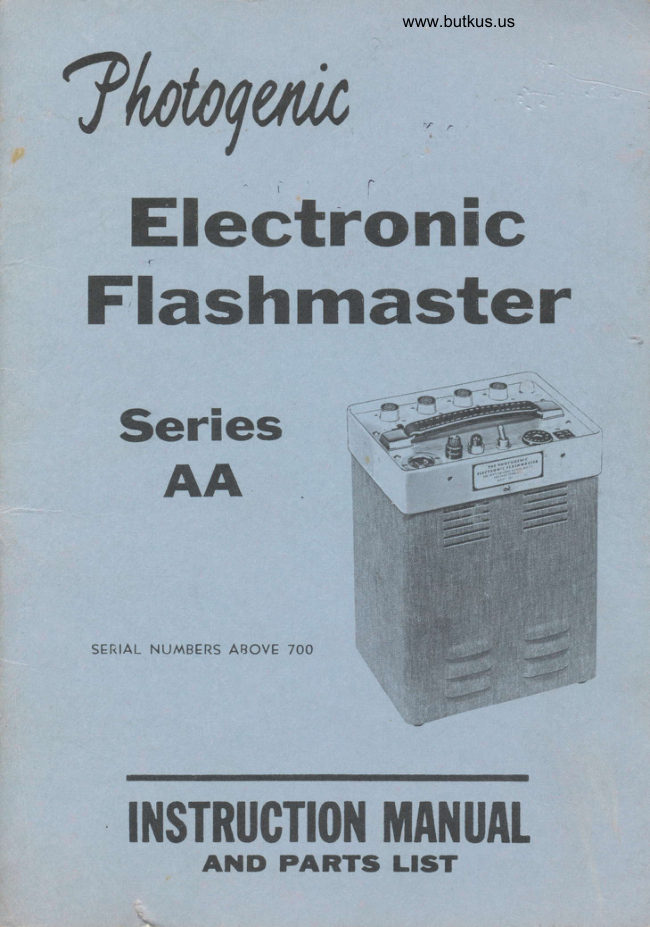
Photogenic Machine Company Electronic Flashmaster User manual
User manual for Photogenic Machine Company Electronic Flashmaster. 19 pages in English. Read the original PDF, download or print a copy without registration.
19 pagesEnglish2.1 MB PDF

Loading your manual…Open PDF directly
Document details
- Brand
- Photogenic
- Model / document
- Photogenic Machine Company Electronic Flashmaster
- Document type
- User manual
- Language
- English
- Pages
- 19
- File size
- 2.1 MB
- Category
- Flashes & lighting
- Document date
- Not specified in catalog
Search available document text
Find a term, then jump to its page in the original PDF. Image-only pages may not be searchable; check the PDF for exact wording and diagrams.
Page 2 · Read text
Photogenic
   MachineCompany
                  DESIGNERS OF FINE LIGHTING EQUIPMENT SINCE 1921
               525 McCLURGROAD  r YOUNGSTOWN,OHIO 44#.'12

 IHITNEMT
FLfi5HfiA5T[N


llrsTnucTt0l{ilflilufi[      A]TD PARTS  LIST
View original page 2Page 4 · Read text
PART I


     Section 1.   SYNCHRONIZATION


                                                                                                                                                I
        An Electronic  Speedlight  flashes within  a few millionths  of a second after  it is
       triggered. The camera shutter should therefore be equipped with  contacts of the
      zero delay type for use with speedlight.

          Synchronization  is extremely important  and the greatest care should be taken
        in making  all connections to the synchronizer cables. If these connections are not
     made in a careful and workmanlike  manner, either an intermittent  connection or
      an electrical leak between the two leads may result. Either  will cause unreliable
      performance.  An   electrical  leak  will  be  especially noticeable  during  humid
      weather. When making any connection to the trip cord the following steps should
      be observed:


                          Fig. I  - Preparation of Synchronizer Cable

          l.  Cut wires of the cablesto be connectedas shown in Fig. I a.
      2. Strip eachlead /2" (Fig. la.\.
      3. Twist leads together and solder securely.Use only rosin core solder.Use no ,   '09
      flux eitherpasteor liquid. (Fig. lb).                                                                    ,l rf
                                                                             ^      4. Insulatewith ScotchNo. 33 electricaltape or equivalent.(Fig. 1c).    Sv'

                                      -2-

r-5*--*.L,',  **l&+2:
View original page 4Page 5 · Read text
After  the synchronizer  cable  is properly  connected  it  is well  to check the
 synchronization  with  the camera. Adjust  the lighting  unit  to the same height
 as the camera lens and face the light into the lens. The lens aperture should bo
 opened to  its fullest  extent and the camera back removed. Looking  at tfre liins
 through  the back  of  the camera, operate the  shutter. The  flash  of  the  light
 should then appear as a circle the same size as the aperture. A few sheets of
 white paper in front  of the lens will  cut down the brilliance  of the flash and aid
 in making             the                 observatibn.                                                   It                                            is                                    best to  perform                                                                this  test                                                                   with                                                                      the                                                                   modeling                                                                                                                                                                                                                                       lj lamp       turned                     off.                                  If  the  circle                                             is                                        flattened                                         on the  sides,                                                                   or  if                                                           no                                                                                           light                                                                       appears
 through the lens, the shutter  is not synchronized with the light. Shutter contacts
 for  this  light should be the X or zero delay type.  If the light appears not  to be                                         I
 synchronized  the  shutter  contacts should be checked by  a reputable camera
 repair man.

Section4. SAFETYPRECAUTIONS
   Despite the extreme measuresthat have been taken to make this equipment
 foolproof,  it must be recognizedthat high voltagesdo exist within the power
 supply, cables,and lighting units. Therefore,certainprecautionsmust be observed
 in handlingthe equipment.
   Do not attempt to changeflashtubesor modeling lamps unlessthe unit has
been dischargedand the lighting unit disconnectedfrom the power supply.                                                                                                                                                                                                                                                                                                                                     llIllIIlI   Always make certain that the power supply is disconnectedfrom the I 15 Volt                                        I
A.C. line before attempting to serviceit.
   Do not open the power supply case or dissassembleany of the epuipment
unlessyou are familiar with equipmentof this type.

                       DO'S AND DON'TS
DO - Turn Power Supply Unit "OFF" when not in use.
Do  - Avoid quick repeatedflashing.Damagemay result. The full chargingtime
shouldbe allowed betweenflashes.
DON'T - Permit a lighting unit cable to becomefrayed or loose in a connector.DON'T  - Insert or Remove a Flashtube unless the power Supply unit  is fully             i11I1discharged.
DON"T - Removethe top coverfrom the Power Supply Unit or placea hand near
any part inside the unit until you are certain that the capacitor bank is fully
discharged.
DON'T - Insert a screw driver or other metal object into the flashtube socket or
any electric outlet, socket or receptacle.Contact with high voltage may result.  #{
DON'T - Attempt to make repairs to the speedlightoutfit  if you are not familiar
with  electronic equipment. Your  dealer should be consulted regarding an
authorizedelectronicor radio serviceman.
DON'T - Usea higherrated fuse than is recommended.
DON"T - Plug the unit into any serviceexcept 100-125v. 60 cycle A.c.  If this
unit is pluggedinto D.C. serviceit may result in seriousdamageto the component
parts.                          j                               -3-                    www.orphancameras.com
View original page 5Page 6 · Read text
PART II
         THE PHOTOGENICFLASHMASTER
                SPEEDLIGHTS


      Section    l.  GENERAL

         This manual covers att itashmaster Speedlight outfits having a catalog number
       in the AA series.
         This includes catalog AA01A  power pack and 8050-M, AAll,   AA12,  and
      AAIT  lighting units.
        The  Photogenic  Flashmaster  is a portable  multiple-light  speedlight  outfit.
          It  is designed for continuous heavy duty service, and incorporates many special
      features which  make   it  ideally  suited  for  school  photography,  Santa Claus
     photography  and  other  high  production  work.  The power pack  is voltage
      regulated to provide  the constant light output  which  is so necessary for quality
      color photography, especially where the film  is processed automatically.
        .Two,  three and four  light  outfits, using 6",  11",  16"  or umbrella lighting
       units are available. Each power pack will accommodate up to four lighting units.
        The power  pack  features voltage  regulation,  a misfire  alarm, a very rapid
      recharge, and components  rated  for  continuous heavy service. All power packs
      are built around the "DO-IT-YOURSELF"     repair concept which  is exclusive
      with Photogenic in the speedlight field. The electronic components ate mounted
      so that they can be quickly  replaced by anyone without  use of a soldering iron.


     Section 2. LJNPACKING AND SETUP

        Unpack  all units  carefully  so as to make certain that  all parts are removed
      from  the cartons. Do not discard or destroy packing material until the equipment
     has been assembled and all parts are accounted for.

          After  unpacking,  all parts should be examined  for any damage which may
     have been caused by  rough  handling  during  shipment.  IF ANY DAMAGE  IS
     DETECTED, CONTACT  THE  DELIVERING  CARRIER  AT ONCE. CLAIM
    FOR DAMAGE  SHOULD  BE MADE  TO THE  DELIVERING  CARRIER
    BEFORE DESTROYING PACKING CASES.

        The  6"  and umbrella  tighting  units  are shipped completely  assembled and
      ready  to  operate.   It   is  only  necessaly to  set up  the stands and fasten the
       lighting  units  to  them. The  11"  and  16"  lighting  units are shipped with  the
      lamps packed separately. After  unpacking,  install the flashtubes and modeling
      lamps.
                                         -4-

.:;**"*.;t:*:*$;tar;                                                                 I,
View original page 6Page 7 · Read text
A. INITIAL OPERATION

    Plug in four lighting units and connectthe line cord from the power pack to a
 wall outlet. Turn the power switch ON.

   As soon as the switch is turned on, the red indicator will light. At the same
 time, the white charge indicator  will come on indicating that the pow€r
 pack is charging.In about four or five seconds,when the power pack reaches,
  full charge,the white charge indicator light will go out. This indicatesthat the
 power pack is fully chargedand is ready to flash. Plug the trip cord into the
 power pack and trigger it*by touching the ends of the wires together, the lights
 will flash. As soon as the lights flash, the chargeindicator light will come on
 againand will go out after the power pack is fully charged.

   when the switch is turned off  the power capacitors will be completely
 dischargedby the dischargerelay inside the power pack. The charge indicator
 light will come on the then dim out as the capacitorsdischarge.
 Section 3. USE OF THE LIGHTS
   A. POWERSUPPLY
    1. PowerPlugs- ModelAA01 PowerPack
   The  model AA01  power pack has a  total  output  power  of  400  watt-
 seconds. Many   different   combinations   of  output  power  are  available by
 using  different  power  plugs. The  power  output   indicated  on  the  plug  is
 obtained when  the arrow  on  the  plug  lines up  with  the  dot  on  the control
 panel. See figure   l.  This selector is not a turn  type  switch, but  rather a plug
 which  must  be  physically  removed  and  re-inserted with  the  pointer  toward
 the power chosen. Pdwer changes should not be made without   first turning  off
 the power switch, which  will discharge the power capacitors.


      A U T I O N      C A U T I O          A U T I O N
                       ll.|r|  urn  ofF                         lutx    ur{fi  oF                        IUti  uxfT oft               rrcrf,    c'|Arx6tr.o                 lEFCttE  Ct{At Erx6                  tgtoL    cr{axotlac
FIG.                xrlEro rtut                          POr:to t|'u6                         tro?sto ttu€
   I


                                          0                  f r l O 0                                                I'  Two power plugsare suppliedwith the equipment.   Using plug No.  I  in the "4x100"  position, each outlet willprovide s$100 watt-
seconds. With the same plug in the "4x50"  position, each outlet  will provide 50
watt-seconds. All  four  outlets are isolated. The power supplied to each light  is
not affected by any other lights which are plugged in.
                                                    - 5 -
                      www.orphancameras.com
View original page 7Page 8 · Read text
Using  plug  No.  2, marked  400  watt-second,  the  entire 400  watt-second
      output  of  the power pack  is connected to  all four  outlets.  If a single light  is
     used, the  full 400 watt-second power  is available to  it.  If more than one light  is
     used, the power  will  divide  equally among  the  lights connected. CAUTIoN:
    Do not change the power plug with  the power pack turned on. Always  turn  iL,
       off and allow a few seconds for the capacitors to discharge first before changing
      plugs.

       Many other combinatioqs  of output power are possible. Write us advising the
     See listing on Page 17, and we will furnish a special power plug.
     2.  Misfire Alarm

     Whenusingthe No. I powerplug, the MisfireAlarm will operate.All four
      of the Misfire Alarm switchesshould be set to the "ON" position. If any of the
     four lights should fail to flash, a buzzer will sound, warning the operator to re-
     take the exposure.The Misfire Buzzer can be tested merely by unpluggingany
      lighting unit and flashingthe lights.

             If fewer than four lights are to be used,turn off the Misfire Alarm switch next
      to the unused outlets. (These switches turn off only the Misfire Alarm. They
     cannot be used to turn off an unwanted lighting unit without unplugging it).

      When using the No. 2 power plug, the Misfire Alarm  is inoperative. [f
     severallighing units are used, the buzzer will NOT sound if one fails to flash.

     3.  Protection

      A  circuit breaker is provided to protect the equipment from damageby a
     short circuit.

      4.  Flashing Rate

         This power pack will not be damaged regardless of how rapidly   it  is flashed.
     However,  if  it  is flashed before the charge indicator  light has gone out, the power
     pack has not  reached  full  charge, and  full  light  output  will  not be obtained.
      In  addition,  continuous  rapid flashing can overheat and damage the flashtubes.

     5.  Triggering

       The  power  supply  can be  triggered  directly,  by means of  the  trip  cord
     provided,  or  it can be triggered remotely  from  the flash of another speedlight
     by inserting an 805OPS phototube  in the trigger outlet.


                                          -6-

:,L!,   :,"r. ": a*-.,k':,;::  jn   -,
View original page 8Page 9 · Read text
6.  Charge Indicator Light

   The  charge indicator  light comes on whenever the power pack  is charging
and goes out again when the pack reaches full charge.

   Under normal  conditions,  the recharge time  is about  4/z  seconds if the  full
output power is used; less if only part of the power is being used.

   This  is a voltage regulated power pack. When comparing  the rated chagint
time with an unregulated pack, bear in mind the difference in the way the charge .
time  rating  is determined.   It  is customary  to rate an ordinary  speedlight power
pack by the time required to reach only 90% of full charge. To reach 95% of  full
charge, l%  times the ratedcharging  time must be allowed. To reach 98%, twice
rated time must be allowed. A voltage regulated power pack, such as the model
AA0l,  however, will reach 100% FULL CHARGE  in the rated charging time.
No extra allowance is needed.


B. LIGHTING I.JNITS
1. 6" Lights

   The  unit  is designed principally   for  use as an  auxiliary  light. The smaller
reflector lends itself well to use as a background  light or an accent light. Snoots
may be attached  for  greater control and for  spotlight  effects. Simply push the
snoot  into  the  reflector  so that  the  springs snap over the reflector bead and
hold  it in place.


   The  flashtube  is permanently  mounted  in the reflector.   It  is recommended
 that  the reflector be returned  to the factory   if   it should ever be necessary to
replace  the  flashtube,  since great care must be taken  to  prevent  cracking   it
during installation.


   The  flashtube used in these lighting  units  is designed to use no more than
200 watt-seconds of power.

   As a modeling lamp, use a No. 1073 automotive  lamp, which  is available at
most service stations. When  it becomes necessary to replace this lamp, loosen the
 three screws around the edge of the reflector back cap and pull the reflector and
 the cap apart. See figure 2.


                               -7-                      www.orphancameras.com
View original page 9Page 10 · Read text
LOOSEN
                                     3 SCREWS


   2.   I 1" Lights

      If  a  large  reflector   is  desired, the AA11  and  AAl2   lighting  units  are
available. The AAl    l  is a wide angle light  using a flat  llyz"  diameter reflector.
 It  provides  a  softer,  broader,  flood  of  illumination   particularly  useful  for
photography  of groups, or for school photography where the operator does not
wish  to  repsition  his lights frequently. The AA11  lighting  unit  uses a 1073
modeling lamp, and a H4-l  plug-in flashtube. It will operate at 400 watt-seconds.
Barndoors and diffusers are available for this light  if desired.


FIG. 3


   AAll WIDE.ANGLE              AA12 LIGHTING
  SPEEDLIGHT                          I.JNIT

                                 -8-
View original page 10Page 11 · Read text
3. 16" Lights
    The AA12  lighting unit uses a 16" diameter studio type reflector for the finest
 lighting control. The flashtube socket is adjustable to provide two different light
 patterns. To adjust, loosen the knob on the side of the socket housing, push the
 knob as far as it will go in the direction of the arrow, then tighten  it again.

     In the FLOOD  position, the reflector has a coverage of 600 and has no hot
 spot in the center. This pattern is best for floodlighting of groups.

     In the MODELING  position the reflector has a coverage of 45o with a suiiable
 hot  spot  in  the center so that  the  light can be feathered to  obtain  correct
 gradation between highlight and shadow.

    Best results are obtained by using these lights between 36 inches and 42 inches
 from the subject, for head and shoulder work. By feathering the main source light
 it then will be possible to shade the ear, etc. of the subject. The  fill light may also
be feathered in order to obtain the proper shadow illumination  to balance with
 the main source. It  is essential to feather all lights away from the background so
 that unwanted illumination and shadows will not fall in this area.

   Barndoors may be used to increase the effectiveness of feathering the light.
It  attaches to  the front  of the reflector and may be rotated as required. The
barndoor is equipped with a removable matte finish acetate diffuser.

   The socket housing of the AAl2  lighting unit  is fitted with a quick change
mechanism which permits the reflector  to be attached or detached in seconds.
The reflectors nest for easy carrying, and a protective Cover (Cat. No. AA 47) is
available to prevent flashtube breakage.
   The AAl2  uses a 1073 modeling lamp and a H4-1 flashtube. It  will operate
at 400 watt-seconds.


 FIG. 5
AA13
LIGHTING
 I.]NIT


    For background lighting or for special effects, this unit will also accommodate
 the small reflector used with  the Photogenic Studiomaster background light.  If
ordered with these reflectors instead of the 16" reflector, the catalog number is
A A 1 3 .
                      www.orphancameras.com-9-
View original page 11Page 12 · Read text
FIG.6 AA17 LIGHTING
                                                          I.JNIT


                                                                                                                                                                                                                                                                                                                                               !

   250 watt quartz modeling lamp with high and low intensity switch. Modeling
lamp  is correctly designed placement in the center of the plug-in flashtube for a
time visual modeling lamp versus flash effect. Plug-in long-file flashtube/reflector
assembly. Rigid  tilting yoke holds any standard umbrella including Photogenic's
54-inch, 45-inch, or 28-inch.
Section4. TECHNICAL CHARACTERISTICS

Power Source        .  I l5  volts 60 cycles A.C. nominal. Will operate satisfactorily
    at any line voltage from 100 to  I 25 volts.

Power Consumption   .  .  . lyz amperes idling, with power pack charged. 8 ampers
    just after flashing, as power pack begins to charge.

Recharge Time  . . . AA0  t -3yz seconds at  I 15 VAC  line.

Duty Cycle . . . continuous.      ( I flash every 6 seconds)

Triggering       Instantaneous-by  means of  trip cord or 8050-PS  Photoslave.
Flash Duration          . Approximately  ll250th  to 1/1000th second. Depends on
   power setting and type of flashtube.

Color Temperature  . . . Daylight-Approximately   6,000 deg. Kelvin.

D.C. Voltage  . . . 438 volts, regulated.

Power Output  . . . AA01-400  w.s. max.

FLASHTUBES
   8050-M
   Lighting Unit     Type C4-l; permanently mounted, maximum power-
      200 watt-seconds.

   AAI l, AA12 andAA13
   Lighting Units . . . Type H4-1 plug-intype; maximumpower-400 watt-seconds.

  AA17
   Lighting Units . . . TypeC4-2plug-intype;maximumpower-400 watt-seconds.

   ModelingLamps. . . No. 1073, all lights exceptAA17 utilizesEHT.

                                                  -  l 0 -
View original page 12Page 14 · Read text
Section6. SERVICE
   A. SAFETYPRECAUTIONS

   Every effort has been made in the designand manufactureof this equipment
to make it completely safe in operation or during servicing.In addition, a safety
dischargerelay completely dischargesthe power capacitorswheneverthe equip-
ment is turned off.
  CAUTION: This epuipment usesvoltageswhich can causeuncomfortableand
dangerousshock. In spite of the above safety features,ALWAYS BE CAREFUL.
We recommend:
    1. First turn off power switch and then disconnectline cord before changing
modelinglamps or openingpower supply cover.
    2. Never insert a screwdriveror other metal object into any outlet, socket,
or receptacle.
    3. Do not attempt to operate the equipment with the caseremoved,unless
you are familiar with electronicequipmentand the hazardsinvolved.
   B. POWERSIJPPLY

  To open the case,remove the two screwsin the caserim, one on each side.
Slide the casedown about % inch until  it rests on the table. Then, hold the case
down and lift the power supply out of the caseby the handle.

   Wiring to the transformersand power capacitorsis connectedby means of
quick-connect terminals. To remove, grasp the terminal firmly with a pair of
pliers and pull. It will slide off. No unsolderingis required.

  To remove the trigger SCR or rectifiers, grasp firmly and pull straight out,
while rocking the part back and forth slightly.

   Power capacitorsare removed from the back, by sliding the retainer plate out
of the way.
  C. LIGHTING UMTS

   For  information on replacement of modeling lamps and flashtubes see
section3
  D. GENERALSERVICEINSTRUCTIONS                                                                                                                                           ':
    In order  that you may expect long and trouble-free service every precaution                              i
has been taken  in  the design and manufacture  of  this equipment.  Frequent
                                                                             dservicing             is             not                     likely  to be                              necessary;                                       however,                                                      the                                                                        offered                                                      suggestions                                                                         here
              photographerwill  assist           the                                    in                                recognizing                                              the cause                                                               of                                                                 which                                                    any trouble                                                           may                                     ItI'
 arise,      and will  aid him  in having  it corrected as quickly and as inexpensively as                  **possible.
                                                                                                                                                                                                                                                                    ,'tt
                               -12-              $
View original page 14Page 15 · Read text
Whenever trouble arises, try the following  simple things first:
      l.  Reset Breaker
    2. Try a new flashtube.
    3. Try a new SCR module.
    4. Try another line cord.
    5. Try another Photoslave, if you are using a Photoslave in the unit.
    6.   If the unit  is not triggering properly, make sure the camera shutter or trip
cord is not at fault.
    7.  Try  to determine whether the trouble  is in the lighting units or the power
supply. Disconnect them an$ try the suspected lighting  unit with a good power
supply and the suspected power supply with  a good lighting  unit,   if  available.

   A word  about  intermittent  defects; Often equipment  will not be completely
inoperative,  but  will  operate  satisfactorily  part  of the time.  If  the equipment
happens to be operating satisfactorily at the time a test is being made, the test will
not  find  the  defect. Because of  this an intermittent  defect  is sometimes very
difficult   to  locate.  In  troublesome  cases be very systematic, keeping a record
of each step taken and noting the results. Repeat each step in the test procedure
several times to be sure that results are consistent. Care and patience will usually
uncover the trouble.


   E. COMMON SYMPTOMSAND THEIR CAUSES

l. Light flashesby itself without apparent reason.
  Probablecause.

     (l)  Defective trigger module SCR
    (2) Defective trip cord, or trip cord incorrectly  polarized.
    (3) Bright light falling on photoslave.
    (4) Defective power capacitor.
    (5) Poor connection in line cord.

2. Tnp cord will not flash lights, but charge indicator shows that pack
has charged.
  Causes.
   (1) Defectivetriggermodule SCR                          #    (2) Defectivetrip cord.
    (3) Defectivelighting unit.
    (4) Defectivetrigger capacitor.


                           -13-
                       www.orphancameras.com
View original page 15Page 16 · Read text
3. One light  will  not flash.
       Causes.                                                                              .               b
            (l) Try the non-flashinglighting unit on the other outlets, if it doesnot hrrn,'
        suspecta defectiveflashtubeor trigger coil. Seesection3.
          (2') Try the good lightiJrgunit on the non-flashingoutlet. If they do not flash,
        suspecta defectivetrigger capacitor.                                                                   l
      4. Charge indicator  light does not go out.
       Causes.

            (l) Defectivepower capacitor.
         (2) Defectivelighting unit.
         (3) Defectiveflashtube- "afterglow".
           "Afterglow"  is a condition in which a flashtube continuesto glow dimly
         after the main flash is over. While this glow persiststhe chargeindicator light
          will  not go out. Persistent or continuous afterglow indicates a defective
        flashtube.A slight afterglow,lastinga secondor lessmay occasionallyoccur in
       a normal flashtube.

      5. Charge indicator  fails to lieht.
       Causes.

           (l) Defectivechargeindicatorlamp.
         (2) Defectivepower transformer.
         (3) Defectivedischargerelay.
         (4) CapacitorC9 short circuited.
         (5) Defectiverectifier.

      5. Misfire alarm buzzer sounds continuously.
      Causes.

        (1) RelayK2 defective.
        (2) Defectivepowercapacitor.

     7. Misfire alarm buzzer sounds after flash.
      Causes.                                      "'b

              (l)  Defective lighting unit.              #0"
     8. Misfire alarm buzzer sounds after every flash, all lights are flashing.
      Causes.                                                                                                                                                                                                                .                                                                      jI                                                                                                                t-
          (1) Alarm switch left on when a light is unplugged. See page 9.
          (2) Defective misfire alarm switch.
                        x                                      -14-
.]j.iary&"                       $
View original page 16Page 17 · Read text
E1
                                                                                                                                                                                                                                                         l

                                                                                                                                                                                                                                                                      i;#                                                                                                                                                                                                                                                                                                                              l


            9. Misfire alarm buzzer does not sound even when a light is misfiring.
            Causes:

                 (1) Wrong power plug is being used.
                 (2) Misfire alarm switch turned off, or switch defective.
                 (3) Defectiverelay K2. *t             (4) Defectivebuzzer.
                (5) DefectiveresistorRl4, Rl5, and Rl63                         j


              F. INFORMATION FOR THE ELECTRONIC SERVICEMAN

                 First read the general information given above in the preceedingparts of
           Section 6. Isolate the trouble as far as possibleusing the chart of symptons and
           probablecauses.

            The section below gives a detailed description of circuit operation to aid in
            servicing.#
#        bridgeAC rectifierPower is tosteppedprovideuptheto adirecthigh voltagecurrentinwhichtransformerchargesTltheandcapacitorrectifiedbank.by a
           Transformer Tl  is not an ordinary transformer.It has a specialmagnetic circuit
           tuned with capacitorC9 which providesa stabilizedhigh voltageoutput from the
          secondarywinding. Approximately 320 voltes AC is tapped from this regulated
           winding and output which chargesthe capacitor bank. At  full charge,the DC
           voltage on the capacitorbank will be held within the range of 435 to 445 volts
           regardlessof line voltage variations between 100 and 125 volts. Line current
          must be 60 cycles AC. This transformerwill not perform properly on 50 cycle
 *           current.

            The main capacitorbank consistsof Cl, C3, C5, andC7. Thesefour capacitors
           are chargedseparatelythrough the isolation rectifier. Each of these capacitorsis
          separatelyconnectedto one ofthe output plugs,ll,J2,J3,andJ4.

           The secondarycapacitor bank is composed of C2, C4, C6, and C8. Byt          inserting a properly wired power plug in socketJ9 the capacitorsin the secondary
          bank can be connectedin parallel with the capacitorsin the primary bank in any
           combination desired. A wide choice of output power is thus availableto the
          photographermerely by changingthe power plug.

             Relay Kl,  operated by the 115 volt power line, is provided to dischargethe
          power capacitor banks when the unit is turned off. When Kl  de-energizes,the
            capacitor banks discharge through four 1000 ohm resistors, by-passingthe
             islolation rectifiers.
                                                                   - 1 5 -
                               www.orphancameras.com
View original page 17Page 18 · Read text
A  misfire alarm system is provided  to alert the operator whenever a lighting
           unit   fails  to  flash. When  a  lighting  unit  fails  to  flash,  the power  capacitor
         associated with   it  will  not  discharge. The  difference  in voltage between  this
          capacitor and the discharged capacitors will cause a current to flow through one
           of the misfire alarm resistors, Rl4,  R15, R16 and through relay K2. Relay K2
         operates a buzzer which gives an audible alarm for several seconds. Switches 52,
       S 3, 54, and 55 are provided to disconnect the misfire alarm from any outle.t
                                                                                                                                                                   '.         which is not being used.

          An lighting units are provided with modeling lamps which operate from a low
         voltage winding on transformer TlA.  The trigger circuit, using a trigger SCR is
         connected across power capacitor Cl. As the power capacitors charge, the trigger
         capacitors C16,  Cl7,  C18 and  Cl9,  also charge through  the  primary  of
         the trigger transformers and R9, Rl0,  Rll,  and Rl2. When the shutter contacts
         operate, the triggering SCR is gated, causing it to fire.

           The trigger capacitor dischargesthrough the primary of the trigger transformer
        and the trigger SCR. The high voltage spark from the secondary of the triggering
         transformer  ionizes the flashtube, causing it  to discharge the power capacitors
          with a brilliant flash.


                    POWEROUTLETS       UMBRELLA OUTLET

      MISFIRE ALARM SWITCH                       PUSHTO TEST

                                              POWERPLUG  TRIGGEROUTLET

                                             CHARGEINDICATOR

POWERINDICATOR

                                           POWERON_OFF


  CIRCUIT BREAKER

                                                       MODELING LAMPS
                                                         ON_OFF


       FIG. 7  POWERSUPPLY


                                                              - 1 6 -
View original page 18Page 19 · Read text
PARTSLIST FOR AAO1A

Schematic# Part #         Description

Buzzer    613-004400-0 Buzzer
c1{8      602-11260-0  525 mfd. 450 vdc. capacitor
cl0{13    602-223006-0  .02 mfd. 600 vdc. capacitor
ct4       602474075-0 47 mfd.75 vdc. capacitor
cl5       602-503005-0 .05 mfd. 500 vdc. capacitor
cr61t9     602-254006{   .25 mfd. 600 vdc. mylar capacitor
cR-l       690-12035-0   rectifier& isolation
F1        67341063-03  3 amp circuit breaker
II         644400496-0  Power on indicator. Neon
t2         642-000044-0 Chargeindicator.,GE #44 61116
I3        642-001073-0 Modelinglamp #1973
JI.J4      621-011284-0 Poweroutlets
J5        685480283-0  Pair (Panellid connectors8 pin
J5        685480287-0      (Panellid connectors12 pin
                                (Specify w/pins)
J6        6214304124   Triggeroutlet
J8         622-030412-0  Rectifier socket
J9         622478011-0  Power plug socket
K1         6ll-12119-0    Relay,discharge
K2        611-000092-0 Relay,misfirealarm l0K coil
P1        621-000160-5 Input power receptacle
P5        685480284-0  Pair (Panelboard connector8 pin
P5        685480288-0      (Panelboard connector12 pin
                                (Specify w/pins)
Pt2        621-006067-l  Lighting unit plug
RI        601-100910-0 10 ohm, 10 watt resistor
R2-R5     601-102910-0 1000ohm, 10 watt resistor
R6        601-105995-0  I Meg ohm,lz watt resistor
R7        601-273995-0 27 K ohm,lzwatt resistor
R8        601-829995-0 8.2 ohm, lzwatt resistor
R9-Rl2    601-394995-0 390 ohm, lzwattresistor
R l 3       601-153925-0 10-15K ohm, l5 watt resistor
T1         690-12662-0  Power transformer
T3        614-002700-0 Triggertransformer,Model LL
T3        614-002800-0 Triggertransformer,Model L
T3         614-002800-l  Trigger transformer,Model L, Dbl. varnish

V1        690-12031-0  Triggertube scr
v2                     H4-1,C4-1Flashtube
                         c4-2

           Order parts by Photogenicpart number and description.
       State model number and serialnumber of power supply or lighting.


                                       - 1 8 -
                 www.orphancameras.com
View original page 19Related documents and language editions
From the M. Butkus archive. Original publisher and archive notices are retained.
Check the model and edition against your equipment.
PDF verified 2026-10-10.