Film cameras
Praktica Nova I User manual
User manual for Praktica Nova I. 54 pages in English. Read the original PDF, download or print a copy without registration.
54 pagesEnglish12.1 MB PDF
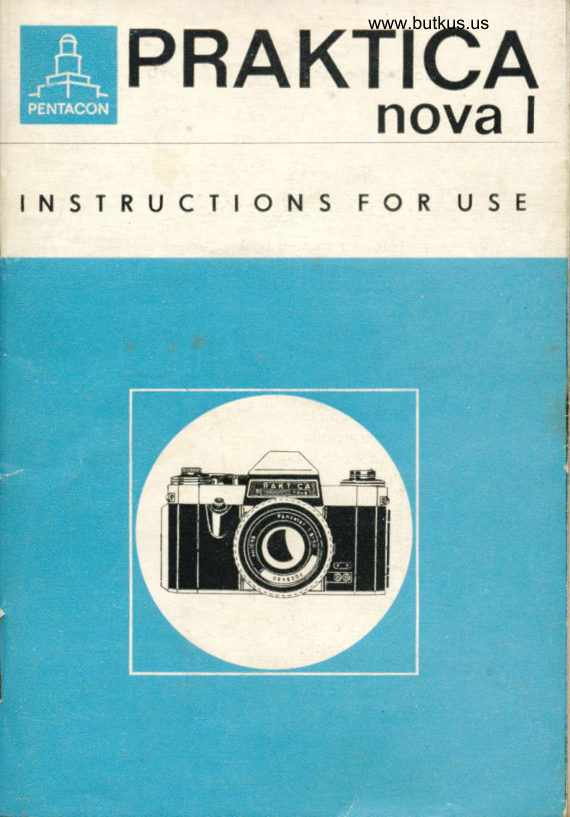
Loading your manual…Open PDF directly
Document details
- Brand
- Praktica
- Model / document
- Praktica Nova I
- Document type
- User manual
- Language
- English
- Pages
- 54
- File size
- 12.1 MB
- Category
- Film cameras
- Document date
- Not specified in catalog
Search available document text
Find a term, then jump to its page in the original PDF. Image-only pages may not be searchable; check the PDF for exact wording and diagrams.
Page 3 · Read text
www.butkus.us

Controls of the PRAKTICA nouo  I


 1  Lotch for comero bock
 2  Shutter releose
 3 Rewind knob
                                      . 4  Ffosh socket
 5 Comero bock
 6  Cocking lever
 7  Setting knob for shutter sPeeds
 8 Speed morking index (red triongle)
 9  Follow pointer
10 Meter needle
11 Stop volue diol
12 Window
13 Setting ring for follow Pointer
14 Exposure counter
15 Film type reminder diol
16 Rewind releose knob
17 Distonce setting ring
18 Monuol stop down lever
19 Rewind cronk
20 Corrier cotch
21 Tronsport sprocket
22 Toke-up spool
23 Supporting piece
24 Morking point
View original page 3Page 4 · Read text
While congrotuloting you on hoving ocquired o PRAKTICA novo   I
we, of the some time, request you to treot your comero kindly.
Pleose toke your time ond reod thes6 lnstructions for Use corefully.
Although of very rigid construction, the PRAKTICA novo l/ novo I B
is, nevertheless, o mechonicol-opticol precision instrument. Hondled
corefully, your comero will reword you, even when subjected to
rigoroui conditions, by giving you beoutiful pictures.

On the inside cover poges you will find specified illustrotions. The
reference numbers given in the text ore printed in porentheses.
View original page 4
Page 6 · Read text
Cross section of PRAKTICA novo  I
A surfoce-cooted mirror deflects the light roys coming through the
lens on to the focusing system. The moment the shutter is depressed
the mirror is swung outof the poth of roys ond, forming o light-tigtrt
cover over the focusing system, ollows the light roys to poss freely
on to the imoge plone, whereupon the shutter runs down'
lmmediotely ofter the exposure the mirror returns to its viewfinder
position (45 degrees). Thus, the finder imoge  is olmost permonently
visible, showing whot is going to oppeor on the negotive'

No porrollox error, since toking lens ond finder lens ore one ond
the sqme
The finder imoge is slightly smoller thon the picture formot. Every-
thing visible in the viewfinder will oppeor on the film, regordless
of distonce or focol length. In picture composition, therefore, the
finder imoge con be utilized to its very edges. This renders  it pos-
sible to use lenses of vorious focol lengths os well os occessory
equipment without the need for ony extro finder ottochments. Ther'e
ore olso the odvontoges of the Fresnel lens. You olwoys hove the
upright, unreversed, porollox-free reflex finder imoge to show you
whot your picture will be like.
View original page 6
Page 8 · Read text
Speciol ieotures
    of the PRAKTICA novo  I


   The PRAKTICA novo I is o single-lenso    reffex comero for the 24 x 36 mm
     pictu re formot.

    Prism viewfinder with bright, unreversed,o                                                                                    {
    crnd porollox-free firrder imoge                                   i
    which, through the instont return mirror,
    is permonently visible ond blocked out
    only for the short moment of exposing,


    Fresnel lens with two different methodso
    of focusing.    .
   Worning signol in viewfinder.

O  Conveniently ploced ropid wind lever,
    smoothly working, obliquely mounted             i
    finger tip shutter releose with locking
    device ogoinst inodvertent tripping'
    Shutter wind ond film tronsport ore
    coupled ond locked ogoinst double
    exposures ond blonks
View original page 8Page 9 · Read text
www.butkus.us


I


                                          shutter for speeds from            o  Focol-plone
                    1 sec. to 1/soo sec' ond B.
:                                        shutter-speed setting            o  Non-rototing
                         knob with click stops.


 ,1

                                               ond            o  Synchronizotion for bulbs
                             electronic flosh.
            o Hinged comero bock. Automotic
                        exposure counter. Swing-out rewind
                            cronk. Self-locking rewind releose knob'

                                               lenses with focol lengths            o  Interchongeoble.
                           from 20 mm to 1000 mm with PRAKTICA
                                  fitting, mostly equipped with outomotic
                             pressure diophrogm    APD. Wide ronge                                                     -                         of occessories for speciol octivities.

             O  Subsequent model developed from the
                       PRAKTICA novo I is the PRAKTICA novo
                                     I B with built-in photoelectric exposure
                               meter.
View original page 9Page 10 · Read text
Full porticulors

Open comero bqck                                  Poge 8


                                                                                  8lnserting the film: Pull out rewind knob (3) os for os  Pose
 it will go. Ploce full cortridge into cortridge chomber.
Push rewind knob in ogoin. Push lower perforotion
of film from obove underneoth the little support (23)
over the tronsport sprocket (21), ploce beginning
of film strip on to the core of toke-up spool (22) os
for os morking point (24). Wire brocket of toke-up
spool must not stond upword,


Cfose comerq bock                                 Poge 10

Setting speed of film:                               Poge '10
(Only on PRAKTICA novo I B)
Set film speed by meons of stop volue diol (11)
in window (12).

Setting type of film:                                Poge 10
Rotote film type reminder diol (15) until symbol
required meets the red dot.

Preporing for the exposure:                           Poge
Actuote shutter releose (2) ond cocking lever (6)
until exposure counter (14) stonds on number  ',.
View original page 10Page 12 · Read text
Full porticulors
|'ll   t,nding ond setting the shutter speed:                Poge 16\-J^      Kotote speeq, setting knob (7) until the desired
     speed ngmber coincides with red triongle (B)'


                                                        Poge 20       Finding ond setting the oPerture:                        (
      Rotote diophrogm setting ring on le.ns mount until
       thd desired numerol meets the red morl<'


      Meosuring the exposure time:                    '            Pose 20
      (Only on PRAKTICA novo I B)       Direct comero towords object. Rotote setting ring (13)     I
        for follow pointer until pointer (9) coincides with
       meter needle (10). Reod the oppropriote operture  /       shutter speed volue ond od just speed setting knob (7)     I
      ond operture setting ring on lens mount occordingly'                             I
                                                            ,"n" ,rf       Focusing:                            I       Rotote distonce setting ring (17) until the two port
      imoges in the rongefinder lens meet, or the imoge
        in the circulor micro-prism screen is perfectly shorp'                                                                                     Ple
View original page 12Page 13 · Read text
www.butkus.us


                                                                      Full porticulors
       Releosing qnd cocking the shutter:                   Poge 28
       Actuote shutter releose (2). Red signol
         in viewfinder indicotes thot shutter hos to be cocked.
      Swing cocking lever (6) oround os for os it will go.

      Chonging the film:                                 Poge 30
        After the lost exposure, depress rewind releose
      knob (16). Swing out rewind cronk (19) on rewind
      knob (3). Rewind film in direction of orrow.
     Open comero bock (5).
      Remove cortridge from comero.


      Exchonging lenses                                  Poge 32


       Flosh exposures                                    Poge 38


                          \
      Mointenonce of cqmero ond lens                    Poge 40


       Accessories                                        Poge 40


Pleose olso reod the complete lnstructions for Use!
View original page 13Page 14 · Read text
Push lotch (1) for comero bock in direction of orrow. Open comero
bock (5). Exposure counter (14) jumps outomoticolly to zero.


          Inserting the film

The PRAKTICA novo I occepts oll commerciolly ovoiloble types of
perforoted 35 mm film in stondord cortridges. The cortridges with
perforoted 35 mm film yield 36 or 20 exposures in the 24X36 mm
picture formot-eitheron block-ond-white film, on color negotirre
film for color prints, or on color reversol film for color tronsporencies.
The cortridges ore light tight. Nevertheless, we would odvise you
not to insert or exchonge films in directsunlight-theshodegiven
by your own body will suffice                                            dPull out rewind knob (3) os for os it will go.                                            nIns'ert cortridge into cortridge chomber ond push rewind knob (3)-l
with slight bockword ond forword movements right bock into the
comero.
Push lower perforotion of film irom obove underneoth the little   I
support (23) over the tronsport sprocket (21), ploce beginning of
film strip on to the core of toke-up spool (22) os for os morking
point (24).

Wire holder of toke-up spool must not stond upwords!
View original page 14Page 16 · Read text
Close comero bock (5) ond press it on tightly
 (it locks outomoticolly).


 (Only on PRAKTICA novo I B)
 Rotote stop volue diol (11) until the film speed stonds ogoinst the
mork in window (12).
15 DIN, 25 ASA        27 DIN,4OO ASA
In the PRACTICA novo l, the stop volue diol (11) operotes os o filrn
soeed indicotor. The DIN or ASA volue on the film reminder diol
(speed of tlre film in the comero) hos to be set ogoinst one of the
figures, 12,20 or 36 (number of fromes on the film strip in the com-
ero).

  E          n
Film type setting diol (15) is to remind you which kind of film you
hove inserted into your comero, The symbol corresponding to your
film is set ogoinst the red morking point. You will thus olwoys
know on which film you ore toking your pictures.
1 Block-ond- 2 Color     3 Color     4 Color     5 Color  white film       reversol film    reversol film    negotive film   negotive film                  for dovlisht                  for dovlisht                                         l?1,r,.,o' ,,nn,                    l?1,r,",o, ,,nn,
View original page 16
Page 18 · Read text
swing cocking lever (6) oround os for os it wiil go ond let it glide
 bock.
 (Move cocking lerrer only in winding direction. Forced movement
 in opposite direction will couse domogel)
 Actuote shutter releose (2).
 The shutter'releose (2) is provided with o locking device to ovoid
 inodvertenttripping, The releose mechonism is locked when the red
 dots on the knob ond on the outer ring meet. The mechonism  is
 unlocked by rototion of the knob through 90 degrees.
To show thot the film hos been inserted correctly ond is being
 tronsported occordingly, the rewind knob must rotote in  the
 opposite direction of the orrow while the shutter is being cockec.
cock shutter ond releose  it o second time ond then cock it ogoirr.
The outomotic exposure counter (14 now stonds on number 1.
Speciol setting of the exposure counter is not necessory; it storts
 working outomoticolly when the comero bock is closed.

Attention   !
Be coreful when cocking the shutter nof to depress rewind reteose
knob (16);this would couse overlopping of fromes.
The coupling of shutter wind ond film tronsport eliminotes double
exposures ond blonks.
After the exposure, o red signor oppeors in the upper left-hond
corner of the viewfinder. This meons thot cocking lever (6) hos to
be octuoted to moke the comero reody for the next picture. The
signol disoppeors when the shutter is cocked.
                              #

                                                                                                                                                       -tsi
View original page 18Page 19 · Read text
www.butkus.us


 Releosing of shutter not possible    Releosing of shutter possible


Releosing of shutter not possible   !  Comero reody for exposing
Actuote cocking lever

                                                                    13
View original page 19Page 22 · Read text
i"ei;9 onJ ietting ih. shutter;p."Jt
 Deterunine shutter speed ond operture with the oid of o photo-
 electric exposure meter or on exposure toble. Set the speed by turn-
 ing knob (7) ond move the lens ring to the desired diophrogrrr
 numerol.
 For PRAKTICA novo I B; Direct comero towords the object.
 Rotote setting ring (13) for follow pointer until pointer (9) coin-
 cides with meter needie (10).
 The speed volues on the setting ring stond opposite the diophrogm
 numerols on the stop volue disk (11). The speed volues ore com-
 bined into groups ond morked by colors,
 Red numbers meun longer exposure tinre (use o tripod)
White numbers meon short exposure time
 They correspond in color to the volues on the scole of speed set-
ting knob (7).
 Green numbers meon exposure time in full seconds.
These ore not morked on the scole of speed setting knob (7).
At the "B" setting, time the exposure by the second-hond of o
wotch. Reod the'most suitoble operture / shutter speed combi-
 notion ond set the volues on speed setting knob (7) ond operture
lens ring occordingly.
Setting the exposure speed: Rotote speed setting knob (7) until
the desired speed numerr-.rl stonds ogoinst morking point (B).
White numbers :  short exposure time 30 :    llzo sec., 60 :   1/6s SeC.,
 125 :   1/125 sec.p 250 :   1/25e sec., 500 :1/569 sec.
Red numbers :  long exposure time
B, 1 :    i sec., 2 :   1lzsec., 4     1/a sec.,                                -
                           1/15 sec.B :   l/e sec., i5                 -
The speeds ore groduoted so thot eoch figure indicotes double, or
one holf of the speed morked by the next figure.on the scole.
The exposure speeds con be set either before or ofter the shutter
hos been cocked.
                                                                                                                                                            ."{s*
16
View original page 22Page 24 · Read text
Long time exposure mode on o tripod. Shutter speed seiting B,
 exposure time obout 4 seconds, fr8 operture.


Subject disploying especiolly fost movements.
Shutter speed ri5es sec., operture fi4.

t8
View original page 24
Page 25 · Read text
www.butkus.us


       Is

S, ocs rot ot o 5D...1 ot    :  s...,.rprjrt!,. { 5 6.
View original page 25Page 30 · Read text
Focusing on the rongefinder screen
The rongefinder screen is used when the subject shows distinct
upright lines in the horizontol or horizontol lines in the verticol
formot. On rototion of distonce setting ring (17) the upright lines irr
the horizontol imoge will move to the left or right (os shown in
exomple  1).
In the verticol imoge the horizontol lines move up or down. When
the two port imoges meet precisely of the line of intersection the
lens is in correct focus (os shown in exomple 2).
Also lenses Without outomotic diophrogm releose must be opened
to full operture for focusing (diophrogm numerol not greoter thon
5.6), otherwise the rongefinder orecr would be portiolly or totolly
obscu red.
Focusing on the micro-prism screen
The imoge is out of focus if it looks fuzzy or crumbles into screen  W
elements (os shown in exomple 3).
                                                               micro-                            soon                                    imoge in                                                 the                               os        focusing                     is ochieved                                     the                        osCorrect
                                                        (os                                                                                            in #                                              Iuzziness                                    from                                             shown                                  free                         ondprism screen            oppeors                          distinct
exomple 4).
Focusing is extremely relioble owing to the rother quick tronsitiorr
from unshorpness to shorpness ond vice verso. lt is odvisoble olso
 in this cose to work with the lens opened to o wider operture.     I
 Focusing on the circulqr ground-glqss qreo 1'he ground-gloss oreo encircling the rongefinder lens or the micro-      It
 prism screen moy be used for focusing on subjects not hoving
 significont lines chorocteristic for rongefinder focusing.
The circulor ground-gloss oreo is opplicoble olso in the field of
 mocrophotogrophy, This port of the viewfinder con be used in com-
 binotion with o smoll lens operture (lorge diophrogm numerol) or
 in cose of greoter scoles of reproduction os, for instonce, in close up or mocro work. The remoining section of the viewfinder (Fresnel ll
 lens) is not meont for focusing.
                                                                                    I
 24
View original page 30Page 32 · Read text
After focusing, the diston'ce setting is morked by the red triongle
 or stroke
 Blqck numerols :  meters
 Red numerqls :  feet


         L
 Automotic depth-of-field indicotion
 These ore the figures on the right onC left of the red focusing in-
 dex. The exposure distonce is set ogoinst the red mork. On the lefi
 of the mork, next to the desired diophrogm numerol, you reod orl
the distonce scole where the depth of definition begins, ond on the
 right, where  it ends.
For the 50'mm ZEISS Pqncolor f/l.8: In occordoncewith the oper-
ture setting, the two block morks refer to the depth of field. The   {
distonce figure stonds ogoinst the red index. on its left you see
v.rhere the depth of definition begins ond on the right, where it
ends: You move forword from the morks on the white or block rim
surfoces toword the distonce scole.
For infro-red exposures the distonce setting hos to be slightly mod-
 ified. By rototion of distonce setting ring (17) the distonce reoding
(in meters or feet, or the infinity mork oo.), which ofter focusing
stonds next to the red indicotor, hos to be moved to meet the red
dot (infro-red dot) on the right of the indicotor. Thus, the imoge

                                                                                                                                                                                                                                                                                                                                                                                                                         iproduced by the invisible infro-red roys, which is somewhot further
owoy from the lens thon the one designed by the visible light, is        itbrought into the imoge plone ond will oppeor shorp on the nego-
tive.


26
View original page 32Page 33 · Read text
www.butkus.us


                                               www.butkus.us
 Distonce 4 m (13 ft.) - Aperture l116 - Depth of field from 1.80 m


Distonce 5 m (15 ft.) Aperture  f/8
Depth of field from 3 m to 15 m (10 ft. to 50 ft.)
View original page 33Page 34 · Read text
oBefore releosing the shutter", pleose note the following;
1. Moke sure thot the shutter releose of your PRAKTICA novo I is
    unlocked (see Section F, poge 12)
2.  lf your exposure is to be longer thon                                                        1/3s sec, it is odvisoble  i.o
   use o tripod ond o coble releose,
3.  lf signol is.visible in viewfinder, comers is not reody for expos-
    ing ! Cock the shutterl (see Section F, poge 12)
View original page 34Page 35 · Read text
www.butkus.us

The shutter releose (2) hos to be depressed smoothly ond evenly                                                                      -by no meons with o jerk    os for os it will go, until the shutter hos                            -run down. Do not leove hold                           of the body releose, or coble releose,
before the shuter closes completely, otherwise the diophrogm  will
open before its time. (Donger of overexposure)
When once releosed the shutter connot be releosed o second time.
(Lock ogoinst double exposure).
                                                                       iq';";:. +"
View original page 35Related documents and language editions
From the M. Butkus archive. Original publisher and archive notices are retained.
Check the model and edition against your equipment.
PDF verified 2026-10-10.