Film cameras
Ricoh 126c User manual
User manual for Ricoh 126c. 10 pages in English. Read the original PDF, download or print a copy without registration.
10 pagesEnglish0.9 MB PDF
Loading your manual…Open PDF directly
Document details
- Brand
- Ricoh
- Model / document
- Ricoh 126c
- Document type
- User manual
- Language
- English
- Pages
- 10
- File size
- 0.9 MB
- Category
- Film cameras
- Document date
- Not specified in catalog
Search available document text
Find a term, then jump to its page in the original PDF. Image-only pages may not be searchable; check the PDF for exact wording and diagrams.
Page 2 · Read text
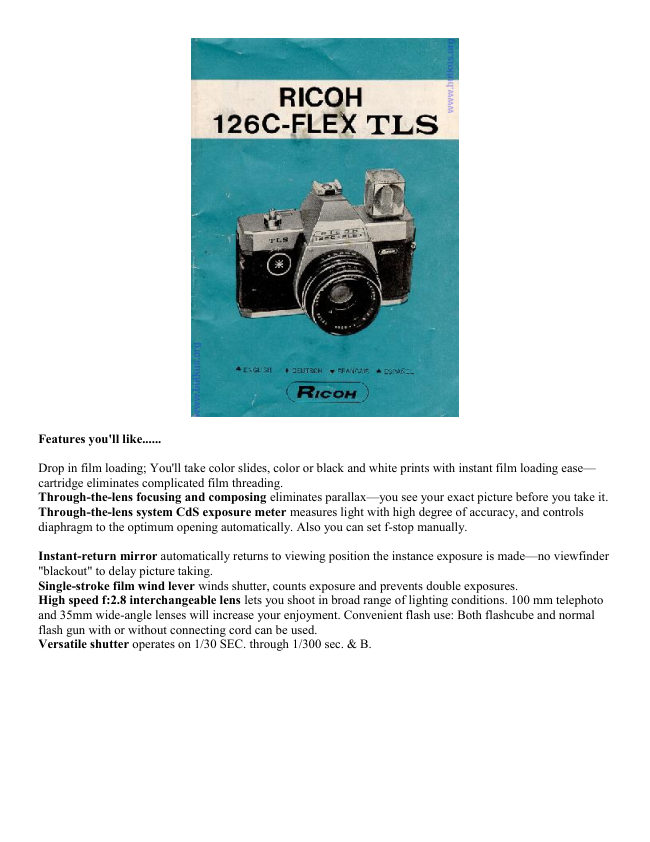
Features you'll like......

Drop in film loading; You'll take color slides, color or black and white prints with instant film loading ease—
cartridge eliminates complicated film threading.
Through-the-lens focusing and composing eliminates parallax—you see your exact picture before you take it.
Through-the-lens system CdS exposure meter measures light with high degree of accuracy, and controls
diaphragm to the optimum opening automatically. Also you can set f-stop manually.

Instant-return mirror automatically returns to viewing position the instance exposure is made—no viewfinder
"blackout" to delay picture taking.
Single-stroke film wind lever winds shutter, counts exposure and prevents double exposures.
High speed f:2.8 interchangeable lens lets you shoot in broad range of lighting conditions. 100 mm telephoto
and 35mm wide-angle lenses will increase your enjoyment. Convenient flash use: Both flashcube and normal
flash gun with or without connecting cord can be used.
Versatile shutter operates on 1/30 SEC. through 1/300 sec. & B.
View original page 2
Page 6 · Read text
When the amount of light is not proper, i.e. too much or too little, a Red
                        warning signal will appear at the left bottom corner in the View
                           Finder, and the Shutter Release Button is automatically locked, thus
                          preventing improper exposure. Then choose a different shutter speed, or
                         use flash. (See page 5 for flash pictures). This Red Warning Signal device
                        does not function when Auto/Manual Ring is set to the manual aperture
                            position for intentional under- or over-exposed photography. The Through-
                       The-Lens CdS exposure meter works on a 1.3 volt "mercury battery"
                         (Mallory RM675 or equivalent) and it will last for approximately one year.
                   When inserting the battery, make sure that (+) and ( - ) ends of the battery
                           are facing the direction illustrated in the Battery See this link on a Wein
                          Air replacement battery.
                       Housing (O) (Fig. 5).


Manual exposures
For special effects or other situations where you wish to set the lens manually, merely turn Auto/Manual Ring
(B) until the f stop you desire is aligned with the black indicator marker (Fig. 6).

Holding the camera
When you are ready to take the picture, hold the camera steady, and gently press Shutter Release Button (A) all
the way down.

Viewing and focusing


                                                   Look into Viewfinder Eyepiece (K)
                                                                     to compose your picture and focus
                                                                  the lens. Rotate Focusing Ring (E)
                                                                         until your subject becomes clear in
                                                                  the micro-prism focusing screen
                                                                      (Fig. 7).
                                                            Since you are viewing through the
                                                                taking lens there is no parallax
                                                        problem what you see in the
                                                              viewfinder will
                                                            appear in your picture. Even when
                                                      you shoot close ups there is no
                                                               longer danger of accidental
                                                               cropping.
View original page 6Page 7 · Read text
Changing the lens


                                                 Your camera is equipped with a 55 mm
                                                               lens which is the proper focal length
                                                                 for general-purpose picture taking. You
                                            may also use Rikenon 100mm
                                                             telephoto or 35mm wide-angle lens.


To remove the lens for exchanging the lenses, continuously turn the lens counterclockwise until it comes off
(Fig. 8).
To insert the standard lens or telephoto or wide-angle lens, turn lens clockwise until the lens stops.

Flash pictures


Insert a 15-volt flash battery in Flash Battery Housing (P) according to the (+) ( - ) illustration in the Housing
(Fig. 9).

Using Flashcube
To take flash picture with flashcube, set Shutter Speed Ring (D) at " picture of flash bulb", and the shutter speed
is set automatic ally at 1/30sec., suitable for flash pictures. Then, turn Auto/Manual Ring (B) and select the
proper f-stop. The proper f-stop can be obtained by the following calculation.

F-stop divided by Guide No. 21 m (or 65 ft.) by Distance between camera and subject (in meters or ft.)
View original page 7Page 8 · Read text
Set Auto/Manual Ring (B) to the nearest f-stop in accord ance with the value obtained by the above calculation.
Place flashcube in Flashcube Socket (F) so that 4 prongs in base of flashcube align with accommodating slots in
Flashcube Socket (F). Press flashcube gently into the socket until cube clicks into position (Fig. 10). When you
wind Film Wind Lever (M), flashcube automatic" ally rotates. If you have used some of the bulbs within the
cube, insert cube after Film Wind Lever (M) is wound, with usable bulb facing the subject -be sure to eject cube
when used bulb has reached "firing" position.

Using the normal flash bulbs


                                                                  If you are using the normal flash
                                                    or electronic flash, mount the flash
                                            gun onto Accessory Shoe (G) of
                                                your camera, and attach the
                                                 connecting cord to Flash Terminal
                                                                 (I) (Fig. 11). Your camera has a
                                                    Direct Contact (H) built into
                                               Accessory Shoe (G) and cordless
                                                   type flash guns may be used.


Set both shutter speed and f-stop properly in the same manner as mentioned in "Using Flashcube". Any type of
the
flash bulbs has its own guide number and you have to divide the guide number by the distance from the camera
to
the subject in order to get the proper unstop value. When using the normal flash unit, set Shutter Speed Ring (D)
at '"flash bulb picture".  If you are using the electronic flash unit, you can select any shutter speed ranging from
1/30 -1/300 sec., and "flash bulb picture " (1/30 sec.).
Do not use flashcube and flash gun simultaneously.

Unloading film
When the last picture has been taken, wind Film Wind Lever (M) until all of the paper backing is wound past
Film Window (N), and take out the film cartridge for processing.
View original page 8Page 9 · Read text
Ricoh accessories


The following accessories are available for your Ricoh 126C Flex TLS Camera (Fig. 12):
Tele Rikenon 100mm f2.8 telephoto lens
Wide"    " 35 mm f2.8 wide-angle lens
Ricoh 52mm screw-in filter, Y2, UV, 85A, Skylight
Ricohlite V 5-successive shots flash unit
Ricohtron II electronic flash unit
Ricoh Self timer

Camera TIPS and CARE......
* Read the instruction booklet carefully.
* Before you go on a trip or photograph a special event, try a practice roll of film.
* Keep fingers and neckstrap clear of lens.
* Protect camera from dust, dirt and rough handling—do not expose camera to excessively high temperatures.
* Do not attempt to repair your camera.


EXTRA ITEM - the Ricoh V5 successive shot unit is a flashbulb unit. Someone questioned me on it.  I found a
photo showing it uses flashbulbs and like a flashcube will fire 5 in succession.  I don't see how it fits, maybe at
an angle ?  I tried to find a manual, but not paying $20 to get one.
View original page 9
Related documents and language editions
From the M. Butkus archive. Original publisher and archive notices are retained.
Check the model and edition against your equipment.
PDF verified 2026-10-10.