Film cameras
Rollei 35S User manual
User manual for Rollei 35S. 48 pages in German. Read the original PDF, download or print a copy without registration.
48 pagesGerman2.3 MB PDF
Loading your manual…Open PDF directly
Document details
- Brand
- Rollei
- Model / document
- Rollei 35S
- Document type
- User manual
- Language
- German
- Pages
- 48
- File size
- 2.3 MB
- Category
- Film cameras
- Document date
- Not specified in catalog
Search available document text
Find a term, then jump to its page in the original PDF. Image-only pages may not be searchable; check the PDF for exact wording and diagrams.
Page 1 · Read text
www.butkus.us
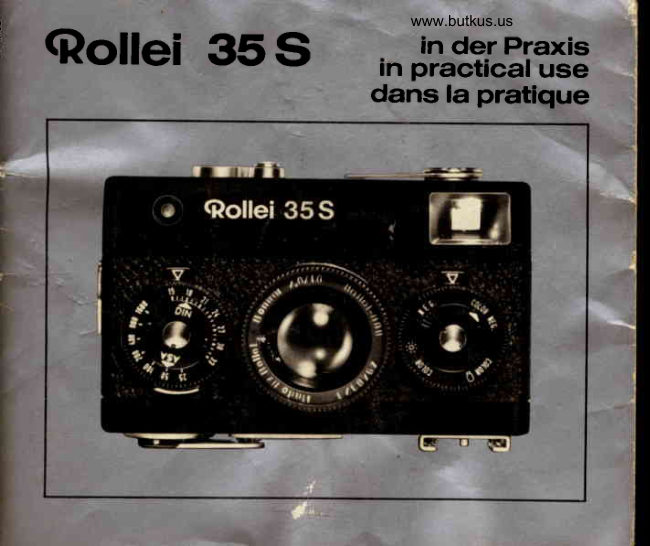
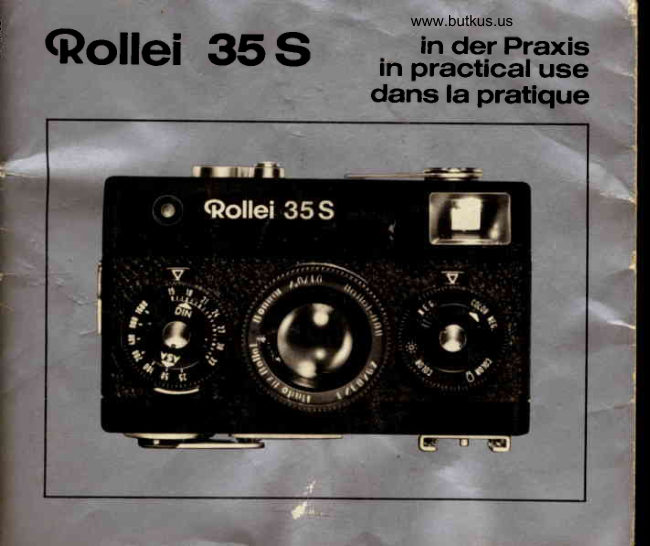
                                       in der PraxisI'  cf,ollei       35S       in practical use
                         dans la pratique
View original page 1Page 4 · Read text
Gontrols  and components

 1 Shutterspeed d ial                10 Framecounter
 2  Fifm type indicator                11 Cameraback
 3 Depth of f ield scale               12  Fittingfo r carryingstrap
 4 Lens                          13 Brilliantf rameview f inder
 5 Aperturesettingdial              14 Windingleverfor f ilm advance
 6 Automaticlockingledgefo r            and shuttertensioning
    aperturesettingdial              15 Lens barrel releasebutton
 7 Film speeddial                  16 Meterneedlefor exposure
  I  Findereyepiece                       control
 9  Film rewind lever


22
View original page 4Page 5 · Read text
www.butkus.us
 1 7 M a t c hi n g p o i n t e r                 23 Tripod socket 1/t,,
 1 8 R e l e a s e b u t t o n w i t h c a b l e          24 Rewindcrank
    release socket                    25* Screw cap for battery
 1 9 C d S c e l l                         compartment
20 Accessory shoe with center        26 * Film pressureplate
    co n tact                        27 * Sprocketshaftfor fifm advance
21 Back lock                       28 * Slot of take-upspool
22  Distance setting ring              29 * Milledwheel


                                                    *)*                                                                                 ilfustrations on
                                            the following pages


when reading,preaseopen the first coverfeaf

                                                       23
View original page 5Page 6 · Read text
Loading the camera
                                 Turn down the lever9.
                                Unlockthe back11 and pull it off.


                 Mike Butkus   Digitally                                                                                                                              DN:email=mike@butkus.org,Date:cn=Mike2024.12.24signedButkus,by15:07:17Mikeo, ou=Butkus.org,Butkusc=US-05'00'
                                        Insertingthe battery
                               Unscrew the slotted screw cap 25
                                      with a coin. Insert the fresh battery
                                        into the camera,so that the plus sign
                                                    * remainsvisible.Replacethe screw
                                 cap 25 and screw tight with a coin.


24
View original page 6Page 7 · Read text
www.butkus.us
Insertingthe film
Swing open the pressureplate 26.
Push in the cartridgeand pull out the
film leader until both perforateded-
ges engage the sprocket shaft 27.
Then swing the pressure plate 26
overthe f ilm and hold it down.
Push the film leaderfully throughthe
slot 28 and wind it up on the take-up
spool by turningthe milled wheel 29
in the direction of the arrow as long
as it can be turned.
Push the camera back 11 in place
and lock it. Check that the back is
firmlysecured.


                                                        25
View original page 7Page 9 · Read text
www.butkus.us
Shooting
Set the controls by pressing the in-
dex fingers against the lower edge
of the setting dials. This also relea-
ses the aperture dial 5 by pressing
on the ledge6 underneath.
All settings are read off against the
triangularindex mark at the top.
Pre-selectthe exposure time
Turn the shutter speed dial 1 to en-
gage the selectedexposuretime op-
posite       the                     For          index mark.                             instant-
aneous      exposur€s->                     hint                               33.                                                    '                     O, pageFor time exposures-+ page 34.              FfIII-.,   r                                     6'uLine up the matchingpointer
The measuring range starts where
the meter needle becomes visible   With the camera held in this way:
outsidethe red area.                 Turn the aperturedial 5 to bring the
For reliablereadingspoint the came-    red matchingpointer17 into line with
ra accuratelyat the subject, So that    the meter needle 16. lf neccessary
the exposuremeter takes in the cor-    select a longer or shorter exposure
rect field of view. For shots out of     time.
doors with large sky areas point the    The shutter speed and aperture are
camera slightly downwards rather   now set for correct exposure. For
than upwards.                         pre-selectingaperturessee hint @.
                                                        27
View original page 9Page 10 · Read text
Venmo @mike-butkus-camera  Ph. 2083
PayPal Name  Lynn@butkus.org      www.PayPal.me/lynnbutkus
View original page 10
Page 11 · Read text
Setllng lhe dislance                       After shooting
Turn the setting ring 22 to set the    To get the camera ready for the next
required distance to the A  index    shot, pull the windinglever14 out as
mark+ also hint @.                      far as it will go with your thumb.
The same scale underneaththe lens   The framecounterl0showsthe num-
rim carriesdistancesin metres.         ber of the next shot. lf the winding
                                      lever 14 is locked,this signifiesthat
Releasing                            the camera is ready for shooting.
Si g h t t he s ub je ct in t h e f in d e r13:The Now you can releaset h e  l e n s 4 b y
brilliant frame shows the view taken    pressing the button 15, and then turn
in. Press the shutter release button     to the left and push back into the bo-
18. The short boundary marks within     dy.
the brilliantframe show the limits of
the f ield of view at near distancesbe-
low 5 feet (1.5 metres).
For self-timere4qosuressee page30.


28
View original page 11Page 12 · Read text
www.butkus.us
Unloading  the film
After frame 36, 20 or 12 (depending
on film length loaded) the film has
to be rewound:
Turn the lever 9 upwards.Unfold the
crank 24 and turn in direction of ar-
row until the resistanceof pulling the
film disappears.
Fold in the crank again and turn
down the lever9.
Move the lock 21 outwards and re-
move the camera back 11. Take out
the cartridge and preferably have
processedas soon as possible.
Never change a film in direct sun-
light. Use, at least, the shadow of
your own body.
View original page 12
Page 14 · Read text
www.butkus.us
@ Exposureswith filters                  Filters for black-and-whiteshots: Me-
The thread of the lens 4 or the lens    dium yellow filter (exposurecorrec-
hood mount takes a screw-infilter.     tion -1.5). This makes the sky re-
Filters mostly requ ire an exposure    producedarker,clouds more brilliant
correction. lts value is engraved on    and improvesmodellingin snow sha-
the filter mount. This indicatesthe    dows.
number of stops by which the aper-   Orange filter (exposure correction
ture has to be opened (towardslower       -  1.5 to  -  3, according to the  f ilm
f/numbers)or the exposuretime in-    type used). This darkens blue skies
c reased.                                   to give heavy thunderstorm effects
For example if the measured aper-    and lightensyellowsand reds.
ture is f/11, and the filter correction
value-  1.5 (i.e. 11/zaperturestops),     Filters for colour shots: Filter UV and
use an aperture setting between tl|     colour conversion'filter R 1.5 (these
and t15.6.                             requireno exposurecorrection).They
lf you want to correct by increasing   subdue blue casts which can arise
the exposuretime, moving the shut-    on cloudless days through the pre-
ter speed dial from one value to the    dominant blue skylight,especiallyin
next correspondsto a  f u ll exposure     distant views.With some reversalco-
step correction.Half steps can only     four films a warmer overall render-
be allowed for by intermediateaper-    ing may be desirable.ln that case the
tu re settings.                   R 1.5 filter may be used for all shots.


                                                              31
View original page 14Page 15 · Read text
Flash bulbs and electronicflash can
                                 be used. For colour shots use only
                                   blue bulbsor electronicflash.
                                   For flash shots ignore the exposure
                                    meter. Set the exposure time, aper-
                                       ture and subject distanceas recom-
                             mended by the manufacturerof the
                                      flashunit.

                                     Permissibleshutter speeds:
                                   Flash bulbs -  1/30 second or longer
                                      (shorterspeeds will cause underex-
                                 posuresor even no exposuresat all).
                                       Electronic flash   any speed up to
                                   1/500second.

                             Shadow areas are reduced if the
                                       flash gun is situatedabove the lensO  Flash shots
Accessory shoe 20 with X-central   and the camera held accordinglY:
f lashoutletcan take a f lash gun.       keep the flash to the left of the ca-
Flash guns without central contact   mera for upright shots, and on top
requirean adapterwith'an outlet at     for h orizontalshots.
its side to take the plug-inflash cab-   The camera is easy to operate in
                                   both thesepositions.le.

32
View original page 15Page 16 · Read text
www.butkus.us
@ Selectingthe best shutter speed
The figures 2 to 500 on the shutter
speed dial  l  indicatefractionsof a
second. The speed dial engages at                   1/5OO sec
each setting; never set intermediate
values. lmage sharpnessdepends,
among other things,on the use of a
sufficientlyfast shutterspeed.There-                   1/5OO sec
fore:
With hand-held exposures:Use fast
speedsto avoid camera shake.The
longest usable time is llzo second;             1t2so-1/125sec&
lleoand lltzs second are safer and
more reliable.With a not very steady
hander use llrzsor, better stilf, llzso
second.                                                          11125 -  1/60 secWith moving subjects: Use short ex- ft    tuposure times to  avoid movement
blur. As a generalguide: Motor ra-
ces,tennis-  llsoosecond.Horse ra-
ces, cross country runners    ,lsoo
second. Running childrenand cyc-
fists   llzsoto lltzssecond.Walking
figures,standingpeople-    l ltzslo  l leo
secon d.
                                                         33
View original page 16Page 17 · Read text
In general:Movementat close range  @ Pre-selecting apertures
and across the viewing direction    According to the type of subject you
needs faster shutter speeds, move-    can line up the matchingpointer 17
ment from greater distances and ap-    with the meter needle by turning ei-
proaching or receding from the ca-     ther the aperturedial 5 or the shutter
mera allows slower shutter speeds.     speeddial 1.
                                                I           With moving subjects pre-selecttheLongtime exposures
The "8" setting on the shutterspeed    exposuretime to make sure of a suit-
dial provides time exposures of any    ably fast shutter speed. Then match
required length. Keep the release   up the pointer by turning the aper-
button depressedfor the requiredex-     tu re d ial.
posuretime.The shuttercloseswhen        lf on the other hand depth of field is
you let go again.                   more important --> page 35, deter-
With longtime exposuresyou can al-    mine the requiredaperture and pre-
so take shots in very poor light which    select this. Now match up the poin-
is too weak for an exposure meter     ter 17 by tu rning the shutter speed
reading. As a special case, if you     dial 1.  lf necessary complete the
arrive at the "B" setting by lining up    exact matching with the aperture
the matchingpointer 17, the correct     dial 5 to get a speed value in click-
exposure time is  l second (double    stop position.
the next exposuresetting).               In every case the camera must point
For long time exposures:place the     at the subject.while you line up the
cameraon a firm support or a tripod    pointer.
and use a cable release with time
lock + page 30.
34
View original page 17Page 18 · Read text
www.butkus.us
@ Depth of field (table on page 441
The imageof a subjectis sufficiently
sharp over a range of distances in
front of and behind the focused dis-
tance. Th is depth of  f ield zone is
shownon the depth of field scale 3:                        z8
Look up the marks of the aperturein                               1
use to each side of the focusing in-
dex.The figureson the distancering
22 opposite these marks then indi-
cate the sharply covered subject
range.
Depthof field is particularlydesira-
blefor candidsnapshots,sportspho-                                    For distant views with near fore-tographywith rapidly changingsub-                                 grounds set the infinity marking ooject distances,and for scenesexten-                                    oppositethe aperturein use on scaleding in depth. For this reason the                                           3. That extends the depth of field tomost usefu I snapshot settings of 6                                      the nearest possible point in theand 20 feet are marked in red on the                                    foreground.distancering 22. At a medium aper-
ture (tl9 to tl11) these settingspro-
videextendedfocusinEranges:
at 6 feet from about 4llzlo 9 feet;
al2Ofeet from about 10 feet to infini-
ty   "".
                                                        35
View original page 18Page 19 · Read text
@ Correct exposure                 Normal subjects: the view is lit from
As a basic rule, always point the ca-    the f ront or at an anglefrom the side.
mera while taking exposurereadings   There are no heavy shadows, and
exactly in the d irection of the sub-    dark and bright areas are balanced.
ject. lnadvertenttilting of the camera    (This uniform front  lighting also
-  for example into the sky while ta-     yields the most saturated colours in
king landscapeviews   can falsify    colour shots).
the reading and in this case lead to    Result: The measured exposure  is
under-exposure.                      correct for the whole field of view.
Th e exposu re meter evaluates th e
average brightness of the measured   A special case: The main subject
subject field. With subjects of ave-    contrasts strongly  in  brightness
rage contrast it automaticallyindi-    against the background.For exam-
cates the correct exposure.But even     ple, with a portrait of a suntanned
with shotsof considerablebrightness   face against bright clouds an avera-
range you can take the readings in    ge readingwould give too much im-
such a way as to ensure correct ex-    portanceto the sky. Yet it is the head
posurefor the main subject.           which mattersfor the exposure.
                               The right way: Take a close-up rea-
                                    ding with the camera near the sub-
                                          ject until the main object completely
                                                     fills the finder. After setting the ex-
                                 posure go back for shooting to the
                                    previousviewpoint.

36
View original page 19Page 20 · Read text
www.butkus.us
Substitute reading:    lf  a  close-up
r e a d i n g i s n o t p o s s i b l e , p o i n t t h e c a -
mera at a substitute object of average
c o n t r a s t a n d u n d e r  t h e s a m e   l i g h t -
i n g . U s e t h e s e t t i n g o b t a i n e d f o r  t h e
exposure.

Against the  light: When  shooting
a g a i n s t t h e  l i g h t o p e n  t h e  l e n s a p e r -
t u r e b y o n e s t o p  ( n e x t  l o w e r  t l n u m -
be r).         l>?For colou r su bjects to be taken on
reversal colour film avoid very great
b r i g h t n e s s d i f f e r e n c e s . A  c l o s e - u p
r e a di n g o f  t h e s h a d o w a r e a s u s u a l l y
leads to excessive exposu re for the
s u n l i t   i m a g e  p o r t i o n s , w h i c h   t h e n
a p p e a r t o o   l i g h t a n d b u r n t o u t w h e n
you project the  slide. An  average
b r i g h t n e s s r e a d i n g  ( a s w i t h n o r m a l
subjects) here again yields pictu res
which correspond most closely to the
n a t ur a l c o l o u r i m p r e s s i o n .


                                                       37
View original page 20Page 21 · Read text
@ Film transport           @  ls the camera loaded?
You can operatethe winding lever14        lf you are not sure after a long inter-
either in one full swing or in several    val, unfold the rewind crank 24 and
shortswingsuntil it locks.                 try turning it gently in the direction
                                           of the arrow. lf you meet a resistance
O Changingthe battery              you know that there is a film in the
The cadmium sulphide exposure   camera. lf the camera is emPtY,the
meter 19 is powered by a Mallory    crank24 turnsfreely.
battery PX 625 or similar type.
According to the manufacturer,the  @ CarryingstraP and carrYingcase
durabilityof the battery is 12 to 24    The carrying strap is fixed to the fit-
months, provided that the unused    ting 12 at the side. Push the protru-
camerais kept in the case i. e. in the    ding retainingspringagainstthe ca-
dark. The voltage drop occurs sud-   mera body with the button on the
denly.Symptom:the meter needle16    strap and push the buttonhome.
does not deflect any more. Recom-   To remove, push down the sPring
mended precautions:Change batte-    leaveswith a f ingernailand slide off
ry annually,and remove it if the ca-    the button.
mera is not used over an extended   With the strap the camera can hang
period,always remove an exhausted   from the wrist even inside its carry'
battery -> page 24.                     ing case. Open the zip fastener of
                                      the case and push back the latter.
                                 Duringshootingit simplyhangsfrom
                                      the strap.

38
View original page 21Page 22 · Read text
www.butkus.us
@ Taking care of the camera
Protect the  camera  against  hard
knocks and do not drop  it. As a safety
measure wrap the strap around your
wrist.
Protect the camera against moistu re,
dust, wind-blown sand at the seaside
a n d c o n t i n u o u s e x p o s u r e t o s u n l i g h t .
This applies especially when the ca-m e r a i s o p e n e d w h i l e c h a n g i n g f i l m s . m
Keep the f ilm pressure plate 26 clean,    -Trand occasionally polish it with a lea- E
t h e r c l o t h . F o r c l e a n i n g t h e  i n s i d e o f
the body use a soft brush.                          lf the lens surface mists over in the
A soft sabfe brush  is also the best     winter when taking the camera from
means for cleaning the lens 4. The     the cold air outside into the warm air
fens surfaces are sufficiently reces-     of a room, wait a few minutes until
sed to avoid accidental finger marks.    the deposit of moisture has evapora-
To clean filters, first dust them with     ted on its own.
a soft brush and then polish with lens    And if at any time you have a special
tissu e.                                technical query     at home or on
                                    your travels abroad    remember
                                         that the internationalRollei Service
                                                  is always at your disposal for advice
                                and information.
                                                        39
View original page 22Page 23 · Read text
Handling faults and remedies

Fault                      Possible cause
Meter needledoes not      Preselectedexposuretime outside setting range
respond                   Battery exhausted,not insertedor wrongly inserte
Shutterdoes not release    Rapidwinding lever orrlypartlytensioned
Pictureunexposedor       Shutter speed too fast for flash bulbs
partlyexposed
Pictureunder-or         Wrong exposuremeasurement
overexposed
W h o l ef i l m u n d e r -o r       Wrong film speed setting
overexposed
Whole f ilm u nexposed      Film has not advanceddue to faulty loadingor becausetorn

lmage partly or             Subject movement:exposuretime too long for moving
completelyunsharP        subject
                              Cr.*t"  shake: €xposUretime too long for hand-heldshot
                       lmage inaccuratelYfosused
Rewindknob does not turn   Film wrongly loaded
                        F i l mt o r n
Heavy resistanceagainst                          m entirelYwound off
film advance
Bright picturesareas         f-ightcontrastexcessivefor colour film: particularlywith
washed-outand almost     uguinst-the-lightshots, market and street scenes under high
colourless,dark Picture    sun, beachand mountainscenesat midday
areasalmostblack and
withoutd iscernable detaiI
View original page 23Page 24 · Read text
www.butkus.us

Remedy                                                          Notes
Selectshorter or longer exposuretime                             See page 27
Changeor (correctly)fit the battery                               See page 24
Fullypull out rapid winding lever                                 See page 38
Shutterspeed '/rosscend or tonger                               See page 32

Measurebrightnessof main subiect.
See close-up or substitute readings,page 36 and 37
 set film speed correctly. see AsA value on fitmFact<ing

Correctlyload film, advance smoothly but not too fast                 See page 25
                                                              and 28
Use faster shutter speed                                       See page 33

Supportcamera or use a tripod                                  See page 33
Focusexactly                                               See page 28
Correctlyload film, leader into outer slot                          See page 25
ARemovetorn piece of film in the dark, trim new leaderand retnreffi
A v o i d a n y f o r c e , r e w i n d f i l m s o m e w h a t , t h e n f i n i s h | e v e r s
.urtfidge: op€o back in total darkness only, rewind film by hand and wrap up light-proof
                                 i#wchange viewpoint or direction: give preference to morning or afternoon sun                                                                   which is
more suitable for photographing,see pages 36 and 37 also
View original page 24Related documents and language editions
From the M. Butkus archive. Original publisher and archive notices are retained.
Check the model and edition against your equipment.
PDF verified 2026-10-10.