Film cameras
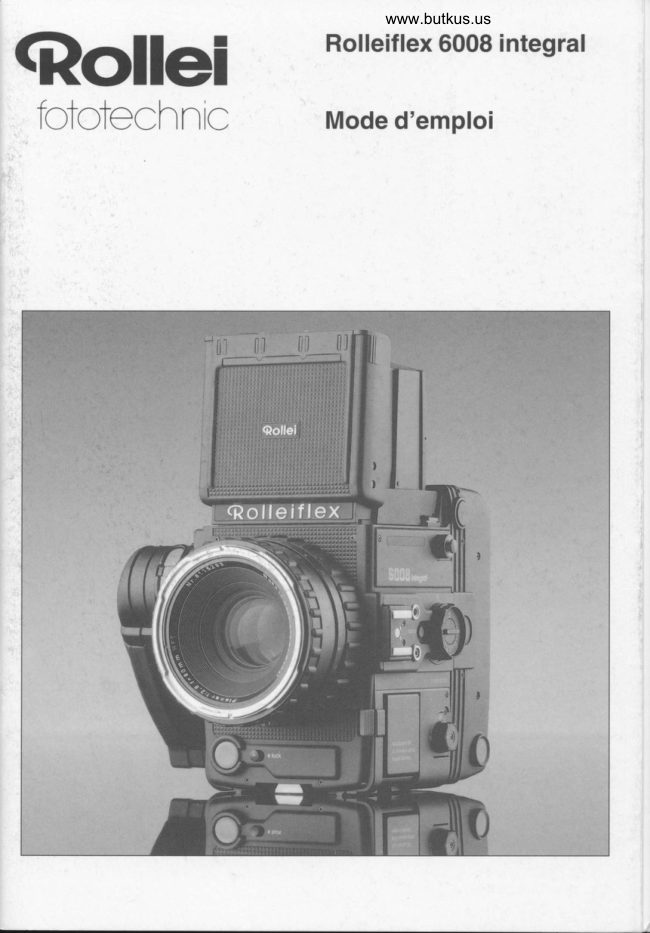
Rolleiflex 6008 Integral User manual
User manual for Rolleiflex 6008 Integral. 56 pages in English. Read the original PDF, download or print a copy without registration.
56 pagesEnglish3.3 MB PDF

Loading your manual…Open PDF directly
Document details
- Brand
- Rollei
- Model / document
- Rolleiflex 6008 Integral
- Document type
- User manual
- Language
- English
- Pages
- 56
- File size
- 3.3 MB
- Category
- Film cameras
- Document date
- Not specified in catalog
Search available document text
Find a term, then jump to its page in the original PDF. Image-only pages may not be searchable; check the PDF for exact wording and diagrams.
Page 3 · Read text
Contents
Components and controls            page 2
ln a nutshell                                       nr^avuvv     ^
Camera operation                    page 10
lnterchangeable modules              page 22
Hints and notes                      page 29
Main accessories                    page 34
Lens table                          page 39
The Rolleiflex 6008 system             page 42
Trouble shooting                      page 44
vvvv,,,vuL'v'Qnanif  inatinnq 'v                        page 50


 IMPORTANT SAFETY INSTRUCTIONS
  When using your photographic equipment,     Always unplug appliance from electrical
   basic safety precautions should always be       outlet before cleaning and servictng and
   observed, including the folowing:            when not in use. Never yank cord to pull plug
                                                from outlet. Grasp plug and pullto
  Read and understand all instructions before     disconnect.
   uslng.
                                                        Let appliance cool completely before
   Close supervisions  is necessary when any       putting away. Loop cord loosely around
   appliance is used by or near children. Do not   appliance when storing.
   leave appliance unattended whtle in use.
                                            To protect against the risk of electric shock,
   Care must be taken as burns can occur       do not immerse this appliance in water or
   from touching hot parts.                        other liquids.

   Do not operate appliance with a damaged      To avoid the risk of electric shock, do not
   cord or  if the appliance has been dropped or   dissassemble this appliance, but take  it to a
  damaged - until  it has been examined by a      oualified serviceman when some service or
    oualified serviceman,                               repair work is required. Incorrect reassembly
                                             can cause electric shock when the appliance
   Position the cord so that it will not be                is used subsequently.
   tripped over, be pulled, or contact hot
   surfaces.                                The use of accessory attachments not
                                       recommended by the manufacturer may
       lf an extension cord is necessarv, a cord       cause a risk of fire, electric shock or injury to
   with a current rating at least equal to that of      oersons.
   the appliance should be used. Cords rated
    for less amperage than the appliance may      Connect this appliance to a grounded
   overheat.                                                outlet.
 KEEP THESE INSTRUCTIONS SAFE


                              www.butkus.us
View original page 3Page 4 · Read text
39 Soare fuse                                  70 Aperture-ring lock (for shutter-priority AE)
40 Fuse retaining slide                               71  Focusing ring
41 Interchangeable focusing screen               72 Lens release
42 Detachable folding hood                       73  Mirror lockup
43 Left-hand strap lug                           74 X-sync PC socket
44 Exposure-correction/fill{lash switch             75 Hot shoe with dedicated flash contacts
45 Metering-mode selector, custom-function        76 Cable-release socket
   RESET                                      77  Battery grip
46 Multi-exposure knob
47 Left-hand magazine release
48 Sticker recess
59 Left-hand magazine-back release
50 Drawslide bar
51 Interchangeable film magazine
52 Frame-counter window
53 Memo holder
54 Film gate, detachable for use of special
   accessones
55 Magazine hinge
56 Lock spring for film-spool spindle
57 Memo holder
58  Film insert
59 Film-ddvance gear
60  Film-path marking
61  Tripod quick-release plate
62  3/Bin. tripod socket
63  1/4in. tripod socket
64  Battery compartment
65 G ri p-adjustment release
66 Action-grip pivot
67 Lens bayonet
68 Interchangeable lens
69 Aperture ring (for shutter-priority AE and
   manual)


                                                                                         Rolleiflex 6008 "integral"
View original page 4Page 6 · Read text
Components
  and Controls


    1 Master switcn                       34 Spool chamber and symbol for empty take-up
    2 Right-hand finder-hood release                    spool
    3 Right-hand strap lug                   35 Right-hand magazine-back release
    4 Right-hand screen-frame release         36 Magazine back
    5 Magnifier panel                      37 Right-hand magazine release
    6 Magnifier                         38 Film-sPeed dial
    7 Folding finder-hood cover
    8 Nicad batterv
    9 Fuse
    10 Left-hand finder-hood release
    11 Left-hand screen-frame  release
    12 Finder LED display
    13 Distance scale
    14 Aperture scale
    15 Aoerture oointer
'   16 Pointer wrndow
    17 Double filter bayonet
    18 Aperture index
    19 Distance index and depth-of-field scale
    20 Bayonet lens mount
    21 Shutter-release lock
    22 Bottom right shutter release
I   23 Action grip
    24 Detachable leather strap
    25 Shutter-speed dial
    26 Top right shutter release
    27 Action-grip seat
    28 Meter/memory switch (AE lock)
    29 Take-up spool
   30 Index for alignment with backing-paper arrow
    31 Universal remote-control socket with screw
         thread
    32 Selftimer and customjunction  switch
    33 Stop-down button


                              "integral",  2    Rolleiflex 6008

I
I
View original page 6Page 7 · Read text
Rolleiflex 6008 "integ ral"


About this Manual                             The numbering of the controls and components is
                                                                                                                                                             isTo make the most of the potential of this camera,   consistent throughout the text and illustrations.   lt
you need a certain level of photographic expertise based on the two fold-out picture plates at the front
and basic technical knowledge. We assume that a   and back. Keep them folded out for easy reference
Rolleiflex 6008 owner will have that basic know-    while reading this manual'
ledge;  it is the purpose of this instruction manual to
provide specific information on camera handling.     After a presentation  of components and con-  <Rollei
trols, a brief summary of the main handling points   fgtgteChntC
is added for the hurried reader. This is followed by
a detailed description, with suitable illustrations, of
the main camera features and a step-by-step
explanation of relevant operations, from assem-
bling the camera modules right up to removing the
exoosed  film.
    Next in line are a number of practical hints and
background information as wellas notes on the
main accessories.
   A table summarizes the main data of the inter-
changeable lenses.
   A trouble-shooting guide helps to trace possi-
ble problems and handling errors - to which even
the seasoned pro is not immune in the excitement
of the action - and indicates remedies.


                              www.butkus.us4    Rolleiflex 6003 "integral"
View original page 7Page 8 · Read text
In a nutshell                          ConnectCharge nicadpowerbatterycable "c" to oower socket "d" of
                                                  charger and to AC outlet. The green LED indicatesRead this telegraphic summary for a quick grasp of                                                         readiness.
the major camera controls and operations. To get                                                                           All common AC voltages from 100 to 24OVto know the camera in depth, go to page 1O and                                         may be used. Push up battery grip 77 , removeread on from there.                                                            battery B from camera and insert  it in charger in
                                                            position shown. Charging time: min. 10 minutes,Note for owners of a Rolleiflex 6002 or SLX:                                                    normally t hour.Except for the camera backs, all interchangea-
ble modules may be used on the Rolleiflex 6008                                                              All rechargeable nicad batteries are subject to"integral". Do not, however, try to use the inter-                                                gradual discharge even without use.To keep thechangeable 6008 "integral"magazines on a                                            camera always ready for action, be sure toRolleiflex 6002 or SLX, since the motorized                                                 recharge the battery at intervals of about 2 - 3drive system of these models is not designed                                          months even if it is not used.for operation with interchangeable magazines.
Moreover, the film track does not in that case
keep the film perfectly flat.

Note for owners of a Rolleiflex 6008 SRC 1000:
All interchangeable modules fully compatible
with the 6008 "integral".

The accessories FM1, MEl and SRG/MRC 120
are not suitable for use with a Rolleiflex 6008
"integral".


                                                                                        Rolleiflex 6008 "integral"
View original page 8Page 9 · Read text
Mount lens                                  Load film                                      ,
Press red lens release 72 and remove body cap.      Push grip of magazine drawslide bar 50 fully to
Align red mark on lens 68 with red dot on bayonet     "magazine change" position (arrow). Hold
lens mount 20, insert  it all the way and turn  it fully     camera upside down as shown. Press release but-
clockwise.                                             tons 35 and 49, open magazine back 36 and re-
                                          move film insert 58 --> page 7, top left. Pull red tab
lnsert nicad battery                                       of spring 56 outwards to insert film spool, oriented
Hold charged battery B with grip 77 facing down      as marked by symbol 60. Run paper leader straight
and insert  it fully into camera to engage grip.            to empty spool 29, attach and wind up till arrow
                                             headS (!) line up with white index 30 -+ page 7,
lmportant note:                                     center and bottom. Insert film-box tab in memo
The Rolleiflex 6008 "integral" will automatically        holder 56 (behind full spool). Drop film insert into
detect and display faulty shutter operation. This       back. Full spool must face -r   , empty spool r -r
includes shutter tripping without a lens or maga-      symbol.
zine on the camera. In this case, the shutter release        Note: Backing paper must lie above pressure-
will remain locked for the duration of error display.      plate springs "a"; threading below these springs
See also page 21.                                          willfollow automatically later. Firmly close maga-
                                                     zine back.
                                                                  Fully push down magazine drawslide bar and
                                                       set ISO film speed on magazine  dial 38. Turn
                                                   master switch  '1 to "S" and press shutter release:
                                                       Film is now advanced to first frame, and frame
                                                      counter 52 reads "1".  lf this fails to appear, press
                                                       release once more.
                                                   To load magazines  off the camera, -+ page 24
                                               "Changing magazines".


                              www.butkus.us       Rolleiflex 6008 "integral"
View original page 9Page 10 · Read text
Focus
 Open finder hood 7, swing up magnifier panel 5
 with magnifier 6 and focus by turning focusing
 ring71.

 Select exposure mode
 Aperture-priority AE- Set shutter-speed dial 25 to
 "A", press lock button 70 on aperture ring 69 and
 set desired aperture.

 Shutter-speed  priority- Turn aperture ring 68 to "A"
and select desired shutter speed on dial 25.

 Manual mode - Adjust aperture andlor speed until
 only green LED stays  lit.

Programmed AE- Turn aperture ring 69 and shut-
ter-speed dial25 to "A". In standard mode, pro-
gram works with 1/rzss shutter-speed prlority.

Select metering mode
Choose metering pattern by turning selector 45 to
one of the following positions:
I    Center-weighted multi-zone metering for
      normalsubjects.
tr    Spot metering for difficult lighting
      conditions.
r-t'l     Multi-spot metering for extreme lighting
      conditions. Meter up to five subject points
      (see page 17).


                         Rolleiflex 6008 "integral"
View original page 10Page 11 · Read text
Read exposure                                 Take picture
After selecting exposure and metering modes,         For single frames, press master switch 1 and turn
push meter switch 28 forward. Finder display lights     to engage at "S". Briefly press shutter release 26 or
up for about 40 s (for about 4 min. with multi-spot     22.For continuous shooting turn switch 1 to "C"
metering). Reactivate metering system as often as    and keeo shutter release depressed for desired
needed. To store reading, hold button 28 de-        number of frames. Switch 1 at "off" locks the two
pressed or engage by pulling backwards.              shutter buttons. Release 22has an additional
                                                mechanical lock.
Note finder display                                             Alternatively, a cable release may be screwed
All essential camera functions are displayed in the      into socket 76 or an optional electric remote re-
viewfinder 12: Aperture and shutter speed plus        lease connected to socket 31.
intermediatel/s steps up or down; balance signals
(manual mode) with green correct-exposure LED.    Watch frame counter
At right-hand end of display, E stands for flash      Window 52 shows number of exposures made. "S"
readiness with dedicated flash units, +/- for expo-     indicates no film loaded or film not threaded; red
sure correction, M for memory lock and E for spot    arrow = film not advanced to first frame; all-red win-
or multi-spot metering.                        dow = paper trailer or film spooled up.


                              www.butkus.us        Rolleif lex 6008  " integral"
View original page 11Page 12 · Read text
Close focusing hood
Fold down magnifier panel5. Push in both side
panels and let go; hood closes on its own.

Unload film
Film end winds up automatically after last expo-
sure. Then open magazine back and  lift out film
insert. Remove and sealfullfilm soool. Reolace
film insert and close magazine back.

Note: Before opening the magazine back 36,
always push drawslide bar 50 allthe way to "maga-
zine change/remove insert" (arrows), or the draw-
slide may be damaged.

The following pages describe the different
camera functions and operating steps in full
detail.
For useful hints see page 29 et seq.
In case of handling errors, check the trouble-
shooting tables on pages 44- 49.


                                                                                        Rolleiflex 6008 "inteoral"
View original page 12Page 13 · Read text
Camera operation                ToPreparingmount thethelens,cameraremovefor frontuse and rear caps'
                                                   Press release 72and remove the bodylcao, turning
We will now look at the operating sequence from              it counterclockwise. Align the red index oh lens 68
assembling')the camera to unloading the exposed    with the red dot inside the camera, insert the lens
film. This applies to the basic camera outfit and to      allthe way into the bayonet mount 20 and turn
single exposures with AE control. Where neces-       clockwise to engage.
sary, more detailed explanations  follow the
description of the handling steps.                     Inserting the batterY
                                             Push the nicad battery 8, with its grip 77 tacing
Rolleiflex 6006 owners please note:               down, allthe way into the battery compartment and
With the exception of the bellows attachment,     push home the grip. See note on page 6!
extension  tu bes, teleconverter,  reversi n g ada-
pter and magnifying finder hood,all inter-            Fitting the neckstraP
changeable components are equally usable on     Push the self-latching strap eyelets onto the lugs 3
the Rolleiflex 6008 "integral".  lf necessary, these   and 43 and let them engage.
accessories can be modified at the factory.This        To release the strap,  lift the latching bar and
also applies to the same Rolleiflex 6002 and       unhook the eyelets.
SLX accessories.                                 The strap can rotate freely around the lugs,
Rolleiflex 6002 and SLX owners please note:       making  it easy to carry the camera in any position.
Do not try to use 6008 magazines on a Rolleiflex    (See also important notes on page 6.)
6002 or SLX, since the motorized drive system
of these models is not designed for operation
with interchangeable magazines. Also, the  f ilm
track does not in that case keep the film perfect-
 ly flat.


                                                                                                                            ') The basic camera  outfit  is supplied in special packing that
                                                                securely holds all components.  lt is advisable to keep this
                                                               packinj  in case you wish to ship the outfit again. Also note the
                                                                                berial numbers  of the camera body and lenses. These will help
                                                            you trace  it and prove your ownership, should you ever lose
                                                             any of these items.

                              www.butkus.us10  Rolleiflex 6008 "integral"
View original page 13Page 14 · Read text
Fitting the action grip
 To avoid accidental shutter tripping while fitting the
 grip, turn the master switch to "off". Turn the
 shutter-speed dial 25 to <> and hold  it there. Push
 grip 23 with its pivot 66 fully into the hole 27 in dial
 25 and let go of the dial so that it returns from the
 <> position.
    The grip is now firmly attached to the camera.
 To remove  it, proceed in the reverse order.


Adjusting the grip position
The grip engages in four positions and thus allows
easy holding with the hood (waist-levelshooting)
and the 45" prism finder or 90o eye-levelfinder.
    To adjust the grip, press the inside release "b"
tillyou can move the grip. Let go of the button and
swing the grip forward or back untilthe locking pin
engages.


Adjusting the wrist strap
Open the clip on the strap and adjust the latter so
that it comfortably supports the camera on your
right hand.
    To remove the strap, use a ballpoint pen or
similar pointed object to depress the small locking
pins at each end of the grip while pulling the small
strap brackets out of their slots. To fit the strap, pro-
ceed in the reverse order.


                         Rolleiflex 6008                               11tl
View original page 14Page 15 · Read text
Charging the nicad battery                           Hint 1: lf rapid charging is to start again  (!) after
Plug the power cable "c" into the receptacle "d" of    changeover to float charging, briefly lift the battery
the charger "b" and connect  it to a wall outlet. The      off the contact pins and replace  it. -> The one-hour
green LED confirms readiness.  All common AC vo-    timer starts, and rapid charging begins.
Itages and frequencies can be used:
100 V - 24OV DC, 50 Hz - 60 Hz.                      Hint 2:  lf the battery is overheated, the red LED will
                                                        not light up when the battery is in the charger.
     Insert the battery into the charger so that its ter-   Rapid charging will start only after the battery has
minals are in contact with the charger pins. Rapid     cooled down to below 45'C.
charging starts after approx. 2 seconds with 500
mA, and the red LED lights up. The red LED goes     Charging from a car battery
out when charging is completed.                  Use an optional accessory cable to connect the
   The charging voltage and the battery tempera-    low-voltage socket of the charger to the lighter
ture are monitored during charging. When the cut-    socket of the car. Normal charging from a 12V car
off voltage has been reached, the unit switches to      battery takes around 14 hours. ln this case, the
float charging. Once the battery temperature          redigreen LEDs will not light up.
exceeds +45oC, the red LED goes out, and rapid
charging stops untilthe temperature is once more    Connecting a video camera
in the admissible range. Rapid charging  is         A CCD video camera or other unit running on 12V
terminated  after a maximum of one hour. Float        DC/500 mA, such as a portable radio, may be
charging consists of 0..1-second pulses of 500 mA    connected to the 3.Smm jack socket. The green
injected every 16 seconds, with the green LED      LED indicates readiness. The cable should not be
flashing in addition to the red LED. Since the float      longer than 2 m.
charge only compensates for the self-discharge of
the battery, the latter may remain in the charger for    Safety
prolonged periods.                           A TBOOmA fuse is permanently  fitted to the charger.
    Ambient temperature range: approx. 5"C to      The outputs (battery pins, sockets) are protected
35'C. The total charging time depends on the         against shorting by faulty batteries or metallic
charge condition of the battery. After normal           objects. The battery temperature is monitored and
discharge, about one hour or less is sufficient.           limited. The duration of rapid charging is likewise
                                                    monitored and limited to one hour. The control unit
                                                 complies with the pertinent safety regulations.


12  Rolleiflex 6008 "inteqral"          www.butkus.us
View original page 15Page 16 · Read text
The unit is double-insulated.                       Loading the film insert
Do not ground  it nor insert any bare metallic ob-      Push the drawslide bar 50 allthe way to "magazin<
jects into the battery compartment. Use the          change/remove insert" (arrows). Press the maga-
charger only in a dry environment.                    zine-back releases 35 and 49, open the back and
                                               remove the film insert 58. There are three recesses
To avoid excessive drain on the battery, always        in the magazine back to facilitate gripping.  lf
switch the camera off after use.Turn master        necessary, briefly press down on the empty spool
switch 1 to "off"and disengage the AE lock but-     with one finger to loosen the insert.
ton 28.                                                               Pull outwards the red lock spring 56, insert the
     All rechargeable nicad batteries are subject      film spool as shown by the film-path marking 60
to gradualdischarge even without use.To keep     (black side of backing paper facing inwards) and
the camera always ready for action, be sure to         let the spring engage the spool. Thread the
recharge the battery at intervals of about 2 - 3      backing paper straight into take-up spool 29 and
months even if it is not used.                     wind up a turn or two, keeping  it taut, with the
                                             advance gear 59, untilthe arrow on the backing
Checking the battery                            paper lines up exactly with index 30. Insert the
Whenever the camera is switched on,  it automati-       identifying tab from the film box into memo holder
cally checks the condition of the battery.             57 (behind the fullfilm spool)as a film{ype remind
    Switch the camera on by pressing Memo              er.
switch 28. Displays and their meaning:                 The camera comes comolete with one film in-
bc FULL             Sufficient capacity                   sert. For efficient operation during extended shoot-
bc=6,5,4,3,2,1 Low capacity                       ing sessions  it makes sense to carry severalfilm
CHARGE             Insufficient capacity                  inserts, unless the even more practical inter-
   When bc=6-1 appears, the battery has only      changeable magazines are used. You can carry
enough power for a few films and ought to be          the inserts preloaded for quick film changing. The
recharged. When the display reads CHARGE, the    same film insert (but not the same magazine!)
camera cuts off altogether.                            serves for both size 12O and 220 roll film.

                                        Do not use Rolleiflex SLX film inserts (with
                                                   index marks and symbols on the inside edges),
                                                 as they might jam when unloading.


                                                                                        Rolleiflex 6008 "integral" 1i
View original page 16Page 17 · Read text
At freezing temperatures (below 0'C)  it is better not    Setting the film speed
to preload film inserts; rather load the film directly      Turn dial 38 to the ISO speed of the film in the
into the camera and advance to frame No. 1. The     camera. The dial clicks at each setting; do not try
adhesive tape holding the film on the backing           to set intermediate values.
paper may become brittle in the cold and then             Film soeeds from ISO 25 to 6400 can be set.
cause   f  i lm-advance problems.                         This wide range covers virtually allfilms available
                                                   worldwide. With switch 44 you can correct the nor-
Replacing the film insert                         mal exposure from -42lsIo +2EV in '/g increments.
Open the magazine back as described before and                 lf the film soeed is varied with the camera
drop in the film insert so that the fullfilm spool         switched on (l) or  if magazines with a different ISO
faces the symbol - l and the empty spool the         setting are attached, the corresponding ISO value
symbol r:. Do not try to guide the film edges            will be displayed for about one second instead of
underneath the springs "a" along the pressure-        the shutter speed, for example
plate edges, but rather let them lie on top. The        25 - 32 - 40 -- 50 . . 3200 - 4000 - 5100 - 6400
autoloading system ensures correct film location        When the magazine is removed, the display
and automatically threads the film underneath the       will read "100" because without a magazine the
springs "a".                                   camera automaticallv defaults to 21 DIN = 100
    Close the magazine back until  it snaps into       ASA.
place and push the drawslide bar allthe way down
to disengage the shutter lock. Turn master switch l    Setting an exposure correction
to "S" and briefly depress shutter release 22 or 26:         lf the exposure correction is set or varied with the
The film is automatically advanced to the first        camera switched on,  it will be displayed for about
frame, and "1" appears in frame-counter window     one second instead of the aperture, for example
52.lf "l" fails to appear (which may occasionally    Setting 0 +'1" +'1, +1  +1'1" +1'ls +2
happen with some film brands), simply press the    Display 0  0'   1.  1   1'   2.    2
shutter release a second time.                 Setting 0 -'1" -'1" -1   -1'1, -1'1" -2
   To load the film insert with the magazine de-     Display 0 -0'  -1.  -1  -1'  -2.   -2
tached, see page 24,"Changing magazines".           etc. up to - 42ls
                                                                       In addition, the symbol +/- will light up in the
                                                      viewfinder display 12it a correction is set.


                             www.butkus.us14  Rolleiflex 6008 "inteoral"
View original page 17Page 18 · Read text
Note: When you fit interchangeable Rolleiflex 6006   Opening the hood
magazines, which have no provisions for ISO set-     Raise the folding hood cover 7 at the rear and
ting, the camera  will default to ISO 1OOl21o. Allow-     swing up. To swing up the spring-loaded magnifier
ance for other film speeds can be made by setting     panel 5, push up its tab towards the edge of the
a suitable exoosure correction with switch 44. Films    cover.
from ISO 25 to 2500 can thus be used.
Fvemnla'                                        Closing the hood
lso  25 50  100 200 400 800 1600 2500    Fold down magnifier panel 5. Push in both side
EV cor-                                              panels and let go; the hood closes on its own.
rection +2 +1  0  -1  -2 -3  -4    -4'1,
                                             Focusing
                                                  Turn ring 71 to focus the image on the screen. The
                                                    focusing distance can be read off in m or ft against
                                                        the index 19. Depth of field can be checked
                                                        against the aperture scales to each side of the
                                                    distance index 19. For infrared photography read
                                                                      off the focused distance and set  it against the red
                                                      index on the deoth-of-field scale. All lenses focus
                                                                  at full aperture.
                                                The standard finder screen incoroorates three
                                                    focusing aids: a central split-image rangefinder, a
                                                  microprism collar and the Fresnel ground glass
                                                         proper. The standard screen is ideal for many sub-
                                                              jects. Five alternative screens are available as
                                                       optional accessories for special applications.


                                                                                        Rolleiflex 6008 "inteoral" 15
View original page 18Page 19 · Read text
,Viewing                                        Program chart
The square grid of the standard screen aids in ver-      (for BOmm f/2,8 lens)
tical and horizontal alignment of the camera. The
lines are spaced 1O mm apart, which helps to mark        t
smaller finder fields for 4.5x6cm (1"lox21lqin.)        30s
upright or horizontalformats or even 4x4cm. Spe-      15 s
cial screens with 4.5x6cm frame markings (hori-       Bs
zontal and vertical)as well as 4x4cm markings are
available as ootional accessories.
    Interchangeable lenses widen or narrow the                 1I'1125
field of view (from a given viewpoint) and are avail-
                                                                                       '/'uo
able in focal lengths from 30 to 1000 mm.                                       1T'/500
   The line of accesories includes various inter-                                       t
changeable viewfinders as alternatives to the                  /rooo
standard folding hood.                             2A         5,6          11     tb   22

Selecting the exposure mode                    The optional Master Control unit allows any speed
Selecting the exposure mode is straightforward       from '15 s to l/soo s to be chosen as a prime speed.
and logical:                                           This can be varied and thus adaoted to the work on
Aperture-priority AE- Turn shutter-speed dial 25 to    hand, giving an additional 14 AE programs.
"A"; press lock button 70 and turn aperture ring 69
to the desired f-stop; there are click stops at ./s       Manual mode- Select any combination of aperture
intervals.                                     and speed. Use ejther of the two to set correct
Shutter-speed  priority AE- Engage aperture ring     exposure by the row of LED dots in the display.
69 at "A" and select the desired soeed on dial 25:     Exposure  is correct  if only the green LED stays  lit.
this also has click stops at1ls intervals.
Programmed AE- Set both the aperture ring and
speed dial to "A". The camera then selects a suita-
ble combination  of shutter speed and aperture. To
minimize the risk of camera shake, the program
covers the range from 30 s 161/rzs s with full-
aperture priority.


16  Rolleiflex 6008 "integral"          www.butkus.us
View original page 19Page 20 · Read text
B/T mode - With the speed dial25 set to "8", -b-      image circle. For spot readings, switch to tr. The
appears in the display for the bulb mode. Always    mode is also displayed in the viewfinder.
set the aperture manually  in this mode. The shutter
opens as you press the shutter release and closes     Multi-spot metering
only when you remove your finger from the release.      In this mode, you can separately read and store u
 lf in addition the Memo switch 28 is engaged, the       to five subject points, be  it highlights, shadows or
display will read "F" for T mode. ln this case, the       midtones. The camera's microorocessor then con
shutter stays open after depression of the shutter      putes an average that can be stored for an entire
release and closes only when the release  is           exposure series,  if desired. For multi-spot read-
oressed a second time.                                   ings, switch to E. Press memo switch 28 to recorr
                                                         readings.
Selecting the metering mode                       Note: As the camera is switched on in the multi-
Ce nte r-we  i g hte d m u lti -zon e m eteri n g                spot mode, it immediately stores the first reading.
Seven silicon photodiodes mounted behind the       To avoid unwanted readings, switch to multi-spot
partially transmitting instant-return  mirror meter the    only after switching on the camera. Unwanted
light entering through the lens. Arranged in five       readings can be erased by switching the camera
groups, they give center-weighted multi-spot read-     off and on again.
ings suitable for most subjects. The cell layout also
weights the foreground (lower part of the subject)     Taking exposure readings
against sky areas at the top. To activate this mode,     After selecting the exposure and metering
turn selector 45 to I                               modes, switch on the meter by pushing the meter
                                                     switch 28 forward. The LEDs in the finder light up
With the Master Control unit, a multi-zone pattern        for about 40 s (about 4 min. in the multi-spot
without center weighting may be chosen to allow      mode). The meter can be activated repeatedly as
for special photographic conditions.                    often as desired and will stay on for that period
                                                                 after exposures or manual adjustment of aperture
Spot metering                                           or shutter speed. All essential camera functions ar
The central spot-reading cell covers less than 1%     displayed in the finder: Aperture and shutter spee
of the field and thus permits precise readings of        with trend indicator in1/s increments.
small parts of high-contrast or back-lit subjects. As
such parts rarely appear in the exact center of the
field, you can lock in the spot reading and then
recompose the picture. On the standard screen,
the spot metering area is equivalent to the split-


                                                                                          Rol leiflex 6008  " integral"
View original page 20Page 21 · Read text
In manual mode, a row of LED dots in the center of    Viewfinder warnings
the display serve to balance exposure. Correct      The largest or smallest aperture blinks in shutter-
exposure has been set when only the green, cen-       priority AE when the range of available apertures is
tral LED stays  lit, Three red LEDs immediately  to      exceeded. The red LED dots, moreover, indicate in
the left of the green dot signal progressive overex-         '/. increments (up to 1 EV) by how much the range
posure in '/' EV increments up to '1 EV; a fourth red       is exceeded. Correct by setting a slower or faster
LED marks overexposureby 2 EV and more. LEDs     shutter speed. Similarly, the fastest or slowest shut-
to the right of the green dot indicate corresponding     ter speed will blink in aperture priority as the range
underexposure  levels.                                              is exceeded. In this case, select a larger or smaller
The following additional displays appear at the         aperture.
right:                                        No correction is needed  if the display blinks
W Flash ready                                      during multi-spot readings; the camera makes due
+/- Exoosure correction                            allowance for values outside the range. lf the final
M Memory activated                            average is outside the range, shift  it into the range
tr  Spot or multi-spot reading.                      by correcting the aperture or speed as required.
   As was mentioned before, up to five subject        A blinking shutter speed in programmed AE
details can be metered and stored in the multi-spot    indicates either that the subject needs a speed
mode. The computed average is displayed in the       faster than '/,ooo s or - at the other extreme - slower
viewfinder as the meter switch is pressed. After five    than 30 s.
readings, tr blinks to indicate that the system           The trend indicators (dots) next to the aperture
accepts no further readings. The average remains    and soeed values stand for intermediate values
in memory and can be stored for further exposures     that are not displayed digitally. A dot at the bottom
by engaging the memo switch. The result of multi-      of a speed or aperture indicates a valuel/s lower,
spot readings can be shifted by varying the aper-     one at the top'/. higher. A row of 88 8888
ture or shutter speed, depending on the exposure    appearing on auto instead of the aperture and
function selected. To clear the average in memory,     shutter speed indicates that light conditions are
briefly switch to another exposure mode or switch     beyond the camera's metering range. On manual,
the camera off and on again.                           the speed and aperture  will in this case remain
                                                             legible, and the entire row of LED dots lights up.


1B Rolleiflex 6008 "inteqral"          www.butkus.us
View original page 21Page 22 · Read text
A green tr symbol signals readiness of dedicated   AE lock
 flash units. As long as the release lock on the            In difficult lighting conditions, with backlit or very
magazine  is on (drawslide bar 50 in upper posi-       contrasty subjects, for example, take a spot read-
 tion), - SLIDE - appears in the display. When the      ing of a significant image detail and put  it in
 film is spooled up after the last exposure, - END -    memory by engaging memo switch 28. Then
appears;  it disappears after the next exposure.  lf     recompose the picture and expose.
necessary, the finder display can be switched off     The reading remains in memory untilyou disen-
via the optional Master Control unit.                gage the switch. The switch also serves to record
          lf the shutter release, the memo switch, the         individual readings in the multi-spot mode. The
stop-down button or the mirror lockup are pressed    symbol M. lights up in the display 12 when the AE
with the drawslide pulled up, - SLIDE - appears in     lock is engaged.
the display, and the corresponding function cannot    Note: The finder display remains on as long as the
be activated.                                       meter switch is pressed or engaged.

Setting errors
A series of dashes (- - - -) appearing instead of
aperture or shutter speed indicate that an operat-
ing mode has been chosen which cannot be exe-
cuted. With PQ lenses, this will be the case  if one of
the following modes has been set:
  B and shutter-speed priority AE-
- Spot/multi-spot metering and fillflash.
Depth-of-f ield preview
Tc check depth of field, press stop-down button 33
and view the screen through magnifier 6.


                                                                                                 Rolleif lex 6008 "integral"
View original page 22Related documents and language editions
From the M. Butkus archive. Original publisher and archive notices are retained.
Check the model and edition against your equipment.
PDF verified 2026-10-10.