Film cameras
Rolleimat AF User manual
User manual for Rolleimat AF. 8 pages in English. Read the original PDF, download or print a copy without registration.
8 pagesEnglish1.9 MB PDF
Loading your manual…Open PDF directly
Document details
- Brand
- Rollei
- Model / document
- Rolleimat AF
- Document type
- User manual
- Language
- English
- Pages
- 8
- File size
- 1.9 MB
- Category
- Film cameras
- Document date
- Not specified in catalog
Search available document text
Find a term, then jump to its page in the original PDF. Image-only pages may not be searchable; check the PDF for exact wording and diagrams.
Page 2 · Read text
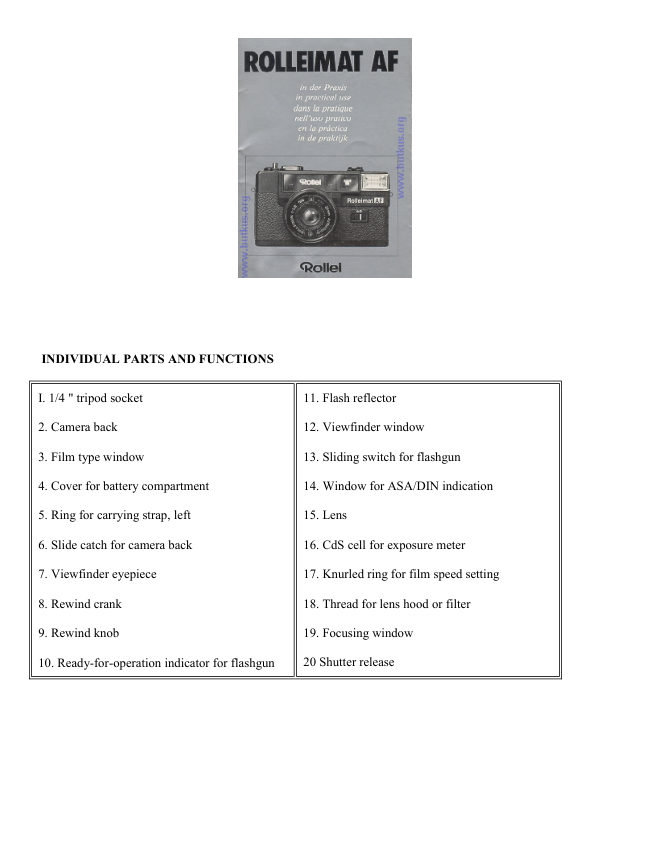
INDIVIDUAL PARTS AND FUNCTIONS


I. 1/4 " tripod socket                              11. Flash reflector

2. Camera back                                   12. Viewfinder window

3. Film type window                              13. Sliding switch for flashgun

4. Cover for battery compartment                  14. Window for ASA/DIN indication

5. Ring for carrying strap, left                     15. Lens

6. Slide catch for camera back                     16. CdS cell for exposure meter

7. Viewfinder eyepiece                            17. Knurled ring for film speed setting

8. Rewind crank                                  18. Thread for lens hood or filter

9. Rewind knob                                   19. Focusing window

10. Ready-for-operation indicator for flashgun     20 Shutter release
View original page 2
Page 4 · Read text
RAPID COURSE

Insert batteries
Push cover 4 inwards in direction of arrow and open. Insert batteries supplied with camera in accordance with
the polarity diagram into battery compartment --> fig. B. Close cover and press to secure.

Switch on camera
Set main switch 23 to "I". Camera is now ready to use.

Insert film
Move slide catch 6 in direction of arrow and open camera back 2. Insert film cartridge and push film leader into
take-up slit 27. --> fig. C. Close camera back until it locks. Alternately wind on film and press shutter release
until counter 21 is at 1
--> fig. D. Set film speed Remove lens cover. Turn knurled ring 17 until the desired ASH /DIN value clicks into
the window 14 --> Fig. E.

View subject
Keep subject within bright-line frame --> fig. H. Alight is sufficient for exposure, time exposure indicator 24
remains dark.  If red light 24 lights up then light is too weak for handheld photographs. Use tripod for outdoor
photographs at a distance of more than 16 ft. (5 meters). Set sliding switch 13 to IS for outdoor photographs at a
distance of less than 16 ft. {5 meters) and for indoor photographs. Indicator 10 signifies that camera is ready for
flash operation --> fig. N.
View original page 4Page 5 · Read text
www.butkus.us

Shoot!
Hold camera steady and level fig. F and C. Align measuring field 31 directly with main subject --> fig. H. Press
down shutter release 20 slowly until there is an audible click. The distance is then being measured and set
automatically. To take the photo: keep shutter release pressed, then press fully down.
After flash photography switch flashgun off: set sliding switch 13 to 0. Finally, wind on film -->fig. J.

HANDING THE CAMERA

Insert the batteries as described in Tip I (if this has not already been done by your photographic dealer).

Remove the lens cover and keep it safe; always replace cover when camera is not in operation, so that lens and
measuring cell are protected from dust.

Switch on the camera Set main switch 23 to " l ". To switch off the camera: reset switch to "0".

Load the film Films to be used are 35 mm films (type 135) in cartridges for 12, 20, 24 or 36 exposures. Load
film in at least your own body shadow, not in full sunlight!

Unlock camera back with catch 6 and open. Press rewind knob 9 outwards from the inside, insert film cartridge
--> fig. C. Turn rewind knob with crank 8 until it engages in the film cartridge, then press in fully. Turn take-up
spool 28 until a take-up slit 27 is at the top. Push film leader into this slit.

Alternately press shutter release 20 and wind on film with lever 22 until the perforations pass over sprocket
drum 29 on both sides A.). Close camera back until it locks. Again alternately press shutter release and wind on
film until counter 21 is at 1 --> fig. D.

Set the film speed Set the ASH /DIN value of the loaded film in window 14 by means of knurled ring 17 --> fig.
E. For 32, 125, 250 and 320 ASH (16, 22, 25 and 26 DIN), the lower value present in each case is to be set.

Select the picture
Place your eye close to viewfinder eyepiece 7. Do not cover viewfinder window 12, focusing windows 19 or
measuring cell 16 --> fig. F and G.

Select picture so that it is completely within bright-line frame of viewfinder. The area outside the bright line
frame enables fast-moving subjects to be followed more easily. For close-up of 3--loft. (I--3 metros): keep
picture within parallax marks 30 --> fig. H.

Note the time exposure indicator
By red light 24 lights up, the available light is not sufficient for (shake-free) high-speed exposures; use either
the integral flashgun --> tip 6 or a tripod.

Measure the distance Align measuring geld 31 directly with that point on the subject which is most important
for the picture --> fig. H. Press shutter release 20 briskly, but not too quickly; the distance is now being
measured automatically, a click indicates that the measurement is "fixed". At the same time the distance
measured is indicated in the viewfinder by symbols and indicator 32.

The viewfinder symbols mean: : person= portrait, three people = group, mountains = landscape. The shortest
possible distance from the subject is 4ft. (1.2 meters).
View original page 5
Page 6 · Read text
Shooting
After measurement, keeping the release pressed and press down fully to take the photo.

With cable release
Use camera with tripod or on a firm base, screw cable release into shutter release 20.

After taking the picture Turn lever 22 to its maximum extent and let it spring back ~ fig. J. Frame counter 21
shows the number of photos taken. Photos 12, 20, 24 and 36 are marked in red. By no more photos are to be
taken for a longer period of time, set main switch 23 to 0.

Remove the film
Pull out rewind crank 8. Press in rewind lock 26 briefly and turn crank in direction of arrow --> fig. K and L,
until the resistance of the film movement stops (lock 26 is released again when the next film is wound on).

Unlock camera back with slide catch 6 and open. Turn rewind crank 8 to its maximum extent and remove film
cartridge. Remove film at least in your own body shadow; avoid harsh sunlight and dust. Push in crank 8 and
press in knob 9. Close camera back until it locks.

TIPS FOR PRACTICAL USE

1. The Batteries
Two 1.5 V alkali-manganese batteries such as Varta 4006, Mallory MN 1500, National AM 3 or equivalent
makes are required. Push cover 4 inwards and open. Insert batteries as indicated on the polarity diagram in the
battery compartment fig. B. Close cover and press outwards to secure.

To check the batteries: set main switch 23 to "l", move sliding switch 13 from 0 to        . After a few seconds the
red light 10 will glow if there is sufficient battery voltage for all electronics in the camera.

If the batteries are spent, the red light glows only after a certain time, or does not glow at all. --> also tip 6. In
addition, the shutter release is locked. Spent batteries must always be replaced in pairs.

2. The autofocus system is activated when the shutter release is pressed (slowly) and measures the closest
object in measuring field 31. For low contrast flat objects, another object at a similar distance should be viewed,
so that the measuring system can pick up the contrast required for the measuring process. If the light is not
sufficient for taking photos, the autofocus system is no longer operational.

To check the distance: note the autofocus indicator and the symbols in the viewfinder; the position of the
indicator must approximate to the distance of the subject --> fig. H.

To repeat the measurement: let shutter release out completely and again press down until a click is heard. by
this movement is rushed, the shutter release is locked by the shutter is not wound or the main switch set at 0, the
shutter release is locked and the autofocus system is out of operation.

3. To carry the camera use the carrying strap and the carrying case. Insert the strap in either ring 5 or ring 25
as required. After attaching the strap, the end of the strap is pulled outwards through the opening in the case.
When taking photos, the case is pushed back to release the camera.

4. Photos using a filter alter the rendition of the photo by emphasizing the filter colors and suppressing the
complementary colors. Further details are given in the leaflet enclosed with every filter.
View original page 6
Page 7 · Read text
www.butkus.us

A filter should only moderately be screwed into socket 18. Measuring cell 16 receives only light which has
already been filtered; corrections to the exposure are not necessary.

5. Photos using the lens hood are in principle a/ways recommended: Lens 15 and measuring cell 16 are
protected from direct light sources and stray light, and also from fingerprints, rain or snow; the brightness and
sharpness of the photos are improved

Screw the hood into thread 18 (a hood can be obtained from your local dealer, M 46 x 0. 75).

6. Flash photos for outdoor subjects at a distance of up to 16 ft. (5 meters) or for interiors (if the red light has
indicated insufficient light for taking photos).

Move sliding switch 13 from 0 to 4 --> fig. M. Red light 10 indicates when the camera is ready for flash
operation --> fig. N. With new batteries and continuous flash operation, this indication appears after 6--8
seconds; after longer periods out of use or at low temperatures it will take a few seconds longer. If the batteries
are spent, the red light either does not glow for about 30 seconds or no longer glows at all.

For vertical photos keep flash reflector 11 at the top, to prevent troublesome shadows.

The integral automatic flash mechanism controls the right exposure according to the automatically-set distance
between 4 and 16 ft. (1.2 and 5 meters).

Switch off the flashgun after those photos have been taken (switch 13 in position 0) to save battery power. Two
new alkali manganese batteries are sufficient for about 250 flashes.

7. Care and maintenance
Clean camera and accessories at longer or shorter intervals according to use: clean outer parts with a soft cloth
and glass parts with lens-cleaning paper, dust all inner parts with a hair brush. Remove batteries if the camera
will not be used for longer periods.

Protect the camera from sand, water, strong sunlight and shocks; replace the lens cover and store the camera in
its carrying case when not in use.

The Rollei international service along with its authorized and specialized workshops, as well as Rollei dealers
the world over, will take proper care of your Rollei camera and will help you with all questions on photography.

DATA AND FIGURES

Type: 24 x 36 mm viewfinder camera with autofocus system, CdS automatic programmed exposure meter and
integral electronic flashgun.

Features: Rapid film loading system, forward-counting self-resetting film counter, 120° rapid winding with lock
against double exposures and blank negatives; bright-line frame viewfinder 0.5 x with parallax marks, autofocus
measuring field, distance symbols and autofocus indicator; behind-the-lens central shutter, shutter locked with
insufficient current or flashgun ready light not going on; time exposure warning light, autofocus locked with
shutter not wound or camera switched off, film type indicator.
View original page 7
Page 8 · Read text
Automatic exposure system: Electronic exposure control from 1/8 to 1/450 sec/f 2.8 to 17, film speed setting
25--400 ASA/15 27 DIN; CdS-cell closed to lens, also operational when using filter; measuring range EV 6--17
at 100 ASA /21 DIN, current supplied by batteries for integral flashgun.

Lens: 38 mm Rolleinar 1:2.8 autofocus, 4 lenses/3 elements; automatic focusing 4 ft. (1.2 m) 00 f tier thread M
46 x 0. 75.

Electronic flashgun: Guide number 14 at 100 ASA /21 DIN; operational range 4--16 ft. (1.2--5 m); recycling
time 6--8 see with new batteries, approx. 250 flashes; "Flashmatic" system with separate on/off switch,
exposure program automatically switched over to flash operation; current supplied from two 1.5 V alkali-
manganese batteries type AA.

Dimensions and weight: 5.2 x 2.2 x 2.9 in, 13.9 or (132 x 56 x 75 mm, 395 g) excluding batteries.

Accessories*: Lens cover, carrying case, carrying strap, 2 batteries.

* Partly included with camera

Technical modifications and inclusion of accessories reserved.
View original page 8
Related documents and language editions
From the M. Butkus archive. Original publisher and archive notices are retained.
Check the model and edition against your equipment.
PDF verified 2026-10-10.