Film cameras
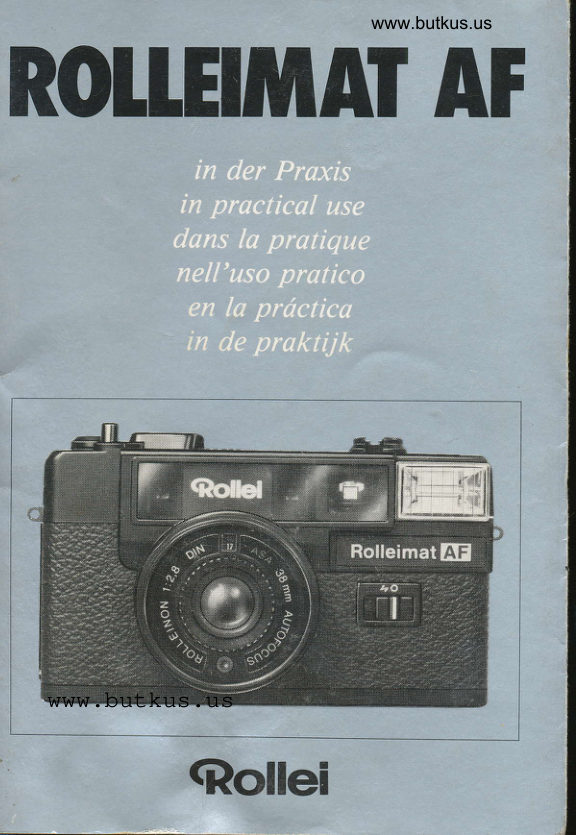
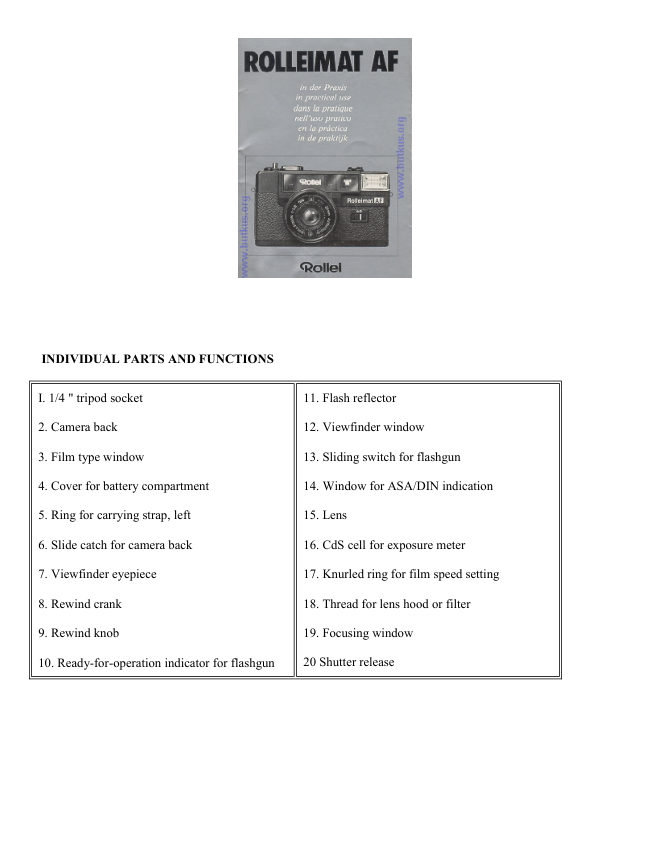
Rolleimat AF User manual
User manual for Rolleimat AF. 60 pages. Read the original PDF, download or print a copy without registration.
60 pagesOriginal document5.3 MB PDF
Loading your manual…Open PDF directly
Document details
- Brand
- Rollei
- Model / document
- Rolleimat AF
- Document type
- User manual
- Language
- Check the original document
- Pages
- 60
- File size
- 5.3 MB
- Category
- Film cameras
- Document date
- Not specified in catalog
Search available document text
Find a term, then jump to its page in the original PDF. Image-only pages may not be searchable; check the PDF for exact wording and diagrams.
Page 3 · Read text
www.butkus.us
 II{HAlI                          coltlEl{uI0
                                      Seite                                Pagina
 Einzelteile und Funktionen .......  2   Partiefunzioni.      .......  28
 Schnellkursus   ..........  J   Guidarapida    ..........29
 Handhabung und Gebrauch ......  4   Istrazio:niperl'uso   ..... 30 TipsfilrdiePraxis    ......  6    Consigli pratici.        .......  33DotenundZahlen    .....  9   Datitecnici.     ...........36
 Bitte beim Lesen die erste und letz,te     Durante la lettura, tenete aperti  i due
 Umsc hhgseite herausklap p en,               risvolti di copertina, per favore.


COl{IEIfIJ                         ll{Dtcr
                             Page                                Pdgina
 Individuol parts and functions .. .. l0   Piezasyfunciones  ...... j8
Rapidcourse    ..........  II    Curso h1pido......... ..........  39
Handlingthe comera ............  12  Monejoyuso.     .........40
 Tipsfor practical use ............  14     Indicaciones  prdcticas ...........  43
Dattandfigures     .......  17   Datosycifras.    .........46
When reading, please open the first       Sirvase abrir la primera y la ultima
and the lait cover leaf.                   pdgina, por favor.


COlIIEI{U                     II{HOUD
                             Page                               Btadzijde
PiAcesetfonctions  .....  It   Detoilsenfuncties   .. -... 4gCoursrapide     ..........  19  Spoedcursus    ... .. .... - 49
Moniement et utilisation .........  20    Hanteringen gebruik  . ...  . . .. -... 50
Conseilspratiques  ...... 23    Tips voor de praktijk ............  52
Caracteistiques techniques. .. ..  . . 26    kchnische gegeverc

Ddplier la premidre et la demiere page    Bij het lzzen de eerste en de laatste
de couvefture,  s'il vous plait.            zijdm van het omslag uitvouwen, a.u.b.
View original page 3Page 4 · Read text
Digitally signed by Mike Butkus
                                             DN: cn=Mike Butkus, o=Butkus camera manuals,
                                                  ou=butkus.org, email=mike@butkus.org, c=USMike Butkus   Date: 2024.03.29 22:14:00 -04'00'


                                        www.butkus.us
View original page 4Page 5 · Read text
www.butkus.us
                             2I  BildzdhlerEINZETIEI1E                      22 Schnellscholthebel
UND IUNKTIONE]I     23 Hauptschalter
                      24 Langzeit-Warnonzeige
 I  Stativgewinde  I /4 "       25 Ose filr Tragschloufe, rechts
 2 Rilckwund             26 RLickspulsicherung
 3  Filmsortenfenster         27 Mitnehmerschlitz
 4 Deckel filr Batteriefach     28 Aufwickelspule
 5  Ose filr Tragschloufe, links   29 Zahntrommel
 6  Sperrschieber filr Rilckwand  30 Porallaxmarken
 7 Sucherokular
 8  Rilckspulkurbel              3l  Autofocus-MeJJfeld
 9 Rilckspulknopf          32 Autofocus-Zeiger
I0  Bereitschaftsanzeige  filr
      Blitzgerrit
l1  Blitzreflektor
I2  Sucherfenster
l3  Schiebeschalter filr
     Blitzgertit
14 Fenster filr DIN/ASA-
    Anzeige
15  Objektiv
I6  CDS-Zelle filr Lichtmessung
I7  Rtindelring f[ir
    Filmempfindlichkeit
I8  Gewinde filr Gegenlicht-
    blende oder Filter               Teil-Nr. 27-32 sind auf den
I9  Fokussierfenster               hinteren Umschlagseiten
20  Ausl6ser                        abgebildet
View original page 5Page 8 · Read text
scHNEll-                    Motiv anvisieren                                     Bildousschnitt innerhalb Leucht-
KURSUS                    rahmen halten - Bild H. Bei
                                        aus re ic he nde m A u"fna hme  I ic ht
 Batterien einsetzen                    bleibt Langzeit-Warnanzeige 24
Deckel 4 in Pfeilrichtung noch       dunkel.
 innen schieben und aufklappen.
Mi  t ge I iefe rt e B a  t t e rien entspre-     We n n R o t s i S aC l24Jeue hlc!
chend dem Polschemo in Batte-         ist Aufnahmelicht filr Freihand-
 riefach einsetzen - Bild B.        Aufnahme zu schwoch. Bei Au-
Deckel schliefien und fest-         fienaufnahmen ilber 5 m Entfer-
 drticken.                         nung: Stativ verwenden. Bei Au-
                                fienaufnahmen unter 5 m Ent-
Kamera einschalten                fernung und bei Innenaufnah-
Hauptschalter 23 auf "1" stel-     men: Schiebeschalter I3 ouf tt
len, Kamera ist funktionsbereit.       stellen, Bereitschaftsanzeige l0
                                   meldet Blitzbereitschaft  - Bild
Film einlegen                     N.
Sperrschieber 6 in Pfeilrichtung
schieben und Rtickwand 2 6ff-     Aufnahme!
nen. Filmpatrone einlegen und     Kamera ruhig und unverkantet
Filmanfang in Mitnehmerschlitz     halten - Bild F und G. MeJJfeld
27 schieben - Bild C. Rtickwand   3I genau auf Hauptmotiv  rich-
bis zum Einrasten schlieJ|en. Ab-    ten - Bild H. Ausldser 20 long=
wechselnd sponnen und ausl6sen,    ggry bis zum hdrbarem Klickge-
bis Zrihlwerk 2I auf 'l' steht -       rriusch durchdrilcken, dabei wird
BiId D.                            automatisch die Entfernung ge-
                                messen und eingestellt.
Filmempfin dlic hkeit einstellen
O bj e k t iv- Sc hu  t zdec ke I abneh-     Zum Ausl1sen der Aufnahme:
men. Rcindelring I7 ,lrehen, bis     Ausl)ser weiter gedrilckt holten,
gewtinschter DIN /-a SA-Wert im   dann voll durchdrticken.
Fenster l4 einrastet - Bild E.      Nach der Blitzaufnahme Blitzge-
                                                                         rci t o bscho  I t en : Sc hiebescho   I t e r
                                  I3 auf 0 stellen. Zuletzt Film
                                      weiterschalten - Bild J.
View original page 8Page 9 · Read text
www.butkus.us
HANDHABUI{G UND    ganzFilmpatroneeinschieben.drehenAufwickelspu-und dann
GEBRAUCH                       le 28 drehen, bis ein Mitnehmer-
                                            schlitz 27 oben liegt. Filmanfang
 Batterien einsetzen                   in diesen Schlitz einschieben.
 wie in Tip I beschrieben  (falls
 nicht schon von Fotohtindler       Wechselweise Ausldser 20
 vorgenommen).                      driicken und Film mit Schnell-
                                     schalthebel 22 transportieren, bis
 O bj e ktiv s c hut zdec kel abnehmen    Filmperforation  beidseit ig  ( ! )
 und aufbewohren;  bei Nichtge-       ilber Zahntrommel 29 lt)uft.
 brauch Deckel stets aufsetzen,      Rlickwond bis zum Einrasten
um Objektiv mit MeJJzelle vor       schlieJJen. Wiederum abwech-
 Staub zu schtitzen.                  selnd ausldsen und transportie-
                                     ren, bis Ztihlwerk 21 auf 'I-
Kamera einschaltm                   steht - Bild D.
Hauptschalter 23 ouf '1" stel-
 len. Zum Abschalten der Kame-    Filmempfindlichkeit  eins  t ellen
ro: Schalter 23 auf "0" zurt)ck-    DIN / ASA-Wert des eingelegten
stellen.                           Films mit Rrindelring 17 im Fen-
                                      ster 14 einrasten-- Bild E. Bei
Film einlegen                       16, 22, 25 und 26 DIN ist der je-
 Verwendbar sind Kleinbildfilme     weils vorhandene niedrigere
(Typ 135) in Patronen filr 12,      Wert einzustellen.
20, 24 oder 36 Au.fnahmen. Film
zumindest im eigenen Kdrper-
schatten, nicht im vollen Son-
nenlicht einlegen !

Rilckwand mit Schieber 6 entrie-
geln und au"fklappen. Rtick-
spulknopf 9 von innen heraus-
drilcken, Filmpotrone einle-
gen - Bild C. Rilckspulknopf
mit Kurbel 8 bis zum Eingriff in


                                                                                                                                                                                                                                                                                                                                 II
View original page 9Page 10 · Read text
Bildausschnitt wdhlen             Die Suchersymbole bedeuten :
 Auge dicht am Sucherokular 7      I   :  Portrcit, Ei :  Gruppe,
 halten, Sucherfenster 12, Fokus-  h = Landschoft. Die kilrzeste
 sierfenster 19 sowie Mefzelle 16    Objektentfernung  ist 1,2 m.
 nicht verdecken - Bild F und G.
                                       Ausliisen
 Bildausschnitt so wtihlen, daJJ er    Ausldser nach der Messung wei-
 voll im Leuchtrahmen des Su-         ter _gedrilckt holten und im Auf-
 chers liegt. Umfeld aufierhalb      nahmemoment  voll durch-
 des Leuchtrqhmens erleichtert        drilcken.
 das Verfulgen schnell bewegter
 Objekte. Im Nahbereich           Mit Drahtausldser
 l-3  m: Bildausschnitt nur bis     Kamera hierbei auf Stativ oder
 an Parallaxmarken 30 ausnut-      fester Unterlage verwenden,
 zen - Bild H.                       Drohtausldser  in Ausl\ser 20
                                      einschrauben.
 L ang zeit - Warnan ryige b e acht en
Beim Aufleuchten des Rotsignols   Nach der Aufnahme
24 erlaubt das Aufnahmelicht       Schnellschalthebel 22 bis zum
 keine (verwacklungsfreie) Kurz-     Anschlog durchziehen und zu-
zeitaufnahme: entweder das ein-     rilckfedern lassen - Bild J. Bild-
gebaute Blitzgerrit verwenden -       zcihler 2I zeigt Anzahl der be-
 Tip 6 oder Stativ benutzen.           lichteten Aufnahmen an. Die
                            Aufnahmen 12, 20, 24, 36 sind
Entfernung messen                   rot markiert. Vor ltingeren Auf-
Mefrfeld 3I genau auf bildwich-    nahmepausen Hauptschalter 23
 tigste Stelle des Motivs rich-        auf 0 stellen.
ten - Bild H. Ausldser 20 ztigig,
jedoch nicht zu schnell, ein-
drilcken: die Entfernung wird
jetzt automatisch gemessen, ein
Klickgerriusch zeigt an, dafi die
Messung "steht ". Gleichzeitig
wird im Sucher die gemessene
Entfernung durch Symbole und
Zeiger 32 angezeigt.
View original page 10Page 11 · Read text
www.butkus.us
     entnehmenFilm                      ilPS run or              8 ausklappen, Rilckspulkurbel
 Rilckspulsicherung 26 kurz ein-   PRAXIS
 drilcken und Kurbel in Pfeilrich-
 tung                                     Dte            K      drehen - Bild                   und L, bis   I-                 des                   Filmzugs                                           Batterien    Widerstandder
 nachlriJ|t (Sicherung 26 springt      Erforderlich sind 2 Alkoli-
beim nrichsten Filmtransport        Mangan-Batterien 1,5 V/Typ AA
 wieder heraus),                    wie z. B, Vartq 4006, Mallory
                MN 1500, Natlonal AM 3 oder
Rtickwand mit Sperrschieber 6      gleichwertige. Deckel 4 nach in-
ent riege ln und au"fklappen,         nen schieben und 6ffnen. Batte-
Rilckspulkurbel 8 bis zum An-      rien wie auf Polschema gezeigt
schlag ziehen und Filmpatrone      in Botteriefach einsetzen - Bild
herausnehmen. Film zumindest     B, Deckel schlieJJen und nach
im eigenen Kdrperschatten  ent-      autJen festdrlicken.
nehmen, grelle Sonne und
Staubeinfall vermeiden, Kurbel 8    Bat terie kont ro  I le : Hauptscholter
einkloppen und Knopf 9 ein-       23 ouf "1" stellen, Schiebeschal-
drilcken. Rtickwand bis zum         ter 13 von 0 ouf I  stellen. Nach
Einrasten schlieJJen.                       ein  i ge n Se kun den aufl euc ht e ndes
                                  Rotsignal I0 zeigt ausreichende
                                   Batteriespannung filr die gesam-
                                            te Karnerqelektronik  an. Bei ver-
                                                   b rauc hten B a t t e rien ersc he int
                                  das Rotsignal verspdtet oder gar
                                        nicht n ouch Tip 6. AuJJerdem
                                                       ist dqnn der Ausldser gesperrt.
                                      Ve r b rauc h  t e B a t t erien nur- pgg!:
                                    weise euswechseln.

                                  Das               2  AutoJocussystem
                                   wird durch (langsames) Ein-
                                     drilcken des Auslosers aktivlert
                             und mifit dos ndchstgelegene
                                Objekr im Mefifeld 31. Bei kon-
View original page 11Page 12 · Read text
t rastarmen, fkichigen Obje kten   4  Aufnahmen sollte ein gleichweit entferntes            '  mit Fllter
 anderes Objekt anvisiert werden,    verdndern die Bildwiedergabe
 damit das MeJJsystem den erfor-    durch Betonen der Filtereigen-
 derlichen Kontrast fiir den MeJJ-   farbe und Dtimpfen der -kom-
 vorgang erfassen kann,              p lementdrfarbe. Nrihere Einzel-
 Bei nicht ausreichendem Auf-       heiten enthtilt das jedem Filter
 nohmelicht ist das Autofocus-       beiliegende Merkblatt.
 system nicht mehr wirksam.
                                         Filter in Gewinde 18 nur mtilljs_
 Entfetnut sskpx!rclle-:  d u r c h        fest einschrauben. Die Mefizelle
 Autofocuszeiger und Symbole      l6 empfdngt nur bereits gefilter-
 im Sucher, die Zeigerstellung         tes Licht, Belichtungskorrektu-
 muJJ in etwa der Objektentfer-      ren sind nicht erforderlich.
 nung entsprechen - Bild H.
Zum Wiederholen der Messung:     t   Aufnahmen mitAusldser ganz freigeben und er-    "   Gegenlichtbtende
 neut langsam bis zum hdrbaren     sind grundsiitzlich immer zu
Klicken eindrilcken. Zu schnelles   empfehlen: Objektiv 15 und
 " Durchreifien " blockiert den        Mefizelle I6 werden vor direkten
Ausl}ser. Bei nicht gesponntem     Lichtquellen und Streulicht, aber
 Verschlufi oder bei }-Stellung      auch vor Fingerabdrilcken, Re-
des Houptschalters ist der Aus-    gen oder Schnee geschiitzt; Bril-
l6ser gesperrt und das Autofo-      Ianz und Schcirfe der Aufnah-
cussystem aufier Funktion.       men werden verbessert.

                                    Cegenlichtblende                                                          in Gewinde                                                               l83  Zum,Miffihren                                             (Bezug                                                                   iiber den     aer                           einschrauben
dienen Tragschloufe^amera    und Trag-     Fachhandel, M 46 x 0,75).
beutel. Schloufe je nach Bedarf
in Ose 5 oder 25 einhringen.    A  Aufnahmen
Nach Anbringen der Schlaufe           mit Blitz
zieht man das Schlaufenende         filr Aufienmotive bis ca. 5 m
durch die Offnung des Beutels     Entfernung oder filr Innenrtiume
noch auJJen. Bei der Aufnohme     (wenn das Rotsignal unzurei-
gibt der zurilckgeschobene Beu-     chendes Aufnahmelicht anzeigte).
tel die Kamera frei.                 Schiebeschalter I3 von 0 auf I
View original page 12Page 13 · Read text
www.butkus.us
stellen'- Bild M. Die Blitzbereit-    Blitzgercit noch der Aufnohme
schaft wird vom Rotsignal l0       wieder ausschalten (Schalter I3
ongezeigt - Bild N. Diese Anzei-    in Stellung 0), um Bqtterie-
ge erscheint bei frischen Batte-      energie zu sparen. Mit zwei fri-
rien und laufendem Blitzbetrieb      sc hen A  I ka li- Mangan-Bat  t e rie n
noch etwo 6-8 Sekunden, nach     lassen sich etwo 250 Blitze errei-
lcingerem Nicht gebrauch oder       chen.
bei niedriger Temperatur douert
es einige Sekunden ldnger. Bei    7   ll'artungverbrauchten Batterien leuchtet      -   und Pflege
das Rotsignal erst nach etwo 30   Kamera und Zubehdr ie nach
Sekunden oder gar nicht mehr.     Beonspruchung in kilrzeren oder
Blitzreflektor lI  bei Hochfor-       Itingeren Zeitabstcinden reinigen ;
motaufnahmen nach oben hal-      Aufienteile mit weichem Tuch,
ten, um storende Schatten zu        Glasteile mit Linsenreinigungs-
vermeiden.                        papier sdubern, alle Innenteile
                                  mit Hoarpinsel entstauben. Bat-
Die eingebau   t e B  I itzaut o mot  i k      terien vor lcingeren Aufnahme-
steuert die richtige Belichtung je   pausen herausnehmen.
nach sutomatisch eingestellter
Entfernung zwischen 1,2 und     Komera vor Sond, Wasser, stor-
5m.                              ker Sonnenbestrahlung und Er'
                                       schtltterung schtitzen; bei Nicht-
                                gebrauch Schutzdeckel aufsetzen
                              und Komera im Tragbeutel auf-
                                   bewohren.

                             Der in terno   t i on ale Rollei - Service
                                  mit seinen Vertrags- und Fach-
                                        werkstritten wie ouch die Rollei-
                                    Hrindler in oller Welt betreuen
                                     Ihre Rollei sachgemciJl und hel-
                                fen lhnen bei ollen Fragen der
                                       Fotografie.
View original page 13Page 14 · Read text
DAIEN                      sam; MeJJbereich LW 6-17 bei                                 2I DIN/ 100 ASA, Energiever-
ullD zAlil.Ell               sorgung durch Batterien filr ein-
                                    gebautes Blitzgerrit.
 Typ: Sucherkamera 24 x 36 mm
mit Autofocussystem,  CdS-Pro-      Objektiv  : Rolleinar  I : 2,8 / 38
 g ra m mbe  I ic ht u ngs-Aut o ma  t ik    mm Autofocus, 4 Linsen  / 3
und eingebautem Elektronen-         Glieder ; automatische Entfer-
blitzgerrit.                            nungseinstellung  I, 2 m   @i                                                              -                                      Filtergewinde M 46 x 0,75.
A us st attung  : Fi I msc hne  I I a desy-
stem, vorwdrtsztihlendes selbst-      Elektronen blitzgeriit  : Leitza h t  I 4
 rtic ks te I lendes Bi ldzci h lwer k,         bei 21 DIN/100 ASA; Arbeits-
Schnellou"fzug 120" mit Sperre       bereich 1,2-5 m; Blitz,folgezeit
gegen Doppelbelichtung und      6-8 sec mit frischen Batterien,
Leerschaltung  ; Leuchtrohmensu-     Blitzvorrat ca. 250; "Flash-
cher 0,5 x mit Parallaxmarken,      matic"-System  mit separotem
A u t ofoc us meJJfe  I d, E ntfe r nu n gs -    Ein / Aus-Schalter, dadurch au-
sy mbo len und Autofocuszeiger ;     tomatische Umschaltung von Be-
H  i n  t e r I i ns e n - Ze n t ra Iv e rs c h I uJ|,                   I ic htungspro g ra m m auf B I i t zbe-
 Verschlufisperre bei unzureichen-     trieb; Energieversorgung durch 2
der Energieversorgung oder         Alkali-Mungan-Batterien   I, 5
nic ht leucht ender B litzbereit  -       V/Typ AA.
schaftsanzeige ; Langzeit-
 Warnsignal, Autofocussperre  bei   Matle und Gewicht: 132 x 56 x
nichtgespanntem  VerschluJJ oder    75 mm, 395 g ohne Batterien.
abgeschalteter Komera, Filmsor-
tenonzeige.                      Zubeh rir*: Obj e k t ivschu tzdeckel,
                                     Trogbeutel, Tragschlaufe, 2 Bat-
B elic htungsaut omatik : E Ie k  t ro-      terien.
n isc he Be I ic h  t u n gssteuerung  v on
I/8 bis I/450 sec / f 2,8 bis 17,
eins  t e I I bare Fi I me mpfind lic h kei-     * teilweise im Lieferumfongten 15-27 DIN/25-400 ASA;
CdS-Zelle in Objektivncihe, auch    Technische Anderungen und
bei Filtergebrauch wirk-            L iefe ru mfa n g v o r be ha  I t e n.
View original page 14Page 15 · Read text
www.butkus.us
                              2I  Frame counterINDIVIDUA1 PARIS                      22 Rapid film advance lever
AND TUNCIIONS      23 Main switch
                      24  Warning indicator for
  I     I /4" tripod socket                  time exposures
 2 Camera back            25 Ring for carrying strap,
 3 Film type window                      right
 4  Cover for battery         26 Rewind lock
    comportment            27 Take-up slit
 5  Ring for carrying strop,      28 Take-up spool
      left                  29 Sprocket drum
 6  Slide catch for camera back   30 Parallax morks
 7  Viewfinder eyepiece
 8 Rewind crsnk               3I  Autofocus measuring field
 9 Rewind knob           32 Autofocus indicator
l0  Ready-for-operation
     indicator for flashgun
I I  Flash reflector
12 Viewfinder window
13 Sliding switch for flashgun
14 Window for ASA/DIN
     indication
I5  Lens
I6  CdS cellfor exposure meter
I7  Knurled ring for film
    speed setting
18 Thread for lens hood
   .  or filter
19 Focusing window               Ports 27-32 are illustroted
20 Shutter release              on the bock covers
View original page 15Page 16 · Read text
RAPID                       View subject
                              Keep subject within bright-line
 COURSE                   frame -  .fig. H. If light is
                                          sufficient for exposure, time
  Insert batteries                    exposure indicator 24 remains
 Push cover 4 inwards in direc-       dark.
  tion of arrow ond open. Insert
                                                                     p_  batteries supplied with camera in    -IfrcdJi s h!24fi s h6rt
 accordance with the polarity dia-    then light is too weak for hand-
 gram into bottery compartment      held photographs. (Ise tripod
 -  .fig. B. Close cover and press    for outdoor photogrophs at a
 to secure.                           distance of more than I6 ft.
                                        (5 meters). Set sliding switch 13
 Switch on camero                   to N for outdoor photographs
 set main switch 23 to "1".           at a distance of less than 16 ft.
 Camera is now ready to use.         (5 meters) and for indoor photo-
                                     graphs. Indicator I0 signifies
 Insert film                            that camera is ready for flash
 Move slide cotch 6 in direction      operation -  .fig. N. of arrow and open camera back
 2. Insert film cartridge and push    Shoot!
film leader into take-up  slit 27     Hold camera steody and level -
                                          G. Align measuring -  .fig. C. Close camera back          "fig. F and
 until it locks. Alternately wind      field 3I directly with main sub-
                            release    ject -,on film and press shutter                                                             "fig. H. Press down shut-                                                                     . until counter 2I is at  I. -, .fig.      ter releose 20 slowly.until there
D.                                             is an audible click. The distance
                                                is then being meosured ond set
Sa film speed                        automatically.
Remove lens cover. Turn knur-
led ring I7 until the desired       To take the photo: keep shutter
ASA/DIN value clicks into the      release pressed, then press fully
window 14 -  Fig. E.              down.
                                    After flash photography switch
                                  flashgun off: set sliding switch
                               13 to 0, Finally, wind on.film -
                                                .fis. J.

                                                                                 I]
View original page 16Page 17 · Read text
*
                                    www.butkus.us


                                                                                                                                                                                                                                                                                                                                                                                                                                                   j'HANDlING                               itthenengagespress inin fully.the filmTurncartridge,take-up                                i!
                                                                                                                                                                                                                                                                                                                                    i-IHE CAMERA               spool 28 until a take-up slit 27 is                                        t'i
                                    at the top. Push film leader into
Insert the batteries                   this slit.
os described in Tip I (if this has
not already been done by your      Alternately press shutter release
photographic dealer).             20 and wind on film with lever
                               22 until the perforations pass
Remove the lens cover             over sprocket drum 29 on both
and keep it safe; always replace    sides (!). Close camerq back un-
cover when comero is not in             til it locks. Agoin alternately
operation, so that lens and         press shutter release and wind
meosuring cell are protected       on film until counter 2I is at 'I'
from dust.                                            --+ fig. D.

Switch on the camera              Set the fiIm speed
Set main switch 23 to "1". To      set the ASA/DIN value of the
switch off the comero: reset         loaded film in window 14 by
switch to "0".                   means of knurled ring 17 -  .fig.
                                E. For 32, 125, 250 and 320
Load the film              ASA (16, 22, 25 ond 26 DIN),
Films to be used are 35 mm         the lower value present in each
films (type 135) in cartridges for    case is to be set.
12, 20, 24 or 36 exposures. Load
film in ot least your own body
shsdow, not in full sunlight !

Unlock comera back with catch
6 and open. Press rewind knob
9 outwards from the inside, insert
film cartridge -  -fig. C. Turn
rewind knob with cronk 8 until
View original page 17Page 18 · Read text
Select the picture                The viewfinder symbols meon:
 Place your eye close to viewfind-  3  : portroit, ?i :  group,
 er eyepiece 7. Do not cover          It = Iandscape. The shortest
 viewfinder window 12, focusing     possible distance from the sub-
 windows 19 or measurinp cell 16    ject is 4 ft. (1.2 meters).
      ' -fis. F and G.
                                    Shooting
 Select picture so that it is com-     After measurement, .keep_thq_Ie:
 pletely within bright-line frame       lease pte$qt! ond press down
 of viewfinder. The srea outside     fully to take the photo.
 the brightline frame enables
 fast-moving subjects to be          With coble release
 followed more easily. For close-    Use camera with tripod or on a
 up of 3-10 ft. (l-3  metres):      firm base, screw cable release in-
 keep picture within parallox          to shutter relesse 20.
 marks 39 -  fig. H.
                                   After taking the picture
 Note the time exposure indicator    Turn lever 22 to its maximum
 If red light 24 lights up, the         extent and let it spring back n
 available light is not sufficient       fiq. J. Frame counter 2I shows
for (shake-free) high-speed expo-    the number of photos token.
 sures; use either the integral       Photos 12, 20, 24 and 36 are
floshgun n tip 6 or a tripod.      marked in red. If no more pho-
                                       tos ore to be taken l.rr o longer
 Measure the distance               period of time, set main switch
 Align measuring field 3I directly   23 to 0.
 with that point on the subject
 which is most important for the
"picture -  .fig. H. Press shutter
 release 20 briskly, but not too
 quickly; the distance is now
 being measured automatically, a
 click indicates that the measure-
ment is "fixed". At the same  ti-
me the distance measured  is in-
dicated in the viewfinder by
symbols and indicotor 32.
View original page 18Page 19 · Read text
www.butkus.us
Remove the film                To check the batteries: set moin
 Pull out rewind crank 8. Press in   switch 23 to "1", move sliding
 rewind lock 26 briefly and turn     switch 13 from 0 to 4  . After a
 cronk in direction of arrow -     few seconds the red liqht I0 wiil
fig. K and L,until the resistance    glow if there is sufficient battery
 of the film movement stops          voltage for all electronics in the
 (lock 26 is releosed again when      comera.
 the next film is wound on).
                                            If the batteries are spent, the red
 Unlock camera back with slide       Iight glows only after a certain
catch 6 ond open. Turn rewind     time, or does not glow at all. n
crank 8 to its msximum extent      also tip 6. In addition, the shut-
and remove film cartridge. Re-      ter release is locked. Spent bat-
move film at least in your own       teries must olways be replaced in
body shadow; avoid harsh sun-    psus.
light ond dust. Push in crank 8
ond press in knob 9. Close cam-     .t  The autofocus                                     /3ero back until it locks.                  svstem
                                                is activarcd when the shutter re-
ilPS roR                    meosureslease is pressedthe closest(slowly)obiectandin
PRACIICAT USE            measuring field 31. For low-
                                       contrast flat objects, another
     rhe                            object at a similar distanceI-   Bstteries                     should be viewed, so that the
Two 1.5 V olkali-mangonese        measuring system can pick uP
batteries such os Varto 4006,        the contrast required for the
Mallory MN 1500, National AM   measuring process. If the light is
3 or equivalent makes ore re-       not sufficient for taking photos,
quired. Push cover 4 inwards        the autofocus system is no lon-
and open. Insert batteries os in-     ger operational.
dicated on the polarity diagram
in the battery compartment -      To check the distance: note the
fig. B. Close cover and press       autofocus indicarr and the
outwards to secure.                symbols in the viewfinder; the
                                     position of the indicutor must
                                approximate to the distance of
                                     the subject -  .fig. H.
View original page 19Page 20 · Read text
To repeat the meosurement: let   5   Photos us.ing the shutter release out completely            Iens nood
 ond again press down until q       are in principle always recom-
 click is heard. If this movement    mended: Lens 15 and meosuring
 is rushed, the shutter releose is      cell I6 are protected from direct
 locked. If the shutter is not           light sources and stray light, ond
 cocked or the main switch set at    also from fingerprints, roin or
 0, the shutter release is locked     snow; the brightness and sharp-
 and the outofocus system is out    ness of the photos are improved.
 of operation.
                               Screw the hood into thread 18 (a
 g2  To carry                  hood can be obtained from your
     tne camera                       local dealer, M 46 x 0.75).
 use the corrying strap and the
          case. carrying                       the                Insert                         strap
 either       ring                 ring 25                               re-                       as         5 or                                     in  6  photosFtash
quired. After attoching the        for outdoor subjects at a distan-
strap, the end of the strap is       ce of up to 16 ft. (5 meters) or
pulled outwards through the       for interiors (if the red light has
opening in the case. When ta-       indicsted insufficient light for
king photo,", the case is pushed      toking photos).
bock to release the camera.

A  Photos using  '   a filter
alter the rendition of the photo
by emphasizing the filter colors
and suppressing the complemen-
tciry colors. Further detoils are
given in the leaflet enclosed with
every filter.

A filter should only moderately_
be screwed into socket  ;,8. Mea-
suring cell I6 receives only light
which has olready been filtered;
corrections to the exposure ore
not necessary.
View original page 20Page 21 · Read text
www.butkus.us
Move sliding switch 13 from 0 to    ,   Care and
                               indi-         marntenance4  -  .fig. M. Red light I0                 f
cotes when the comero is readY     Clean comero and accessories at
for flash operation -  fig. N.       longer or shorter intervals
 With new batteries and continu-    according to use: clesn outer
ous flash operation, this indico-    parts with a soft cloth and glass
tion appears after 6-8 seconds;    parts with lense-cleaning poper,
after longer periods out of use      dust oll inner parts with a hair
or at low temperatures it will ta-    brush. Remove botteries if the
ke a few seconds longer. If the    cqmera will not be used for lon-
botteries are spent, the red light    ger periods
either does not glow for about
30 seconds or no longer glows at   Protect the camera from sand,
all.                                  woter, strong sunlight and
                                   shocks; replace the lens cover
For vertical photos keep flosh     and store the comero in its cor-
reflector  I I ot the top-, to pre-      rying case when not in use.
 vent troublesome shodows.
                                The Rollei internationol service
                                 along with its authorized and
 The integral automatic flash        specialized workshops, os well asmechanism controls the right ex-                                      Rollei dealers the world over,posure occording to the outomo-                                           will take proper care of your tically-set distsnce between 4                                      Rollei camero and will help youand 16ft. (1.2 and 5 meters).                                    with all questions on photo-
                                    graphy.Switch off the flashgun after
 those photos have been taken
 (switch 13 in position 0) to sove
 battery power. Two new alkali-
monganese batteries are suffi-
 cient for about 250 flashes.
View original page 21Page 22 · Read text
DATA AND                 DIN, carrent supplied by batte-                                              ries for integral floshgun.
TIGURES
                                 Lens: 38 mm Rolleinar I:2.8
 Type: 24 x 36 mm viewfinder      autofocus, 4 lenses/3 elements;
 comera with autofocus system,      automatic focusing 4 ft. (1.2 m)
            programmedCdS automatic                                ex-    -   oo,' filter thread M 46 x 0.75.posure                     integral elec-       meter and
 tronic flashgun.                       Electronic flashgun: Guide num-
                                  ber 14 at 100 ASA/21 DIN;
Features: Rapid film loading sy-    operational ronge 4-16 ft.
stem, forward-counting  se lf-re-     (1.2-5 m); recycling time 6-8
setting film counter, 120' rapid     sec with new batteries, approx.
 winding with lock ogainst dou-     250 flashes; "Flashmatic" sy-
 ble exposures and blank negati-    stem with seporate on/off
 ves; bright-line frame viewfinder    switch, exposure program outo-
0.5 x with parallax morks, auto-     matically switched over to flash
focus meosuring field, distance      operation; current supplied from
symbols and autofocus indics-     two 1.5 V alkali-manganese bat-
 tor ; behind-the-lens central shut-     teries type AA.
ter, shutter locked with insuffi-
cient current or flashgun ready     Dimensions and weight: 5.2 x
Iight not going on; time exposu-     2.2 x 2.9 in, 13.9 oz (132 x 56 x
re warning light, autofocus         75 mm, 395 g) excluding batte-
locked with shutter not cocked        ries.
or cemera switched off, film ty-
pe indicator.                        Accessories*: Lens cover, corry-
                                    ing case, carrying strap, 2 batte-
Automatic exposure system:           ries.
"Electronic          exposure control
from  I /8 to  I /450 sec/f 2.8 to
 17, film speed setting 25-400      * Portly included with camera
ASA/15-27 DIN; CdS-cell clo-
sed to lens, also operational
when using filter; measuring        Technicsl modifications and
range EV 6-17 at 100 ASA/21     inclusions of accessories  reserved.
View original page 22Page 23 · Read text
2l  Compteurwww.butkus.usd'images PIECES EI                     22 Levier d'armement rapide
 FOItCTIOlts           23 Intenupteur gdndrol
                     24 Affichage pour temps de
  I  Ecrou de pied au pas de           pose long
    I/4"              25 @illet pour dragonne,
 2 Dos                                   droit
 3 Fen€tre d'identification du   26 Blocage pour rembobinage
    film                27 Fente d'occrochage
 4 Couvercle du compartiment   28 Bobine rdceptrice
     de piles              29 Gslet dentd
 5  Oeillet pour la dragonne,    30 Repdres de porollaxe
     gauche
 6  Verrou de fermeture du dos   3I Chomp de mesure
 7 Oculaire du viseur                 d'Autofocus
 8 Manivelle de rembobinage   32 Index d'Autofocus
 9 Bouton de rembobinage
I0 Affichage, Flash prAt d      www.butkus.us
    fonctionner
 I I  Rdflecteur du flash
I2 Fen€tre du viseur
I3 Commutateur pour flash
14 FenAte d'affichage
   ASA/DIN
l5  Objectif
16 Cellule au CdS pour mesure
    de lumidre
17 Bague moletde de rdglage de
   '  rapiditi du film
18 Filetage pour porasoleil ou
     filtre                         Les pidces 27 d 32 sont
19 Fen€tres de focalisation         reprdsentdes sur le dos
20 Ddclencheur                    couverture
View original page 23Page 24 · Read text
Viser le sujetCOURS                                  Cadrer I'image d I'int*ieur du
RAPIDE                       cadre lumineux -  fig. H. Si la
                                     lumidre es t suffisante, I'affic ha-
 Mettre en place les piles           ge 24 ne s'ollume pas.
 Pousser le couvercle 4 dans le
 sens de la fldche et I'ouvrir.         Si le signal rougg 24 s'allume
 Mettre en place les piles fournies    C'est que la lumidre est insuffi-
 conformdment au schdma reprd-    sante pour prendre la photo sans
 sentd dans le compartiment +      pied. Sujet d plus de 5 m de di-
"fig. B. Refermer le couvercle d      stonce: utiliser un pied photo.
fond.                                Sujet d moins de 5 m de distsn-
                                   ce ou d I'int€rieur d'une pidce:
 Mettre l'appareil en marche        placer le commutateur 13 en po-
 Placer I'interrupleur gindral 23      sition |   , I'affichage I0 indique
sur >>l<<, I'apporeil est pr€t d       que le flash est prAt d fonction-
fonctionner.                       ner __+ "fig. N.
Charger te film                     Declencher!
Pousser le verrou 6 dans le sens     Tenir I'appareil d'une foQon sta-
                                       +de lo fldche et ouvrir le dos 2.       ble et bien horizontalement
Mettre la cartouche en ploce et      figs. F et G. Diriger le champ de
 introduire I'amorce du film dans    mesure 3l exsctement sur Ia par-
 la fente 27 -  fiC. C. Refermer        tie principale du sujet -  .fig. H.
 le dos, qui doit se verrouiller.      Appuyer lentement sur le ddclen-
Armer et ddclencher successive-     cheur 20 jusqu'd ce qu'un >>clic<<
ment jusqu'd ce que le compteur     se fasse entendre, la distance est
                                      mesurde et rdglde automoti-d'images 2I indique '1' -  .fiC.       alors
                                 quement.
"D.                            Pour prendre Ia photo: mainte-
Rdgler la rapiditt du film             nir le ddclencheur ainsi appuyd,
Enlever le bouchon d'objectif.       ensuite I'enfoncer compldtement.
 Tourner lo bague I7 defagon d    Aprds avoir pris la photo, cou-
omener la valeur ASA / DIN        per I'alimentation du flash: re-
 voulue dans Ia fen€tre 14 -fig.      mettre le commutateur 13 en po-
E.                                     sition 0. Ensuite ormer I'oppareil
                              pour entratner  le film -  "fig. J.
View original page 24Related documents and language editions
From the M. Butkus archive. Original publisher and archive notices are retained.
Check the model and edition against your equipment.
PDF verified 2026-10-10.