Film cameras
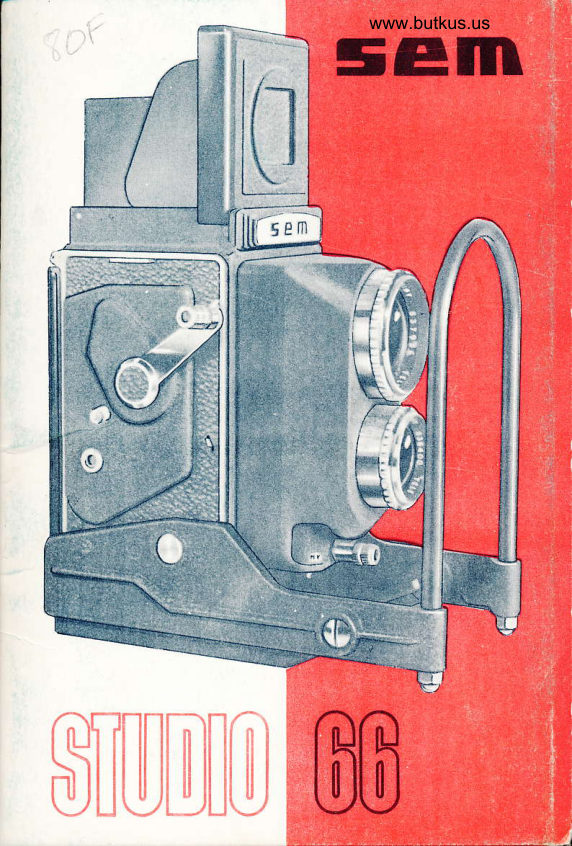
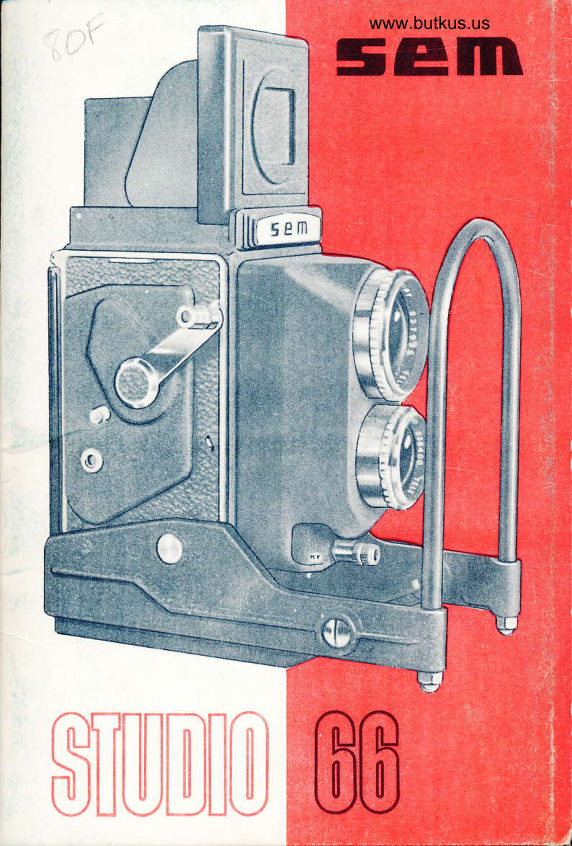
SEM Studio 66 User manual
User manual for SEM Studio 66. 9 pages in English. Read the original PDF, download or print a copy without registration.
9 pagesEnglish3.1 MB PDF
Loading your manual…Open PDF directly
Document details
- Brand
- Sem
- Model / document
- SEM Studio 66
- Document type
- User manual
- Language
- English
- Pages
- 9
- File size
- 3.1 MB
- Category
- Film cameras
- Document date
- Not specified in catalog
Search available document text
Find a term, then jump to its page in the original PDF. Image-only pages may not be searchable; check the PDF for exact wording and diagrams.
Page 3 · Read text
www.butkus.us


                                                         www.butkus.us


     Levier M X.                         19  Table de profondeur de champ.
    Bague de vitessos de I'obturateur.      20  lndicateur d'6mulsions.tot{l2  Obieciif de visrie.                    27  Prise flash. double.:
                                    22  Prise standard 3 %.rst4   0bjectif.-d$;,Bague des diaphragmes..pril$.F -.d a vue.                                             Bouton de mise au point.    Armement et rir6clenchernent.         2t
      $ upp-ofn, d e ;p.ri  rlnft e.                24  Bouton-bascule.
                                   2E  Verrou de fermeture.IEistv   Pdign$6" -i:    ri:s drappui.ts  Boutons pgllicule.                   26  Prise de ddclencheur souple.
View original page 3Page 4 · Read text
English version of SEM Studio 66 via OCR and Google translate


1 Magnifier                              10 MX Lever
2 Movable central shutter                  11 Shutter Speed Ring
3 Viewfinder eyepiece                     12 Viewfinder Lens
4 Strap lug                              13 Aperture Ring
6 Film advance crank                      14 Taking Lens
6 Clutch button                          16 Film Advance and Shutter Release
7 Exposure counter                       18 Prism Mount
8 Film release lever                       17 Grip / Support Bar
9 Film loading indicator                    18 Film Controls


19 Depth-of-field table

20 Film type indicator

21 Dual flash socket

22 Standard 3/8" tripod socket

23 Focusing knob

24 Rocker button

26 Latch lock

28 Cable release socket PC

1. Arm the shutter by pushing button 15 all the way in the direction of A (Fig. 12), then allow it
to return to its starting position.

2,. Trigger the shutter using the same button @, but by gently pushing it toward 8 (Fig. 12).

To switch to the next view:

3. Press the film release lever 13 all the way down 8 (you will hear the mechanism click as it
releases).

4. Turn the crank 5 to the end of its travel—in several steps if necessary—until it locks.
View original page 4
Page 6 · Read text
www.butkus.us

The counter switches to W 2.

Once the 12th exposure has been taken, the crank no longer locks; the counter automatically
disengages and returns to zero (red dot) — Fig. 14.

By turning the crank, 5 fully rewind the film and remove it from the camera.


SYNCHRONIZATION

The SEM STUDIO allows for the use of magnesium or electronic flash units at all shutter
speeds.

Synchronization is switched using the M-X lever 10, as follows:

1. When the MX (10) lever is set to X, the shutter is synchronized at all speeds for electronic
flash.
Fig 15

2. When the MX lever is set to M (10), the shutter is synchronized at all speeds for Type M
magnesium flashbulbs (Fig. 16).

3. With Type F flash units, synchronization is achieved at shutter speeds between 1/60th of a
second and 1 second, with the MX (10) lever set to X.

Depth of Field Table for SEM STUDIO

Permissible Circle of Confusion Diameter: 1/30 mm.

16 - 4x4 views on 120 film

With your SEM S TU D 1 0, you will have the ability to capture 16 4x4 views—in black and
white or color—for projection, using standard 6x9 film (120 roll).

1. Adjust the 4x4 cover, as shown in Fig. 17.

2. Install 1 (or 3) film rolls (see Loading).

3. Sequentially display the numbers in the display window (Fig. 19 from 1 to 16.
View original page 6
Page 7 · Read text
LOADING

ATTENTION: Before loading your SEM STUDIO , ensure that the exposure counter (7) is at zero
(red dot) [Fig. 1]. In this position, the crank (5) operates freely and cannot jam. If a test run of
the camera is performed, it is essential to continue the test until the red dot and the zero
reappear.

Once the device is securely attached to your workshop stand:

1. Unscrew the toggle knob (24) and tilt the device (Fig. 2).

2. Open the back cover by turning the locking latch (25) in the direction of the arrow 0 (Fig. 3).

3. Load the film. To facilitate this procedure, the film knobs (18) retract; simply pull them out
fully and then turn them slightly.

4. Initiate film winding by turning the crank (5)

5. Close the back cover and turn the locking latch 25 in the direction of arrow F, Fig. [3].

6. Open the viewfinder cover (9) (Fig. [4]), located near the locking latch.
Turn the crank ® to bring film frame number 1 into alignment with the viewfinder (9).
CLOSE THE VIEWFINDER COVER.

7. Tilt the device to place it in the "shooting" position, and fully lock the toggle button (24)
(Figs. 5 and 6).

VERY IMPORTANT

8. Without touching the crank, with the thumb of your left hand, push the clutch button
of the mechanism (6) fig 7, gently and fully (the red dot on the speedometer will
disappear). Hold the clutch button (6) fully during all the following maneuvers:

9. Using the thumb of your right hand, turn the crank fully (5) once or several times—
until it locks. When the crank is depressed, it always returns to its starting point; you
must therefore operate it firmly with a single finger, pushing it through its full range
of motion.
View original page 7
Page 8 · Read text
www.butkus.us

10. After locking the crank, release the clutch button (6). The counter [7, Fig. 8] is at
number 1: you can take the first photo.

Clarification

1. Open the device cap Fig. 9

2. Slowly turn the focus knob (23) in either direction until the subject is perfectly sharp in the
viewfinder.

3. A (1) magnifier allows for extremely precise focusing. To put this magnifier in place, press
with a finger in the center of the front flap of the cover, fig. [9]

4. To use the sports finder, fully flip down the movable central flap (2) using your index finger
(Fig. 11); it will remain in a horizontal position. To close the sports finder, fold the central flap
(2) and the magnifier assembly inward. Once fully retracted, the magnifier will automatically
latch into place.

NOTE — To correct the slight parallax at approximately 1.50 m, use the "Parallax Corrector"
(see accessories).
INTRODUCTION

Your STUDIO 66 is mounted on a tilting base that allows you to:

- securely attach the unit to a studio stand;

- load it quickly without removing it from the stand (see Loading).

At the front, a support bar:

- protects the focusing mechanism;

- facilitates transport;

- facilitates loading.
View original page 8
Page 9 · Read text
Your STUDIO 66 is equipped with:

- a Berthiot F/5.4 taking lens (coated), with a focal length of 150 mm.

- a Berthiot F/3.9 viewing lens, with a focal length of 150 mm.

- a "Synchro-Compur 00" shutter: B setting and speeds from 1 sec. to 1/500 sec.,
MX-synchronized.

Your STUDIO 66 allows you to take:

- 12 exposures (6 x 6) on 120 film

- or 16 exposures (4 x 4) on 120 film.

Your STUD 1066 photography:

- up to 1.50 m. At this distance, a portrait fills the frame, and you obtain an IDENTITY PHOTO
via direct print.

- up to 0.70 m. Equipped with the "special close-up lens" with parallax corrector (see
accessories).

FILTERS

Yellow – Yellow-Green – Green – Orange – Red – Blue – UV

PARALLAX CORRECTOR

Essential for correcting residual parallax at distances around 1.50 m.

– For reflex sighting: mounts onto the sighting objective.

– For sports sighting: mounts onto the support (16) on the cap.

The STUDIO Close-up Attachment consists of:

- A 0.7-diopter close-up lens that fits over the taking lens;

- A parallax correction device that attaches to the viewfinder lens.

With the SEM STUDIO equipped with this attachment, you can take photographs from a distance of 0.70 meters.
Square metal lens hood.

Dual-pin flash.

Extra-large reporter bag

20 x 20 x 36 cm.
View original page 9
Related documents and language editions
From the M. Butkus archive. Original publisher and archive notices are retained.
Check the model and edition against your equipment.
PDF verified 2026-10-10.