Film cameras
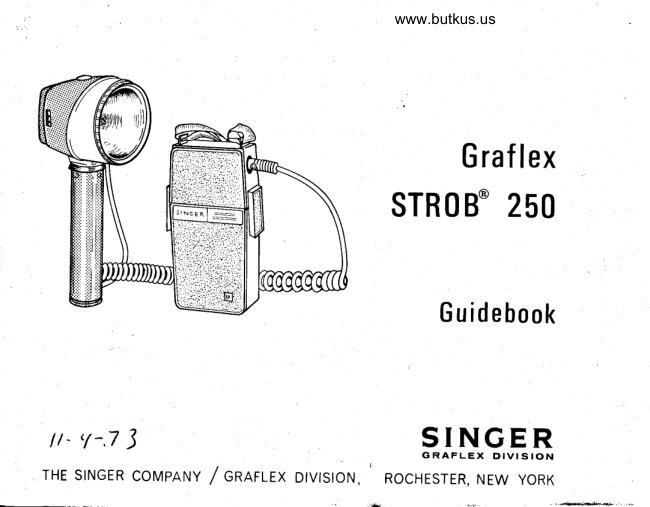
Singer Graflex STROB 250 User manual
User manual for Singer Graflex STROB 250. 9 pages in English. Read the original PDF, download or print a copy without registration.
9 pagesEnglish0.9 MB PDF
Loading your manual…Open PDF directly
Document details
- Brand
- Graflex
- Model / document
- Singer Graflex STROB 250
- Document type
- User manual
- Language
- English
- Pages
- 9
- File size
- 0.9 MB
- Category
- Film cameras
- Document date
- Not specified in catalog
Search available document text
Find a term, then jump to its page in the original PDF. Image-only pages may not be searchable; check the PDF for exact wording and diagrams.
Page 3 · Read text
www.butkus.us3.                                           4.
Orient + and - markings on plate      If the ON-OFF switch is in the ON
inside the case top with the bat-    position, move to OFF.
tery markings.....plus to plus
and minus to minus and replace      5.
top. Lock both snap locks. As    Attach the coiled power cord at
the locks draw the top in place    the lamphead and at the power
the contacts will pierce the pro-    pack. The cord can be attached
tective plasti c on the battery and    one way only. . . .  . to prevent ei'-
establish contact.                     rorl

          MOUNTING FOR USE
To the camera                Use an accessory mounting bracket
                               and battery case clamps.
To tripod              A standard tripod mounting thread
                                    is providedinthebase of theSTROB
                             250 handle.
To light stand                Use an accessory adapter or clamps
                               or hand hold. . . .  . no further attach-
                            ment needed.
View original page 3Page 4 · Read text
Venmo @mike-butkus-camera  Ph. 2083
PayPal Name  Lynn@butkus.org      www.PayPal.me/lynnbutkus
View original page 4
Page 5 · Read text
USING THE STROB 25O
 l.                                                2.
Connect a shutter sync cord from     Set the ON-OFF switch in the
the lamphead to the shutter.       power pack to ON. In this posi-
                                        tion the system is energized at
NOTE: It is recommended that      all times. Allow a few seconds
a shutter sync test be made when     before making the first flash to
the STROB 250 has been ener-     bring the capacitor up to full re-
ized. Set the shutter at "X" and     juvenation (from its discharged
remove the back on the camera      condition).
to observe the shutter blade con-    The winking light in the power
f iguration.   Tripthe shutter    pack ON-OFF switch indicates
which fires the Strob 250. At     the system is energizing. The
this time look through shutter  .     lightwill continue to wink as long
A full circle of light wiII be ob-    as the switch is in ON position.
served if the shutter is properly     This is a reminder to you andwill
synchronized.                       help prevent storage of the unit
                                   while stillenergizing...  . you?ll
                                                                         .you          A          enjoy longer battery life if                                 observe the signall
                       [\                   BEFORE DISCONNECTING,
                    SET SWITCH AT OFF AND
    SYNC     NOT SYNC    FLASH THE LAMPHEAD.
View original page 5Page 6 · Read text
EXPOSURE CALCULATOR                     www.butkus.us
   r NUMB'*'  ,d,*i{v;.         J:{S\o\ t5rs res/e}ti41.
                                      t)X\ >l         - \  /-cl ,-?x

                                              F                 lrucD"/-                                       U                               //       \\   -\  N1                                       U                     --r             r-  \    \\     ))    /;t                                       :{t                     t
                         \           ,NDE)(ttrtog'[                         €}''                   ,(b,'sx/                  \t6
 INDEX POINTER
                                       t-oe
5.
The exposure calculator in the   and minus index is provided to
Iamphead is a simple "one-set-    permit a half-stop setting from
ting" device. Set the index point-     the true f-stop number. Simply
er to the ASA rating for the film    set the pointer to the plus or
you are using; read on the dial   minus,  as specific conditions
the f-number for the distance    dictate, and read the f-number
from subject to camera. A plus     directly.
                              @
View original page 6Page 8 · Read text
www.butkus.us
3.
                                                            do not turnWatch for the teady light on the    To extendbattery life,
IampheaAto signat "reaay'. The     unit off if timebetween flashes is
Iight canbe seenfrom any angle  .    one hour or less.
It  is  factory-adjusted to start      4.
blinking after capacitor charging   A red flash buttonfor "open-ex-
 (recycling) attains a levelwithin    posure"is providedon the top of
l/2 f.-stop of full power readi-     the lamphead. Use this button to
ness, assuring proper exposure.     trigger the flash when painting a
                                 scene or for general testing.
     GENERAL POINTS TO REMEMBER
tThe Strob 250 can be used as a    TDry- cell battery performance
slave  simply by plugging the     wiII deteriorate over periods of
Graflex Slave Sync (Cat. 2265)    prolonged use. Allow as much
into the lamphead.                recovery or " out-of-use" time
                                as practical. The STROB 250
I                              power pack is designed for rapid                                                        you beAdditional information on use of    battery  change should
                                    planning a large number of shotsStrob 2 50 and the Strobomatic 500
Power Pack can be obtained by    over a very short time period.
writing Graflex Customer Rela-    Alternating batteries will pro-
tions.                                long useful battery life.
View original page 8Page 9 · Read text
Efrq+IrFE-h.EEhEBffi B.EBfi $fr    $fi$-TflBIfi       rfr+F
   6!.I*1            youR                           GRAFLEx wARRANTv'ifi                                     *ilifi.'    -,p,trF
                                                                                                                                      :                                                        ;""'ff           f#                                     ::                                                                                                                       iii                                                                      i:ll i'^?T:?:;,T              [?:ili's::H                                   ;'"ygJ iiiff                                            :'g#                                                       il,#                                                        ll            workmanship                         under                               normal                                       use and                                                            for-a period                                                   service                                                                    of 1 year                                                                        after                                                                                                                          f,frfifit      f.filJf               sale (9O days in the case of electronic components). This warranty does
   =t[!,lifl=    not apply to any Graf lex Equipment which has been lsmpsled wirh or re-  ttfl+jp=  =     jrl_-r5,  paired by persons other than authorized Graflex service stations or which jfiA-      -EJ  has been subjected to misuse or a buse. G raf lex liability u nder this wa!'ran- l-:.lJ   5
    RJfl      ty is limited to repair or replacement  of the defective part or merchandise Ehafl
       }|ilfi_   Returns for servicing should be made through your Graflex Dealer. Trans-   :tjlji
     Ell'-tEI  portation charges are payable by the owner and Graflex is not re-  trdr-El             sponsiblefordamage in shipment.
    EL.J,!j,-ir,fi EXCEpr AS EXeRESSLv sET FoRTH HERETN No orHER wARRANTTES EL1€+J+fi-    IJ--I:J ARE MADE BY GRAFLEX OR YOUR GRAFLEX DEALER WITH RESPECT Ei,.EI
    Iibsil  TO GRAFLEX MERCHANDTSE, tNCLUD|NG, WTTHOUT L|M|TAT|ON,  [;Lllil                             FTTNESS FOR A PARTTCULAR PURPOSE AND OF  :ti+ii      ;!j+ii  WARRANTES AS TO
     tralr-t-Ul MERCHANTABILITY. No liability is assumed for expenses or damages  trl!.-t!l
   tP,lfF ::'.*::JJ:R,il'E'.',,1?"3!'.iJfr"lll;,lof  equipment' nor for incidentar qHF
   f,.!.'-tilr                                                                                 f,.+itl:    tilrFIP,HFr+,HFre,r+fltP,rfl qlHFrr+$F.+Ftih+flqh+FEh+FEh+flrrh+F
                                                                    g-i{1fJ,r-{r  d,lrtrb     @.rtill f,r'-r.iL g-rfu 6:.rtill f,.r,t-r:il 6:,eilr 6.tl.tp1,tTt6 di+itilr Ftl
SERVICE                   Western Region:             Eastern Region:
DEPARTMENTS:           800 North Cole Avenue       1406 Bergen Blvd.                                Hollywood, California 90038   Ft. Lee, New Jersey 07024
Home Office:                Midwest Reglon:              Graflex of Canada Limited:
3750 Monroe Avenue         8220 N. Austin Avenue       550 Hopewell Avenue
Rochester, New York 14603   Morton Grove, lllinois 60053  Toronto  , Ontario. Canada
88-to-oo6t 2/73                                      M6E-206
View original page 9Related documents and language editions
GraflexPDF
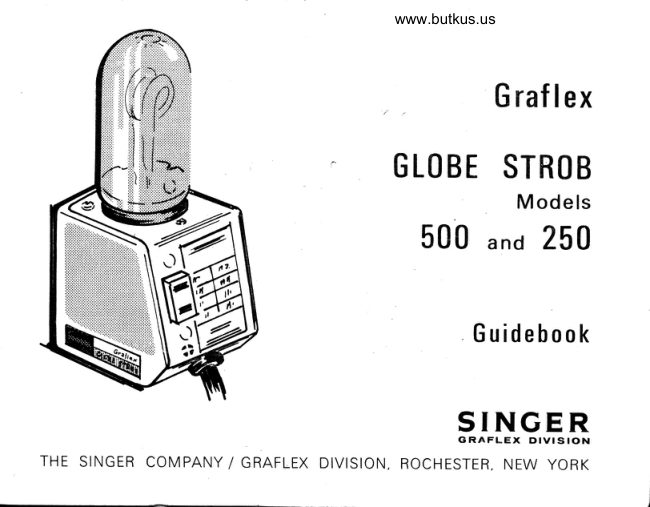
Graflex Globe Strob 500- 250
User manual
8 pages · EnglishRead →

GraflexPDF
Graflex Graphic Stroboflash
User manual
23 pages · EnglishRead →

GraflexPDF
Graflex Graphic Stroboflash I II III
User manual
41 pages · EnglishRead →

GraflexPDF
Singer Graflex flashes - booklet
Product booklet
9 pages · EnglishRead →
From the M. Butkus archive. Original publisher and archive notices are retained.
Check the model and edition against your equipment.
PDF verified 2026-10-10.