Film cameras
SPUDNIK 3D camera User manual
User manual for SPUDNIK 3D camera. 11 pages in English. Read the original PDF, download or print a copy without registration.
11 pagesEnglish3.3 MB PDF
Loading your manual…Open PDF directly
Document details
- Brand
- Spudnik
- Model / document
- SPUDNIK 3D camera
- Document type
- User manual
- Language
- English
- Pages
- 11
- File size
- 3.3 MB
- Category
- Film cameras
- Document date
- Not specified in catalog
Search available document text
Find a term, then jump to its page in the original PDF. Image-only pages may not be searchable; check the PDF for exact wording and diagrams.
Page 1 · Read text
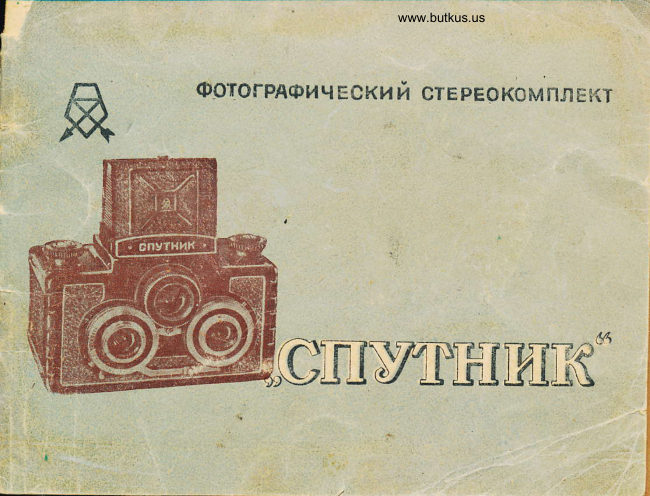
PHOTOGRAPHIC STEREO KIT
                   SPUTNIK CAMERA


              STEREOSCOPIC PHOTOGRAPHY STEREOSCOPIC

Photography, unlike conventional flat photography, allows one to obtain photographs that provide a
correct spatial impression of the relative positions of objects on the ground. . . A stereo kit consists of a
camera, a stereoscope, and a copying frame. . . Using the Sputnik camera, one can obtain stereoscopic
photographs. l(each such photograph consists of 11a series of slightly different photographic images,
which, when viewed with the aid of · a stereoscope, merge into a single three-dimensional (stereoscopy)
image.

STEREOSCOPIC photography, unlike conventional flat-panel photography, allows for the production of
stereoscopic photographs measuring 6 x 13 cm and single photographs measuring 6 x 6 cm.

SPUTNIK CAMERA
The Sputnik camera uses standard roll film. Six stereoscopic or 12 single frames can be captured on a
single roll of film. Fast lenses and a convenient focusing device ensure high-quality photographs. The
viewfinder, which provides an upright, correct, and sufficiently large image, ensures quick determination
of the photograph's conditions. Focusing of the lenses is simple and accurate on the image of the
photographed object on the matte circle of the optic viewfinder. The central shutters used in the
camera choose shutter speeds when photographing in fairly wide environments. The Sputnik camera
has an automatic shutter release mechanism, which fires the shutter approximately 7-8 seconds after it
is turned on, as well as a flash synchronization mechanism that automatically activates the flash when
the shutter opens.

Main parts and their purpose. The camera body and hinged corner covers are made of plastic. The
bottom of the body has a nut for attaching the camera to a tripod. The T-22 lenses are three-lens
anastigmatism lenses with focal lengths of 7.5 cm and aperture ratios of 1:4.5. Optical viewfinder -
combines a viewfinder and a matte loupe - a small circle in the center of the collective lens, above which
is a folding magnifier. The viewfinder is equipped with metal
View original page 1Page 2 · Read text
www.butkus.us


1. - Photographic lens;
2. - Shutter adjustment knob;
3. - Threaded socket for shutter release;
4. - Release lever;
5. - Corner cover;
6. - Winding lever;
7. - Camera body;
8. - Mounting head - roller knob with molding;
9. - Front frame of viewfinder;
10. - Shield with factory mark;
11. - Light-protective curtains;
12. - Viewfinder lens;
13. - Film rewind head;
14 - contact for...
15 - flash bulbs; aperture adjustment lever
16. - self-timer lever


...with self-protecting shutters that open simultaneously with the top cover. Closing the
viewfinder must be performed in a specific sequence: first, the magnifier must be retracted; then
the side shutters; next, the rear shutter with the square window; and finally, the front frame,
which must latch—via its protrusion—behind the tab on the main body of the viewfinder.
View original page 2
Page 3 · Read text
The viewfinder lens has a relative aperture of 1:2.8—that is, significantly larger than the
photographic lenses—and therefore possesses heightened sensitivity to focusing adjustments.
Focusing of the image on the ground-glass circle and on the film occurs simultaneously, as the
viewfinder lens and the front elements of both photographic lenses are coupled via geared
mounts. The minimum focusing distance is 1.3 meters. For shooting at closer distances, close-up
lenses are required.
Focusing should be performed by observing the center of the ground-glass circle on the optical
viewfinder lens. The image on this circle is viewed through the focusing magnifier mounted on
the...
Pg 6


..on the front shutter of the viewfinder, with the eye positioned close to the magnifier. Focusing
is most conveniently performed by slowly rotating the geared mount of the right lens until the
image in the center of the ground-glass circle becomes maximally sharp.

The focusing magnifier is attached to the inside of the optical viewfinder cover. To move the
magnifier into the working position, simply use a finger to pull it away from the cover and lift it
up.

The frame viewfinder consists of a front frame and a rear light-shielding shutter. To use it, tilt
the plate bearing the manufacturer's logo inward until it latches behind the lug on the rear
shutter. To close the viewfinder, simply pull the rear shutter back slightly.

To compose the shot, bring the camera up to your eye and look through the square window in
the rear shutter from a distance such that the edges of the window align with the square cutout
of the front frame. The boundaries of the field of view will then correspond to the boundaries
of the resulting image.

Pg 7
View original page 3
Page 4 · Read text
Digitally signed by Mike Butkus
                                                                                                                                                DN: cn=Mike Butkus, o, ou=Butkus.org,
                                                                                                                                                          c=US                               Mike Butkus  email=mike@butkus.org,Date: 2026.05.18 20:28:02                                                                                                                                                                                                                        -04'00'


1 — Film spool;                               7 — Take-up spool;
2 — Viewfinder window;                       8 — Light-shielding strip;
3 — Viewfinder shutter lock;                    9 — Viewfinder window;
4 — Lock for the camera's corner covers;          10 — Viewfinder window shutter knob.
5 — Pressure plate;
6 — Supply spool with film;

Pg 9

The shutter speed is engraved on the viewfinder lens barrel. The graduations, in meters, indicate the
lens setting for different distances of subjects from the camera. The central shutters (stellar) provide
automatic shutter speeds of 1/100, 1/50, 1/25, 1/10 sec., and when set to "B," any shutter speed can be
set manually. Shutter speeds are adjusted by turning the adjustment ring. The shutter release lever of
the right lens is moved forward until the index line aligns with the desired shutter speed (intermediate
positions do not produce medium shutter speeds). The index line is located on the edge of the ring.
Before shooting, cock the shutter by turning the right shutter release lever down until it stops. The
shutter release is performed by smoothly pressing the shutter release lever or the release cable, for
which a threaded socket is provided. When set to "B," the shutter remains open from the moment the
View original page 4Page 5 · Read text
shutter release is pressed until it is released. The automatic shutter release mechanism is located inside
the right shutter and is cocked by a special lever.

Pg 10

To engage the self-timer, the lever must be cocked fully (after cocking the shutter). The self-timer is
activated by pressing the shutter release lever or the cable release button.

The diaphragms are located inside the shutters—specifically, between the lens elements; their purpose
is to regulate the diameter of the aperture.

Lens aperture adjustment is performed by moving a lever. The aperture setting is selected based on the
lighting conditions during shooting, as well as the depth of the subject being photographed.

The increments on the aperture scale are calibrated in such a way that changing the aperture by a single
step either doubles or halves the amount of light reaching the film. For example, the exposure time used
with an aperture of f/5.6 should be reduced compared to that used with an aperture of f/8. If, however,
the exposure time was initially set for f/5.6 but the shooting conditions require an aperture of f/16, the
exposure time must be increased eightfold, as this change spans three aperture stops. 4. The depths of
field for the lenses, at various apertures and distances, are presented in the table.

Pg 11

Depth of field table (in meters) for a lens with a focus of 1.5 mm (1.5 mm) and a 7 mm (2.5 mm) focal
length.

             Diaphragm
distance
scales in       4.5            5.6          8           11          16          22
meters
Infinity        18.0 – 00      11.0 – 00      8.5 – 00       6.0 – 00        4..5 – 00      3.3 – 00
10            7.0 – 20       6.0 – 30.0     5.0 – 00       4.0 – 00       3.3 – 00        2.5.- 00

5              3.9 – 7.0      3.7 – 9.0      3.4 – 12.0     2.9 – 17.0     2.5 – 00       2.0 – 00

3              2.8 – 3.7      2.6 – 3.9      2.3 – 4.5      2.2 – 6.0       1.8. – 11.0     17.0.- 30.0

2.5            2.2 – 2.9      2.1 – 3.1      1.9 – 3.5      1.8 – 4.0      1.6 – 5.0      1.4 – 8.0

2              1.8 – 2.3      1.8 – 2.3       1.7- 2.6       1.6 – 2.8      1.4 – 3.5      1.2 – 4.0

1.5            1.4 – 1.7      1.4 – 1.7      1.3 – 1.8      1.2 – 2.0      1.2 – 2.2      1.0 – 2.8

1.3            1.2 – 1.5      1.2 – 1.5      1.1 – 1.6      1.1 – 1.7      1.0 – 1.9      0.9 – 2.2

pg 12
View original page 5Page 6 · Read text
On the aperture scale, between the numbers “B” and “-il,” and on the distance scale, between the
numbers ‘10’ and “5,” there are red dots.

When objects are placed on these dots, objects that are 3 m away from the camera to infinity will be in
focus.

When objects are placed on these dots, objects that are 3 m away from the camera to infinity will be in
focus. When objects located at these points are set at a distance from the camera ranging from 3 m to
“infinity,” they will appear sharp in the photograph.

The sync contact is designed to synchronize the the flash lamp with the moment of full opening of the
shutter. When using disposable flash lamps, the shutter should be set to an exposure of 1/10 sec. or
“B”, when using pulse lamps - to any exposure.

The synchronizer operates automatically after the shutter is released.

Loading the camera

The camera can be loaded with standard roll film in daylight.

Charging the camera

Charging the camera with standard roll film Charging with photographic film can be done in the light.

To load the camera, you must:

-1. Move the lock bar on the corner covers to the stop, first opening one cover and then the other.

Pg 13

Loading the film

2. Remove the seal from the film, insert the end of the protective paper into the slot of the receiving
spool and bend it, then, rotating the film rewind head, wind 1-2 layers of paper onto the spool.

Hold the film reel so that it does not unwind.

3. Pull the head of the feed reel and insert the film reel. Hold the film spool so that it does not unwind.

3. Pull back the feed spool mounting head and insert the film spool into the slot, making sure that it sits
in the center, then return the head to its original position.

After making sure that the paper is tensioned correctly, close the cover with the bar first, then the other
cover, and push the bar all the way in.
View original page 6
Page 7 · Read text
4. Turn the inspection window shutter head in the direction of the arrow; slowly rotate the rewind head
until the number <( 1" appears in the center of the window with red celluloid; close the shutter, after
which the camera is ready to shoot.

Photography

After selecting the subject and image boundaries, you need to: .

1. Assess the lighting conditions and determine the exposure settings.


             www.butkus.us

Camera with FO-1 Illuminator and Flash Unit

Or use the exposure meter to set the aperture according to the film's light sensitivity, selected aperture,
etc. 2. Set the aperture. 3. Fold out the front frame of the viewfinder. 4. Bring the magnifier into
position. 5. Focus the lens. 6. Set the shutter to the appropriate shutter speed and cock them. 7. Release
the shutter by pressing the shutter release or the cable release button. 8. Rewind the film (immediately
after shooting, so as not to forget), by turning the viewing window shutter and smoothly turning the
rewind knob until the next odd number appears; then close the shutter. The Sputnik camera can also
take single, non-stereoscopic shots. In this case, one of the lenses should be tightly closed with its cap,
while the other takes the picture. For ease of frame counting, it is recommended to take pictures with
the left lens. The frame count starts from the number "1."

Pg 16
View original page 7Page 8 · Read text
Unloading the Camera After the sixth stereoscopic or twelfth single shot, it is necessary to rewind the
protective paper of the film to the end. It may happen that the film roll slows down towards the end due
to delays and paper in the film feed spool slot; however, you can safely unload the film in the light. To
unload the camera, do the following: 1. Move the corner cover lock bar in the direction of the arrow
until it stops and open the camera covers. 2. Pull and slightly rotate the rewind knob. 3. Remove the film
spool without loosening the winding. 4. Seal the protective paper on the spool, wrap it in wrapping
paper, and put it away until developing. 5. Place the released spool in the slot for the take-up spool so
that its slotted end faces the rewind head. 6. Close the camera covers and slide the lock bar.
pg 17

                   COPY FRAME

The copy frame is designed for printing photographs from a stereo negative, either simultaneously or
separately. After simultaneous printing, the stereo photographs must be separated and repositioned.
Separate printing allows you to obtain a stereoscopic pair with correctly positioned photographs
without cutting. For easy viewing, the photographs must be carefully, symmetrically, and at the same
height on cardboard measuring 6.2 x 13.2 cm. To print a stereoscopic pair of photographs
simultaneously, you need:
1. Cut the paper to 6 x 13 cm.
2. Remove the removable shutter.
3. Turn the pressure spring and remove the cover.
4. Place the film on the glass with the emulsion facing up.
5. Place photo paper under the flat springs of the lid.
6. Cover the negative with the lid.
7. Turn the frame over, precisely. place both frames relative to each other.
pg 18


                                                   1 - sliding frame for changing the glass;

                                                   2 - removable shutter for closing the
                                                    window;

                                                   3 - frame base;

                                                   4 - flat springs for attaching photo paper;

                               www.butkus.us
                                                   5 - spring that ensures pressure of the
                                                      paper to the film;

                                                   6 - pressure cover;
                                                   7 - film-holding clips;

                                                   8 – glass pg 19
View original page 8Page 9 · Read text
Window II, turn the spring clamp, and lock the cover. 8. Make the exposure. To print a stereoscopic pair
of images separately, you need to:
1. Cut paper 6 x 13 cm.
2. Number the negative frames of each stereo pair with numbers 1 and 2 on the interframe strips; start
the numbering from the first frame of the film.
3. Replace the removable shutter; close the right window.
4. Turn the pressure spring and remove the cover.
5. Place the film on the glass with the emulsion facing up so that the negative marked "2" faces the left
window and the roll of film is on the right side of the frame.
6. Cover the negative with the lid, having first placed photographic paper under its flat springs.
7. Turn the frame over, accurately aligning the edges of the frame relative to the window and, turning
the pressure spring, secure the lid.
8. Expose the left frame.
pg 20


9. Move the removable E-frame flap, closing the left window.
10. Release the pressure plate and advance the film so that frame "1" is above the right window; check
that the frame edges are aligned with the window and secure the cover. -
11. Exposure. It is recommended to expose both images equally.


                      STEREOSCOPE

The stereoscope is designed for viewing stereographs on transparent and opaque substrates. Two
square cutouts are provided on the stereoscope frame for viewing stereographs on a transparent clip.
The stereoscope fits into the box disassembled. To return it to its working position, remove it from the
box and assemble it in the following order:
1. Turn the shoe until it stops so that the guides are at an angle to the support.

Pg 21
View original page 9Page 10 · Read text
1 — Eyecups;                                5 — Block;
2 — Mounts: for securing stereo glasses;          6 — Strap;
3 — Guides; 4 — Slider;                        7 — Bayonet lock; 8 — Frame


2. Secure the frame to the slide by placing it with the holes on the bolts and spring washers. 3. Place the
stereoscopic glasses bracket on the guide screws and tighten them with a flat bar, which serves as a
screwdriver. _Disassembling the stereoscope for installation is done in reverse order. To achieve the
stereoscopic effect, you must: 1. Place the stereoscopic photograph in the frame. 2. Adjust the
stereoscopic lens by slowly moving the frame up or down the guides until the best possible focus is
achieved; the photographs should merge into a single three-dimensional image.

                  GENERAL INSTRUCTIONS

The Sputnik stereoscopic kit should be handled with care: The inside of the camera must be completely
clean. Do not allow the lenses to get dirty or touch them: this may damage their surface and reduce the
sharpness of the images.

pg23
View original page 10Page 11 · Read text
Wipe camera lenses, stereoscope lenses, and frame glass with a clean cloth or uara, after first breathing
on the lens surface. Do not unscrew frames or remove lenses.

Information on stereoscopic photography can be found in S. P. Ivanov's brochure "Color Stereoscopic
Photography," published by Pravda, 1951.
View original page 11
Related documents and language editions
From the M. Butkus archive. Original publisher and archive notices are retained.
Check the model and edition against your equipment.
PDF verified 2026-10-10.