Film cameras
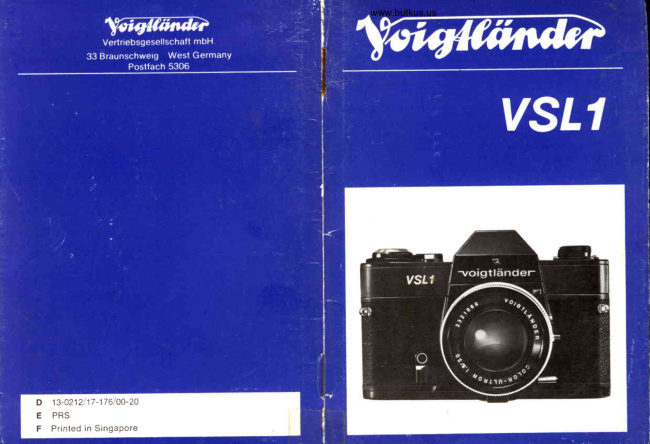
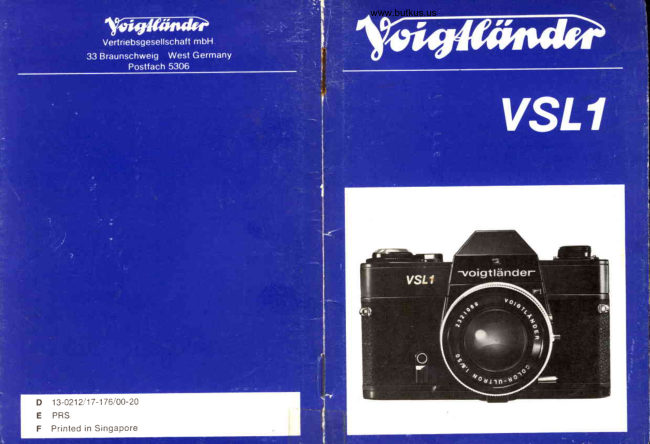
Voigtlander VSL-1 User manual
User manual for Voigtlander VSL-1. 15 pages in English. Read the original PDF, download or print a copy without registration.
15 pagesEnglish2.7 MB PDF
Loading your manual…Open PDF directly
Document details
- Brand
- Voigtländer
- Model / document
- Voigtlander VSL-1
- Document type
- User manual
- Language
- English
- Pages
- 15
- File size
- 2.7 MB
- Category
- Film cameras
- Document date
- Not specified in catalog
Search available document text
Find a term, then jump to its page in the original PDF. Image-only pages may not be searchable; check the PDF for exact wording and diagrams.
Page 2 · Read text
2 0      l n d e x f u r F i l m e m p f i n d l i c h k e i t
21  Steckschuh mit Mittenkontakt
2 2  B l e n d e n s k a l a
23  Hauptschalterfur MeBwerk
24  Schnellspannhebel (in Bereitschaftslage)
25  Rotpunkt am Kamerabajonett +  Fig. G
26  Rotpu n kt am Objektivbajonett -+ Fig. G
27  Sucherokular
28  BildzdhIwerk
2 9  F i l m m i t n e h m e r
30  Lager fur Filmpatrone
31  Zahntrom mel
32  Aufwickelspu le
33  VerschluBdeckel fur Batteriefach
34  Rtickspulsperre
35  Stativgewind e 1/t"
36  Batteriefach

(Bitte hierzu auch Seite 60 aufschlagen)
View original page 2
Page 3 · Read text
www.butkus.us
                                            Einzelteile und Funktlon
                                                                            I  Ose frir Tragriemen
                                      2  Auslosermit Drahtauslosergewinde
                                      3  Fensterfur Blendeneinspiegelung
                                      4  Fensterfur BelichtungsmeBmarke
                                      5  Rricksp/tlknopfmit -Kurbel
                                      6  Spannhebelfur Selbstausloser
                                      7  Startknopffur Selbstausloser
                                      8  BlendenschlieBtaste
                                      9  Sperrknopfftir Bajonettentriegelung
                                 10 B litzkabelanschIuB
                                 11 Blendeneinstellring
                                 12 Indexfur Entfernungund Blende
                                 13 Entfernungsskalain Meterund Feet
                                 14  Infrarotmarke
                                 15 Schdrfentiefenskala
                                 16  Entfernu ngseinstelIring
                                 17  lndex ftir Zeitstellknopf
                                 18  Zeitstellknopf
14  15                           19  Einstellringfrir Filmempfindlichkeitin DIN/ASA


         23  24
View original page 3Page 4 · Read text
Remddes                                  Observations
 Placer le levier d'armementen position           *  page 42
 "pr6t d op6rer,'
 Choisirun temps de pose pluscourtou plus    *  page 42
 long
 Remplacer la pile ou la mettre a I'endroit      -  page 41

Seulementenfoncer latouche avec           + page 42
mesurea diaphragmereel
 Choisir un autre temps de pose                      *  page 42

Actionnerle levier d'armementd fond                -  page 40

Tourner le levier du retardateurd fond             *  page 47
Reglerle tempsde posesur i               169lage sur 0 allume                                                        -+                                                  trop tot   pag e 48
Reglerle temps de pose sur 0               169lagesur  i  allume
                                                 trop tard -> page 48
Reglerle tempsde posesur I ou sur 0        -+ page 48
MesurerI'expositionsur une partie
importantedu sujet

                                                                                                                                                                                                                                                                                                                                                        Digitally signed by Mike ButkusUtiliserune oeilldred'oculaire,                                                                                                                                                                                         DN: cn=Mike Butkus, o=Butkus camera manuals,en particulier quand on porte des lunettes                           Mike Butkus ou=butkus.org,Date: 2024.06.19email=mike@butkus.org,20:55:41 -04'00'       c=US
Regler correctementla rapidit6 de f ilm        + page 40
Chargercorrectementle film, armer          Controle d'entrainement
progressivement,pas trop vite              du film; -+ page 40
Choisirun tempsde posepluscourt            -+ pag e 41
PoserI'appareilsur un piedou sur un           -+ pag e 41
support
Charger le film correctement                   -+ page 40
Enlever le morceau de film dechi16; tailler   -+ page 40
une nouvelle amorce et recharger le film
Ne pas forcer le levier,maintenirla s6curit6  Au cas oU le film s'est
enfonc6e,rebobinerun peu le film, achever  d6tach6du noyaude la
la coursedu levier                        cartouche:ouvrir I'appa-
                                                       reil dans ltobscurit6,re-
                                     bobinerle film a la main
                                                       59
View original page 4Page 6 · Read text
www.butkus.us
                                                                              Batterie  elnlegen                                            )Film einlegen (nichtim direktenSonnenlicht)
                                                                VerschluBdeckel33 durch Linksdrehenbis zum Anschlaglosen.
Rrickspulknopf5 soweit herausziehenbis Riickwandaufspringt.         Neue Batteriebeidseitigmit Tuch abreiben,evtl.Oxydbelagent-
Filmanfang,urlter einen der Filmmitnehmer29 schieben-Film-            fernen. Batterie mit Pluszeichennach auBen in Batteriefach36
patroqeiiber Filmgleitbahnhinwegziehenund in Lager 30 ein-           einsetzen,dabei nur am Rand anfassen,Vorder- und Rtickseite
i"g"n'(Rrickspulknopf5 noch einmal bis zum Anschlagheraus-            nicht berirhren!Deckel 33 bis zum Anschlag rechtsdrehen.Ver-
ziehen, dann ganz ih Kamera zurtickdrlickenund dabei etwas          wendbar sind Mallory PX 625, Toshiba HS-D und UCAR EPX
bewegen).Aufwickelspule32 am Rdndelringso weit drehen, bis          625113,sowieg leichwertigeBatterienanderer Hersteller.
FilmpLrforationin voller Breite in Zahntrommel31 eingreift.
RuckwandschlieBenund einrastenlassen.schnellspannhebel24            Widrtig: Batterielebensdauer1-2  Jahre, idhrliches Wedtseln                                                                                                                      Batterie                                                                                                                auBer-                                                                                           Nichtgebrauch                                                                                ldngerem                                                                                    Bei                                                                     empfohlen.und Ausloser 2 wechselweisebetdtigen, bis zahl ,,1" im Bild-            wird                                                                                                                    jeden                                                                                                                        auf                                                                                                                   Batterie                                                                                           Verbrauchte                                                               Kamera                                                                              aufbewahren.                                                                     halb derzdhlwerk28 unter Markierungsteht.                                                                               Fall entfernen.Nach ldngerem NichtgebrauchBatteriewie oben
sobald eine Zahl im Bildzahlwerk sichtbar ist, befindet sich           beschriebensiiubern.
immer ein Film in der Kamera (Ladekontrolle).schaltet das            Bei extremer Kdlte Batterie auf Korperwarmetemperierenund
Zdhlwerk weiter, ist auch der Film transportiertworden (Film-            erst klrz vor der Aufnahme einsetzen.
transportkontrolle).Das Bildzdhlwerkgibt die Zahl der bereits            Ersatzbatterienfrlhren alle Fotofachgesctdfte.
belichtetenBilder an.

                                                                              Bellc*rtungszeit    einstel  len
 Fl lmem  pf Indllelrkelt   elnstellen                                                                         Zeitstellknopf18 so weit verdrehen, bis gewdhlte Belichtungs-
 Empfindlichkeitszahlin DIN oder AsA steht auf Filmpackung             zeit i.iber Index 17 einrastet. Keine Zwischenwerteeinstellen.
oder eingelegter Gebrauchsanweisung-                             Die Belichtungszeithdngt von den LichtverhAltnissenund der
 Einstellring19 drehen, bis Empfindlichkeitszahleinrastet.            Bewegungdes Aufnahmeobjektsab (le schnellerdie Bewegung,
                                                                  desto kirrzer die Belichtung!).Zahlen auf dem Zeitstellknopf18
                                                              bedeuten Sekundenbruchteile.Orangefarbene Zahlen weisen
                                                                       auf Stativbenutzunghin.
                                                                             Zeit und Blende sind voneinanderabhdngig (je kiirzer die Be-
                                                                                licfitungszeit,desto groBer die Blendenoffnungund umgekehrt).
                                                                  Die Zeit-Blenden-Paarungrichtet sich nach Filmempfindlichkeit
                                                           und allgemeinerHelligkeit.
View original page 6Page 7 · Read text
Gontrols and components                                     21  Hotshoe
                                                               22  Aperture scale
 1  Neck strap lug                                              23  Main switchfor power circuit
 2  Shutter release button with cable release socket                    24  Rapid film advancelever (in ready position)
 3  Aperture scale port                                           25  Red dot on camera bayonet -+ Fig. G
 4  Meter scale illuminationPort                                   26 Red dot on lens bayonet-+ Fig. G
 5  Rewind knob with crank                                       27  Finder eyepiece
 6  Self-timertension lever                                       28  Frame counter
 7  Self-timer start button                                        29  Film holdingclip
 8  Stop-downpin                                              30  Film chamber
 9  Lockingbutton of baYonetmount                                          3t  Transport sprocket
1 0  Flashcable terminal                                         32  Take-upspool
1 1 Aperture ring                                                33  Battery compartment gover
1 2 Aperture and distance index                                   34  Rewind release
1 3  Distancescale in feet and meters                              35  Tripod bush lL"
1 4  lnfra-redindex                                               36  Battery comPartment
1 5  Depth of field scale
1 6  Focusingring                                                    (Please look to page 60 also)
1 7  Shutterspeed index
1 8  Shutterspeed dial
1 9  Film speed setting disc with ASA and DIN scale
20  Film speed index


                                                                                                           2120
View original page 7Page 8 · Read text
www.butkus.us
Loadlng  the  fllm (do not load in direct sunlight)                            Insertlng   the  batterY
                                                     Remove the cover 33 in anti-clockwisedirection' Wipe the newPull out rewind knob 5 until camera back springs open. Fix end                                                                        battery on both sides with a cloth to remove any oxide deposit.end of film leader under one of the holding cllps 29, pull the                                                                 Place the battery with the *  sign on top (see also diagram incassetteacross the film track and insert it in the film chamber30,                                                                       the battery compartment)into the battery compartment36 hold-knob 5 must again be pulled out as far as it will go. lt can now                                                                          ing  it by the edge only,.do no touch the top or bottom. Refitbe pushed down into the camera again to its original position                                                                  cover 33 by turning in clockwisedirection.Suitablebatterytypes:(if necessary,rotate slightly while pushing).The take-up spool                                                                     Mallory PX 625, UCAR EPX 625/13,Toshiba HS-D or equivalent3il must now be rotated by turning the milled ring until the per-                                                                          batteriesof other makes.forations at both edges of the film are engaged by the teeth on
the transport sprocket 31. Now close the camera back and press             lmportant: The battery lasts one to two years; a yearly battery
firmly until it locks with a click. Operate the rapid film advance          change is recommended. During extended idle periods keep
lever 24 and the shutter release button 2.                                   the battery outside the camera. Always remove a spent battery.
As soon as a number is visible in the frame counter window,             After prolonged idle periods clean the battery as described
this indicatesthat there is a film in the camera (loadingcontrol).           above.
 lf the frame counter moves on, the film has been advanced               In very cold weather first warm up the battery to body tem-
(film advance control).The frame counter indicatesthe number            perature and insert it immediatelybefore use.
of frames that have been exPosed.                           New batteries are obtainable from photographic dealers'

Setting  the  fllm sPeed                                                    Settlng  the  shutter  sPeed
The film speed in ASA or DIN is given on the film packing or            Turn dial 18 until the shutter speed required for the exposure
in the accompanyinginstructionsfor use.Turn the setting disc 19           engages opposite index 17. Intermediatespeeds cannot be set.
untilthe film speed requiredis engaged.                            The shutter speed depends on the lighting conditions and the
                                                                           rate at which the subject is moving (the faster the movement,
                                                                       the shorter the exposure time). The numbers on dial 18 denote
                                                                           fractions of a second (60 :  1/oosec, and so on). The orange
                                                           numbers indicate that a tripod should be used.
                                                                      Shutter speed and aperture are inter-dependent.The shorter
                                                                       the exposure time, the larger the aperture must be, and vice-
                                                                       versa. The speed-aperturecombination is..determined by the
                                                                                  film speed and the general brightness'


                                                                                                         2322
View original page 8Page 9 · Read text
Aperture                                                    By passing this limit, a red field is pushed across the setting
value                                                                        triangle in the viewfinder. As soon as the red field covers the
(f-stop)                              Exposuremeter           centre of the setting triangle, it is no longer possible to make                                                needle                                                                        selections.
                                               g triangle           Caution:
                                      Red field as         On setting to B or to the flash symbols 3 and 0 , the exposure
                                                 setting range           meter should not be used at all.
                                                              limit                                                          The exposure metering has standard calibration.lt will indicate
Fig. B                                                                 the correct exposure setting under average lighting conditions.
                                                                      Gorrection is however necessaryfor against-the-lightexposures,
                                                                     dark subjects against a bright background or for subjects ofMeasurlng   the exposure                                                                    low contrast (overcast sky, snow landscapes): In this case,
To operate the exposure meter, the main switch 23 must be              after the measurement has been taken open the aperture by
switched on by swinging out the rapid advance lever 24 into               r/z to 1 stop.
the working position.
Open aperture measurement                                          With subjects of very high contrast, especially very bright1/zwhen using VoigtlSnderVSL 1 lenses, or Rollei SL 35/SL 350            subjects against dark backgrounds, close the aperture by
lenses (without A/M switch): Do not press in the stop-down pin 8.              to 1 stop after taking the initial measurement.
Worklng aperture measurement                                                 In order to avoid unnecessary battery drain during long pauses
with any other lens, or when using adapters, extension tubes           between use, the exposure meter should be switcfied off.
and bellows:Pressin the stop-downpin 8.                            To do this, press back the main switcfr 23 into its initial position
                                                                           with the rapid advance lever.
After pre-selectingthe shutter speed turn the aperture ring 11
until the exposure meter needle in the viewfinder is exactly in
the centre of the setting triangle.The aperture thus set is indi-
cated on the lens and in the viewfinder
 lf a definite aperture is required for the exposure, pre-select
this aperture and then turn the shutter speed dial 18 to set the
exposure meter needle in the centre of the triangle. Only a
marked shutter speed must be used and this may mean slightly
adjustingthe aperture ring 11.
On changing to longer exposure times, a certain point will be
reacfied, depending on the speed of the film, whicft marks the
lower measuring limit of the exposure meter. For example, with
100 ASA and fully opened aperture on cfianging from r/r sec to
                                    r/er/z                              sec and r/r sec.   sec, or with 200 ASA between
24                                                                                                         25
View original page 9Page 10 · Read text
www.butkus.us
                                                                       Fig.E


                                                                         1,8  2r8


                                                                      Aperture and depth-of-field
                                                                    Pre-selectthe aperture by turning the aperture ring 11. The
                                                                  tlnumber required must be opposite the index 12. The settingFig.C                                                Fig.D                                                                                of the aperture depends on the depth-of-field required. The
Focusing                                                           smaller the f/number, the larger the lens aperture and the
Look through the viewfinder and sight the subject, if possible,           smaller the depth-of-field.
on a vertical or horizontaledge or line so that it runs exactly          The depth-of-fieldcan also be checked on the ground-glass
throughthe centre of the finder.By turning the focusingring 16,           screen in the viewfinder:By pressingthe stop-down pin 8, the
the line which appears distorted in the central diagonal split-          diaphragm is stopped down to the pre-selectedvalue and thus
image rangefinder is straightened.The correct distance has          makes it possible to adjust the aperture or distance exactly
now been found, wherebythe unsharp line on the ground-glass             to the requirementsof the photograph to be taken. When the
screen and in the microprism spot is sharply defined at the           stop-downpin 8 is pressed again, the diaphragmsprings back
same time.                                                                   to full aperture. lt is then automaticallystopped down to the
The distance set can be seen on the scale 13 at the index 12.            pre-selectedvalue when the shutter is released.
With subjects where there is no possibility of focusing on a          From the depth of field indicator: Here the aperture marks
straight line, the focusing can be done with the microprism          correspondingto the preset lens aperture on the scale 15, to
spot or the ground-glassscreen.                                  each side of the index 12, point to the depth of field zone
Spectacle wearers may use a correction lens made up by any           on the focusing ring 16 (circle of confusionz  -  50 microns or
optician (lens mount Order-No.977 210).                               0.002 inch; further stopping down  is necessary for utmost
With infra-red lilm                                                   sharpness).Example:50 mm lens f|1.8,stopped down to f/8 and
(of maximum sensitivityat a wavelengthof 800 nm) first focus           focused to 10 feet: depth of field from approx.7 feet to 18 feet.
as described above. Then read the distance opposite the          From tables: A depth of field table for VSL 1 lenses is available,
index 12, mount the infra-redfilter and reset the distance read            with exact valuesfor all lenses.
against the infra-red index 14.
                                                                                                      2726
View original page 10Page 11 · Read text
a - -
The exposure                                               The flash unit itself can either be slipped into the accessory
When taking a shot, the release button 2 should be pressed          shoe 21 0r attached to the camera with a bracket screwed
down smoothly.The mirrorswingsup, the diaphragmclosesdown              into the tripod bush 35. when using flash units with a centre
to the pre-set lens aperture and the focal-planeshutter travels            contact (without cable),the electrical connectionto the camera
at the shutter speed. The mirror then returns immediatelyto                is directlyvia the hot shoe 21.
its positionfor viewfinderfocusing and the diaphragmsprings            with units without centre contact,the flash cable is plugged into
                                                        pin                                                                                10.                                                                        terminal                                       stop-down                 When                              the diaphragm           lens               aperture.back      to full                                                      8   +     the                                                                                   required results from the flash guide number                                                                         aperture                                        remains at                                                        the                                                           The                                  always                       the                       diaphragm              in,            however,is pressed
set value, after release and tensioning.                            and the distance of the flash from the subject (see manual of
When the shutter has been released, the camera must be             flash unit).
tensionedfor the next exposure.When doing this, always swing
the rapid advancelever24 through as far as it will go.                      Exposures wlth  filter
                                                           The through-the-lenslight metering system means that theExposures with self-timer                                                                                                filter factor is usually adjusted automatically.only when usingTension the shutter beforehand with the rapid advance lever                                                                       the more dense colour filters for black-and-whitefilm  is  itand then press lever 6 upwards as far as it will go. On pushing                                                                    advisableafter exposure measurementto either open the aper-the start button 7  in the direction indicated by the arrow,                                                                           ture by one stop or increase the exposure time by one fullabout 8 seconds elapse before automatic exposure. During                                                                    value (correspondingto filter factor 2x).this time the lever returns to its initial position.                                                           The polarizing filter is to subdue or suppress annoying (non-Time exposures(shutter setting "B") are not possible with the                                                                              metallic!) reflectionsfrom the subject being photographed,as
delayed-actionmechanism.                                                                           well as for special individual effects, particularly with colour
 Exposureswith flash                                                              film, without falsifying the colours. Mount the filter in front of
Set one  of the  flash sym-                                           the lens and observe its effect through the viewfinder: the
bols at the index 17 with the                                                           filter effect can be altered by turning the milled wheel on the
dial 18, according to the type                                                front of the filter. lf reflectionscannot be sufficientlysubdued,
of flash unit which is going to                                                  alter your position until the camera points at an angle of about
be used: For electronic flash                                     35o to the reflecting surface.
the flash symbol l,  tor flash-                                         For exposureswith an infra-redfilter see page 26.
bulbs type AG, XM, 5 B etc.
the flashbulb symbol 0  . The
shutter speed in both cases is                                         Unloading  the  film
 r/ro   seC.                                                      By pressing the release 34, unloc* the rewind locking me-
                                                              chanism and turn the rewind crank 5 in the direction of the
                                                                  arrow until the frame counter 28 has reached its initial position                                                                            1rl'                                                             and a slight resistance is felt. The film has detached itself
                                                                  from the take-up spool. Only now open the camera back by
                                                                             pulling up the rewind knob 5 and remove the film cassette.
28                                                                                                     29
View original page 11Page 12 · Read text
www.butkus.us
                                                                Close-Ups
                                                                    Extension tubes and bellows
                                                           These are attached tq the camera as already described with
                                                               changing lenses. In the same way, the lens is attached to the
                                                                              front bayonet.The tubes can, of course, be used in combination,
                                                                           or attachedto the bellowsfocusing device.
                                            M 42 intermediateadapter, retro adapter, microscope adapter,
                                                            and macro lens adapter-> separateinstructionmanual.
                                                              Exposure measurement only with pressed-in diaphragm stop-
                                                         down pin 8 (working aperture measurement).

                                                             Gare  of the camera
                                                            and accessories maintains their value and reliability for many
                                                                      years.
                                                                  Cleaning
                                                                                of the camera should be done regularlyat appropriateintervals
                                                                  according to use: Dust the camera and accessoriesinside and
                                                                     outside with a soft sable brush and a rubber blower. Clean the
                                                                      outer parts with a soft dry cloth, glass surfaceswith lens clean-
                                                        Fig.G             ing tissue. Never polish the mirror and never touch the inside
                                                           components or the rubber blinds of the focal plane shutterChanging  the lens                                                                        with the fingers. Clean the everready case, hold-all case and
Before removing or attadring the lens, be sure that the dia-                                                                      lens cases by blowing and brushing out.phragm stop-down pin 8 is not pressed in.
                                                                            Voigtliinder-ServicePush in the locking button 9 and release the lens from the                                                                        with many approved workshops throughout the world provides
camera bayonetby turning to the left. Insert the interchangeable                                                                       servicing in all countries:these dealers and specialiststrainedlens so that red dot 25 lines up with red dot 26, then turn to                                                                                 at our factory will take expert care of your camera and provide
the right until engagement.                                                                    help and advice in all questions of photography.
                                                                            Serial number
                                                                 Every camera carries on its base a serial number. Every lens
                                                                        also has its number. We advise you to make a note of these
                                                          numbers so that you can establishyour ownership in the case
                                                                                of loss or a misunderstanding.

30                                                                                                 31
View original page 12Page 13 · Read text
Handling  faults and remedles                              Remedy                              Notes
Fault                       Possible cause                            Fultypull out rapid winding lever        +  page 24
                        Rapidwindingleverstill   rest     needledoes notMeter                                                                  Selectshorteror longer exposuretime    + page 24125                            positionrespond
                                   exposuretime outside                          Preselected                                                      Changeor (correctly)                     -+ page 23                            indicatorrange                                                                                                                     fit the battery                            Batteryexhausted,not insertedor
                         wrongly inserted                      Pressin stop-downpin only with          +  page 24                                                                working aperture measurement                        Stop-downpin
                        depressed                              Select differentexposuretime           + page 24125
Red field crossingsetting    Preselectedexposuretime outside
triangleinsideviewfinder    indicatorrange                                                                        Fullytensionrapid winding lever         +  page 24 or exteriorindicator
Shutterdoes not release    Windingleveronly partlytensioned         Fullytensionself-timerlever            + page 28
                             Self-timerlever only partly tensioned      Use electronicflash with I positiononly  Q Positionf irestoo earlY
 Picture u nexPosed          Electronicflash used with 0 position      Use long peak FP-flashbulbs                         t Positionfires too late
 or partly exPosed          FP-Flashbulbs used with '2 position       Set shutterspeed dial to C or Qposition    -+ pa$e 28 _
                     No flash positionset                                         . Measurebrightnessof main subject
 Picture underexPosed     Wrong exposuremeasurement         Use eyepiececup, especiallywhen                                                               wearing spectacles                             Str:aylight entrYthrough finder
                         eyepiecein strong side light              Set film speed correctly                +  paje 22
 Whole film under-         Wrong tilm sPeedsetting                                                                     Correctly load film, advance            F i l madvance control or overexposed                                                               smoothly but not too fast                 ge 22                                                            to                                          due                                     not advanced                            Film has Whole film unexposed                                                        Use faster shutter speed                   -+ page 24125                                                     torn                                           or because                                loading                               faulty
                                                     time                                        exposure                             movement:              or             Subject lmage partly                                                               Support camera or use a tripod            -+ page 23                                             subject                                          for moving                            too long          unsharP completely
                      Camerashake:exposuretime too
                           long for handheldshot                    Correctlv load film                     +  page 22
 Rewindknob does          Film wronglYloaded                Removetorn piece of film, trim new       + paQe 22                                                                  leaderand rethread not tu rn                    Film torn                                                                Avoid any force, keep rewind release          lf film is torn out of
                                                              pressed in and rewind film somewhat,     cartridge:open back in
 Rewind releasefails to      ExcessiveexPloitationof film             then finish lever stroke                      total darknessonly,
 engage,heavy resistance    length,film entirelYwound off                                                  rewind film by hand and
 againstfilm advance                                                                             wrap up light-proof
                                                                                                       33
 32
View original page 13Page 14 · Read text
www.butkus.us
Facts and figures                                                    Accessories:
Gamera type: 24 x 36 mm single lens reflex camera with ex-           Voigtldnderi nterchangeablelenses
posure measurementthrough the lens at open aperture.                    tor open aperturemeasurement(with bayonef mount)-* page 36,
Features:Voigtldnderbayonetmountfor interchangeablelenses,             for working aperture measurement(with thread mount *).
accessoryshoe with centre contact, focal plane shutter with           Rollei interchangeablelenses
rubber blinds and rapid winding, double exposureand blank              tor open aperturemeasurement(withoutAlM switch),
frame lock, self-lockingstop-down pin, selftimer with starting              tor working aperture measurement(with A/M switch).
button, cable-releasethread, self-zeroing exposure counter
                       1/+inch tripod bushing,carryingstrap          Rectangularlens hood for 25 mm, folding lens hood for 35 towith film loading control,
                                                           135mm focal length.eyelets.
Exposure measurement: Through-the-lens system with CdS         Medium yellow, green, orange, light red, UV, R 1.5 filter tor 25
cells, centreweightedfull-field measurementof finder screen             to 135 mm and 200 mm focal length.
image; open aperture measurementfor VSL 1     and Rollei           Polarisingfilter for 25 mm and 35 to 135 mm focal length.
SL 350 lenses, working aperture measurementfor all other                                                                   Set of extension tubes 12.5-25-50 ffiffi, bellows device, M 42lenses, adapters, extension tubes and bellows device. Self-                                                                    intermediateadapter,retro adapter, microscopeadapter,macrofockingfilm speed setting from 25 to 3200 ASA / lS to 36 DlN,                                                                      lens adapter.measuringrange with 50 mm t|1.8 tens from 1 to 16,00 cdlm2,
meter needle centred with index in finder. Powered by button           Ever-readycase, carrying strap, eyepiece cup, correction lens
cell 1.35 V in camera bottom, switched on by rapid winding          mount, lens cap; lens case for 25  ffiffi, 35-85 ffiffi, 135 ffiffi,
lever.                                                       200 mm focal length.
Finder system: Pentaprism, instant return mirror. Focusing
screen with diagonal focus indicator, microprism ring and
ground-glassscreen with Fresnel lens. Aperture indication,
measuringrange limit indication.Finder eyepiece with fitting
for eyepiece cup and correction lens. Laterally correct and
parallax-freefinder image.
                                                                                               *
 Focal ptane shutter: Shutter speeds r/roooto 1/zsecond and B        M 42 intermediateadapter required
with longtime exposure indication; X and FP switch-overflash
synchronisation at  l laosecond  for centre contact and cable
 contact.
 Dimensions:approx. 146 x 92 x 99 mm l53lt x 35/s x 37la in.
 with 50 mm lens tll.B.
 Weight:approx.845S /Zg'3|rc oz. with 50 mm lens t|1.8-                  Technical rnodificationsand inclusion of accessories reserved

34                                                                                                    35
View original page 14Related documents and language editions
From the M. Butkus archive. Original publisher and archive notices are retained.
Check the model and edition against your equipment.
PDF verified 2026-10-10.