Film cameras
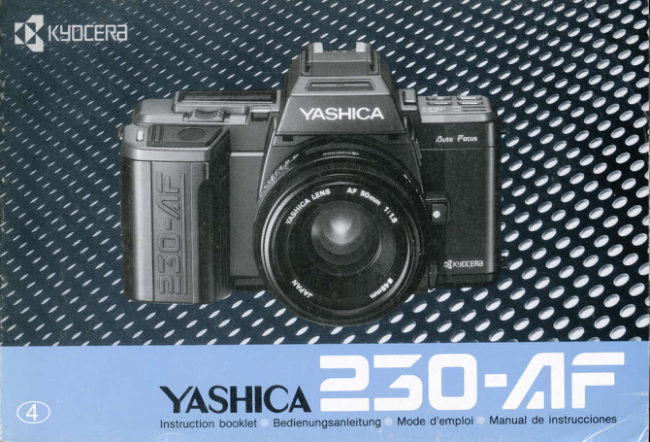
Yashica 230 AF User manual
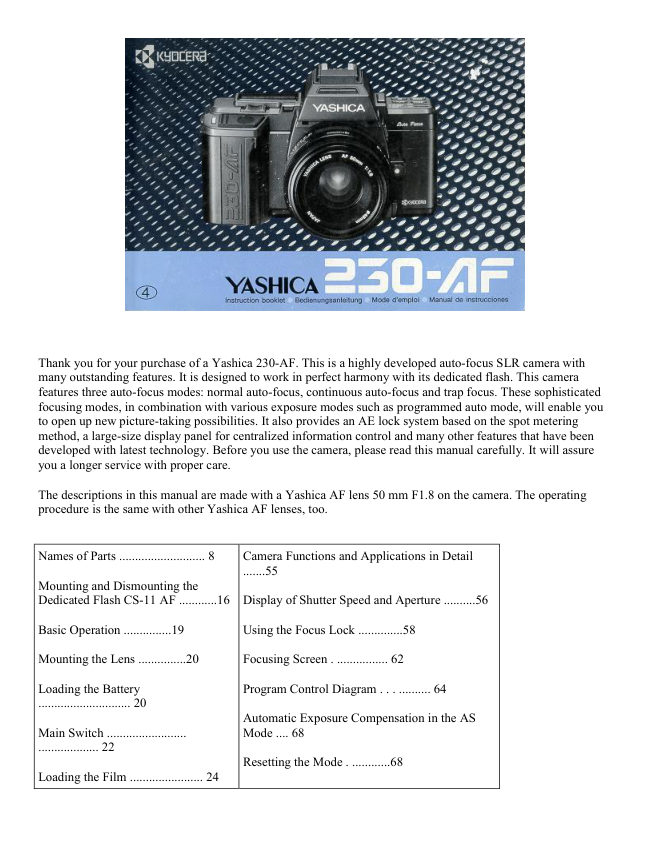
User manual for Yashica 230 AF. 64 pages in English. Read the original PDF, download or print a copy without registration.
64 pagesEnglish12.2 MB PDF
Loading your manual…Open PDF directly
Document details
- Brand
- Yashica
- Model / document
- Yashica 230 AF
- Document type
- User manual
- Language
- English
- Pages
- 64
- File size
- 12.2 MB
- Category
- Film cameras
- Document date
- Not specified in catalog
Search available document text
Find a term, then jump to its page in the original PDF. Image-only pages may not be searchable; check the PDF for exact wording and diagrams.
Page 1 · Read text
YASHICAInstruction booklet Bedienungsanleitung Mode d'emploi Manual de instruccionesView original page 1
Page 2 · Read text
Thank you for your purchase of a yashica 230-AF. This is      Wir danken lhnen, daB Sie sich frir die yashica 230-AF
a highly developed auto-focus SLR camera with many          entschieden haben. Diese hochentwickelte Autofokus-SLR-
 outstanding features.  lt is designed to work in perfect         Kamera zeichnet sich durch eine Vielzahl von duRerst
harmony with its dedicated flash.                               praktischen Merkmalen aus und ist fUr ootimale
This camera features three auto-focus modes: normal          Blitzaufnahmen auf den Betrieb mit dem auf diese Kamera
auto-focus, continuous auto-focus and trap focus. These       abgestimmten Blitzgerdt ausgelegt.
sophisticated focusing modes, in combination with various      Diese Kamera verfUgt Uber drei Autofokus-Betriebsarten:
exposure modes such as programmed auto mode, will         normaler Autofokus-, kontinuierlicher Autofokus- und
enable you to open up new picture{aking possibilities.            Voruyahl-Autofokus-Betrieb. Zusammen mit den
 It also provides an AE lock system based on the spot          verschiedenen Belichtungsbetriebsarten, z. B. die
metering method, a large-size display panel for centralized     programmierte Belichtungsautomatrk, werden lhnen diese
information control and many other features that have            fortschrittlichen Autofokus-Betriebsarten vollig neue
been developed with latest technology.                      Dimensionen beim Fotografieren erschlieRen.
Before you use the camera, please read this manual            DarLiber hinaus ist diese Kamera mit einem auf der
carefully.  lt will assure you a longer service with proper        Grundlage gezielter Spotmessung arbeitenoen
care.                                                     MeRwertspeicher (AE-Verriegelungsschaltung),  einem
                                                            groRdimensionierten Monitor fur zentralisiene
The descriptions in this manual are made with a yashica        Informationskontrolle sowie vielen weiteren Einrichtungen
AF lens 50 mm F1.B on the camera. The operating         vom letzten Stand der Fototechnik ausgestattet.
procedure  is. the same with other yashica AF lenses, too.        Bitte lesen Sie diese Bedienungsanleitung vor
                                                           Inbetriebnahme der Kamera aufmerksam durch. Bei
                                                      sachgemdiRem Umgang mit der Kamera wird sich dies in
                                                          jahrelangem storungsfreien Betrieb auszahlen.

                                                             Bei den Beschreibungen dieser Bedienungsanleitung wird
                                                      davon ausgegangen, daR ein Yashica AF-Objektiv f/1,8/50
                                   mm an der Kamera angebracht  ist. Die
                                                          Bedienungsverfahren sind jedoch auch bei Veruuendung
                                                           anderer Yashica AF-Objektive die gleichen.
                                           www.butkus.us
View original page 2Page 5 · Read text
Digitally signed by Mike Butkus
Mike Butkus DN:org, cn=Mikeemail=mike@butkus.org,Butkus, o, ou=Butkus.c=US
                                    Date: 2024.12.04 21:56:31 -05'00'


    @ Strap Lug
    @ DX Contacts
    @ Viewlinder Eyepiece
    @ Sprocket
    @ Release Sockel
    @ Camera Back'Release Pin
   @ Film Check Window
    @ Camera Back Lock
   @ Data Back Contacts
    @ Tripod Socket
   @ Rewind Release Button
   @ Film Rewind Switch
    @ Camera Back
View original page 5Page 6 · Read text
Display Panel
    The display panel shows all inlormation available for taking pictures with this camera.  lt may not represent actual data
     nowever.
  O Film Speed (lSO)        @ Continuous Shooting Indicalor    @ Battery Check Mark
  @ Shutter-priority Mode Indicator         I  Single{rame Shooting Indicalor    @ Over/Underexposure Mark
  @ Program Mode Indicator      @ Self-timer Mark                     (D Trao Focus Mark
  @ Flash Mark          @ Manual Mode Indicator       @ Manual Focus Indicator
  @ Exposure Counter        @ Aperture-priority Mode Indicator    @ Auto Focus lndicator
  O Film Transport/Rewind Marx    @ Electronic Signal Indicator      @ Continuous Aulo Focus lndicator
  @ Exposure Compensation Mark    @ Aperture/Exposure Compensation   @ Shutter Soeed/Film Soeed
                                                        Settino

                                      __@

                        P0fr.i+ 56


                                      __-@

12                                            www.butkus.us
View original page 6Page 7 · Read text
The liquid display section in the viewlinder will automatically brighten up when the light rs d m to let you see the orsptay
      clearly even in the dark.
        Exposure Compensation Mark               Shutter-priority Mode Indjcator           Manual Mode Indicator
        Flash Mark                            Over/Underexposure Mark                 Shutter Speed/Film Speed
       Sharp Focus LED (green)                   Aperture-prrority Mode Indicator          Spot Circle
        Front Mis-focusiRear Mis,focus           Aperture/Exposure Compensation          Focusing Frame
       Mark                                          Setting
       Program Mode Indicator

          A                                  \__/


IAla
View original page 7Page 8 · Read text
Guide Rail
                                                                    Flash Lock Button
    To mount the flash, first unlock the Flash Lock Button.              Flash Switch
    (When it is unlocked,  it will pop up and show a red marx.;           Light Receptor
      [,4ount the llash from the front side of the camera and          Window with
     slide it in along the Guide Rail as far as  it vlill go. Then,            Exposure Guide
    press down the Flash Lock Button and turn it clockwise            Flash Reflector
      until the index mark on  it comes opposite the index mark
    on the flash, and lock the flash in place.
    To dismount the flash, repeat the above.mentioned
    procedure In reverse.                                            Index Mark
     . Do nol apply too much pressure on the flash coupling            Coupling Contact
     conlacl.
   o When attaching the flash, make sure the Coupling
    Contact is inserted into lhe camera's Power Terminal.

     How lo Unlock tho Flash Lock EuttonrEntriegoln deo Blltzspontnopts
       Pour d6reroulllor 16 boulon da venoulllage du tlash/C6mo desbloquear  el bot6n de bloqueo del flash                                                                                                          Red Mak
                                                                                                                 Rote Marke
                                                                                           Maeue rcuge
                                                                                                            Marca rcja               ffiA                                  ,n,o"fW                        Nretiert                                                                            Entriegeft
                        VeffouilE                                                                         Deverrouil16
                    Bloqueado                                                          Desbloaueado

16                                            www.butkus.us
View original page 8Page 10 · Read text
Basic Operation
   This chapter explains the basic steps for operating the Yashica
230-AF. ll you read these instructions, you will learn how to operate
                the camera for normal photography.

   C ru nd I egende Bed i e n u n gsve rfa h ren
   Dieses Kapitel beschreibt die grundlegenden Verfahren bei der
Bedienung der Yashica 230-AF. In diesem Kapitel lernen Sie, wie die
        Kamera fUr normale Aufnahmen einzusetzen ist.
                      o
            Procddure de base
Ce chapitre explique les etapes de base pour I'utilisation du Yashica
230-AF. En lisant ces instructions, vous apprendrez d vous servir de
             I'appareil pour prendre des photos ordinaires.

            Operaci6n bdsica
   Este capitulo explica los pasos bdsicos para la operaci6n de la
 Yashica 230-AF. Si lee estas instrucciones, aprender6 a operar la
               cdmara para fotograffa normal.

                     www.butkus.us                                              t9
View original page 10Page 11 · Read text
Mounting the Lens                     Loading the Battery

      Frrsl, remove the lens cap and body cap. Then al gn the       Loosen lhe Batlery Holder Screw by turn ng t loward the
     red dot on the lens rear with the red dot (lens mountrng         arrow with a co n and remove the Battery Holder Inserl
     ndex) on the camera s Lens Release Button. push in the        the lrthrum battery correctly. as rllustrated nside the
     ens and turn  it c ockw se unt t locks with a ci ck           hoder Then. close the holder so that the claw on ts srde
      . To d smount t, press in the Lens Release Button and         s engaged, nslall  t again and ock it in place with the
     turn  it counterclockwise                                  Screw
      .   ll you are changlng the ens wth frlm loaded In the
    camera, take care to avo d d rect sun rght                   Use a 6'voil lithium battery (2CR5)


                                                              www.butkus.us

20
View original page 11Page 12 · Read text
Main Switclr

    The Main Switch of this camera has three positrons. When    LOCK ..... The camera is turned off    .
        it is set to LOCK, the camera is turned off. When  it is set      AE-L  ..... The camera is turned on and lakes pictures on
     to AE-L, you can take pictures with a fixed exposure value      spot metering  lf the Shutter Release is depressed
    on spot metering. When  it is set to ON, you can take           halfway, the AE lock is activated.
     pictures by measuring exposure on center-weighted       ON ..... The camera is turned on and takes pictures on
     metering. Set the switch depending on the subject you           center-weigl-rted metering. Normally, set the Main Switch
    want to shoot. lf you are not using the camera, always set      to ON.
        rt to LOCK.
                                                                                 . When the camera  is turned on, the shutler speed.
                                                                   aperture and other information will be displayed for B
                                                           seconds in the display panel and viewfinder.
    w@


                                              www.butkus.us22
View original page 12Page 13 · Read text
Loading the Film

   1 Set the Main Switch to ON, open the Camera       o  lf you use DX-coded  film, the camera will automatically     r Back and load the film.                                     set itself for the speed of the film loaded in  it.
    To open the Camera Back, push down the Camera Back         . Do not touch the shutter curtain and DX contacts.
     Lock while pressing in the button on  it.
    To insert the film, first fit the recessed end of the cassette
      to the shaft located on top of the film chamber and push  it
       in. lt will thus fit smoothly into position.
    Always load and unload film in subdued liqht.


24
View original page 13Page 14 · Read text
?  Inseil the lllm tlp as far as the orange mark        o  lf the film is advancing properly, the Exposure Counter& ("-')  and close the Camera Back.                             will show "1" and the Film Transport Mark ,,Q_" will
Engage the film perforations with the sprocket teeth and         turn on in the display panel. you are now ready to take
make sure the film lies flat and tight as shown in the             pictures.  lf the Exposure Counter does not move from ,,0"
illustration, then close the Camera Back. As soon as you        or if the mark "O-"  does not turn on, the film is not
close  it, the film will automatically advance to the first          advancing properly. Open the Camera Back and load the
frame.                                                                film correctly again.


                oo0Eooo000

                00q00Dooguooot0000


                                         www.butkus.us
View original page 14Page 15 · Read text
Taking Pictures

    Before taking pictures. set the drive mode. focusing mode
   and exposure mode to the desired positions according to        I   Drive modes
    the subject you wanl to shoot                               There are three modes: single-frame shooting (S)
                                                                 continuous shootrng (C), arrd self trmer shooting t U   I     To set the mode, move the Operating Lever to the left        r  Focusing modes
      or right while pressing the correspondtng mode button        There are four modes. auto-focus (AF), continuous auto-
       until the desired mode appears in the display panel.           focus (CAF), trap focus ( (()  ), and rnanual focus (M).
                                                                      I  Exposure modes
    r The display in the panel will run through quickly  if you       There are four modes. programmed auto exposure
    continue to push the lever for more than a second.           (PROGRAM), shutter priority auto exposure (Tv), aperture"
     . The Program Reset Button is very useful because the           priority auto exposure (Av) and manual exposure (M)
   camera will automatically set the positions of the drtve
    mode. focusing mode and exposure mode that are most
    convenient for takrng prclures as soon as you press tnls
     butlon.


28
View original page 15Page 16 · Read text
Operating Lever to the left            Operating Lever to the right
  @ Single Frame Shooting: S                                   Bed ie nu ngssch ie be r n ach   I i nks   Bed ien u ngssch ie be r n ac h rec hts
    Each time you depress the Shutter Release, the camera          Levier d' actionne ment ve rs             Levier d'actionnement  vers
       will expose one frame at a time and advance the film to            Ia gauche                                                          la droite
     the next frame, then stop.                                        Palanca de operacion hacia          Palanca de operacion hacia
  O Continuous Shooting: C                                                Ia izquierda                                                      la derecha
     While you are depressing the Shutter Release, the camera
      wrll take pictures one after another at a rate of uo to about
     1.8 frames a second.
  O Self-timer Shooting: S
   When you depress the Shutter Release, the self-timer LED
      In the camera front will turn on and the shutter will trio
     after 10 seconds.


     o               o               o


30                                            www.butkus.us
View original page 16Page 18 · Read text
Auto Focus: AF
         lf you depress the Shutter Release lighily, the camera will
     automatically start to focus the lens on the subject located
      in the focusing frame in the viewfinder. As soon as the
     green sharp-focus LED turns on, you can depress the
     Shutter Release  all the way to lake your picture. This
    mode is convenient for taking relatively static objects,
    because the focus is locked when the lens is focused on                              ,e                                                 ,rl     the subject by depressing the Shutter Release halfway.                   o-l                                                                    ,,C",     .   lf you take auto-focus pictures in the drive mode                                    s    AF
     the camera will automatically focus the lens for each
     frame and take pictures continuously.


34                                             www.butkus.us
View original page 18Page 19 · Read text
pictures in the driveContinuous Auto Focus: CAF                                 .   lf you take continuous auto-focus
As long as you keep depressing the Shutter Release         mode "C", the camera will automatically focus the lens on
lightly, the auto-focusing system will function and keep the      the subject and take pictures continuously with the fixed
subject in the focusing frame in sharp focus. This mode is       locus.
                                                                                                                  focus.useful for shooting moving subjects continuously, because       . Use the AF Lock Button to lock the
it will continue to focus on the subject as the subject
moves and its shooting distance changes, even after the
lens has been once focused on it. Depress the Shutter                                                                ?Release  all the way when the sharp-focus LED turns on.               ?YI                                                                    o-l   c
View original page 19Page 20 · Read text
Trap Focus: (t)
    This mode is useful for shooting nervous animals or
    moving subjects at a fixed distance. Face the camera
    toward the place where you guess your subject will come,
     set the camera to that distance with the Focusing Ring,
     attach the cable switch and release  it. As soon as the
     subject cemes to this distance and it is caught in the
    focusing frame in the center of the viewfinder, the shutter
      will trip to take your picture.


                                                                    www.butkus.us
                                              www.butkus.us
38
View original page 20Page 21 · Read text
Manual Focus: MF                                   Manuelle Fokussierbetriebsart: M F
    To focus. turn the Focusing Ring with your hand lf the        Drehen Sie den Scharfeinstellring von Hand. um das
     subject is not correctly focused. the front mis-focus or          Objektiv scharf einzustellen Wenn das Motiv unscharf  ist,
     rear mis-focus mark will turn on. lf rt is in sharo focus. the       leuchtet eine der Marken fUr falsche Scharfeinstellung
    green LED will turn on                                        vorn oder hinten auf. lst das Motiv einwandfrei fokussiert.
               . Front Mis focus Mark                              so leuchtet die grune LED auf.
           The lens is focused in front of the subiect
               . Rear Mis focus Mark                                  Das Objektiv ist auf einen Punkt vor dem Motiv
      -     The lens is focused                                                      fokussiert.
             behrnd the sublect                                                       : Marke fUr falsche Scharfeinstellung hinten
    +     "Focusing rmpossrble                                 Das Objektiv ist auf einen Punkt hinter dem Motiv
           Mark (blinks)                                                              fokussiert.


                                                     Front Mis-focus Mark
                                          Marke filr falsche Scharfeinstellung vorn
                                            Marque de mauvaise mise au pint avant
                                          Marca de enfoque incorrecto anterior

                   M        lltr          Rear MisJocus Mark
                                                                  fAr                                                                  falsche                                                                          Scharteinstellung                                                                                            hinten                                                                  :,   :l           Marke                     tiriri,                                            Marque                                                    de                                                     mauvaise                                                                        mise au point arridre
                     s      MF           Marca de enfoque incorrecto posterior
                      -                            " Focusing impossible" Mark
                                          Marke  " Fokussierung unmoglich "
                                            Marque de mise au point impossible
                                             Marca de "enfoque imposible"

4A
View original page 21Page 22 · Read text
Operating Lever to the left            Operatng Lever Io the right
  Q Programmed Auto Exposure: PROGRAM                  Bedienungsschieber nach links   Bedienungsschieber nach rechts
     The camera contains a combination program of shutter           Levier d'actionnement  vers             Levier d'actronnement vers
     speeds and apertures and automatically selects the                 ta gaucne                                                          la droite
    optimum combination of shutter speed and aperture                 laPalancaizquierdade operacion hacra          Palanca de operacionla derechahacla     depending on the brrghtness of the subject
  O Shutter.priority Auto Exposure: Tv
          lf you set a shutter speed, the camera will automatrcally
      select the optimum aperture for it, depending on the
     brrghlness of the sublect, 1o provide correcl exposure.      o_ The shulter speed is set with the Operatrng Lever    @
    (O Aperture-priority Auto Exposure: Av
         lf you set an aperture, the camera will automatically
     control the shutter speed to provide correct exposure
     r The aperture rs set with the Operatrnq Lever                    Gr

     o               o               o


42                                            www.butkus.us
View original page 22Page 24 · Read text
Shutter Release                            Electronic Srgna I Button
         lf the Shutter Release is depressed halfway, the lens rs       When the mark " lltr " shows jn the display panel, you
     driven to focus itself (when the Selector Lever is set at            wrll hear an audible electronic signal in the following
     "AF") and the shooting information at that time is shown        CASES:
      rn the viewfinder and display panei. lt wiil stay for B                . When the lens is focused on the subject (in the AF and
    seconds after the finger is released, and turn off. Then,                 '  ((| " modes);
    depress the Shutter Release  all the way to take your               . When the entire roll of film
      oicture.                                                 has been exposed;
                                                o When the self-limer  is
                                                                            operating.
                                                      To turn off the audible srgnal
                                                                         turn off the mark " (lt. " by
                                                                   pressing the Electronic Signal
                                                                           Button.


                                           www.butkus.us


46                                            www.butkus.us
View original page 24Page 25 · Read text
Using the Flash CS.tlOAF

    The dedicated small-size flash CS-11OAF can be integrated                                 n non the flash's main switch     with the camera to let you take beautifully exposed             f
     pictures at night or even in backlight with ease.            When  it is turned on, the power for the flash is supplied
                                                                from the camera, As soon as the flash is fully charged, the                                                                     flash.mark "                                                                                              " will turn on in the disptay panel and       Mount the Flash                                                                                                  t     I                                                                    vrewlrnder.
    Mount the flash on the camera as described on page 16.         . Charging the flash is possible while the drsplav in the
                                                                      viewfinder and display panel turns on.


48
View original page 25Related documents and language editions
From the M. Butkus archive. Original publisher and archive notices are retained.
Check the model and edition against your equipment.
PDF verified 2026-10-10.