Film cameras
Yashica Yashia 230-AF User manual
User manual for Yashica Yashia 230-AF. 38 pages in English. Read the original PDF, download or print a copy without registration.
38 pagesEnglish2.4 MB PDF
Loading your manual…Open PDF directly
Document details
- Brand
- Yashica
- Model / document
- Yashica Yashia 230-AF
- Document type
- User manual
- Language
- English
- Pages
- 38
- File size
- 2.4 MB
- Category
- Film cameras
- Document date
- Not specified in catalog
Search available document text
Find a term, then jump to its page in the original PDF. Image-only pages may not be searchable; check the PDF for exact wording and diagrams.
Page 2 · Read text
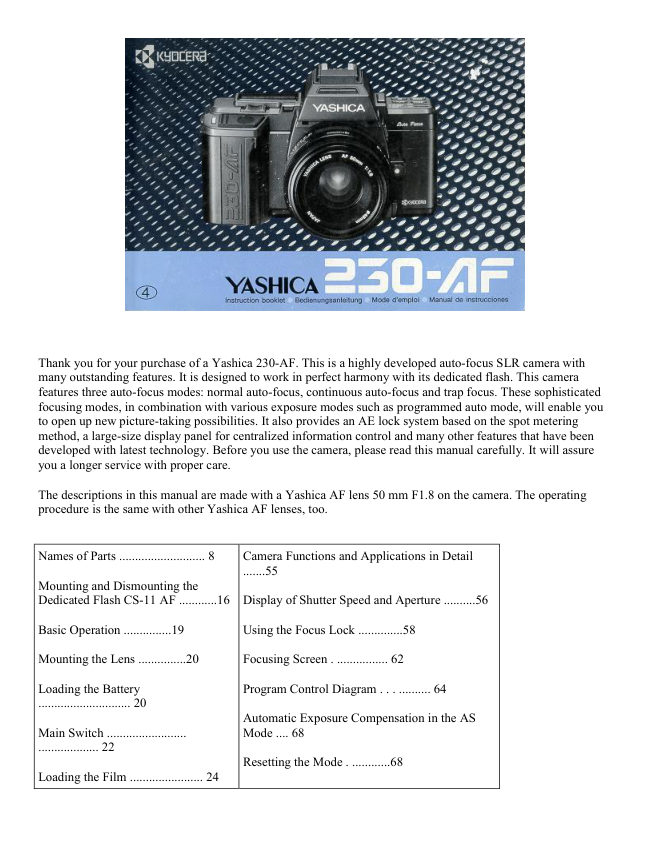
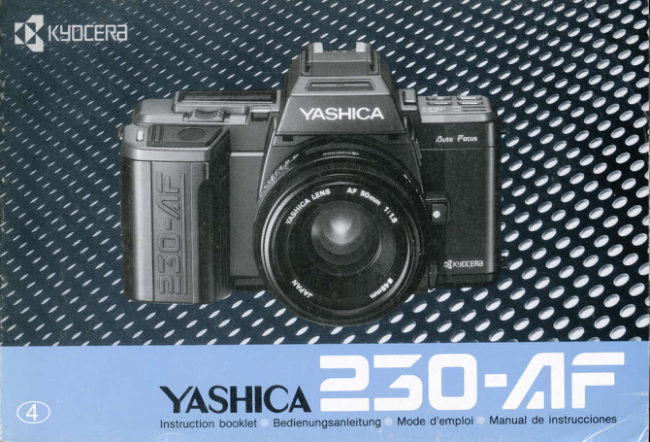
Thank you for your purchase of a Yashica 230-AF. This is a highly developed auto-focus SLR camera with
many outstanding features. It is designed to work in perfect harmony with its dedicated flash. This camera
features three auto-focus modes: normal auto-focus, continuous auto-focus and trap focus. These sophisticated
focusing modes, in combination with various exposure modes such as programmed auto mode, will enable you
to open up new picture-taking possibilities. It also provides an AE lock system based on the spot metering
method, a large-size display panel for centralized information control and many other features that have been
developed with latest technology. Before you use the camera, please read this manual carefully. It will assure
you a longer service with proper care.

The descriptions in this manual are made with a Yashica AF lens 50 mm F1.8 on the camera. The operating
procedure is the same with other Yashica AF lenses, too.


Names of Parts ........................... 8    Camera Functions and Applications in Detail
                                                     .......55
Mounting and Dismounting the
Dedicated Flash CS-11 AF ............16  Display of Shutter Speed and Aperture ..........56

Basic Operation ...............19          Using the Focus Lock ..............58

Mounting the Lens ...............20        Focusing Screen . ................ 62

Loading the Battery                Program Control Diagram . . . .......... 64
............................. 20
                                  Automatic Exposure Compensation in the AS
Main Switch .........................        Mode .... 68
................... 22
                                      Resetting the Mode . ............68
Loading the Film ....................... 24
View original page 2Page 3 · Read text
www.butkus.us


                                 Bulb Exposure .............70
Taking Pictures .. ..............................
28                                Using the Self-timer .............. 72

Shutter Release . ........... ....... 46       Trap Focus Shooting ............. 76

Electronic Signal Button ................ 46  Metering System ................ ...... 81

Using the Flash CS-110AF...............   Taking Pictures on Spot Metering ............86
48

Rewinding the Film ................52


(1) Program
Reset Button

(2) Operating
Lever

(3) Display
Panel

(4) Light
Receptor
Window

(5) Accessory
Shoe

(6) Flash
Contacts

(7) Direct X-
contact

(8) Main
Switch

(9) Exposure
Compensation
Button
               (18) Lens Mounting Index
(10) Focus
Mode Button   (19) AF/MF Selector Lever

               (20) Lens Release Button
View original page 3Page 5 · Read text
www.butkus.us


                                                                                  Contacts
(33) Tripod Socket

(34) Rewind Release Button

(35) Film Rewind Switch

(36) Camera Back


< Display Panel >


The display panel shows all information available for taking pictures with this camera. It may not represent
actual data,

(1) Film Speed (ISO)
                                                 (12) Aperture-priority Mode Indicator
(2) Shutter-priority Mode Indicator
                                                 (13) Electronic Signal Indicator
(3) Program Mode Indicator
                                                 (14) Aperture/Exposure Compensation Setting
(4) Flash Mark
                                                 (15) Battery Check Mark
(5) Exposure Counter
                                                 (16) Over/Underexposure Mark
(6) Film Transport/Rewind Mark
                                                 (17) Trap Focus Mark
(7) Exposure Compensation Mark
                                                 (18) Manual Focus Indicator
(8) Continuous Shooting Indicator
                                                 (19) Auto Focus Indicator
(9) Single-frame Shooting Indicator
                                                 (20) Continuous Auto Focus Indicator
(10) Self timer Mark
                                                 (21) Shutter Speed/Film Speed
(11) Manual Mode Indicator
View original page 5Page 6 · Read text
< Display in the Viewfinder>


The liquid display section in the viewfinder will automatically brighten up when the light is dim to let you see
the display

clearly even in the dark.

                                                     (7) Over/Underexposure Mark
(1) Exposure Compensation Mark
                                                     (8) Aperture priority Mode Indicator
(2) Flash Mark
                                                     (9) Aperture/Exposure Compensation Setting
(3) Sharp Focus LED (green)
                                                 (10) Manual Mode Indicator
(4) Front M is-focus/Rear M is-focus Mark
                                                 (11) Shutter Speed/Film Speed
(5) Program Mode Indicator
                                                 (12) Spot Circle
(6) Shutter-priority Mode Indicator
                                                 (13) Focusing Frame
View original page 6Page 7 · Read text
www.butkus.us


                                                                                 (1) Guide Rail

                                                                                 (2) Flash Lock Button

                                                                                 (3) Flash Switch

                                                                                 (4) Light Receptor

                                                                                 (5) Window with

                                                                                 (6) Exposure Guide

                                                                                 (7) Flash Reflector

                                                                                 (8) Index Mark

                                                                                 (9) Coupling Contact

< Mounting and Dismounting the Dedicated Flash CS110AF>
To mount the flash, first unlock the Flash Lock Button. (When it is unlocked, it will pop up and
show a red mark.) Mount the flash from the front side of the camera and slide it in along the Guide
Rail as far as it will go. Then, press down the Flash Lock Button and turn it clockwise until the index
mark on it comes opposite the index mark on the flash, and lock the flash in place. To dismount the
flash, repeat the above-mentioned procedure in reverse.

* Do not apply too much pressure on the flash coupling contact.

* When attaching the flash, make sure the Coupling Contact is inserted into the camera's Power
Terminal.


                                            Attaching the Eyecup:
                                              Attach the Eyecup as shown in the illustration.            Attaching the Strap

  Attach the Strap as shown in the illustration.
View original page 7Page 8 · Read text
Attach the optional FL type Diopter Lenses as
                                           shown. The Eyecup can be attached on a Diopter
                                               Lens.


Mounting the Lens

First, remove the lens cap and body cap. Then, align the red dot on the lens rear with the red dot (lens mounting
index) on the camera's Lens Release Button, push in the lens and turn it clockwise until it locks with a click.

* To dismount it, press in the Lens Release Button and turn it counterclockwise.
* If you are changing the lens with film loaded in the camera, take care to avoid direct sunlight.


Loading the Battery

Loosen the Battery Holder Screw by turning it toward the arrow with a coin and remove the Battery Holder.
Insert the lithium battery correctly, as illustrated inside the holder. Then, close the holder so that the claw on its
side is engaged, install it again and lock it in place with the screw.

Use a 6 V Lithium battery (2CR5)
View original page 8Page 9 · Read text
www.butkus.us

Main Switch


The Main Switch of this camera has three positions.
When it is set to LOCK, the camera is turned off.
When it is set to AK-L, you can take pictures with a
fixed exposure value on spot metering. When it is set
to ON you can take pictures by measuring exposure
on center-weighted metering. Set the switch
depending on the subject you want to shoot. If you are
not using the camera, always set it to LOCK.

LOCK The camera is turned off.

AE-L The camera is turned on and takes pictures on spot metering. If the Shutter Release is depressed
halfway, the AE lock is activated.

ON The camera is turned on and takes pictures on center-weighted metering. Normally, set the Main Switch
to ON.

* When the camera is turned on, the shutter speed, aperture and other information will be displayed for 8
seconds in the display panel and viewfinder.

Loading the Film

1. Set the Main Switch to ON, open the
Camera Back and load the film. To open the
Camera Back, push down the Camera Back Lock
while pressing in the button on it. To insert the
film, first fit the recessed end of the cassette to
the shaft located on top of the film chamber and
push it in. It will thus fit smoothly into position.
Always load and unload film in subdued light.

* If you use DX-coded film, the camera will
automatically set itself for the speed of the film
loaded in it.

* Do not touch the shutter curtain or DX
contacts.
View original page 9
Page 10 · Read text
2. Insert the film tip as
far as the orange mark
("--") and close the
Camera Back.

Engage the film
perforations with the
sprocket teeth and make
sure the film lies flat and
tight as shown in the
illustration, then close the
Camera Back. As soon as
you close it, the film will
automatically advance to
the first frame.

· If the film is advancing
properly, the Exposure
Counter will show "1" and
the Film Transport Mark "
       " will turn on in the
display panel. You are now
ready to take pictures. If
the Exposure Counter does
not move from "0" and
blinks, or if the mark "
       " does not turn on,
the film is not advancing
properly. Open the Camera
Back and load the film
correctly again.


Taking Pictures

Before taking pictures, set the drive mode,
focusing mode and exposure mode to the
desired positions according to the subject
you want to shoot.

To set the mode, move the Operating
Lever to the left or right while pressing
the corresponding mode button until the
desired mode appears in the display
panel.
View original page 10Page 11 · Read text
www.butkus.us


* The display in the panel will run through
quickly if you continue to push the lever
for more than a second.

* The Program Reset Button is very useful
because the camera will automatically set
the positions of the drive mode, focusing
mode and exposure mode that are most
convenient for taking pictures as soon as
you press this button.

Mode description

* Drive modes There are three modes: single-frame shooting (S) continuous shooting (C), and self-timer

shooting (         ),


* Focusing modes There are four modes: auto-focus (AF), continuous autofocus CAF), trap focus (       ), and
manual focus (M).

* Exposure modes There are four modes: programmed auto exposure (PROGRAM), shutter-priority auto
exposure (TV), aperture priority auto exposure (AV), and manual exposure (M).

< Drive Modes >


                                Operating Lever to the right
View original page 11Page 12 · Read text
(1) Single Frame Shooting: S Each time you depress the Shutter Release, the camera will expose one frame at
a time and advance the film to the next frame, then stop.

(2) Continuous Shooting: C While you are depressing the Shutter Release, the camera will take pictures one
after another at a rate of up to about 1.8 frames a second.

(3) Self timer Shooting: $) When you depress the Shutter Release, the self-timer LED in the camera front will
turn on and the shutter will trip after 10 seconds.

<Focusing Modes>

This camera offers a versatile focusing system
which consists of four focusing modes. The
auto-focus mode (AF) is convenient for taking
ordinary pictures. The continuous auto-focus
mode (CAP) allows you to take pictures in
succession by keeping your subject in sharp

focus as it moves. The trap focus mode       is
designed to trip the shutter as soon as the lens
is focused on the subject if you have set it to an
intended subject distance in advance. You can
also focus the lens manually (MF).

Selector Lever

This lever selects the basic focusing functions
of the camera. If you want to take auto-focus     Selector Lever at AF
or continuous auto focus pictures, set the lever
to "AF". If you want to take trap focus or
manual-focus pictures, set it to "MF".            Selector Lever at MF
View original page 12
Page 13 · Read text
www.butkus.us

Auto Focus: AF


If you depress the Shutter Release
lightly the camera will automatically
start to focus the lens on the subject
located in the focusing frame in the
viewfinder. As soon as the green sharp-
focus LED turns on, you can depress
the Shutter Release all the way to take
your picture. This mode is convenient
for taking relatively static objects,
because the focus is locked when the
lens is focused on the subject by
depressing the Shutter Release halfway.

· If you take auto-focus pictures in the
drive mode "C" the camera will
automatically focus the lens for each
frame and take pictures continuously.


                                       Continuous Auto Focus: CAF As long as you keep depressing
                                                the Shutter Release lightly, the auto-focusing system will
                                               function and keep the subject in the focusing frame in sharp
                                                focus. This mode is useful for shooting moving subjects
                                               continuously, because it will continue to focus on the subject as
                                                the subject moves and its shooting distance changes, even after
                                                the lens has been once focused on it. Depress the Shutter
                                            Release all the way when the sharp-focus LED turns on.

                                                          · If you take continuous auto-focus pictures in the drive mode
                                             "C", the camera will automatically focus the lens on the subject
                                        and take pictures continuously with the fixed focus.

                                                          · Use the AF Lock Button to lock the focus.
View original page 13Page 14 · Read text
Trap Focus:


This mode is useful for shooting nervous
animals or moving subjects at a fixed distance.
Face the camera toward the place where you
guess your subject will come, set the camera to
that distance with the Focusing Ring, attach the
cable switch and release it. As soon as the
subject comes to this distance and it is caught in
the focusing frame in the center of the
viewfinder, the shutter will trip to take your
picture.


Manual Focus: MF To focus, turn the Focusing Ring with your hand. If the subject is not correctly focused, the
front mix-focus or rear mix-focus mark will turn on. If it is in sharp focus, the green LED will turn on.


                   : Front Mis-focus Mark.\ The lens is focused in front of the subject.

             _: Rear Mis-focus Mark. The lens is focused behind the subject.

                --is: "Focusing impossible" Mark (blinks)
View original page 14Page 15 · Read text
www.butkus.us


<Exposure Modes>
 (1) Programmed Auto Exposure: PROGRAM The camera contains a combination program of shutter speeds
and apertures and automatically selects the optimum combination of shutter speed and aperture depending on
the brightness of the subject

(2) Shutter priority Auto Exposure: TV If you set a shutter speed, the camera will automatically, select the
optimum aperture for it depending on the brightness of the subject, to provide correct exposure.


Operating Lever to the left                                        Operating Lever to the right


* The shutter speed is set with the Operating Lever.

(3) Aperture-priority Auto Exposure: Av If you set an aperture, the camera will automatically control the
shutter speed to provide correct exposure.

* The aperture is set with the Operating Lever.
View original page 15
Page 16 · Read text
4. Manual Exposure: M In this mode, you can set your desired shutter speed and aperture by hand.

· The shutter speed is set with the Operating Lever, and the aperture is set with this lever while pressing in the
F-number Button.

Overexposure/Underexposure Warning If you depress the Shutter Release lightly, you may see an
Overexposure ("    '') or Underexposure ("   ") turn on in the viewfinder. If the mark "   " appears, your subject
will be overexposed relative to the correct exposure measured by the camera; if the mark "   " appears, your
subject will be underexposed. To obtain correct exposure change the aperture or shutter speed so that the mark "
   " appears, then shoot.

· If you use an AF Converter (optional accessory), take pictures in the "Av" or "M" mode. Even if the camera is
set to other exposure modes, it will operate in the "Av" mode.


                                               Electronic Signal Button
                                  When the mark "     " shows in the display
                                                   panel, you will hear an audible electronic signal
                                                     in the following cases:

                                         * When the lens is focused on the subject (in the
Shutter Release
                                AF and "     " modes);
If the Shutter Release is depressed halfway, the   * When the entire roll of film has been exposed;
lens is driven to focus itself (when the Selector   * When the self-timer is operating.
Lever is set at "AF") and the shooting
information at that time is shown in the
viewfinder and display panel. It will stay for 8
seconds after the finger is released, and turn
off. Then, depress the Shutter Release all the
way to take your picture.


                                       To turn off the audible signal, turn off the mark
                                                 "     " by pressing the Electronic Signal Button.
View original page 16Page 17 · Read text
www.butkus.us


Using the Flash CS- 110AF                  The dedicated small-size flash CS-110AF can
                                            be integrated with the camera to let you take
1. Mount the Flash                                beautifully exposed pictures at night or even in
Mount the flash on the camera as described on      backlight with ease
page 16.

2. Turn on the flash's main switch.
When it is turned on, the power for the flash is
supplied from the camera. As soon as the flash

is fully charged, the flash mark "    " will turn
on in the display panel and viewfinder.

* Charging the flash is possible while the
display in the viewfinder and display panel turns
on.                                                                               .


3. After making sure the mark "   " turns on, depress the Shutter Release to take your flash
picture.

As soon as the flash has fired, the entire liquid crystal display in the viewfinder will illuminate in
orange color to let you see that the flash has surely fired while you take pictures.

If you are taking auto exposure pictures with the CS-1 10AF, the shutter speed is automatically set
to 1/90 sec. If you are working in the manual exposure mode, the shutter will trip with the shutter
speed you have set if it is 1/90 sec. or slower.

If the CS-110AF is attached or detached with some types of lenses mounted on the camera (AF
Zoom Lens 28-85 mm F3.5-4.5, for example), it may knock against the lens. In this case, dismount
the lens before attaching of detaching the flash.
View original page 17Page 18 · Read text
Rewinding the Film


If the entire roll of film has been exposed, the
camera will stop winding the film and the          2. It rewinding is completed, unload the film.
Exposure Counter in the display panel will
blink.                                                         If the film has been completely wound back into
                                                                  its cassette, the rewind motor will automatically
1. While pressing the Rewind Release            stop and the Exposure Counter's number "0" and
Button, slide the Rewind Switch toward "   ".    the mark "    " will blink in the display panel.
The Film Rewind Mark "      " will show in the
display panel and the film will start rewinding.       · Unload the film in subdued light and take the
While it is rewinding, the Exposure Counter       exposed film for processing as soon as possible.
will continue to show the last number of frame
that was displayed when you finished shooting.      · After unloading the film, be sure to set the
                                        Main Switch at LOCK .
* If rewinding has started, remove your finger
from the Rewind Switch.

* You can also rewind the film in the middle of
a roll.
View original page 18Page 19 · Read text
www.butkus.us


                     CAMERA FUNCTIONS IN DETAIL
         This chapter explains the camera functions and applications of the Yashica 230-AF in detail.

Display of Shutter Speed and Aperture

The display of shutter speed and aperture in the display panel and viewfinder will turn on in the following
cases:

· When the Main Switch is turned on;
· When the Shutter Release is depressed halfway;
· When a mode Button (Focus Mode Button, Drive Mode Button etc.) is pressed. The display will appear for
eight seconds, then automatically turn off to save battery. However, the shutter speed and aperture you have set
will be stored in memory. The shutter speeds are displayed in 1/2-step increments from "2000" (1/2000 sec.) to
"16" (16 sec.), and the apertures In 1/2-step increments within the aperture range of the lens used. If the picture
is taken with an intermediate value between neighboring 1/2 steps, the camera will display the exposure value
that is most close to the value which is set. For example, if you are using an F1.8 lens, the camera will show
"1.7" if you are using an F3.3 lens, it will show "3.5".
· In the manual-exposure and shutter-priority auto exposure modes the shutter speeds can be set in 1-step
increments, and the apertures in 1/2-step increments. Intermediate setting is impossible.
· If the exposure mode is "PROGRAM", "Tv" or "Av", the lens' smallest-aperture value will blink when the
subject is overexposed relative to the correct exposure measured by the camera; and the maximum-aperture
value will blink if it is underexposed.

Using the Focus Lock


If you are taking auto-focus pictures and the subject you want to focus is not located in the center of
the viewfinder, or if the subject is difficult to focus in the situations mentioned below, use the focus
lock.

1. First, aim the Focusing Frame at your subject and focus. If the Shutter Release is depressed
halfway, the lens will start focusing itself. As soon as it is focused on the subject, the green LED
will turn on to tell you that focusing has been completed.
2. Lock the focus, recompose your picture and shoot.
* If you are shooting in the "AF" mode, the focus will remain locked while the subject is in sharp
focus and the Shutter Release is depressed halfway.

* If you are shooting in the "CAF" mode, lock the focus by pressing the AF Lock Button when the
subject is focused.
View original page 19Page 20 · Read text
(The focus will remain locked as long as you keep your finger on the AF Lock Button.)


<Subjects That are Difficult to Focus>


In the following cases, the auto-focus system will not function properly and the "Focusing
Impossible" mark "=" will blink in the viewfinder. In such cases, focus the lens on another object
located nearly the same distance as the subject, activate the focus lock and shoot. You can also focus
the lens manually.

(1) When the subject is too bright or too dark;
(2) When the subject contrast is extremely low;
(3) When there is a strong light source in or around the Focusing Frame;
(4) When there are two or more subjects at extremely different distances in the Focusing Frame;
(5) When the subject has a uniform pattern such as vertical stripes
(6) Fast moving subjects;
(7) When the subject has no concrete form, such as flame or smoke;
(8) When the quantity of light from the subject is extremely reduced by an ND filter or polarizing
filter.
View original page 20
Page 21 · Read text
www.butkus.us

Focusing Screen


                                     < Manual Focusing > You can focus the lens
< Focusing Frame and Spot Circle >            manually on the matte screen with the aid of the
 The Focusing Screen has a Focusing Frame for    Front Mis-focus/Rear Mis-focus Mark in the
auto focusing and a Spot Circle for determining    viewfinder. While looking through the
the metering range for spot metering. In            viewfinder, turn the Focusing Ring until the
addition to this standard focusing screen, three     image on the matte screen appears sharp. It will
optional screens are available: matte screen for     look blurred if the subject is not in sharp focus.
the Data Back, sectioned matte screen, and
horizontal split-image/microprism collar screen.     · If you are far- or near-sighted, use FL type
They are interchangeable depending on your       Diopter Lenses (optional). Eight different lenses
purpose.                                           are available: - 5, -4, -3, -2,0, +1, +2,and
                                                   +3diopters.


Program Control Diagram
This program control diagram shows the control range of shutter speeds and apertures relative to EV values in
the programmed auto exposure mode. The program lines mark the available ranges for wide angle, normal and
telephoto lenses, and these ranges are automatically set according to the focal length of the lens used. The
camera automatically chooses the optimum combination of shutter speed and aperture within the respective
program lines. However, you can also change the exposure within the range of the same EV value by shifting
the program lines by up to +3 steps. If the correct exposure that is set by the camera is F4, 1/125 sec., and you
want to shoot with a shutter speed of 1/60 sec., for example, shift the Operating Lever to the left by 2 steps.
Thus, an exposure value of F5.6, 1/60 sec. will be displayed and you can take a correctly exposed picture with
the same EV value.

· When the program is shifted, the program indicator will blink. After the picture is taken with the shifted
program or after the Main Switch is set to LOCK, the camera will automatically reset the exposure value that
was set before the program was shifted.
View original page 21Page 22 · Read text
WIDE program line: For lenses with focal lengths  NORMAL program line: For lenses with focal
shorter than 35 mm                                  lengths of 35--85 mm


            TELE program line: For lenses with focal lengths longer than 85 mm

· This diagram shows the automatic control range with an F1.8 lens. In the case of lenses with different F
numbers, the control range becomes narrower as the lens speed decreases. The control range with an F2.8 lens,
for example, is represented by the dotted line in the diagram.


Automatic Exposure Compensation in the Mode

If the camera cannot provide a correct aperture for the shutter speed you have set in the shutter-priority auto
exposure mode, it will automatically choose again a shutter speed as close as possible to that which you have set
so as to provide correct exposure. Therefore even if the shutter speed which is displayed when the Shutter
Release is depressed halfway is different from that which you have set, you can go ahead and shoot if the
smallest-aperture value or maximum-aperture value does not blink. Likewise, in the aperture-priority auto
exposure mode, even if the displayed aperture is different from that which you have set, you can go ahead and
shoot unless the smallest-aperture value or maximum-aperture value blinks.

Resetting the Mode

< Program Reset Button >
If you press the Program Reset Button the modes that are set and their display will reset to their initial settings
as follows:


· Drive mode . . . . . . . . . . . . . . . . . . . . . .       Initial Setting:
· Focusing mode                     To "S"
 Selector Lever at "AF" . . . . . . . . . . . . . . .
 Selector Lever at '`MF" . . . . . . . . . . . . . .   To "AF"
. . . . . . .                           To "MF"
View original page 22Related documents and language editions
From the M. Butkus archive. Original publisher and archive notices are retained.
Check the model and edition against your equipment.
PDF verified 2026-10-10.