Film cameras
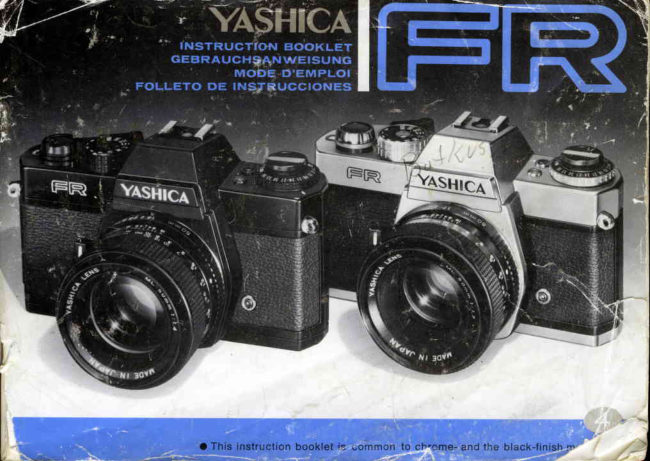
Yashica FR User manual
User manual for Yashica FR. 42 pages in English. Read the original PDF, download or print a copy without registration.
42 pagesEnglish4.1 MB PDF
Loading your manual…Open PDF directly
Document details
- Brand
- Yashica
- Model / document
- Yashica FR
- Document type
- User manual
- Language
- English
- Pages
- 42
- File size
- 4.1 MB
- Category
- Film cameras
- Document date
- Not specified in catalog
Search available document text
Find a term, then jump to its page in the original PDF. Image-only pages may not be searchable; check the PDF for exact wording and diagrams.
Page 3 · Read text
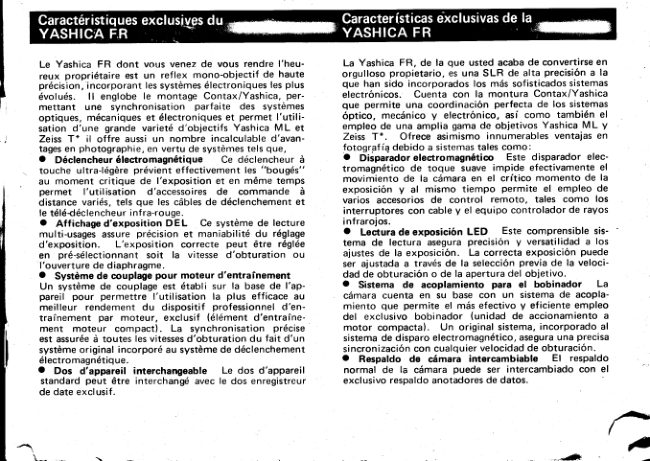
vI                                         t
       The Yashica FR of which you have just become a proud        Bei der Yashica FR, deren stolzer Besitzer Sie soeben
        owner  is a high precision SLR incorporating the most       geworden sind, handelt es sich um eine eindugige Prdzi-
         sophisticated electronic systems.   lt  features the Con-       sions-Spiegelreflexkamera, die die hochentwickeltsten
         tax/Yashica mount  affording  perfect coordination  of        elektronischen Systeme enthelt.  Sie weist die Contax/
         the oitical, mechanical and electronic systems and per-       Yashica-Fassungauf, die eine perfekte Koordination der
                                                                       optischen, mechanischen und elektronischen Systeme          mitting use of a wide range of Yashica ML and Zeiss                                                                               bietet und die Verwendung einer groBen Anzahl von
         T*  lenses.  lt also offers countless advantages in photo-       Yashica-ML- und Zeiss-T*-Objektiven erm<iglicht.  Sie
        graphy by virtue of such systems as,                              bietet auBerdem beim Photographieren dank der nach-
         o  Electromagnstic  Reloaso This feather-touch release       stehend aufgeftihrten Systeme unzdhlige Vorteile.
          effectively prevents camera shake at the critical moment        o  Magnetischer Ausliiser    Dieser durch  federleichten
          of exposure and at the same time permits use of various       Druck zu bedienende Auslciser verhindert auf wirksame
        remote control abcessories,such as the cable switches      Weise ein Verwackeln der Kamera im kritischen Augen-
        and infrared controller set.                                       blick  der VerschluBauslosungund erm6glicht gleich-
      O LED Exposure Readout  This comprehensive read-         zeitig  die Verwendung verschiedener' Fernauslosungs-
         out system assuresprecision and versatility of exposure        Zubehorteile wie die Kabelausl6ser und den lnfrarot-                                                                     Fernausloser.
          setting.  Correct exposure can be set through preselec-       o  LED-Belichtungsanzeige,  Dieses umfassende An-
          tion of either the shutter speed or lens aperture.               zeigesystem gewdhrleistet Prdzision und  Vielseitigkeit
        a  Winder Coupling System A coupling system is fea-        bei der Belichtungseinstellung.Die richtige Belichtung
         tured on the camera base to permit most effective and       kann durch Vorwahl entweder der VerschluBzeit oder
          efficient use of  the exclusive winder (compact motor        der Objekt ivoff nung eingestellt werden.
         drive unit).   precise synchronization is assured at all       o  Winder-Kupplungssystem  Ein Kupplungssystem an
         shutter speeds owing to an original system incorporated        der  Kameraunterseiie ermoglicht  die wirksamste und
                                                              zweckmdBigste                                                                         Verwendung                                                                                          des                                                                                                        exklusiven                                                                                                         Winders           in the              electromagnetic                              release                                   system.                                                                 (kompakter                                                                                     Motorantrieb).                                                                                  Dank                                                                                                       eines                                                                                                                                         in das                                                                                                   magne-      O            Interchangeable                       Camera                                  Bac*                                     The standard camera        tische                                                                     Auskisesystem                                                                                             eingegliedeiten                                                                                                       Originalsystems                                                                                                                                                                        ist
        back can be interchanged with the exclusive data back.        eine genaue Synchronisierung bei sdmtlichen VerschluR-
                                                 : . .                                zeiten gewdhrleistet.
                                                O  AusrechselbareKamerariidcwand     Die Standard-
                                                                Kamerariickwand kann gegen die exklusive Datenriick-
                                                         wand ausgewechseltwerden.


                               www.orphancameras.com

                                                                                                                                                                                                                                                                                                                        o-{:
View original page 3Page 4 · Read text
Lens Mount             Contax/Yashica mount (three-claw bayonet mount) with  internal linkage system (aperture
                                 scalecoupling lever,aperture keying lever and automatic diaphragm action lever).
        Lens                   Yashica Lens MLt11.4 50 mm standard lens interchangeablewith a wide range of Yashica ML
                             and ZeissT* lenses.
         Shutter                    Electronically controlled horizontal run focal plane shutter with speedsfrom 1 to 1/1O00 sec.
                                (11 settings),plus B; built-in self-timerand X sync.
          Shutter Release          Feather'touch electromagneticreleasetriggersthe mirror fl ip-up and shutter operation through
                                      electricalswitching; features releasesocket on camera body.
         Exposure Control         Through-the-lensfull aperture light reading with CdS sensors positioned in the pentaprism
                                     with. the shutter speed pointer to indicate correct exposure and red dots warning against
                                over/under-exposure;LED display button with self-lockingsystem providesexposure readout
                               before or after film wind; ASA range from 12 to 3200; EV range from EV 1 to 18 att/1.4
                           (ASA 100).
         Viewfinder               Through-the-lensreflex viewfinder shows a field approl. 92% of the actual picture area and
                                provides image magnification of 0.87X; LED display (green for correct exposure and red for
                                over/under-exposure),aperture display and shutter speed scalevisible in the finder.
        Focusing               Convenient focusing with diagonal split-imagecenter spot and microprism collar.
         Film Advance            Film advance lever advancesthe exposed frame, registerscount of exposure on the exposure
                                counter and charges the shutter with a single 140 degree stroke or several short ratchet
                                   actions; auto-resetting exposure counter; easy load take-up spool; manipulation of  film
                               rewind release button permits intentional multiple exposure; foldaway film rewind crank-
                               handle.
        Power Source            6 V silver oxide battery (Eveready544,Ucar 544, Mallory PX-28 or equivalent).
         Other Features        LED  battery checker display; Depth-of-field preview button; Lens release button;  Inter-
                              changeablecamera back; Coupling system on camera base permitting use of exclusivewinder
                              (compact motor drive unit) ; Dir:ectX contact shoe.
         Size & Weight           142.5 x 87 x 50 mm; approx 650 grams (body only).


\,                                                                     ^4
View original page 4Page 5 · Read text
@ ExposureCounter
                           @) MagneticReleaseButton
                   @ Fitm Advance Lever
                   @ Shutter SpeedControl Dial
                   @ Direct X Contact
                   @ AccessoryShoe
                   @ Battery CheckerButton
                   @ leO Battery CheckerDisplay
                   @ Film RewindCrank-Handle
                   @ fitm Rewind Knob
                   @ nSn Film SpeedDial
                   @ Lens ReleaseButton
                   @ Aperture Ring
                   @ Sett-rimer Lever
                   @ Sett-fimer Start Lever
                   @ Depth-of-FieldPreviewButton
                   @ FocusingRing
                                             o  E x t e r i o r  d e s i g n m a y  b e  s u b -
                                                                                                                j e c t      t o   c h a n g e  w i t h o u t    p r i o r
                                               notice.


www.orphancameras.com
View original page 5Page 6 · Read text
@ ritm Chamber
@ Motor Drive CouplingTerminals
@ Tripod Socket
@ SfrutterCurtain
@ Viewtinder Eyepiece
@ SprocketWheel
@ ExposureCheck Button
@ ReteaseSocket
@ CameraBack ReleaseLug
@ CameraBack
@  f llm DriveCoupting
@  f itm Rewind ReleaseButton
@ Battery CompartmentCover
@ ritm Take-UpSpool
View original page 6
Page 7 · Read text
o Open the cameraback and load the film.
(Pase20)
o  Offnen Sie die Kamerarlickwand und legen
S i e d e n F i l m e i n . ( S e i t e2 1 )
o  Ouvrir le dos de l'appareilet ins6rerle film.
(Page21 )
o  Abra  el respaldo de  la cdmara y cargue la
 pelfcula. (P6gina21l'

o  Set the ASA film speed dial according to the
speedrating of the film in use. (Page24)
o  Stellen Sie die ASA-Filmempfindlichkeits-
skala gemd8 der Filmempfindlichkeit des ver-
wendeten Filmes ein. {Seite25)
o  Ajuster la molette de sensibilit6de films sur
le nombre d'ASA  requis, en fonction de la
sensibilit6du film. (Page25l                   r
o  Ajuste  el dial de velocidades ASA de  la
pelfcula de acuerdo a la velocidad de la pelf-
cufa en uso. (Pdgina2Sl

o Advance the film. (Page26)
o  TransportierenSie den Film. (Seite27)
o Avancer le film. (Page27l
.  Avance la pelfcula. (Pilgina2Tl

                    www.orphancameras.com
View original page 7Page 8 · Read text
o  Secure precisefocus. (Page36)
o Nehmen Sie eine genaue Scharfeinstellung
vor. (Seite37)
o  Faire la mise au point pr6cise.(Page37)
o Enfoque con precision.(Piigina3T\

o Make exposureadjustment. (Page40)
.  RegelnSie die Belichtung.(Seite41)
o  Faire la correctiond'exposition.(Page41 )
.  Realicelos ajustesde exposicion.(Pdgina41l'

o  Hold the camera steady and pressthe mag-
netic releasebutton. (Page38)
o  Halten Sie die Kameraruhig und driickenSie
den magnetischenAuslosernieder. (Seite39)
o  Tenir  l'appareil fermement  et  presser le
bouton d6clencheurmagn6tique.(Page39)
.  Sostenga la cdmara firmemente y oprima el
bot6n disparadormagn6tico. (Piigina39)
View original page 8
Page 9 · Read text
How to Mount the Lens
        After removingthe camerabody cap, set the lensin the
      mount by matchingthe red dot on the lens barrelwith
        that on the camerabody. Then, while grippingthe lens
       barrelfirmly, give it a right turn until it self-lockswith
       a click.
      The method of mounting is the samewath all lenses.
      lmpropermountingwill resultin poor focusand/or ex-
       posure.

     How to Removethe Lens
       While keepingthe lensreleasebutton depressed,turn the
       lensbarrelall the way to the left and lift the lensstraight
       out of the lensmount.

       o Avoid touching the linkage systemson the camera
      body and the lens.
       o Avoid directsunlightwhen interchanginglenses.
       o To removeor resetthe lenscap, pressthe knobs on
       both sidesof the cap. The lenscap can be set evenwhen
       a f ilter is in use.


                                                                   Lens removing
                               www.orphancameras.com
\ t o
View original page 9Page 10 · Read text
Make sure the battery is installedproperly. Without the
battery, the shutter system and the exposure control of
your Yashica FR will not function.

E Open the battery compartment cover on the camera
base by turning  it  in the direction of the arrow with
the edge of a coin.
E  Install the battery properly by matching its polarity
with the diagram.
p  After ascertainingthat the battery is installed pro-
perly, close the battery compartment cover securely.

o Always use a 6 V  silver oxide (Eveready 544, Ucar
544, Mallory PX-28 or equivalent)or 6 V alkaline(Eve-
ready 537, Ucar 537 or equivalent)battery.
View original page 10
Page 11 · Read text
To check the battery power, pressthe battery checker
       button.  lf the LED battery checkerdisplaycomeson, it
         is an indicationthat there is sufficientbattery power. lf
             it fails to come on, replacethe battery with a new one.
       o The LED battery checker display may sometimes
      come on instantly when the battery checkerbutton is
      depressedbut later fade out. This is an indicationthat
       the battery power is low and therefore the battery
      must be replaced.

       o The shutter will  fail to function when the battery
      power drainsbelow the requiredlevel. Makeit a rule to
      checkthe batterypower in the following instances:
        a. After installinga freshbattery.
        b. In casethe camerahas been left unusedover some
       lengthof time.
        c. In case there is a need for checkingthe battery
       power.


     1 8                          www.orphancameras.com
I
View original page 11Page 12 · Read text
Avoid direct sunlight when loading film.  Always use a
standard135 film cassette(12,20 or 36 exposure load).

 [] Open the camera back by  pulling the film rewind
knob all the way out.  As soon as the camera back is
                                                          'S'opened. the exposure counter  will  reset to      (start)
position.
p  Install the cassettein the film chamber and push in
the film rewind knob to its original position.  lf  it fails
to reset,turn the knob in either direction while pushing
it in.
pl Introduce the tip of the film leadersecurelyinto any
one of the slots on the take-up spool. Avoid insertingit
as far in as illustrated.
View original page 12Page 13 · Read text
Eil Manipulate the  film advance lever and, after ascer-
        taining that  the  sprocket teeth properly engage the
        perforations on the edges of the film, close the camera
       back.
      E  fotO out the film rewind crank-handle and turn  it
       gently in the direction of the arrow to take up the film
        slack.
      E  Trip the shutter and advance the film  alternately
         until the exposurecounter registersthe figure ,1,.
             lf the film rewind knob rotates in the direction of the
      arrow when the film advance.lever is manipulated, it
      meansthat the film is advancingproperly.


   22                           www.orphancameras.com
l..
View original page 13Page 14 · Read text
To set the film speed, lift and turn the collet around
       the ASA film speeddial until the figure correspondingto
       the speed rating of the film  in use is brought in align-
      ment with  the  index.  Unless the  film speed is set
       properly,correct exposurewill not be assured.

      ASA/DIN Film Speed Rating
      The ASA or DIN f ilm speedrating denotesthe degreeof
        sensitivity of the film emulsion to  light.   lt  is clearly
       indicatedon the outer box or instructionsaccompanying
       the film.


   24
\
View original page 14Page 15 · Read text
Drawout the film advanceleverto whereitwill stop by
        itself (seeillustration).Then,hook your right thumb on
      the leverand turn the leverall the way. This will ad-
     vancethe film and chargethe shutter,simultaneously.
     With your YashicaFR, the film can be advancedby
      givingthe lever one full stroke or severalshort ratchet
      actions. In either case,make sure the lever is mani-
      pulateduntil it goesno further.  lf the film advanceis
      incomplete, the  electromagnetic release will  not
           f unction.

     ExposureCounter
     The exposurecounter registersthe number of exposed
     frames. lt  is calibratedfrom S, 1, 2 to 36, with dots
     denotingodd numbers. The figures'12,,,20,and ,36,
     are given in red to indicatethe last frame of the film
     cassetteof the correspondingexposureload.


                               www.orphancameras.com
L
View original page 15Page 17 · Read text
The  viewf inder  bf  your  Yashica F R  affords       Aperture Display
viewing and focusing always at  full  aperture.     The  figures along the  top edge of the finder
It  also shows all necessary exposure informa-      frame consist of the aperture display. When the
tion.                                              aperture ring is rotated, the pointer moves in
                                                coupled action to display the preset aperture.
Viewfinder Field                                             ln the course of the lens mounting, the aperture
The viewfinder shows a field approximatelv 92/o      scale shifts to display the maximum aperture of
of the actual picture area.  Whatever you see      the lens in use within the cut-out of the finder
through the finder will be therefore reproduced      frame (extreme right).
on the film without the fear of head cropping,
regardlessof whatever lens is in use.                    Shutter Speed Display
                                            The figures along the right edge of the finder
                                                                                                                           'B'Focusing Spot                                     frame correspond to the shutter speeds.     in-
Your Yashica FR features a dual focusing spot       dicates bulb exposure.
consistingof the diagonal split-imagecenter and     When the shutter speedcontrol dial is turned, the
microprism collar.  Either one can be used for       pointer  will move accordingly to  display .the
fast and accurate focusing. (See section dealing       shutter speed setting.
     'Focusing'with             for further details.)                     n
                                        LED (Light Emitting Diode) Exposure Display
                                        When the exposure check button  is depressed
                                                   before or after film wind, an LED dot will come
                                                on to the right of the shutter speed scale to dis-
                                                     play the exposure condition.  For details, refer
                                                                          'Exposure                                                              to the section dealing with            Setting'.

                            www.orphancameras.com                                   2 9 ;
View original page 17Page 18 · Read text
The LED exposure display incorporated in the view-
      f inder comes on when the. exposure check button  is
   depressedeither before or after f ilm wind.
   The red LED dot on top indicatesover-exposure,while
   the botton LED dot warns againstunder-exposure.The
   green LED dot  signifies that correct exposure will be
   obtained at the shutter speed indicated by the shutter
   speedpointer.

   Over-Exposure
  When over-exposure is indicated, stop down the lens or
   reset the shutter speed control dial to a higher speed
   setting.  In case the red LED dot  fails to go off even
   then, ffiount an ND filter over the lens.

   Under-Exposure
      I n case u nder-exposure is  ind icated, open  the  lens
   aperture or  reset the shutter speed control  dial to a
   slower speed setting.  lf the LED dot fails to go off even
   then, resort to  f lash photography.


34
View original page 18Page 19 · Read text
Turn the focusing ring while observingthe subject in the
   spfit-image center spot, microprism collar or matte area
    of the viewf inder.

   Split-imageCenter Spot
   Precisefocus is secured when the imagesin the diagonal
   split-imagecenter spot are brought into alignment.

   Microprism Collar and Matte Area
  When the multiple glitter disappearsin the microprism
   colfar or when the image appearsclear and sharp in the
   matte a rea, precise f ocu s is secured .
   o The method of focusing remains the same regardless      In Focus
    of whatever lens or accessoryis in use.

   Eyesight Adjustment
   To permit adjustment of the viewfinder to the eyesight
   of the individual,eight types of diopter lenses(-s to +3
   diopters)are available.


                                                              Out of Focus
36
                             www.orphancameras.com
View original page 19Page 20 · Read text
To obtain good results, it is important that the camera
   be held steady. Erratic movement of the camera at the
    criticaI moment  of  exposure constitutes  the  most
  common cause of poor (blurred) photographic results.
   Before attempting  to take your  first series of photo-
   graphs, familiarize yourself with all functional controls.
   As illustrated, the camera can be held in either hori-
   zontal or verticaI posture, depending on your  photo-
   graphic requirement.   In  either case, support your
   camera firmly with your left hand, with your left elbow
   held close againstyour body. Avoid gripping the camera
   body too  firmly  with your  right hand and press the
   magnetic releasebutton gently.

   o  For extra steady support, the trunk of a tree or wall
    of a building or other structure can be used most effec-
   tively.
   o When using a telephoto lens or when making ex-
   posure at a slow shutter speed, the use of a tripod is
   recommended.


38
View original page 20Page 21 · Read text
Exposure Check Button
   Correct exposure is set by manipulating the camera
   controls while  keeping the exposure check button
   depressedin either one of the following two methods:

  E Press the exposure check button gently with your
   right thumb.  As soon as the said button is depressed,
   the LED display will come on. When the fingertip pres-
   sure is releasedafter setting the exposure,the LED dis-
   play will turn off .
   p  After pulling out the film advance lever as illus-
   trated, slide the exposure check button to the  right.
   This will lock the button and keep the LED displayon.
   To releasethe button from  its locked state, push the
      f ilm advanceleverall the way in.

   o To prevent excessivebattery power drain, make it a
   rule to releasethe button from the locked state after
   settingthe exposure.
   o Do not attempt to reset the exposure check button
   forcefully. To releasethe check button, always push the
     f ilm advanceleverall the way in.


40
                             www.orphancameras.com
View original page 21Page 22 · Read text
Correct Exposure Indication
Correct exposure is indicated when the green LED dotcomes on in alignment with the shutter speed pointer          2
indicating the shutter speed setting.                                                      I          t
E  Pressthe exposure check button.                                                       Ip The red LED dot  indicates the need to make ex-         B
posure adjustment. The top red dot warns against over-
exposure,while the botton dot signifiesunder-exposure.
                                                                                                                                                                                                                                                                   , , 1       |Turn the aperture ring or the shutter speed control dial
until the green LED dot comes on (see page 44  for                                                                                              . {    " t       \ /
further details).
p1 When  the  green LED  dot  comes on,  press the
magneticreleasebutton gently.

                                                                                                          3 2 - 2 2 . t 8 . l l  .  I  . 5 5 . |   . 2 8 . 2 u l t l z
Exposur€ Guide (when ASA 100 film  is in use)
   Light Condition         Shutter Speed        ApertureLens
Jutdoors under bright                    1/1000,1/500,1 1250  1 6 ,1 1 , 8 s u n l i g h t
Outdoors in shade or                   11250,11125,1160    5 . 6 , 4 , 2 . 8 under overcast
Indoorsor night
 photography          1i30 or slower speed    2 . 8 , 1 . 7 , 1 . 4
View original page 22Page 23 · Read text
Exposure setting Through Aperture preselection
    This method of exposure setting is recommended when
    taking  full  advantage of  the  depth-of-field effect  or
   when the amb ient light situation necessitatespre-selec-
    tion of the lens aperture.
     First, turn the aperture ring and adjust the ring to the
    desired setting.  Then, rotate the shutter speed control
    dial until the green LED dot comes on.   lf  it comes on
   momentarily between the settings,set the dial at either
   one of the calibrated settings and readjust the aperture
    ring until the green LED dot comes on in alignment with
    the shutter speed pointer.  (The Yashica Lens ML per-
    mits use of half-stops.)
   o The shutter speed control dial of your yashica FR is
   designed to enable manipulation with the tip of your
    right index finger only.

   Top photo (taken at  f 11.41and bottom photo (taken at mini-
   mum aperture t116l illustrate the difference in background and
    foreground blurs depending on the aperture settings.


                                                                                                                         t 116
44                             www.orphancameras.com
View original page 23Related documents and language editions
From the M. Butkus archive. Original publisher and archive notices are retained.
Check the model and edition against your equipment.
PDF verified 2026-10-10.