Film cameras
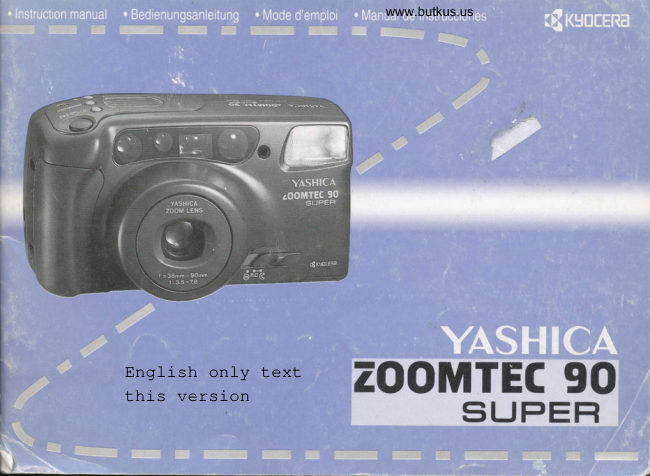
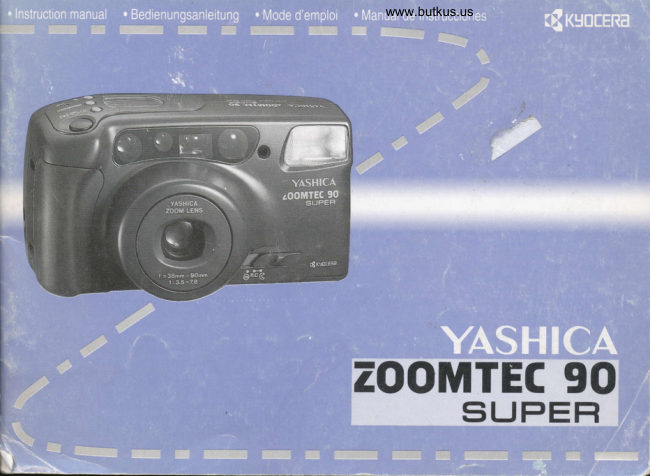
Yashica Zoomtec 90 Super User manual
User manual for Yashica Zoomtec 90 Super. 29 pages in German, English. Read the original PDF, download or print a copy without registration.
29 pagesGerman, English7.3 MB PDF
Loading your manual…Open PDF directly
Document details
- Brand
- Yashica
- Model / document
- Yashica Zoomtec 90 Super
- Document type
- User manual
- Language
- German, English
- Pages
- 29
- File size
- 7.3 MB
- Category
- Film cameras
- Document date
- Not specified in catalog
Search available document text
Find a term, then jump to its page in the original PDF. Image-only pages may not be searchable; check the PDF for exact wording and diagrams.
Page 5 · Read text
www.butkus.us


Attaching the Ac c e s sories
B efe s tigung de s Zub e ho e n
 Firatio n de s acc e s sorie s

Montajc dc los accesorios
   WW
View original page 5
Page 8 · Read text
L Colocacihn de las baterias

   L lntroduzca  la uia en la palanca de apcnura de la tapa del alojamiento
    de las baterias, y tire de la tapa mientras la dcsplaza cn la direcci6n de la
     flecha.
     2. Introduzca conectamente  las baterfas dentro del alojamiento o en el
    adaptador de baterias tal y como se indica en la ilustraci6n, y ciene la
     tapa.
      . Utilizar una bateria de litio de 6V (2CR5  ).
   <Sustituci6n de las baterfas>
    Si la marca "s    " se enciende en la pantalla de cristal liquido. serii ya
    necesario sustituir las baterias por otras nuevas.
    Si Ia carga de las baterias se ha reducido por debajo de cstc limitc. la              @    marca "c    " parpadearii y la cdrnara dejari de funcionar.
      . tlna vez extraidas las baterfas de la cdmara, coloque las nuevas en su
     interior riipidamente.
      . Si se deja la ciimara sin baterias durante algiin tiempo, cl contador de
    exposiciones se pondrd en cero.
      . Si su cimara estii equipada con una unidad de fechado, deberdn tomarse
    precauciones, ya que la fecha y la hora dcbcrdn tambi6n reaiustarse.
    A. Sustituir  las baterias
    B. La cdmara no funciona
   Precauciones sobre las baterfas
      . Normalmente,  el rendimiento de las baterias se reduce tcmporulmcnte  a
    bajas temperaturas (por debajo de 0'C). Si Vd. utiliza su caimara con un
    tiempo frio, tome la precaucitin de mantener las baterfas calientes en su
     bolsillo, por ejemplo. El rendimiento dc las baterias reducido por las
    bajas temperaturas volveri pronto a su estado normal a temperaturas
    nomales-                                                       www.butkus.us      . Si los polos de las baterfas se ensucian con sudor o grasa. es posible que
     el contacto sea insuficiente. Limpielas con un trapo seco antes de usarlas.
      . Si Vd. tiene previsto hacer un largo viaje, es recomendable que lleve
    consigo baterias nuevas de repuesto.
      . No intentar nunca romper, cortar, recargar. desmontar, calcntar ni
    anojar al fuego las baterfas pues puede resultar peligroso.      . La bateria de litio de 6V no puede cargarse.     oru x@
      . La cdmara no tuncionard  si la batcria cstii inconectamente  insertadir.
t2
View original page 8Page 9 · Read text
www.butkus.us2. Open the Camer,a.Back and. Loa.d. the Fihn-"***    2. Ouvc*ura de I'aryareil et mise cn"ptrece dr, ""*-**

                                                                                                                                                                                                                                                                                                                                                                                                                                                                       .  . !tngii                                                        film
 l. Slide down the Camera Back Release Knob and open the .urn.ro            l. Poussez le verrouillage du dos vers le bas et ouvrez I'appareil.
back.                                                                             2. Mettez le film en place comme indiqu6.
2. Insert the fllm slantwise as shown.                                 3.Placez I'extr6mit6 du film sur la marque "-".  Veillez  ir ce qu'il
3. Place the film tip on the spool within the range of the mark "-".         soit bien  ir plat.
Take care that the film is not floating up.                                                . Vous pouvez utiliser des film avec code DX de ISO 50 i 1600. La
. You can use DX-coded film with ISO ratings of 50 to  | 600. The          sensibilit6 du tilm est automatiquement r6gl6e lors de la misc en
film speed is automatically  set when the fllm is loaded.                    place.
If you are using non-DX-coded  film, the film speed is automatically      Les films sans code DX sont.
set to ISO 100.                                                      automatiquement r6gl6s sur ISO 100.


2. 017nrn der Camera und Einlegen dcs Films",*'.   2 Apertura del respal o de la cdmara y earge.de
n)r.!.                                                             .  la pelfcula  . . ....
 l. Schieben Sie die Riickwandentrieseluns  nach unten und iiffnen             l. Deslizar hacia abajo la palanca de apertura del respaldo de la
Sie die Camera.                                                      cdmara y abrirlo.
2. Setzen Sie den Film wie gezeigt schriig ein.                               2. Introducir la pelicula oblicuamente, como se muestra en la
3.Ziehen Sie den Filmanfang  bis zum Bereich der "-"-                      ilustraci6n.
Markierung. Achten Sie darauf, daB er sich nicht wdlbt.                     3. Situar el extremo de la pelicula en la bobina receptora, dentro de
. Sie kcinnen DX-codierte Filme von ISO 50 bis 1600 verwenden.          la zona abarcada por la malgs "-".
Die Filmempfindlich-keit wird beim Einlegen automatisch               Asegrirese de que pelicula quede lo miis plana posible.
eingestellt.                                                                                           . Vd.puede utilizar pelfculas con c6digo DX de ISO 50 a 1600. La
Filme ohne DX-Code werden automatisch wie ISO 100 belichtet.          sensibilidad de la pelicula se ajusta autom6ticamente al cargar la
                                                                                     pelicula.
                                                           Cuando Vd. utilice pelicula sin c6digo DX, la sensibilidad de la
                                                                           pelicula se a ajustar:i automiiticamente en ISO 100.
 Wffi
View original page 9Page 10 · Read text
,e
                                                    3. Scntiellen der Camerariickwand

     '%  3                                                              Nach dem SchlieBen der Ri.ickwand wird der Film automatisch bis
       '%,                                                                            Bild "l" transportiert und die "1" erscheint im Bildzlihlwerk.
                                                                                                                . Wenn sich die Anzeige "--" nicht veruindert, wird der Film nicht
        'ffi"                                                                                  richtig transportiert.
                                                                       Wiederholen  Sie das Einlegen sorgfiiltig.

       |/e

     qa

         'ffi


       'w4
                                                    3. Fermeture du dos

     W,
           '.,%                                                               AprEs la f'ermeture du dos, le film est automatiquement transportd
                                                                                     jusqu'ir la premidre image et le "1" apparait sur le compteur
                                                                             d'images.
       ''&                                                                                                          . Si le film n'a pas 6t6 introduit correctement, I'indicateur "--" ne
        '&.                                                                    change pas.
       'r*                                                         Recommencez alors soigneusement les phases d'introduction.


                'rrft,


    ru
     w, 3. Ctose the Camera Back                         3. Cerrs, el respaldo d.e la ctimara
       ,F}
     4,r: As soon as you close it, the film will automatically advance to        Tan pronto como Vd. lo cierre, la pelicula avanzarit      frame No. I and the Film Exposure Counter will show "1".            autom6ticamente hasta el primer fotograma, y cuando se detenga, el
       tit   . If the Film Exposure Counter does not move from "--", the film       contador de exposiciones mostrarii la cifra "1".
        is not advancing properly. Load the film correctly again.                      . Si el contador de exposiciones no cambia de la posici6n  "--",
                                                                                         significard que la pel(cula no estd avanzando correctamente. Vuelva
  %
                                                                              a carsar adecuadamente  la pelicula.


     F4


'o'ft.1,
View original page 10Page 12 · Read text
4. Ajustar el interruptor principal en " @ "

Si Vd. desliza el interruptor  principal de alimentaci6n en la posici6n
" G ". el protector del objetivo se abririi y el interruptor de
alimentacitin de la ciimara se conectarii.
. Si manipula el interruptor  principal desde la posici6n  " € " a " G ".
se activa el modo del disparador automdtico y se establece la funci6n
imagen individual.
. El flash iniciarii automdticamente su carga. y el indicador LED rojo
junto al ocular del visor parpadearii. Cuando se apague, el flash
estarii completamente cargado.
. Si se sitda el interruptor principal en "G ", el objetivo se recoger:i,
el protector del objetivo se cerrarii y el interruptor  principal de                                                                     rll /t/
alimentaci6n se dcsconectarii.
. Cuando Vd. no utilice la cdmara, asegfrese de ajustar el interruptor
principalen"G".
View original page 12
Page 13 · Read text
l. Use the Zoom Button to Determine tke Picture  .*    5. tltilisezlawww.butkus.ustouche du zoom pour eornpos€r kr-w
   Composition                           photo           @
While watching the subject in the viewfinder, turn the Zoom Dial to      Pendant que vous regardez le sujet  ir travers le viseur, r6,glezle
the '' [Il  " (wide) or " [f]  / rll? "(tele/macro) side ro derermine            levier du zoom sur " @ " (grand angle) ou " tll  / r? "
picture composition.  (This  is called zooming.)                               (t6l6objectif/macro)  (c'est cet effet qu'on appelle zoom).
 . During zooming and lbr about  I second after the shutter button  is          . Lors du zoom et pendant  I seconde environ aprEs avoir appuy6 sur
pressed, the LCD Display Panel shows the focal length at the Film          le d6clencheur, le panneau d'affichage LCD affiche la longueur
Exposure Counter section.                                                   focale dans la partie du compteur d'images r6servde   ir cet effet.
The focal length is also displayed for about  I second after you         La longueur focale est affichde I seconde environ quand vous
release the Zoom Dial, then the display automatically returns to the       relAchez  le levier du zoom. Ensuite, I'affichage revicnt
Film Exposure Counter.                                              automatiquemenl au compteur de vues.
. The field of view in the viewfinder will automatically change with         . Le cadrage dans le viseur change automatiquement selon la focale.
the lens.                                                                                                      . Pendant que le zoom fonctionne.   il est imoossible de ddclencher.
. The shutter will not trip while the lens is zooming.


                                                       5. Detrr*ine  Ia composiciiln de la imagen r4wsry
5. Bestimmen Sie den Bildauftau mit Hilfe der          mediante la tecla del zoom                         lsi,kiau*!
   Zoom-Taste                                                     Mientras observe el motivo a trav6s del visor mueva la oalanca del
Wdhrend Sie das Motiv durbh den Sucher betrachten. stellen Sie den    zoom hacia el lado " [TIl " (gran angular) o " tl]  / r? " (tele/
Zoom-Hebel  auf " [!]"(Weirwinkel)oder" tll/ V  "(Tele/          macro) para determinar  la composici6n de la imagen. (Este proceso
Makro). (Dies ist die sogenannte Zoom-Funktion).                       se llama zooming.)
. Wiihrend des Zoomens und ungefiihr I Sekunde lang nach                     . Durante el proceso del zooming y para apr6x. I segundo desde la
Betiitigen des Auslcisers erscheint die Brennweite  in der LCD-            pulsaci6n del disparador, en el panel de visualizaci6n LCD, en el
Anzeige  fiir das Bildziihlwerk.                                  campo correspondiente  al contador de exposiciones, aparecerd
Wenn Sie den Zoom-Hebel  loslassen. wird die Brennweite ebenfalls      indicada la distancia focal.
rund I Sekunde lang angezeigt. Danach erscheint in der Anzeige        La distancia focal tambi6n se visualiza para apr6x. I segundo
automatisch wieder das Bildziihlwerk.                                  despu6s de haber liberado la palanca del zoom. Despu6s. en el panel
. Der Bildausschnitt im Sucher iindert sich automatisch mit der           automi{ticarnente volver6 a aparecer el contador de exposiciones.
Brennweite.                                                                                          . El campo de visi6n del visor cambiarii automiiticamente segfn lo
. Wrihrend des zoomens kann nicht ausseldst werden.                   haga el objetivo.
                                                                                                          . El obturador no se activaril durante el movimiento del zoom.
View original page 13Page 14 · Read text
tlfn+


   <Step Zoom> (quick zooming in 3 steps)               <Zoom progressif> (zoom rapide  ir 3 niveaux)
       l. Press the Step Zoom Button.                                                                 l. Appuyez sur la touche du zoom progressif.
   "STEP ZOOM"  is displayed on the LCD Display Panel and the lens      L'6cran affiche "STEP ZOOM" et I'objectif se d6place i la position
    automatically moves to the position for a focal length of 55 mm.         oi la longueur focale est de 55 mm.
     2. Tum the Zoom Dial.                                                         2. Toumez le levier du zoom.
   Tuming the Zoom Dial to the " @l " (wide) side moves the lens          Si vous placez le levier du zoom sur " @ " (grand angle), la
     focal length to 38 mm; tuming the Zoom Dial to the " tll  / g  "        longueur focale est alors de 38 mm. Si vous placez le levier du
    (ele/macro) side moves the lens focal length to 90 mm.              zoom sur " tll  / I   " (tdl6objectif/ macro), la longueur focale est
       . The camera moves one step at a time to the position according the      de 90 mm.
     direction in which the Zoom Dial was tumed, 38 mm <-> 55 mm <-         . L'appreil se ddplace d'un niveau d la fois dans la direction vers
   > 90 mm.                                                                      laquelle le levier du zoom a 6t6 toum6 : 38 mm - 55 mm - 90 mm.
       . To retum to normal zooming, press the Step Zoom Mode Button            . Appuyez  i nouveau sur la touche du zoom progressif pour revenir
     agaln.                                                               au zoom nomal.
   <Stut'enweises Zoomen> (schnelles Zoomen in 3 Stufen)    <Zoom escaklnado> (Zoom rfpido de tres pasos)
      1. Drticken Sie die Taste fiir stufenweises Zoomen.                                   l. Pulse la tecla del zoom escalonado
     ln der Anzeige erscheint "STEP ZOOM" und das Objektiv bewegt      En el panel de visualizaci6n  aparece "STEP ZOOM" y el objetivo
    sich automatisch in die Lage, bei der die Brennweite 55 mm beragt.     autometicamente se ajustrii en la distancia focal de 55 mm.
     2. Betadgen Sie den Zoom-Hebel.                                              2. Active la palanca del zoom
   Wenn Sie den Zoom-Hebel  auf " EE " (Weitwinkel)  stellen,              Si mueve la palanca del zoom hacia el lado " @ " (gran angular) la
     veriindert sich die Brennweite auf 38 mm: wird der Zoom-Hebel auf      distancia focal cambiar6 a 38 mm; si mueve la palanca del zoom
    " t|]  / &  " (Tele/Makro) gestellt, betragt die Brennweite 90 mm.       hacia el lado " $l  / lu  " (tele/macro)  la distancia focal cambiarii a
       . Die Kamera iindefi die Brennweite jeweils um eine Stufe in die        90 mm:
    Richtung, in die der Zoom-Hebel  gedreht worden  ist: 38 mm -                . La ciimara modifica la distancia focal en el sentido elegido
    55 mm - 90 mm.                                                   mediante la palanca, paso por paso: 38 mm <-> 55 mm <-> 90 mm.
       . Drticken Sie die Taste ftir stufenweises Zoomen noch einmal. um          . Vuelva a pulsar el bot6n del zoom escalonado para activu la
     in den normalen Zoom-Modus  zurtickzukehren.                           tunci6n del zoom nomal.
t8
View original page 14Page 15 · Read text
www.butkus.us
 N    &dN SL$T T\                                      r $?
                                           0.5m
             (90mm)


Taking macro pictures                                      Prise de vue macro
The minimum shooting distance is normally about lm/3.3ft., but        La distance de prise de vue minimum se situe normalement d env.
when the Zoom Dial is set fully to " [l]  / {L " (90mm) you can           ln/3,3ft.. Lorsque la touche zoom est en position " tl]  I g  "
shoot your subject as close as about 0.5rn/1.65ft. from the camera      maximum (90mm),  il devient possible de r6aliser des prises de vues
(macrophotography). The macro mode mark " rl3 " will turn on in        dds 0,5m/l,65ft.. Sur cette position, le symbole de fonction macro
the LCD Display Panel.                                                     " {l} " apparait sur le moniteur LCD.
.If your subject is about 0.5m/1.65ft.-l .3rnl4.2ft. away from the              . Pour des distances de prise de vue comprises entre env. 0,-5m/
camera, the shooting range is inside the macro picture frame in the          l,65ft. et 1,3ft14,2ft.,les repdres de cadrage les plus petite indiquent
viewllnder.                                                                           le champ de I'image dans le viseur.

Makro-Aufnahmen                                         Realizaci6n de macrofotografias
Die ki.irzeste Aufnahmeentfernung  betrligt nornralerweise ca.  I m/       La distancia mfnima para fotografiar es normalmente de aprox. 1m/
3,3ft.. Wird die Zoom-Taste  voll auf " tll  / O  " (90mm)                     3.3ft., pero cuando se ajusta el bot6n del zoom en " tll  / $  "
geschoben,  sind Nahaufnahmen bis zu ca. 0,5m,/1,65ft. von der          (90mm), Vd. podr:i aproximarse hasta unos 0.5m/1.65ft. de distancia
Camera mtiglich. Dabei erscheint das Macro-Funktions-Symbol          de la cilmara al sujeto (macrofotografia).  La marca del modo macro
"{Z " in der LCD-Monitor.                                                         " r? " se encender6 en la pantalla de cristal liquido.
. Bei Aufnahmeentfernungen  zwischen ca.0,5m/1,65ft. und l,3m/           . Si el sujeto se encuentra a unos 0.5m/1.65ft.-  I .3rnl4.2ft. de
4,2fi. gelten die engen Bildf-eldbegrenzungen der Leuchtrahmen.           distancia de la c6mara, el 6rea eflcaz de la imagen se encuentra
                                                                         dentro del recuadro para macrofotografias  en el visor.
View original page 15Page 17 · Read text
www.butkus.us
Focus Lock                                             6. F otografielf,ff      ' -',rr*,rns^'an**ffa*rs*F$'d
Ifyour subject is not in the focus frame, use the focus lock.
 l. Aim the focus frame at the subject you want to focus on, and          Visieren Sie Ihr Motiv mit der Fokuszone in der Mitte des Suchers
depress the Shutter Release Button halfway.                            an und driicken Sie den Auslciser halb herunter. Das Objektiv stellt
. As soon as the subject is in sharp focus, the green LED beside the       sich automatisch auf die richtige Entfernung ein und die griine LED
Viewfinder Eyepiece will light up (the fbcus is locked).               im Sucher leuchtet auf, wenn die Schiirfe stimmt.
2. While holding the Shutter Release Button depressed halfway,          Driicken Sie dann zum Fotografieren den Auslriser ganz herunter.
recompose your picture then take it by depressing the button all the          . Wenn zugleich die rote LED aufleuchtet, wird automatisch
way.                                                                              geblitzt, weil es nicht hell genug ist.
. The focus remains locked while the shutter release button is
depressed halfway, so the subject will remain in sharp focus even if     Der Blitzbereich umfaRt folgende Entfernungen:
you move the camera without changing the shooting distance.
. The focus lock is released  if you remove your finger from the           ISO 100           Weitwinkel(38mm)      Tele/Macro(9Omm)
button.                                                                      Fotos ohne Blitz     ca. lm€                ca. I/0.5m -<Subjects not easy to focus>                                                             (3.3ft.--)                 (3.3/  I .65ft.*;
In the fbllowing cases, the camera's auto-focusing system will not          Fotos mit Blite      ca. l--5m               ca. l/0.5-2.5m
operate properly.  In this case, use the focus lock. First, focus the           (rso r00)            (3.3-16.4ft.)               (3.3/  l .6s-8.2ft.)
lens on an object located nearly at the same distance, activate the          (rso 400)           ca. l-10m              ca. l/0.5--5m
focus lock, then shoot.                                                                                (3.3-32.8ft.)               (3.3/  r .65-16.4f1.)
. When the subject has no fixed shape; for example, fireworks and
smoke.                                                                                                 . Wenn die griine LED blinkt, ist das Motiv zu nahe. Vergrri8ern  Sie
. When the subject has a glossy surface; for example, car body and        die Aufnahmeentfernung,  bis das Blinken aufhdrt.
water surface.                                                                    o BetrAgt die Aufnahmeentf'ernung  ca. 40 cm oder weniger, kann die
. When the subject does not reflect light; for example, hair.                 grtine LED auch leuchten, wenn die Schiirfe nicht stimmt.
. Subjects taken through a window pane.                                                . Nach dem Blitzen beginnt der Blitz sich automatisch wieder. Extremely small objects.                                                                         aufzuladen. Dabei blinkt die rote LED. Wenn sie erlischt,  ist der
                                                                              Blitz wieder bereit.
                                                                                                          . Bei Hochformataufnahmen  halten Sie die Camera bitte so. daB sich
                                                                       der Blitz oben befindet.
                                                                                                          . Achten Sie darauf, daB Objektiv und Blitz nicht vom Finger oder
                                                                   Trageriemen abgedeckt werden.
                                                              SchiirfespeicherD)<Rr'                            Wenn lhr Hauptmotiv nicht in der Bildmitte liegt, benutzen Sie den
                                                                              Sch:irfespeicher.
                                                                                                       l. Visieren Sie lhr Motiv mit der Fokuszone im Sucher an und
                                                                          driicken Sie den Ausliiser halb herunter.
                                                                                                          . Sobald die Schiirfe eingestellt  ist, leuchtet die griine LED neben("W
View original page 17Page 18 · Read text
Bloqueo del enfoque
Si el sujeto no se encontrase en el interior del recuadro de enfbque,utilice el bloqueo del enfbque.           7
I. Apunte con el recuadro de enfoque hacia el sujeto que Vd. desee
enfocar, y pulse el disparador del obturador hasta mitad de
recorrido.
. Tan pronto como el sujeto estd nftidamente enfocado, el indicador
LED verdejunto al ocular del visor se encenderd (enfoque
bloqueado).
2. Manteniendo el disparador del obturador pulsado hasta mitad de
recorrido, vuelva a componer la imagen y tdmela pulsando el
disparador hasta el final.
. El enfoque perrnanece bloqueado mientras se mantenga pulsado el
disparador del obturador hasta mitad de recorrido, de manera que el
sujeto permanecer6 nitidamente enfocado aunque Vd. mueva la
cdmara (sin variar la distancia al sujeto).
. El bloqueo del enfoque se cancela si Vd. deja de pulsar el
disparador.
<Sujetos dificiles de enfocar>
En los siguientes casos, es posible que el sistema de autofoco de la
cdmara funcione incorrectamente. En tal caso, utilice el bloqueo del
enfoque. Primero, enfoque algrin objeto situado cerca y a la misma
distancia que el sujeto de dificil enfoque. Active el bloqueo del
enfoque y tome la fotogratia.
. Sujetos de forma indefinida, como humo o fuegos de artificio.
. Sujetos con superficies muy brillantes, como la superficie del agua
o la carrocerfa de un autom6vil.
. Cuando el sujeto no refleja la luz, como el cabello.
. Sujetos captados a trav6s de una ventana.
. Sujetos extremadamente pequefros.
View original page 18
Page 19 · Read text
www.butkus.us7, Automatic Rewinding                                 7. Aunmatische Riickspulung des Films  ."*-s-,r$;*.*

After you have exposed the entire roll of film, the film will           Wenn der Film voll ist, spult die Camera den Film automatisch in
automatically wind itself back into its cassette. While  it is                 die Patrone zurtick. Beim Rtickspulen  ziihlt das Bildziihlwerk
rewinding, the Film Exposure Counter will count down and, when         rtickwiirts. Sobald der Film qanz zuriickqespult  ist, stoppt der Motor
rewinding  is completed, the motor will stop and the number "0" in      und die "0" im Bildziihlwerk  blinkt. Danach kcinnen Sie die Camera
the counter will blink.                                                        <iffnen und den Film herausnehmen.
After making sure the motor has stopped, open the camera back and         . Das Objektiv stellt sich auf Weitwinkel (35mm), wenn die
take out the film.                                                        Rtickspulung  beginnt.
. The lens is set to wideangle (35mm) when rewinding has started.           . Das Bildzlihlwerk zeigt "--" nach dem Offnen der
. The Film Exposure Counter shows "--" when the camera back is       Camerartickwand.
opened.                                                                                                . Lassen Sie den belichteten Film baldmii,glichst entwickeln.
. Take the exposed film for processing as soon as possible.                      . Um einen teilbelichteten  Film zurtickzuspulen, driicken Sie die
. To rewind the film in the middle of a roll, press in the manual            Riickspultaste.  (Bitte nicht mit einem scharfen Gegenstand wie einer
rewind button. (Do not use as sharp-pointed object such as a needle       Nadel)
for this purpose.)
                                                     Wenn Sie nicht mehr fotografieren.  stellen Sie den Hauptschalter
 After taking pictures, set the main switch to " G ". The lens will         auf " @ ". Das Objektiv zieht sich in seine Ruheposition  zuriick
 move back to its retract position and the lens cover will close.           und die Abdeckune  schlieBt sich.
View original page 19Page 20 · Read text
Advanced Techniques
                                                                                                                                       I
 Technik fiir Fortgeschrittene

Technique pour annateur 6clair6

      T6cnicas ava,rrradas
View original page 20Page 22 · Read text
B. Pre-flash Mode ilauto                             7. WaU der Blitzprten
Though rarely, the pupils of the eyes of a person may appear red in
the picture when it is photographed in dim light (red-eye phenom-        Mit jedem Druck auf die Blitzfunktionstaste folgt die nAchste
enon). The pre-flash mode is provided to reduce this effect. In this        Funktion. W5hlen Sie die gewtinschte Blitzfunktion je nach Motiv.
mode, the flash will fire twice. Because the shutter will trip when         Sie wird im LCD-Monitor angezeigt.
the flash fires for the second time, take care that the camera or the       A.Automatische Blitzaktivierung (Standardfunktion  der Camera)
subject does not move after the flash has fired for the first time.            B. Vorblitz-Funktion
Otherwise, you will get a fuzzy picture.                                  C.Langzeit/ohne  Blitz
. In dim light, the flash will fire automatically in the same way as in      D.Tageslicht-Auftellblitz   (Blitz immer aktiv)
the Automatic Flash Activation Mode. In this case. the red LED               . Nach einer Aufnahme in Funktion langzeit, Aufhell-oder Vorbllitz
beside the Viewfinder Eyepiece will turn on to inform you when the      schaltet die Camera automatisch auf die Standardfunktion  mit
shutter release button is depressed halfway.                              automatischer Blitzaktivierung zurtick.
                                                                                                          . Wenn Sie mehrere Fotos mit einer anderen Funktion machen
C.Night-scene tvtode D                                               wollen, driicken Sie die Blitzfunktionstaste, bis die Anzeige der
If you want to take pictures without flash or bring out the mood in a      gewtinschten Funktion blinkt (nach ca. 2 Sekunden). Diese
twilight or indoor scene, use the Nighfscene Mode. Because              Einstellung wird beibehalten, bis Sie die Blitzfunktionstaste  emeut
exposure is set according to the brightness of the subject,  it will be        driicken.
exposed in a natural mood.
. Use a tripod to avoid camera shake.                                  A. Automatische Blitzaktivi"*rrg touro
. In the Night-scene Mode, the flash will not fire even if the red       Wenn der Hauptschalter der Camera auf " (  " gestellt wird, ist
lamp turns on.                                                           diese Funktion aktiv.
                                                                Der Blitz Wird automatisch ausgeltist, wenn es zu dunkel  ist.
D.Daylight Flash Mode  +--,                                                         . Reicht das Licht zum Fotografieren nicht aus, leuchtet die rote  (On-demand Flash Mode) ?                            LED neben dem Sucher beim Andriicken des Ausldsers auf um
In this mode, the flash will always fire whether the light is bright or      anzuzeigen, das der Blitz automatisch ausgeltist wird.
dim. It is useful when the subject is shaded and it is bright around it
(subject in front of a window, for example). Both the subject and its      B. Vorblitz-Funktion !?ouro
background will turn out beautifully exposed in the picture.             Bei Personenaufnahmen mit Blitz bei Dunkelheit kann es zu den
                                                                  sogenannten "Rotaugen" kommen. Dieser Effekt liiBt sich durch den
                                                                            Vorblitz verringern.  In dieser Betriebsart  ltjst der Blitz zweimal aus.
                                                                Der Vorblitz bewirkt ein SchlieBen der Pupillen, die Belichtung
                                                                                erfolgt mit dem zweiten Blitz. Die Position von Camera und Motiv
                                                                                         sollte zwischen den Blitzen nicht verAndert werden, damit Sie kein
                                                                      unscharfes Bild erhalten.
                                                                                                          . Bei wenig Licht wird der Blitz genau wie in der Standard-Funktion
                                                                      automatisch aktiviert. Dies wird von der roten LED neben dem
                                                                      Sucherokular bei halb gedrticktem Ausl<iser angezeigt.
View original page 22Page 23 · Read text
www.butkus.us    segunda vez, asegfrese de que ni la ciimara ni el sujeto se muevan
    despuds de la primera activaci6n del flash. En caso contrario,  Ia     fbtografia saldrd movida.             '2
       . Bajo condiciones de iluminaci6n insuficiente,  el flash se activar6
     automiiticamente. como en el modo de activaci6n  automiitica del
      flash. En tal caso, el indicador LED rojo junto al ocular del visor se
    encenderd para indicarle cuando estii pulsado el disparador hasta
    mitad de reconido.
   C.Modode escenas nocturnas D
     Si Vd. desea tomar fotografias  sin flash o captar una escena              A
     crepuscular o en interiores, utilice el modo de escenas nocturnas. Ya
    que la exposici6n se ajusta segfn la luminosidad del sujeto, serd
    expuesto con una apariencia natural.                                        {  r!:l
       . Utilice un tripode para evitar el balanceo de la ciimara.                                                                  \i       . En el modo de escenas noctumas. el flash no se activarii incluso  si
      el indicador luminoso rcjo se encicnde.                    A+__                                                                             Etn     D. Modo de flash con luz diurna      (Modo de flash solicitado)  +-''           fr7
   En este modo, el flash siempre se activar6, ya sea con iluminaci6n                                                                    ',,     suficiente o insuficierte. Es de gran utilidad cuando el sujeto se         -.--!.-
     encuentra en sombra y su alrededor es muy luminoso (un sujeto
     delante de una ventana. por ejemplo). Tanto el sujeto como el tbndo
     aparecer6n perfectamente expuestos en la fotografia.


                                                                                                                                           @rI


32
View original page 23Page 24 · Read text
2, tlsing the Drive Mode Baftan*,-",,*0,**,               D.Image Lock Zoom Mode [tt]
                                                            Even if the distance of the subject changes while you are taking
Each time you press the Drive Mode Button, the mode will switch in      pictures, the lens will automatically zoom and follow it to always
following sequence. Choose your desired mode so that the               take it in the same size. This mode is very useful for snapshots of
appropriate mark appears in the LCD Display Panel.                      children at play because  it allows you to take your subject in the
A. Single-frame Exposure Mode                                   same size without operating the Zoom Dial.
   (Normally. the camera is set to this mode.)                         Procedure:
B. Self-timer Mode                                                                                  l. Set the Image Lock Zoom Mode.
C. Continuous Shooting Mode                                                 2. Frame your subject in your desired size with the aid of the Zoom
D. Image Lock Zoom Mode                                               Dial and depress the Shutter Release Button halfway to activate the
A. Single-frame Exposure Mode                                  Image Lock Zoom Mode.
                                                                                                          . The Imagelock Zoom Mode is cancelled  if you operate the Zoom   (there is no mark on LCD Display Panel)
When the Main Switch is set to " G ", this mode is activated. Each       Dial after it was activated.
time you depress the Shutter Release Button, the shutter will trip to        3. Depress the Shutter Release Button until the shutter trips. The
take your picture and, when you remove your finger from the             lens will automatically zoom, then the shutter will trip.
                                                                                                          . Frame your subject so that it is in the center of the viewfinder.button, the film will advance to the next frame.
B. Self-timer Mode tU                                                                    . Use the Image Lock Zoom Mode for portraits, for example, in
If you want to get into the picture yourself, use the self-timer.             following ranges:
l. Mount the camera on a tripod or a stable base and compose yourpicture.                                                       -. r+fu4
2. Aim the focusing frame at your subject and depress the Shutter
Release Button. The Self-timer LED will blink and the shutter will
trip after about l0 seconds.
. The Film Exposure Counter will show the remaining time in
seconds before the shutter trips.                                                                                        To capture the whole body in a. As soon as the self'-timer starts, focus and exposure will be locked.     To capture only the upper body in                 ffias shown: Approx.. To turn off the self-timer  after  it has started, press the Drive Mode      a composition  as shown: Approx. composition                                                     1.6-3.5m(5.25-lL48ft.)     3.5-8m(11.48-26.24fr.)Button once again or set the main switch to " e  ".
. The self-timer  will not start unless the flash is fully charged. To             . The image lock zoom will not operate for objects beyond the
start  it, first make sure the flash has been fully charged.                above ranges.
. While the self-timer is operating, the shutter can be tripped by               . To reset the Image Lock Zoom Mode, repeat the procedure
depressing the Shutter Release Button.                                   described in paragraph 2.
. After shooting with the self-timer, the camera will automatically           . You can take pictures in succession  if you hold the Shutter Release
switch to the Single-frame Exposure Mode.                            Button in depressed position.
C. Continuous Shooting Mode E1
In this mode, you can take pictures in succession while holding the
Shutter Release Button in depressed position.
View original page 24Page 26 · Read text
**@,g,.fl*' **@pc* ""*Q"g."g""'-'@,$"g""

                                                                                          4)l)            2)  r-----\-ry  3)  r---n
                                   Lt!_tf4f     l?Y---:.)15: ri    tClfgiJ-           **O.$p*"""=@.9."fl    **@"#"it' **@pc* 'o"'9,9."P""                      "

<How to correct the date and time>                   <Comment r6gler la date et I'heure>
l. Press the Date Mode Button to show the number you want to                l. Enclenchez la fonction de r6glage de la date en appuyant sur la
corTect.                                                              touche Mode jusqu'd ce que le chiffre ddsird appuaisse.
2. Press the Date Select Button so that the number you want to           2. Apptyez sur la touche Selectjusqu'd ce que le chiffre i r€gler
conect blinks.                                                                   clignote.
3. Press the Date Set Button to set the conect number. (If the time          3. Faites apparaitre le chiffre juste en appuyant sur la touche Set.
display shows ":", you can set the cotrect time from zero second. To     (Lorsque I'indicateur de l'heure indique ":", vous pouvez rdgler
set it, press the Date Set Button simultmeously with a time signal.        l'heure i la seconde prds en appuyant sur la touche Set en m0me
4. After completing  the conection,  press the Date Select Button         temps que le signal horaire.)
until the number stops blinking.                                               4. Lorsque toutes les valeurs sont r6gldes, appuyez sur la touche
                                                                                 Select jusqu'ir ce que le chiffre ne clignote plus.

<Wie Datum und Zeit eingestellt werden>                <Ctimo corregir la fecha y la hora>
 l. Schalten Sie die Daten-Einstellfunktion durch Druck auf die                 l. Pulsar el bot6n del modo de fecha pra que aparezca el ntimero
Mode-Taste ein, bis die gewi.inschte  Ziffer erscheint.                  que se desea corregir.
2. Driicken Sie auf die Select-Taste. so daB die einzustellende Zahl        2. Pulsar el bot6n de selecci6n de fecha de manera que el nfmero
blinkt.                                                         que se desea conegir empiece a parpadear.
3. Stellen Sie den richtigen Wert durch Druck auf die Set-Taste ein.        3. Pulsar el bot6n de ajuste de fecha para ajusttr el nfmero conecto.
(Wenn die Zeitenanzeige ":" zeigt, ktinnen Sie die genaue Zeit mit        (Si la hora presentada muestra ":", Vd. podr6 ajusttr el tiempo
Start bei null Sekunden einstellen, in dem Sie den Set-Knopf              correcto desde el segundo cero. Para hacerlo, pulse el bot6n de
gleichzeitig mit einem Zeitsignal  driicken.)                                   ajuste de fecha simult6neamente con una seflal horria.)
4. Wenn alle Wene eingestellt sind, drticken Sie die Select-Taste,          4. Una vez completada la conecci6n,  pulsil el bot6n de selecci6n de
bis die Ziffer nicht mehr blinkt.                                         fecha hasta que el nrimero deje de parpadear.
View original page 26Page 27 · Read text
www.butkus.us
                          Using the Remote Controller
               l. Transmission  Button            The Remote Controller R- I (optional accessory) allows you to trip
             1. Ausliiser                          the shutter at a distance from the camera. Because  it can also be
              /. D6clencheur                      operated behind the camera, it can be used in place of a cable
               l. Bot6n de transmisi6n                 release.
                                           Procedure
            2. Switch
             2. Funktionsschalter              L Mount the camera on a tripod or a stable base and set the Main
             2. Commutateur  de fonctions         Switch at "R.C.". Set the Zoom Dial and shooting modes on the
             2. Intemrptor                        camera.
                                                                         . The Self-timer Lamp will blink when the Main Switch is set at
                                            "R.C.".
                                                                    . If the camera is set to the Continuous Mode with the Remote
                                               Controller on it, it will operate in the Single-frame Mode.
                                                     2. Set the switch on the Remote Controller to 0" or 2". At 0", the
                                                   shutter will trip immediately  after the infrared ray signal is
                                                   transmitted, and at 2",  it will trip after two seconds.
                                                     3. Face the Remote Controller's Transmission Button (red button)
                                            towards the camera's viewfinder and depress  it to trip the shutter.
                                                                    . When the signal ray is received by the camera, the Self'-timer
                                   Lamp will blink faster.
                                                                    . If the Remote Controller is not operated fbr l0 minutes with the
                                            camera's Main Switch at "R.G.", the camera will automatically  turn
                                                           off. To operate it again with the Remote Controller, reset the Main
                                          Switch at " G ", then at "R.C." again.
                                                                    . If the Remote Controller is not in use, turn off its switch (neither
                                                                    . In case of backlight or inverter type fluorescent  light, etc., normal                        ooentl                     0" nor 2" is visible).
                                           remote control shooting may not be possible in rare cases.
                                                                    . You can also use the focus lock with the Remote Controller. First.
                                         aim the focusing frame at your subject and depress the Shutter
                                              Release Button halfway. Because the focus remains fixed on it, the
                                           green lamp will also keep lighting after you take your finger off the
                                                Shutter Release Button. Then depress the Remote Controller's
                                            Transmission Button to shoot. Afier the shutter has tripped, the
3.5m                                        focus lock will be released. If you want to reset the focus lock's
                                        memory, the Main Switch is remained at "R.C.", set at " e ", then
                                                          at "R.C." asain.
View original page 27Page 28 · Read text
Camera Care and Precautions                    Camera Storage
. KeeRthe lens, viewfinder and auto-focus windows always clean              . Keep the camera away from heat, moisture and dust. Specifically,
because the camera's precision nrechanisms are affected ifthey are      do not store it in a wardrobe drawer which contains mothballs or in
soiled with flngerprints, etc. If they are soiled, wipe off gently with        a laboratory where there are various chemicals. Store it in an airy
lens tissue moistened with a lens cleaning fluid. Blow off dust with       place.
an air blower or clean with a lens brush.                                                          . Do not leave the camera in a hot place (ocean beach in summer,
. To clean the camera body, wipe it with a soft cloth. Never use          parked car under direct sunlight, etc.) for long periods, because  it
organic solvents such as benzine or thinner.                                   will reduce the film and battery performance and adversely affect
. After taking pictures  at the seaside or in a dusty place, clean the          the camera.
camera carefully because  salt air will cause corrosion and sand and
dust will adversely affect the camera's internal mechanisms.
. The lens may be clouded  if the camera is brought into a warm
room from outdoor where  it is cold. Though the condensation  will
disappear after a while,  it is good to avoid abrupt temperature
changes.
. The camera contains high-voltage circuits. Never take it apart by
yourself.
. If you are using the camera for important events such as an
overseas trip or wedding cerenlony, be sure to check its proper
operation beforehand or make test exposures.  It is also
advisable to bring spare batteries with you.
. The camera is a precision instrument. Do not drop  it or apply
intense shock.
. The numbers and indications in the liquid crystal display may not
show up clearly in hot temperatures  (e.g. ocean beach in summer) or
inextremely low temperatures (underOoC). Butitwillfunction
properly again when the temperature returns to normal.
View original page 28
Page 29 · Read text
www.butkus.usat telephoto, about 2.4 sec. recycle time (with newSpecifications                                                         2.5m(8.2ft.)
Type: Fully-automatic 35mm lens-shutter camera with bui lt-in             battery, at ordinary temperature; tested according to manufacturer
zoom lens.                                                                      testing standard).
Lens: 38mm F3.5-90mm F7.8 (9 elements in 8 groups).2-speed         Battery: One 6V lithium battery (2CR5); battery capacity enough
powerzoom/3-step  (38mm, 55mm, 90mm) zoom.                             tbr exposing about 30 rolls of 24-exposure film with 507o flash
Shutter: Programmed electronic shutter.                                  (with new lithium battery, at normal temperature, according  to our
Exposure Control: Programmed automatic exposure, EV 6-17            testing standards).
(lSO 100) coupling range at wideangle, EV 8-17 (ISO 100) at           Others (option):
telephoto.                                                         Auto-datingUnit: Built-in quartz clockwith liquid crystal display;
Film Speed: Automatic setting with DX-coded ISO 50-  I 600 film        dating modes; year-month-day,  day-hour-minute,  dating unit off,
(tbr each step); film speed automatically set to ISO  I 00 with non-        month-day-year,  day-month-year  (automatic correction  of dates);
DX-codedfilm.                                                   power for dating unit supplied from camera.
Focusing: Auto focus, provided with focus lock; about  I m/3.3ft.*      f)imensions & Weight: 140.5(W) x74(H) x 66(D)mm (5-l/2x2-71
focusing range (about 0.5m/ L65ft.:  in 90mm).                          8 x 2-5l8 in.), approx. 4209(14.78o2.) with data back (without
Viewfinder: Real-image zoom finder.                                          battery  ):
Display  in Vicwfinder: Shooting area frame, focus frame, macro                      I 40.5 (W) x 7 4(H) x 65 (D)mm (5 -  | 12 x 2-7 /8 x 2-  |  / 2 in.), approx.
picture frame.                                                            4O5 g (l 4.26o2.  ) without data back (without battery).
Display beside Viewfinder Eyepiece: Green LED (focusing
indicator). Red LED (flash indicator).                         Remote Controller R-1 (Optional Accessory)
LCD Dispfay Panel: Film Exposure Counter lZoomFocal Distance/     Type: Infrared-ray remote control unit.
Self-timer Count Down, Battery Warning mark, Self-timer Mode        WorkingDistance:  Approx .5m/16.4ft.  in front of camera.
mark, Continuous Shooting Mode mark, Image LockZoom Mode         Batteries: Two 3V lithium batteries; can transmit signal approx.
mark, Step Zoom Mode mark, Close-up mark, Flash Mode mark.          10,000 times (at ordinary temperature; tested according to
Film Loading: Auto loading (film automatically advances to the         manufacturertesting standard); battery replacementat Yashica
first flame).                                                                service station.
Film Advance: Automatic.                                       Dimensions & Weight: 73(W) x 17.5(H) x l7(D)mm (2.87 x 0.69 x
Film Rewinding: Auto return/auto stop, film can be rewound  in the      0.67 in.), approx. 10g (0.35o2.).
middle of a roll by a button.
Exposure Counter: Automatic resetting, additive type.                     Specifications and design are subject to change without notice.
Self-timer: Quartz-controlled electronic self-timer with about 10
sec. delay; can be cancelled after  it has started; self-timer LED
blinks while  it is operating;exposure counter shows remaining time
in seconds.
Flash: Built-in, flashmatic type; flash mode button enables various
rnodes to be selected: automatic  flash activation in dim light, pre-
flash, flash off, daylight flash (on-demand  flash); about  I m(3.3fi.)-
-5m( 16.4ft.) effective range at wideangle, about 0.5m(  I .65ft.)-
View original page 29
Related documents and language editions
From the M. Butkus archive. Original publisher and archive notices are retained.
Check the model and edition against your equipment.
PDF verified 2026-10-10.