Film cameras
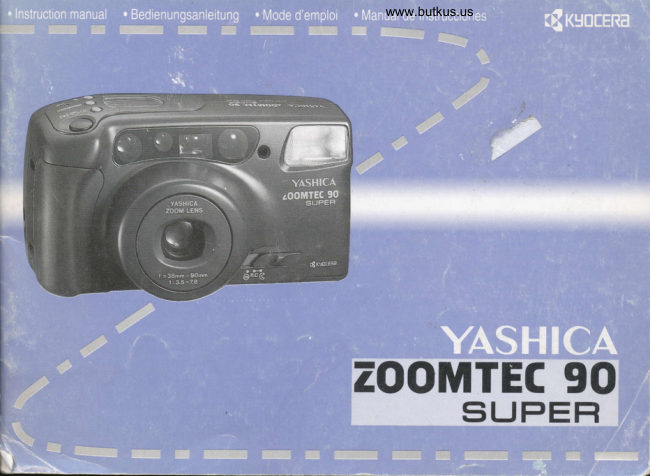
Yashica Zoomtec 90 Super User manual
User manual for Yashica Zoomtec 90 Super. 52 pages in German, French, Spanish. Read the original PDF, download or print a copy without registration.
52 pagesGerman, French, Spanish9.4 MB PDF
Loading your manual…Open PDF directly
Document details
- Brand
- Yashica
- Model / document
- Yashica Zoomtec 90 Super
- Document type
- User manual
- Language
- German, French, Spanish
- Pages
- 52
- File size
- 9.4 MB
- Category
- Film cameras
- Document date
- Not specified in catalog
Search available document text
Find a term, then jump to its page in the original PDF. Image-only pages may not be searchable; check the PDF for exact wording and diagrams.
Page 5 · Read text
www.butkus.us


Bitte spenden Sie 2,50 Euro, um diese Website über E-Bay zu unterstützen ... www.PayPal.me/butkus
View original page 5
Page 6 · Read text
www.butkus.usBezeichnung der Teile      Description des 6l6ments      Nomenclatura
I  Ausliiser                                      I  D6clencheur                                        I   Disparador del obturador
2  Transportfunktionstaste          2  Touche de fonction d'avancement       2  Bot6n del modo de arrastre
3  Taste fiir manuelle Ri.ickspulung     3  Touche de rembobinage manuel       3  Bot6n manual de rebobinado
4  Taste fiir stufenweises Zoomen     4  Touche pour le r6glage progressifdu     4  Bot6n del zooming escalonado
5  Blitzfunktionstaste                   zoom                        5  Bot6n del modo de flash
6  LCD-Monitor                5  Touche de fonction flash            6  Pantalla LCD
7  Autofokus-Fenster             6  Moniteur LCD                  7  Ventanillas del autofoco
8  Selbstausldser-LED             7  Fen6tre autofocus                8  Indicador LED del autodisparador
9  Blitz                     8 LED du d6clencheur automatique       9  Flash
l0 Hauptschalter                9  Flash                                  l0 Intemrptor principal de alimentaci6n
I I Sucherfenster                       l0 Commutateur  princiPal                                          I I Ventanilla del visor
l2 Lichtsensor                                                     I l Viseur                              12 Sensor luminoso
1-1 Objektiv abdeckung                12 Sensor pour la mesure de I'exposition     13 Objetivo/Protector del objetivo
                                  13 Protection de I'objectif


LCD-Monitor                 Panneau d'affichage                 Panel de visualizaci6n
I. Bildziihlwerk /                                     f. compteur de vues  / distance focale zoom /         1. Contador de exposiciones /
   Brennweite Zoomobjektiv /                 compte i rebours du retardateur                      distancia focal del zooml
   subtrahierender Selbstausl<iser               2. Symbole de tension de la pile                     cuenta atr6s del disparador automdtico
2. Batterie-wamsymbol                          3. D6clenchement automatique                      2. Marca de advertencia de las pilas
3. Selbstauslciser-symbol                       4. Prise de vues en sdrie                             3. Autodisparador
4. Serienbild-Belichtung                         5. Symbole de "Zoom de poursuite"                   4. Fotografia contfnua
5. Folgezoom-symbol                             6. Affichage de la graduation du zooming           5. Marca de "Zoom de seguimiento"
 6. Step Zoom Anzeige                            7. Symbole de Macro                                  6. Presentaci6n de zoom por pasos
 7. Makro-Taste symbol                           8. Symbole de Fonctionnement du flash               Z. Marca de fotografias Macro
 8. Blitzfunktion symbol                                                                                     8. Marca de modo del flash
View original page 6Page 8 · Read text
www.butkus.usBezeichnung der Teile     Description des 6l6ments Nomenclatura
 14 Sucherokular                      14 Oculaire                               14 Ventanilla del visor
 15 ROtE LED                        15 LED rouge                          15 Indicador LED rojo
16 Grtine LED                       16 LED vert                              l6 IndicadorLED verde
17 Zoomtaste                        17 Touche zoom                          17 Bot6n de activacidn del zoom
18 Filmkammer                          ,18 Compartiment du film                  l8 Alojamiento de la pelfcula
19 Camerariickwand-Entriegelung        19 Verrouillage du dos de I'appareil        19 Palanca de apertura del respaldo de la cdmara
20 DX-Kontakte                     20 Contact DX                         20 Contactos DX
2l Stativgewinde                      2l Pas de vis pour pied                    2l Rosca para el tripode
22 Filmaufwickelspule                22 Bobine rdceptrice du film              22 Bobina receptora
23 Batteriefachdeckel                  23 Couvercle du compartiment des piles    23 Tapa del alojamiento de las baterfas
24 Camerariickwand                          2.1 Dos de I'appareil                     24 Respaldo de la ciimara
25 Filmkontrollfenster                 25 Fen€tre de contr6le du film            25 Ventanilla de comprobaci6n  de la pelfcula
Sucher                         Viseur                            Visor
.1. Leuchtrahmen                                           f . Cadre lumineux                                          l. Recuadro del 6rea de la imagen
Bei normalen Entfemung kennzeichne der    A distance normale,  le cadre lumineux d6limite En fotografias normales,  el iirea contemplada en el
Leuchtrahmen den Motivbereich, der im          la surface de I'image qui apparaitra sur la photo.  interior de este recuadro serd el que aparezca en la
Foto erscheint.                                       2. Repires de parallaxe pour prises de vues    fotografia.
2. Parallaxe-Marken fiir Nahaufnahmen    rapprcch6es                                   2. Recuadro para macrofotografias
Bei Nahaufnahmen (ca. 0,5m/1,65ft.-1,3m/     Lors de prises de vues rapproch6es (d'env.        En macrofotografia,  ( Aprox.  0. 5n/  I .65ft.-  I  . 3ml 4.2ft .\,
4,2ft.) zeigen diese Markierungen den            0,5rn/1,65ft. e l,3m/4,2ft.), ces repEres                 la zona fotogrdfica eficaz se encuentra en el interior de
erfaBten Motivbereich.                           d6limitent la zone que peut occuper le sujet.          este recuadro.
3. Fokuszone                                  3. Zone de mesure AF                             3. Recuadro de enfoque
Zum Anvisieren des Motivdetails, auf das        Elle permet de cadrer le ddtail du sujet sur          Para enfocar, situar este recuadro sobre el sujeto.
der Autofokus scharfstellen  soll. (Mitte des      lequel I'autofocus doit faire la mise au point.        (Centro del visor)
Suchers)                                         (Centre du viseur)                                     4. Indicador LED rojo
r'. Rote LED                                     4. LED rouge                                        (activado con el intemrptor principal conectado (ON)).
(aktiviert bei eingeschalteter Camera)            (activ€ lorsque I'appareil est enclench6)             Parpadea durante la carga del flash.
Blinkt: Blitz wird aufgeladen                    Clignotant: le flash est en cours de charge.         Se apaga cuando el flash estd completamente  cargado.
Erlischt: Blitz  ist geladen                          Eteint: le flash est charg6.                       Se enciende (activado pulsando  el disparador del
Leuchtet auf (bei halb gedrticktem             Allum6 (lorsque  le d6clencheur  est enfonc6          obturador hasta mitad de recorrido)
Ausl6ser):  Blitz wird automatisch  ausgeliist     jusqu'h micourse): le flash se d6clenche            para indicar que el flash se activani
(oder langzeit-Belichtung ber                  automatiquement  (ou exposition Iongue dur6e si     automiiticamente.  (Indica exposici6n con bulbo en el
abgeschaltetem Blitz.)                                  le flash est mis hors service).                  modo de escenas nocturnas).
5. Griine LED                                  5. LED vert                                         5. Indicador LED verde
(aktiviert bei halb gedri.icktem Ausl<iser)         (activd lorsque le d6clencheur  est enfonc€            (activado  al pulsar el disparador del obturador hasta
Leuchtet auf: Autofokus hat scharfgestellt        jusqu'ir mi-course)                                  mitad de recorrido)
Blinkt: Schartstellung  nicht miiglich, weil       Allumd: I'autofocus a effectud  la mise au point.    Se enciende cuando el sujeto est6 nftidamente
Motiv zu nahe.                                  Clignotant: la mise au point n'est pas possible,      enfocado. Parpadea cuando el sujeto no puede
                                                            le sujet 6tant trop rapproch6.                        enfocarse por estar demasiado cerca.
View original page 8Page 9 · Read text
www.butkus.us


Attaching the Ac c e s sories
B efe s tigung de s Zub e ho e n
 Firatio n de s acc e s sorie s

Montajc dc los accesorios
   WW
View original page 9
Page 10 · Read text
www.butkus.us


  Basic Operations

   Vorbereitung

    Pr6paration

Operaciones B6sicas
View original page 10Page 12 · Read text
www.butkus.us7. nintegen der Batterien *                                   l. Mise en place des piles
                                                                                                                                                  '"*
 l. Offnen Sie den Batteriefachde.t"f,  in Jlrn ,i. die Entriegelung  in             | . Ouvrez le couvercle du compartiment des piles en fou..un, i"
Pfeilrichtung schieben und den Deckel nach oben ziehen.                  verrouillage dans le sens de la fldche et tirant le couvercle vers le
2. Setzen Sie die Batterie wie gezeigt in das Batteriefach, und              haut.
schlieB en Sie den Deckel.                                                      2. Introduisez  la ou les piles dans leur compartiment  et refermez le
. Verwenden Sie eine 6-Volrlithium-Batterie (2CR5).                    couvercle.
<Batteriewechsel>                                                                          . Utilisez une pile au lithium 6 volts (2CR5).
Wenn das Symbol "o    " im LCD-Monitor  erscheint, wird es Zeit     <Changement des piles>
 fi.ir einen Batteriewechsel. Ersetzen Sie die leere Batterie durch eine      Lorsque le symbole "8    " apparait sur le moniteur  i cristaux
neue.                                                                               liquides,  il est temps de procdder au changement des piles.
Wenn die Batteriekapazitat unter das Minimum gesunken ist, blinkt     Remplacez les anciennes  piles par des neuves.
das "c   "-Symbol und die Camera funktioniert nicht mehr.            Lorsque la charge des piles descend en dessous du minimum, le
. Legen Sie die neue Batterie unverziielich nach dem Herausnehmen     symbole "E   " clignote  et I'appareil ne fbnctionne  plus.
der alten ein.                                                                                        . Remplacez imm6diatement  les piles us6es par des neuves.
. Wenn die Camera liingere Zeit ohne Batterie bleibt, stellt sich das          . Si vous laissez I'appareil  trop longtemps sans piles, le compteur
B ildziihlwerk zuriick.                                                  d'images se d6rdgle.
. Wenn lhre Camera mit einer Datenrtickwand  ausgestattet ist,                 . Si votre appareil est muni d'un dos-dateur, I'indicateur de date et
werden auch Datums-und Zeiteinstcllung geldscht.                    de I'heure cesse aussi de fonctionner.
A. Batterie wechseln                                                 A. Changement des piles
B. Camera funktioniert nicht mehr                                       B. L'appareil ne fonctionne plus
Batterie-Hinweise                                   Recommandations pour les piles
. Bei niedrigen Temperaturen (unter 0"C) laBt die Leistung der                . A basse temp6rature (en dessous de 0"C), la puissance des piles
Batterie vortibergehend nach. Wenn Sie die Camera bei Kiilte           diminue. Si vous utilisez votre appareil au tioid, conservez-le  si
benutzen, achten Sie darauf, daf3 sie mciglichst warm bleibt, z. B.         possible au chaud (sous une veste chaude par exemple). Les piles
durch Aufbewahren unter der warmen Jacke.Zu kalte Batterien          qui ont 6t6 au froid retrouvent leur puissance   ir tempdrature normale.
bringen bei normalen Temperaturen wieder ihre alte Leistung.                  . Si les p6les des piles sont humides ou gras, il peut y avoir des
. Wenn die Batteriepole durch SchweiB oder Fett verschmutzt sind,      probldmes de contact. Avant de mettre en place les piles, nettoyez
kann es Kontaktschwierigkeiten  geben. Wischen Sie die Pole vor           les pdles avec un chiffon sec.
dem Einlegen mit einem trockenen Tuch ab.                                           . Lorsque vous partez en voyage, nous vous recommandons de
. Wenn Sie auf Reisen gehen, empfiehlt es sich, eine frische              prendre avec vous un jeu de piles de r6serve.
Ersatzbatterie mitzunehmen.                                                                  . Il est dangereux de jeter les piles au feu, de les charger, de les
. Sie sollten Batterie niemals ins Feuer werfen, aufladen,                 mettre en court-circuit, de les ouvrir ou de les chauffer.
kurzschlieBen. ciffnen oder erhitzen, weil es gefihrlich ist.                       . La pile au lithium 6 volts 2CR5 ne peut pas 6tre recharg€es.
. Die 6-V-Lithium  Batterie des Typs 2CR5 kann nicht wieder                  . L'appareil ne fontionnera pas si les p6les (+) et (-) des piles sont
aufgeladen werden.                                                               invers6s.
. Die Camera funktioniert nicht. wenn die Batterie verkehrt
eingelegt  ist.
View original page 12Page 13 · Read text
L Colocacihn de las baterias                            www.butkus.us

   L lntroduzca  la uia en la palanca de apcnura de la tapa del alojamiento
    de las baterias, y tire de la tapa mientras la dcsplaza cn la direcci6n de la
     flecha.
     2. Introduzca conectamente  las baterfas dentro del alojamiento o en el
    adaptador de baterias tal y como se indica en la ilustraci6n, y ciene la
     tapa.
      . Utilizar una bateria de litio de 6V (2CR5  ).
   <Sustituci6n de las baterfas>
    Si la marca "s    " se enciende en la pantalla de cristal liquido. serii ya
    necesario sustituir las baterias por otras nuevas.
    Si Ia carga de las baterias se ha reducido por debajo de cstc limitc. la              @    marca "c    " parpadearii y la cdrnara dejari de funcionar.
      . tlna vez extraidas las baterfas de la cdmara, coloque las nuevas en su
     interior riipidamente.
      . Si se deja la ciimara sin baterias durante algiin tiempo, cl contador de
    exposiciones se pondrd en cero.
      . Si su cimara estii equipada con una unidad de fechado, deberdn tomarse
    precauciones, ya que la fecha y la hora dcbcrdn tambi6n reaiustarse.
    A. Sustituir  las baterias
    B. La cdmara no funciona
   Precauciones sobre las baterfas
      . Normalmente,  el rendimiento de las baterias se reduce tcmporulmcnte  a
    bajas temperaturas (por debajo de 0'C). Si Vd. utiliza su caimara con un
    tiempo frio, tome la precaucitin de mantener las baterfas calientes en su
     bolsillo, por ejemplo. El rendimiento dc las baterias reducido por las
    bajas temperaturas volveri pronto a su estado normal a temperaturas
    nomales-
      . Si los polos de las baterfas se ensucian con sudor o grasa. es posible que
     el contacto sea insuficiente. Limpielas con un trapo seco antes de usarlas.
      . Si Vd. tiene previsto hacer un largo viaje, es recomendable que lleve
    consigo baterias nuevas de repuesto.
      . No intentar nunca romper, cortar, recargar. desmontar, calcntar ni
    anojar al fuego las baterfas pues puede resultar peligroso.      . La bateria de litio de 6V no puede cargarse.     oru x@
      . La cdmara no tuncionard  si la batcria cstii inconectamente  insertadir.
t2
View original page 13Page 14 · Read text
www.butkus.us2. Open the Camer,a.Back and. Loa.d. the Fihn-"***    2. Ouvc*ura de I'aryareil et mise cn"ptrece dr, ""*-**

                                                                                                                                                                                                                                                                                                                                                                                                                                                                       .  . !tngii                                                        film
 l. Slide down the Camera Back Release Knob and open the .urn.ro            l. Poussez le verrouillage du dos vers le bas et ouvrez I'appareil.
back.                                                                             2. Mettez le film en place comme indiqu6.
2. Insert the fllm slantwise as shown.                                 3.Placez I'extr6mit6 du film sur la marque "-".  Veillez  ir ce qu'il
3. Place the film tip on the spool within the range of the mark "-".         soit bien  ir plat.
Take care that the film is not floating up.                                                . Vous pouvez utiliser des film avec code DX de ISO 50 i 1600. La
. You can use DX-coded film with ISO ratings of 50 to  | 600. The          sensibilit6 du tilm est automatiquement r6gl6e lors de la misc en
film speed is automatically  set when the fllm is loaded.                    place.
If you are using non-DX-coded  film, the film speed is automatically      Les films sans code DX sont.
set to ISO 100.                                                      automatiquement r6gl6s sur ISO 100.


2. 017nrn der Camera und Einlegen dcs Films",*'.   2 Apertura del respal o de la cdmara y earge.de
n)r.!.                                                             .  la pelfcula  . . ....
 l. Schieben Sie die Riickwandentrieseluns  nach unten und iiffnen             l. Deslizar hacia abajo la palanca de apertura del respaldo de la
Sie die Camera.                                                      cdmara y abrirlo.
2. Setzen Sie den Film wie gezeigt schriig ein.                               2. Introducir la pelicula oblicuamente, como se muestra en la
3.Ziehen Sie den Filmanfang  bis zum Bereich der "-"-                      ilustraci6n.
Markierung. Achten Sie darauf, daB er sich nicht wdlbt.                     3. Situar el extremo de la pelicula en la bobina receptora, dentro de
. Sie kcinnen DX-codierte Filme von ISO 50 bis 1600 verwenden.          la zona abarcada por la malgs "-".
Die Filmempfindlich-keit wird beim Einlegen automatisch               Asegrirese de que pelicula quede lo miis plana posible.
eingestellt.                                                                                           . Vd.puede utilizar pelfculas con c6digo DX de ISO 50 a 1600. La
Filme ohne DX-Code werden automatisch wie ISO 100 belichtet.          sensibilidad de la pelicula se ajusta autom6ticamente al cargar la
                                                                                     pelicula.
                                                           Cuando Vd. utilice pelicula sin c6digo DX, la sensibilidad de la
                                                                           pelicula se a ajustar:i automiiticamente en ISO 100.
 Wffi
View original page 14Page 15 · Read text
,e                                                   www.butkus.us                                                    3. Scntiellen der Camerariickwand

     '%  3                                                              Nach dem SchlieBen der Ri.ickwand wird der Film automatisch bis
       '%,                                                                            Bild "l" transportiert und die "1" erscheint im Bildzlihlwerk.
                                                                                                                . Wenn sich die Anzeige "--" nicht veruindert, wird der Film nicht
        'ffi"                                                                                  richtig transportiert.
                                                                       Wiederholen  Sie das Einlegen sorgfiiltig.

       |/e

     qa

         'ffi


       'w4
                                                    3. Fermeture du dos

     W,
           '.,%                                                               AprEs la f'ermeture du dos, le film est automatiquement transportd
                                                                                     jusqu'ir la premidre image et le "1" apparait sur le compteur
                                                                             d'images.       ''&                          www.butkus.us                                                                                                                . Si le film n'a pas 6t6 introduit correctement, I'indicateur "--" ne
        '&.                                                                    change pas.
       'r*                                                         Recommencez alors soigneusement les phases d'introduction.


                'rrft,


    ru
     w, 3. Ctose the Camera Back                         3. Cerrs, el respaldo d.e la ctimara
       ,F}
     4,r: As soon as you close it, the film will automatically advance to        Tan pronto como Vd. lo cierre, la pelicula avanzarit      frame No. I and the Film Exposure Counter will show "1".            autom6ticamente hasta el primer fotograma, y cuando se detenga, el
       tit   . If the Film Exposure Counter does not move from "--", the film       contador de exposiciones mostrarii la cifra "1".
        is not advancing properly. Load the film correctly again.                      . Si el contador de exposiciones no cambia de la posici6n  "--",
                                                                                         significard que la pel(cula no estd avanzando correctamente. Vuelva
  %
                                                                              a carsar adecuadamente  la pelicula.


     F4


'o'ft.1,
View original page 15Page 17 · Read text
www.butkus.us
4. Ajustar el interruptor principal en " @ "

Si Vd. desliza el interruptor  principal de alimentaci6n en la posici6n
" G ". el protector del objetivo se abririi y el interruptor de
alimentacitin de la ciimara se conectarii.
. Si manipula el interruptor  principal desde la posici6n  " € " a " G ".
se activa el modo del disparador automdtico y se establece la funci6n
imagen individual.
. El flash iniciarii automdticamente su carga. y el indicador LED rojo
junto al ocular del visor parpadearii. Cuando se apague, el flash
estarii completamente cargado.
. Si se sitda el interruptor principal en "G ", el objetivo se recoger:i,
el protector del objetivo se cerrarii y el interruptor  principal de                                                                     rll /t/
alimentaci6n se dcsconectarii.
. Cuando Vd. no utilice la cdmara, asegfrese de ajustar el interruptor
principalen"G".
View original page 17
Page 18 · Read text
www.butkus.usl. Use the Zoom Button to Determine tke Picture  .*    5. tltilisezla touche du zoom pour eornpos€r kr-w
   Composition                           photo           @
While watching the subject in the viewfinder, turn the Zoom Dial to      Pendant que vous regardez le sujet  ir travers le viseur, r6,glezle
the '' [Il  " (wide) or " [f]  / rll? "(tele/macro) side ro derermine            levier du zoom sur " @ " (grand angle) ou " tll  / r? "
picture composition.  (This  is called zooming.)                               (t6l6objectif/macro)  (c'est cet effet qu'on appelle zoom).
 . During zooming and lbr about  I second after the shutter button  is          . Lors du zoom et pendant  I seconde environ aprEs avoir appuy6 sur
pressed, the LCD Display Panel shows the focal length at the Film          le d6clencheur, le panneau d'affichage LCD affiche la longueur
Exposure Counter section.                                                   focale dans la partie du compteur d'images r6servde   ir cet effet.
The focal length is also displayed for about  I second after you         La longueur focale est affichde I seconde environ quand vous
release the Zoom Dial, then the display automatically returns to the       relAchez  le levier du zoom. Ensuite, I'affichage revicnt
Film Exposure Counter.                                              automatiquemenl au compteur de vues.
. The field of view in the viewfinder will automatically change with         . Le cadrage dans le viseur change automatiquement selon la focale.
the lens.                                                                                                      . Pendant que le zoom fonctionne.   il est imoossible de ddclencher.
. The shutter will not trip while the lens is zooming.


                                                       5. Detrr*ine  Ia composiciiln de la imagen r4wsry
5. Bestimmen Sie den Bildauftau mit Hilfe der          mediante la tecla del zoom                         lsi,kiau*!
   Zoom-Taste                                                     Mientras observe el motivo a trav6s del visor mueva la oalanca del
Wdhrend Sie das Motiv durbh den Sucher betrachten. stellen Sie den    zoom hacia el lado " [TIl " (gran angular) o " tl]  / r? " (tele/
Zoom-Hebel  auf " [!]"(Weirwinkel)oder" tll/ V  "(Tele/          macro) para determinar  la composici6n de la imagen. (Este proceso
Makro). (Dies ist die sogenannte Zoom-Funktion).                       se llama zooming.)
. Wiihrend des Zoomens und ungefiihr I Sekunde lang nach                     . Durante el proceso del zooming y para apr6x. I segundo desde la
Betiitigen des Auslcisers erscheint die Brennweite  in der LCD-            pulsaci6n del disparador, en el panel de visualizaci6n LCD, en el
Anzeige  fiir das Bildziihlwerk.                                  campo correspondiente  al contador de exposiciones, aparecerd
Wenn Sie den Zoom-Hebel  loslassen. wird die Brennweite ebenfalls      indicada la distancia focal.
rund I Sekunde lang angezeigt. Danach erscheint in der Anzeige        La distancia focal tambi6n se visualiza para apr6x. I segundo
automatisch wieder das Bildziihlwerk.                                  despu6s de haber liberado la palanca del zoom. Despu6s. en el panel
. Der Bildausschnitt im Sucher iindert sich automatisch mit der           automi{ticarnente volver6 a aparecer el contador de exposiciones.
Brennweite.                                                                                          . El campo de visi6n del visor cambiarii automiiticamente segfn lo
. Wrihrend des zoomens kann nicht ausseldst werden.                   haga el objetivo.
                                                                                                          . El obturador no se activaril durante el movimiento del zoom.
View original page 18Page 19 · Read text
www.butkus.us
                                                                                          tlfn+


   <Step Zoom> (quick zooming in 3 steps)               <Zoom progressif> (zoom rapide  ir 3 niveaux)
       l. Press the Step Zoom Button.                                                                 l. Appuyez sur la touche du zoom progressif.
   "STEP ZOOM"  is displayed on the LCD Display Panel and the lens      L'6cran affiche "STEP ZOOM" et I'objectif se d6place i la position
    automatically moves to the position for a focal length of 55 mm.         oi la longueur focale est de 55 mm.
     2. Tum the Zoom Dial.                                                         2. Toumez le levier du zoom.
   Tuming the Zoom Dial to the " @l " (wide) side moves the lens          Si vous placez le levier du zoom sur " @ " (grand angle), la
     focal length to 38 mm; tuming the Zoom Dial to the " tll  / g  "        longueur focale est alors de 38 mm. Si vous placez le levier du
    (ele/macro) side moves the lens focal length to 90 mm.              zoom sur " tll  / I   " (tdl6objectif/ macro), la longueur focale est
       . The camera moves one step at a time to the position according the      de 90 mm.
     direction in which the Zoom Dial was tumed, 38 mm <-> 55 mm <-         . L'appreil se ddplace d'un niveau d la fois dans la direction vers
   > 90 mm.                                                                      laquelle le levier du zoom a 6t6 toum6 : 38 mm - 55 mm - 90 mm.
       . To retum to normal zooming, press the Step Zoom Mode Button            . Appuyez  i nouveau sur la touche du zoom progressif pour revenir
     agaln.                                                               au zoom nomal.
   <Stut'enweises Zoomen> (schnelles Zoomen in 3 Stufen)    <Zoom escaklnado> (Zoom rfpido de tres pasos)
      1. Drticken Sie die Taste fiir stufenweises Zoomen.                                   l. Pulse la tecla del zoom escalonado
     ln der Anzeige erscheint "STEP ZOOM" und das Objektiv bewegt      En el panel de visualizaci6n  aparece "STEP ZOOM" y el objetivo
    sich automatisch in die Lage, bei der die Brennweite 55 mm beragt.     autometicamente se ajustrii en la distancia focal de 55 mm.
     2. Betadgen Sie den Zoom-Hebel.                                              2. Active la palanca del zoom
   Wenn Sie den Zoom-Hebel  auf " EE " (Weitwinkel)  stellen,              Si mueve la palanca del zoom hacia el lado " @ " (gran angular) la
     veriindert sich die Brennweite auf 38 mm: wird der Zoom-Hebel auf      distancia focal cambiar6 a 38 mm; si mueve la palanca del zoom
    " t|]  / &  " (Tele/Makro) gestellt, betragt die Brennweite 90 mm.       hacia el lado " $l  / lu  " (tele/macro)  la distancia focal cambiarii a
       . Die Kamera iindefi die Brennweite jeweils um eine Stufe in die        90 mm:
    Richtung, in die der Zoom-Hebel  gedreht worden  ist: 38 mm -                . La ciimara modifica la distancia focal en el sentido elegido
    55 mm - 90 mm.                                                   mediante la palanca, paso por paso: 38 mm <-> 55 mm <-> 90 mm.
       . Drticken Sie die Taste ftir stufenweises Zoomen noch einmal. um          . Vuelva a pulsar el bot6n del zoom escalonado para activu la
     in den normalen Zoom-Modus  zurtickzukehren.                           tunci6n del zoom nomal.
t8
View original page 19Page 20 · Read text
www.butkus.us
 N    &dN SL$T T\                                      r $?
                                           0.5m
             (90mm)


Taking macro pictures                                      Prise de vue macro
The minimum shooting distance is normally about lm/3.3ft., but        La distance de prise de vue minimum se situe normalement d env.
when the Zoom Dial is set fully to " [l]  / {L " (90mm) you can           ln/3,3ft.. Lorsque la touche zoom est en position " tl]  I g  "
shoot your subject as close as about 0.5rn/1.65ft. from the camera      maximum (90mm),  il devient possible de r6aliser des prises de vues
(macrophotography). The macro mode mark " rl3 " will turn on in        dds 0,5m/l,65ft.. Sur cette position, le symbole de fonction macro
the LCD Display Panel.                                                     " {l} " apparait sur le moniteur LCD.
.If your subject is about 0.5m/1.65ft.-l .3rnl4.2ft. away from the              . Pour des distances de prise de vue comprises entre env. 0,-5m/
camera, the shooting range is inside the macro picture frame in the          l,65ft. et 1,3ft14,2ft.,les repdres de cadrage les plus petite indiquent
viewllnder.                                                                           le champ de I'image dans le viseur.

Makro-Aufnahmen                                         Realizaci6n de macrofotografias
Die ki.irzeste Aufnahmeentfernung  betrligt nornralerweise ca.  I m/       La distancia mfnima para fotografiar es normalmente de aprox. 1m/
3,3ft.. Wird die Zoom-Taste  voll auf " tll  / O  " (90mm)                     3.3ft., pero cuando se ajusta el bot6n del zoom en " tll  / $  "
geschoben,  sind Nahaufnahmen bis zu ca. 0,5m,/1,65ft. von der          (90mm), Vd. podr:i aproximarse hasta unos 0.5m/1.65ft. de distancia
Camera mtiglich. Dabei erscheint das Macro-Funktions-Symbol          de la cilmara al sujeto (macrofotografia).  La marca del modo macro
"{Z " in der LCD-Monitor.                                                         " r? " se encender6 en la pantalla de cristal liquido.
. Bei Aufnahmeentfernungen  zwischen ca.0,5m/1,65ft. und l,3m/           . Si el sujeto se encuentra a unos 0.5m/1.65ft.-  I .3rnl4.2ft. de
4,2fi. gelten die engen Bildf-eldbegrenzungen der Leuchtrahmen.           distancia de la c6mara, el 6rea eflcaz de la imagen se encuentra
                                                                         dentro del recuadro para macrofotografias  en el visor.
View original page 20Page 22 · Read text
www.butkus.usFocus Lock                                             6. F otografielf,ff      ' -',rr*,rns^'an**ffa*rs*F$'d
Ifyour subject is not in the focus frame, use the focus lock.
 l. Aim the focus frame at the subject you want to focus on, and          Visieren Sie Ihr Motiv mit der Fokuszone in der Mitte des Suchers
depress the Shutter Release Button halfway.                            an und driicken Sie den Auslciser halb herunter. Das Objektiv stellt
. As soon as the subject is in sharp focus, the green LED beside the       sich automatisch auf die richtige Entfernung ein und die griine LED
Viewfinder Eyepiece will light up (the fbcus is locked).               im Sucher leuchtet auf, wenn die Schiirfe stimmt.
2. While holding the Shutter Release Button depressed halfway,          Driicken Sie dann zum Fotografieren den Auslriser ganz herunter.
recompose your picture then take it by depressing the button all the          . Wenn zugleich die rote LED aufleuchtet, wird automatisch
way.                                                                              geblitzt, weil es nicht hell genug ist.
. The focus remains locked while the shutter release button is
depressed halfway, so the subject will remain in sharp focus even if     Der Blitzbereich umfaRt folgende Entfernungen:
you move the camera without changing the shooting distance.
. The focus lock is released  if you remove your finger from the           ISO 100           Weitwinkel(38mm)      Tele/Macro(9Omm)
button.                                                                      Fotos ohne Blitz     ca. lm€                ca. I/0.5m -<Subjects not easy to focus>                                                             (3.3ft.--)                 (3.3/  I .65ft.*;
In the fbllowing cases, the camera's auto-focusing system will not          Fotos mit Blite      ca. l--5m               ca. l/0.5-2.5m
operate properly.  In this case, use the focus lock. First, focus the           (rso r00)            (3.3-16.4ft.)               (3.3/  l .6s-8.2ft.)
lens on an object located nearly at the same distance, activate the          (rso 400)           ca. l-10m              ca. l/0.5--5m
focus lock, then shoot.                                                                                (3.3-32.8ft.)               (3.3/  r .65-16.4f1.)
. When the subject has no fixed shape; for example, fireworks and
smoke.                                                                                                 . Wenn die griine LED blinkt, ist das Motiv zu nahe. Vergrri8ern  Sie
. When the subject has a glossy surface; for example, car body and        die Aufnahmeentfernung,  bis das Blinken aufhdrt.
water surface.                                                                    o BetrAgt die Aufnahmeentf'ernung  ca. 40 cm oder weniger, kann die
. When the subject does not reflect light; for example, hair.                 grtine LED auch leuchten, wenn die Schiirfe nicht stimmt.
. Subjects taken through a window pane.                                                . Nach dem Blitzen beginnt der Blitz sich automatisch wieder. Extremely small objects.                                                                         aufzuladen. Dabei blinkt die rote LED. Wenn sie erlischt,  ist der
                                                                              Blitz wieder bereit.
                                                                                                          . Bei Hochformataufnahmen  halten Sie die Camera bitte so. daB sich
                                                                       der Blitz oben befindet.
                                                                                                          . Achten Sie darauf, daB Objektiv und Blitz nicht vom Finger oder
                                                                   Trageriemen abgedeckt werden.
                                                              SchiirfespeicherD)<Rr'                            Wenn lhr Hauptmotiv nicht in der Bildmitte liegt, benutzen Sie den
                                                                              Sch:irfespeicher.
                                                                                                       l. Visieren Sie lhr Motiv mit der Fokuszone im Sucher an und
                                                                          driicken Sie den Ausliiser halb herunter.
                                                                                                          . Sobald die Schiirfe eingestellt  ist, leuchtet die griine LED neben("W
View original page 22Page 24 · Read text
www.butkus.us 2. Sans rel6cher le ddclencheur, choisissez maintenant votre cadrage     6. Realizaci.rfn                                                                         de fotograftas  .,.,*#n$\ffifti+*w et appuyez i fond sur le diclencheur.
 . En maintenant le d6clencheur i mi-course, la mise au point reste       Apunte hacia el motivo con el recuadro de enfoque en el centro del
inchang6e, mOme lorsque le cadrage est modifi6, aussi longtemps          visor, y pulse el disparador del obturador hasta mitad de recorrido.
que la distance du sujet ne se modifie pas.                               El objetivo enfocar6 por sf solo el sujeto, y el indicador LED verde
 . La mdmoire est annul6e lorsque le ddclencheur est relach6,             junto al ocular del visor se encender6 cuando el sujeto est6
<Sujets difliciles pour I'autofocus>                               n(tidamente enfocado.
Dans quelques cas, I'autofocus peut ne pas fonctionner                   Pulsar a continuaci6n  el disparador del obturador hasta el final para
corectement. Utilisez alors la mdmoire de nettet6.                      tomar la fotografia.
Choisissez un sujet qui est ?r m€me distance et m6morisez la mise au        . Si el indicador LED rojo se enciende al mismo tiempo, el flash se
,point jusqu' au ddclenchement.                                              activar6 autom6ticamente.  al considerar insuficiente  la iluminaci6n
 . lorsque le sujet n'a pas de forme pr6cise, pour des feux d'artifice         disponible.
ou de la fum6e par exemple;
 . lorsque les surfaces sont fortement rdfl6chissantes, par exemple les    La escala de distancias para fotograliar es la siguiente:
peintures de voiture et I'eau;
 . lorsque le sujet ne reflite aucune lumidre, par exemple les             rso 100          Gran angular(38mm)   Te le foto/l\4ac ro( 90mm)
fourrures ou les velours;                                                          Fotografias con    Aprox. Im*         Aprox. l/0.5rn*
 . lors de prises de vues ir travers une vitre:                                     luz diuma        (3.3ft.*;           ,r.371.651.+)
                                                                                    Fotograffas con    Aprox. l-5m        Aprox. l/0.5-2.5m
                                                                                            flash (ISO l0O)     (3.3-16.4ft.)           (3.31r.6s-8.2ft.')
                                                                            (rso 400)    Aprox. l-l0m        Aprox. l/0.5-5m
                                                                                                           (3.3-32.8ft.')              (3 .3^ .65-16.4ft.\

                                                                                                           . El indicador LED verde parpadear6 cuando el sujeto se encuentre
                                                                demasiado cerca. Cambie la distancia hasta que el indicador deje de
                                                                    parpadear y haga la fotograffa.
                                                                                                           . Si la distancia de disparo es de aproximadamente 0.4 metros o
                                                               menos, es posible que se encienda el LED verde aunque el motivo
                                                                                est6 enfocado.
                                                                                                           . Despu6s de que el flash haya sido activado, iniciarii
                                                                         automiiticamente  su recarga. Durante esta recarga, el indicador LED
                                                                            rojo parpadearii. Cuando se apague, el flash estar6 completamente
                                                                       cargado.
                                                                                                          . Cuando realice fotograf(as con la c6mara en posici6n  vertical,
                                                                       sost6ngala siempre con el flash hacia arriba.
                                                                                                          . No obstruya el reflector del flash con los dedos, la correa de la
                                                                               ciimara. etc.
View original page 24Page 25 · Read text
www.butkus.us
Bloqueo del enfoque
Si el sujeto no se encontrase en el interior del recuadro de enfbque,utilice el bloqueo del enfbque.           7
I. Apunte con el recuadro de enfoque hacia el sujeto que Vd. desee
enfocar, y pulse el disparador del obturador hasta mitad de
recorrido.
. Tan pronto como el sujeto estd nftidamente enfocado, el indicador
LED verdejunto al ocular del visor se encenderd (enfoque
bloqueado).
2. Manteniendo el disparador del obturador pulsado hasta mitad de
recorrido, vuelva a componer la imagen y tdmela pulsando el
disparador hasta el final.
. El enfoque perrnanece bloqueado mientras se mantenga pulsado el
disparador del obturador hasta mitad de recorrido, de manera que el
sujeto permanecer6 nitidamente enfocado aunque Vd. mueva la
cdmara (sin variar la distancia al sujeto).
. El bloqueo del enfoque se cancela si Vd. deja de pulsar el
disparador.
<Sujetos dificiles de enfocar>
En los siguientes casos, es posible que el sistema de autofoco de la
cdmara funcione incorrectamente. En tal caso, utilice el bloqueo del
enfoque. Primero, enfoque algrin objeto situado cerca y a la misma
distancia que el sujeto de dificil enfoque. Active el bloqueo del
enfoque y tome la fotogratia.
. Sujetos de forma indefinida, como humo o fuegos de artificio.
. Sujetos con superficies muy brillantes, como la superficie del agua
o la carrocerfa de un autom6vil.
. Cuando el sujeto no refleja la luz, como el cabello.
. Sujetos captados a trav6s de una ventana.
. Sujetos extremadamente pequefros.
View original page 25
Page 26 · Read text
www.butkus.us7, Automatic Rewinding                                 7. Aunmatische Riickspulung des Films  ."*-s-,r$;*.*

After you have exposed the entire roll of film, the film will           Wenn der Film voll ist, spult die Camera den Film automatisch in
automatically wind itself back into its cassette. While  it is                 die Patrone zurtick. Beim Rtickspulen  ziihlt das Bildziihlwerk
rewinding, the Film Exposure Counter will count down and, when         rtickwiirts. Sobald der Film qanz zuriickqespult  ist, stoppt der Motor
rewinding  is completed, the motor will stop and the number "0" in      und die "0" im Bildziihlwerk  blinkt. Danach kcinnen Sie die Camera
the counter will blink.                                                        <iffnen und den Film herausnehmen.
After making sure the motor has stopped, open the camera back and         . Das Objektiv stellt sich auf Weitwinkel (35mm), wenn die
take out the film.                                                        Rtickspulung  beginnt.
. The lens is set to wideangle (35mm) when rewinding has started.           . Das Bildzlihlwerk zeigt "--" nach dem Offnen der
. The Film Exposure Counter shows "--" when the camera back is       Camerartickwand.
opened.                                                                                                . Lassen Sie den belichteten Film baldmii,glichst entwickeln.
. Take the exposed film for processing as soon as possible.                      . Um einen teilbelichteten  Film zurtickzuspulen, driicken Sie die
. To rewind the film in the middle of a roll, press in the manual            Riickspultaste.  (Bitte nicht mit einem scharfen Gegenstand wie einer
rewind button. (Do not use as sharp-pointed object such as a needle       Nadel)
for this purpose.)
                                                     Wenn Sie nicht mehr fotografieren.  stellen Sie den Hauptschalter
 After taking pictures, set the main switch to " G ". The lens will         auf " @ ". Das Objektiv zieht sich in seine Ruheposition  zuriick
 move back to its retract position and the lens cover will close.           und die Abdeckune  schlieBt sich.
View original page 26Page 27 · Read text
www.butkus.us
                                                                                                                                                                                ..\s!i1*s,:\E4r^:.ee7. Rembobinage automatique dufihn                  7. Rebobinado autom.rtfica
                                                                                                                                                                       "'"'Lorsque le film est termin6, l'appareil le rembobine                 Una vez que Vd. haya expuesto todo el rollo de pelicula, er,i'..
automatiquement dans sa cassette. pendant cette opdration, le            rebobinar6 autom6ticamente en su cartucho. Durante el rebobinado,
compteur d'images fonctionne d I'envers. Lorsque le film est                el contador de exposiciones contarii hacia atr6s, y una vez
rembobin€. le moteur s'arrOte et le "0" apparait sur le compteur          completado el rebobinado, el motor se detendrii y la cifra "0" del
d'images.                                                              contador parpadear6.
L'appareil peut alors €tre ouvert et le film retir€.                        Despuds de comprobar que el motor se ha detenido, abrir el respaldo
. L'objectif se met en position grand-angle (35mm) dbs que le           de la ciimara y extraer el rollo de pelfcula.
rembobinage commence.                                                                       . El objetivo se ajusta en gran angular (35mm) una vez inicado el
. Le compteur d'images indique':i'apGs I'ouverture de I'appareil.      rebobinado.
. Faites d6velopper votre film expos6 aussi rapidement que possible.        . Cuando se abra el respaldo de la cdmara, el contador de
. Pour rembobiner un film partiellement expos6, appuyez sur la          exposiciones mostrard la marca "--".
touche de rembobinage. (Evitez les objets pointus comme les                   . Lleve su pelicula a revelar tan pronto como sea posible.
aiguilles.)                                                                                             . Para rebobinar la pelfcula a mitad de rollo, pulse el bot6n manual
                                                                    de rebobinado. (No utilizar para este fin un objeto con punta, como
 Si vous n'utilisez pas votr€ appareil, ."tt",  l. commutateur            una aguja.)
 principal sur " G ". L'objectif se met en position de repos et le
 couvercle se referme.                                                Despuds de tomar fotografias,  ajuste el intemrptor principal de
                                                                           alimentaci6n en " e ". El objetivo se replegard y el protector del
                                                                           objetivo se cerrard.
View original page 27Page 28 · Read text
www.butkus.us


    Advanced Techniques
                                                                                                                                       I
 Technik fiir Fortgeschrittene

Technique pour annateur 6clair6

      T6cnicas ava,rrradas
View original page 28Page 30 · Read text
www.butkus.us                                                              der BlitzprtenB. Pre-flash Mode ilauto                             7. WaU
Though rarely, the pupils of the eyes of a person may appear red in
the picture when it is photographed in dim light (red-eye phenom-        Mit jedem Druck auf die Blitzfunktionstaste folgt die nAchste
enon). The pre-flash mode is provided to reduce this effect. In this        Funktion. W5hlen Sie die gewtinschte Blitzfunktion je nach Motiv.
mode, the flash will fire twice. Because the shutter will trip when         Sie wird im LCD-Monitor angezeigt.
the flash fires for the second time, take care that the camera or the       A.Automatische Blitzaktivierung (Standardfunktion  der Camera)
subject does not move after the flash has fired for the first time.            B. Vorblitz-Funktion
Otherwise, you will get a fuzzy picture.                                  C.Langzeit/ohne  Blitz
. In dim light, the flash will fire automatically in the same way as in      D.Tageslicht-Auftellblitz   (Blitz immer aktiv)
the Automatic Flash Activation Mode. In this case. the red LED               . Nach einer Aufnahme in Funktion langzeit, Aufhell-oder Vorbllitz
beside the Viewfinder Eyepiece will turn on to inform you when the      schaltet die Camera automatisch auf die Standardfunktion  mit
shutter release button is depressed halfway.                              automatischer Blitzaktivierung zurtick.
                                                                                                          . Wenn Sie mehrere Fotos mit einer anderen Funktion machen
C.Night-scene tvtode D                                               wollen, driicken Sie die Blitzfunktionstaste, bis die Anzeige der
If you want to take pictures without flash or bring out the mood in a      gewtinschten Funktion blinkt (nach ca. 2 Sekunden). Diese
twilight or indoor scene, use the Nighfscene Mode. Because              Einstellung wird beibehalten, bis Sie die Blitzfunktionstaste  emeut
exposure is set according to the brightness of the subject,  it will be        driicken.
exposed in a natural mood.
. Use a tripod to avoid camera shake.                                  A. Automatische Blitzaktivi"*rrg touro
. In the Night-scene Mode, the flash will not fire even if the red       Wenn der Hauptschalter der Camera auf " (  " gestellt wird, ist
lamp turns on.                                                           diese Funktion aktiv.
                                                                Der Blitz Wird automatisch ausgeltist, wenn es zu dunkel  ist.
D.Daylight Flash Mode  +--,                                                         . Reicht das Licht zum Fotografieren nicht aus, leuchtet die rote  (On-demand Flash Mode) ?                            LED neben dem Sucher beim Andriicken des Ausldsers auf um
In this mode, the flash will always fire whether the light is bright or      anzuzeigen, das der Blitz automatisch ausgeltist wird.
dim. It is useful when the subject is shaded and it is bright around it
(subject in front of a window, for example). Both the subject and its      B. Vorblitz-Funktion !?ouro
background will turn out beautifully exposed in the picture.             Bei Personenaufnahmen mit Blitz bei Dunkelheit kann es zu den
                                                                  sogenannten "Rotaugen" kommen. Dieser Effekt liiBt sich durch den
                                                                            Vorblitz verringern.  In dieser Betriebsart  ltjst der Blitz zweimal aus.
                                                                Der Vorblitz bewirkt ein SchlieBen der Pupillen, die Belichtung
                                                                                erfolgt mit dem zweiten Blitz. Die Position von Camera und Motiv
                                                                                         sollte zwischen den Blitzen nicht verAndert werden, damit Sie kein
                                                                      unscharfes Bild erhalten.
                                                                                                          . Bei wenig Licht wird der Blitz genau wie in der Standard-Funktion
                                                                      automatisch aktiviert. Dies wird von der roten LED neben dem
                                                                      Sucherokular bei halb gedrticktem Ausl<iser angezeigt.
View original page 30Related documents and language editions
From the M. Butkus archive. Original publisher and archive notices are retained.
Check the model and edition against your equipment.
PDF verified 2026-10-10.