Film cameras
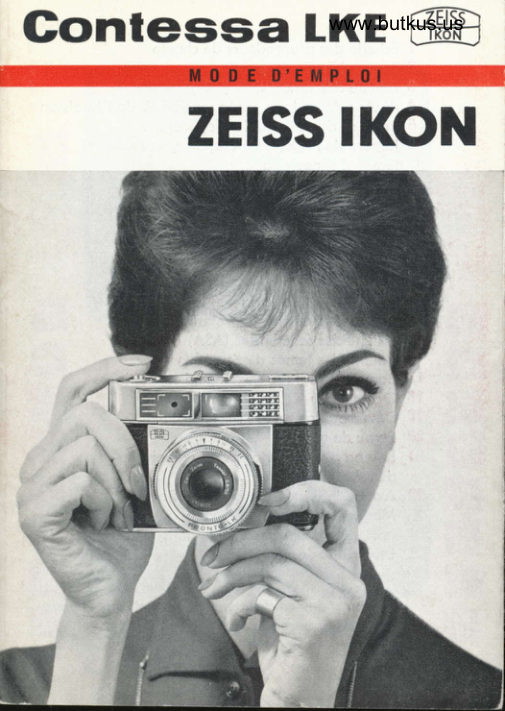
Zeiss Ikon Contessa LKE User manual
User manual for Zeiss Ikon Contessa LKE. 26 pages in English. Read the original PDF, download or print a copy without registration.
26 pagesEnglish0.8 MB PDF
Loading your manual…Open PDF directly
Document details
- Brand
- Zeiss Ikon
- Model / document
- Zeiss Ikon Contessa LKE
- Document type
- User manual
- Language
- English
- Pages
- 26
- File size
- 0.8 MB
- Category
- Film cameras
- Document date
- Not specified in catalog
Search available document text
Find a term, then jump to its page in the original PDF. Image-only pages may not be searchable; check the PDF for exact wording and diagrams.
Page 4 · Read text
It is simplicity itself to
use the CONTESSA LKE
comero. lts ZETSS TESSAR,
coupled rongefinder ond
outomotic exposure control
guorontee brilliontly
shorp ond correctly
exposed pictures.
Before inserting your first
film, you should get to
know your comero reolly
well. We wish you much
pleosure when toking
pictures with your new
CoNrrssn LKE comero.
Should ony further queries
orise, kindly contoct your
photogrophic deoler,
who will give you service
ond odvice free of chorge.
View original page 4
Page 6 · Read text
1 Depth of field scole
 2  Focusing ring
 3  Film speed scole (DlN)
 4  Film speed setting key
 5 Aperture setting finger holds
 6 Aperture ond shutter speed setting morks
 7  Rototing cover for flosh socket
  I  Flosh socket
 9 Exposure meter indicotor
10 Frome counter                                                                                                                                    :
11 Film-type indicotor window
12-. ReltqsS$vt|9n                                               ,                                .r13 Film:type disc setting knob
14 Aperture scole
15 Film speed scole (ASA)
16 Shutter speed scole
17 Milled ring for setting shutter speeds
18 Viewfinder eyepiecb,
19 Comero bock lock \
20 Tripod bush
21 Locking knob for rewind cronk
22 Spindle of rewind cronk
23 Rewind cronk
24 Deloyed oction lever
25 Ropid wind lever

   Some of the reference numbers refer to the
     illustrotions inside the folded bock poge.
View original page 6Page 7 · Read text
It is simplicity itself to
   use the CoNTESsA LKE
   comero. lts Zrtss TrsSAR,
   coupled rongefinder ond
   outomqtic exposure control
   guorontee brilliontly
   shorp ond correctly
   exposed pictures.
   Before inserting your flrst
   film, you should'geftto
  know your comero reolly
   well. We wish you much
\\pl"orure         when toking
   pictures with your new
  CO\ESsA LKE comero.
  Should ony further queries
   orise, kindly contoct your
   photogrophic deoler,
  who will give you service
  ond odvice free of chorge.

                 *   www.butkus.us
View original page 7Page 9 · Read text
T  v9 It meons:          Adjustments                             Turning  Pressing


Focusing
l. Hold the comero up to your eye ond observe the subiect
   through the viewfinder;


                        \

2. Turn ihe focusing ring (2) until the double imoges in the
   rongefinder fiald merge into o single one. The distonce
   will then be found morked in  feet opposiie the index
   mork.


                          www.butkus.us
View original page 9Page 11 · Read text
Depth of Field
 With every lens you con only obtoin o shorp imoge of ob-
 iects within o certoin distonce in front of ond behind the
 octuol focused distonce. This depth of field ronge becomes
 greoter ihe more the lens is stopped down (2.8 :   lorgest
 stop or operture;22 :  smollest operture).  lts extent con be
 reod off on the distonce scole by meons of the depth of
 field scole (l).
 Exomple: focused distonce 20 feet
          depth of field ot operture 8: from 10 feet
         to infinity

 For occurote volues, see depih of field toble on bock cover
 f lop.


Automatic exposure control
Setling fte Film Speed
The shutter hos two film spee{ scoles, one in DIN (3) ond
o.ne in ASA (15) film speed rotings. Press key (4) ond turn
shutter speed ring (17) until the red dot is oppoiiie the film
speed os indicoted on the film corton.

You con now choose between two methods:
either pre-selecting the shulter speed
The foster the movement of your sublect, the shorter musi
be the exposure time. The figures on scole ('16) denote froc-
tions of o second (60 meons                                           r/eo second, etc.) No inierme-                             www.butkus.usdiote volues con be setl
View original page 11Page 12 · Read text
\
The exposure meter setting  is olso visible in the top of the
comerg; odiustment is here to ihe centre of the triongulor
index  (9).
View original page 12
Page 13 · Read text
HI
Fl
F:   i
$


    or pre-selecting rhe operlure
    The greote.r the desired depth of field, the smoller the pre-
    selected operture.


   To meosure the exposure, hold the comero horizontolly up
    to your eye ond sight the subiect. At the top of the view-
     finder you will observe the pointer of the exposure meter.
    After pre-selecling the shutfer speed, move the operture
     setting finger holds (5) ond set the pointer to the noich. lf
     this is not possible, shorter or longer shutter speeds should
    be chosen, occording to the light conditions.

                            \
    After pre-selecting the operlure, odiust the pointer by meons
    of shutter speed ring (17). lf this results in on intermediote
    volue on shutter speed scole (16), the neorest morked shut-
    ter speed should be token ond the pointer odiusted by
   meons of the operture setting finger holds (5). Should the
     shutter speed ring be turned to "8" , turn bock to r/rs second
    ond odiust pointer with finger holds (5).


                                www.butkus.us
View original page 13Page 14 · Read text
For longer exposures, set shutter speed ring to ,,B,,. The
 shutter now remoins open os long os the releo-se is pressed;
 olwoys use o tripod.


The Exposure Meter
 is colibroied ot the foctory ond indicotes the correct expo-
 sure under normol toking conditions. In unusuol circumston-
 ces,.os moy be found in open londscopes with lorge oreos
 of sky ond especiolly with bocklighting, the ,su oI the ex-
posure meter os described obove moy result in exposure
 foilures becouse the lorge exponse of biight sky or the bock-
 lighting distort the meosurement.  In such o cose it is odvis-
 oble to tilt the comero downwords slightly when toking the
 reoding -  in other words, to meosure"the foregrounJ'- o,
 to move os close os possible towords the moin point of in_
terest in the subiect, but without costing your shodow upon
 it. lt is olso possible to odiust the shutter speed, os deter-
mined by the normol method, by subsequently opening the
operture by o holf or o full stop. This procedure is olso ne_
cessory when colour reversol film is used for toking low-
controst subiects, os will occur with on overcost sky. Reod
instructions for use of colour film-
                                                                  t
                                        ISnapshot Setting
Use the red figures. When focused to 20 feet ond operture
set oi 8, everything between l0 feei ond infinity wiil come
out shorply.
Use the exposure meter pointer in the viewfinder or in lhe
comero lop.
View original page 14Page 15 · Read text
For taking the picture
     hold Jhe comerq up to the eye. The bright-line frome in the
     viewfinder shows whot will be recorded on the film.
I
  II  Upper frome limit ot
   3 ft. 3 in. sublect distonce.I            J    Gently press releose knob ('12).
   Now operote ropid wind lever (25) os for os it will go. Only I   then con you toke the next picfure.


I                                    \t
I                                                        I
                                          III


                              www.butkus.us
View original page 15Page 17 · Read text
Delayed Action
   Press down lever (24) to its stop; the shutter con be cocked
   before or ofter this operotion. After pressing the releose
   button opproximotely 9 seconds will elopse before the ex-
   posure is mode.

' Flash Pictures
  Uncover flosh socket  (8).
+


   Fit the cordless ZETSS lKoN lroglttz floshgun directly into
   the flqsh socket. Other types of floshgun ore ottoched either
  by sliding into the occessory shoe or by meons of o brocket
  screwed into the tripod bush (20); plug the coble into flosh
  socket (B).

  The shutter is provided with X-type synchronizotion.

   Fostest possible shutter speeds:
     r/m second with floshbulbs,
    ony speed with electronic flosh.
  For further porticulors, see the instructions provided with
  the flosh equipment.     www.butkus.us
View original page 17Page 19 · Read text
Loading the Gamera
    (in subdued light or in your own shodow)
l. Open comero bock by pressing down cotch ('19)


2. Insert film cossette


3. Press locking knob (21)


4. Turn flonge of toke-up spool until slot in spool foces
  upwords. Hook the third or fourth perforotion hole of
   the beginning of the film tp lug ot end of slot.


5. Wind film uniil the teeth of the sprocket wheel engoge
  the perforotion holes on both sides.


6. Hold finger on film ond sprockei wheel ond turn rewind
   cronk in direction of orrow until o noticeoble resisfonce
   is felt.                  www.butkus.us
View original page 19Page 21 · Read text
7. Close the comero; comero bock lock (19) must oudibly
        click into position.
    8. Fold rewind cronk (23) bock ogoin. Locking knob (21)
      springs out visiblY.
    9. Adiust the film-type indicotor by meons of knob (13)'
   10. Twice qctuote the ropid wind lever ond releose ofier
      eoch time.

  CAUTION ! Spindle (22) ol rewind cronk musl rofole ql the
  some lime! The movemeni of this spindle con olso be ob-
   served through o hole in ihe bose of the ever-reody cose'

    ll.  After the third swing of the ropid wind luu"r. th" comero
         is reody for the first exposure. Now set frome counter to
      the number of exposures indicoted on the film corton
        (96, 20 or 12). The frome counter shows the number of
      fromes still to be exposed.
  Do nol forgel to set fhe film speed! (see under heoding
   'Automotic Exposure Control')\
                                              . '''. ''       ';
   Unloading the Gamera
   After the lost frome hos been exposed (frome counter indi-
   cotes figure 1), rewind the film:
    l.  Press down locking knob (21) os for os possible;
    2. swing out rewind cronk (23) ond turn in direction of orrow
       until resistonce is felt. Further iurning will then couse the
      film to come owoy from the toke-up spool.
    3. Open comero bock ondwww.butkus.usremove cossette (in subdued light)'


.l
View original page 21Page 22 · Read text
Accessories                              Order No.                  ,r*ry
 Ever-reody cose                                         20.7524
Shoulder pod for ever- reody cqse                     20.7698
 Filters:G..GR.O.R.UV                          '':
  f kofor-A, lB, -C ond -F (diometer 27 mm)          20.1000
 I set of filters (G, GR, O, UV) 27 ffiffi, in cose     20.7071
(when ordering o complete set of filters, these o.re
delivered in one free universol cose, insteod of in
their individuol coses)
Cose for set of filters, bought seporotely             20.7060
Lens cop                                               20.0602
                                    \
Lens-hoods
metol, diometer A 28.5 mm                             20.0700
flexible, diometer S 2Z mm                             20.0713
(need not be removed when closing the ever-reody
cose)
Leofher cose for lens-hood diometer A 2B.S mm
ond 3 fifters diometer S 27 mm
or for lens-hood diometer A 2B.S  ffiffi,
I fitter diometer S 27 mm ond I Proxol l"n,diometer A 28.5 mm                                    i'l         20.7g+
                                              l-
View original page 22Page 23 · Read text
Tetss PnoxAR lenses                     Order No.
               A 28'5 mm              diometerfor close-ups,.|00                                                          20.0800          cm (l dioPter)         to 49from
from 51 to 34 cm (2 dioPters)                           20.0801
from 34 to 25 cm (3 dioPters)                         20.0802
from 21 to 17 cm (5 dioPters)                         20.0803
I sef of PROXAR lenses with depth of field computer
ond cose                                                20.7070                                                   lenses,                            set of PRoxnR           o complete       orderingt*n"n                                                  o                                  cose with                   in one universol          rup6li"d     orethese
;";th of n"li computer in cose, free of chorge, in-
steod of the individuol coses)
 Depth of field comPuter in cose for use with set of
,PROXAR lenses, bought.sePggh
ZEtss PRoxAR de
9 cm, diomete
CONTAMETER
 Rongefinder w
 Ups, used in
 of 2 diopters
CONTAPOL POI

 Sundries
                                                           20.0281
 Cordless lrcogLtrz copocitor floshgun  for copless                                                           20.2216
 bulbs
 for boyonet cop bulbs                                  20.221720.2279 bottery, 15 V


                            www.butkus.us                                    interests of iechnicbl progress' Subiect to olterqtions in the
View original page 23Related documents and language editions
From the M. Butkus archive. Original publisher and archive notices are retained.
Check the model and edition against your equipment.
PDF verified 2026-10-10.