Film cameras
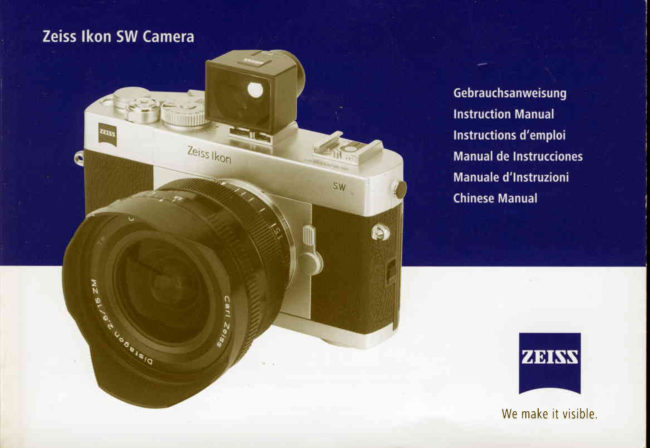
ZEISS IKON SW User manual
User manual for ZEISS IKON SW. 26 pages. Read the original PDF, download or print a copy without registration.
26 pagesOriginal document1.6 MB PDF
Loading your manual…Open PDF directly
Document details
- Brand
- Zeiss Ikon
- Model / document
- ZEISS IKON SW
- Document type
- User manual
- Language
- Check the original document
- Pages
- 26
- File size
- 1.6 MB
- Category
- Film cameras
- Document date
- Not specified in catalog
Search available document text
Find a term, then jump to its page in the original PDF. Image-only pages may not be searchable; check the PDF for exact wording and diagrams.
Page 5 · Read text
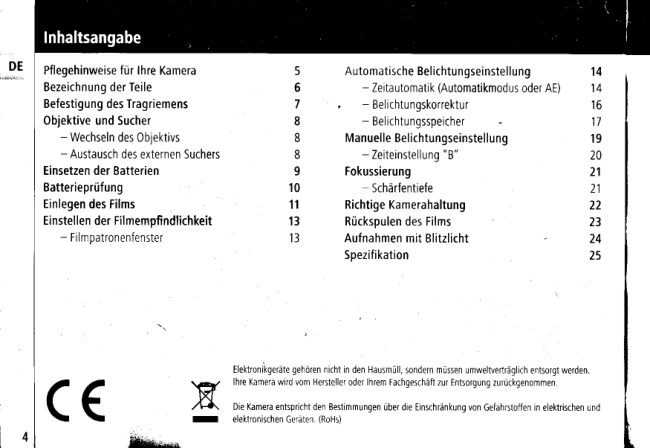
Propercareof yourcamera              27      Automaticexposuresetting             36
     Descriptionof parts                  28             - Apertureprioritymode
nfi   Attachingtheneckstrap               29         (autoexposuremodeor "AE")          36
     Mounting/removing                 30             - Exposurecompensation             3 8
           - Mounting/removinglens             30            - AElockfunction                 39
           - Mounting/removingof anexternalviewfinder30     Manualexposuresetting               41
     Insertingbatteries                  31             - "8" (bulb)setting                 42
     Batterycheck                       32      Focusing                         43
     Loadingfilm                       33             - Depthof field                     43
     Filmspeedsetting                   35      Holdingthecamera                  44
           - Filmconfirmationwindow            35     Rewindingthefilm                   45
                                               Flashphotography                  46
                                                  Specifications                     47


                                              Electronicdevicesshallnotbetreatedashouseholdwaste.Theymustbedisposedin an environmentally
                                                 friendlymanner.Handin thecamerato themanufactureror to yourspecialiststoreforrecycling.
       ( €                             Thecamerameetstherestrictionsforcertainhazardoussubstancesin electricalandelectroniceouioment.
                                       (RoHs)
                       www.orphancameras.com
View original page 5Page 6 · Read text
I Donotuseanyorganicsolventsuchasbenzeneor alcoholto wipethecamerabody.
I Donotleavethecamerain a placeof highhumidityandtemperature.In particular,donotleavethecamera
   inyourcar.
  Keepthecameraawayfromchemicals(adhesives,cleansingagentsetc.).Storethecamerain ventilatedplace
  andnotin a caseor oouch.
T Thiscamerais notwaterproolDonotusethecamerain heavyrain,do notexposeit to splashingwater.
t  Shock,impactor otherabnormalconditionscancausethecamerato malfunction.
I  Neverattemptto wipedustor dirtfromlensor camerafinderwindowswithyourfingers.Alwaysusea blower
   to blowthedustaway,or wipethesurfacegentlywithlensbrushor a softcloth,
  Checkthecameraafterit hasbeenstoredfor a longperiod.Makesometrialexposureswithit, especiallybefore
  takingimportantpictures.
  Takecarenotto exposethecamerato suddenchangesin temperaturewhichcouldcausecondensationinside
  thebody.Keepthecamerain a bagor casefor a whileto adjustthetemperatureslowly.
  Attemperaturesbelow0'C, theperformanceofthebatteryisreduced.Whenusingthecamerain a coldplace,
  preparesparebatteriesandkeepthemin a warmplace.
  Atterusingthecamerain areassubjectedto saltspray,dust,sand,chemicalor watersplash,wipeit carefullywith
  a softcloth.Whenstoringthecamerawithouta lens,protectthedelicateinternalareaswitha bodycapandkeepit
  awayfromdirectsunlightduringstorage.
View original page 6
Page 7 · Read text
(1)   Shutterspeedindex                      (15)  Synchrocontact
        (2)   ShutterspeedlS0/filmspeedring             (16)  ExposurecontrolLED's
tt,K    (3)   Filmspeedwindow                      (17)  Filmguiderails
        (4)   Filmadvancetever                       (18)  Batterychamberlid
        (5)   Shutterreleasebutton                    (19)  Filmrewindknob
       (6)   Filmcounter                           (20)  Filmrewindcrank
       (7)  Mainswitch                            (21)  Filmcartridgechamber
        (8)  Neckstrapeyelet                           (22]r  Camerabacklockbutton
        (9)  Lensreleasebutton                       (23)  Cameraback
      (10)  Mountindex                            (24)   Filmpressureplate
      (11)   Accessoryshoe{A}                        (25)  Filmconfirmationwindow
      (12)  Accessoryshoe{B}                         (26)  Tripodsocket
      (13)  AElocklever                            (27)   Filmrewindbutton
     (1+1 ZMlensmount                          (28)  Filmtake-upspool
                                                   (29)   Filmsprocketwheel


                      www.orphancameras.com
View original page 7Page 8 · Read text
Attachtheneckstrapto the cameraas illustratedbelow.

                                            Besuretheprotectiveendof thestrap
                                                                      isontheinside
View original page 8Page 9 · Read text
Mounting/removinglens
      1. Tomountthelens,matchthebluemark(10)onthecamerabodywiththe
U.K    bluemarkonthelensbarrel,theninsertthelensin thecamerabodvand
        turnthelensclockwiseuntilit lockswithanaudibleclick.
      2. Toremovethelensfromthecamerabody,pressthelensreleasebutton(9)
       andturnthelensallthewaycounterclockwise,thenliftit straightoutof
        themount.


     Mounting/removingof an externalviewfinder
     Selecttheviewfindercorrespondingto thefocallengthof thelensused
     onthecamera.
      1. Attachtheviewfinderbyinsertingit untilitfirmlylocksontheaccessory
       shoetA](11).Holdtheviewfinderhousingwithyourfingerscloseto the
       bottomplateandslideit parallelto therailsof theaccessoryshoeto
       avoidjamming.
      2. Toremovetheviewfinderfromthecamera,holdtheviewfinderhousing
        closeto thebottomplateandslideit backwards,parallelto therailsof the
       accessoryshoeDonottwisttheviewfinderhousingto avoidjamming


                       www.orphancameras.com
View original page 9Page 10 · Read text
1. Turnthebatterychamberlid(18)counter-clockwiseusinga coin0ra
  suitablescrewdriverblade.
2 0neCR-1/3NlithiumbatteryortwoLR44typealkalineortwoSR44type
   silverbatteriesmaybeusedto powerthecamera
3 Insertbatteriesintobatterychamberpositiveend(+)first.
4. Turnthebatterychamberlid(18)clockwiseuntilit isfirmlvclosed.   '"8             g
View original page 10
Page 11 · Read text
1. Turnthemainswitch(7)to theONposition.
2. Windthefilmadvancelever(4).
3. Settheshutterspeedring(2)to the"B"(bulb)position.
4  PresstheAElocklever(13)to themountside.
     I    lf thegreenLEDislit,thebatterychargeissatisfactory.
     I    lf theredLEDislit,thenthebatteriesarerunningoutof powerandneedto bereplaced.
     I    lf noLEDislit,thenthebatteriesneedto bereplacedor havebeenloadedincorrectly

Note:In orderto avoiddrainingthe batteries,turn the mainswitch(7)
to the OFFpositionwhilethe camerais not in use.


                   www.orphancameras.com
View original page 11Page 12 · Read text
Toopenthecameraback(23),slidethebacklockbutton(22)inthedirection
   ofthebluearrow,firstto thefrontof thecamera,thenupward.
  Whenthebackisopened,thefilmcounter(6)automaticallyresetst0 "5."
  Unfoldandliftthefilmrewindcrank(20),thenpullupthefilmrewind
  knob(19)
  Insertthefilmcartridgeintothefilmcartridgechamber(21)sothatthe  protrudingendofthefilmcartridgefacesdownwardProtectthefilmcartridgeffiffi
  againstdirectsunlight
'A1 .  Rotatethefilmrewindcrank(20)slowlywhilepushingdownthefilmrewind
  knob(19)lightlyuntilthefilmlocksonthefilmrewindforkattheinnerside
   of thefilmrewindknob
   Insertthefilm(leader)intothe
  groovesof thefilmtake-upspool
  (28)andplaceit sothatthespool                            DOOOOCID
  teethengagethefilmedgeper-
  forations.
  Checkthatthefilmoerforations
  areproperlyengagedby theteeth                                  CIo0000000CI000
   of thefilmsprocketwheel(29)
  andthatthefilmslidessmoothlyalongthefilmguiderails(17)while
  turningthefilmadvancelever(a)lightlyin ordertoadvancethefilm.
View original page 12
Page 13 · Read text
Caution:Do not touchthe shuttercurtains!
     7. Gentlyclosethebackdoor(23)andpushit untilit lockswithanaudibleclick.
-tt,l(  8 Tensionthefilmbyturningthefilmrewindcrank(20)gentlyinthedirectionof   oo000000t]
        thearrowuntilincreasedresistanceisnoticeable.Thenreturnthecrankto
           itsoriginalrestposition.
      9. Advancethefilma coupleof frames,bydepressingtheshutterrelease     0CI000000CI0
        buttona fewtimesandoperatingthefilmadvancelever(a)untilthefilm
        counter(6)indicates"1".Makesurethatthefilmrewindknob(19)is
        rotatingeachtimethefilmisadvanced,whichwilltellyouthatthefilmis
       advancingproperly.
     10 Whenadvancingthefilm,windthefilmadvancelever(4)slowlyand
         securelrluntilthefilmisfullvtransportedto thenextframe


                       www.orphancameras.com
View original page 13Page 14 · Read text
1 Filmspeedisindicatedontheoutsideof thefilmpackage,onthefilm
  cartridgeor inthefilminstructions.
2 Tosetthefilmspeed:whileliftingthefilmspeedsetring(2),turnit until
  thearrowindicatorontheinnerringpointsto thecorrespondingfilmspeed
  (ASA/lS0)valuewhichcanbeseenthroughthefilmspeedwindow(3).

Caution:Makesureto set film speedexactlyat a notchposition,not
in between;otherwisea properexposurevaluewill not be indicated.


Filmconfirmationwindow
Throughthefilmconfirmationwindow(25),youcancheckthetype,
thenumberof exposures,andthelS0speedof thefilm
View original page 14
Page 15 · Read text
'AE")     Apertureprioritymode(autoexposuremodeor
      Inaperturepriority(AE)mode,thecamerawillautomaticallyselecttheproper                                                                          _'/                                    Es"t*uf(  shutterspeedbasedonthelensaperturevalueandthebrightnessof thesub-                                                                                                                                   \.   /6\-'qbe\      ject.Youmayselectthelensaperturevaluetakingintoaccountthefilmspeed,     ;t  r  ) ( (     ) ) 0 t
     therequireddepth-of-field,thebrightnessof thesubject,motionof thesubject,      €t \/, &      lt,                                                                                                    ir                   z    '/'
    andsoforth.                                                                                         e - c r #

                                                                                                            '    RecommendedaperturevalueswithlS0100121filmundertypicalsituations   Condition            Aperture
     areshowninthelist                                                                                  (Fvalue)
     (Shutterspeedwillbeautomaticallysetbetween1/2000andB seconds.)        At night,for handheld    Maximum
                                                                                                    shooting               aperture
      1. Turnthemainswitch(7)to the0N position.                      Whenyouwanta       Maximum
      2. Settheshutterspeedring(2)to alignthe"A"markwiththe                 shaIlowdepth-of-field   aperture
        shutterspeedindex(1)                                                 lndoorsin normal       F 2 - F 4
      3. Turntheapertureringonthelensto thedesiredaperture.               conditions
     4 Advancethefilmandpresstheshutterreleasebutton(5)halfway.                                                                            Outdoorson a cloudyday        tt r- A  FB
       Combinationsof thethreeexposurecontrolLED's(16)willindicatethe
                                                                               0utdoorson a fineday    FB- F11        propershutterspeedasshownin thelist.
     5 Gentlypresstheshutterreleasebutton(5)to releasetheshutter.             Seasidein midsummer    F 1 1 - s m a l l e s t
                                                                                                       aperture

                                                                                        Mountainareawith snow   F 1 1 - s m a l l e s t
                                                                                                       aperture
                        www.orphancameras.com
View original page 15Page 16 · Read text
Red   0range  Green
                      GreenLEDblinksfast         Overexposurewarning o    o     :o:t,  lt r\
 o    oo            GreenLEDlit               1t125- 1/2000
 o    O O            GreenI 0rangeLEDlit         1t60- 1t125
 o    oo            0rangeLEDlit               1t30- 1t60
 o    oo           RedI OrangeLEDlit          1t15-  'l/30
 o    oo            RedLEDlit                  1 t 8- 1 t 1 5
                                             Underexposurewarning: t/ol t l \ ;    oo            RedLEDblinksfast

   TheLEDwillremainonforaboutB secondsafteryoustoppressingthe
    shutterreleasebutton(5).lf theLEDgoesoffwhileyouarecomposing
   yourshot,presstheshutterreleasebuttonagainhalfwayto reactivate
   themeterindicator.
I   IheLEDisswitchedoffaslongasthefilmisnotadvanced.
I   Thereisa shutterspeedindicatortableonthecameraback(23).
View original page 16Page 17 · Read text
ExposurecomPensation
     Exposuremeteringbymeasurementof subjectbrightnessisbasedontheas-                       K(,-/A _$..$"X                                               %ril(   sumptionof a subjectwithaveragereflectanceWhenthenatureof thesubject
     deviatesconsiderablyfromthisnormalsituation,compensationofthemeasured                                              ,-'.?\/f":     exposureoecomesnecessary.Forexample:whenlargepartsof thesubjectare     verybrrght,a (+)c0mpensationisrequired;whenlargepartsof thesubjectare      3.* -&
     dominatedbydarktones,a (-)compensationisrequiredfora correctlyexposed
     imageWhenusingslide(reversal)filmthetechnicallycorrectexposureisnot    Example.CompensatebY-1steP.
      necessarilythebestexposure.Toaccommodatethetasteof eachphotographer
       invariousconditions,thiscamerarsequippedwithanexposurecompensation
    modeWithhelpof theexposurecompensationmodeyoucanusea different
     exposurevatuethantheonethataperturepriorityhasdeterminedautomatically.
     youcanchangethevalueto eitherbrighter((+)compensation)ordarker
        (() compensation)
     Theamountyoucancompensateforis+/-2stops,in %stopincrements'Set
      the"A"indicatorontheshutterspeedring(2)to thedesiredvalueof compen-
      sation.Whentheexposurec0mpensationmodeisactive,theindtcatorLEDof
      thecompensatedshutterspeedwillblinkslowly

                       www.orphancameras.com
View original page 17Page 18 · Read text
AElockfunction
   Wtthallkindsof subjectswherebrightpartsanddarkpartsarenotmixedandhomogenouslydistributedbutclearly
    separated,theresultof exposuremeteringwilldependontheimagecomposltion.Forexample:whena wideanglelens
     isused,a brightskywillcontributea lotto themeteringresultwhenthehorizonisin thelowerpartof the{rame.Thiswill
    probablyleadto anunderexposureof themainsubject.However,whenthecameralooksdownwardandthehorizonis
    closeto theupperedgeof theframe,thebrightskywillcontributelessto theexposuremetering.

    Therefore,thecameraisequippedwithanAElockfunctionasa convenientwayto makeexposuremeteringindependent
    ofimagecomposition.UsetheAElockfunctionwithapertureprioritymodeor exposurecompensationmode.Theshutter
   speedwillbelockedat themomentwhentheAElocklever(13)ispressedandheld.Also,theexposurecontrolLED
    indicationwillbelocked.AslongastheAElockleverispressedthelockedshutterspeedwillbeusedfora singleshotor
    consecutiveshots.Thecameraswitchesbackto normalAEmeteringwhentheAElockleverisreleased.

     1. Advancethefilm,presstheshutterreleasebutton(5)halfwayandchecktheLEDindicator.
    2. Alternately,youmaypressandholdtheAElocklever(13)to switchonthemetercircuitandtheLEDindicator.
     Thenthemeasuredshutterspeedislocked.
    3. Directthecamerato a partof thesubjectwithaveragebrightness.Keepin mindthatthemeteringsensitivityis
      highestin thecenterof theframe.Keepthebrightsourcesor largebrightpartsof thesubjectawayfromthisarea.
           lf necessary,gocloserto themainsubject.
            I  AslongastheAElockleverispressedtowardsthebayonet,theshutterspeedanditsindicationon LEDwill
        belocked.r
iri)'&n
View original page 18Page 19 · Read text
Createyourcompositionandreleasetheshutter'
I  WhenyouchangetheexposurecompensationvaluewhileAEislocked,theeffectiveshutterspeedwillbe
   adjustedonthebasisof thec0mpensationvalue'
I    lf youturntheapertureringofthelenswhiletheAElockleverispressed,the effectiveexPosurevalueis
   changedsincetheshutterspeedremainsconstant
I  Thecameraswitchesbackto normalAEmeteringwhenyoureleasetheAElocklever.
   TheLEDwillremainonforaboutB secondsafteryoureleasetheAElocklever


                 www.orphancameras.com
View original page 19Page 20 · Read text
Inthemanualexposuremodeanydesiredcombinationof aperturevalueand
exposuretimecanbeselected.                                                                                                                                                                                                                                                                                                                                                                                                                                                                                                                                                                                                                                                                                                                                                                                                                                                                                                                                                                                                                                                        : : : t : : t : i i i
 I  lndicationsontheshutterspeedring(2)                                                                    tlK ,,,,.':,,'.':::  "2000"means1/2000thof a second.      ,;m
   "1"means1 second.
  "B"meansbulb.                    ffio#lr \zu"     "D                  *
 I Withbrightand/orfastmovingsubjects,theuseof a highershutterspeedis
  recommendedto avoidblurring
   1. Turnthemainswitch(7)to theONposition
   2. Settheshutterspeedring(2)to thedesiredshutterspeedsetting.
  3 Adjustyourfocusandpresstheshutterreleasebutton(5)halfway.                      Red Green Red
I   lf theLEDin thecenterislitgreen,it meanstheexposurewastakencorrectly.Overexposure by        o    o     o
r   lf theLEDontherighthandsideislitred,it meansanoverexposurehas     morethan1 step
  occurred.Turntheapertureringonthelensto a highersettingorselecta     Overexposure by         o o o
  shortershuttertimeto correctthis.                                         within1 step
I   lf theLEDonthelefthandsideislit red,it meansanunderexposurehas      Correctexposure       o o o
  occurred.Turntheapertureringonthelensto a lowersettingor selecta      Underexposureby       o o o
  longershuttertimeto correctthis                                           within1 step
t TheLEDwillremainonforaboutB secondsafteryoustoppressingthe       Underexposureby       o o o
  shutterreleasebutton(5)or stopturningtheshutterspeedring(2)         morethan1 step
View original page 20
Page 21 · Read text
"8" (bulb)setting
      1. Withtheshutterspeedring(2)setat "B"position,theshutterwillremain
tt'.l(    openforaslongastheshutterreleasebutton(5)ishelddown.
      2. Thissettingisusefulwhenanexposurelongerthanonesecondisrequired,                             o'"Hj       suchasphotographyat night.
     3 Besureto usea tripodand/0rcablereleasewhenusinglongshuttertimes
         to avoidcameramovement.


                       www.orphancameras.com
View original page 21Page 22 · Read text
Thiscameraisintendedto beusedwithwideanglelensesofferinga greater
   depthoffieldThusthefocusingisaccurateenoughbysettingthedistance
   scaletoanestimateddistancevalue.

   Depthof field
    1.Whenyouarefocusingona givensubject,objectsin theforegroundand
     backgroundmayalsoappear(acceptably)sharpin thepicture.Therangein
     whichallobjectsappear(acceptably)sharpin thepictureiscalled"depth
      offield"anddependsonthefocallengthof thelensin use,theselected
     apertureandthedistanceof theactualplaneof focus.
    2. Toestimatethedepthof fieldrangeat differentaperturesettings,the
     depthof fieldscaleonthelensisused.Thedistancecoveredbytherange                                                                                                                             l'l'  i   J'   I    '!   't  '!l  I    betweenpairsof thesamef/stopsonthedepthof fieldscaleistherange    t
      ofacceptablesharpnessTheactualmaximumandminimumdistances
     givingadequatedepthof fieldwillbeindicatedbythevaluesmarkedonthe
     focusingscale
                                                                                                       tlr tl                                                                                                                           'ltit ,t T -l   *   3 Forinstance,whenthelensisfocusedona subjectat a distanceof 2 m with        n'     theaperturesetat f /8, thedepthof fieldextendsfromapproximately1 m                  'l' ^ 'l'                                                htf,1[         ilt 'Lrl      to infinityThusallobjectswithintherangebetween1 m andinfinitywillbe        -
    reproducedacceptablysharpin thepicturewiththeaperturesetat f/8.

L
View original page 22Page 23 · Read text
Holdthecamerainthepalmof thelefthandsoasto turnthelensfocusing
         ringeasilywiththefingersof yourlefthand.
UK  2 Holdthecamerabodysteadyandplaceyourrightindexfingerlightlyon
        theshutterreleasebutton(5).
     3 Pressyourleftelbowlightlyagainstyourbodyandthenlookthroughthe
        viewfinderto steadythecameraagainstyourface.Thenrelaxyourrightarm
        holdingthecamera.

       Withslowershutterspeeds,it isrecommendedto usea tripodand/orcable
        releaseto avoidcameramovementandimaqeblur.


                       www.orphancameras.com
View original page 23Page 24 · Read text
1 Whentherollof filmends,theadvanceleverwillbeblocked,sometimes
       inmid-stroke.Whenthishappens,donotforcetheleverpastthepointof
      resistance,0ryouwilltearthefilmsprockets.Checkthefilmcounter(6)
      displaylf thefilmcountershowsthatallof theframesof theloadedfilm
     havebeenexposed,thenthefilmneedsto berewound
    2 Pressthefilmrewindbutton(27)onthebottomof thecamera
    3 Unfoldthefilmrewindcrank(20)andturnit clockwiseinthedirectionof
      thearrow.
    4. 0ncethewindingtensioneases,continueturningthefilmrewindcrankat    fewmoreturnsto besurethefilmiscompletelywoundintothecartridge
    Whennoresistanceisfelt,thecartridgecanbesafelyremoved.
    5 Openthecameraback(23),pullouttheflmrewindknob(19)andremove
      thefilmcartridge.
    6 Takecareto protectthefilmcartridgeagainstdirectsunlightwhileyou
     removeit.

    Note:lf the film reachesthe endof the roll duringfilm advance,
    thefilmadvancelever(a)will lock.Rewindthe entireroll,then
    completethe movementof the film advanceLeverafterremoving
    thecartridge.
View original page 24Related documents and language editions
From the M. Butkus archive. Original publisher and archive notices are retained.
Check the model and edition against your equipment.
PDF verified 2026-10-10.