Film cameras
Zenith C User manual
User manual for Zenith C. 32 pages. Read the original PDF, download or print a copy without registration.
32 pagesOriginal document3.5 MB PDF

Loading your manual…Open PDF directly
Document details
- Brand
- Zenit
- Model / document
- Zenith C
- Document type
- User manual
- Language
- Check the original document
- Pages
- 32
- File size
- 3.5 MB
- Category
- Film cameras
- Document date
- Not specified in catalog
Search available document text
Find a term, then jump to its page in the original PDF. Image-only pages may not be searchable; check the PDF for exact wording and diagrams.
Page 4 · Read text
INSTRUCTION
    MANUAL


V S E S ( 1 J U Z I I ( 1 J E             ( ) B J  E D I  N E I I I J E
S T A N K O IM PO RT            u s s p  M 0 s c 0 w
View original page 4Page 6 · Read text
\


        T h e  " Z  n i t h - C "        i s  o  m i r r o r     t y p e  3 5 m m     f i l m   p r e c i s i o n
                      i n i o t u r e    o m e r o   p o s s e s s i n g  o l l      t h e   merits   of   up-to-dote
      m e r o s .

                   mended    for  use  by  omoteurs    to  photogroph
                      portro its,  groups,  seporote   sport  scenes,  etc.    lt
                    used   in  reseorch   institutes  ond   loborotories   for
                                                  i n g     t h r o u g h   v o r i o u s   o p t i c o l        i n s t r u m e n t s :     f o r       i n -
                       c o m e r o  c o n  b e  c o n v e n i e n t l y  u s e d   f o r   t o k i n g  p h o t o -

       T       nith-c" uses o  stondord   perforoted  35 mm  motion
       p i c t u        o b o u t 1 . 6 m    i n     l e n g t h .  T h i s    i s  s u f f i c i e n t   f o r m o k -
             I n g       36 exposures 24X50 mm   in  size.
       Th    m e r o   c o n  b e  u s e d     f o r  p h o t o g r o p h i n g    u n d e r   p o o r
                 l i g h t i n      n d i t i o n s  o r      i n    f u l l  d o r k n e s s  o s     i t     i s  o d o p t e d      f o r
      use  of        l o s h  b u l b s .  A   c o n t r o l l o b l e   s y n c h r o n i z i n g m e c h o n i s m
      with  o    o d v o n c e d    s c o l e     r o n g i n g       f r o m   0     t o   2 5  m i l l i s e c .
     permits   h o t o g r o p h i n g  w i t h     f l o s h  b u l b s  o f  v o r i o u s    t y p e s .
       The    mero   is  of  the  mirror  type.  The  imoge  thrown   by
     the mi     onto  o  frosted  gloss  surfoce   is viewed  through  on
      eyepte        e  o x i s  o f w h i c h      i s  p o r o l l e l     t o    t h e     l e n s  o x i s .  T h e
      viewed       g e     i s d i r e c t .  T h e  e y e p i e c e m o g n i f i c o t i o n       i s   ! x . T h e
             f i e l C     vi$on  seen  through   the  eyepiece    is 20X28  mm.
         T h e  co       r o  h o s  b e e n  d e s i g n e d     f o r  u s e w i t h  m e t o l m o g o
       z l n e s      r h i c    o p e n   o u t o m o t i c o l l y    u p o n   c l o s i n g      t h e   c o m e r o
      cover.
View original page 6Page 8 · Read text
The comero  is furnished with o  curtoin-type shutter giving
outomotic  exposure speeds ronging  from  ln   to  lsn  sec. The
o'B"-hond exposure setting  is employed.
   The comero mechonism mokes long  ",{"  exposures possible.
The shutter is coupled with both the film odvoncing mechonism
ond  the outomotic  film  counter, so  thot winding  the  shutter
outomoticolly  tronsports the  film  ofter eoch exposure ond  the
film  counter  indicotes  the number  of exposure token.   lt. pre'
vents occidentol double  exposures on  the some  port  of  the
f i l m .
   The  shutter  releose  is  interlocked  with  the  mirror   lift  to
prevent  eutting-off  of  the  pictures due  to  the  negotive  field
being  not  fully open.
   The comero  provides  o  possibility  of  relooding   in  ordi-
oory, but not too bright,  light.
View original page 8Page 10 · Read text
The  mirror-type view-finder  diogrom   is shown  in  Fig.  1.
       It  operotes  together  with  comero  lens   I  ond  consists  of
    swivel  mirror  2,  plone-convex  lens  3,  the  plone  surfoce  of
    which  is  frosted,  pento-prism   I  ond  triple-lens  eyepiece  5.
      With  the mirror in  its upper position 21 the comero gives
    on  inverted imoge  on  film  plone  6. With  the  mirror down,
    the imoge  is received on  the  frosted  plone  of  lens  3. The
    imoge  shorpness on  the    f rosted  lens  3  plone   is  just  the
   some os on the film  plone. The inverted imoge  of the subject
    given by the comero lens is ogoin  inverted by mirror 2 ond
    prism  4, ond  comes  to  the  eye through  eyepiece  5, os  o
    stroight imoge.
      To  wind  the  shutter  turn  the  shutter  winding  knob    I
     (Fig.  2) os  for  os   it  will  go  in  the  direction  indicoted  by
    the  orrow  engroved  on  the  top  cover.  At  the some  time,
     this  will move the  film,  lower the  view-finder mirror, wind
    the shutter ond  bring  into oction the snop-shot counter,


                                                    ,\
            5                          { Ia  \   z'.                                                    \
                   \
    \
                     6   ;\.v                         \
                   rlg. r.'\
      t   -  c o m e r o  l e n s ; 2   -   s w i v e l m i r r o r ; 3   -
plone-convex lens with  frosted  plone  surfoce;
,f -  pento-prism; 5  -  triple-lens eyepiece; 6  -
f ilm plo n e
View original page 10Page 11 · Read text
T h e  s n o p - s h o t c o u n t e r d i o I  9     i s  s e t  o t  z ? r a  b y   r o t o i r n g
i t s  k n u r l e d e n d     i n  e i t h e r d i r e c t i o n . T h e n u m b e r o f  e x p o s u r e s
i s   r e o d  o f f  b y m e o n s  o f  b l o c k  p o i n t e r    l 0  e n g r o v e d o n    t h e
u p p e r  s i d e o f   t h e  c o m e r o . S e t   t h e  c o u n t e r o t  z e r o w i t h   t h e
s h u t t e r w o u n d  u o .
   T h e  s h u t t e r   i s  r e l e o s e d b y  p r e s s i n g  t h e   r e l e o s e b u t t o n   t I
w h i c h  h o s o  c o n i c o l  t h r e o d   t o ' o c c o m m o c r o t e o  c o b l e   r e l e o s e .
T h e e . x p o s u r e s p " e d s ' r e   c h o n g e d  b y o   r i t t l ;    l i f t i n g o n d   t u r r r -
i n g    t h e  e x p o s u r e s e t t i n g  r i n g    l 2  u n t i l   t h e     i n d e x   ! i n e    l 3  n s
o p p o s i t e    f i g u r e     i n d i c o t i n g    t h e  d e s i r e c i s p e e d .  T h e   r i n g     l z
T o y  b e    t u r n e d  o n l y   t h r o u g h   t h e  p o r t  o f    t h e  s c q i e m o r k e d
B ,  2 5 , 5 0 , 1 0 0 , 2 5 0 , 5 0 0 o n d  b o c k .

     Do  not  turn   it  in  the  intervol  between  B ond  500


               10
View original page 11Page 12 · Read text
T o   r , n ; , n c ti h e     i i l m  b o c k      i r r i o   t h e m o g o r i n e ,  w i t h     t h e  s h u t t e r
 r e l e o s e d ,     t u r n      l i r e    r i n g  7  s o    t h o t     t h e  p o i n t   e n g r o v e d   o n    r t
 r n o v € s    t o , . v o r d s   t h e      l e t t e r    " n "        t o  o  s t o p .  T h e n ,  w i n d     t h e    f i l r n
b y   r o t o t i n g     t h e    f i l r n   r e w i n d i n g   k n o b      l 5      i r r   t h e  d i r e c t i o n       i n d i
 c o t e d   b y     t h e   o r r o w ' .  T l r e  k n o b   s h o u l d   b e    r o t o t e d   u r r t i l    t h e
 f o r ' , ; e   r e q u i r e d       t o     r o t o t e        i s  d e c r e q s e d .   T h i s   s h o w s      t h o t      t l - , e
  i i l r r r  h o s   b e e r r      f u l l y     r e w o u n c j   o r : d        i s   c o r n p l e t e l y         i r r     t h e
 f r l C j 9 o z t n e ,
    T h e     ! e n s      i s     t i g h t l y   s c r e w e c j      i n t o      t h e     r i n g   o n d   h o s     t h e
n r o L i n t i i - r g  l 9    ( F i S . 3 )   w i t h      t h e   d i s t o r . r c e  s c o l e .  T l r e  d i s t o r r C e
 s et   is  s h o w 'r r  b y    t h e  re cj    i n d e x  2 0 .
           i l r e      l r : n s  o p e n i n g   c o n   b e   c h o n g e d   b y    r o t o t i n g     t h e  o b i e C -
 i r v * r  f r c n t    r i n q  2 1  u n t ! l    t h e  n e c e s s o r y  d i v i s i o n   c o m e s  o o p o s i t e
 t h e     i r r d e x  p o i n t  2 2 . F o r  c o n v e r r i e n t  c h o n g i n g   o f    t h e     l e n s  o p e n -
 i n g      t l r r e e      l e n s   o p e n i n g    s c o l e s   o r e   e n g r o v e d    o n      t h e     r i n g
2 1 .  T h e y  h o v e     t l r r e e  c o r r e s p o n d   i n g      i n d e x   p o i n t s  2 2 .
        f h e        i e n s  d e s i g n   e ' r o b l e s        l e n s   o p e r r i n q s      t o      t r e   s e t  w i t h
 i r l t . r r s o f r .
    T h e       l e r r s     i s  p r o v i d e d  w i t h      t h e   d e p t h   o f     f r e l d   s c o l e   2 3 .
 i l r e  d e p t l r  o f     f i e l d      i s    t h e  d i s t o n c e   b e t w e e n      t l r e  n e q r e s t  o n d
 i i i e      i c r r . t l ' , e s t o b j e c t s       i n  o   s c e i : e  w h i c h  w i i l   b e   s h o r p       i n     t h e
 ; i c t u r e    T h e   d e p t h   o (     f i e l d        i r r c r . e c s e s c r s    i l r s       l e r r s  o p e n i n g
 , ;   r n o d e  s m o l l e t ,  e t  o s    t h e  d i s t o ; - r c e  f o c u s e d  u p o n      i s    i r r C r e O S g d .


                                 F i g .  3 .
    1 -          l s n s j  7   -   o d y , i s t i n g  r i r r g i    l l     -   s h u r t e r   r e i e o s e  b u t t o n ;
l 4      p l u g   s o c k e t ;     l 5            f i i n r   r e w . i n d i n g  k n o b ;  1 6   -   s y n c h r o n -
i z i n E      l e v e r ;  1 7      s y r r c h r o n i z o t r o r . r s c o l e ;   1 9     d i s t o n c e   s c o l e
r i r r g ; 2 0     d i s t o n c e  s c o l e  p o i . r t e r ;  2 l               l e r r s  { r o n t   r i n g r  2 2   -
! e n s o p e n i n g   s c o l e  p o r n t e r ;  2 3   -   d e p t n  o f    f i e l d  s c o l e


                   11
View original page 12Page 16 · Read text
n


{
 a
            The bottom  cover  jt  olso  provided  with  lotch-tr,"26  lor locking
           the  cover ond   ot  the  some  time  openint           slit   in  tnl          mogozine.
            T9 open  the  bottom  cover,  turn  the  lotch  ring 2g counter-                        .
           clockwise so thot  the orrow on the  totch  points  t5 the
            ing  "orKp",  Th-e_nope!  the  cover.. Mogozine  36  (Fit. "n!r"u_5i-;;;
          toke-up_spool 30 ore  fitted  roosely into- the comero ond  con
          be  eosily removed.
                Filters to be used with  this cqmero  should hove mounting
          threod  size  of  33Xo.s mm  ond  on  externol  diometer   o-f          36 mm.


                          Fig. 5.
                30      toke-up  spool;
             36   mogozine; C     film
              trock


I


                         15
View original page 16Page 17 · Read text
f
  The mogozine 36 consists of  three
ports: cose 31, cortridge 32 ond spool
3 3  ( F i g . 6 ) .  T o  o p e n   t h e m o g o z i n e ,        :press  the  button  34  ond  give  the
cortridge  o  holf-turn clockwise  until
it comes  freely  out  of  cose 31. After
this  spool  33 con  be  removed' The
subsequent looding  operotions should
be  corried  out   in  red  light  or   in
complete dorkness, depending on  the
type  of  film  used. Cut the end  of the
f ilm  ond,  holding  the  spool with  its
heod  inwords,  poss  the  end  of  the
film  through  one  of  the  spool  slits
ot   its wide  side. The  sensitive side
of the  film should foce downwords.
  Bend  the  end  of  the   f ilm  protrud-
ing  from  the  opposite  (norrow)  side
of the  slit ond poss  it into the norrow
side  of  the  other  slit. Then  fold  the
very end  of  the  film  three times ond
 pull  the    f ilm  so  os  to  wedge  the
folded end  in the  slit.


                    Fis.  6.   31  -  mogozine cose; 32  -  mogo-               {I'
 z i n e c o r t r i d g e ; 3 3  -  m o g o z i n e s p o o l ;
 34 -  mogozine button; 36 -  mogozine


  1 6
View original page 17Page 18 · Read text
After  this, continuing  to  hold  the spool with  its heqd  in.
            words,  rotote   it  counter-clockwise, winding  the  film  with   its
             sensitive side inside.
             Wind  the film  tightly onto the spool.
            N o  t e  . The film should not be tightened by holding the
             spool  ond  pulling  the  film  by   its  free  end  os  this  moy
             scrotch the sensitive loyer os o  result of  friction between the
              turns. Do  not touch the  sensitive side  of  the  film  with  your
                         f ingers.
                  Insert the spool with  the  film on   it  into the  cortridge, so ilJ
               thot  the  spool heod posses through  the  bottom  of  the cor_
               tridge,  Insert the  cortridge  into  the  cose,  teoving  the end
               of  the  film  protruding  out  of   it ond  rotote  the  cortridge  in
                  its  cose  counter-clockwise, hotding  the  mogozine  with   its
           heod  inwords,  until the  lotch  locks.
                   All subsequent operotions with the mogozine con be cor-
              ried out  in ordinory light.

II
View original page 18Page 20 · Read text
1 . T o e n g o g e t h e c o m e r o me ch o n ism,
          turn  the  releose button  11 ond  the
          ring 7  until  their points coincide with
          point on the comero top surfoce,
              2, Test the operotion of the comero
        wind ing  the  shutter  by  turning  the
        knob   I  ond  releosing  it  by  pressing
t f        the button 11. Toke o look through the
        eyepiece  to  see whether  the  mirror
        system  is working  properly.
              3, Then, open the bottom cover ond
         toke out the toke-up spool 30.
              4. Drow  the  film  end  out  of  the
        mogozine to  o  length of  9 or 10 cm
        ond  cut   it  corefully  to  o  shope  os
       shown in Fig. 7.
              5. Holding the toke-up spool 30 in
         your  left hond ond the looded mogo-
         zine  in  your  right hond  (see Fig.  7)
            fix  the end  of  the  film  under spool
         spring  "f[".  Toke core thot  the uncut
         side  of  the  film  lies  closely ogoinst
         the spool flonge.
             6. Holding  the open comero with
             its  lens  outwords,  os   is  shown   in
        F ig. 7,   in s e r t  t h e   f i l m    i n t o  th e  film
          trock "C"  by lowering  the  spool ond
         the  mogozine  evently  into  ploce,    ll
         the mogozine does not slide properly,ic'
                 f ilm  rewinding  knob  15  should  be
        turned o  little  until   it does.

r$

                             Fig. 7,
           30  -  toke-up spool;  36   -  moqo-
         zine; C  -  film trock; f[  -  toke-up sp6ol
          s pring
View original page 20Page 21 · Read text
times,  pressing  the   releose
                                      b u tto n  ll  o fte r e o ch win ding'
                            When   winding   the   shutter
                                 mechonism,  check   to   see
                              wh e th e r  film  re win d in g knob
                                  15 is rototing.  lf the knob does
                                        not  rotote,  check whether  the
                                            film hos been looded  into the


    7,  Reploce   the   bottom   cover,                , ,&" .& u'u
p r e s s    i t  d o w n    t i g h t l y  o n d  g i v e    t h e            1,
lotch  ring  28  (Fig.  4)  one-holf   turn        &
clockwise.  The  lotch  orrow  should
then  point   to   " laxp".   The  mogo-
z i n e  s l i t  o u t o m o t i c o l l y   o p e n s    f r e e -
i n g   t h e    f i l m ,  o s   t h e     l o c k    i s  c l o s e d .
    8. To  deliver  on  unexposed  por-
tion   of  the   film   to  the  negotive
w i n d o w ,  w i n d  u p    t h e  s h u t t e r   t h r e e


                   20
View original page 21Page 22 · Read text
comero  correctly. Note
thot this moy olso toke
ploce  during  the    f irst
few shots  if the mogo-
zine wos  looded  with
o   film  much  shorter
thon the normol length.
In  this  cose  the   re.
winding knob storts to
rotote  only  when  the
film   tension  on   the
spool is sufficient.


                                                                    9,  Set  the  pic-
                                                         ture  counting  diol
                                                      9  ot  "0"  opposite
                                                       the  counting  index
                                                     1 0 ,
View original page 22Page 25 · Read text
5.  lf necessory, ottoch
                                             o     f i l t e r .
                                                 6 .  O p e n       t h e        l e n s
                                             o p e n i n g      f u l l y   b y     t u r n '
                                                                                                                  i n g    t h e    f r o n t     l e n s   r i n g
                                             2 1 u n t i l     i t  s t o p s .

          Just before toking o picture  it  is necessory:
           1. Wind the shutter by turning the shutter winding
      knob   I   in  the  direction  of  the  orrow os  for  qs   it
     w i l l g o .


^-.          2.  Determine   the  required  exposure  speed  ond  set
I -       befit  owithre.   the  exposure   setting   ring   12  os   indicoted

             3.  Adjust  correct  focus  by  turning   the  knurled   ring
       19 ond  viewing   the  imoge   of  the  object  through   the
        eyepiece   5.
         N o  t e  .    lf   the  imoge   remoins   shorp  when   the
              r i n g       i s    r o t o t e d     t h r o u g h   o   c e r t o i n   o n g l e ,       i t   s h o u l d
         b e  s e t    i n    t h e m i d d l e  o f    t h o t  o n g l e .

             4.  Set  the  required   lens  opening   by  turning   the
         ring  21. When   setting  the  lens  opening     it   is  recom-
      m e n d e d    t o  h o l d   t h e   r i n g  1 9   i n  o r d e r    t o  o v o i d  u n f o c u s '
                      i n g  o f    t h e  c o m e r o .

              5.  Moke   the  exposure   by  slowly  pressing  the   re-
        leose  button   11. Toke  core  not  to  move  the  comero
         d u r i n g     t h e  e x p o s u r e ,  o r    t h e  p i c t u r e  m o y  b e  b l u r r e d .
         When   toking   the  picture   with   the  comero   in  the
         corrying  cose,  see  thot  the  cose  cover  does  not  get
        between   the  object  ond   the   lens.


                  24
View original page 25Page 27 · Read text
W h e n      t h e     f i l m       i s  e n t i r e l Y  e x -
posed  the  comero   hos  to  be  un'
looded.   For  this  purpose:
    1. Cover  the  lens  with   its  coP.
    2. Turn  the   ring  7  so  thot    its
point   moves   towords    the    letter
"fI"   to  o  stop.
    3.  Rewind   the   film   bock   into
the  mogozine   by  rototing   the  film
rewinding  knob   l5   in  the  direction
indicoted   bY  the  orrow.
    4. Open  the  comero  os  describ-
ed  before.
   Nbte. When  opening  the comero,
the   mogozine      slit   closes   outo'
moticolly,  therefore,  to  ovoid  spoil-
ing  the  film,  the  cover  should  not
 be  removed   until  the  lock   is  ot  o
stop.
    5.  Remove   the  mogozine   from
 t h e  c o m e r o .
    6 . T u r n   t h e   r i n g  7  u n t i l     i t s P o i n t
 is  opposite   to  thot  on  the  uPPer
side  of  the  comero.   This  re-engo-
ges  the  comero  mechonism.
    7.  Wind    the   shutter  ond    re-
 leose     it  by  pressing   the   releose
 button    1l  .  After   th is  the   co mero
 is  reody   to  be  relooded.


     CARE  OF  THE  CAMERA
   The  comero    is  o  Precision   in-
 strument  ond  should   receive  core'
 f u l  o n d      i n t e l l i g e n t   h o n d l i n g .  K e e p
the  comero    in    its  corrYing   cose,
 isoloted  from  dust,  domPness  ond
 dirt.  Do   not  subject   the  comero
 to  sudden   ond  extreme  temPero-
 t u r e  v o r i o t i o n s .
       It   is  q u ite   evident   thot   such
 o  delicote   ond  occurote   Piece   of
 equipment   os  cooted   lens  requires
 speciol   core  qnd   con   be   eosilY
 r u i n e d   b y  c o r e l e s s  h o n d l i n g .  T h e
View original page 27Page 29 · Read text
cooted  surfoces   of   lenses  ore
covered with speciol, very thin films,
which  con  be  eosily  spoiled,   if
cleoned corelessly.
   Should the surfoces show depo-
sits of dust or other impurities do
not  try  to  remove   it  by  rubbing
the   surfoces  with   your     f ingers.
Dust moy be removed with o cleon
soft brush, o  cleon  (well woshed)
flonnel, colico  or  muslin nopkin,


 chomois  or  cotton  wool,  without
 exerting  pressure on  the  surfoce
 being cleoned.
    Finger  prints,  sweoting  troces,
 etc.  moy  be  removed  by  wiping
 without pressure with o cleon nop-
 kin  slightly  moistened  with   recti-
 fied olcohol. Any stoins should be
 removed  with  o  dry  nopkin.  Do
 not  expose  the   lens   for   long
View original page 29Related documents and language editions
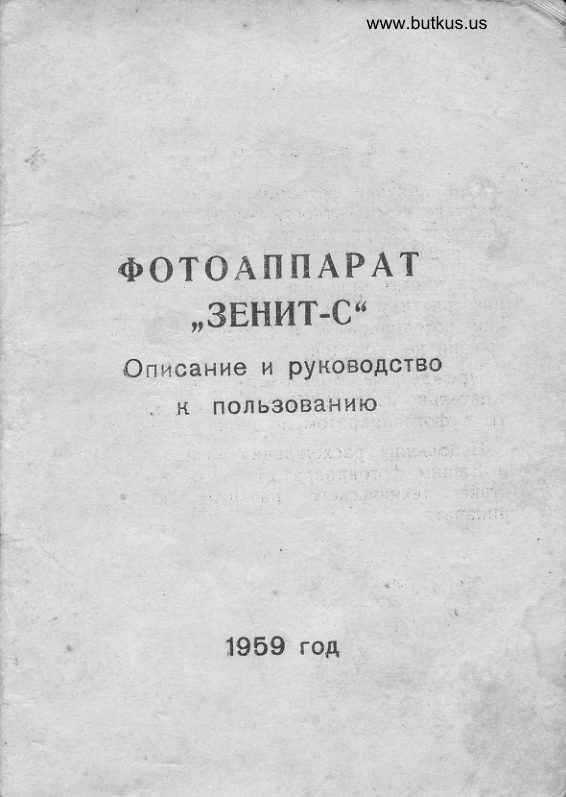
From the M. Butkus archive. Original publisher and archive notices are retained.
Check the model and edition against your equipment.
PDF verified 2026-10-10.