Film cameras
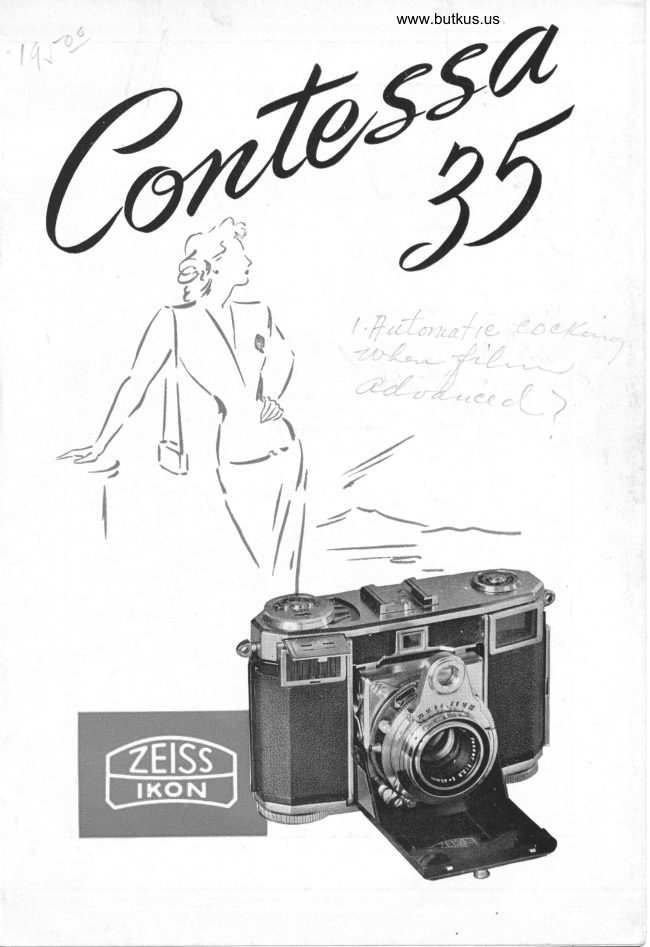
Zeiss Ikon CONTESSA User manual
User manual for Zeiss Ikon CONTESSA. 35 pages in German. Read the original PDF, download or print a copy without registration.
35 pagesGerman6.2 MB PDF

Loading your manual…Open PDF directly
Document details
- Brand
- Zeiss Ikon
- Model / document
- Zeiss Ikon CONTESSA
- Document type
- User manual
- Language
- German
- Pages
- 35
- File size
- 6.2 MB
- Category
- Film cameras
- Document date
- Not specified in catalog
Search available document text
Find a term, then jump to its page in the original PDF. Image-only pages may not be searchable; check the PDF for exact wording and diagrams.
Page 3 · Read text
fl,
                                          source of'constantJn  order to make tbe coNrEssA 4
  pleasure, u)e suggest a careful study of these instructions.
 Reading tltem attentiuely will make you a successJul pboto-
 grapber with tbe c o NrE ss r f rom tbe aery belinnin!.
 The coNrsssA, a product of zetss IKoN A. c. srurr-
 cART US. Zone of Germany, is a 35mm camera for
 picture size 24 x 36 rnm. The distance meter of the
 coNrEssA, a rotating-wedge type range findbr which
 guarantees accurate focusingl is coupled to the lens'
 Furthermore, the coNTESSA is equipped with a highly
 accurate exposure meter which is built into the camera
 housing. This exposure rneter has two ttteasuring
 ranges and indicates the correct exposure tirne for any
 lens opening which you select for your individual
 photographs.

 The coxrrsse is loaded with standard 35 mm' cartrid-
 ges, furnishing 20 or 36 exposures on black-and-white
 or color fflm. It is the ideal camera for color photo-
 graphy because its lens, thd world famous zEIss-TESSAR'
 is highly'corrected ior both color and blak-and-white
 emulsions.

 We are conuinced tbat in buying A cdmerd you could not
 make a better selection tban tbe c o NTE s sA, and we know
 you will be deli1bted with this wcnderful adtieoement in
 photograpbic camera design.
View original page 3Page 4 · Read text
www.butkus.us
(T   ,
Jt"   objective of the coNrEsse is the high speed,
coated zErss rEssAR 2,8 (3). The distance is set by
turning the milled ring (6) and indicated by a mark {7)
on the distance scale (8). The controls for shutter
speed (9) and lens aperture (10) can be seen from
above at a glance.
Seen in front of the camera, the shutter release knob
(13) is at the left top corner of the shutter housing.
The thread for the cable release (14) is located below.
Between these two are the shutter cocking lever (15)
and the flash synchronizer socket (16). The window
in the middle of the camera body is one of the range
finder windows, the other one is cornbined with the
view finder window (18). The type of film inserted is
set on the "tell tale" indicator disc (19). Opposite of
it you see the setting disc (20) and dial (21) of the
exposure meter. Its window (24) is located below. The
shoe (25) in the center atop the housing serves for
slip-on accessories
Countersunk into the bottom of the camera are the
                        uA" (26),the rewindknob,film windingknob, rnarked
marked "R" (27), the picture counter (33) and its setting
knob (a+).
At the bad< of the camera you will find a small sup-
port (28) whidr should be pulled out when placing
the camera on a flat surface. To push the support
back, press it slightly in the direction of the arrow.
The bolt (29) locks the camera back. Eyelets (30) serve
 for fastening the neckstrap and attaching the Eveready
 carrying case.
View original page 4Page 6 · Read text
www.butkus.us

LIST OF PARTS'OF THE
     CONTESSA rs

 1 Knob for opening and    lg  "Tell-tale" indicator
    closing carnera              showing type of fflm in
 2 Struts                       camera
                    20 Setting disc for exposure 3 Lens                                     lneter
 4 Thread for lilter         2l Exposure meter dial
 5 Bed of camera        22 Indicating rnark of ex-
 6 Lens focusing ring           posure meter
 7 Distance setting mark   23 ASA setting of exposure
 B Distance scale               meter                              24  Exposure meter lid
 9 Ring for setting shutter   25  Accessory shoe    speeds
                              26  Film winding knob10 Diaphragm ring
1l Rotating wedges of       27 Rewind knob
   range finder               28  Support
12 Depth of fteld scale       29  Back locft
13 Shutter release             30  Eyelets
                                                                                                   alJI  Tripod bushing covered14 Threadfor cable release                           by protectton screw15 Shutter winding lever                                32 View finder eyepiece16 Flash socket                                                                             aa):)  Picture counter
17 Range ftnder window      5+  Setting knob for frame
18 View finder window          counter


                                                  {
View original page 6Page 7 · Read text
Digitally signed by mike butkusmike             DN: cn=mike butkus,
                             o=orphancameras, ou=29,
                              email=mike@butkus.org, c=US
                                 Date: 2020.06.01 19:37:29 -04'00'butkus
View original page 7Page 12 · Read text
www.butkus.us

DETERMINING THE
          EXPOSURE TIME


 Before taking a picture with the coNrE s sA, determine
 the required exposure time with the aid of the built-in
 exposure meter (6). The exposure meter can be read
 off directly without any conversion.
 See illustration on page 10. At first set the film speed
 on the ASA scale (23) of the exposure meter. Turn the
 disc with the two knobs until the ASA number of the
film speed appears at the indicating mark in the ASA
 aperture. Vhen using ftlm speeds of another speed
rating system, find the corresponding ASA value in the
table on the preceding page.
Vhen measuring the exposure time, turn your camera
to the object as you will do in taking the picture. The
white indicator of the exposure meter will move along
the dial (21). Now turn the setting disc (20) until the
engraved mark (22) is in the range where the indi-
cator is.
In strong light measure with the lid (24) closed and use
the diaphragm (lens opening) scale of the green zone
of the disc. You will then ffnd the exposure time on
the ring opposite a lens opening on the green zone.
In poor light the indicator of the exposure meter will
react only if the lid (24) is opened, and you will ffnd
View original page 12Page 13 · Read text
the exposure time on the ring opposite a lens opening
in the black zone of the disc.
On the hinge of the lid is a green dot which can be
seen only when the lid is closed. Vhen the green dot
is visible from above, it is a reminder that the exposure
time must be read off opposite the green zone.
In front of the photo-electric  cell you will find a glass
forrned like a systern of prisrns. It directs the incident
light in order that the angle of view taken by the ex-
posure rneter be identical with that of the Tessar lens.


             6
View original page 13Page 14 · Read text
www.butkus.us


 SI:l--l-lN(, TI IIr I:Xt)OSLI Iilr'l'l\,1  Il
The shutter speed setting ring (9) is turned until an
 irrdicatirrg mark is opposite the previously deterrnined
exposure tiure. The ffgures engraved on this scale de-
signate fractions of seconds (7).
The ftgure 25, for instance, corresponds to the shutter speed of
l/25 s(]c., ctc. \Vhen setting the shutter speed of l/m sec. you will
have to press somewhat harder. For tinre exposurcs, set thc shutter
speed-setting-ring on "B" and, if desired, use the cable release.
For very long time exposures, the cable release is provided with
a special lock. The shutter is cocked with the aid of lever (15)
It makes no difference whether the exposure time is adjusted
before or after cocking the shutter. Only when using the shutter
speed of r/56, the exposure time must be set before cocking the
shutter.
View original page 14
Page 15 · Read text
SETTING OF] THE DIAPHITACM
         AND DEPTH OF FIELI)
The diaphragm lens opening is adjusted by rneans of
the diaphragm setting ring (10) in such a manner that
the indicating rnark point exactly to the desired lens
opening. Lens opening and shutter speed rnay be
checked at a glance frorn above (8).
The smaller thc lens opening, the greater the!depth:of  fteld. The
depth of fteld scale (12) indicates for any distance and lens
opening set, the near and far distances which will be sharply
reproduced on the ftlm. For this purpose there are engraved to
the right and left side of the distance setting mark (7) the flstops.-
For instance, in setting the lens for a distance of 10 feet (3 meters),
rvhile using a lens opening of f/8, you can read off on the left
side of the setting mark (7) opposite the f/8 the distance 6213
feet (2 meters), and on the right side opposite the f/8 the distance
20 feet (6 meters), showing that any objects within a distance
from 62lr feet to 20 feet from the lens will be sharp in the picture.


   www.butkus.us
View original page 15Page 16 · Read text
www.butkus.us


    THE ZE.ISS-IKON ItED-DOT SETTING
i            In good light (sunshine for instance), the ze rss-rKoN
          red-dot setting on the coNTEssn permits constant
           readiness for action at all tirnes. Set the lens openingl,         and the distance, on the red dots, and you are ready


 I            at a nloment's notice to photograph anything without
 I          having to make further adjustments. All objects frorn
             8l/s feet (2,5 rneters) to infinity will be sharp. (See
             illustration above).
                If set in such a way, the coNrEssA may be closed, fully pre-
             pared for the next snapshot. Vhen using the red-dot setting, you
               will not miss a single worth-while snapshot of surprising  situa-
              tions for which an ever-ready camera is a necessity.
            Vith this method you will produce photos with a good average
             in deftnition and exposure.
View original page 16Page 17 · Read text
DEPTH OF FIELD
Jfow to make good use ot' the range of sbarpness at parious
lers stops:
The short focal length of 4: mm of the zErss-rEssAR
f12.8 on the coNrsssn affords great depth of ffeld.
Apart from the red-dot focusing system (see page 13)
the following convenient settings are recommended,

                       Lens    Focused   Range of sharpness
                        Stop        at:
                                       feet     From:    To:

Close-Ups              11           3      2'4"- 4' O"
                      8        4       3'3" -  4'll"
                      8        6         4' 2" - g'10"
                         5,6      4      3'6"- 4', g"
Medium                5,6      10       7'3" -  lg'5"
Distances             4       20        12',6" -  46',2"
                          2,8      20      14'2" -  33',4"
                                g'3"- .oInfinity to            8       20
nearest sharp          11       20       7'7" -  ,n
point                16        10        4'g"-   oo
                     22        6        3'4"-  a


More detailed information concerning depht of field is
contained in the depht of field table on the next page.
View original page 17Page 20 · Read text
www.butkus.us


                      If you now tun'r the lens focusing ring (6) (see illustration
           above) until the two irnages merge into one (see illu-
            stration on preceding page, lower right), the lens will
          be accurately focused. The best objects for obtaining
           accurate focus are sharply deftned vertical contours.
            Precise focusing is the rnore essential the greater the
            Iens opening.
          The rneasured distance lnay be read off on the distance
            scale (8). This is especially irnportant in selecting the
            proper lens opening to obtain adequate depth of fteld.
il
View original page 20Page 21 · Read text
HOW 1'O HOLD THE

-l-r\li l  r- (l    i l O II I Z.O NTr\[-  l)I CTU  lt ti S

The coxrpsse  is securely held in the palm of the right
hand. The right thumb is placed on the bacl< of the
camera, the right index ftnger rests on the shutter re-
lease (13). The left hand holds the camera with thumb
and rniddle ffnger. The left index ffnger touches and
actuates the milled ring of the lens focusing mechanism
(6) which is coupled to the combined view-and-range-
ftnder. To assure greater steadiness the elbows should                                         'When                          touch the body.
                        taking pictures with
                               Ionger exposure times, it
                                        is advisable to rest both
                          elbows ffrmly on some
                                support.
                         The left eye is most suit-
                          able for focusing, be-
                             cause the right eye need
                               not be clos-'d. If the right
                               eye be used,the left must
                     be closed. The shutter
                                           is released with the right
                            index ffnger.
View original page 21Page 22 · Read text
www.butkus.us

  CONTESSA

                  -fr\KIN(;                                       \'lrltl'lCr\l-   I'lC'f Ll ltESI
       The way of holding the coNrsss^r, and the position
I        of fingers and manipulations are the same as when
         taking horizontal pictures. According to your liking
       you may grasp the camera with the left or the right
        hand from above, and you may focus with the right
         or left eye. It is essential however, that the camera
        be not moved during the exposure, which is easily ac-
         complished owing to the coNTEssA', small size and
         weight and to its easy
           controls. Practice how to
         operate the camera be-
           fore going picture hunt-
           ing. \fhen taking pictu-
          res in rapid succession,
        keep the coNTEssA at
          the eye, and with the left
       hand quickly wind the
          ffhn without takirrg the
         calnera from the eye.
          This way is especially re-
       commended for taking
         series and snap-shots.
View original page 22Page 23 · Read text
RELEASING THE SHUTTER
                  After every exposure, advance the filrn by means of the
                  film winding knob (28) until the lock catches (this carr
             be done most conveniently and fastest with the left
                 thurnb). Thereupon, wind the shutter so that you are
                ready to take the next picture. The shutter cannot be
                 released unless the fthn is fully wound to the next frame.
                 Further'rore, the ffhn ca' only be advanced afterhaving
                released the shutter. consequently,  it is i'rpossible to
            make double exposures or blanks. - For cocking the
                 shutter, press the shutter windirrg lever (15) upwards
                 until it catches. The shutter is released by pressing the
                release knob (13) slowly downwards, with jerking.
                Press it down as far as possible and do not stop when
            you feel a slight resistance. In case the release knob
              cannot be pressed down, you have forgotten to wind,
                 either the shutter or the ftlm.
            The picture counter (33) indicates the number of ex_
                posures. After having made the last exposure, the fthn
             must be rewound.


          6
tI
View original page 23Page 24 · Read text
www.butkus.us

      INSERTINC THE FILM
Place the coNrEsse while closed, front down, on a
table so that its lower side with the ftlm wind and re-
wind discs faces you. Open the back by pulling out
the catch (29) (See 111 page 20). Pull rewind knob out,
then place cartridge in feeding spool chamber, push
rewind knob back and turn it until the rewind prong
engages fully with the hole at the side of the cartridge.
Now turn the fflm winding knob (2S) until the tooth
with the rnetal flange of the take up spool appears.
Insert ftlm into the slot of the take-up spool and
hook second hole of perforation into srnall black tooth.
Turn the ftlm winding knob (see illustration below)
with the Camera still open, until the perforation en-
gages in both sprockets on the lower side of the pic-
ture frame.
Then close the camera and set picture (33) with the aid
of the millecl knob (34) on the diamond mark. After
having turned the ftlm winding knob until it catches,
View original page 24Page 25 · Read text
number 1 will appear in the picture counter (33) and
the ffrst picture can be taken.
After having loaded the camera, set "tell-tale,, indicator
disc (19) at type of film in camera (black-and-white,
daylight colour, artiffcial-light colour fflm). In addition
turn the inner disc (23) to the ASA speed of the fflm
used.


REMOVING THE FILM

      After the last exposure the ftlm is rewound by
      turning the rewind knob (27) in the direction
       of the arrow. Press down the knob in the center
      of the film winding knob when rewinding the  '       film. \il/hen nearing the end, the resistance will
       lessen, indicating that the fflm is fully rewound
   .  on the feeding spool. To make sure that the film
        is completely rewound, remove your ftnger from
     the rewind clutch button. If the rewind knob
     then can be turned freely, it is an indication
      that the film has been fully rewound. Now open
      the back of the camera, pull out the rewind knob
    and remove the cartridge containing the ex-
     posed fflm.
View original page 25Page 26 · Read text
www.butkus.us

FLASHLIGHT SYN C HRONIZER

The contact (16) for flash synchronization (X-Type) to
which the synchro cable is attached is located below
the shutter winding lever. \7ith this device you may
ffre "M" and"F" flash bulbs as well as electronic flashes.
The most favorable shutter speed for "M" flash bulbs
is 1/zr, sec. Considerably shorter exposures can be made
with electronic flashes.


TABLE OF SHORTEST EXPOSURE TIMES
              FOR FLASH PHOTOGRAPHY

The following customary  flash bulbs are available on the market:
 a) Osram Vacuflash I, II, IM
    Philips Photoflux PF 14N, PF 56N
    Delay about 20 millisec.
    Length of flash about 20 millisec.
 b) American flash bulbs (H) with delay of 20 millisec. as for
    instance "General Electric"; "Synchropress No. 5, No. 11,
    and No. 22" , as well as similar flash bulbs of other makes.
 c) American flash bulbs (F) with a delay of 5 millisec. sudr as
  . "General Electric" : Speed Midget RM or Sylvania SF'
 d) Electronic flash lamps as produced by various firms.

SHUTTER SPEEDS required for flash photography
The flash synchronizer which is built into the shutter of the
coNrEssA closes the circuit and fires the flash bulb the moment
the shutter is fully open. Therefore, the following shortest
shutter speeds are recommended  for the above mentioned kinds
of flash bulbs : a) 1125 , b) 1125, c) 1/100, d) 1t100 and shorter.
View original page 26Page 28 · Read text
www.butkus.us

ACCESSORIES
     FOR CONTESSA

SU PPLEN,IENTAI{Y LENSES (PROXAIi LENSES)
       are used for taking pictures at distances of less
     than 3 feet. These supplementary lenses are
       slipped over the lens rnount. The ratio of re-
      duction and the size of field covered by the lens
     may be ascertained from the table on page 24.
THE ZEISS IKON EVEITEADY CAITRYING CASE
      for the coNTESSA protects this high-quality
      from detrimental external influences. (See ill.
      below). The camera need not be taken out of
       the case for taking pictures. After having pressed
       lightly on the spring of the two hooks, the
       carrying case can be attached to the eyelets (30)
View original page 28Page 29 · Read text
of the coNrESsA. In doing so, turn the film
      winding knob on the case so that its two prongs
 .     engage with the winding knob of the camera.
     Through an aperture on the lower side of the
       case you can see the picture counter (33).

THE LENS SHADE

        is screwed on the lens rnount. It is needed for
      exposures against the light.
     .
FI LTE RS
      In order to produce better pictures, you may
      screw any of thezrrss oproN  filters on the
      thread @) of the lens. It is r-rot necessary to re-
    move the filter when you close the camera.
      However, when setting the shutter speed, you
     have to consider the fflter factor engraved on
      the various filters.

THE LOCKING CABLE RELEASE

      is screwed into the tread of the socket under-
     neath the lens. It is used primarily for taking
      pictures from a tripod. The cable release has a
        Iittle lock for keeping the shutter open during
      long-time exposures with the shutter speed ring
       set on "B".


                       26
View original page 29Page 30 · Read text
www.butkus.us

HO\r TO TAKE PICTURES
       \rITH THE CONTESSA
Snapsbots
      Snapshots are easy to make in good weather:
      Lens opening, exposure time, distance scale, are
      simply set on the red dots. Then anything bey-
     ond a distance of S-1i 3 feet (2.5 meters) can be
      photographed without trouble. Side lighting will
       furnish a pleasing effect. Photographing against
       the light requires great care but with the camera
      shaded can produce a pleasant effect. Take in
       as much as possible of the object. Never forget
       that the nicest snapshots are taken when a per-
      son is unaware of being photographed.
f,andscape Photograpby
       In almost any case a yellow filter is required for
      landscape photography especially if clouds are
      in the scene. Distant views alone are not im-
       pressive; only a well chosen foreground will give
      depth to a picture.
      Landscape photography at sunrise or sunset is
      most impressive because of long shadows; where
       as bright sunshine, especially around noontime,
        is generally unfavourable. Mist, haze and snow
       will furnish an interesting motif for effective
       photographs.
Animal Pictures
     Our four-legged pets are not bashful in front of
View original page 30Related documents and language editions


From the M. Butkus archive. Original publisher and archive notices are retained.
Check the model and edition against your equipment.
PDF verified 2026-10-10.