Film cameras
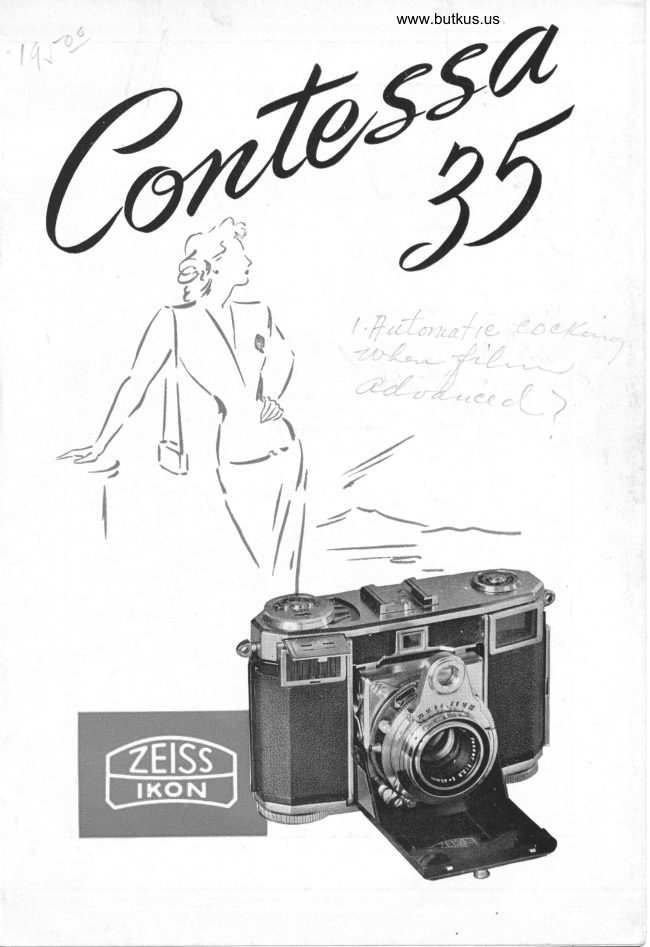
Zeiss Ikon CONTESSA User manual
User manual for Zeiss Ikon CONTESSA. 35 pages in English. Read the original PDF, download or print a copy without registration.
35 pagesEnglish6.0 MB PDF

Loading your manual…Open PDF directly
Document details
- Brand
- Zeiss Ikon
- Model / document
- Zeiss Ikon CONTESSA
- Document type
- User manual
- Language
- English
- Pages
- 35
- File size
- 6.0 MB
- Category
- Film cameras
- Document date
- Not specified in catalog
Search available document text
Find a term, then jump to its page in the original PDF. Image-only pages may not be searchable; check the PDF for exact wording and diagrams.
Page 2 · Read text
Pi\R-fS OF THh CONI'frSSA.35
  Knob for opening and       Io Diaphragm ring
   closing camera                                 I I  Rotating wedges of
l  Struts                             rangeffnder
  Lens                                                           t I  Depth-of-ffeld scale
.l Thread for filter                      l.l Shutter release
i  Baseboard                        t-{ Thread for cable release
{t Lens focusing ring                            I j  Shutter winding lever
7  Distance setting mark           Itr Flash socl<et
b  Distance scale               l7 Rangeffnder window
   Ring for setting shutter            ll  Viewffnder window
   speeds
     Description ol parts continued on pdqe zo ol cooer
View original page 2Page 3 · Read text
www.butkus.us

   PARTS OF THE CONTESSA:-S
19 "Tell-tale" fflm indicator       27 Rewind knob
?() Setting disc for expos(rre       28  Support
    meter                                      ?!) Back lock
21 Exposure meter dial                           .l(  )  Eyelets
2l Indicating mark of er-                  :1 1  Tripod bushing coverecl
    posure meter                 by protection  screu'
2: ASA setting of exposure          .il  Viewffnder eyepiece
    meter                           i3  Picture counter
1,r  Exposure meter lid                   3"t  Setting knob for frarne
2i Shoe for accessories                counter
26  Film winding knob with       j5  Svnchro switch
    rewinding release buttorr
      Nunrbers reler in part to front oiew on paqe  :t


           Mike Butkus                               DigitallyDN:email=mike@butkus.org,Date:cn=Mike2024.04.25signedButkus,by22:22:22Mikeo=ButkusButkusc=US-04'00'camera manuals, ou=butkus.org,
View original page 3Page 4 · Read text
Venmo @mike-butkus-camera  Ph. 2083
PayPal Name  Lynn@butkus.org      www.PayPal.me/lynnbutkus
View original page 4
Page 5 · Read text
www.butkus.us


Jhe
    CONTESSA
a product of .zerss rKoN Ac. srurrcART, U. S. Zone
of Germany, is a 35 mm camera for picture size
1X11/z ins. It takes standard cartridges furnishing 18
oder 36 exposures on perforated 35 rnm ftlm. The ca-
mera is equally suited for black and white as well as
colour photography, as its fast coated zErss rsssan lens
is excellently colour corrected. The built-in rangeffnder
is coupled to the lens. Its rotating wedge prisms ensure              rt
very accurate focusing. The camera furthermore has a
colour corrected exposure meter with two measuring
ranges, which gives you under any lighting conditions
the exact exposure time for the individual lens stops.
View original page 5Page 6 · Read text
Iir order to obtain always good results with your little
         coNTESSA, w€ recommend you to read carefully these
          Instructions. Turn outward the trvo leaves of the cover
       and exercise the various operations when the camera is
        not loaded rvith ftlm. Please remember that the shutter
        lock is tripped and the shutter can be released only
       when fflm has been loaded. Your trouble will doubtless
       be richly rewarded, as you will get good pictures from
        the very beginning. Your photo dealer will be pleased
("      to give you additional information.

      We are conuinced tbat in buying o ,o^rrio you could not make  tt
            better selection tban the CONTESS A. Please let us participate in
          your joy by sendiy4 us beat+tiful photograpbs you made witb tbe
        CONTESSA.
View original page 6Page 8 · Read text
OPENING AND CLOSING
            THE CONTESSA
The coNrsssa. is opened by pushing down the little
knob (1) on the zErss-rKoN nameplate on the front of
the camera (ill. 2). The baseboard (5) is pressed down
until the opening mechanism clicks into place.
Close the coNrEssA by pressing both milled struts (2)
of the self-opening mechanism together inward, and at
the same time press the camera baseboard until the
lock               (ill. 3).     .catches

DETERMINING THE
            EXPOSURE TIME
Before taking a picture with the coNTEssA, determine
the re\uired exposure time with the aid of the built-in
exposure meter (ill.6). The exposure meter can be read
off directly without any conversion.
At ftrst set the ftlm speed on the ASA scale (23) of the
exposure meter. Turn the disc with the two knobs until
the ASA number of the fflm speed appears at the indi-
cating -"rk in the ASA aperture. Vhen using ftlm
View original page 8Page 9 · Read text
www.butkus.us


 speeds of another speed rating svstem, ftnd the corre-
sponding ASA value in the table on the preceding page.

SENSITIVITY OF COLOUR FILMS
Jo colour films must be applied oalues obtained by e*-
perience, wbi$ are cltaracterized by manut'acturers by
tbe pbrase. "Jo be exposed like...' ironr tbis lollows
that there does not exist in tbis field a well-defined
basis lor tbe calibration of exposure meters. lor the
furtber use of ofle's otDtt exposure meter it will, tbere-
f.ore, in any case be recommendable to ascertain tbe
                                           pbotograpbssensitioity ol tbe film by means ol test
witb oaryinQ exposure times.

\7hen measuring the exposure time, turn your camera
to the object as you will do in taking the picture. The
white indicator of the exposure meter will move along
the dial (21). Now turn the setting disc (20) until the
engraved mark (22) is in the range where the indi-
cator points.

In strong light, measure with the lid (24) closed and use
the diaphragm (lens opening) scale of the green zone of
the disc. You will then find the exposure time on the
ring opposite a lens opening on the g r e e n zone. In                                     ftpoor light the indicator of the exposure meter will react
View original page 9Page 10 · Read text
theonlv if the lid (2a) is openecl, ancl -t'ou will lincl
e\posurc on thc rirrg op1-rositc a letts opettitrg in the
b I a c li zont- of the disc.
On thc hinge of thc lid is a greett clot whiclr can bc
sterr orrl-r'u,hen the licl is closecl. V/herr the green clot
is visible fronr above, it is a rettrirtcler that the exp<,r-
srrrc tirrre rnust be reacl off opposite the greett zotte.
In front of the photo-electric  cell you rvill firrd a glass
fornrecl like a systeur of prisrtrs. It clirects the incident
light in orcler that the angle of vier.'taken by the ex-
posure nreter be identical rvith that of the Tessar Iens.


        ---    ---\                --t\      \:2
   Y,€Y?    --/
View original page 10Page 12 · Read text
'l           "f Sl:'l     i\(,          lll:   Ir\1,()5Ll    lttr   It\ilj
The shutter speed setting ring (9) is turned until the
 indicating nrark is opposite the previously determined
cxposure time. The ftgures engraved on this scale cle-
signate fractions of seconds (ill.5).
The figure 25, for instance, corresponds to the shutter speed of
1/:s s€c., etc. \ii/hen setting the shutter spced of 1/soo sec. 1,ou rvill
have to press somewhat harder. For tine exposure, set the shuttcr
specct setting-ring on "B" and, if clesired, use the cable relcase. For
very long time exposures, the cable release is provided with a
special lock. The shutter is cocked .rvith the aid of levcr (lj).   It
nrakes no difference whether the exposure tirne is adjusted before
or after cocking the shutter. Only when using the shutter specd
of l/soo, the exposure time must be set before cockine the shutter.


                                11
View original page 12Page 13 · Read text
www.butkus.us

SEI-l I\(l    ()l:  -l lll-   I)l  \l'tll{'\(;\l
                               \\l)     l)l.  l'l'll()t         lll    l-l)
1-he diaphragnr lens opening is adjusted by rneans of
 the diaplrragnr setting ring (10) in such a manner that
 the indicating nrark points exactly to the desired lens
opening. Lens opening and shutter speed ntay be
checked at a glance from above (ill.9).
Thc smallcr rhc lcns opcning, thc grcatcr the depth of ficld. Thc
dcpth-of-ffcld scale (12) indicatcs for any distancc and iens
on'cning set, the ncar and far distanccs rvhich rvill be sharply
riprodlccd on the film. For this purposc thcrc arc engravecl to
thc right and left sidc of thc distancc sctting mark (7) thcf/stops.    For instance, in sctting thc lens tor a distance ot10 flet, -u'hilc rrsing a lcns openin[ of f/8, yotr can rcad off on
thc left side of thc sctting mark (7) oppositc thc f/8 thc clistance
6 feet, and on the right sidc oppositc thc f/8, the distance 20 feet,
shorving that any-lcnsobjects u'ithin a distancc from 5 fect to20 feet- from thc      will bc sharp in thc picturc

        fr*jS;t
View original page 13Page 14 · Read text
llll    / I:lss  lK()\    Iit:l)-l)()    I  \1, I  I t\(;
 Lr good light (sunshine for instance), the zl,rss_rxox  recl-
 dot setting on the .oN"ss^ pernrits constant readiness
 for action at all tinres. set the lens opening and the clis-
 tance on the red dots, and you are ready at a ntoment's
 notice to photograph anythirrg without having to nral<e
 further adj.st.rents. AII objects fronr grA feet (2.5 nre-
t€rs) to infinity will be sharp. (See illustration 7.)lf set in. such a rr,ay, the CON |ESSA ma], he close,i, fullyprcparcd for thc ncxt snap.shot. \Whcn using ihc rccl-dot,.rri"g,
you rr'ill not miss a sin3lc rvorth_rvhilc snapshot of surprisirig
situatiorrs for rvhich an evcr-rcady canlcra is a nece.ssity.
Vith th.is method you will producc photos rvith o goo,i averagrlin definition ancl exrrosrrrc.                                        i
View original page 14
Page 17 · Read text
www.butkus.us

  (.() \l  li  I \  l:l)  \/l F:V''
                  ,\Nl)  llr\N(;tr F I N I)t:lt
   .\t) tLts I  | \(,'t'lll.   l)lS-1.\\(-t.
  The view{inder and the rangelinder of the <;oN'rt:ssn
   are comb;ned and coupleil to the lens focusing mecha-
  nism. Lool<ing through the eyepiece (32), you see the
  image as it will be recorded by the canrera, an:l within
   the light circular portion, two images of the object over-
   lapping each other. (See illustration 8 and 9.)
                      H


                               lmaQcs in ranQc
                                        finder co-incidin4


                                                       1r:.
                              €r
 lnnQes in ranje
lindcr ortcrlnbPirl4
View original page 17Page 18 · Read text
G


 lf you now turn the lens focusing ring (6) (see illustra-
tion 10) until the two irnages rnerge into one (see illus-
tration on preceding page, lorver right), dre lens will be
accurately focusecl. The best objects for obtaining accu-
rate focus are sharply delined vertical cor.lrorrrs. Precise
focusing  is the rnore essential the greater the lens opening.
The measured distance nlay be read off on the distancc
scale (8). This is especially inrportant in selecting the
proper lens opening to obtain adequate depth of field.
View original page 18
Page 19 · Read text
www.butkus.us

HO\)(/TOHOLDTHE

TAKING HORIZONTAI- PICTURES                   I
The coN'rnssn is securely held in the palm of the right
hand. The right thumb is placed on the bad< of the ca-            I
mera; the right inclex ftnger rests on the shutter release
(13). The left hand holds the catnera with thumb and
rniddle ftnger. The left index ftnger touches and actuates
the milled ring of the lens focusing mechanism (6) which
is coupled to the combined view-and-range-ftnder. To
assure greater steadiness the elbows should touch the
                            body. \il7hen taking pic-
                               tures with longer expo-
                                sure times, it is advisable
                                 to rest both elbows ftrmly
                        on some support.
                   The left eye. is most
                                  suitable for focusing, be-
                             cause the right eye need                'f
                             not be closed  (ill. 11). If
                         the right eye be used,
                            the left must be closed.                                                     I                     The shutter is released
                       with the right index
                                      ftnger.
View original page 19Page 20 · Read text
CONTESSA

                 l.\Nl\(,     \  l-li Il(..\1.  l,l(.1  t  lil:S
The way of holding the corvlr,ss^, the position of fing-
 ers/ and lnanipulations Are the sarne as when taking
 horizontal pictures. According to your liking you may
 grasp the camera rvith the left or the right hancl frorn
 above, and you rnay focus rvith the right or left eye
 (ill. l2). It is esserrtial, however, that the canrera be not
 rnoved during the exposure, whiclr is easily accomplished
orving to the <;oNlr,ssn's srlrll size ancl rvcight and to
its easy controls. Practice
Irow to operate the ca-
nrera before going pic-
ture hunting. Vhen tak-
ing pict(rres in rapid suc-
cession, keep thc coN-
.r'r,ssl at the e)'e and
rvith the left hand quick-
ly rvincl the filnr rvithout
taking the camera fronr
the eye. This w:r)'  is
especially reconrmended
for taking series and
srrap-shots.

                      J
View original page 20Page 21 · Read text
www.butkus.us

RELEASINC THE SHUTTER
After every expcsure, advance the ftlm by means of the
 ftlm winding knob (26) until the lcck catches. This can
be done Inost conveniently anC fastest with the teft
thumb. Thereupon, wind the shutter so that you are
ready to take the next picture. The shutter cannot be
released unless the ftlm is fully wound to the next frame.
Furthermore, the ftlm can only be advanced after
having released the shutter. Consequently, it is impos-
sible to make dcuble exposures or blanks.    For cock-
ing the shutter, press the shutter winding- lever (15)
upwards until it catches. The.shutter is released by
pressing the release knob (13) slowly downwards, with-
out jerking. Press it down as far as possible and do
not stop when you feel a slight resistance. In case the
release knob cannot be pressed down, you have forgot-
ten to wind, either the shutter or the fflm.
The picture counter (33) indicates the number of ex-
posures. After having made the last exposure, the ffhn
must be rervound.
View original page 21
Page 22 · Read text
INSERT ING THE FILM
Place the coNTEssA while closed, front down, on a table
so that its lower side with the fflm wind and rewind
discs faces you. Open the back by pulling out the catch
(29). Pull rewind kncb out (ill. 13), then place cartridge
in feeding spool chamber, push rewind kncb back and
turn it until the rewind prong engages fully with the
hcle at the side of the cartridge.
Now turn the ftlm winding knob (26) until the black
tooth next to the flat spring of the take-up spool core
lies upperrnost. Insert lilm end under flat spring and
hook seccnd hole of perforation into small black tooth.
Turn the ftlm winding knob (ill. 14) with the camera
still open, until the perforaticn engages in both sprockets
on the lower side of the picture frame.
Then close the camera and set picture counter (33) with
the aid of the milled knob (34) on the diamond mark.
After having turned the ftlm winding kncb until  it
catches, number 1 will appear in the picture counter
(33) and the ftrst picture can be taken.
After having loaded the camera, set "tell-tale" indicator
disc (19) at type of ftlm in use (black-and-white,  day-
View original page 22
Page 23 · Read text
www.butkus.us


    Iight colour, artifical-light colour fflm). In addition turn
    the inner disc (23) to the ASA speed of the fflm used.
  RE$/INDINC THE FILM
    After the last exposure the fflm is rewound by turning
   the rewind knob (27) in the direction of the arrow.
    Press down the knob in the center of the film winding
   knob (26) when rewinding the ftlm. \7hen nearing the
    end, the resistance will lessen, indicating that the ftlm
    is fully rewound on the feeding spool. To make sure
    that the ftlm is completely rewound, remove your ffnger
   from the rewind clutch button. If the rewind knob then
   can be turned freelv, it is an indication that the film
   has been fully rewbund. Now open the back of the
   camera, pull out the rewind knob and remove the
    cartridge containing the exposed film.
  RE-LOADING OF A PARTLY EXPOSED FILM
  The way of inserting a partly exposed ftlm is exactly
   the same as it is with a new ftlm. After the frame
    counter has travelled to No. 1 the shutter must be set
    to a short exposure time and cocked and the diaphragm
    set to a small stop. \While the lens has to be covered    preferably with a lens cap    the shutter release must-   be pressed down and kept-in this position. Then the
   fflm can be wound on by means of the film winding
   knob (26) over the required length without the trans-
   port locking device being engaged. \When the frame
   counter has passed the number of already exposed
'  frames by one frame, the shutter release can be re-
   turned to its normal position and the film,winding knob
   turned again until it locks. This means that the camera
    is prepared for the next exposure with the exposed
   part of the ftlm in safety, and rvith only one blank in
   between.
View original page 23Page 24 · Read text
lt

,l        'THE SYNCHRO. COMP UR SHUTTER
        The fully synchronized Synchro-Compur shutter does
                                                                                                        isI          not onlv ftre a flash at the verv moment the shutter         wide open (synchro-switch in position "X"), but also
          permits igniting a flash before the shutter opens
            (synchro-switch in position "M"). rVith the Iatter set-
            ting the flash reaches its peak light intensity when the
             shutter is wide open/ so that synchronized shots can be
           taken even with shortest shutter speeds, if the proper
             flash bulb is used. On the upper right side the Synctrro-
         Compur shutter has a contact nipple (16) on which the
           connecting cord of the flash unit or the electronic flash
              is slipped. On the lower left side of the shutter is the
            synchro-switch (35), which can be set on "X" or  " M"   .
        The Camera being ready for flash photography when
            the shutter is wound, the only nranipulation to be rnade
            for obtaining perfectly synchronized shots is to set the
            synchro-switch on "X" or  " M".
       POSITION X
         Vith the synchro-switch in position "X", the ignition
           impulse is transmitted at the very moment when the
           shutter is wide open. All electronic flashes are ffred
             rvith the synchro-sn'itch in position "X".
      POSITION M
          Vith the synchro-switch in position "M", the flash syn-
            chronization mechanism is set on the pre-ignition im-
           pulse required by the majority of flash bulbs. Vith the 1
            synchro-switch in position "M", perfectly synchronized
           shots can be taken even with shortest shutter speeds.
         The following table indicates which exposure times are
            to be used for the different types of flashes in conjunc-
                                                                                                                                                                                                                                                                                                                                                                                                                                          I             tion with the "X" or " M" position of the svnchro-switch.


                                    23                                                                                                                                                                               I

                                                                                                                                                                                                                                                                                                                                                                   I
View original page 24Page 26 · Read text
\(,(,I:S\()II  II:S
                                      l' O lt'l'tl   I'                                                        ( -() \l-l:SS,,\
 l lll-   (..\lJl.l    liI  I L\Sl
is screrved into the socket  ( 14) belorv the lens. It  is
nrainll' used for taking pictures fronr a tripod. The
cable release has a locking device for keeping the
shutter open during long tirne exposrrresr rvith the
shutter speed ring set on "B".
 llll      l\ltil       \lr\    (.,\t.lli\t\(,      (  \\1.
for the (;ovr'r:ssA protects this high quality camera fronr
cletrirlental external influen:es (see ill. 15). The cai'nL'r:r
neecl not be taken out of the case for taking picturcs
After havirrg pressecl slrghtly on the springs of the two
hooks, the carrying case can be attaclred to the eyelets
(30) of the <;osr-r;ssn (See ill. 16.) In cloing so, turn the
lilnr u'inding ltnob cf the case so that its two prongs

                                                                         aa                                                                     aa
View original page 26Related documents and language editions


From the M. Butkus archive. Original publisher and archive notices are retained.
Check the model and edition against your equipment.
PDF verified 2026-10-10.