Film cameras
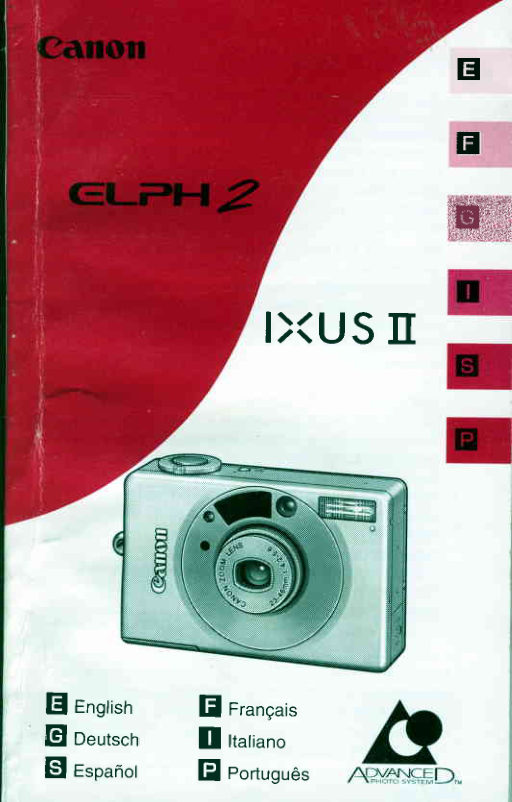
Canon ELPH User manual
User manual for Canon ELPH. 28 pages in Portuguese. Read the original PDF, download or print a copy without registration.
28 pagesPortuguese3.1 MB PDF
Loading your manual…Open PDF directly
Document details
- Brand
- Canon
- Model / document
- Canon ELPH
- Document type
- User manual
- Language
- Portuguese
- Pages
- 28
- File size
- 3.1 MB
- Category
- Film cameras
- Document date
- Not specified in catalog
Search available document text
Find a term, then jump to its page in the original PDF. Image-only pages may not be searchable; check the PDF for exact wording and diagrams.
Page 1 · Read text
tr

                  E
                          ffi
       I><UStr


E Engtisrr     fl  Frangais
Gl o"rtr"r'         I  ttutiuno
El rspanot   E Portugues
View original page 1Page 11 · Read text
tr                      Press the main switch.           To avoidobscuringthe image with your fingersand to
                                             I  The lens cover opens and the        ensurea clear sharp picture,take care to keep your
                           lens is zoomedout to the wide-      handsand hair away from the areas marked. below.
                         angle setting(23 mm).
                                             I  The flash is set to automatic                           . AF emitter/sensor                                                     . Flash
                            flash operation(Auto mode).                    . Lightmeteringwindow
                             (--+p.27,28)                                                                                                                                                         . Lens
                                             . lf you pressthe main switch
                         again,the lens retracts,the lens
                        cover closesand the camera
                         switchesoff.
                                                  Holdthe cameraas shown below when takino
                                                           pictures.

 Checking the Battery Power
 Checkthat the batteryiconra  appearson the LCD
 panelwhen you switchthe cameraon.
   crt   (on)    The batteryis fully charged.
  q    (on)     PreParea new battery'
  -{a   (blinking)Installthe new battery.(-+ p.15)
 A new batterygenerallyhas sufficientcapacityfor
 ten 25-shotfilm cartridges(basedon Canon's
 StandardTest Methodwith normaltemperatures
 and with the flash used for 50% of shots).
              . Use one CR2 thium battery.
              . Always check the battery capacity before using the E        camera.
              . lf you are travelingor intend to take many pictures,
         take a supply of spare batteries.The batteriesmay
        be difficultto obtain at your destination.
              . lf you take a number of consecutiveshots using
         the flash, the battery power may drop off
         temporarilyand preventthe LCD panelfrom
         displayingdata correctly.lf this occurs, switch the
        camera off and wait a few minutes before
         switchingit on again.
E-ts                                                                       El-tq
View original page 11Page 17 · Read text
Changing the Flash Mode                                                                   tr                                          E    ,  Ftash ON ModeRed-eye Reduction  Function
When you use the flash to take photosof peoplein           In this mode, the flash fires regardlessof the light
low-lightconditions,their eyes sometimesglow red         conditionswhen the pictureis taken. Use this .ening
 in the photograph.This is referredto as the red-eye         for fill-inflash in dayrightor to softenthe ouflineof theeffectand is caused by the light of the flash being          subiect.
 reflectedoff the retina.
 In @ mode,the red-eyereductionlamp lightsfor
approximately1 second beforethe flash fires.This
causesthe subject'spupilsto contract,minimizing
 the risk of red-eye.                                 -l
i =   ;ffi;; 6;;a;F;;J;;    A;tridiE,;;iil
i   lll     operationis delayedfor approximately1 second to  i
i       neightenthe effectivenessof the lamp. To.make     I
 i          tfre shutter operate immediately,use the 6 Outton i
 i         to select (t) mode (-+ p.28) and then take the        i                              Set the flash mode to    l   .
 i        picture.                                                                                       i                                                           . Pressthe 6 buttonuntilthe
                                                                                         pointer ..   is below the  t  icon i;    hF't6Tsuia;1ft;ffi-Gina-ih;;A:;F           i                            on the LCD oanel.
 i  ljl   reductionfunction                                                                   '                                                           . Take the picture.
         1. Becausethis function is not effectiveunless the
          subject is looking directlyat the lamp, attractthe                f  t\'-
          subject'sattentionso that he or she looks at the          o  E    i,  onte
         camera.
         2. Takethe picturefrom within 2 m (6'6 ft') of your
          subject.
         3. The effectivenessof the red-eye reduction
          functionvaries from person to person.
         4. Set the lens to the wide-anglesetting.
        5. Raisethe ambientlight level as much as
          possible.


El-:o                                                                   El-:r
View original page 17Page 18 · Read text
trtr €) FlashOFFMode                                      tr Ei @,  StowsynchroModewithRed-eyeReduction
In this mode,the flashdoes not fire regardlessof how       This functionis usefulwhen you are taking picturesof
                                                peopteagainsta sunsetor nighttimebackground.Thedark conditionsare when the pictureis taken.
Use this modefor sunsetshots,for placeswhereflash      combinationof slow shutterspeed and flash illuminates
use is prohibited,or for avatlable-lightphotography.        the subjectwhile still capturingthe background.


                        Set the flash mode to  et  .                               Set the flash mode to El.
                                               . Pressthe 6 buttonuntilthe                                                                 . Press ttre 6 button until the
                           pointer^a. is belowthe @                                       potnter .L  is below the El icon
                           icon on the LCD Panel.                                  on the LCD panel.
                                               . Takethe picture.                                                                                 I  After approximately1 second,
                                                                                         pointersappearunderthe @
                                                                           and   I  icons.
                                                                                                'F,                         . Take the picture.                                                          o  E      oot.


        warning),set the cameraon a steadysurfaceor use   i
View original page 18Page 28 · Read text
Type: 1X240fully-automaticlens-shutterAF camerawith built-in     FlashRange:                         tr
  zoom lens and magneticlX functions                       ISO100   Wide-angte:0.45to 3.0 m (1.5to 9.8 ft.);
lmage Size: 16.7 x 30.2 mm                                               Telephoto:0.45 to 2.2 m (1.5 to 7.2 ft.)
Lens: Canon 23-46 mm t14.2-5.6lensActive/passivehybrid         ISO200   Wide-angte:0.45to 4.2 m (1.5to 13.8ft.);
  autofocus                                                         Telephoto:0.45to 3.1 m (1.5to 10.2ft.)
Shooting distance: 0.45 m to -                                    (usingcolor printfitm)
Shutter: Combinationapertureand program                     Flash Recycling Time: Approx. 6 seconds (with new battery)
   electromagneticallydrivenshutter                           FlashMode Selection: Usingflash mode button
Viewfinder: Real-imagezoom viewfinder                 O Auto flashwithoutred-eyereduction:Firesautomatically
Coverage: Approx. 86%                                                                                in low lightand backlitconditions                                                                      ^
Viewfinder Information: Pictureframe,AF frame,Close-up            (?) Auto flash with red-eye reduction:Fires automaticallvin
  frame                                                      low lightand backlitconditions
Viewfinder Eyepiece:                      @ FlasnON: Firesfor all shots
  Green indicator  Combinationcamera readyindicatorand    @ FlasfrOFF: Neverfires
                    proximitywarning              @ Stow Synchro:Fires for all shots (with red-eye reduction)
  Orangeindicator  Combinationflash ready indicatorand        lmprintingFunction:
                 camerashake warning                     Type:Automaticcalendarwith built-inLCD panel and quartz
Film Cartridge Loading: Automatic(automaticblankfilm               digitalclock (programmedup to 2029 with automatic
   advance)                                                       correctionfor leap years)
 Film Advance: Automatic                                         lmprintedData; Date only/date+ time, and title (5 selections
 Film Rewinding: Automaticat end of film;mid-rollrewindpossible       in 6 languages)
Frame Counter: Countsup duringfilm advanceand counts         Charactertypes:Dependenton processinglab specifications
  down duringfilm rewinding                                                                 lmprintingcolor:Dep_endenton processinglab specificatlons                                                                   ^
 Self-Timer:Electronicallycontrolled10 sec. delay timer         CustomFunctions: O RealtimeReleasesetting
   operatedfrom the shutter button.The red-eye reduction              @ Flash mode memory setting
   lamp on the camerabody front flashesduringoperationand                     (O Automaticfilm rewindsettino
   the frame countercountsdown the remainingseconds.       PowerSupply: One tithiumbattery(CR2,3V)
 Metering Range:                                    Numberof Shots: Approx. .l0 cartridgesof 2S-exposurefilm
  AUTO and FlashON modes:                                (normaltemperaturewith 50% flash use)
     Wide-angle:1/800at f/18 to 1160alll4'2                 Dimensions(W x H x D):87 x57 x24.5 mm (3.4 x2.2x1.0in)
     Teleohoto:1/900 at tl34 to 1/90 at f/5.6                    Weight:170 g (6.0 oz.) (exctudingbattery)
   FlashOFF and Slow SYnchromodes:                   RemoteControl Function (using RC-S,option):
     Wide-angle:1/800 at f/18 to 2 sec. al 114.2                 Dedicatedremotecontrolsystemusing infraredlightand
     Telephoto:1/900 at tl34 lo 2 sec. at f/5.6                     operatedby the transmitterbutton.The shutter releases
 Exposure Compensation:+1.5 step automaticexposure            aftera 2-seconddelay.
   compensationin backlitconditionsif required                  Operatingrange:Up to approx.5 m (16.5ft.)
 Film Speed: ISO 25-10000,set automaticallyin 1/3-step           Batterylife:Approx.6000 times
   increments
 Built-in Flash: Internalflash fires automaticallyin low lightand        . All data are based on Canon's StandardTest Method.
                                                                                                                . Subjectto changewithoutnotice    backlitconditions
El-sz                                                                El-s:
View original page 28Related documents and language editions
From the M. Butkus archive. Original publisher and archive notices are retained.
Check the model and edition against your equipment.
PDF verified 2026-10-10.