Camera accessories
Canon FN motor winder User manual
User manual for Canon FN motor winder. 43 pages in English. Read the original PDF, download or print a copy without registration.
43 pagesEnglish2.8 MB PDF

Loading your manual…Open PDF directly
Document details
- Brand
- Canon
- Model / document
- Canon FN motor winder
- Document type
- User manual
- Language
- English
- Pages
- 43
- File size
- 2.8 MB
- Category
- Camera accessories
- Document date
- Not specified in catalog
Search available document text
Find a term, then jump to its page in the original PDF. Image-only pages may not be searchable; check the PDF for exact wording and diagrams.
Page 3 · Read text
Canon AE Motor  Drive FN                                                                                                                                                                                  . . . . r _ a -                    . , : i . . 1 .                  . r r : r
The AE Motor Drive FN is designed as an integral   h H u'j.[l&: t)h:L a:"d L.* t. + \, / > AEt -t
part of the New Canon F-1 system. Attached to the      -                                                                         f.'t 17FN 6-  t-*P    / >F 14ffia7  I )vL eEJ|camera,this accessoryredefinesthe meaningof au-
tomatic in motorized SLR photography by providing       I 3 I  (l*E   (', F E flf"35r ?/) E;8Efifi# 3 -t rt                                                                                    -al-you with automatic film winding and power rewind-    ffikU+6C b, 7 4 )vL HE,# 3       t L-Cz =t7 )vE
ing as well as shutter-priorityAE, the ideal exposure    frh t r,=a-+P./  >F-1t,> \,'vt-lEft,AE€-   f.
mode for shootingfast action.Three separatepower                                          -f                                                                                   t  ft n\t 44#AE& lffii<  u' *    . * t-, tft.7*ffirH,Ptr
sources, the Battery Pack FN, Ni-Cd Pack FN, and                                             H!r: liu'U(the High Power Ni-Cd Pack FN, are availableto suit
your preferenceand the shooting situation. With      tt|)   -,  Efift|00tid)tfi7=.ttd\VLT6*}E':   :,.,t
Battery Pack FN or High Power Ni-Cd Pack FN, se-        t l/t74 )VLf r2t\-f;y"iiFH.--*dtt-(U,afr>4?D
quential shooting at up to five frames per second    6 jft.7=.t*.|*(,lil-o  (' 3 6 J ) (: a,  (  t. * t.is possible;the Ni-Cd Pack FN advancesfilm at a
maximum 4.5 frames per second.The motor drive is
equipped with two  shutter buttons for maximum
ease of  operation when shooting in  either the
horizontal or vertical format. and a remote control
socket.


                   donated to www.butkus.us                                         -
View original page 3Page 7 · Read text
Specif ications
Compatible with: New Canon F-1.                 Shooting Speeds:
Construction: Motor drive section with a film driv-      \-_lvlooe   Selectoring motor and provision for converting the camera                     S              L      H
                                                                            (single) (low)   (high)to shutter-priorityAE; separate battery section.             , o*",. s o.rr"--i--------
Shutter-Priority AE: By attaching the motor drive
                                                        Battery Pack FN        1 frame 3.5 fps 5 fpsto the camera and setting the aperture ring of an FD
or New FD lens to the "A" mark (exceptwhen shut-    Ni-Cd Pack FN         1 frame 3 fps   4.5 fps
ter dial is on "8," "A," or " l"l   .                     High Power Ni-Cd Pack
Attachment: To tripod socket of camera after re-   FN                    1 frame 3.5 fps 5 fps
moving the winding coupler cover, the AE coupler     -                                                Using new carbon-zincbatteriesor a f ully-charged
cover, and the rewind coupler cover on the bottom                                                Ni-Cd oack.
of the camera.
Shutter  Release: Three shutter release buttons   Usable Shutter Speed Range:
(horizontaland vertical f ormat plus camera's) are     Mode Selector       Shutter Speed Range
available.With release button locks. Safety circuit                                                    H           1/2OOO- 1/60 sec.prevents shutter release when camera's or motor
drive's battery power is insufficient and when warn-            L          1|2OOO - 8 secs. (except "8")
ing lamp lights up.                               S          1l2OOO- 8 secs. (except"B")
Power Source: Battery Pack FN for size-AA bat-
teries (size-AA Ni-Cd batteries cannot be used); Ni-
Cd Pack FN and High Power Ni-Cd Pack FN with
built-inNi-Cd batteries.

                donated to www.butkus.us
View original page 7Page 8 · Read text
Shooting Capacity-:                                      of film is rewound in about ten seconds.Manualfilm
                                                rewindingis also possibleusing the rewind crank of
                    At Normal Power Source                                                    the camera.                Temperatures   At_'z?.:
                                                   Battery Check: Possiblewith the Battery Pack FN.
                                 approx. 5 rolls     Three-stagedisplayaccordingto battery voltage Battery Pack FN approx. 50 rolls     -                                         Remote Control: Various external control devices                               r't                               ]!"!r     are available.Connectedto the 2.5mm-diameterre-
 Ni-Cd Pack FN  approx. 3O rolls  approx.5rolls     mote control socket.
 High Power                                 Power Source of Camera: Possiblewhen using the
                approx. 5O rolls approx. 20 rolls    High Power Ni-Cd Pack FN with the Battery Cord C- Ni-Cd Pack FN
 .Using                                      FN.       36-exposurefilm with the mode selectorat
                                             Dimensions and Weight:   " H "
                                                     with BatteryPack FN:Manual Film Advance: By turning off mode setec-
                                              157( W ) x 1 2 7 H \ x 8 2 ( D ) m m ; 8 4 5 9 . i n c l u d i n g1 2tor and using camera'sadvancelever.
                                               size-AA batteries. 16-118" x  5"  x  3-1 14":  29-Frame Counter: Reverse-countingtype. Functions
                                                   1 3 / 1 6 o z s . )independentlyof camera frame counter. Automat-
icallystops at "0" and warning lamp lights up.         with Ni-Cd Pack FN:
                                                   1 5 7 ( W ) x 1 1 8 ( H )x 7 5 ( D ) m m ; 6 0 8 s . 6 - ' 1 1 8 "x 4 -Frame Counter Setting: By settingwheel, Automat-
ically resets to "S" when reset button is pressed      518" x 3 " : 1 7 - 1 5 1 1 6o z s . )
Power Film Rewinding: By means of power rewind   with High Power Ni-Cd Pack FN:
lever. Power rewinding stops as soon as the film    157( W ) x 1 2 - 1H l  x 8 2 ( D ) m m ; 8 6 5 9 . $ - '1 1 8 " x 5 "
leaderclears the take-up spool. A 36-exposureroll    x 2-7 /8": 30-1 12 ozsj
                                                               Subject to change without notice.

                   donated to www.butkus.us
View original page 8Page 11 · Read text
Before mounting the battery pack onto the motor          | . t t'y 7  t) -   t f'y 2 FNO,I l.y 7  |) -  v  lj r>Hyt  ) tl U >
  ive, load the batteries- The battery contacts should         ./r-  t X.Elthftl:}s 1-,./t.'/7 t)- v )j r> &El 3 fr
be wiped with a clean, dry cloth before loading to                                                             L & 9 .
prevent corrosion from dirt and fingerprints.                                                                            l. tt.yIt) -z r,>At-;E,3 n<\'a-BL-lit->T€,fr.
  Slide the battery magazinereleaselever in the d'-     +^tL<  ( /:'d r.. (DLeo>tAl36f"3iEi* T t  , +
  rection of  the arrow and remove the  Batterv        -t   -   | -47 ftlFahL*t /-.  Magazine          FN.
                                                  3. t t.y7 tI -z   ti ) > IA*f,a X UPAI  t: L ( E;OH{:  Following           the diagramson the inside of the bat-
  tery magazine, load 1 2 size-AA batteries. Make           *      l t \ t  & 9  -
  sure the terminals are facing in the correct direc-
  tions. lf incorrectly loaded, the motor drive will
  not oDerate.


                 donated to www.butkus.us
View original page 11Page 12 · Read text
3. When all the batteries are loaded. push the bat-      r €ruttFAT  6 t 3 B, trJ-ffitbat#ifi €)dA t zA
   tery magazine back into the Battery Pack FN until    HHL(  ( /:'du,.
      it is again in the fully-seated position. lt can be                                      a 13uv >ri >E-,fr.7 )r,  t)v > li >E.fuau,T tr   inserted in only one direction.
                                                   6f*ffi("3 *f.
Notes                                                                     I +34Ni-cd€)ot*fFHr g * if A.1. Always replacethe batteries with a f ull set of 1 2                                   T  new size-AA carbon-zinc or alkaline-manganese
   cells, all of the same brand.                  HL(  ( /:"du'.
2. The batteries should be removed whenever the
   Battery Pack FN will not be used for about three
  weeks or longer.
3. The Canon Ni-Cd Pack FN and High Power Ni-Cd
  Pack FN are rechargeablepower sources for the
  AE Motor Drive FN. Do not use Ni-Cd batteries in
   the Battery Pack FN.


                   donated to www.butkus.us
View original page 12Page 13 · Read text
Checking  the Batteries  (Batterv Pack 'FNf       EifiQf   t.y)  Q:.ylt)   -ti.y 2FN)
The Battery Pack FN  is provided with a  battery        t t'y7 t1-f  Ty t rf t > t +q-fL,->7 (L ED) d)t-
checker which indicates the battery power at three       (: J :(€;d€  IE&tsA : L ritS  * ?".
levels when the check button is oressed. Refer to                                               T*.t4tt-L((/:dr'.the followingtable:
                                                               f*e,.+.'if   €JE++. €tlgtl4crzi+.
                                                                           fi4.*,if      *€.  t*4€;0H.e.*.                Okay; no battery change Green                  required.                               .#.tTL /l t,    €)dfl4rW'*
                                                  .L,j/,frD.L(_/\.yt|)-tt.yt                                                                                                  t|jr,  * j-L, EEtt                 Caution; batteries are weak and Red                       will soon need replacing.             alfrfrh:IE</Jt)lTa<"r;iH   ( /:'d t..
 No illumination  Change batteries.
 'Because          pressing the check button uses battery
  power, excessrve checking of the batteries may
  reduce their life.


                 donated to www.butkus.us
View original page 13Page 15 · Read text
',;/7/:;i
"1@irlng1A;*a;iihelil*::b:ii&;:i,;i':':,',,,:t;:;',;',:"',',,;,.:,,',,',;';;,,:,,The batterv in the camera cannot be removed once         | . +34+2€iUt   | z^lts-</. l,f:t t'y7 t1-  t t'y 2 F N
the motor drive is attached. Therefore, always check       tffiHa,  1ft7=t+-f !.v2  t -h;OFFliuEt:/lr(
the condition of the camera's batterv before mount-                                                     r\6: L ?AE="EL*?-. Ni-cdzf.y2FNbJU/\1 )5.ing the motor drive. Refer to the instructionmanual
of the camera for procedureson checking the bat-      ?-Ni-Cdzf'y2FNt !1Td)+lilF('Hlt)4+lJ6:  a
tery.                                                                                                          .11l.7.,/ J     \ C &- d y+ . -t
CAUTION: Do not mount or dlsmount the motor    2.h/ -^l6lx*Eot#3ELhJ--h/  r-C), AE'
            drive when film  is in the camera. This      J--h)r-e)fr-J u#3-t[f hz z-nt r-Oa
         may expose the film to light.                Htr)tft-*T.
U s i nga clean, dry cloth, wipe the motor drive termi-
nals on the bottom of the camera and the contact
prns on the motor drive to ensure proper contact.
                      G\                                                                                                 \*=*""/
                                    +
                                                   ,a:\
                                         N-j\-;-/
                                                                                                          I
                 donated to www.butkus.us  @
View original page 15Page 16 · Read text
1. Make sure the mode selectorof the motor drive 3. #3 E L h 7 I - h t r-(f- L AEh 7' -- h/ r-@) 2
is OFF. E'trr<h, \BaJ i l:E[q 3 LL< t- t - | - 4 7
2. Using a coin, unscrew the rewind coupler cover @'/i'y I h / r-^)vr-(:+1trfr L,'t a-Lh' 4#3 @, tne AE coupler cover @, and the winding
Ltf h7 -_h/r_oa =1>+Tft6aJ->tJ*T. coupler cover @
3. Then put the rewind coupler cover @ and the 4.+-t - F - 4 7 DInE)*.b(> t h / -o(iE,*.
AE coupler cover @ into the socket cover holder d)tteb+t, +-t - | - 4 7 r&ElsaB'-t)4-ltJ+
of the AE Motor Drive FN as illustrated,and -r , t @a < ftal:I'q r,t4t LJ* . screw the winding coupler cover @ into the Wt)(-llJow, t- t - f' -24 7 at" t)'vJh; h t j socket.
4. ,Alignthe positioningpins of the motor drive with a 7 | -'y 7 F,#,< 4A[* aL'J i t: tiH L( (
the positioning lroles of the camera body and / - c l ' .
turn the attachment screw at the bottom of the
motor drive.
donated to www.butkus.usView original page 16Page 17 · Read text
Note: When mounting the motor drive, make sure    5. T-t-  F-4 7 a€Bfi.vtt-tt|F.lLEt)U<^?
      the camera's neckstrap ring does not lie be-          - t h t R i 6 J i l : t * f .
      tween the camera body and the motor drive's                                                              $. t t'y /   t) -  t f'y 2 FN(*  /: IJN i-Cdrf 'y 2 F N,  t r 4  t t
       grip.
                                           ? -Ni-cdzf 'y 2 F N)OIiE)*.e>c > t r-    t - F t        the lock lever of the motor drive to the left5. Push
   so its red dot can be seen.                      4 )aIn?)*.&)t,    *iJ u+*.F.*I]aAf?ii * ?-.
6. Align the contacts of each section and the posi-    7. ffi Efrvt ; -  t RElth Ftt.lit) L < h' ir, € iF *fJE,*ll t-
   tioning pins of  the Battery Pack FN (or Ni-Cd                                           b 6WI ) lffi +,   t = 4 >+Ttfrd)2 U *'{  .
  Pack FN, High Power Ni-Cd Pack FN) with the
   positioningholes of the motor drive.
7. Push the lock lever in the direction of the arrow
   and, using a coin, tighten the attachment screw
   at the bottom of the battery pack.


                 donated to www.butkus.us
View original page 17Page 19 · Read text
Settinq  the Frame Counter                       7.{ )vLfir>?-@E.y      l.
1. Press the f rame counter reset button before load_       | . 7 4 )vt^&#<LT 6ffilht  >t -t) t:.'y| rt t >
   ing the film. This will return the frame counter ro     UryU*T. h)>t -{JSA*zrt-t-f .
      J .
                                              2 . h . / - 1 t 7 4  ) v L & # <   / ^ , L , H # t & > [ J l , *   *  t E2. Open         the camera back and load the film. Insert
   the film leader into one of the slots in the take-     tr9Le C*.'f. taF#, h./-lFJJa>y'y9-rt9>
  up spool and, using the camera's film advance     &1E-ffiU,+Er(.#3_ti  21i->(  ( /:'d r"..
   lever,advance one frame of film. Make sure the
   sprocket teeth engage the film perforations.


                 donated to www.butkus.us
View original page 19Page 20 · Read text
Then close the camera back and take two blank    3
shots. The frame counterwill read "36."               It36t--"--^U*T.
When loading a roll of film with fewer exposures     x24+9.&>7au.[Jl2ft]FU 07-t )vLt:{Fffi  t:a 6
than 36, such as 24 or 1 2, first follow the steps                                     W$, P.ELFr1FIht,z+ )vLhr>t-12'z    l'fabove. Then push in and turn the counter setting
wheel in the direction of the arrow until "24"  or        7 t#T+4 L L Air h\ 4 *.Ep}- ri3r: E t-< 24b 6
"12," tor example,is alignedwith the index.            t\tJ12tE"/ l-L*?.  :0)+6F(., frYT6tf+t
                                                      f:lJt&Ytf 4:   t  t ("3 *3_.


                 donated to www.butkus.us
View original page 20Page 21 · Read text
Notes                                                 aht>t-at'y              l. tF"liEi  7at 7 4 )vLatf   -7    t
    1 . T h e co u n t e rse t t in gwheel will turn only in the di-      V - 2 = > t \ f r . o < L * ) : L h \ b t )             * T A < " ,   * W
       rection of the arrow. lf you turn past the lglphar
                                                                   o't'()ttr*f'Jt)*e.$\lPfr)fi29-Et'v           l'L/Ju'      you intend to set, press the frame counter relli
                                                                                ("(  t'd   tt.       button and start over from "S."
    2. Do not set the frame counter to a number larger    a+-r-     F-47F,1!A74  )VLht>r-(,t,       h./   -
      than the number of frames of the film.  lf the       o1$HirF*lur/:1tflE("66:31[f*{f        l:!.->7.g-3*
      counter is set to a larger number and the film        +)-                                                         4  t   '      ends before the frame counter reaches "0,"  the
        film perforationsmay be torn.
     3. The frame counter of the motor drive is a re-
      verse-counting type while that of the camera is
      an additive type. Consequently,their readings will
       not be the same.


20
                   donated to www.butkus.us
View original page 21Page 22 · Read text
''   :..:::'                                                                               ::,.,:,,::: Shooting                              2+v9-'14*,AEt&7st
l. Shutter-Priority AE Photography              AE+-t -F-47   a*.3/r++lila-2tt,    - t-F-1
One of the primary functions of the AE Motor Drive      t'-, +'v t - 47ft AEh./ - LA.IWf6 :  t TT. 1:)Ta
                                                                               -(FN is to convert the New F-1 to shutter-priority au-                                                > +,'v 9 - IEft, Aa!&Y.tt'ti = -c ( /:' d u..                                                          +)tl1t,1it->tomatic exposure (AE). This AE mode is possible                                                                                         | .{FffiFD>>/aftiL)  t) >2& Az-2  t-ft|2tJ {V.only with an FD or New FD lens. Note that,  in
general,center-weightedaverage metering is recom-    2 . t -    f P . > t ? - t E ' y    l . L * t .  L v   l T 6 W L t ,
mendedfor AE photography.                     4 7 )V+LL,El-:iFr./tir'rE L *t.
1. Turn the aperturering of the lens, while pressing
   the AE lock pin, until the "A"  mark is aligned
   with the distanceindex.
2. Set the desired film driving speed by pulling up
  and turning the mode selectoruntil "S,"  "L," or
   "H" is alignedwith the index.


                 donated to www.butkus.us
View original page 22Page 24 · Read text
3. Set the New F-1's shutter dial to the desired    4. 2 +.yt - rFt > t44< +FL (, 7 z I > ? -Ft<"Efr
          shutter speed. The shooting mode determines     trqanL*-{ . ./ -  t -+aftlh.R H gfi v- 2 (, x->
        which soeedscan be used:                                (  t' /J(t ?r{i' +F7"tftElfrU,TT. tF$t ri g fr  ')' - > t*r
         Mode Selector          Shutter Speed Range               t:,I.-l( V ALBE|,ffi, >,r'y ? -?4 7 )v t lA L <
             H              1/2OOO- 1/60 sec            +Allh\',/->tl(-*6  t  ) t- L(  ( /:'d t'.
                 L               1/2OO0 - 8 secs         aF Dv > ^D)tf o v > 7 T (* >,+'y ? - 4FfrAE+ffiFiA
                                                              (.3 * i1l..              S               1/2OO0 - 8 secs.
                                                               Itttvz  j&.7=i[th./-^1  a.,2f 'y? -fi?>-ci7c-(
      Note: The "8,"  " V"  and "A"  settings on the dial          ( /:'d u'. +-   t -   f - 4 7 IF.t)o>t,'y I -  fr 9 > t            cannot be used with shutter-priorityAE.                                        +FTt,  2 y'y 9 -zC-   t''{*fmorf4(-/tt) *T.
        4. Look into the viewfinder and lightly press one of                                        aFDv>A, AE714>?-FN, AEE-t-   f")-f7FN
         the shutter buttons to get a meter reading. The                  -f        meter needle will point to the f/stop the camera           t lXffi  4 t,   fii UZ 4F fiE-r)A Effi a>ie56E E^g("4
        has selected automatically.For correct exposure,           f -f JF 2 . 8& I) /)\f,ll-t)'lq)lt'lfllfr ffi ( /:' d t"..
         the meter needle should not be in either the over-
          or underexposurewarning zone. lf  it is in either
         zone. turn the shutter dial until the meter needleI      moves out of the warning zone.
        5. Press the shutter releasebutton all the wav downI           to take the oicture.


                                                                                               23
                     donated to www.butkus.us
View original page 24Page 25 · Read text
Notes
    1.  lf there are no batteries in the motor drive (Bat-
       tery Pack FN) or if loaded and their voltage drops
      below operating level (Battery Pack FN or either
      Ni-Cd Pack), shutter-priority AE photography is
      impossible.In this case, setting the lens' aperture
       ring to the "A" mark will lock all shutter buttons,
      thus  preventing shutter  release. To use  the
     camera manually, simply remove the lens' aper-
       ture ring from the "A" mark and set an aperture
        in the usual manner.
    2. Shutter-priority AE is possible even if the mode
      selector is OFF as long as the lens' aperture ring
        is on the "A"  mark. In this case, the film will not
      be advanced automatically and the shutter must
      be released with the camera's shutter button or
      the motor drive's vertical-positionshutter button.
    3. When the AE Finder FN is used in conjunction
       with  the camera and motor  drive, continuous
      shooting is possible in the stopped-down AE
     mode. For correct exposure with an FD lens, set
      an aoerture smaller than t/2.8.


24
                   donated to www.butkus.us
View original page 25Page 27 · Read text
ll. Manual Override                                                        . v>7aft\L) t)2?t Az -  t h"rtlt   z.h ./ -   The New Canon F-1 functionsas a manualexoosure
                                                   $.2- t7)r&t,F-t)*T.  7 r4 >t-6t-C*€   camera when the lens' aperture ring is moved from                                                                                                                -                                                                                    t7 )vtFFltli  ->T    the "A"  mark. In this case, simply determine the            It h:fi.n *.t a T&H o z
    correct exposure in the usual manner by  setting            ( /:'d t '.
    both  shutter speed and  aperture, matching the           .  t-    f tv2 t*hro7aIi?at56-7    t  , v>^    meter and aoerture needles in the viewfinder. For                                                          h:Av -  t L-t'y  I d tr1( t'a;tF\t) >,t,'y ? -lgft    further details, refer to the instruction book of the
    camera.                                                    A'Lffi.Y.tri4 kETt  . t-f'- L8 3 I(f  [i+Ah L lt, )
    Note: Use the shutter button on the camera when
          shooting with the shutter dial on  "8."   lf       -                                                                t_i  _1h,4€.]1LARt)^T  t,  :.,t.y t _ 7L"_ I_[J           either of the motor drive's shutter buttons is
          pressed, the shutter speed will switch auto-     A€thtL4#MtfrilifltrtL)*T.1Fffi('3  az c-    f.'fi
                                                                                                               tl          maticallyto 1/1000 second.                 Y^rut'!h' b                                                                     nt) * 7, ",  " ( ti,)t'r)*j J u " B'( T . f , t'. l-
       lll. Mechanical Operation                           ,E-t  -                                                                                                              -fit   >[i{Fffi(.3                                                            F747|Fllaz)a:./!.'/t
   When the battery is removed from the camera, the                 'E-                                                   *t1".  */.-,        f P>tt-htH.Lt-tz'y FAn<   New F-1 switches to mechanical shutter control. ln
    this case, only single-framephotographyis possible       t \ < tr -   f v +&t) t  tt t) * T .  :.,+ "/ t  -  lBft, Aatfr.7x.t
   even if the mode selector on the motor drive is set     tth./ - t:€;,oii,\-r11r{r"r1$f [J(.3 *11'A.
    to  "L"  or  "H." Only the shutter button on the
   camera can be used to releasethe shutter. The me-
    chanically controlled shutter speeds are 1/2OOO to
    "11125 sec., "  f   "  tltSO sec.) and "8." For further
    details, please refer to the instruction book of the
    camera.
26
                   donated to www.butkus.us
View original page 27Page 28 · Read text
Shutter Release                          2+'y 9-X.9>
Two shutter buttons are providedon the motor dnve   AE+-  t  -   f - 1 7 FN{i, h./ ) at+z-h r,:E t> ta.
for maximum ease of handling.For horizontalshots,    1Fffi(3 6:.,!'yt-^t>t1ffii<    r.'*f.  h./ - &
use the shutter button on top of the grip. Use the                                                *Et:tEi   /: t 3 [t2 1)'v z'L*(:a'-. +'y g - rt ? > h:shutter button on'the side of the BatteryPack FN or
Ni-Cd Pack for  vertical shots. Of  course, the     1Fffi('3,  ftdLt#xf, L 3l*€;,FglJ,fFtJHot'-/p.y t  -
camera'sshutter button can also be used.                        fi t >hrlFffi("3 * j_. b b 4 l"h./   i irF.t)a:..+.y I -
                                                            * 9 >a' Ltft.Y.tT6 :  t rr( 3 * j-.


                 donated to www.butkus.us
View original page 28Page 29 · Read text
The shutter buttons are provided with lock levers.     T.ffiHa tii'y   t  - v t) - ^ t\h (f,&>(,&:z +"y9 -
The shutter button on top of the grip can be locked       fi t > t,t*n.v 2 l#tfrh\EilJ6 tt.( u. * T . tr'y2 ah
by pulling up and turning the mode selector to OFF.                                                  )*.ft^ajEc)T-{.To lock the shutter button on the battery pack or
Ni-Cd pack, turn the lever so the red "L"  is aligned    h./ )a2+'y,  -it>...... n'y2 vt t-  t
with the white dot. This is recommended to prevent                         Lt:ebt*T.
accidentalshutter releasewhen carryingthe camera.    E-t-   f^-47?t).yJ'.....E- F iz v2  , -t
The three shutter release locking devices function     'tEIS/;:z+,'y9-^t  >     OFFi:A/2tt * ?-.
independentlyof each another. Even if the camera's                                         € iF *ll,fFllffid)f,itftrEffi...-.. v  |) - ^ fr t > tlE, a frshutter releaselock lever is aligned with "L," for ex-                                                         :,,\,'yt-rI\t>             t\*L" AE,F.C-€b1t'*.ample, either of the motor drive's shutter buttons                                                      'a-
can still be used to releasethe shutter.


                 donated to www.butkus.us
View original page 29Page 31 · Read text
Rewinding  the Film                  7 r )v/^egr,s$FL
Film winding stops automaticallyand the warning   7 4 )vLht>t  -ht] t^TL=E->Jb;.f,'ll   L(
lamp lights up when the frame counter reaches"0."    6 5 _L.ftr\ HEi4E)LU *T.  - >J hr Akf L /: af (1: H
Rewind the film immediatelyafter the lamp lights                                               4h+3Rl,t*lEtii->   (  ( /: d r.. +lrlFtJ4d)Ect(?.u o .
1 . Pushingthe lock releasebutton, slide the power        | .qaa  *  i  r:, n .'/2 B+Wt',t > & +4Li^at1j hr 4,
   rewind lever in the direction of the arrow as    HET#3
  shown until  it locks. The motor drive's frame     7 - 4 F 3 i J * ? .  - E n . y r d n n 6 ,  + F t B $ L (
   counter will automaticallv return to  "S."  The                                           b f- I,t Zh  I) * t  /.. *F.+Ar;n t > t +qL L e, tr  warning lamp goes out and power film rewinding
                                        ht4<a*  ivtr-frzt-r  F a +t6 -  t t.& t), H   beginsas soon as the lever is locked.
   For quick one-handed release,simply slide the     +<' - a+*lFtl-ra - L r\('3 * ?-.
  power rewind lever with your thumb while push-      x 7 4 )vt^h, > t -ftE grA!t:st:E t) *T.
   ing the lock releasebutton down.


                donated to www.butkus.us
View original page 31Page 32 · Read text
2. When power film rewinding is completed, the     2. e9h6 |R.Lt'+J thri,t  6 - >7  il F.n Ut:o, a
  warning lamp will light up. Push the lock release;        "/, ffiW't.t >++Fe t T. E gr#3 R.Lvt t-11V
   the power rewind lever will return to  its former                                                       aliE-t -R L), EE - > if J ;i5(lL * 1..   position and the warning lamp will go out.
                                      x+Ehr7 4 )vLt+3F-t-  L b(.5 *t.3. Ooen the cameraback and take out the film.
                                          3.H#t7x1ll<7 4 )vLtHYe)frL*-f  .
Notes
1. The f ilm may be rewound manuallyin the usual    ah)>t-f    0 ATTUEE=>zttrF.lfL/:,rt-   F'
  manner.                                    tvtt-toFFt,T6h',       f  ('r:# ?ELt11=T
2. Rewind the  film immediately or  turn  off  the          ( / i d u ' . = E - > i t F . l f   3 t / : *   * t : L ( a l ^ 3
  mode selector when film transport stops and the         *t  L€'fla',i5+€rr+ ( rr U * ?-.
  warning lamp lights up. Otherwise,the warning
  lamp will remain on and drain the batteries.


                  donated to www.butkus.us
View original page 32Related documents and language editions
CanonPDF
Canon Power Drive A2
User manual
15 pages · EnglishRead →
CanonPDF
Canon MA motor drive
User manual
30 pages · FrenchRead →
CanonPDF
Canon Power Winder F
User manual
11 pages · GermanRead →
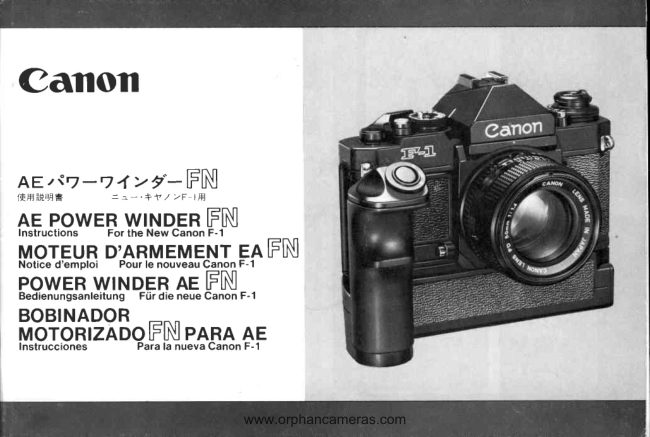
CanonPDF
Canon AE Winder FN
User manual
15 pages · German, SpanishRead →
CanonPDF
Canon MA Winder
User manual
31 pages · Not specifiedRead →
From the M. Butkus archive. Original publisher and archive notices are retained.
Check the model and edition against your equipment.
PDF verified 2026-10-10.