Camera accessories
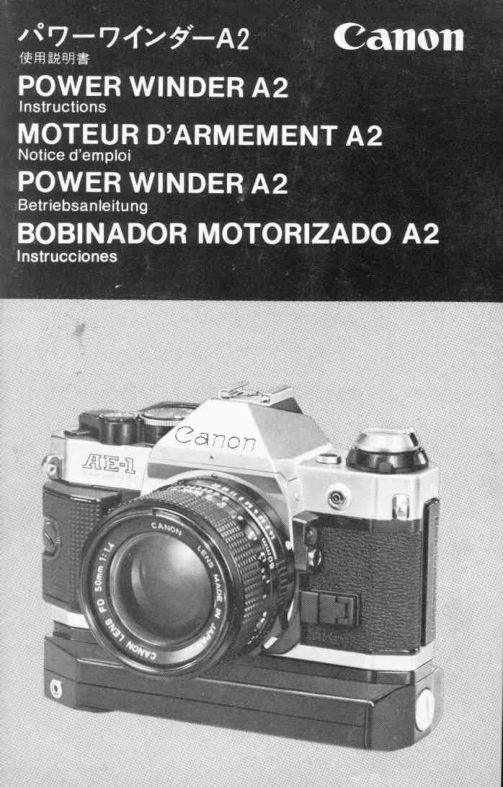
Canon Power Drive A2 User manual
User manual for Canon Power Drive A2. 15 pages in English. Read the original PDF, download or print a copy without registration.
15 pagesEnglish1.4 MB PDF
Loading your manual…Open PDF directly
Document details
- Brand
- Canon
- Model / document
- Canon Power Drive A2
- Document type
- User manual
- Language
- English
- Pages
- 15
- File size
- 1.4 MB
- Category
- Camera accessories
- Document date
- Not specified in catalog
Search available document text
Find a term, then jump to its page in the original PDF. Image-only pages may not be searchable; check the PDF for exact wording and diagrams.
Page 3 · Read text
Tripod Socket Screw
                          Vis de fixation    WinderTerminals
    Contacts
                                    WinderCoupler
                                    Couplage boitier


   WarningLamp
   Temoinlumineux
                  Main Switch
                  Commutateurprincipal
                                PositioningPin
                               Ergotde positionnement

Thank you for purchasing the Canon Power Winder 42.
Designedfor use with Canon A-series SLR cameras, it auto-
maticallyadvances the film at a rate of about two frames per
second. You have only to hold the shutter button down for
continuousshooting capability,or release your finger from
the button after each exposureand the f ilm will automatically
wind a single frame. Compact and easy to use, the Power
Winder A2 automaticallystops at the end of each roll of film.
 It is especially suited for fast-action photographyand ena-
bles you to capture a subject's movement or changing
expressions. Furthermore,when using the A-1 or AE-1
PROGRAM, Canon's remote control accessories can be
attached to the Power Winder A2 thus providing greater
shootingversatility.
Camerasusable with the Power Winder A2 Canon A-1, AE-
 1 PROGRAM,AL-1, AE-1,AV-1and AT-1.

1 2                      www.orphancameras.com
View original page 3Page 4 · Read text
RemoteControl Socket    Tripod Socket
 Prisede t6l6commande   Filetagepour tr6pied
                                  BatteryChamber Cover Screw
                                  Vis de fixation


   Film RewindButton
   Bouton de debrayage
                  Tripod Socket Screw     BatteryChamber Cover
                   Vis de fixation         Couvercledu logement
                                  de piles
                WinderCoupler'sCoverHolder
               Logementpourbouchondu couplagemoteur

Nousvous remercionsde votreachat du moteurd'armement
A2 Canon.Destineaux appareilsr6flex mono-objectif(SLR)
Canon serie A, il transporteautomatiquementle film d une
cadence de deux images/seconde.Une pression continue
sur le declencheurpermetla prisede vue en continu,tandis
qu'en reldchantcelui-ciapres chaque prise, le f ilm avance
imagepar image.Peu encombrantet d'un emploi facile,le
moteurd'armementA2 s'arr6tede lui-memed la fin de cha-
que cartouche.Sp6cialementadapt6 pour la photographie
sur le vif, il permet de saisir les mouvementsfugacesd'un
sujet ou des expressionssubtileset changeantes.
En outre,lorsquele moteurd'armementA2 est combin6aux
appareilsA-1 ou AE-1 PROGRAM,il accepteegalementles
accessoiresCanonde telecommande,ce qui elargitd'autant
le champ des possibilit6s.
Appareils compatibles avec le moteur d'armement A2:
Ca n onA-1, AE -1P RO G RA M,A L-1,AE-1,AV-1et AT-1.
                                                1 3
View original page 4Page 5 · Read text
.;
   Specifications
    Winding Speed: ApproximatelyO.5seconds.
    Operation: When the shutter button on the camera is pressed,the
     winderwill function.                                     'l160                                             to 1/1000 second for con-    Shutter Speed Coupling Range:
     tinuousphotography."B," or any shutterspeedof each camerafor
      single frame photography.(However,if set at "B," AE photography
     cannot be performed.)
    Shooting Modes: Controlled by main switch when the Power
     Winder A2 is mountedon A-1 or AE-1 PROGRAM.
    Two Positions:"C" for continuousshootingat about two frames
      per second. (Shuttercontinuouslyreleasedand film automatically
    wound as long as the shutterbuttonon the camerais pressed ) "S"
       for singleframeshooting.(Shutterreleasedwhen the shutterbutton
        is pressedand film automaticallywound when the shutterbuttonis
      released.)
    When the PowerWinderA2 is attachedto AL-1, AE-1, AV-1 or AT-1:
     Continuous shooting possible when you keep the shutter button
      pressed down at either "C" or "S" setting. Single frame shooting
      possible when the finger is removedfrom the shutter button each
      time you press it down once.
    Film Counting: Performedby the framecounteron the camera.
    Automatic Cut-off Circuit: lf winding stops incompletely(such as
     when the film roll is completelywound)'or if the batteriesbecome
     exhausted,the winderwill automaticallystop and the warninglamp
     (LED)will light uP.
    RemoteControl: Possiblewhen the winder is mountedon an A-1 or
     AE-1 PROGRAMand using RemoteSwitch 3 or 60, or Wireless
       controller LC-1, or IntervalTimer TM-1 Quartz (optionalaccesso-
       ries).
    Power Source: Four AA size 1.5V alkaline,carbon-zincor Ni-Cd
       batteries.
I "  Mounting on camera: By using tripod socket on the camera after
I     tuXingoff the winder couplercover on the bottomof the camera.
,l    Sire, 1 40.8 x 27 .5 x 53.4mm(5-9/16" x 1-1/16' x2-1 /8')
il    weight; 275 s (9-11/16 ozs.)includingbatteries.
                                 Subjectto change without notice'I
I
I,
ri

    1 4                      www.orphancameras.com
View original page 5Page 6 · Read text
1 . Loading the Batteries
Turn the fasteningscrew counterclockwisewith a coin to
remove the battery chamber cover. Use four new AA size
batteriesof the same type and brand.The batteries'contacts
should be wiped with a clean, soft cloth before loading to
avoidpossiblecorrosiondue to dirt or f ingerprints.Insertthe
batteriesas indicatedby the diagramon the bottom of the
powerwinder,and attachthe chambercover by turningthe
screw with a coin. In general,new alkalinebatterieswill be
abfeto wind about 40 rolls and carbon-zincabout 20 rolls of
36-exposurefilm continuouslyunder normaltemperature.
* AA size Ni-Cd batteriescan be used in the Power Winder
  42. Use fully-chargedbatteriesand follow the manufac-
  turer'sinstructions.Fully-chargedNi-Cdbatterieswill wind
 about 60-80  rolls of 36-exposurefilm.
* Load the batteriescorrectly.lf incorrectlyloaded,the bat-
  teries may burst and leak,damagingthe winder.
*   lf the Power Winder 42 will not be used for about three
 weeks or longer, remove the batteries from the battery
 chamberlest they shouldleak.

1 6
View original page 6
Page 7 · Read text
1. Mise en place des piles
A I'aided'une piece de monnaie,tourner la vis de fixation
dansle sens contrairedes aiguillesd'une montreet deposer
le couvercledu logementdes piles; y installerquatre piles
AA neuvesde type et marque identiquesapres avoir frotte
leurspolesavec un chiffon propreet sec afin d'eviterta cor-
rosion que pourraitentrainerI'encrassementdes contacts.
Disposerles piles en respectantle schema a I'interieurde
logementet replacerson couvercleen tournantsa vis avec
la piece de monnaie.En regle gen6raleet par temperature
normale,Ufl jeu de piles neuves permet le transportde 40
cartouchesde 36 vues dans le cas de piles alcalineset de
20 cartouchesdans le cas de pilescarbone-zinc,la prise de
vue s'effectuanten continu.
* Le moteurd'armementA2 accepteles accus Ni-Cd de tail-
  le AA. Utiliseruniquementdes accus neufset se conformer
 aux instructionsdu fabricant.U n accu N i-cd e pleine
 charge assure une autonomiede 60 A 80 cartouchesde
 36 vues.
* Une installationd6fectueusedes pilesrisquede provoquer
 des fuiteset d'endommagerserieusementle moteur.
                             www.orphancameras.com              1 7
View original page 7Page 8 · Read text
ri ,*                                         &

2. Attaxingthe Power Winder to the Cam era
r Remove the winder  coupler cover  of  the camera  by
 unscrewing it with a coin. In order not to lose the cover,
 screw  it into the winder coupler's cover holder on the
 power winder (except the AL-1 ).
o Make sure the power winder's main switch is set to "OFF."
r Before attaching the Power Winder A2 to the camera, clean
  the winder's and camera's terminals with a soft cloth to
 ensure proper contact.
rAttach the Power Winder A2 to the camera by turning the
  fastening screw clockwise with a coin to secure the power
 winder to the camera. lf it takes a while to fasten the power
 winder to the camera while the main switch rs set at "C" or
  "S," there is a possibilitythat the warning lamp will light up
 and the winder may not function; this does not mean it is
  out of order. In this case, manually wind the film advance
  lever once.


1 8
View original page 8
Page 9 · Read text
' Commeelles risquentde suinterd l'interieurdu logement,
 les piles devrontetre retireesdu moteurd'armementA2 si
 I'on ne prevoit pas de I'employerpendant au moins trois
 semarnes.
2. Montagedu moteur sur I'appareil
o Deposerle couverclede couplagedu moteursur I'appareil
 en le devissantavec une pidce de monnaieet, pour eviter
 de I'egarer,le revissersur son support,prevu sur le mo-
  teur (A I'exceptiondu AL-1).
o S'assurerque le commutateurprincipaldu moteursoit bien
 sur "OFF" (arr6t).
o Avant de  f ixer le moteur d'armementA2 sur l'appareil,
 essuyerses contacts et ceux du boitieravec un linge sec
 pour evitertout mauvaiscontact.
o Installeret fixer le moteurd'armementA2 sur I'appareilen
 tournantdans le sens des aiguillesd'une montresa vis de
   f ixationa I'aided'une piecede monnaie.Si I'installationdu
 moteursur le bo?tierrequiet un certain temps,alors que
                                       'rC"                                  ou "S", il peut  I'interrupteurprincipalse trouve sur
 arriverque le temoin s'allumeet que le moteur ne fonc-
 tionne pas; toutefois,ceci n'est nullementle signe d'une
                            www.orphancameras.com               1 9
View original page 9Page 10 · Read text
3. Setting the Shooting Mode (Continuousor
  Single Frame Shooting)
o When using the Canon A-1 or AE-1 PROGRAMwith the
 power winder, the changeover of continuous or single
 frame shooting is performed by the main switch. Set the
 mainswitch at "S" for singleframe shootingor "C" for con-
 tinuousshooting.
o When the power winder is mounted on an AL-1, AE-1,
 AV-1,or AT-1 camera,continuousphotographyis possible
 on either the "C" or "S" setting as long as you press the
  shutter button down. For single frame shooting with the
 main switch at "C" or "S", press the shutter button down
 once,then removeyour finger from the button.
'In general,the film will be advancedat a rate of about two
 frames per second.
' When the main switch is turned to "OFF," the film can be
 advancedmanuallywith the film advancelever.
' The main switch should be set to "OFF" whenever the
 powerwinder is not in use.


20
View original page 10
Page 11 · Read text
4. Selecting the Shutter Speed and
  Shooting
o When you performcontinuousphotography,use a shutter
 speed of 1 /60 to 1/1 OO0second.
o For single frame photography,any shutter speed can be
 used.
'   lf using the AE-1 PROGRAMwith the shutter speed selec-
  tor dial set to "PROGRAM" (programmedAE), sequential
  shooting is possible if the aperture indicated in the view-
  finder is 4 or smaller,i.e.,5.6, 8, 1 1, etc.
' When the Power Winder A2 is used with the Canon A-1,
 sequentialshooting is not possiblewhen in the stopped-
 down AE mode.
' The mainswitch of the PowerWinderA2 must be turnedoff
  to make multipleexposureswith the CanonA-1.


22                      www.orphancameras.com
View original page 11
Page 12 · Read text
5. Warning Lamp for Completionof Winding
When the film roll ends or winding stops incompletely,the
warning lamp lights up. Turn the main switch to "OFF." Do
not turn the main switch to any other position.
 '   There may be a rare case when the warning lamp does
   not light up.
6. Rewindingthe Film
After pressing the film rewind button at the bottom of the
winder,rewindthe film as usual,turningthe camera'srewind
crank in the directionof the arrow until the film is completely
rewound.


24
View original page 12
Page 13 · Read text
I
I


   5. T6moin d'achdvementdu transport
       ll s'allumelorsquela pelliculearrivea son extremiteou que
    le transport est incomplet.A ce stade, ramener le com-
   mutateurprincipalsur "OFF" (arret)et d aucune autre po-
    sition.
     *    Dans des cas tres rares,ce temoinne s'allumerapas.
   6. Rebobinagedu film
   Appuyertout d'abordsur le boutonde d6brayagesitu6 sur la
    partie inferieuredu moteur et rebobinerentierementle film
   dans sa cartoucheen tournantde la manierehabituellela
   manivellede I'appareildans la directionde sa fleche.I
I


                               www.orphancameras.com               25
View original page 13Page 14 · Read text
7. RemoteControl Shooting
o Since the Power Winder A2 has a remote control socket for
 use with the A-1 and AE-1 PROGRAM, shooting from a dis-
 tance is possible via the socket with Remote Switch 3 or
  60, or Wireless Controller LC-1, or Interval Timer TM-1
 Q uartz (optional accessories).
r Make sure the winder's main switch has been turned to
 "OFF" before connecting the accessory.(Tne shutter might
  be released once  if the accessory  is connected when the
  winder's main switch is at any setting other than "OFF").
o When the Power Winder A2 is mounted on an AL-1, AE-1,
 AV-1 or AT-1 , remote control shooting is not possible.


26
View original page 14
Page 15 · Read text
Precautions
Interruptions in Winding Due to Reduced Battery Power
When the batteriesare almost exhaustedand it takes over
one second for one frame of the film to be wound, the bat-
teries must be replaced after the main switch has been
turnedoff. Also check the powerof the batteryin the camera.
 lf the camera'sbatteryhas insufficientpower,the winderwill
 not function.
 * When the Power Winder A2's batteriesare exhausted,re-
  place them with four new ones of the same type.

Avoiding Blurred lmages
When a telephotolens is in use, slight vibrationmay cause
image blur. To avoid possibleblurred imagesduring hand-
held shooting,the minimumshutter speed should be faster
than the reciprocal of the focal length of the lens. For a
100mm lens,for instance,use a shutterspeedof 1/125 sec.
or faster. Even when a tripod is used, choose the fastest
shutter speed possible.

Use of the Power Winder A2 in Cold Climates
In very low temperatures,the batteries'power is reduced
and regularphotographycannot be performed.Under these
conditions,it is best to carry a spare set of batteriesin an
insidepocket to keep them warm.
Ni-Cdbatteriesare also recommendedas an effectivepower
source in low temperatures.


28                       www.orphancameras.com
View original page 15
Related documents and language editions

CanonPDF
Canon FN motor winder
User manual
43 pages · EnglishRead →
CanonPDF
Canon MA motor drive
User manual
30 pages · FrenchRead →
CanonPDF
Canon Power Winder F
User manual
11 pages · GermanRead →
CanonPDF
Canon AE Winder FN
User manual
15 pages · German, SpanishRead →
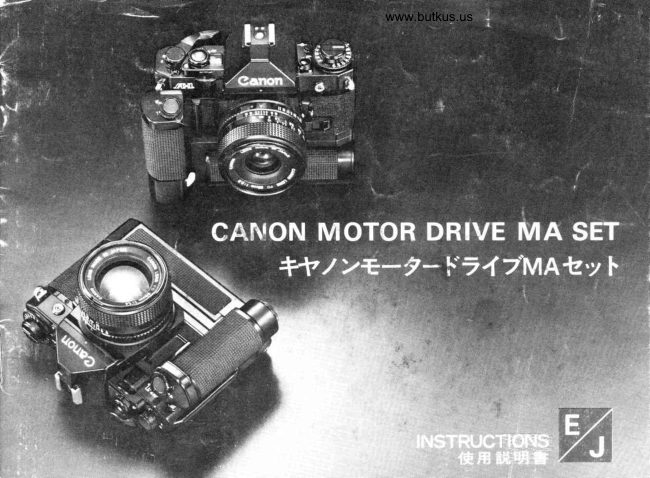
CanonPDF
Canon MA Winder
User manual
31 pages · Not specifiedRead →
From the M. Butkus archive. Original publisher and archive notices are retained.
Check the model and edition against your equipment.
PDF verified 2026-10-10.