Flashes & lighting
Canon Speedlite 540EZ User manual
User manual for Canon Speedlite 540EZ. 32 pages in English. Read the original PDF, download or print a copy without registration.
32 pagesEnglish4.5 MB PDF
Loading your manual…Open PDF directly
Document details
- Brand
- Canon
- Model / document
- Canon Speedlite 540EZ
- Document type
- User manual
- Language
- English
- Pages
- 32
- File size
- 4.5 MB
- Category
- Flashes & lighting
- Document date
- Not specified in catalog
Search available document text
Find a term, then jump to its page in the original PDF. Image-only pages may not be searchable; check the PDF for exact wording and diagrams.
Page 1 · Read text
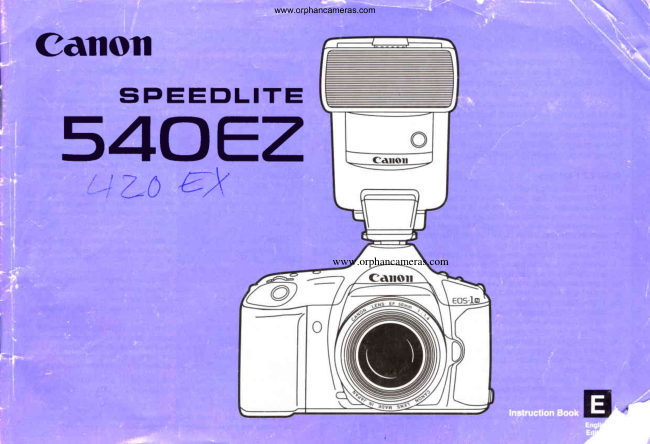
www.orphancameras.com
Canoil
 s40EzSiPEEDLITE     '-!          trx   LC


                                                     www.orphancameras.com
View original page 1Page 2 · Read text
-
                                                    www.orphancameras.com
 {                                                                                        (6) Flash Exposure Compensation     youfor purchasingthis Canonproduct.          fhe 540E2 allows the flash exposureto be adjustedindependentlyof the cam-frnank                                                                                        era, providinga compensationrangeof +3 stops in 1/3-stopincrements.
 The Canon Speedlite540E2 is a high-performanceflash unit designed      (7) Manual Flash Control at Eight Output Levels
 for use with EOS Series cameras.fhe 540E2 incorporatesa rich selec-        The flash outputcan be set manuallyto any of eight power levels,from full (1/1)                                                                       powerto 1/128 power. tion of features,includingan auto zoom function,TTL automaticflash                                                                                       (8) Bounce Flash exposurecontrol, and powerfullight output sufficientfor virtuallyany                                                                     The flash head can be tilted upward or can be surveledto the right or left for
 shootingsituation.When used with an EOS camera, Ihe 540E2 is capa-         bouncingthe flash off of nearbysurfacessuch as a ceilingor wall to create a
 ble of everythingfrom simple, automatedflash shootingto advanced          softer lightingeffect.The flash head can also be tilted 7' downwardfor close-up
 techniquessuch as flash exposurecompensation,automaticflash control          shots.
 based on user-selectedshutter speed andlor aperturesettings,manual      (9) AF Auxiliary Light Corresponding to Five Focusing Points
 firing with eight selectableflash output levels,and intricatemultiple-flash       The built-inAF auxiliarylightautomaticallyfires in low-lightand low-contrastsit-
 lightingsetupsusing EOS multi-flashaccessories.                               uationsto aid the camera'sautofocussystem.When combinedwith the EOS-1
                                                                                N, the AF auxiliarylight emissionautomaticallycorrespondsto the camera's
 a 54OEZFeatures                                                                      five autofocusingpoints.
                                                                                  (10) Stroboscopic Flash (1) A-TTL Automatic Flash Control                                                                       The 540E2 can be set to automaticallyfire several flash bursts during a single    A-TTL automaticflash control stands for AdvancedThrough The Lens automat-                                                                                 exposure,creatinga stroboscopiceffect that records the flow of subject move-      ic flash control.When used with an EOS camera set to ProgramAE or Full                                                                             ment.The stroboscopicfiringspeed can be freelyset to frequenciesas fast as    Auto mode, the camera and flash unit work togetherto automaticallyset the                                                                       100 burstsoer second.     appropriateapertureand shutterspeed for properflash exposurefor indoorand                                                                            (11)Flash Sync Timing     low-lightscenesas well as backlitsubjectsin daylight.
                                                                       The sync timing can be set to either first-curtainsync, which fires the flash as (2) TTL Automatic Flash Control                                                                        soon as the shutteris fully opened,or second-curtainsync,whichfiresthe flash    TTL automaticflash shootingis possiblein other shootingmodes such as aper-                                                                              immediatelybeforethe shuttercloses.     ture-priorityAE, shutter-priorityAE or manualexposuremode.When lhe 54OEZ                                                                    (12)SE (Save Energy) Function      is combinedwith aperture-priorityAE for an indoor shot or a night scene, the
    camera automaticallysets a slow shutter speed to properly expose the back-       When the flash is set to SE mode, the power automaticallyturns off after 90
    groundwhilethe flashfiresto properlyexposethe subject.                        secondsof non-operationin orderto conservebatterypower.
                                                                         (13)Rich Selection of External Power Supplies (3) Three-Zone Flash Metering for Multi-Point Autofocus Systems
   When the 54OEZis used with an EOS camerathat has multiplefocusingpoints,        Three types of externalpower suppliesare available,includingthe Compact
     the flash automaticallyweightsthe exposurein the area of the activefocusing          Battery Pack E.
     point usingthe camera'sthree-zoneflash meteringsystem.                     (14)System Accessories for Professional Flash Lighting Techniques
                                                                             Canon'sline of dedicatedflash accessoriesincludethe Off-CameraShoe Cord 2 (4) Automatic Flash Exposure Confirmation
     After a pictureis taken using flash, an LED on the back of the flash unit lights            for separatingthe flash from the camera,as well as adaptersand cords for con-      for two secondsto indicatethat properflash exposurewas achieved.                     figuringelaboratemultiple{lashsetups.Even when using more than one flash,     i                                                                                       the flash exposurecan be controlledautomaticallyby the EOS TTL system. (5) Auto Zoom
    The flash head automatically zooms to set the proper flash coverage angle      a  The instructionsin this manualassumeuse with the EOS-1N camera.
     accordingto the lens focal length.Settingsfrom 24mm wide-angleto 105mm         )   Flash functionsand the informationdisplayedin the LCD panel may differwhen
     telephoto are possible with the flash alone, and coverage for ultra-wide-angle        used with other EOS cameras.
  1 lensesdown to 18mm is possibleusingthe built-inwide panel.The flash cover-     a  When lhe 54OEZ is used with a camera set to Full-Auto mode or a
  ;}  rS" anglecan also be set manuallyto any desiredposition.                     Programmedlmage Control (PlC) mode, all flash functionsare controlledby
                                                 2      the cameraand functionsettingson the flashunit itselfare canceled.
         \                                                                                                           fr&
View original page 2Page 5 · Read text
www.orphancameras.com
                                                                                                    t=t
                                                                    LIJ
                                                                                 Battery Notes
                                                                                                                                                     .  Use four new batteriesof the same type, and always replaceall four batteriesat
 1. Loading the Batteries                                                                          .  theAA-sizesamemanganesetime.     batteries(R6) can also be used, but will providefewer flash-
                                                                            es than alkalineor Ni-Cdbatteries.
The 540E2 uses four AA-sizebatteries.Use eitherof the followingbattery            .  The terminalsof some AA-size Ni-Cd batteriesare of differentshape than stan-
types:                                                                         dard AA-sizebatteries.Make sure the batteriesare usablebeforepurchasing.
(1) FourAA-sizealkalinebatteries(LRO)                                                                       . When you will not use the flash for a long period of time, be sure to removethe
(2) FourAA-sizeNi-Cdbatteries(KR15/51)                                         batteriesand store them separately.                                                                                                                                                     .  In cold environments,preparetwo sets of fully-chargedNi-Cd batteriesand keep
                                1  Open the batteryco v e r b y        onebecomesset inweak,a warmexchangelocationitsuchwith theas anwarminsideset.pocket.The weakWhensetthecansetbe inusedtheagainflash                                    slidingit downwards l i g h t l y                                                                                                   later after it returnsto a warmertemperature.
                               and then swingingit outward.             .  Dirty batterycontactscan preventthe flow of electricalpower to the flash circuit-
                                                                                                         ry. To prevent corrosionand dirt built-up,wipe the contactswith a clean cloth
                                                                         each time you exchangethe batteries.
                                                                                                                                                     .  AA-sizelithiumbatteries(FRG)can also be used in the 54OEZ.

                                                                              Battery Life and Recycle Time:
                                                                                                                                             Batterylife      Recycle time (seconds)                                                                                                                   Battery type                                                                                                                                    (No. of bursts)  Quick flash    Normal flash
                               2  Load the batterieswith their +         AA-size alkaline (LR6)                        100-700   02  - appx 2     0 2 - 1 3
                               and - ends orientedas shown       AA-sizeNi-Cd(KR15/51)                     45-300   0 2 - a p p x 1 5    0 2 -  7
                                            in the diagraminsidethe bat-          In the batterylife column,figureson the right indicatethe numberof burstsin A-TTL
                                        tery chamber.                    mode,and figureson the left indicatethe numberofburstsin manualfull-power(1/1)
                                                                     mode.
                                                                                               In the recycletime columns,figureson the left indicatethe recycletime in A-TTLmode,
                                                                      and figureson the rightindicatethe recycletimein manualfull-power(111)mode.
                                                             When usingan externalpowersourcewiththe 54OEZ,notethe followingcautions.The
                                                                                       batterylife will dependon the batteriesinstalledin the 540E2and not on the external
                                                                      powersupply.
                               3  Closethe batterycover.
                                                                 Use of internal batteries with an external power supply*
                                                                                                                                                                                                                        '  Batteriesmust be loaded in the flash unit even when using an externalpower
                                                                                 supply in order to supply power to the flash circuitry.Make sure batteriesare
                                                                            loadedin the flash unit at all times during use.
                                                                                                                                                    . When using an externalpower supply,both the internalbatteriesand the exter-
                                                                                         nal power supply are used for flash charging.Accordingly,it is possiblethat the
                                                                                                 internal batteries will become exhausted before the external power supply bat-
                                                                                                   tery. Be sure to always carrya spare set of AA-sizebatteriesfor the flash unit.
View original page 5Page 8 · Read text
www.orphancameras.com

 6. RecycleTime

                                                          quick                                             where                                               situations                                    in fast-changing                     invaluable           times are     recycleShort
                                                     quick                                                                        firing     1. FlashCoverageAngle(ZoomButton)                                           providesa                                   the 540E2                   For                           this purpose,          is necessary.shooting
mode in additionto its normal,full-powerfiring mode. In quick firing     and Useof the WidePanel
mode,the flash can be fired beforeit is fully chargedto providefast recy-
cle times. You can tell whetherthe flash is operatingin normalfiring    The 54OEZincorporatesan auto zoom functionwhich automaticallysets
mode or quick firing mode by the color of the ready lamp, as described    the flash coverageangle to matchthe focal length of the lens mountedon
below.                                                                the camera.Coverageangles are availablefor focal lengthsrangingfrom.  Fordetailson recycletimesandguidenumbersin normalandquickfiringmodes,                                                24mmto 105mm,and the coverageangleautomaticallychangeswhen the  referto pagen in the Specificationssection.                                                                       lens is zoomed.The flash coverageanglecan be set eitherautomaticallyor
                                                                manually.Moreover,a built-inwide panel providescoveragefor super-O Normal firing                                                                 wide-anglefocallengthsas shortas 18mm.
Normal,full-chargefiringis possiblewhen the readylamp lightsred.                   . Whentheflashcoverageangleis changed,the guidenumberalsochanges.The
                                                                          relationshipbetweentheflashcoverageangleandtheguidenumberis shownon
O Quick firing                                                 pagen in theSpecificationssection.
When the A-TTL mode is set and the camera is set to single-frame       . The lensfocallengthcorrespondingto the currentlyset flashcoverageangleis
shooting,the pilotlampturnsgreenand quickfiringis enabled.               displayedin theLCDpanel.
                                              O Auto Zoom Operation
                                                        The flash coverageangle is automaticallyset accordingto the focal         t=Lfl
 What is a guide number?                                               lengthof the lens mountedon the camera, and the settingis displayedin
 The guide numberof a flash unit is a numericalindicatorof its light outputcapaci-      the LCD panel.Also,when azoom lens is used,the flashcoverageangle
  ty. The appropriateshootingdistanceor lens aperturerequiredfor proper flash      automaticallychangeswhen the lens is zoomed, and the new settingis
 exposurecan be calculatedfrom the guide numberusingthe followingformulas:       displayedin the LCD panel.
   Guide number+ shootingdistance(m) - properaperturevalue
   Max. shootingdistance= guide number+ largestlens aperture                                                1  Turn on the power to the cam-
                                                                                                                 era.   . The film speedis usuallyassumedto be ISO 100 when statingguidenumbers.        ATTL     Zoom 50 mm
    At differentfilm speeds,the guide numberincreasesor decreasesaccordingly.
                                                                                                2  T u r n o n  t h e p o w e r t o  t h e
                                                                                                      540E2.
                                                                                                                                                                                                      .   lf lDZoomis displayedin the
                                                                              LCDpanel,pressthezoombut-
                                                                            MODE    +         SEUSET ZOOM           ton untilonly "ZOOM"is dis-
                                                                                                                                         played.
View original page 8Page 12 · Read text
www.orphancameras.com

O Fill-in Flash For Bright Outdoor Scenes
This is a methodfor usingflash when shootingin daylight.Use the flash
as a supplementarylightsourceto softenshadowscreatedby the sun, or                                                       TTL automaticflash photographyis possiblein any shootingmode.Justto preventsubjectsfrom appearingdark due to beingbacklit.                                                         mountthe 54OEZon the cameraand selectthe desiredshootingmode.
     t--=l                                            When the camera is set to aperture-priorityAE (Av), shutter-priorityAE       Ltl                                                                 (Tv) or manualexposure(M) mode,the 540E2 automaticallyoperatesin
 When usingthe 540E2 to shoot a backlitsubjectin daylightwith the camera in a     TTL automaticflash mode.
  fully automaticmode,the flash outputlevel is automaticallyreducedto preventan
 unnaturalimbalancebetween the flash-litsubject and the naturally-litback-                                              O When the shutter button is pressedhalfway,the camera sets the ground.                                                                         shutterspeedor aperturevaluein the same way as duringnormalAE
                                                                         (non-flash)shooting.
                                   With flash                                                        . Dependingon the shootingmode,theshutterspeedandaperturevalueare
                                                                                                        set as follows:
                                                                  EOS shootingmode                Shutterspeed                 Apedure value
                                                                                                                P. Full Auto mode          Set automatically(1/60- 1/X sec )        Set automatically
                                                                               Av (Aperture-priorityAE)    Set automatically (30 sec  - 1/X sec.)     Set manually
                                                                                   Tv (Shutter-priorityAE)     Set manually(30 sec - 1/X sec )         Set automatically
                                                          M (Manualexposure)     Set manually(30 sec. - 1/X sec.)       Set manually
                                                                                                                                        .  Setmanually:Setby you.
                           Cameraalone(withoutflash)              Setautomatically:Automaticallysetby camera.
                                                                                                                                        .  1lX sec.:Camera'sfastestflash-synchronizingshutterspeed(X-sync
                                                                      speed).
                               @ When the shutteris pressedcompletely,the flash fires and the pic-
                                                                          ture is taken. The flash output is controlledby the TTL automatic
                                                                           flash programbased on the aperturevalue set in O.(During TTL
                                                                   automaticflash control,the camera meters the flash light reflected
                                                                   from the film duringthe exposure,and automaticallystops the flash
                                                         when the properexposureis achieved.)
                                @ The backgroundexposureis determinedby the shutterspeed and
                                                                     aperturevalue combination,just as in normal (non-flash)shooting.
                                                           TTL automaticflash is availablein aperture-priorityAE (Av), shutter-
                                                                                   priorityAE (Tv) and manualexposure(M) modes.

                                                 1 2
View original page 12Page 16 · Read text
www.orphancameras.com

                                                                   4  Make sure the viewfinderdisplayis not blinkingand that the flash
                                                                                                                 picture. 4. Slow Synchro Photography                            chargeindicatoris lit,then take the
                                                                                                                                             .   lf a differentapefturesettingis desired,changethe shutterspeeduntil
Slow synchrophotographyis a methodcombiningflashwith a slow shut-              thedesiredaPertureis set.
                                            and                                            subject                                         the                  proper                                       of both                      exposure           achieve   speed toter                                                     a low-lit     ;@:                                                     photogra-                                            synchro                                     For                                        slow                             night scene.                 room or              as a          suchbackground
phy with the 54OEZmountedon an EOS camera, use the procedures     Controllingthe backgroundexposurewith the EOS-1N and EOS-1:
below.                                                                                             The backgroundexposurecan be
       t=Llr                                                                                                                                                             t  overexposure        thedeterminedexposureby readinglevel indicatorthe positionat theof
 Duringslow synchroshooting,use a tripod to preventcamera shake caused by                                                    righthand side of the viewfinder.
 slow shutterspeeds.                                                                                                      (-  Correctexposure

1. Automatic slow synchro photography in aperture-priority                      J  Underexposure
   AE mode
    1  Set the camera to apefiure-priorityAE mode (Av), and set the
       desiredaPerture.
   2  Focusthe subject.
   3  Make sure the viewfinderdisplayis not blinkingand that the flash
      chargeindicatoris lit,then take the picture.
             . Theflashexposureof themainsubjectis automaticallycontrolledby the
       TTLautomaticflashProgram.
2. Slow synchro photography in manual exposure mode
    1  Set the camerato manualexposuremode (M).
    2  Focusthe subject.
    3  Set the shutterspeed and apertureto achieveproperbackground
       exposureusingthe camera'Sexposurelevelindicators.
    4  Make sure the viewfinderdisplayis not blinkingand that the flash           Flashphototakenin              Flashphototakenin
       chargeindicatoris lit,then take the picture.                              aperture-priorityAE mode                FullAuto mode
                                                                    (automaticslow synchrooperation)
 3. Slow synchro photography in shutter-priority AE mode
    1  Set the camerato shutter-priorityAE mode (Tv).
    2  Focusthe subject.
    3  Set a shutter speed necessaryto achieve proper background
       exposureusingthe camera'Sexposurelevelindicators.

                                                 1 6
View original page 16Page 24 · Read text
www.orphancameras.com
 5. Close-upFlash Photography                 6. Second-CurtainSynchronization

The 540E2'sflash head can be angleddownwardTofor betterflash cov-    When the 540E2 is used with an EOS camera,you can selectwhetherto
eragein close-upshootingsituations.With the flash head in the 7o down-    have the flash fire as soon as the shutteropens (first-curtainsync) or
wardposition,sufficientflashcoverageis providedin the lowerpan of the     immediatelybeforethe shuttercloses(second-curtainsync).
scenewhen shootingat closedistances.                       When using a slow shutterspeed with a movingsubject,second-curtain
                                                                   synchronizationwill providea more naturaleffectbecausethe flash expo-
                        When the flash head is angled7"     sure occursat the end of the subjectmovementratherthan at the begin-
    TTL    Zoom 5[mm      downward,the 7' downwardposi-     ning,providinga "trailingblur"effectthat emphasizesmotion.
                                .i        tionLCDindicatorpanel.   is displayedin the
        0 . 5 0 . 7' t 1 5 2  3  4  6    I  1 3 1 8 m


   MODE    +         SEUSET ZOOM
 o CK)
                                                                        . The 7o downwardpositionis effec-
    TTL    Zoom 5frmm                t i v e o n l y f o r c l o s e s h o o t i n gd i s -                                     tancesof 0.5 - 2m I 1.7 - 6.6ftwith
         F\.8        .i          theward.flash head directedstraightfor-       lo.w.z
             <t   It - \ I                                       ,I  IaI  IDI  It I rI >r  r   l            1 1.5\3\qrel9h3r1s./m               . When the shutterbutton is pressed
                                       halfway,the 0.5 - 2m I 1 .7 - 6.6ft
   MOOE    +         SEUSET ZOOM        couplingdistancebar indicatorslight
                                                in the LCD panel.                         Second-curtainsync               First-curtainsync
                                                                        .  Couplingdistancebar segmentsto o Cre o              the right of the 2m I 6.6ft indicator
                                 and to the left of the closest dis-
                                                                                                                                                     .  Second-curtainsync flash photography is not available in Full Auto ( []  ) or                                      tance indicatorblinkin the displayto
                                          indicatethat the flash head is in the        Programmedlmage Control(PlC) modes.
                                                                                                                                                     .  Second-curtainsync cannot be combinedwith stroboscopicflash operation.                                        close-distanceshootingposition.
                                                                        .   lf the couplingdistancefalls outside
                                             of the 0.5 - 2m I 1.7 - 6.6ft range,        -x-                                                      all of the couplingdistancebar seg-        ;V:
                                ments blink to warn you that the       Settingthe camera'sshootingmode to bulb makes it easier to produceeffective
                                     shootingdistanceis inappropriate     second-curtainsync flashshots.
                                                for the flash head setting.

    Photo taken with flash head
       directed 7" downward                            24
View original page 24Page 25 · Read text
www.orphancameras.com

                           To                                     set                                       the                                  540E2                                                        to second-cur-
                                          press                                  tain                                 mode,                               sync                                                   the Plus    7. lfiultipleFlash Setups
                               buttonand Minus buttonsimulta-
                               neously.                     Use of severalflash units positionedeffectivelyat differentanglesto the
                                                             . The second-curtainsyncindicator   subjectcan producea more balanced,three-dimensionallightingeffect
                           D> appearsin the LCDpaneland    than can be achievedwith a single,on-cameraflash unit.With Canon's
                                   theflashenterssecorrd-curtainsync     optionalmultipleflash accessories,easy TTL automaticflash exposure
                                 mode.                                                                      controlis possibleeven with severalflash units,eliminatingthe need for                                                                      .                                Each time the Plus and Minus but-                                                                                   difficultexposurecalculations.                                    tons are simultaneouslypressed,
                                        the synchronizationmode alternates
                                  betweenfirst-curtainsync and sec-   O Multiple Flash Connection Example
                                       ond-curtainsync. When first-curtain
                                    sync is selected,the second-curtain
                                    sync indicator D}  disappearsfrom
                                       the display.
                                                                                                              Off-Camera Shoe Adapter

Second-curtainsync cannot be set or cancefedwhile flash settingsare blinking in
the display afterthe SelecVSetbutton is pressed,
To set or cancel second-curtainsync in this conditioh,first press the Select/$et
button untilthe flashsettingsstop blinking.


                                                                          TTL Hot Shoe Adapter 3
                                                                                                     \


                                                                                                                                  TTL Distributor


                                                                                                                          Connecting Cord


                                            25
View original page 25Page 28 · Read text
www.orphancameras.com


                          '"ry
Fqfffiffieift, Troubleshooting

 Number               Symptom                                    Cause                                              Cure                          Referencepage
         I    The flash'unitcannot be removedfrom the cam- The lock nut was not loosenedenoughto releasethe lock pin.   Loosenthe lock nut until the lock pin pulls completelyout of the       o
                                                                                                                hole.
    2    The flash does not fire even if the shutter button The flash is not mounted completelyor securelyonto the cam- Mount the flash unit securelyonto the accessoryshoe
            is oressed.                                    era's accessoryshoe.
                                            The contacts on the camera's accessoryshoe are dirty, or the Wioe the contactsclean with a clean cloth.                      6
                                                    contactson the flash foot are dirtv.
      a    The flash unit's entire LCD panel display goes The main switch is set to "SE". At the SE position,the power Change the main switch settingto l, or press the shutter button     7
            off while the oower is still turned on.            automaticallyturns off after g0 secondsof inactivity.           halfwayto reactivatethe power.
    4    The entire display blinks when the main switch The wide panel is protrudingslightlyfrom its housedposition.   Make sure the wide oanel is fullv retracted.                                                    I
            is turnedon.                                            The flash head is set to a bounce oositionwith the wide oanel Make sure the wide panel is retracted.                         9
                                                                                 still in olace.
    5   The coupling distance range display blinks The flash head is in the 7o downwardposition.            When not shootingat a close distance,set the flash head to a    23
        when the shutterbutton is pressedhalfway.                                                                  positionother than the 7' downwardposition.
     o    The flash does not fire even though it is con- There are no batteriesloaded in the 540E2, or else the 540E2's Make sure fresh batteriesare loaded in the 540E2 even when     5
         nectedto an externalpower supply loaded with batteriesare deoleted.                                    using an externalpower supply.
        new batteries.
        Even though the flash is connectedto an exter- The 540E2's internal batteriesare depleted.To check the bat- Replacethe 540E2's internalbatterieswith new ones.              5
          nal power supply loadedwith new batteries,the tery condition,disconnectthe external power supply and mea-
       zoom mechanismmoves by itsell or the LCD sure the recycle time with the internalbatteriesalone. lf the
         panel display goes off after the main switch is ready lamp does not light within 30 secondsafter turning on the
         turnedon.                                power,the batteriesare depleted.
       A dark strip appears at the bottom ol a flash The shootingdistancewas too close.                  When taking picturesof subjectscloser than 2m / 6.6ft, set the    24
         photograph.                                                                                                  flash head to the 7o downwardoosition.
    o      ln a photograph composed with the subject Flashcontrolfor the subjectexposurewas not performedwell.  When using an EOS camera with multipleAF points, first com-    1 7
          positionednear the edge of the picture,the sub-                                                   pose the picture and then focus the subject using a manually
           ject is overexposedby the flash.                                                                        selectedfocusingpoint. When using an EOS camera with only
                                                                                               one AF point,compensatethe flash exposureby an appropriate
                                                                                           amounlin the minusdirection.
   1 0  When taking a flash picture of a subject stand- Bright light reflectedfrom the window glass caused the subject Eithertake the picturefrom a positionwhere the reflectedflash    1 7
          ing in front of a glass window,the subject'sface to be underexoosed.                                             lioht will not enter the camera lens, or compensatethe flash
         turnedout dark in the photograph.                                                                   eiposure by an appropriateamount in the plus direction.
   1 1  When taking a flash pictureof a subjectdressed Due to the low reflectanceof the black clothes,the overallexpo- Compensatethe flash exposureby an appropriateamount in the     1 7
            in black,the subject'sface turned out very white sure overexposedthe sub,ect'sface.                     minusdirection.
           in the photograph.
   1 2   Flash photographsappear dark around the The manually-setflash coverageangle did not sufficientlycover Set the flash coverageangle to auto zoom mode, or manually    8
         eoges.                                      the focal lengthof the lens in use.                              set the coverageangle to a {ocal length shorter than the lens in
                                                                                                         use.
   1 3   Flash photographsare generallyover- or under- The 540E2'sllash exposurecompensationfunctionwas left set.  Turn off the flash exposurecompensation.                      1 7
         exoosed.


                                                                                                                                                                   J
                                             28
View original page 28Page 32 · Read text
--
          {Fi                                           www.orphancameras.comr

       This devicecomplieswith Part 15 of the FCC Rules.Operationis sub-        ject fo the followingtwo conditions:(1) This device may not cause  Canoil
        harrnfulinterference,and (2) this device must accept any interference                                                                               CANON   lNC.   30-2, Shimomaruko  3-chome, Ohta-ku, Tokyo 146-8501, Japan          q       received,includinginterferencethat may cause undesiredoperation.

                                                                                                                        u.s.A. -          CANON U.S.A., lNC.      Do not make any changes or modificationsto the equipmentunless                               For all inquiriesconcerningthis camera,call toll lree in the U.S. 1-800-828-4040
       otherwisespecifiedin the instructions.lf such changes or modifica-                                  orOnewriteCanonto: CustomerPlaza.LakeRelations,Success.CanonN.Y. 11042-1198U.S.A.,Inc.
        tions should be made, you could be requiredto stop operationof the
      equipment.                                                              CANADA           6390CANONDixieCANADARoad,Mississauga,INC. HEADQUARTERSOntarioLsT 1P7, Canada
                                                                                           CANON CANADA  INC. MONTREAL BRANCH
       This equipmenthas been tested and found to comply with the limits                              5990,CANONCote-de-Liesse,CANADA Montr6alINC. CALGARYQu6becH4TOFFICE1V7, Canada
        for a class B digitaldevice,pursuantto part 15 of the FCC Rules.                               2828,For all16lhinquiriesStreet,concerningN.E. Calgary,this camera,Alberta TZEcall toll7K7,ireeCanadain Canada 1-800-828-4040
      These limitsare designedto providereasonableprotectionagainst
       harmfulinterferencein a residentialinstallation.This equipmentgen-       EUROPE,& MIDDLEAFRICAEAST   -  CANONBovenkerkerwegEUROPA59-61,N.V.P.O. 8ox2262,1 180 EG Amstelv€on,The Netherlands
       erates, uses and can radiate radio frequencyenergy and, if not                     CANON PHOTO VIDEO FRANCE S.A.        installedand used in accordancewith the instructions,may cause                     CANON102, avenueUKCharlesLTD. de Gaulle92250 La GarenneColombes,France          li
       harmfulinterferenceto radiocommunications.                                                              BrentTradingCentre.NorthCircularRoad, LondonNW10 oJF, UnitedKingdom
                                                                                                                                                                                                                                              .        CANON EURO-PHOTO G.m.b.H
                                                                                                                                Siemensring90-92,D-47877Willich,Germany
                                                                                                                                  ITALIA                                                                                                                                               S.p.A      However,there is no guaranteethat interferencewill not occur in a                     CANON                                                                                                                                      20089 Rozzano,Milanofiori,Milano,ltaly                         {                                                                                                                                PalazzoL,                                                                                                                                              Strada6,       particularinstallation.lf this equipmentdoes cause harmfulinterfer-
      ence to radio or televisionreception,which can be determinedby                     CANONBessenveldstraatBenelux7, 1831N.VJS.A.Diegen(Machelen),Belgium
       turningthe equipmentoff and on, the user is encouragedto try to cor-                      CANONGeschaftsbereichSchweizWiederverkauf,AG        Industriestrasse12, CH-8305 Dietlikon,Switzerland
        rect the interferenceby one or more of the followingmeasures:                           CANON G.m.b.H.
                                                                                                                                               Oberlaaerstrasse233, 4th floor, 1100 Wien, Austria                                                                                                                                                                                {
             .   Reorientor relocatethe receivingantenna.                              CENTRAL& +      CANON LATIN AMERICA,  lNC. DEPTO DE VENTAS
             .   Increasethe separationbetweenthe equipmentand receiver.           SOUTHAMERICA    6505 Blue LagoonDrive,Suite325, Miami,FL33126U.S.A.
             .   Consultthe dealeror an experiencedradio/TVtechnicianfor help.                              ApartadoC.ANON2019,LATINZonaAMERICA,Librede Col6n,INC.RepfblicaCENTROde PanameDE SERVICIO Y REPARACION
                                                                                                   ASIA -           CANON SINGAPORE  PTE. LTD.
                                                                                                                               79 Anson Road #09-01/06Singapore 079906
       This digital apparatusdoes not exceed the Class B limits for radio        oCEANIA         CANON AUSTRALIA  PTY. LTD.
       noise emissionsfrom digital apparatusas set out in the interfernce-                    CANON1 Thomas HoltNEWDrive,ZEALANDNorthRyde,LTD.N-S.W.2113,Australia
       causingequipmentstandardentitled"DigitalApparatus",ICES-003of                              Fred Thomas Drive,P.O. Box 33-336,Takapuna,Auckland,New Zealand
       the lndustryCanada.                                                JAPAN-        CANON SALES CO., INC.
                                                                                                                     12-15,Mita,3-Chome,Minato-ku,Tokyo108-8011,Japan

                                                                             C €      The CE Markis a Directiveconformitymarkof the EuropeanCommunity(EC)
                                             @)CANON ||.iC.1994                       PRINTEDIN JAPAN

I
View original page 32Related documents and language editions
From the M. Butkus archive. Original publisher and archive notices are retained.
Check the model and edition against your equipment.
PDF verified 2026-10-10.