Film cameras
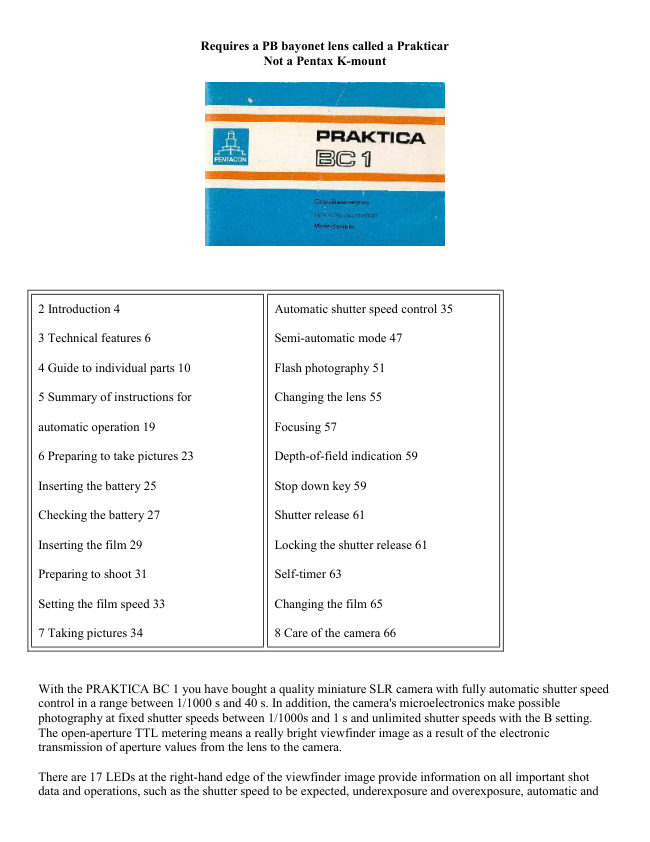
get Praktica BC 1 User manual
User manual for get Praktica BC 1. 18 pages in English. Read the original PDF, download or print a copy without registration.
18 pagesEnglish2.3 MB PDF
Loading your manual…Open PDF directly
Document details
- Brand
- Praktica
- Model / document
- get Praktica BC 1
- Document type
- User manual
- Language
- English
- Pages
- 18
- File size
- 2.3 MB
- Category
- Film cameras
- Document date
- Not specified in catalog
Search available document text
Find a term, then jump to its page in the original PDF. Image-only pages may not be searchable; check the PDF for exact wording and diagrams.
Page 2 · Read text
Requires a PB bayonet lens called a Prakticar
                                  Not a Pentax K-mount


2 Introduction 4                          Automatic shutter speed control 35

3 Technical features 6                     Semi-automatic mode 47

4 Guide to individual parts 10               Flash photography 51

5 Summary of instructions for             Changing the lens 55

automatic operation 19                    Focusing 57

6 Preparing to take pictures 23               Depth-of-field indication 59

Inserting the battery 25                    Stop down key 59

Checking the battery 27                      Shutter release 61

Inserting the film 29                      Locking the shutter release 61

Preparing to shoot 31                         Self-timer 63

Setting the film speed 33                  Changing the film 65

7 Taking pictures 34                     8 Care of the camera 66


With the PRAKTICA BC 1 you have bought a quality miniature SLR camera with fully automatic shutter speed
control in a range between 1/1000 s and 40 s. In addition, the camera's microelectronics make possible
photography at fixed shutter speeds between 1/1000s and 1 s and unlimited shutter speeds with the B setting.
The open-aperture TTL metering means a really bright viewfinder image as a result of the electronic
transmission of aperture values from the lens to the camera.

There are 17 LEDs at the right-hand edge of the viewfinder image provide information on all important shot
data and operations, such as the shutter speed to be expected, underexposure and overexposure, automatic and
View original page 2Page 3 · Read text
www.butkus.us

semi-automatic operating modes as well as flash readiness with dedicated computerized flash units. In addition,
the preselected aperture setting is visible at the bottom of the viewfinder image. Manual corrections can be
made for deliberate overexposures and underexposures. The PRAKTICA BC 1 is suitable for use with both
normal electronic flash units and computerized flash units.


· SLR camera for 24 x 36 mm frame size open-aperture TTL metering system with electronic transmission of
aperture values

· automatic step-less electronic shutter speed control between 1/1000 s and 40 s

· changeover from automatic to semi-automatic mode possible--fixed speed range from 1/000s to 1s

· indication of shutter speed in viewfinder by LEDs

· indication of overexposure or underexposure

· aperture setting displayed at bottom of viewfinder image

· manual exposure compensation of + 2 exposure factors

· memory locking

· self-timer (approx. 8 s) with starting button

· focusing system comprises Fresnel lens with novel diagonal triple wedge,microprism ring and ground glass
ring

· flash synchronization (approx. 1/90 s) at **** or automatic formation of flash speed in automatic setting with
dedicated computerized flash unit, indication of flash readiness in viewfinder

· viewfinder image shows approx. 95 per cent of picture sides

· PRAKTICA bayonet (flange focal length 44.4 mm, internal diameter 48.5 mm)

· connection for motor winder

· film information holder on rear of camera

· battery condition indication in viewfinder

· power source: 6 V primary battery

· silicon photoelement as light sensor

· metering and control range: O-17 EV at 21 DIN and aperture 1.4

· dimensions of body: 138 mm x87.5 mm x49 mm

· weight of body without battery: 530 g
View original page 3
Page 4 · Read text
Digitally signed by Mike Butkus
                                           DN: cn=Mike Butkus, o=Butkus camera manuals,
                                                ou=butkus.org, email=mike@butkus.org, c=USMike Butkus Date: 2023.05.17 13:28:58 -04'00'
View original page 4Page 6 · Read text
1 Unlocking key                       14 Lens positioning mark

2 Self-timer release                     15 Lug for carrying strap

3 Self-timer winding lever                16 Release lock with mark

4 Stop down key                       17 Connection for cable release

5 Frame counter                        18 Shutter release

6 Winding lever                        19 Shutter speed/automatic setting knob

7 Aperture value indication               20 Hot shoe with center contact

8 Rewind crank                        21 Connection for computerized flash

9 Rewind button                        22 Center contact

10 Film speed setting ring                23 Memory lock and battery check button
View original page 6
Page 7 · Read text
www.butkus.us


11 Filter thread                         24 Compensation unlocking button

12 Focusing ring                       25 Exposure compensation knob with
                                       marking
13 Depth-of-field scale and infrared spot
                                     26 Flash connector


                                     35 Contacts for motor winder
27 Aperture setting ring
                                     36 Cover for battery compartment
28 Film cartridge compartment
                                     37 Battery compartment locking screw
29 Shutter blades
                                     38 Film information holder
30 Eyepiece with accessory holder
                                     39 Thread for tripod
31 Camera back
                                     40 Rewind release
32 Film take-up-spool
                                     41 Coupling for motor winder
33 Film sprocket
                                     42 Catch for motor winder
34 Knurled spool base
                                     43 Eyepiece cover (see page 41)


This summary is no substitute for a thorough knowledge of all the operating instructions contained in this
booklet.

· Insert battery
Note + and -- pole markings in battery compartment cover (36).

· Open back
Pull rewind button (9) upwards and the back will open.

· Insert film
Adjust setting knob (19) to "automatic" or a fast fixed shutter speed. Insert film cartridge in cartridge
compartment (28), press rewind button (9) back in, insert the start of the film into the slit in the take-up spool
(32) and turn the spool by the knurled edge (34) towards the center of the camera until the teeth of the sprocket
(33) engage in the perforations in the film. Swing winding lever (6) as far as it will go to check film travel.

· Close back
View original page 7Page 8 · Read text
· Prepare to shoot
Carry on releasing and winding until the frame counter (5) indicates frame 1.

· Readjust setting knob (19) to automatic.

· Set film speed
Lift and turn setting ring (10) until the correct film speed is opposite the mark.

· Select aperture
Set the desired aperture using the aperture setting ring (27)

· Focus
Triple wedge: object is in focus when its contours and lines flow naturally Microprism ring: when focused
correctly the object is clear and flicker-free Ground glass ring: used with poor lighting (eg for close-ups); image
should appear clear and sharp.

· Release shutter
Depress shutter release (18) slightly; the camera's automatic system starts to work and an LED shows the
shutter speed. If the speed suits the subject, release the shutter; if not, alter the aperture.

· Film change
Depress rewind release (40), fold out rewind crank (8) and turn in the direction of the arrow. When turning
becomes easier the film has been completely rewound. Pull the rewind button (9) all the way up to unlock the
back and then remove the film cartridge.

· Lens change
Press unlocking key (1), turn lens anticlockwise as far as it will go and remove. Insert the lens so that the red
markings are opposite one another and turn clockwise till it locks.


Inserting the battery


                      A 6 V source is required to power the whole electronic
                                    system. It may be an alkali manganese, silver oxide or
                                      lithium battery.

                               Under normal conditions, a fresh battery lasts for about 2
                                        years. To insert the battery, turn the locking screw (37) of the
                                       battery chamber cover (36) counterclockwise until the cover
                                  can be opened. Wipe the contacts in the battery chamber and
                                     those of the fresh battery with a dry cloth. Press the plus pole
                                      of the battery against the spring contact (polarity marks on
                                       battery chamber cover) and tip the battery in. Close and lock
                                      the cover.

                                   Varta V28PXL Lithium should be the right one.
                                         There are a number of places to find an alternate.
                                         These are also "dog collar" batteries.
View original page 8Page 9 · Read text
www.butkus.us


Checking the battery


                                       The shutter must be wound. Press
                                                    shutter release (18) and then memory
                                               button (23). If the LED indication is
                                                   bright the battery still has a sufficient
                                        power reserve. When the battery is
                                            used up the LED goes out. In B and

                                                        settings it is not possible to check
                                                 the battery.


Special attention should be paid to the battery and contacts. Frequent checks are advisable, cleaning
when necessary. The battery is sensitive to low temperatures and should be suitably protected. When the
camera is not being used for lengthy periods the battery should be removed from the camera.


                                      Opening the back
                                                  Pull the rewind button (9) up as far as
                                                                        it will go to unlock the back. Open the
                                           back completely, the frame counter (5)
                                                    will automatically return to the
                                                      starting position. Insert the film
                                                   cartridge into the cartridge
                                          compartment (28). Press the rewind
                                               button (9) back in all the way, turning
                                                                        it if necessary.

                                               Inserting the film
                                            Before the film is inserted the shutter
                                            speed setting knob (19) should be set

                                                    to    (approx. 1/90 s), as otherwise a
                                           slow shutter speed may be formed in
                                                 the automatic setting. Do not use
                                                     force. A slow shutter speed so formed
                                           can be cut short by changing from
                                              automatic to B. The winding lever can
                                           be operated only when the shutter
                                                cycle is completed.
View original page 9Page 10 · Read text
Insert the start of the film at least 1 cm into the slit in the take-up spool (32). Then turn the spool by the knurled
base (34) towards the middle of the camera through about one revolution. The teeth of the film sprocket (33)
must engage in the perforation in the film. Check that the film is running properly by carefully operating the
winding lever (6).


                                            Closing the back
                                                Press the middle of the lock side of the
                                           back against the camera body until the
                                               lock is heard to engage.

                                          Preparing to shoot
                                       The winding lever (6) may be swung
                                               out a little way without starting the
                                           winding procedure. This readiness
                                                  position increases handling reliability
                                     when taking rapid picture sequences.
                                       Swing winding lever as far as it will
                                                 go, return and press shutter release
                                                    (18). Repeat procedure and continue
                                                    to do so until the automatic frame
                                               counter (5) indicates frame 1.
View original page 10Page 11 · Read text
www.butkus.us


                                              Setting the film speed

                                                      Lift film speed setting ring (10) and turn until the
                                                film speed value used is opposite the mark.

                                    The knurled ring locks when released. The flap
                                      from the film pack can be put into the film
                                           information holder (38) as an additional aid to
                                             the memory.


Automatic shutter speed control
In automatic mode the PRAKTICA BC1 operates automatically in a stepless shutter speed range from 1/1000 s
to 40 s. The shutter speed is electronically controlled in line with the lighting conditions, the selected aperture
and the film speed. LEDs at the edge of the viewfinder indicate the controlled shutter speed. Where the shutter
speed range is exceeded this is indicated by OVER and UNDER. The TTL metering automatically takes into
account all factors influencing the exposure such as focal length of the lens, filter and extensions. If lenses with
the M 42 x 1 PRAKTICA thread are used with an adapter, light metering is automatic at working aperture.


                                  Aperture selection
                                The desired aperture is set against the mark on
                                         the lens mount by turning the aperture setting
                                         ring (27). The set aperture is displayed at the
                                   bottom of the viewfinder image. As a guide,
                                         the selection of the following values can be
                                recommended for a film speed of
                                 20 DIN = 80 ASA:


                                                                      .                      aperture

                                        sunshine            8 - 11

                                       cloud cover         4 - 5.6

                                         close-ups             not below 8
View original page 11Page 12 · Read text
The choice of aperture can also be made according to the desired depth-of-field (foreground, mid-ground,
background) and by taking into account the speed information in the viewfinder (danger of blurring).
See also the section on depth-of-field indication. A small aperture means a large depth-of-field, a large
aperture a correspondingly smaller depth-of-field.


                                 Automatic exposure indication


Set shutter speed knob (19) to automatic. The electronics are switched on by slight pressure on the shutter
release (18). In the viewfinder image the shutter speed calculated by the automatic system is shown by an LED
display. If it appears unsuitable for the subject, it can be corrected by selecting another aperture. LEDs are
allotted to selected speeds between 1/1000s and 8 s, with intermediate settings being indicated by the
simultaneous lighting of two adjacent diodes.
Shutter speeds between 8 s and 40 s are indicated by the permanent lighting of the UNDER LED, while speeds
outside the 1/1000s to 40 s range are indicated by the flashing of the LED at OVER or UNDER. In this case the
shutter is set for 1/1000s or 40s. If shutter speeds of 1/15s and slower are formed, the use of a tripod or other
steady surface is recommended.


                                    Shutter release
                                       After the shutter speed has been checked in the viewfinder,
                                         the shutter is operated by fully depressing the shutter
                                          release (18). When pressure is removed from the shutter
                                          release the electronics are automatically switched off. With
                                   slow shutter speeds the removal of pressure from the
                                          shutter release does not affect the exposure procedure. In
                                              this case the electronics are switched off only where the
                                          shutter cycle has been completed.'
View original page 12Page 13 · Read text
www.butkus.us

If the cycle needle to be broken off prematurely with a very long shutter speed (eg after an accidental
shutter released), the shutter speed SE speed knob (19) should briefly be turned to B. If the camera is not
held at eye level during automatic operation (eg with tripod shots), the eyepiece cover (43) which comes
with the camera should be pushed into the holder (30). This keep light from coming in the viewing area
and possibly not allowing correct exposure.


                                 Locking of metered values
                                                   If the subject features extreme contrasts such as
                                                  · people wearing dark clothes in sunlit snow or
                                                  · a light-colored object in front of a dark background, the
                                     exposure value can be calculated by individual metering of
                                         the most important element in the picture from close up.


The metered value calculated in the close-up measurement is stored, and the image section can be
changed without another shutter speed being set.
To store the metered value first depress the shutter release (18) slightly to initiate the metering process
and then briefly press the memory button (23) to lock in the metered value. The shutter must be wound.
No new measurement is made before the shutter is released, and the shutter speed will correspond to the
locked value.
The locked value is erased when pressure is removed from the shutter release and the electronics are
switched off.


                                 Exposure compensation
                                    Another way of influencing the exposure individually is by
                                      using the exposure compensation knob (25). Such
                                    compensation is necessary when the character of the object
                                          varies greatly from the norm, eg with dark objects in front
                                        of a light background (+1, +2) and with bright objects in
                                           front of a very dark background ( - 1, - 2).
                                       Press the unlocking button (24) and turn the knob in the
                                        desired direction.


Starting from the initial position the shutter speed is reduced by 1 or 2 exposure factors when the knob is
set to +1 or +2, respectively. The speed is correspondingly increased when the knob is set to--1 or--2. The
knob can be set to half factors. At the borders of the film speed range--12 DIN and 36 DIN --
compensation by two factors is also possible (correspondingly to 6 DIN and 42 DIN).

The compensation cannot extend the shutter speed range beyond the speeds of 1/1000s and 40 s.
Remember to return the button to the neutral initial position following exposure compensated shots.
View original page 13Page 14 · Read text
Semi-automatic mode

                                                      If you want to shoot at a particular shutter speed, for
                                          reproductions or scientific work for example, set the
                            PRAKTICA BC 1 to semi-automatic mode. Fixed
                                              shutter speeds from 1 s to 1/1000 are available. Select
                                            the speed you want using the shutter speed setting knob
                                               (19)--this automatically changes the camera operation to
                                        semi-automatic mode. As with automatic shutter speed
                                              control, the camera's electronics are switched on by
                                            gentle pressure on the shutter release. The shutter speed
                                      can again be checked using the LEDs in the viewfinder.
                                    While the LED corresponding to the set shutter speed
                                               flashes, the shutter speed required by the lighting
                                            conditions, the film speed and the selected aperture is
                                  shown at the same time by a steadily lit LED. (For
                                           intermediate speeds two adjacent LEDs light up.) To
                                    match the two, the aperture or shutter speed should be
                                              altered until the LEDs in the viewfinder are lit steadily.

                                   With   and B settings there is no LED display. The
                                              flash speed of around 1/90 s is formed mechanically

                                        with   and electronically when using a dedicated
                                       computerized flash unit in automatic position.


All other shutter speeds including B are electronically controlled. It is also possible to photograph

with    without a battery.

Holding the camera
The illustrations show the best positions in which to hold the camera for upright and horizontal format shots.
Hold the camera steadily and tightly and support the elbows against the body. In this way you will achieve blur-
free pictures.


                                     Flash photography
                                                         If the available light is insufficient for hand-held shots (eg
                                             indoors) or if the subject has to be additionally "brightened
                                             up", flash should be used. All fitting electronic flash units can
                                        be used, whether computerized or not. Push the flash unit onto
                                              the hot shoe with center contact (20); the electrical connection
                                                        is thus made. In the case of flash units without the center
                                             contact the electrical connection is made via the flash nipple.
                                    The simultaneous use of two flash units is possible with the
                                     two electrically separate connections.

                                        For electronic flash without computer control set the shutter

                                         speed knob (19) to      . The set shutter speed (around 1/90 s)
                                                        is formed mechanically.
View original page 14Page 15 · Read text
www.butkus.us


If a dedicated computerized flash unit is pushed onto the hot shoe in automatic setting, the electronic flash
speed is automatically formed when flash readiness is achieved. Flash readiness is indicated by a green LED in
the viewfinder when the flash unit is switched on and gentle pressure is applied to the shutter release.

All other information on automatic speeds on the display is extinguished. When fixed speeds are used, flash

readiness is indicated in addition to the information on the relevant speed on the display and in   and B
settings.

To avoid incorrect exposures (overexposures) with flash when the surrounding light is bright, check by
switching off the computerized flash unit that the shutter speed corresponding to the surrounding light is slower
than 1/125s.


                                Changing the lens
                                        Press the unlocking key (1) and turn the lens anti-
                                      clockwise as far as it will go. Remove the lens from the
                                      camera.

                                             Insert the lens in such a way that the red markings (1 and
                                      14) on the camera and lens are opposite each other. Press
                                          the lens against the camera body and turn clockwise until
                                          the locking pin is heard to engage.

                             By using the PRAKTICA adapter all original PRAKTICA
                                         lenses with the M 42 x 1 thread can be connected, lenses
                                         of other makes with the M 42 x 1 thread must be suitable
                                           for PRAKTICA cameras and equipped for metering at
                                   working aperture. The PRAKTICA BC 1 also works
                                        automatically with screw-thread lenses, the only
                                          difference being that the light metering is made with
                                   working aperture.

                                   Requires a PB bayonet lens called a Prakticar
View original page 15Page 16 · Read text
Focusing
Focusing is possible using the triple wedge system, the
microprism ring or the ground glass ring.

1) triple wedge
The wedge system allows highly accurate focusing
Optimum sharpness is achieved when the contours and
lines flow naturally. Incorrectly aligned edges indicate that
the image is out of focus.

2) microprism ring
The image is correctly focusing when the image inside the
grid is clear and flicker free.

3) ground glass ring
Especially useful in macro and micro photography and
when using lenses with a small relative aperture (greater
than 4). The image must appear clear and sharp in the
ground glass ring.


Depth-of-field indication
The limits of the depth of field for the selected aperture
can be read off from the depth-of-field scale (13) on the
lens. Example: distance 3 m, aperture 8 -- depth of field
ranges from around 2 m to 5 m.

Infrared photography
Infrared photography requires a slight correction to the
focusing match the distance determined in focusing with
the infrared mark (see arrow) on the lens.

Stop down key
The depth of field can also be judged by the ground glass
ring in the viewfinder image. Push the stop down key (4)
upwards. Do not meter or release when stopping down, as
this will lead to an incorrect exposure.
View original page 16
Page 17 · Read text
www.butkus.us


                                    Shutter release
                                    For ease of operation several functions have been
                                  combined in the shutter release (18).

                            When the camera is wound, gentle depression of the
                                           shutter release until pressure is felt switches on the
                                      automatic system and the LEDs for shutter speeds or flash
                                        readiness (with special flash units). Further pressure will
                                          release the shutter.


Locking the shutter release
Accidental exposure and unnecessary use of power as a result of unintentional pressing of the shutter release
when the camera is wound or not can be avoided by turning the release lock (16) clockwise to block the shutter
release. To unlock turn in the opposite direction. Do not lock the shutter release when it is depressed.


                                      Self-timer
                             Wind the shutter, swing self-timer winding lever (3) all the
                             way down, release self-timer by pressing the starting button
                                          (2) at the pivot of the lever. The delay period is
                                     approximately 8 s.

                           Do not wind the shutter while the delay mechanism is
                                       running. If a motor winder is attached to the camera and
                                     switched on, 4 to 5 frames can be exposed during the delay
                                      period as in continuous operation with fast shutter speeds. If
                                             this is not desired the motor winder should be switched off.

                             To avoid incorrect metering in automatic operation the
                                     eyepiece should be covered with the eyepiece cover
                                        supplied.
View original page 17Page 18 · Read text
Changing the film
                                The frame counter (5) indicates the number of frames
                                  which have already been exposed on a film when the
                                           shutter cycle is completed. If all the frames on a film have
                                   been exposed (red mark at 20 or 36), change the film.

                                        Press in the rewind release (40) until it locks, fold out the
                                    rewind crank (8) and turn moderately quickly in the
                                          direction of the arrow (clockwise) until increased
                                          resistance followed by easy movement indicate that the
                                        film has been fully rewound. Pull rewind knob all the way
                                 up to unlock the back. The film cartridge can now be
                                    removed. Do not change the film in bright sunlight. If
                                 more frames are exposed than are indicated on the film
                                       pack, it is possible that the winding lever cannot be swung
                                                  all the way. Do not use force. Wind back the film and
                                   swing the winding lever as far as it will go.


· Protect the camera from impact, dust and moisture.

· Clean the cartridge and spool compartments, the film track and the back from time to time with a soft
brush.

· Do not use any organic solvents such as spirit or varnish thinner to clean the camera.

· Do not expose the camera or lens to aggressive vapors.

· Remove fingerprints from the lens and eyepiece surfaces with lens cleaning paper.

· Do not touch the mirror, field lens or shutter blades. Dirt on these should only be removed by a service
workshop.

· Use an optical brush for dust removal or blow out.

· Do not expose the camera to very high or low temperatures for lengthy periods. Avoid, for example,
placing the camera in a car window in direct sunlight. The camera should be suitably protected from
extreme cold.

· When using the camera near the sea or on the beach, protect it from salt water spray and sand.

· Avoid sudden changes in temperature. These may lead to the formation of condensation and thus to
corrosion damage.

· Never attempt to make your own repairs to the camera. Consult a service workshop where necessary.
View original page 18Related documents and language editions


From the M. Butkus archive. Original publisher and archive notices are retained.
Check the model and edition against your equipment.
PDF verified 2026-10-10.