Light meters
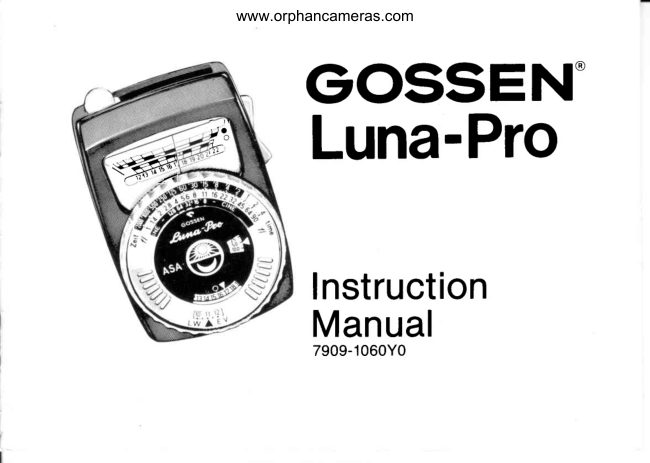
Gossen Luna Pro Electronic User manual
User manual for Gossen Luna Pro Electronic. 33 pages in English. Read the original PDF, download or print a copy without registration.
33 pagesEnglish1.7 MB PDF
Loading your manual…Open PDF directly
Document details
- Brand
- Gossen
- Model / document
- Gossen Luna Pro Electronic
- Document type
- User manual
- Language
- English
- Pages
- 33
- File size
- 1.7 MB
- Category
- Light meters
- Document date
- Not specified in catalog
Search available document text
Find a term, then jump to its page in the original PDF. Image-only pages may not be searchable; check the PDF for exact wording and diagrams.
Page 2 · Read text
GOSSEN
    Luna-ProElectnonic
                         Systern   ErposuFe    Meter
                      Operating lnstructions and Exposure Manual

                                              7909-0093Y0
View original page 2Page 3 · Read text
C O N T E N T S
                          Page                          Page
      Baslc operating instructions         The Luna-PRO SYSTEM
      Setting the film speed         2     Expandedcapabilities      16
     Reflected/incident                                          Variable Angle "spot meter"
     measurement               3                                       attachment                17
      Light measurement(basic)    4                                         Enlarging attachment       18
      Light measurement(specific)  5                                      Microscope attachment     19
      Testing the batteries         7                                           Fibre Optics Probe         20
      Testingzero position          7     ReproAttachment           21
      Thinking and measuring             Care and service                 . 2 3
      Reflected light measurement  8
     Measuringarea of the              Readingthe scales             . 2 4
     Luna-PRO                  9                               ASA values                         . 2 5
      "Perfect" exposure          11     Exposure modification        . 2 6
     The personaltouch          1 3     Footcandle Table                . 2 6
      Motion and depth of field     1 4      Reciprocity effect                . 2 7

                             www.orphancameras.com
- '-,-.-       .    ',-:  ,:,.-l^ii*;.*            ,+\'i      -':'  .- *,              ::,,.1i.::. *;*;*i**.*#;ir;                                        ;rb5]:*i*akdk    .,.r,u*s   - 'o-,q
View original page 3Page 4 · Read text
Luna-PRO                                                 ConverterSlide with                                                                    spherical d iffuser tor
Operating Parts                                                incidentlight measurement
and Scales                           @ lndicatorScale                                  @ Red Check Mark for
Keep this page folded out                                           batterytesting only
when reading instructions,                    @ Scale Divisionsso  that  you  can  easilY                                     uppero for values 1 to 12
 identify parts and scales.                                         lower o tor vafues 12 to 22
                                  @ IndicatorNeedle
   ExposureTime Scale O                     @ Range Selector         (shutterspeeds)                                         forward: low range
         Aperture Scale @                                    backward- bright range                        (f-stops)
           Cine Scale @
    (framesper second)
                                  @ ASA ExposureIndex Vatues
                                  @ Film SpeedSettingDiskComputer Ring for setting @
 the ind icator read ing on
the yellow transfer scale
                                                              Scale for shutters
          Transfer Scale @                                          calibratedin EVGreen Ring Index for 7.5o           ,.p             (ExposureValues)
 measurement (with "sp.o!
 meter" attachment only)                  O                                --@  Eyelet for neckstrap
       R e d R i n g  I n d e x @
     for 150 measurement
       (with "spot meter"        @ Yellow Index for regular 30o
       attachment only)             measurementwithout                                      "spot meter" attachment,and
                                           for incident light measurement
View original page 4Page 5 · Read text
@ Diagramshowing correct position
                            of the 2 batteries

            @ Battery Chamber

            @ RidgedSlide for
                          battery testi n g

            @ Table of Footcandle(Lux)
                     equivalents

            @ Tero AdjustmentScrew


www.orphancameras.com
View original page 5Page 6 · Read text
COngfatUlatiOnS      -   you now own the world's outstanding exposure meter!

      Vour new Luna-PRO-  like the Lunasix,its precedent-breakingforerunner- yields reliable
      measurementsunder virtually any light condition, all the way from faint moonlight to
       brightestsunlight.
      And - even more important -  the Luna-PRO is the first SYSTEM EXPOSUREMETER. lt
      enablesyou, by means of instant-lock-onattachments,to refine your measuringtechniques      f
       not only in your camera rvork on location and in the studio, but in enlarging or in photo-
       micrography.                                                                                                                                                                                                                                                                                                                                                              I
      The Luna-PRO represents a most significant development by Gossen GmbH, Erlangen,
      West Germany, Europe's largest manufacturers of precision electrical instruments since
       1919,and one of the outstanding pioneers in exposure meter design since 1932.
       your Luna-PROis so easy to use that, within a short time, its operationwill become almost
       "automatic". Please acquaint yourself with this fine instrumentby reading the following
      pages with the Luna-PROat hand, thus getting off to a good start for consistentlygood
       results.


                                                                                                                                                                                                                                                                           , . , , - -                         "  4        : e q r : r                   . . d \I
View original page 6Page 7 · Read text
Basic Operating Instructions


Setting  the  film speed
Look up the ASA ExposureIndexof the fitm in
use (you will find it on the film box or film
instruction sheet) and turn the Plexiglas@
film-speed setting disc (17) by the raised
bars, until the ASA Index number in the f ilm
speed window  is  lined up  against the
triangular white marker.
You will f ind a detailedASA f ilm-speedtable
in the technicalappendix on page 24.
2
                         www.orphancameras.com
View original page 7Page 8 · Read text
--@ffi


                                              ^,

Reflected Light Measurement: Move the    Incident  Light  Measurement:  Move the
converterslide (10) all the way to the right;   converter slide (10) so that the spherical
this uncoversthe round window. The Luna-   diffuser is centered over the lound window.
PRO is ready when the converterslide has   The Luna-PRO is ready when the converter
c l i c k e d i n t o p o s i t i o n .P o i n t t h e L u n a - P R O  slide has clicked into position. Point the
toward the subject, as indicated by the   Luna-PRO from the  subject towards the
arrow in the illustration.                   camera, as indicated by the arrow in the
                                                 illustration.
View original page 8Page 9 · Read text
lI
Light Measurement- (basic steps)                                                                   |I
press the range selector (15) backward and release it when the indicator needle ('14)stops
rnoving.This locks the reading in for convenientreference'
lf the indicatorneedle is deflectedonly slightly (below 12 on the scale),take a new reading
by pressingthe range selector forward. You have now switched the Luna-PROto the low
light range. Wait again until the needle stops, and lock the reading in by releasingthe
se Iector.
lf the light is so poor that you cannot observe the movement of the needle, simply hold
down the selector for several seconds. After releasing it, you have locked in the correct
readingand can take the Luna-PROto better light, or use a flashlightto read the scale.
As you press the selector forward, the values 1 to 12 appear in the upper frame, and the
upper scale divisions apply; when you press the selector backward,the values 12 lo 22
appear in the lower frame to which the adjacent lower scale divisions apply. When you
release the selector, only the scale values applicable to the measuring range which you
just selected,remainvisible.
Thus, the Luna-PROalwaysshows the correct scale!
After taking the measurement,turn the computer ring (5) until the obtained reading is set
at the triangularyellow index (9) of the transferscale (6). The green and red ring indexes
apply only for measurementswith the VariableAngle "spot meter" attachment.See page 17'

4
                         www.orphancameras.com
View original page 9Page 10 · Read text
T h e Luna - P R O n o w  g i v e s yo u co mp le te  e .xp o su re in fo rma tio n  in com binations  of  f- stops
a n d ex posu r e   t i m e s  ( 2 a n d 1 ), E V se ttin g s (1 8 ) o r  lra me s  p e r second  for m otion  pictur e
c a mera s ( 3 ) .
Y o u will  f i n d a d d i t i o n a l   i n f o rma tio n a b o u t a ll sca le va lu e s o n p age24.
Light Mea,surement    -  more  specific
I n rellec t e d  l i g h t m e a s u r e m en t, th e L u n a -P RO me a su re s th e lig h t  r etlected by objects within
a c ert a in a r e a . T h e  r e s u l t a n t re a d in g , th e re fo re , d e p e n d s  n o t only on the intensity of the
i l l u m i n a t i o n , b u t a l s o o n  t h e c o l o r a n d b r i g h t n e s s o f  t h e o b j e c i s  t h e m s e l v e s . T h u s , u n d e r
i d e n t i c a l  i l l u m i n a t i o n , t h e   i n d i c a t o r n e e d l e w i l l b e d e f l e c t e d   l e s s b y d a r k o b j e c t s  t h a n b y
b r i g h t o n e s .  I n a n o v e r - a l l m e a s u r e m e n t t h e L u n a - P R O w i l l  r e a d  t h e a v e r a g e b r i g h t n e s s o f
a l l s u b j e c t s i n a s c e n e .
lf  t he s c e n e  c o n t a i n s s t r o n g co n tra sts  in b rig h tn e ss o r co lo r,  it  is pr efer able to m easur e
t h a t part o f  t h e s c e n e w h i c h  re q u ire s th e mo st a ccu ra te e xp o s ur e. F or black- and- white or
c o l o r n e g a t i v e f i l m s , t h i s  i s u s u a l l y a d a r k e r a r e a w h i c h   i s  t o s h o w d e t a i l s  i n  t h e  f i n a l p r i n t ;
f o r  r e v e r s a l c o l o r  ( s l i d e o r m o v i e ) f i l m s , h o w e v e r , t h e   l i g h t e r a r e a s a r e u s u a l l y f a v o r e d .
T o meas u r e  t h e   i m p o r t a n t are a s, g e t clo se r to th e su b je ct b trt not so close that your own
s h a d o w o r t h a t o f   t h e L u n a - P R O f a l l s o n  t h e s u b . j e c t . T h i s m e t h o d  i s c a l l e d : c l o s e - u p  r e a d i n g .
 I n  in c ide n t    l i g h t m e a s u r e m e n t   -  fro m  th e su b je ct  to wa rd s  the cam er a   -  the Luna- PRO
meas ure s a l l  t h e   l i g h t  f a l l i n g o n th a t p a rt o f th e su b je ct wh ich faces the cam er a. Natur ally,
n e it her  t h e c o l o r n o r  t h e b r ig h tn e ss o f th e su b je ct itse lf is co n si der ed by this m easur em ent.
View original page 10
Page 11 · Read text
With inaccessiblesubjects,take the incident
light measurement at  a  substitute spot
which receivesthe same illuminationas the
subject. However, instead of pointing the
Luna-PROtowards the camera, you point it
parallelto an imaginaryline from the object
to the camera.

Incident light measurementat a substitute
spot of equal illuminationis also convenient
for many regularoutdoorscenes. Frequently,
              you                               the                             camerathe    spot        where                   stand with
                  illumination                               thereceives        the         same                           as                              scene                                           il
which you intend to photograph, in which
case you merely do "about face" with your
Luna-PRO and measure the  light exactlyoppositeto the directionof the camera.      A
More about this on page 8-11.                                             l'\
6
                          www.orphancameras.com
                                                                                                                                                                                                                                                                                              .     ,  -.  -.:  J,,.-e       *.    - .      .  .*:.,:.,   .*     :.    :,   lat'i
View original page 11Page 12 · Read text
Testingthe Batteries
With normal use of the Luna-PRO,the Mallory mercury batteries supplied with it have a life
of about two years.
It is advisableto check the condition of the batteries.fromtime to time, as follows: Push
the ridged slide (22) in the direction of the arrow without pressing the range seleclor (15).
Duringthe batterytest, the indicator needle (14) should point to the red check mark (12).
Otherwise,fresh batteries must be used.
To replace tne batteries, unscrew the cover of the battery chamber (21) -  a coin will be
useful for this. Mallory PX 13 or PX 625 batteries may be used.
After inserting fresh batteries, immediately make the battery test described above.


TestingTero Position
To test the zero position of the indicator needle, first remove both batteries from the
Luna-PRO.Then press the range selector (15) forward or backward.The indicator needle
should now rest on the check line to the left of the scale divisions(13).
To adjust the indicator needle to the zero check line, turn the zero adjustmentscrew (24)
on the underside of the Luna-PRO,while holding down the range selector (15).

                                                                                  7


                                                                                                                                                          '  .  ,  i   '   '   '   '  j  :   '   '   '  ] J  . &  .  .  .  .  .  l *  -  -  -  i   '  ]   '  .  i  :  j  .  .  :  ;  :  : d   '   '  :
View original page 12Page 13 · Read text
Thinkingand Measuring


One thing the Luna-PROcan not do:  lt cannot think for you! Even the most advanced
"electronicbrain" is helplesswithout the scientistwho phrases his problems so that they
can be processedby the computer.The Luna-PRO,too, answersexposurequestionsall the
more precisely,if you ask more carefully!You will find this quite easy once you become
familiarwith your Luna-PRO.
Above all, you must know how your Luna-PROsees the world that you want to get on your
film. This world is made up of many parts, which differ considerablyin size, color and
brightness. In the case of reflected light measurement, the Luna-PRO collects, within a
certain angle, the light which is reflectedfrom these many individualparts of the scene;
 it adds up all the light and strikesan averageforwhich it indicatesa suitableexposuretime.
And, normally,the exposure indicated in this manner is perfectlycorrect. (ReflectedLight
Measurement,see also pages 3 and 5.)
Anything unusual which you - as attentive (l) observer -  will easily notice, may not be
"seen" by. the Luna-PROin quite the same manner. lf the scene includes a large very
bright area - far f rom the "average" that the Luna-PROwould normally calculatewith -  it

8
                           www.orphancameras.com
                                   , =:i-"w*;*:^               .  . ,x:    ,--,                                        ..:.:.ii.,,,:.;::.:i:.:,;-;ia.,.:i;;..;,:.tt*i;;4+\                ,;#;r:,ta;,|;:;r:.;'I;*''
View original page 13Page 14 · Read text
will indicate a shorter exposure time than it would for a large very dark area. But you want
to see the very light, or very dark area in the finished picture again as "very light" or "very
dark" - not as "grey"lWhat to do? Your judgment has to guide the Luna-PRO:lf there are
extensivevery bright or very dark areas in the scene, steer the Luna-PROaway {rom them
and take the measurementfroln the "average" parts of the scene.


Considerthe MeasuringArea of the Luna-PRO

You can see in the viewfinder, or on the groundglass of your camera exactly what will be
included in your picture. The Luna-PROcannot orient itself! Of course, you'll want to know
what parts of a scene are included in a reflected light measurement.
The camera, with your help, selects its "rectangle" or "square"; the Luna-PROcovers a
measuring"circle". Whateverlies outside of these variouslyshaped areas remainsunseenl
But you can easily estimatethe size of the Luna-PROmeasuringarea by comparisonwith
the finder or groundglassimage. The illustrationson page 10 show the relation for 35 mm
cameras (24X36 mm) with various focal length lenses, and for 21/cX 21h" cameras, when
reflectedlight measurementsare made from the camera position.
View original page 14Page 15 · Read text
The normal measuringarea of the Luna-PROcorrespondstoalight acceptanceangle of 30 .


For 35 mm cameras (24,'.36mm)                                      For  2llct  211q" cdmatas


                         No rma l                                   135m m lens
                    9 0 m m  l e n s  Me a su rin g Are a                        Nor m al M easur ingAr ea            5 0 m m  l e n s


                            www.orphancameras.com
View original page 15Page 16 · Read text
The normal measuring area of the Luna-PRO corresponds to a light acceptance angle of
30o. Still narrower angles (150 or 7.5o) can be measured when the Luna-PRO is used with
the VariableAngle "spot meter" Attachment.(See page 17.)
The small measuring areas permit very accurate, carefully aimed measurementsfor ex-
posures with longer lenses, and selective readings of various parts of a scene or subject
when normal lenses are used. The lively lndicator Needle of your Luna-PROtells you very
clearly whether a scene has uniform distributionof brightness or not. That's especially
lmportantfor close-up measurements.                                                                    .
Incident Light Measuremenl (see also pages 3 and 5)                 (s
In this measuringmethod, your Luna-PRO"sees" only the light falling on that part of the
scene which is facing the camera -  in other words: the part which will be photographed.The result of this measurement does not consider the color or brightness of the scene $\
itself. Thus, incident light measurement is ideal for the previous example with ,:xtensive
very bright or very dark areas -  it will give you perfect results.                                           :+                                                                                                                                          \-0Perfect Exposure
The correctexposurefor any scenethat can be photographed,can be determinedwith the
Luna-PRO!But, when is a scene "perfectly"exposed?- That's not alwaysso easy to

                                                                                 1 1


                                                                       :t'#:tldai*;:;diiAi;*#
View original page 16Page 17 · Read text
a n s w e r ! F o r t h e a m a t e u r , e s p e c i a l l y t h e b e g i n n e r , t h e o v e r - a l l i m p r e s s i o n  i s u s u a l l y d e c i s i v e .
B u t  s o o n   t h e d e m a n d s  b e c o m e m o r e  s t r i n g e n t , e s p e c i a l l y w h e n   r e s u l t s a r e  c o m p a r e d .
" P e r f e c t E x p o s u r e " n o r r n a l l y r n e a n s : T h e b r i g h t e s t p o r t i o n s o f a  c o l o r   t r a n s p a r e n c y . t h e
d a r k e s t p o r t i o n s o f a b l a c k - a n d - w h i t e o r c o l o r p r i n t , s h o u l d s t i l l s h o w s o m e d e t a i l l

F o r c o l o r s l i d e o r m o v i e  f i l m  - w h i c h , a s y o u k n o w ,  r e q u i r e s m o r e c r i t i c a l e x p o s u r e      t h e
 l i g h t e r p o r t i o n s o f a s c e n e u s u a l l y d e t e r m r n e t h e e x p o s u r e . T h e r e f o r e , k e e p a n e y e o n s u c h
 l i g h t e r a r e a s a n d p r e f e r a b l y e x p o s e a   l i t t l e s h o r t e r r a t h e r t h a n   l o n g e r , t o g e t m o r e b r i l l i a n t
c o l o r s
F o r b l a c K - a n d - w h i t e o r  c o l o r n e g a t i v e  f r l m , h o w e v e r .  t h e  s h a d o w p o r t i o n s w h i c h  a r e   t o
h a v e s o m e d e t a i l  i n  t h e  f i n i s h e d p r i n t m u s t b e g i v e n c o n s i d e r a t i o n . T h e r e f o r e , w a t c h  t h e
d a r k e r a r e a s a n d e x p o s e a   l r t t l e l o n g e r r a t h e r t h a n  t o o   l i t t l e .                                                                                                                                 i
M o s t  r m p o r t a n t : B e c r i t i c a l o f y o u r  r e s u l t s ! A n a l y z e y o u r p r i n t s a n d c o l o r  t r a n s p a r e n c i e s f o r              rl
p o s s i b l e m j s t a k e s o r e r r o r s   i n   j u d g m e n t . L e a r n  f r o m  y o u r e x p e r i e n c e : F a i l u r e s p r o p e r l y
a n a l v z e d w i l l s o o n   l e a d t o c o n s i s t e n t s u c c e s s e s l
Re memb e r  t h a t . w h e n   t h e r e a re e xtre me co n tra sts in a sce n e , th e film m ay not be able to
c o p e w i t h   t h e m ! D o n ' t  b l a m e  y o u r  L u n a - P R O ! Y o u w i l l  h a v e   t o  c o m p r o m i s e w i t h   t h e
 l i m i t a t i o n s o f   t h e  f i l m b y e x p o s i n g a s t e p  r n o r e o r    l e s s  t h a n   i n d i c a t e d b y   t h e L u n a - P R O .
Ab o u t  "ex p o s u r e  s t e p s "  s e e p a g e 2 6 . Ho we ve r,   it  is e a sy  to give your LUNA- PRO your
P e r s o n a l T o u c h b y h a r m o n i z r n g  i t w i t h  t h e  t o l e r a n c e s o f y o u r c a m e r a , y o u r  f a v o r i t e f i l m ,
y o u r d e v e l o p i n g m e t h o t i s ( o r  t h o s e o f y o u r  { i n i s h e r ) . H e r e   i s h o w .
                                                                                                   s

 <^lz
                          www.orphancameras.com
View original page 17Page 18 · Read text
The PersonalTouch
       Do you really have to expose very critically every time? There are two answers to this
        q u e s t i o n :
       (1)On black-and-whiteor color negative film you will get good negativesalmost without
          exceptionand without fuss.
         (2) Reversalcolor film is more critical. Deviationsfrom correct exposurewill produce trans-
          parenciesthat are either too light or too dark, you may also get distortion of colors.
       Now, you must rememberthat the accurateexposureinformationwhich your Luna-PROgives
       you may not even be fully utilizedbecauseall sorts of "tolerances"must be reckonedwith:
         (a) The actual sensitivityof a  f ilm may differ from the one indicated on the film package.
         (b) The actual speeds of your camera may differ from the values engraved on the shutter.
          (c) The actual aperturesmay dilfer from those engravedon your camera f-stop scale.J       (d) The film developmentmay not always be identical.
         (e) In addition,purely subjectiveconsiderationsand mattersof taste enter into the evalua-
            tion of the finished print or slide. lf you make several exposuresof the same scene or
           subject with various exposure times, you will almost never get complete agreement
         among differentjudges as to which negativeor which slide received"perfect" exposure!
       However,you can adapt your Luna-PROexposure readings to the characteristicsof your
       camera, your favorite film, your type of processing,your projector -  in other words to
        your personal touch.

                                                                                         1 3


                                                                                                  l#;         )
View original page 18Page 19 · Read text
Use a reversalcolor film; select several "normal" scenes; take careful reflectedand incident
light measurementsand shootl But - each time make a series of 5 exposures; in addition
to the one at the indicated exposure time, make one each at a full step and one-half step
more and less than indicated by your Luna-PRO.Make complete notes of the readings and
of any special conditions.When you have your finished transparencies,select the ones
which, in your judgment, are "perfect" and compare them with your notes concerning
exposure measurements,etc.
lf they'reO.K. - and in most cases they will be - everythingis fine. Otherwise,determineby
how much you need to increase or decrease future exposure readings to get the best
results.With this adjustmentyou have then gained your "PersonalTouch".

Sharpness for Motion and Depth of Field
After you have taken a light measurement,the computer scales of your Luna-PROmay line
u p s o m e t h i n gl i k e t h i s :
timg       1/rooo     1/soo       l/zso       1/tzs       1/to        1/to         1/ts         r/a sec.
 i l 2 2 . 8 4                         5 . 6          I        1 1      1 6      2 2
Eight combinationsof which you may really use only one! Now, which combinationmight
be "the best"? The Luna-PROhas done its best giving you so many equivalentpairs so
that you may select a really suitable one. After all, a properly exposed picture must also
be in sharp focus - which means that you have to ignore some aperture (f-stop)settings and
some shutter speeds.

1 4
                            www.orphancameras.com
                                                                                  -   :     *':Ll*;--*-       ,                 *,t:';u
View original page 19Page 20 · Read text
Motion calls for a short exposure to prevent a blurred image. (Your camera instruction book
        or any good photographic manual will give you inlormation about "slowest permissible
       shutter speeds" for moving objects). Needless to say, sports pictures demand the shortest
      exposures (l/zsoto 1/rooos€c.) and normal motion can be stopped with medium speeds l/eo
         lo 1lzsosec.) while, for  still scenes, the slower speeds (r/ro to  l/n sec.) are adequate. Of
       course, for the slow speeds, you'll need a good tripod or other camera support to avoid
       lack of sharpnessdue to camera shake.
      Depth of Field. Since, usually, you will want to have near and distant objects equally sharp
         in your pictures,you'll have to "close down" the lens. How much? The depth-of-fieldscale
        of your lens, or a separatedepth-of-fieldtable will tell you. A smaller lens opening gives
      you the desiredgreaterdepth but-  it calls for a longer exposure!
      The conflicting demands of motion and depth of field reduce the choice of f-stops and
       shutter speeds to such an extent that, generally, only a few possible choices remain. Let'sIJ       say you need a shutter speed of a least l/cosec. to stop motion in a scene and, to get
      adequate depth of field, you need a lens opening of f/S.6 or smaller. With the exposure
       reading shown opposite, you would only have the choice between using f/8 with r/cosec.,
        or  f/5.6 with  t/rzssec.
       Occabionallyyou must make a compromise because existing light conditions may allow
       using neither the ideal f-stop nor the ideal shutter speed. On the one hand you risk subject
       motion; on the other, less depth of field  -  provided it  is important to you to take the
       pictureat all!
                                                                                                                               "                                                                                   1s

                                                                       :s-,ru*,**Mi$]il*i*;-':*x*;t+g.
View original page 20Page 21 · Read text
The Luna-PROSystem


Thanks to its.unique design as a SYSTEM EXPOSUREMETER, your Luna-PROprovides
you with an adaptabilityand universalitypreviouslyunknown in exposuremeters.
Used alone, the Luna-PRO continues the superb tradition of the Gossen Lunasix as a very
sensitive, wide range (1:2,000,000) exposure meter.  lt converts instantly, and without            r
accessories,from  reflected to incident light measurement -  and you'll  find  its one-hand
operation (even with a glove on) a great boon when moments count on location, or in the
studio.
Now, whenever the need arises, you can greatly expand the capabilities of the Luna-PRO
by using one of the following exclusive accessory attachments:
     Luna-PROVariable Angle "spot meter" Attachment (see page 17)
     Luna-PROEnlarging Attachment (see page 18)
     Luna-PROMicroscope Attachment (see page 19)
     Luna-PROFibre Optics Probe (see page 20)
     Luna-PRO Copy Attachment (see page 21)
A built-in instant-lock-ondevice holds each attachmentlirmly on the Luna-PRO.
1 6
                            www.orphancameras.com
                    .-.*,i: .:-,i;=.-.
View original page 21Related documents and language editions
GossenPDF
Gossen Luna-Pro
User manual
33 pages · EnglishRead →
GossenPDF
Gossen Luna-Pro enlarger text
User manual
2 pages · EnglishRead →
GossenPDF
Gossen Luna-Pro microscope attachment
User manual
9 pages · EnglishRead →
GossenPDF
SUPPLEMENTAL Gossen Luna Pro
User manual
13 pages · EnglishRead →
GossenPDF
Gossen Luna-Pro enlarger attachement
User manual
16 pages · Not specifiedRead →
GossenPDF
Gossen Variable Angle Attachment
User manual
6 pages · Not specifiedRead →
From the M. Butkus archive. Original publisher and archive notices are retained.
Check the model and edition against your equipment.
PDF verified 2026-10-10.