Film cameras
Linhof Super Technika 2 1/4 x 3 1/4 User manual
User manual for Linhof Super Technika 2 1/4 x 3 1/4. 23 pages in English. Read the original PDF, download or print a copy without registration.
23 pagesEnglish5.8 MB PDF

Loading your manual…Open PDF directly
Document details
- Brand
- Linhof
- Model / document
- Linhof Super Technika 2 1/4 x 3 1/4
- Document type
- User manual
- Language
- English
- Pages
- 23
- File size
- 5.8 MB
- Category
- Film cameras
- Document date
- Not specified in catalog
Search available document text
Find a term, then jump to its page in the original PDF. Image-only pages may not be searchable; check the PDF for exact wording and diagrams.
Page 7 · Read text
The fu\ultifocus Ronge-viewfinder eom-
                                                     bines CIn optieol universq! viewfinder *
                                                       odiustoble for different focol lengths
                                                   with q crificol coincidence-type  rongefin-
                                                              der. A rectqngle in the center of the view-
                                                         finder field rho*, the bright nongefinden
                                                         imoges; when the two imoges qre brought
                                                           into coincidence ond form a single imoge
                                                by focusing the lens with the focusing
                                      l<nob the lens is outomqticolly qnd
                                                                   criticolly focused. The bright rongefinder
                                            imoge is especiolly helpful in dim light
                                            where groi.rnd gluss focusing woulC be
                                                                   difficult. Rongefinder focusing with the
                                                 normol ond wide-ongle lens cqn be used
        ts' re                                        os close CIs three feet  f rom the su biect,\**                                           and less.


         www.butkus.us
View original page 7Page 8 · Read text
7
 Viewfinder Adiustnrenl
  f sr vurious   f oe cil [engf hs
 The field of vcrrious lenses is obtained by
 odiusting the lenght of the eyepieee tube
 (B), und by ottaching CIppropricte mosl<s
 to the viewfinder front lens. Musks ean be
 ottqched in either horizontol or vertiecl
 position to correspond to the position of
 the c0 merc bock.
Wide-Angle [-enses. Push eyepiee e tu be
 oll the wCIy in. For 65 mm, (2slra in.) lens
 use 65-1 05 mm. mosk. For 53 trnm. (21A0 in.)
 Biogon use speciol 53 mm" mask.
Normcl [enses: 90 rlrm" (3112 in.) *  pulI out
eyepiee e tu be to eng roved red line; uso
65-105 mm" mosk; T00 mm"(4in") -- pu!! ruteyepiece tube sll the wny; us€ 100 mm"
nnosl<; I05 nrm. (41re in.)
piece tube CIll the woy; us€ 65-105 mm.
mask;
Telephoto tenses T80 cnrd 240 nmm. (7 ond
9rlz in.)   pu ll out eyepiece tu be s ll the
woy; use I B0 or 240 mm. mosk" The AUTO-
MATIC DISTANCE SCALE (A) is uctusted
by the focusing nnechonism ond adiusts
outomoticolly for unother lens when the
ccm disl< is chsnged,
Pqrollsx Correclion" The viewfinder eye-
piece (B) cCIn be pushed diogonolly up-
word to the right to correct fon porollox;
vorious distonces ore colibroted beneoth
the eyepiece (C) for stettings from infinity
to 3 ff" {l m.)"
View original page 8Page 10 · Read text
5" Turn disk (E) until the slot nnorked wiih
   the desired focal length and Iens serisl
   number engages the kuy stud"Tlghten
   locking cCIp (B); fold down C-ring.
6" Pull out lens stcndqrd until it clicks into
   the proper infinity stop (D) on the upper
   trock" Stops und lens nrnorkings CIn the
   tni-eom disk CIre colour coded fon con-
   venient mutehing;

7 " Insert new lens by seating lower edge
  of its lensboqrd in bottom grCIove of
   lens standard; Iift lock bcr {A} to *e{mii
  top edge of lensboord;
  BLACK stops nnd lens markinss:Wide_
  Ang le Lens.
  RHD stops ond lens murkings: Norms$
    N-e ns.
  GREEN stops qnd lens nnankings: Tef e-
  photo [-ens.
   lf rnore thon three lenses ore cc,upied
  to the cornerc/ o seeond eum dlst< musf
  be used" Cum disks CIre reudily infer-
  changeable ufter fhe loeking eop hus
  been ioosened und eonnpletely puiled
   off"
View original page 10Page 12 · Read text
ll


Affer pressing down trsek release (B), the
upper trsek (D) eern be pulled out to CIR-
other click stop, tsy using the foeusing knob
(C) o total extension of 280 mm" (1 T inefoes)
eqn be utilized; with the swing-bcek prlled
out, the extension is inereused to 300 nRRn.
{12 inches)" Thus, telephoto trenses up to
360 mm. (T4 in") focal length msy be used
(ground gloss foeusing only)" Alsou by
using wide-ongle lenses with triple ex*
tension mocrophotogrcphs wilh CI repro-
duetion rstio of approxinnotely 3.5 r 1 muy
be obtsined.
View original page 12Page 16 · Read text
't5


After exposure, re-insert dork slide. To
withdrCIw holder from comero, pull bqck-
word (to releose holder from light lock)
qnd out. (See illustrotion 3.) Reverse holder
ond insert for next exposure" (See illustrq-
tion 4.) With unexposed moteriol the dork
slide should be inserted with its nunnber
outwo rds, ofter exposu re the slide is re-
ploced with its number towords the inside"
This will tell you qt o glonce thot film hos
been exposed, ond prevents errors. In od-
dition eqch hingeci end of the LlNl-iOF
double holder feotures o built-in nurnbering
tob which corresponds  to the number on the
dqrk slide. During the exposure the num-
ber is outomqticolly printed oR the neger-
tive. This helps considerobly in identifying
negotives ofter development.
By using double holders, it is possible to
odopt the best possible type of film or
plote to eoch photogrophic situotion. Thus,
ponchromotic, infro-red, ond color emul-
sions con be used in succession, if desired.
View original page 16
Page 17 · Read text
Only the finest lenses ore supplied for
                                use with the Super Technikq  23.
                      A complete listing of these lenses will be
                                                                                            f ou nd on the bock cover. All lenses ore
                                       reodily interchongeoble. However, the ex-
                                treme wide-ql9le 53 mm. (2r/rc in.) f/4.5                                                                          ' Zeiss Biogon, becouse of its unusuol con-
                                        struction, reg.t1ires the following special
                                         ccrre in hondling:
                                 Operoting lnslruclions for the Biogon
                                      A. When inserting the Biogon, pleose pro-
                                  ceed os  f ollows  :
                                                   l. Set cqm to proper position for 53 mm.
                                   Biogon (operotion see psge I0).
                                                 2, .Pull lens sfqndord holf woy out on the
                                    upper trock.
                                     3. Press down on bed struts until they en-
                                        gc|ge In secondd notcrles.notches.
                                                    4. Tilt lens stondord oll the woy kbock.
                                                        5. Rqise lens stondqrd l0 mm. (tl,   i nch)
                                                 oopproximotely.pproxtmqTety.
                                       6. SlipSlip lowerlower edgedge of lensboord into bot-
                                 tg* groove of stqndord, observing thot
                                     the flosh coble socket is on the upper
                                                side.
                                     7. Lower the roised lens stqndord to nor-
                                mol position.
                       L Push stondqrd bock on the upper trock
                                               until it clicks into the infinity'notch  for:
                                     Biogon (block mork).
                                      9. Push bqck upper trqck with lens ston-
                                  dord on it, until it snops into o secon-
                                   dory stop"
www.butkus.us
View original page 17Page 20 · Read text
19


 The formot mosks for the Multifocus Ronge-viewfinder
 ure interchongeoble.  Their squqre shope enobles the
 mosks to be turned for horizontol qnd verticol picture
 composition, if this is preferred to the turning of the
 whole comerq. Note should be token thot the position
 of the formot mosks should olwoys correspond to the
 positfion of the comers bock"
 Formot mosks tlre qvoiloble for the vorious focsl
 lengths of lenses ond qre opplicoble to the ZtlEx3t/* in.
 (d, x 9.t.), 2Lhx2rl+in" (6 * 6 cm.) ond 2rl+ x 28lE in.
 (56 x 72 mm.) formots, ond fon porollsx eompensotion
 in close-up photogrophy. (See toble below). When
 plocing your order for mosks, pleose stote the negotive
 size, the focol length of the lens ond the finder system
 with which they qre to be used.
Normqi ronge-viewfinder
                                   -- Focsl lengths*         Distsnees feet and inches
 65 mm. (2sAo in.)   @ -  l'8"
100 mrn. (4 in.)    m -  6'8" ond 6'8" - I'8"
105 mm. (4tla in.)   @ -  6'8" ond 6'8'o -  I '8n'
I80 mm. (7 in.)     o - 16'8" on{ 16'8" - 5'0"
240 mm. (9tlz in.)    6 - 16'8" ond 16'8" -  6'80'
Biogon ronge-viewfindcr**
Focql lengths*        I  Distonces feet ond inches
 53 mm. (2tlro in.)   @ *   l'8'o
 65 mm. (2oAo in.)    €  -   l'8nn
                           *100                 6   mm.           (4 in.)                             6'8"                                       6'8"                          cnd                                                           l'8"                                                       -                                                       o8""105                           *                                               *                                 crr            (4tla                                                                                                     l   mm.                   in.)                                       6'8"                               6'8" ond
'180 rnrn. (7 in.)      6  - 16'8" ond 16'8" -  500"
240 mm. (9tle in.)      cp -  16'8"
* Formot mosks ore ovoiloble qlso for lenses with focol
   lengths of 90mm. (3r/e in"), 120 rnm. (4sla in.), tr35 rnii1"
  (5V* in.), 150 mnn. (6 in"), 210 mm. (8t/'t ;n"J snd
  270 rnm" (lOtle in.) ond for both finder systenns.
** This finder is built into qll 2tla x 3Va in. Super
  Teehniks eqmergtr the seriol nurnbers of which sre
   supplernentedr.l.''fi "8"
              '.,t1
                                  i/'l
View original page 20Related documents and language editions

LinhofPDF
Linhof Gebrauchsanleitung zur Technika
User manual
28 pages · GermanRead →
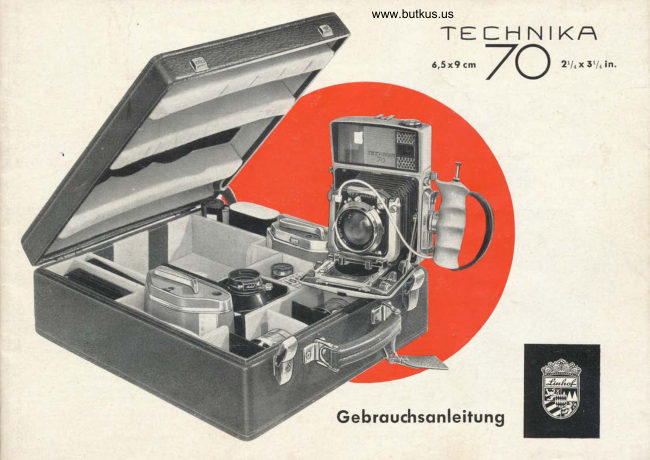
LinhofPDF
Linhof TECHNIKA 70 Gebrauchsanleitung
User manual
34 pages · GermanRead →
LinhofPDF
Linhof Super Techkina
User manual
17 pages · Not specifiedRead →
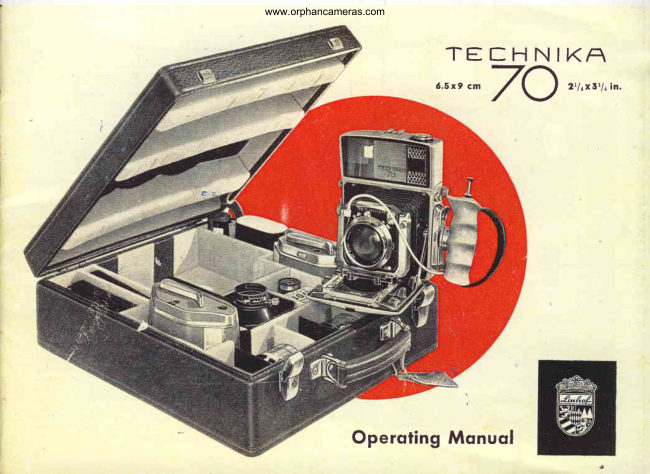
LinhofPDF
Linhof Technika 70
User manual
35 pages · Not specifiedRead →
From the M. Butkus archive. Original publisher and archive notices are retained.
Check the model and edition against your equipment.
PDF verified 2026-10-10.