Film cameras
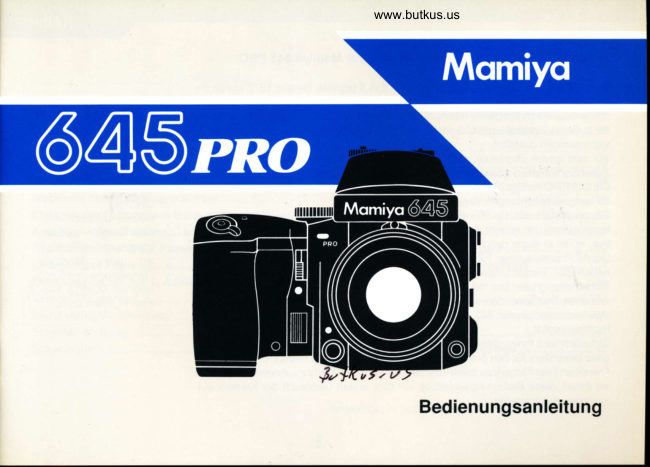
Mamiya 645 pro Handy Pocket Guide Reference guide
Reference guide for Mamiya 645 pro Handy Pocket Guide. 20 pages in German. Read the original PDF, download or print a copy without registration.
20 pagesGerman1.6 MB PDF

Loading your manual…Open PDF directly
Document details
- Brand
- Mamiya
- Model / document
- Mamiya 645 pro Handy Pocket Guide
- Document type
- Reference guide
- Language
- German
- Pages
- 20
- File size
- 1.6 MB
- Category
- Film cameras
- Document date
- Not specified in catalog
Search available document text
Find a term, then jump to its page in the original PDF. Image-only pages may not be searchable; check the PDF for exact wording and diagrams.
Page 3 · Read text
YourHandyPocketReference
This pocket guide to the "Mamiya 645 PRO" is a condensed                                                            This is not an instruction
user's manual which briefly explains the major features and    manual.So,pleasereferto the
basic operations of the camera. References on identifying    largermanuallordetailedan-
                                  'illuminate"   'blink")      swercto specilic questions.the various LED displays (which            or          in
the viewfinderand proceduresto load the film are included.
Additionalgeneral photographicinformationand steps to
take for troubleshootingmay also be of help to you.
This handypocketguideshouldbe your constantcompanion.
t  ApertureRingCouplingPin       @ FocusingSueen  Whenthe lenshas beenmounted,makesurethat      Varioustypesof interchangeablefocusingscreens
   the ApertureCouplingPinof the cameraengages     can be used.
                                            $hutterSpeedlfial   the notchon the ApertureRingof the lens.   @)   ShutterReleaseSelector                       At the A or AELposition,automaticexposurescan
   Whensettingthe selectorto reddot O, the Shutter     be madewiththe AE PrismFinder.
   ReleaseButtonis locked.Set it to the whitesquare  ,A  D positionfor normalphotography.Whensetto the  Y  $hutterSpeedllial LockReleaseButton
   yellowclocksymbol,theself-timerwillbe actuated.    To unlockthe ShutterSpeedDialLockwhenit is in
                                                   the A or AEL position,turnthe dialwhilepressing
   ShutterReleaseButton                    downon this button.
+  BatteryGheckButton                                fii FilmAdYanGeCrankAC401                                          To mountthe PowerDriveGrip,simplydetachthe
E. lensReleaseButton                           FilmAdvanceCrank.
6 MinorLock-upLeuer                           ilJ MultipleErposureleuer
                     www.orphancameras.com
View original page 3Page 6 · Read text
FilmAdvanceCrank                             PrismFinder    PowerDriveGrip            4


To detachthe Film Ad- To attachthe grip, set the   Attachingthe Finder  RemoYingthe Finder
vance Crank from the Multiple Exposure Lever   Insert the front Finder Holdthe FinderLockRe-
camerabody, turn the on the camerato the white  Moun           tothe lease Button in while
LockReleaseLeveronits squareo and push the   side                     , and pushingdownon thebut-
bottomin the directionof  grip locking lever down-   pressthefinderdownun- ton v  on the opposite
the arrow.To attachthe ward.                                  til the rearlatchsecurely sideof the finder.
Crank to the camera To detach,push the lever   locks.
body,tumhelockReleaseupwardwhileatthe same
Lever in the opposide time pressing the blue
directionof the arrow.   buttonin.
View original page 6
Page 7 · Read text
Pullthe RollFilmInsertoutof thefilmholder.
OpentheSpoolStudandloadfilmin orderof 1 to 4.
-  Filmhasbeenloadedcorrectlyil thecurledblackpaperfacesout-
(Pleaseseepage18of the645PROinstructionsforcompletedetails)


                      www.orphancameras.com
View original page 7Page 11 · Read text
To determinecomparisonbetween  Discoverthesecretbeautyof nature
focallengthsof 35mmand medium  and the worldaroundyou with the
formatlenses,usethissimplifiedta-  80mmil4MacroLensN foryour645
ble:                     PRO.lt can focusas closeas 18.3
                       cm from the cameraand with theGonuerslonol todlumFomatInto35nmFonnatlsm                 optionalmacro spacer can make
                                  picturesfrom halfto full life size.lts                                   'Tloating                                        lenselements"systemas-
                              suresutmostsharpnessto theevery    6x45   [ff,ll""tn'n"  xo.6   6xG          "       x0.55    corners.
    6x7          "        x0.5
    6x8          "        x0.46
    6x9          "        x0.43
Example:What is the equivalentto a 645
      300mmlensfora 35mmcamera?
Answer:300mmx 0.6= 180mm
* Thisconversionfactoris rounded.

         www.orphancameras.com
View original page 11Page 12 · Read text
BatleilesUsed
                                 [Gameral
                            4LR44 alkaline-manganesebattery,With the AE Prism and the Power
                          4SR44 silver oxide battery or 2CR1/3 lithiumDriveGripattachedto your645 PRO,
                                      battery x 1you eliminatethe need of manually
advancingthe film or worryingabout                               [Power0riueGrlpWG401l
correctexposuresettings.lt makes  AA sizedry battery,Alkalineor Ni-Cdbatteryx 6
                                             *  Check batterycapacityfrom time to time andpicturetakingeasy and pleasurable.                                      replacebatteriesat an eary stage if capacity
                                  appearsto be droppingoff.

                   Gheckerlamp SelFtimer0peration
Set the shutter Release
Selectorto the self-timer                lllumlnataslor 8 sec.
mode.                    Ilmer0ll
 TimeErposule
                                    Set ShutterSpeed Dialto "B".
                                    Pressingthe Shutter Release Button will open the
                                       shutter and it will stay open until you press again.ffXilllg#:i--+'U           While open,a batterysavingcircuitwillautomatically
Dialin the B position-                      switch off power.
                                      (lmportantfor nightand star photography.)
View original page 12Page 16 · Read text
AEL(AELock)              ExposureGompensation                                    + 1 .5
           Usethe exposurecompensationfeaturewhen the brightnessdiffers
                significantlybetweenthe light on the primarysubjectand the back-
             ground,or when shootingagainstthe light.lt can also be usedwhen
              taking availablelight or high contrastphotos.(i.e. low/highkey).
By using the spot metering                      ln the above snow scene,
modeon the facesof the sub-                 averagemeteringmode was
jects (see above) the bright                used to create silhouetteef-     -
background is prevented                     fect but additionalexposure
from causingthe wrong ex-               compensation helped to
posure.                                  renderimportantdetails.
View original page 16Page 19 · Read text
1.  fhe ShutterReleaseButtoncannotbe prcssed.
   o ls the Shutter ReleaseSelector in the white dot n position?
         '  Willthe Battery Check Lamp glow? (lf not, replacethe banery)
   o Has the Film Advance Crank been advancedas far as it will go?
         ' Has the Dark Slide of the rollfilm holderbeen removed?
2. Themiror will notgodoun.
      .  ls the MirrorLock-UpLeverlinedup horizontally
     againstthe whitesquare!?
3. Thoughthelired numberol erposureshasbeentaken,the
   developedroll hasfewererposuresthanit shouldhaue.
      . Hasthe StartMarkon the film beenalignedcorrectly?
4. Theroll lilm holdercannotberemouedfromthebody.
   o Hasthe DarkSlidebeeninsertedintothe rollfilm holder?
GamelaMaintenance
   o NevertouchtheShutterCurtainortheMirror.lfeitherneedscleaning,useblower
      or soft brush to gently remove dust.
   o When the mirroi is in the up position,the focal plane shutter curtain may be
    damaged if the camera faces strong light sources, especiallythe sun. Return
      mirror to viewing positionor keep lens capped.
   o Do not removethe safety cover on the X-synchroterminalwhen it is not in use.
   o Always keep the electriccontacts on your camera and accessoriesclean.


                 www.orphancameras.com
View original page 19Page 20 · Read text
* lmportantphotos                 low Temperatule
The Mamiya 645 PRO    o o        Besureto protectyourcamerashould be checkedperiodi-                          o o  o     when it is beingusedattempera-                        ocally to ensure properper-                  turesbelow-10'G: useyourcoat
formance. Camera func-                    or other protective device. Ex-
tions should be checkedby                 treme temperature fluctuations
taking trial photos, particu-                    (+) (-) may cause condensation
larlybeforegoing on a trip,                     to developon the lensesor cam-
or beforeimportantassign-                   era: try to avoid these conditions
ments.                                as much as possible.
lmpactllamage                   Rain
A camerais a precisionin-              Be carefularoundwater as your
strument.Do not let if drop.              new camera is not waterproof!
Protect it against impact              Do not exposeit to saltyair or use
damage.Keep lens hoods                                 it for prolongedperiods in areas
attachedto protectthe front                    of high humidity.
lens surface.                                                      *  The consequencesof such
HighTempelature                    exposuremay be significantbat-                                                 ter deteriorationor other mal-Avoid storingthe camerain                                           functions.an environmentwarmerthat
40oC,in the trunkof a caror
other hot places.Also avoid
directsunlightanywhere-at  Consultingthe MamiyaServiceCenter
the seashore or on a hot   Shouldany malfunctionoccur, pleasebe sure to
summer day.Removebat-   readthe lnstructionManualcarefullyand do some
teries when the camera is   troubleshooting.lf you cannot resolve the prob-
inactivefor a long time.     lems encountered,pleasefeel free to consultyour                          nearestMamiyaServiceCenter.
View original page 20
Related documents and language editions

From the M. Butkus archive. Original publisher and archive notices are retained.
Check the model and edition against your equipment.
PDF verified 2026-10-10.